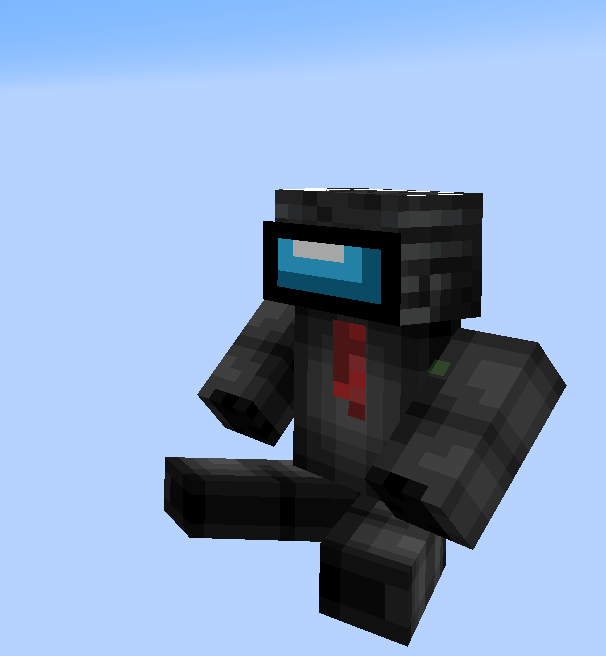
**[Fabric API][fapi], [QSL][qsl], or [Sinytra Connector][connector] + [Forgified Fabric API][ffapi] is required.** [EMI][emi] is strongly recommended.
Yttr is an expansive mod for Fabric & Quilt, sort of existing as a love letter to 1.4-1.6 modded. It contains fresh takes on a lot of common features, interesting worldgen, custom music, and all-new mechanics.
Starting as a loose collection of useful tidbits, Yttr has grown into a more cohesive mixture between a content mod and a vanilla overhaul. Presented as three “content branches”, extending those provided by vanilla; Void for the Overworld, Scorched for the Nether, and Continuity for the End.
The first “progression gate” in Yttr is using the multi-mode Yttric Rifle to blast an obsidian/diamond spike into the bedrock, smashing it open, revealing a geyser of liquid Void — created years (or versions) ago due to an alchemical disaster, also resulting in the creation of the familiar Wasteland biome. After thorough preparation, you might even be able to dive through the Void to fast-travel to places you (or your friends (or rivals)) have smashed open geysers elsewhere. If you’re not sufficiently prepared, well, even your items are not protected from the Void’s universal dissolution…
Scorched acts as a complete revamp of the top of the Nether, turning it into an ominous soot-covered biome, and making it simple to access (because let’s be honest, getting on top of the Nether is not difficult). Your farms won’t break, as nothing can spawn in the Scorched Summit on its natural blocks.
Roots of Continuity can be found underneath floating End islands, and smashing them with a pickaxe yields a Drop of Continuity and drops the island into the abyss — however, you may want to watch your back…
Also offered are “abominations”, providing a solution to autocrafting and item sorting that isn’t just a block with a funny texture. (Okay, it’s a block with a funny model.) Put a Skeleton on a table, surgically combine Silverfish and Creepers and house them in a Bee Nest, or splice together an Enderman and Zombie and magically bind them to a hopper — because of course you will just to make your logistics easier, ~~you monster~~.
Yttr treats crafting more as a mechanic than an interface, tightly integrating with the world around it. From automatically crushing and bottling gaseous Shroomlight, to stuffing a skeleton in a snare and feverishly strapping it to a table, Yttr tries to avoid recipes that can be solved by a digital storage system. Every recipe type also comes with detailed [EMI][emi] integration.
Also included are a plethora of useful “Vanilla+” pieces — the Dopper, a dual-output round-robin hopper; the Flopper, a sideways hopper; the Chute, allowing you to send items downward or center items shot from a Dropper; the Yttrium Button, a one-tick button; half-tick delayed note blocks, and even a few more things still.
There’s even more to the mod than mentioned here — solvent-weldable plastic Bloques®, fancy lamps, permanent Neodymium magnets, a centrifuge, Delicaceness of Deep-Sea Squeeze Trees, multiple new enchantments and curses, a new form of circuitry derived from InfraRedstone (not yet finished), …
Check out the [wiki][wiki] for a thorough explanation of ~~everything~~ some things — it has not yet been updated for the latest version, and is stuck on v0.4.3. We’re working on getting it updated. You can come chat on [Discord][discord] or [Matrix][matrix] about it, too.
# 🎯 yTrain – Train Against Custom Zombies with Ease
## 📖 Description
A lightweight Bukkit/Spigot plugin designed to enhance PvE training by allowing players to spawn customizable zombies. Features a user-friendly GUI for managing zombie armor and totem counts, with full admin control over configurations.
—
## ⚙️ Features
– ✅ **Customizable zombie spawning** with adjustable health, absorption, and enchantments
– ✅ **GUI for toggling armor** and setting totem counts
– ✅ **Totem auto-equip** for zombies (simulated in 1.12, native in 1.16+)
– ✅ **Configurable zombie settings** (name, visibility, glowing, etc.)
– ✅ **Cooldown system** for spawning zombies
– ✅ **Blacklisted worlds support**
– ✅ **Admin configuration reload command**
—
## 🔨 Commands
📜 Command List
– **`/train`** – Open the training GUI to spawn a zombie
– **`/yTrain reload`** – Reload the plugin configuration (admin only)
—
## 🔑 Permissions
🔐 Permissions List
– **`ytrain.train`** – Use `/train` to open the GUI and spawn zombies
– **`ytrain.reload`** – Use `/yTrain reload` to reload the configuration
—
## 📦 Dependencies
**None**
—
## 🌐 Join Our Discord!
[)](https://discord.gg/HxHcyBWU3V)
### 🔗 [Click Here to Join!](https://discord.gg/HxHcyBWU3V)
YouTuber Insel 2
# Youtuber Insel 2 Modpack
_Dieses Modpack enthält alle Mods aus dem beliebten YouTuber-Projekt “Youtuber Insel 2”._
**🚨 Achtung: Es kann vorkommen, dass nicht alle Mods aus dem “Youtuber Insel 2”-Projekt enthalten sind. Wenn du fehlende Mods entdeckst, melde dich bitte auf Discord bei “justpixel_0”. 🚨**
## Youtuber Insel 2 Modpack (English version)
_This modpack includes all the mods from the popular YouTuber project “Youtuber Island 2”._
**🚨 Warning: This modpack may not contain all the mods from the “Youtuber Island 2” project. If you find any missing mods, please contact me on Discord at “justpixel_0”. 🚨**
### Extra Note / Extra Notiz
_Deutsch:_
**Zu jeder neuen Modpack-Version, die ich veröffentliche, gibt es zwei Varianten: eine normale Version und eine “Extra”-Version. Die “Extra”-Version enthält zusätzliche Utility- und Performance-Mods, die in der ursprünglichen “Youtuber Insel 2” nicht vorhanden sind. Diese Mods verbessern das Spielerlebnis durch praktische Funktionen und eine verbesserte Leistung. Ich empfehle dir, die “Extra”-Version zu verwenden, da sie dir durch diese Optimierungen einen Vorteil bietet.**
_English:_
**For each new version of the modpack that I release, there are two variants: the regular version and the “Extra” version. The “Extra” version includes additional utility and performance mods that are not part of the original “Youtuber Island 2”. These mods enhance the gameplay experience by adding useful features and improving performance. I recommend using the “Extra” version, as it provides a clear advantage thanks to these optimizations.**
YouTube Chat
## 📺 YouTube Live Chat Integration
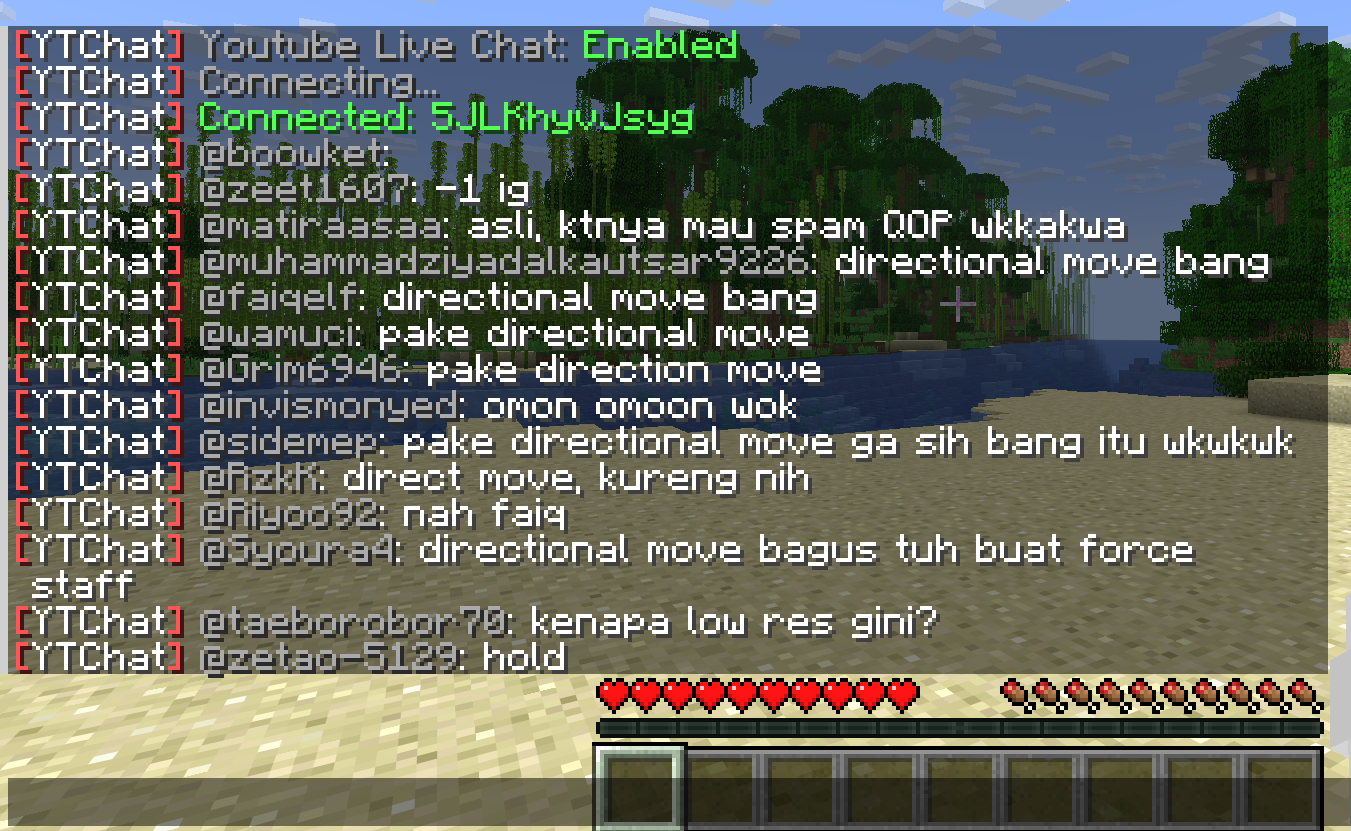
A Minecraft plugin for Spigot/Paper servers that seamlessly integrates YouTube Live Chat into your server. Messages sent during a live stream are displayed in real-time directly in the in-game chat, allowing players to interact with live audiences effortlessly.
### ✨ Features
– Real-time YouTube Live Chat integration
– Displays live stream messages in Minecraft chat
– Easy configuration and setup
### 🎮 Use Cases
Perfect for streamers who want to connect their in-game players with their YouTube audience, creating a more interactive and engaging experience.
### ⚙️ Compatibility
– Bukkit / Purpur / Paper / Spigot servers
– Modern Minecraft versions
yourskintotem
sitting miniversion of your skin on totem
how to install your skin?
1. open resource pack
2. go by this path:
assetsminecrafttexturesitem
3. and replace totem_of_undying.png with your skin
YourDeathPoint

The plugin shows the coordinates of your death in chat, not visible to other players
You can change the message in the config.yml file! **For Paper only, may not work on Spigot**
Your totem is your skin
# What the goal of this pack?
I think have your skin as a totem is pretty, then I created this pack.
You can found a tutorial in the pack (its name is tutoral.txt)
# How I can set the pack in my Resource packs?
Go in your .minecraft, resourcepacks, and drag and drop the pack.
# I can’t modify the pack
Just unzip the pack with right click, and select “Extract All…”
# How to setup the pack?
TUTORIAL
1. Grab your own skin
go on https://namemc.com
search your pseudo
click on your profile
under your skin preview, there is all your skins and click on your latest
click on the download button
2. Put the skin in the Resource Pack
Go in your downloads, click on your skin and press Ctrl + X
Go in the resource pack : assets, minecraft, textures, item and press Ctrl + V
Rename your skin “totem” (verify the extension : it’s normally png)
There it is!
If you have questions, ask me on my discord : https://dsc.gg/somroti (it’s a french server but you can use Google Translate)
Here’s my discord for suggest ideas or report an issue : https://discord.gg/7yXRx6yVVy
This mod is part of The Vanilla Experience modpack and Serilum’s Quality of Life Bundle mod. Your Items Are Safe is a mod which can function as an alternative to the existing gravestone mods, by using only vanilla blocks. When a player dies, it will keep their items from despawning. It does this by creating an armor stand with equiped gear and a chest with the items from the inventory. A sign will be placed on the chest with the player’s name. If the inventory does not fit into one chest, another one above it is generated. The armor stand stands above the chest. All features can be turned on/off via the config. If a player dies in the void, the chest will be placed above the death coordinates.
To keep it balanced the chests and armor stand can only be created if the player has enough wood in its inventory. A chest requires either 2 logs, 8 planks or an actual chest. The armor stand requires 1 log or 3 planks. The mod searches for logs first, then planks, then chests. If it can’t find the raw material needed, the chest and armor stand is not generated. If you’d like to always generate them, even without raw materials, this can be set in the config file as well.
The mod also contains the functionality to generate a player head and put it on the armor stand. This makes it easier to identify which player has died where. If the player had a helmet equiped, it is placed inside the chest. Enabled by default. But again, this can be disabled in the config.
Configurable:( how do I configure? ) mustHaveItemsInInventoryForCreation (default = true): When enabled and a player dies without any items in their inventory, no chest or armor stand is generated. addPlayerHeadToArmorStand (default = true): If a player head should be added to the armor stand. If a helmet is worn, this will be placed into the chest. createArmorStand (default = true): Whether an armor stand should be created on death. If disabled, the player’s gear will be placed inside the chest. createSignWithPlayerName (default = true): Whether a sign should be placed on the chest with the name of the player who died there.
needChestMaterials (default = true): Whether materials are needed for the chest which spawns on death. This can be the actual chest or the costs in raw materials. needArmorStandMaterials (default = true): Whether materials are needed for the armor stand to spawn on death. This can be the actual armor stand or the costs in raw materials. needSignMaterials (default = false): Whether materials are needed for the creation of the sign when ‘createSignWithPlayerName’ is enabled. ignoreStoneMaterialNeed (default = true): Only relevant if ‘needChestAndArmorStandMaterials’ is enabled. An armor stand needs 1 stone slab to be created, but I think it’s alright to ignore that requirement. If enabled, no stone is needed in the inventory on death.
createChestAboveVoid (default = true): If a chest should be placed right above the minimum build height when a player dies in the void. createVoidPlatform (default = true): If a 3×3 platform should be created below the chest above the void. ‘createChestAboveVoid’ must be enabled.
sendMessageOnCreationFailure (default = true): If a message should be sent if the chest or armor stand can’t be created due to missing materials. sendMessageOnCreationSuccess (default = true): If a message should be sent on successful creation of the chest(s) and armor stand. sendDeathCoordinatesInChat (default = true): If the player’s death coordinates should be sent in the chat below the ‘sendMessageOnCreationFailure’/’sendMessageOnCreationSuccess’ message.
creationFailureMessage (default = “Your items are not safe due to having insufficient materials. Missing: %plankamount% planks.”): The message sent on creation failure with ‘sendMessageOnCreationFailure’ enabled. Possible replacement values: %plankamount%, %stoneamount%. creationSuccessMessage (default = “Your items are safe at your death location.”): The message sent on creation success with ‘sendMessageOnCreationSuccess’ enabled.
Some examples: An armor stand and chest generated after death:
Two chests generated after death, because the inventory didn’t fit in a single one:
One chest and an armor stand created after death:
Show Spoiler
The previous death results in the following:
Show Spoiler
Here the player has no wood in its inventory. The chest/armor stand is not generated:
Show Spoiler
The player does have some planks in its inventory, but not enough. This is shown in the chat via a message:
Show Spoiler
The inventory is completely full, so 2 chests are needed to store everything. Luckily the player has more than 19 planks:
Show Spoiler
When a player dies in the void, the chest is placed on the initial position above it with a cobblestone platform.
Death coordinates are sent in the chat. Can be disabled in the config.
——————
You may freely use this mod in any modpack, as long as the download remains hosted within the Modrinth ecosystem.
Serilum.com contains an overview and more information on all mods available.
Comments are disabled as I’m unable to keep track of all the separate pages on each mod. For issues, ideas, suggestions or anything else there is the Github repo. Thanks!
Your Dog Stats
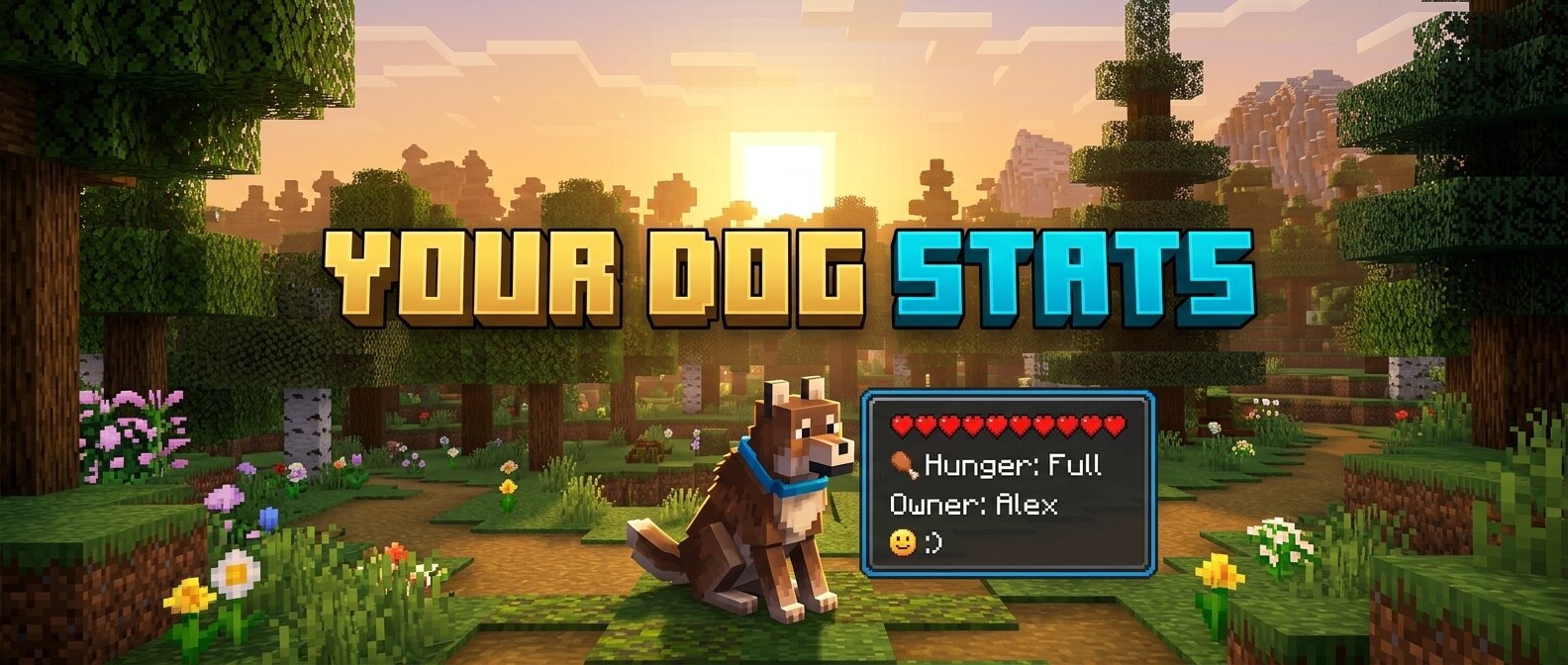
**Your Dog Stats** is a premium Minecraft mod (1.16.5 Forge) that adds an immersive, real-time HUD overlay for your tamed wolves. No more guessing how your dog is feeling or how much health they have left!
## 🐾 Features
– **Owner Tracking:** Always know who the dog belongs to.
– **Dynamic Health Bar:** A beautifully rendered health bar that changes color from Green (Healthy) to Red (Critical).
– **Hunger Status:** Simulated hunger tracking. Since wolves heal when fed, this keeps you informed of when they need a snack!
– **Mood Indicators:** Interactive emoji-based mood tracking:
– `:) Happy` – Your dog is feeling great!
– `:| Neutral` – Your dog is doing okay.
– `>:( Angry` – Something has upset your companion!
– `Relaxed` – When your dog is sitting comfortably.
– **Activity State:** See at a glance if your dog is set to `Sitting` or `Following`.
– **Age Identification:** Clearly distinguishes between `Puppies` and `Adults`.
– **Premium Aesthetics:**
– **Smooth Animations:** HUD fades in and out gracefully when you look at a dog.
– **Dynamic Borders:** The HUD border color automatically updates to match the dog’s collar color!
– **Sleek UI:** Dark, semi-transparent design that doesn’t obstruct your view.
## 🛠️ Requirements
– Minecraft 1.16.5
– Forge (36.2.20 or newer recommended)
## 📥 Installation
1. Download the latest `.jar` file.
2. Place it into your Minecraft `mods` folder.
3. Launch the game and enjoy your new companion stats!
—
*Created with ❤️ for dog lovers.*
YouCantHaveThat
Prevents obtaining/breaking any item of your choice.
Great for protecting your server or spicing up survival.
## Features
– Prevents obtaining / breaking / placing.
– Scans inventory/containers when opened.(Can be toggled off for survival fun now.)
– Detects offhand.
– Lightweight. Operates completely through player actions.