a texture change of most of the weapon texture to make them HD
such as the netherite sword and the crossbow.
:this texture pack changs these textures and more: This texture pack is for PVP club
.netherite sword
.diamond sword .bow
.netherite axe
.diamond axe
.iron sword .crossbow
.loaded crossbow
.crossbow
(New textures coming soon with new updates)
(netherite sword texture in this pack one of many)

my modrinth account for more mods like this one
WolfPound
WolfPound – Adopt a Wolf Today!

Current Version: v1.0.4
Features:
– Lets users buy wolves (or you could make them free )
– Integrates with iConomy, BOSEconomy, RealEconomy, Essentials Built in Economy, and Permissions! (ToDoo: Integrate Vault)
– Spawn wolves as neutral, friendly or REALLY ANGRY
– Spawn multiple wolves with one command! (Disclaimer: I am not responsible for the massive amount of wolves you spawn, or if wolves start getting in fights)
– Limit the number of wolves you can spawn with the command
– Multi-World Support! All options are now configurable PER WORLD!
documentation
Wolf Backport
A backport for Minecraft’s wolf textures in 24w10a. **Entity Texture Features or Optifine required**. All assets are by Mojang/Microsoft. (Not endorsed/associated with them). You can choose the biome-dependant wolves version or the random wolves version of the resource pack.
**WobblyHearts** is a **datapack** based on hearts management with a simple concept:
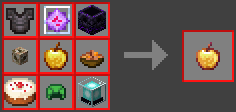
– You **lose** a **heart** on **death**, and **get one** upon eating an **Enchanted Golden Apple**.
– Once you have no more hearts, you get **banned**.
Example video
## Craft
There is a **custom craft** for the **Enchanted Golden Apple** as seen below.
> Also shown in the recipe book in-game.
## How to update
Simply **delete** the **WobblyHearts.zip** and **replace** it with the **new** one!
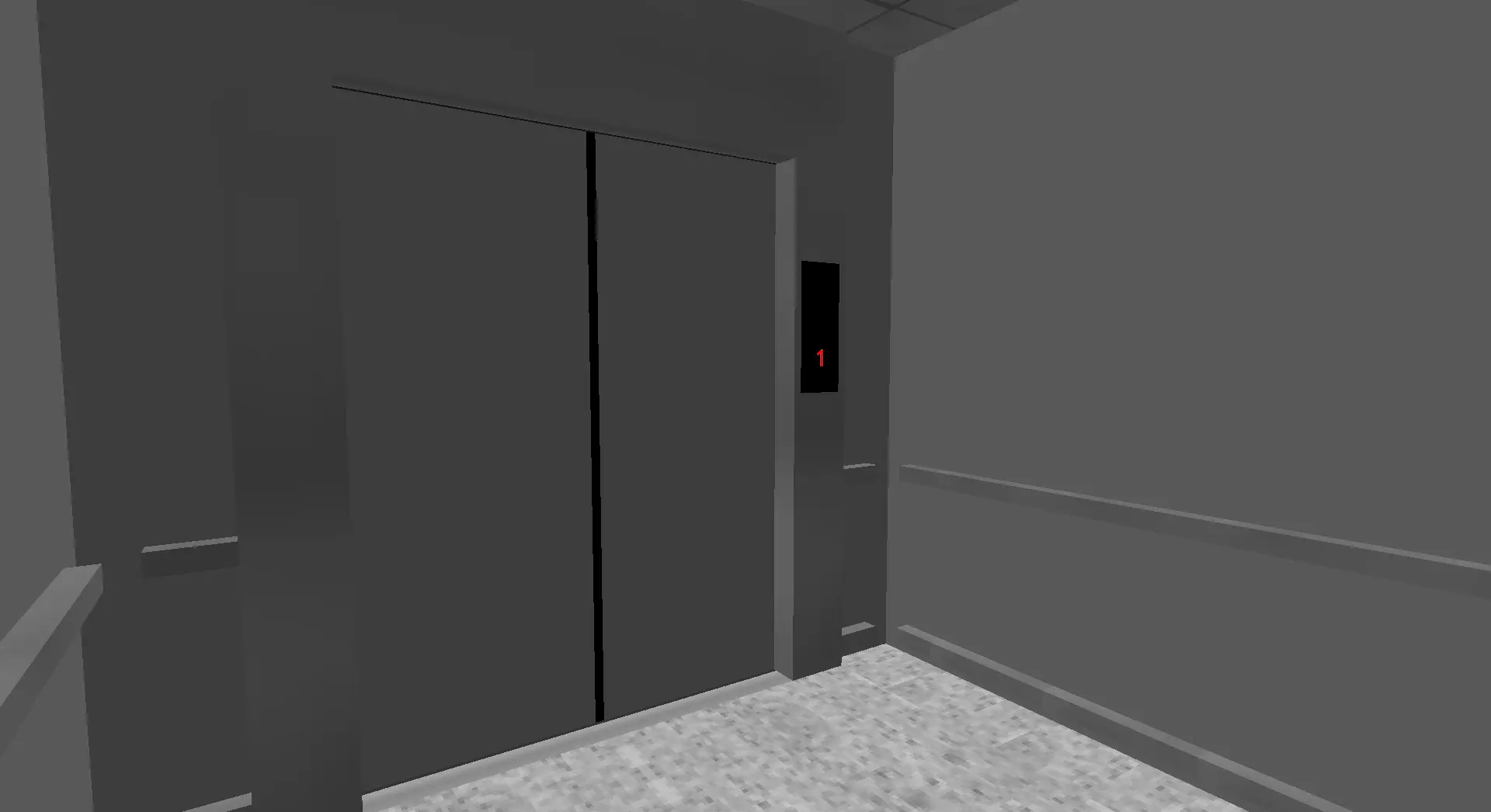
MTR Windowless Lift
# MTR Windowless Lift
This pack adds a windowless lift for MTR mod.
WLIB
WLIB
Static utility library built for dynamic bukkit plugins
WLIB is a utility library for bukkit servers that simplifies common plugin development tasks and reduces repetitive boilerplate code.
Features include:
* Dynamic command registration
* Static event management
* Plugin management APIs
* Debug and development tools
* Reflection and compatibility helpers
* Cross-platform Bukkit/Paper/Folia support
* General-purpose utility classes for plugin development
WLIB is intended as a lightweight developer library and is primarily used across projects from WebMC Development.
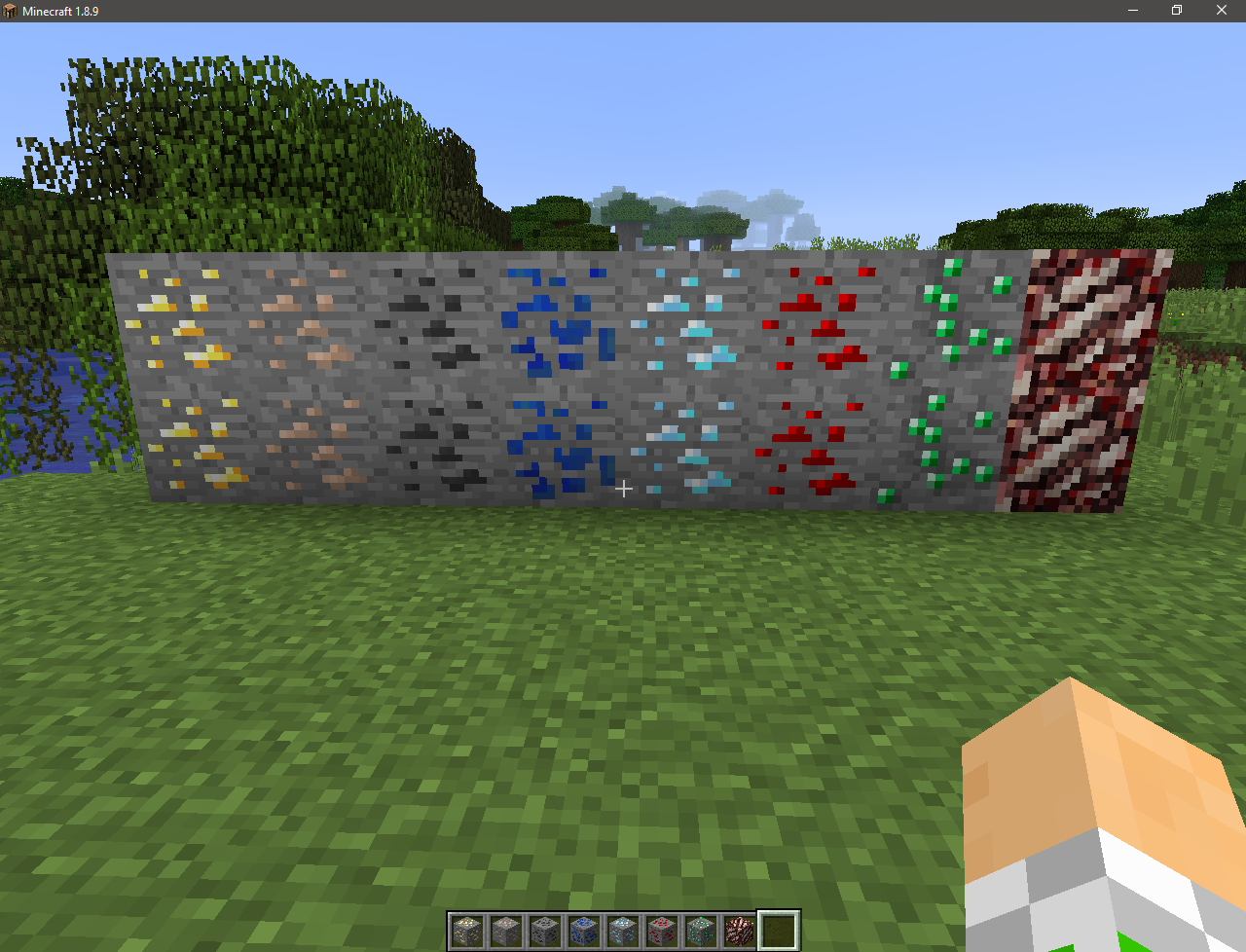
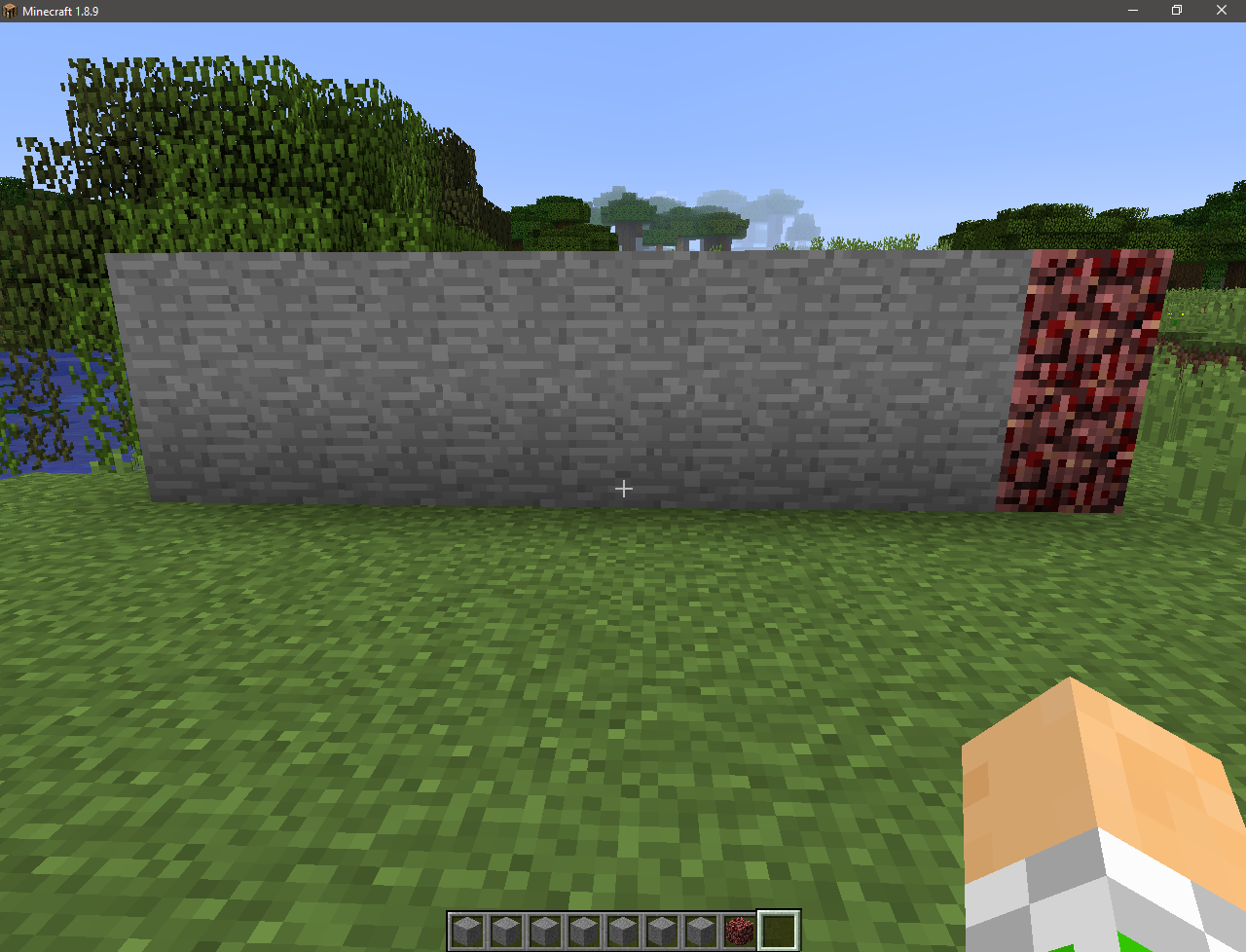
Without Ore
Is it possible to pass Minecraft without seeing the ore?
I think it’s possible!
This resource pack will change the textures of ores to stone! This will add hardcore to the game! With it, you can try your luck, as well as troll your friends by installing it on the server!
Screenshots:
Official video:
More videos:
Russian: by “Phantom Way”
WitherSpawn
# Features
* Completely disable or enable Wither spawning with ‘/ws toggle’ command
* Keep track of all Withers in your server with uuid, location, and time info stored using SQLite database
* Disable Wither damage, explosions, or status effect
* Armor, armor toughness, attack damage, follow range, knock back resistance, movement speed, & max health of Wither now configurable!
* Optimized and lightweight
* Disable Wither spawning in worlds by listing them in configuration file
* Wither will spawn if a server operator or player with bypass permission is within bypassRadius range in configuration file
* Config option to prevent anvil damage to Wither
* Config options to cancel dropping of Nether Star item or XP if Wither died from listed death reasons – https://hub.spigotmc.org/javadocs/bukkit/org/bukkit/event/entity/EntityDamageEvent.DamageCause.html
* Config option to set minimum/maximum y-coordinates Wither can spawn within
* New scan feature that will add or update database with currently loaded Wither information
* Command ‘/ws list’ will now list all Withers with uuid, last location, and time found in database
* Set maximum amount of Withers allowed to be alive and loaded in the server when spawning new Withers
* Setting maxWithers to 0 will disable Wither spawns unless player has op or witherspawn.bypass permission
* Kill all Withers loaded in the server with command ‘/ws killall’
* Kill all Withers within default or specified radius of player who issued command
* Withers that are killed with commands do not drop anything
* Notification option with location for when players try to spawn Wither but is disabled or prevented
* Notification option with location for when players successfully spawn Wither
* Config option to disable Wither spawning above sea level in Overworld
* Config option to send messages to server console, admins, or players
* Customizable messages in config!
# Commands
**/ws toggle** — Completely disable or enable Wither spawning
**/ws killall** — Kill all Withers loaded in the server
**/ws list** — List uuid, location, and time of all Withers found in database
**/ws radiuskill** — Kill all Withers within killRadius set in configuration file
**/ws radiuskill #** — Replace # with an integer above 0 to kill Withers within specified radius
**/ws reload** — Reload configuration file
# Permissions
**witherspawn.admin** — Allows use of commands
**witherspawn.bypass** — Completely bypass restrictions and allow Wither spawning
**witherspawn.deny** — Completely deny Wither spawning unless player has witherspawn.bypass permission or op
**witherspawn.notify** — Receive message when players attempt to spawn Wither but is disabled/prevented or when successfully spawned
# Config File
* Config file automatically updates to latest version when updating plugin jar file!
* Config regeneration still recommended for updated comments!
a texture change of the withering hearts so that you can see if it is a wither heart or an empty heart slot
this is also a helpful mod for all of the people that died because you couldnt see that you had low health…
Wither Star
# Wither Star + Beacon
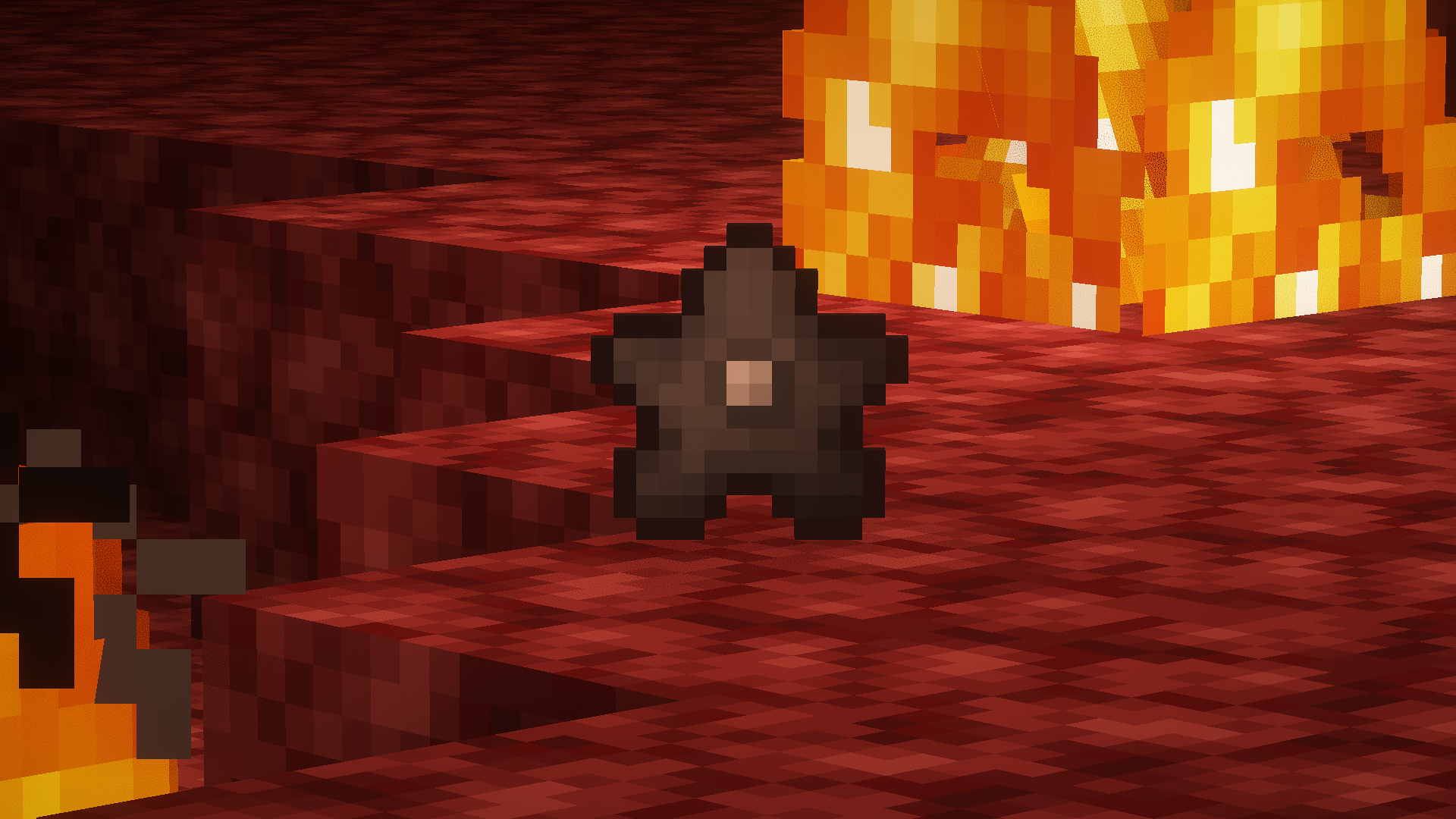
I don’t know, it just makes sense to me for the star to be some kind of core that gives the Wither it’s power. So I made this, replacing the “Nether Star” for a “Wither Star”.
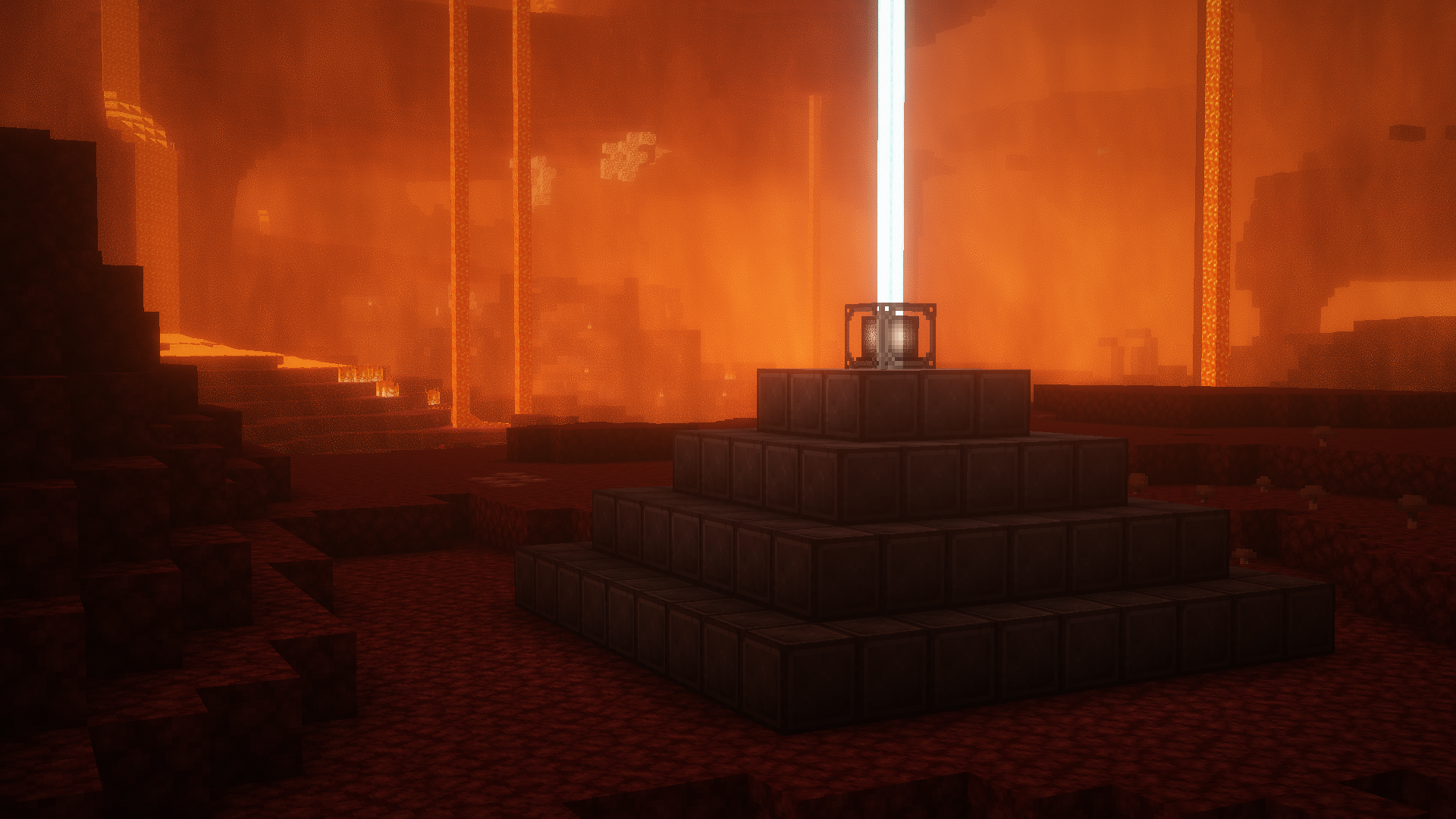
With the new star done, it made sense to change the only thing that it is used for: The Beacon.
So I made a darker version and also changed its glass frame (it doesn’t change actual glass, only the beacon one)
## Preview
##### *Screenshots taken with Complementary Shaders