Qube Pack
This resource pack gives some blocks more volume, while maintaining the original texture of the block.
This resource pack gives some blocks more volume, while maintaining the original texture of the block.
Implements really simple antialiasing via *super-sampling*, also known as SSAA.
## Huh?
Antialiasing is often implemented via “FXAA”, “TAA”, “MSAA”, etc. All of these methods are approximations, but they’re very fast. FXAA and TAA are basically just really fancy blurs, and MSAA can only smooth polygon edges; pixelated textures are totally missed out on, which is most of what Minecraft is.
Super-sampling is the most pure, accurate, and expensive form of antialiasing. The entire scene is rendered at a higher resolution, and then downscaled for presentation. It’s also the easiest to implement.

For example, if you’re playing in a 1280×720 window, then QDAA will render the game at *2560×1440* instead, and then resize it to 1280×720 before it’s drawn to the screen.
This mod reuses functionality in Minecraft that handles macOS Retina displays, so it should be quite compatible, except with other mods that modify how the framebuffer is drawn to the screen. It also technically optimizes the final render step, replacing a normal quad render with a blit.
Notably, due to how this works, **QDAA can even antialias GUIs**, improving readability of rotated text and smoothing the edges of 3D item models. Shaders only work on the world.
## Versions
2.0 is an xplat redesign of QDAA based on the old “Simple” version, which works on 1.21.1+. Historically, QDAA is available in both “Simple” and “Configurable” versions, which are v1.1 and v1.2 due to having no foresight.
### Simple
Really basic implementation of just the AA. ~~Works on any version with Blaze3D, pinky promise. Will likely never need updating. Remind me if I forget to tag new versions.~~ Mojang refactored how their framebuffer code works, so it broke. Yay. 2.0 exists to fix this.
**Note**: 1.16 and earlier only [*sorta*](https://blob.jortage.com/blobs/7/3d4/73d4a6b5e2bb3172856992ccddbdf281b17105075ad07be9f4919d75dea913d9a4f7249196e40ef061a653354dd617942f9897668e07dad5bd497f65c3bcceb9) work. Only 1.18 and higher is supported.
### Configurable
More “full-fledged” mod with a config screen and runtime toggling. Potentially useful to ship in modpacks off-by-default. Highly version-dependent due to usage of GUIs. Likely won’t receive updates, I regret it.
Most particles will have a yellow background. The only exceptions are :
– Strength (orange)
– Slowness (greenish)
– Regeneration (red)
– Weakness (dark greenish)
– Luck (green)
– Fire resistance (orange)
– Water breathing (green)
– Swiftness (flashy green)
– Poison (greenish)
Every other potion effect are yellow tints.
[
[

**This resource pack improves the current crosshair and the block breaking animation for PvP!**
# 📥Installation:
This ressource pack improves the current crosshair and the block breaking animation for PvP! The pack is *made for* **all versions and snapshots between 1.6 and 26.1.1**.

# ✨Features:
Improves the current crosshair and the block breaking animation for PvP -> replaces them with a super assistive and useful crosshair and a loading bar block breaking animation!

# 🛠️Versioning:
This ressource pack uses the following versioning system:
– **Base pack:** standard versioning + Minecraft version
– -> *e.g.* **v1.0-1.21.8, v2.4-v1.21.11,…**

Thanks to all the resource packs and their authors, who either licensed their projects under the MIT license or allowed me to use their resource packs!
– [PvP Crosshair](https://modrinth.com/resourcepack/pvp-crosshair)
– [Loading Bar Breaking Animation Pack](https://modrinth.com/resourcepack/loading-bar-breaking-animation-1.8.9-version)
Without these projects and their authors, PvP Crosshair & BBA Pack would not have been possible to make. **Special thanks!**
# 💘 Support me!
To help me and make me develop more fascinating projects, share and recommend this resourcepack. Thank you so much!!!
You can also try my other projects [here](https://modrinth.com/user/Titan1um) or the projects me and Polr made [here](https://modrinth.com/organization/titan1um-x-polr)! 😀

# Proxy Protocol Support
Proxy Protocol Support is a [Fabric](https://fabricmc.net/) and [Quilt](https://quiltmc.org/) mod which adds support for [Proxy Protocol (HAProxy)](https://www.haproxy.com/blog/haproxy/proxy-protocol/ “Proxy Protocol (HAProxy)”) for your Minecraft server. It allows to accept both proxied and direct connections simultaneously.
For example you can use [TCPShield](https://tcpshield.com/ “TCPShield”) or other software ([Nginx](https://nginx.org/en/docs/stream/ngx_stream_proxy_module.html#proxy_protocol “Nginx”), [FRP](https://gofrp.org/)) to forward traffic, and hide your server’s IP address. Without Proxy Protocol, your console will only show the proxy’s IP address. By reading the Proxy Protocol packet, this mod makes showing the player’s real IP address possible.
**This is a Server-Side only mod; it does nothing when installed on a client.**
Supports Minecraft versions 1.14-26.1 and probably later (untested).
—
## Secure Hybrid Mode
This mod allows your Minecraft server to simultaneously accept connections from a **trusted proxy** (using the PROXY protocol) and from **trusted direct-access IPs**. This is perfect for setups where you want to hide your server’s IP behind a proxy, while still allowing admins or local players to connect directly.
The mod operates on a secure **”Default Deny”** principle. If an incoming connection’s IP address is not explicitly whitelisted in one of the lists below, it will be **rejected**. This prevents unauthorized users from bypassing your proxy and connecting directly to your server’s real IP address.
—
## Configuration
Configuration is handled in `config/proxy_protocol_support.json`.
### `enableProxyProtocol`
Set to `true` to enable the mod’s functionality.
– **Default**: `true`
### `proxyServerIPs`
A list of IP addresses that are your trusted proxy servers. Connections from these IPs **must** send a PROXY Protocol header.
– **Default**: `[“127.0.0.1”]`
### `directAccessIPs`
A list of IPs or CIDR ranges that are allowed to connect directly **without** a PROXY Protocol header. This is ideal for admins, local network players, and server-side tools.
– **Default**: `[“127.0.0.1”, “192.168.0.0/16”]`
### `whitelistTCPShieldServers`
When `true`, the mod automatically fetches TCPShield’s official proxy IPs and adds them to the trusted `proxyServerIPs` list.
– **Default**: `false`
—
## Example Scenarios
#### Scenario 1: Server behind FRP on the same machine
You run `frpc` on the same machine as the Minecraft server. Players from the internet connect through the proxy. You want to connect directly from your gaming PC on the same LAN (`192.168.1.100`).
“`toml
proxyServerIPs = [“127.0.0.1”]
directAccessIPs = [“127.0.0.1”, “192.168.1.100”]
“`
#### Scenario 2: Server protected by a remote proxy service
Your server is at home, and you use a VPS with the IP 203.0.113.10 as a proxy. You want your entire home network (192.168.0.0/24) to have direct access.
“`toml
proxyServerIPs = [“203.0.113.10”]
directAccessIPs = [“127.0.0.1”, “192.168.0.0/24”]
“`
#### Scenario 3: Maximum Security (Proxy Only)
You only want to allow connections through your proxies and nothing else (not even from the local machine).
“`toml
proxyServerIPs = [“1.2.3.4”, “5.6.7.8”] # Your proxy IPs
directAccessIPs = [] # Leave empty
“`
Looking for Minecraft server? Visit [BedrockHost.pl](https://bedrockhost.pl/)
# Pridepack
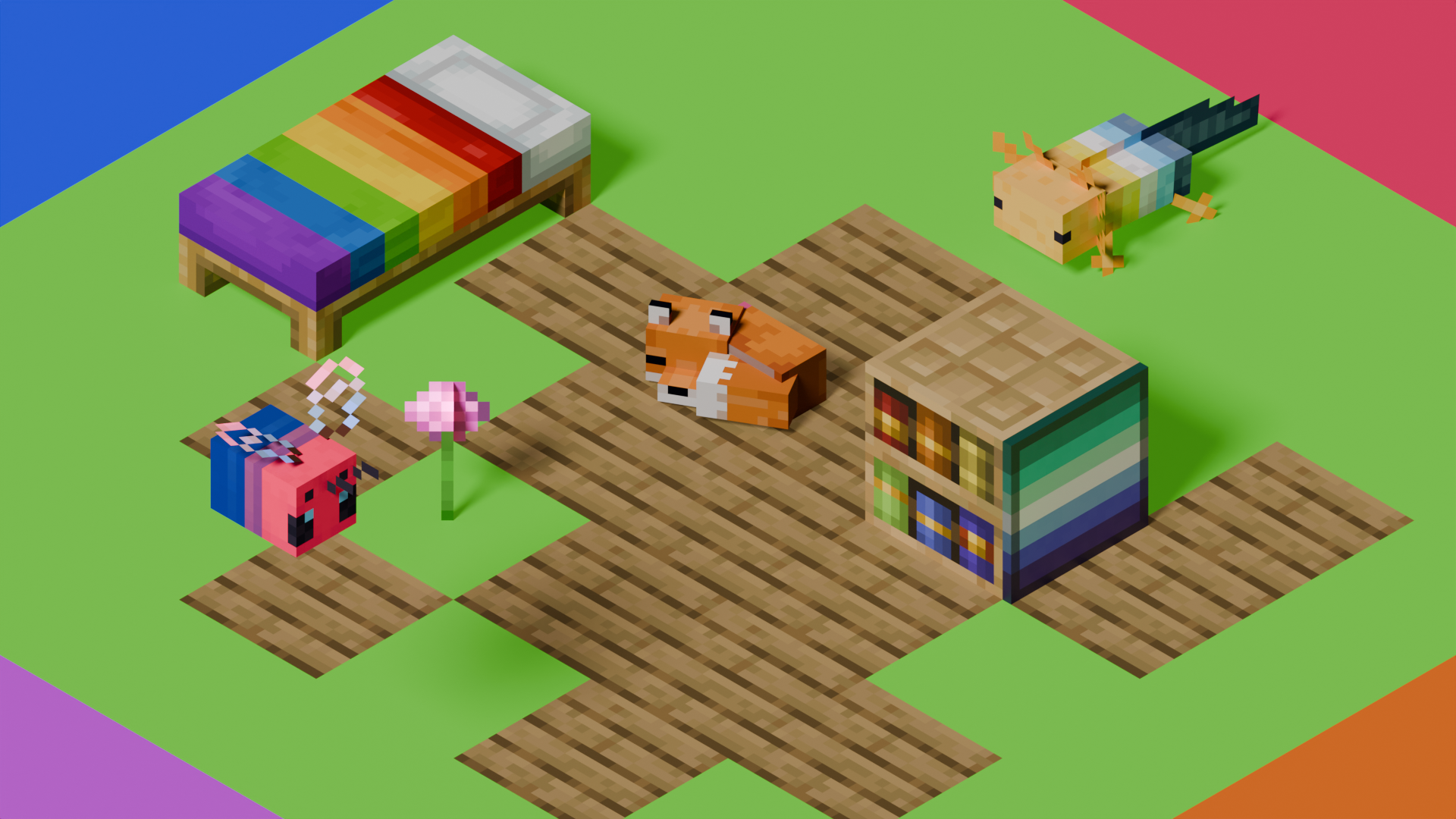
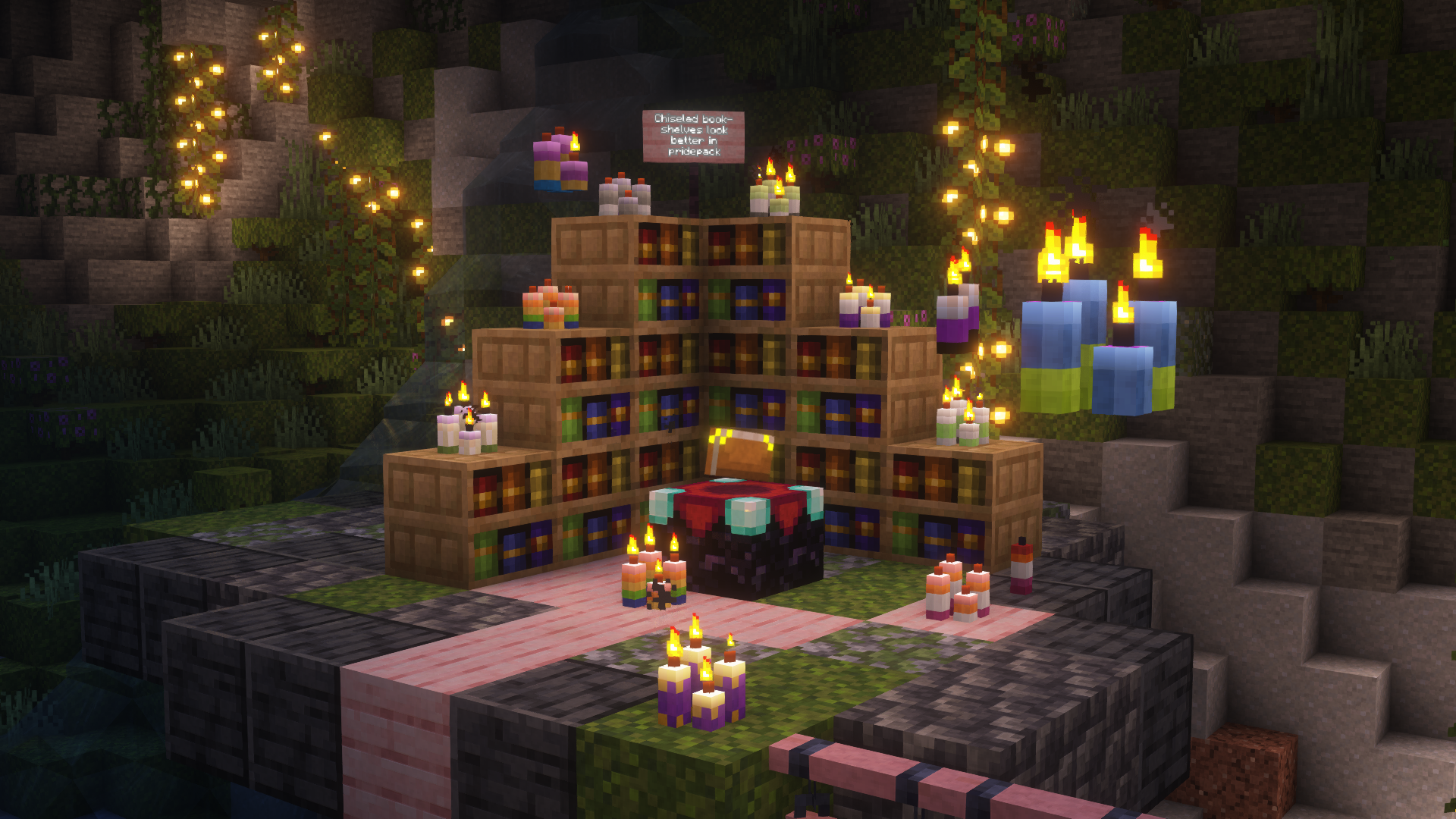
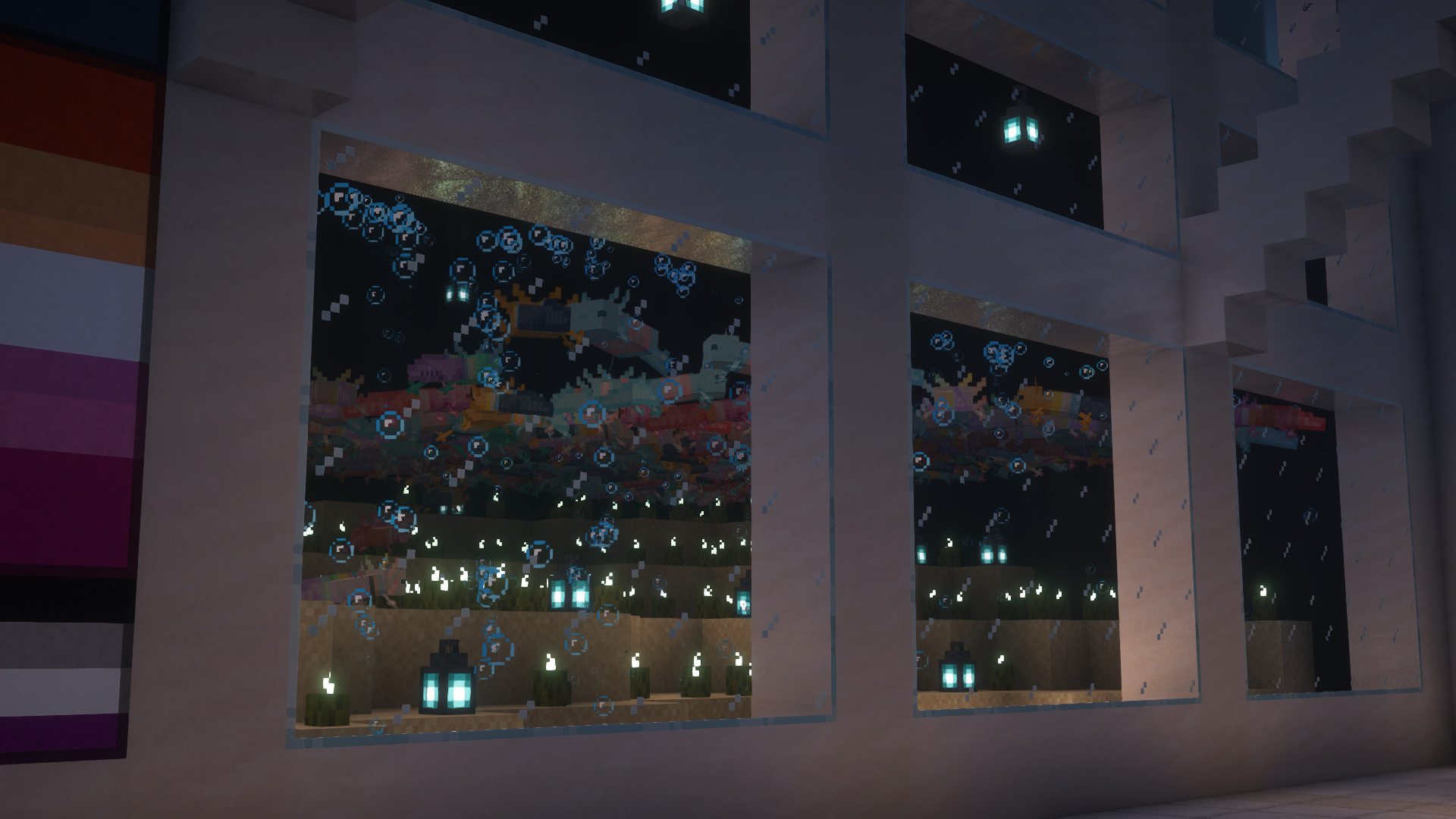
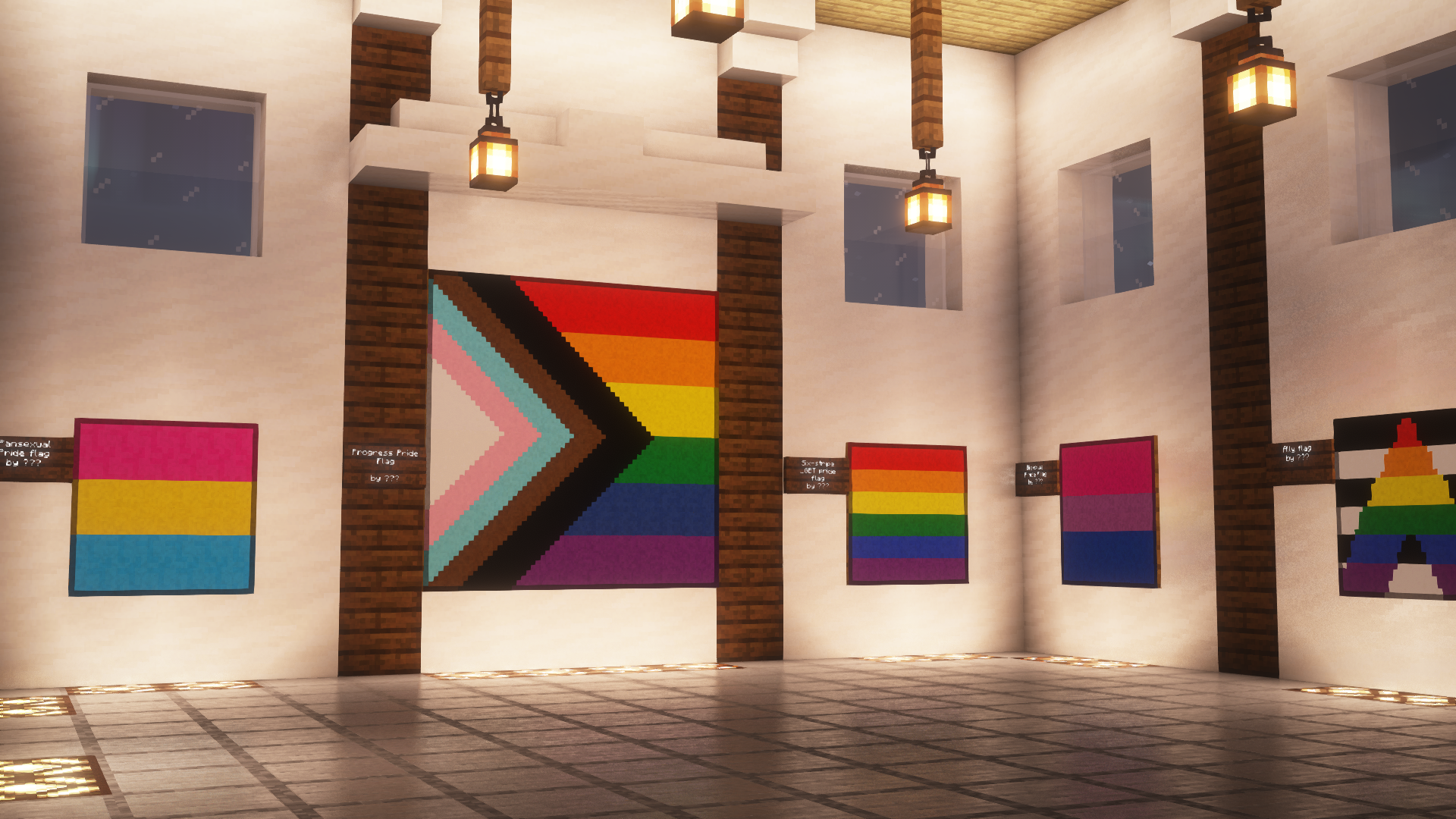
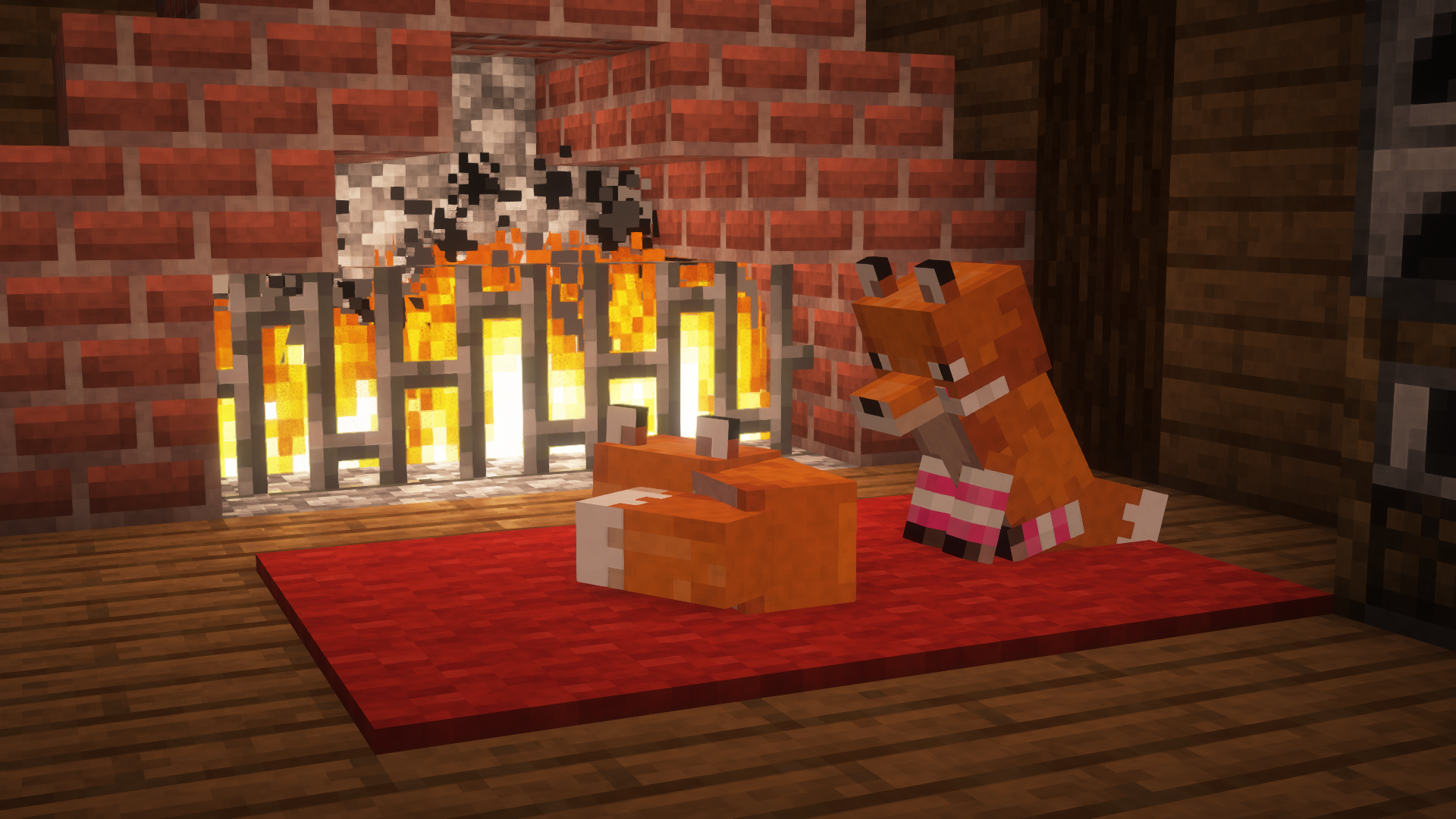
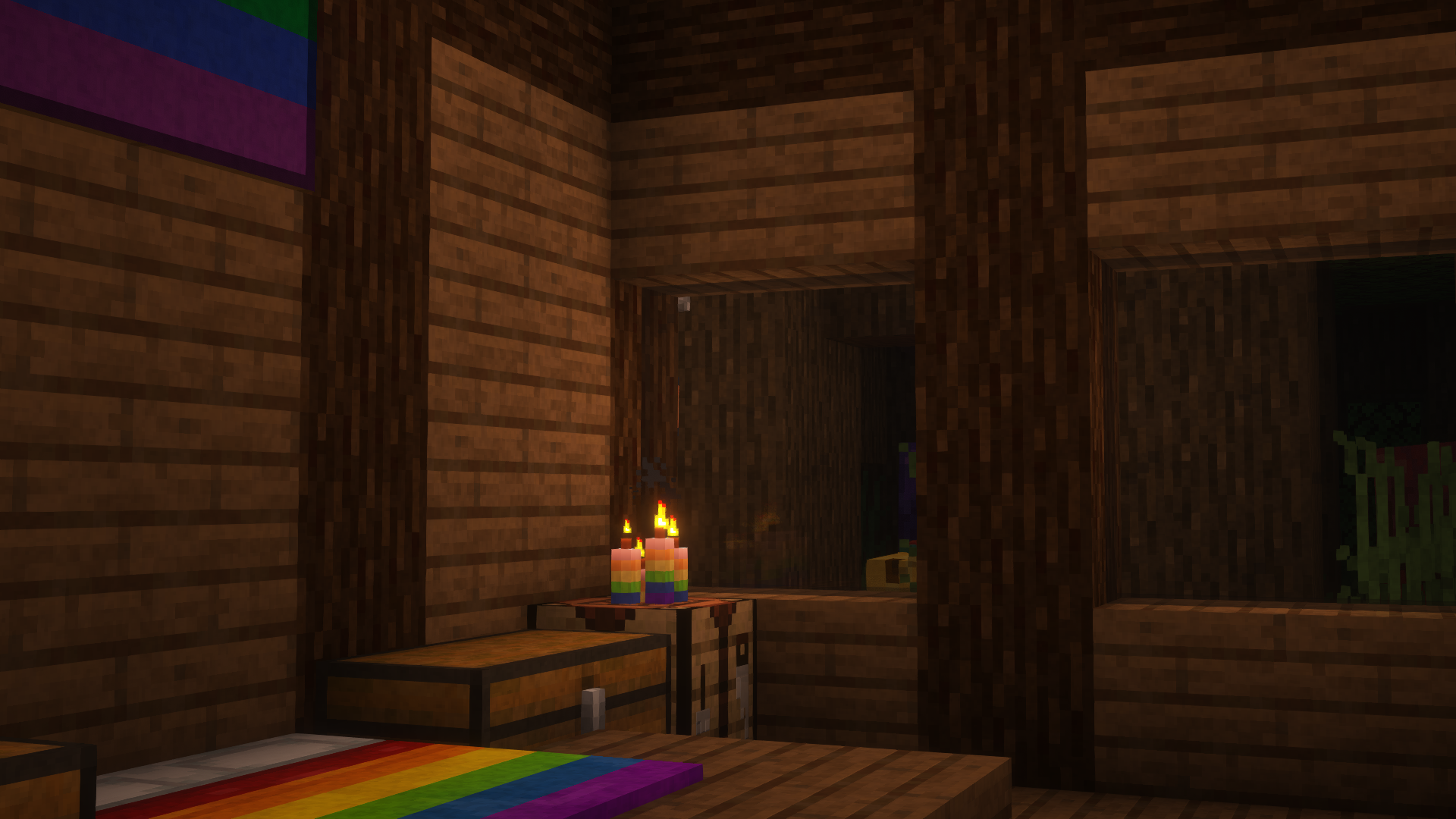
This is Pridepack, a Resource Pack made by [Pridecraft Studios](https://pridecraft.gay). It comes with many LGBT Pride additions, such as paintings, beds, mobs and Main Menu changes.
## Donate
You can support the developers of Pridecraft Studios by donating on Patreon
[](https://donate.pridecraft.gay)
## Screenshots
## Who
Pridecraft Studios is a collective modding group that creates resource packs, tooling, and our flagship mod, Joy. Our team of volunteers strive to create prideful content for the diverse Minecraft community <3. We target both Java and Bedrock editions, hoping to create memorable experiences for you.
## Other Downloads
[](https://modrinth.com/project/pridepack) [](https://www.curseforge.com/minecraft/texture-packs/pride-pack) [](https://git.pridecraft.gay/pridepack)
## Socials
[](https://discord.pridecraft.gay)
[](https://tech.lgbt/@pridecraft)
[](https://youtube.com/@pridecraftstudios)
[](https://bsky.app/profile/pridecraft.gay)
[](https://instagram.com/pridecraftstudios)
# Licenses
Pridepack by Pridecraft Studios is licensed under CC BY-SA 4.0 The soundtracks for Joy are licensed from [lynndova](https://lynndova.com/), under different terms and are **not** distributed under CC BY-SA 4.0. [See here for licensing terms.](https://git.pridecraft.gay/pridepack/blob/main/LICENSE-MUSIC) In short: If you are unsure if you may use the soundtracks or wish to license the soundtracks for your own use, contact lynndova using [their public email](mailto:[email protected]).
Assets license [CC BY-SA 4.0]


Music license [ARR + Permissions]
– You must provide credit to lynndova
– You can not reupload this soundtrack verbatim
– You may use this soundtrack under the fair use doctrine including but not limited to the following:
– Using this soundtrack in videos or streams
⭐ PotatoCraft 8x – Ultra FPS Boost Texture Pack ⭐
Do you want smooth FPS and a potato-friendly Minecraft? 🍟
PotatoCraft 8x is a lightweight, simplified resource pack designed for Minecraft Java Edition.
🔥 8×8 textures (down from the default 16×16)
⚡ Huge FPS boost on low-end devices
🎮 Perfect for PvP and survival gameplay
🌍 Works on all the latest Minecraft Java versions
💻 Tested on both mobile and PC
Whether you’re on a low-end phone, old laptop, or a beast PC, this pack makes the game feel faster, cleaner, and smoother.
💡 Why PotatoCraft?
Because even the weakest potato deserves to play Minecraft without lag! 🥔
📥 Download now and turn your Minecraft into a lag-free experience!
# Pixel perfect Twemoji (9×9 version)
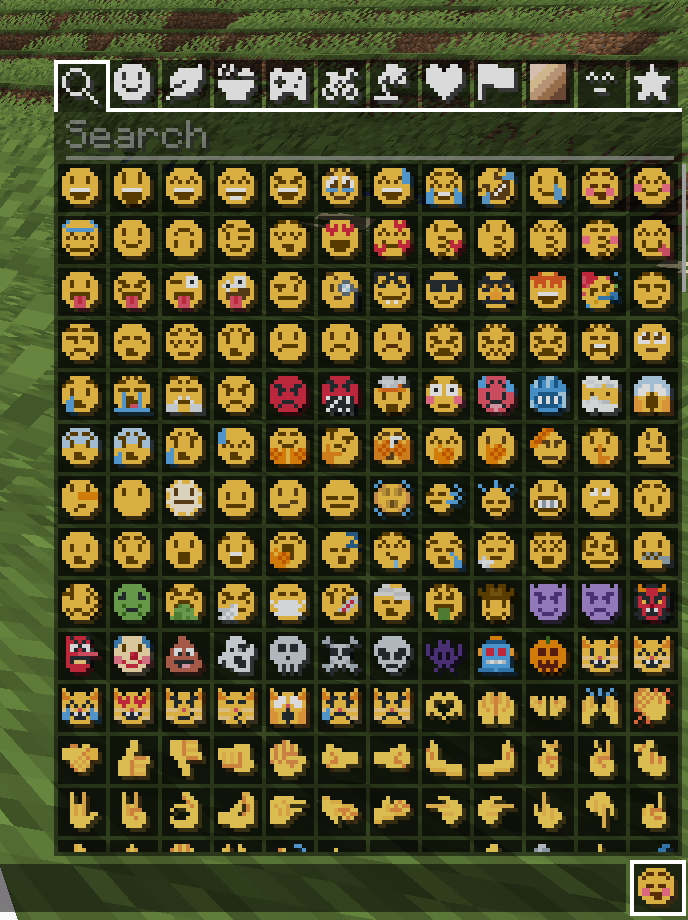
This resource pack adds **all** of Twemoji, redrawn by hand as pixel art
at 9×9 pixels, to the default font in Minecraft: Java Edition
version 1.16 or later. Twemoji is the emoji set used by Discord and Twitter.
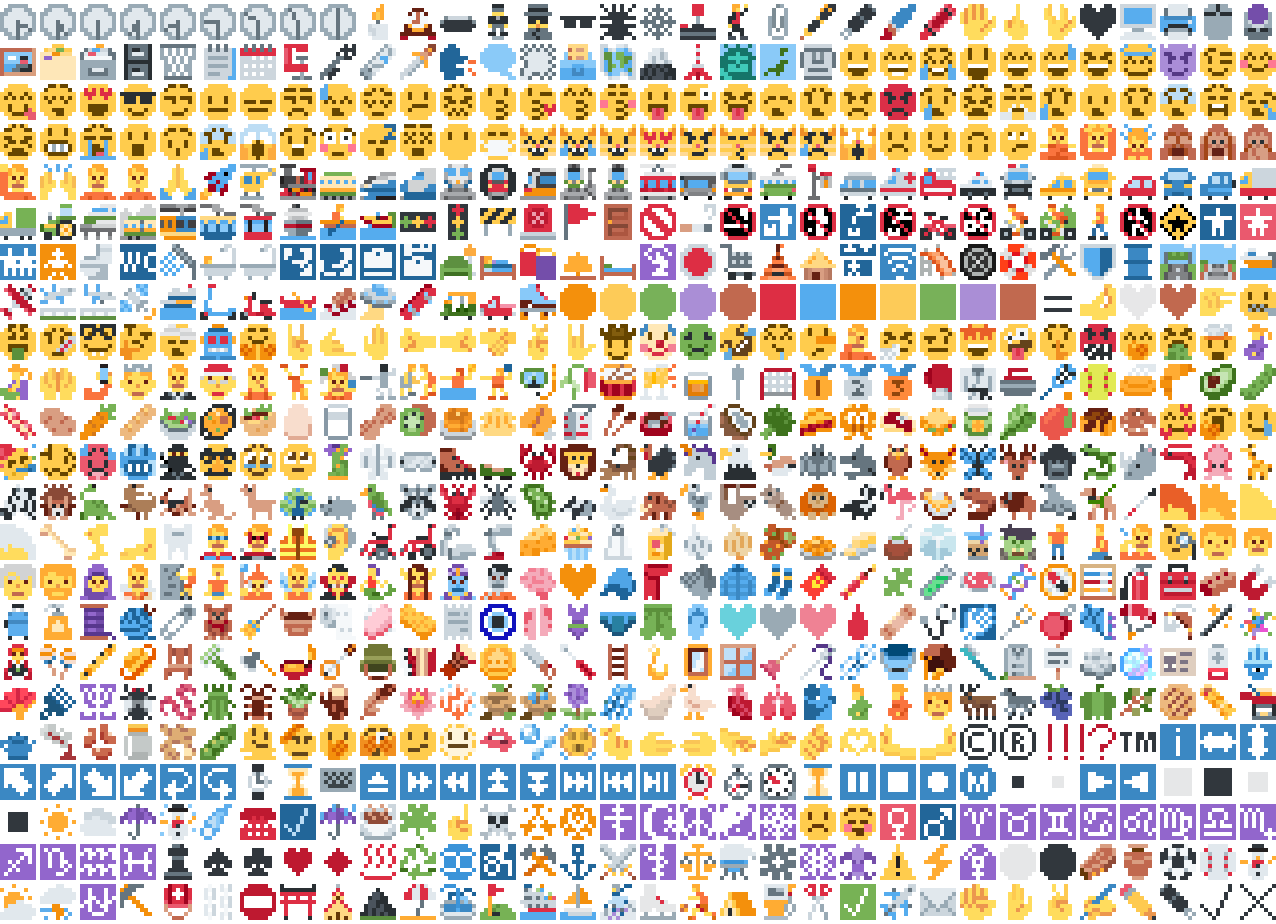
*Just some of the emoji in the pack*
## Installation
Please download the .zip file from the Versions section, put it in your
resource packs folder and select it for use in-game.
You can also embed this pack into another pack,
for use on a server or custom world for example.
Please remember to credit the project as it is
one of the requirements of the project license.
## Basic usage
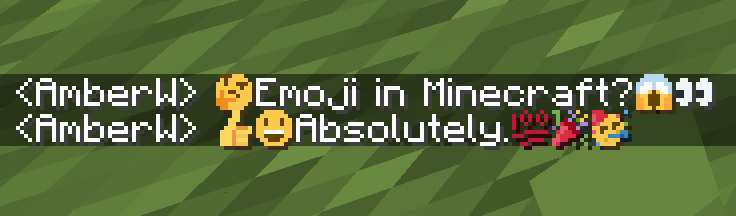
Most standard emoji characters will just work if you copy and paste them in or
use some kind of emoji input. For example, try copying emoji from
[this site](https://emojifinder.com/) or using the Windows emoji picker (Win+.).
However, emoji that consist of sequences of multiple character are not supported
by vanilla and will show up as multiple, separate characters. Sorry.
See below for ways to develop around this.
© ® ‼ ⁉ ™ ℹ ↔ ↕ ↖ ↗ ↘ ↙ ↩ ↪ ⌚ ⌛ ⌨ ⏏ ⏩ ⏪ ⏫ ⏬ ⏭ ⏮ ⏯ ⏰ ⏱ ⏲ ⏳ ⏸ ⏹ ⏺ Ⓜ ▪ ▫ ▶ ◀ ◻ ◼ ◽ ◾ ☀ ☁ ☂ ☃ ☄ ☎ ☑ ☔ ☕ ☘ ☝ ☠ ☢ ☣ ☦ ☪ ☮ ☯ ☸ ☹ ☺ ♀ ♂ ♈ ♉ ♊ ♋ ♌ ♍ ♎ ♏ ♐ ♑ ♒ ♓ ♟ ♠ ♣ ♥ ♦ ♨ ♻ ♾ ♿ ⚒ ⚓ ⚔ ⚕ ⚖ ⚗ ⚙ ⚛ ⚜ ⚠ ⚡ ⚧ ⚪ ⚫ ⚰ ⚱ ⚽ ⚾ ⛄ ⛅ ⛈ ⛎ ⛏ ⛑ ⛓ ⛔ ⛩ ⛪ ⛰ ⛱ ⛲ ⛳ ⛴ ⛵ ⛷ ⛸ ⛹ ⛺ ⛽ ✂ ✅ ✈ ✉ ✊ ✋ ✌ ✍ ✏ ✒ ✔ ✖ ✝ ✡ ✨ ✳ ✴ ❄ ❇ ❌ ❎ ❓ ❔ ❕ ❗ ❣ ❤ ➕ ➖ ➗ ➡ ➰ ➿ ⤴ ⤵ ⬅ ⬆ ⬇ ⬛ ⬜ ⭐ ⭕ 〰 〽 ㊗ ㊙ 🀄 🃏 🅰 🅱 🅾 🅿 🆎 🆑 🆒 🆓 🆔 🆕 🆖 🆗 🆘 🆙 🆚 🇦 🇧 🇨 🇩 🇪 🇫 🇬 🇭 🇮 🇯 🇰 🇱 🇲 🇳 🇴 🇵 🇶 🇷 🇸 🇹 🇺 🇻 🇼 🇽 🇾 🇿 🈁 🈂 🈚 🈯 🈲 🈳 🈴 🈵 🈶 🈷 🈸 🈹 🈺 🉐 🉑 🌀 🌁 🌂 🌃 🌄 🌅 🌆 🌇 🌈 🌉 🌊 🌋 🌌 🌍 🌎 🌏 🌐 🌑 🌒 🌓 🌔 🌕 🌖 🌗 🌘 🌙 🌚 🌛 🌜 🌝 🌞 🌟 🌠 🌡 🌤 🌥 🌦 🌧 🌨 🌩 🌪 🌫 🌬 🌭 🌮 🌯 🌰 🌱 🌲 🌳 🌴 🌵 🌶 🌷 🌸 🌹 🌺 🌻 🌼 🌽 🌾 🌿 🍀 🍁 🍂 🍃 🍄 🍅 🍆 🍇 🍈 🍉 🍊 🍋 🍌 🍍 🍎 🍏 🍐 🍑 🍒 🍓 🍔 🍕 🍖 🍗 🍘 🍙 🍚 🍛 🍜 🍝 🍞 🍟 🍠 🍡 🍢 🍣 🍤 🍥 🍦 🍧 🍨 🍩 🍪 🍫 🍬 🍭 🍮 🍯 🍰 🍱 🍲 🍳 🍴 🍵 🍶 🍷 🍸 🍹 🍺 🍻 🍼 🍽 🍾 🍿 🎀 🎁 🎂 🎃 🎄 🎅 🎆 🎇 🎈 🎉 🎊 🎋 🎌 🎍 🎎 🎏 🎐 🎑 🎒 🎓 🎖 🎗 🎙 🎚 🎛 🎞 🎟 🎠 🎡 🎢 🎣 🎤 🎥 🎦 🎧 🎨 🎩 🎪 🎫 🎬 🎭 🎮 🎯 🎰 🎱 🎲 🎳 🎴 🎵 🎶 🎷 🎸 🎹 🎺 🎻 🎼 🎽 🎾 🎿 🏀 🏁 🏂 🏃 🏄 🏅 🏆 🏇 🏈 🏉 🏊 🏋 🏌 🏍 🏎 🏏 🏐 🏑 🏒 🏓 🏔 🏕 🏖 🏗 🏘 🏙 🏚 🏛 🏜 🏝 🏞 🏟 🏠 🏡 🏢 🏣 🏤 🏥 🏦 🏧 🏨 🏩 🏪 🏫 🏬 🏭 🏮 🏯 🏰 🏳 🏴 🏵 🏷 🏸 🏹 🏺 🏻 🏼 🏽 🏾 🏿 🐀 🐁 🐂 🐃 🐄 🐅 🐆 🐇 🐈 🐉 🐊 🐋 🐌 🐍 🐎 🐏 🐐 🐑 🐒 🐓 🐔 🐕 🐖 🐗 🐘 🐙 🐚 🐛 🐜 🐝 🐞 🐟 🐠 🐡 🐢 🐣 🐤 🐥 🐦 🐧 🐨 🐩 🐪 🐫 🐬 🐭 🐮 🐯 🐰 🐱 🐲 🐳 🐴 🐵 🐶 🐷 🐸 🐹 🐺 🐻 🐼 🐽 🐾 🐿 👀 👁 👂 👃 👄 👅 👆 👇 👈 👉 👊 👋 👌 👍 👎 👏 👐 👑 👒 👓 👔 👕 👖 👗 👘 👙 👚 👛 👜 👝 👞 👟 👠 👡 👢 👣 👤 👥 👦 👧 👨 👩 👪 👫 👬 👭 👮 👯 👰 👱 👲 👳 👴 👵 👶 👷 👸 👹 👺 👻 👼 👽 👾 👿 💀 💁 💂 💃 💄 💅 💆 💇 💈 💉 💊 💋 💌 💍 💎 💏 💐 💑 💒 💓 💔 💕 💖 💗 💘 💙 💚 💛 💜 💝 💞 💟 💠 💡 💢 💣 💤 💥 💦 💧 💨 💩 💪 💫 💬 💭 💮 💯 💰 💱 💲 💳 💴 💵 💶 💷 💸 💹 💺 💻 💼 💽 💾 💿 📀 📁 📂 📃 📄 📅 📆 📇 📈 📉 📊 📋 📌 📍 📎 📏 📐 📑 📒 📓 📔 📕 📖 📗 📘 📙 📚 📛 📜 📝 📞 📟 📠 📡 📢 📣 📤 📥 📦 📧 📨 📩 📪 📫 📬 📭 📮 📯 📰 📱 📲 📳 📴 📵 📶 📷 📸 📹 📺 📻 📼 📽 📿 🔀 🔁 🔂 🔃 🔄 🔅 🔆 🔇 🔈 🔉 🔊 🔋 🔌 🔍 🔎 🔏 🔐 🔑 🔒 🔓 🔔 🔕 🔖 🔗 🔘 🔙 🔚 🔛 🔜 🔝 🔞 🔟 🔠 🔡 🔢 🔣 🔤 🔥 🔦 🔧 🔨 🔩 🔪 🔫 🔬 🔭 🔮 🔯 🔰 🔱 🔲 🔳 🔴 🔵 🔶 🔷 🔸 🔹 🔺 🔻 🔼 🔽 🕉 🕊 🕋 🕌 🕍 🕎 🕐 🕑 🕒 🕓 🕔 🕕 🕖 🕗 🕘 🕙 🕚 🕛 🕜 🕝 🕞 🕟 🕠 🕡 🕢 🕣 🕤 🕥 🕦 🕧 🕯 🕰 🕳 🕴 🕵 🕶 🕷 🕸 🕹 🕺 🖇 🖊 🖋 🖌 🖍 🖐 🖕 🖖 🖤 🖥 🖨 🖱 🖲 🖼 🗂 🗃 🗄 🗑 🗒 🗓 🗜 🗝 🗞 🗡 🗣 🗨 🗯 🗳 🗺 🗻 🗼 🗽 🗾 🗿 😀 😁 😂 😃 😄 😅 😆 😇 😈 😉 😊 😋 😌 😍 😎 😏 😐 😑 😒 😓 😔 😕 😖 😗 😘 😙 😚 😛 😜 😝 😞 😟 😠 😡 😢 😣 😤 😥 😦 😧 😨 😩 😪 😫 😬 😭 😮 😯 😰 😱 😲 😳 😴 😵 😶 😷 😸 😹 😺 😻 😼 😽 😾 😿 🙀 🙁 🙂 🙃 🙄 🙅 🙆 🙇 🙈 🙉 🙊 🙋 🙌 🙍 🙎 🙏 🚀 🚁 🚂 🚃 🚄 🚅 🚆 🚇 🚈 🚉 🚊 🚋 🚌 🚍 🚎 🚏 🚐 🚑 🚒 🚓 🚔 🚕 🚖 🚗 🚘 🚙 🚚 🚛 🚜 🚝 🚞 🚟 🚠 🚡 🚢 🚣 🚤 🚥 🚦 🚧 🚨 🚩 🚪 🚫 🚬 🚭 🚮 🚯 🚰 🚱 🚲 🚳 🚴 🚵 🚶 🚷 🚸 🚹 🚺 🚻 🚼 🚽 🚾 🚿 🛀 🛁 🛂 🛃 🛄 🛅 🛋 🛌 🛍 🛎 🛏 🛐 🛑 🛒 🛕 🛖 🛗 🛜 🛝 🛞 🛟 🛠 🛡 🛢 🛣 🛤 🛥 🛩 🛫 🛬 🛰 🛳 🛴 🛵 🛶 🛷 🛸 🛹 🛺 🛻 🛼 🟠 🟡 🟢 🟣 🟤 🟥 🟦 🟧 🟨 🟩 🟪 🟫 🟰 🤌 🤍 🤎 🤏 🤐 🤑 🤒 🤓 🤔 🤕 🤖 🤗 🤘 🤙 🤚 🤛 🤜 🤝 🤞 🤟 🤠 🤡 🤢 🤣 🤤 🤥 🤦 🤧 🤨 🤩 🤪 🤫 🤬 🤭 🤮 🤯 🤰 🤱 🤲 🤳 🤴 🤵 🤶 🤷 🤸 🤹 🤺 🤼 🤽 🤾 🤿 🥀 🥁 🥂 🥃 🥄 🥅 🥇 🥈 🥉 🥊 🥋 🥌 🥍 🥎 🥏 🥐 🥑 🥒 🥓 🥔 🥕 🥖 🥗 🥘 🥙 🥚 🥛 🥜 🥝 🥞 🥟 🥠 🥡 🥢 🥣 🥤 🥥 🥦 🥧 🥨 🥩 🥪 🥫 🥬 🥭 🥮 🥯 🥰 🥱 🥲 🥳 🥴 🥵 🥶 🥷 🥸 🥹 🥺 🥻 🥼 🥽 🥾 🥿 🦀 🦁 🦂 🦃 🦄 🦅 🦆 🦇 🦈 🦉 🦊 🦋 🦌 🦍 🦎 🦏 🦐 🦑 🦒 🦓 🦔 🦕 🦖 🦗 🦘 🦙 🦚 🦛 🦜 🦝 🦞 🦟 🦠 🦡 🦢 🦣 🦤 🦥 🦦 🦧 🦨 🦩 🦪 🦫 🦬 🦭 🦮 🦯 🦰 🦱 🦲 🦳 🦴 🦵 🦶 🦷 🦸 🦹 🦺 🦻 🦼 🦽 🦾 🦿 🧀 🧁 🧂 🧃 🧄 🧅 🧆 🧇 🧈 🧉 🧊 🧋 🧌 🧍 🧎 🧏 🧐 🧑 🧒 🧓 🧔 🧕 🧖 🧗 🧘 🧙 🧚 🧛 🧜 🧝 🧞 🧟 🧠 🧡 🧢 🧣 🧤 🧥 🧦 🧧 🧨 🧩 🧪 🧫 🧬 🧭 🧮 🧯 🧰 🧱 🧲 🧳 🧴 🧵 🧶 🧷 🧸 🧹 🧺 🧻 🧼 🧽 🧾 🧿 🩰 🩱 🩲 🩳 🩴 🩵 🩶 🩷 🩸 🩹 🩺 🩻 🩼 🪀 🪁 🪂 🪃 🪄 🪅 🪆 🪇 🪈 🪐 🪑 🪒 🪓 🪔 🪕 🪖 🪗 🪘 🪙 🪚 🪛 🪜 🪝 🪞 🪟 🪠 🪡 🪢 🪣 🪤 🪥 🪦 🪧 🪨 🪩 🪪 🪫 🪬 🪭 🪮 🪯 🪰 🪱 🪲 🪳 🪴 🪵 🪶 🪷 🪸 🪹 🪺 🪻 🪼 🪽 🪿 🫀 🫁 🫂 🫃 🫄 🫅 🫎 🫏 🫐 🫑 🫒 🫓 🫔 🫕 🫖 🫗 🫘 🫙 🫚 🫛 🫠 🫡 🫢 🫣 🫤 🫥 🫦 🫧 🫨 🫰 🫱 🫲 🫳 🫴 🫵 🫶 🫷 🫸
Also, check out the [18x version](https://modrinth.com/resourcepack/pixel-twemoji-18x) with more detail!
## Supported mods
### [Symbol Chat](https://modrinth.com/mod/symbol-chat)
Easy to use emoji and symbol picker
## Remapped characters (for developers)
In order to have any support for emoji consisting of sequences they have been
remapped to unused single characters. An index of these can be found in
/assets/emoji_remappings/lang/en_us.json.
For example, `ud83dudc69u200dud83dudd2c` (👩+🔬=👩🔬)
is mapped to `udb80udf30` using this translation snippet:
“`json
“ud83dudc69u200dud83dudd2c”: “udb80udf30”
“`
**Please note that vanilla has no mechanism to
automatically convert to the remapped form.**
A custom emoji picker or some kind of mod/plugin is
required to make using these a smooth experience.
Because the index acts as a language file, a server side chat listener
could detect emoji sequences and turn them into translations like this one:
“`json
{“translate”: “ud83dudc69u200dud83dudd2c”}
“`
Any client with the pack installed can then perform the remapping for the server.
If the pack is not installed or the sequence is not found then it will just
fall back to displaying the sequence. This means that the server doesn’t need a
complete list of emoji sequences, just a way to detect potential ones.
(The [Unicode website](https://unicode.org/Public/emoji/latest/)
contains data files describing what is an emoji.)
## Shortcodes (for developers)
Shortcodes are a popular way to insert emoji by name. An index of shortcodes
can be found in /assets/emoji_shortcodes/lang/en_us.json.
For example, `:thinking:` is mapped to `ud83eudd14` (🤔):
“`json
“thinking”: “ud83eudd14”
“`
Emoji that need remapping already map to the remapped version.
**Please note that vanilla has no mechanism to
automatically convert shortcodes into emoji.**
Some kind of mod/plugin is required.
Because the index acts as a language file, a server side chat listener could
detect shortcodes and turn them into translations like this one:
“`json
{“translate”: “:thinking:”}
“`
Any client with the pack installed can then convert it for the server. If the
pack is not installed or the shortcode is not found then it will just fall back
to displaying the shortcode. This means that the server doesn’t need a complete
list of shortcodes, just a way to detect potential ones by finding substrings
beginning and ending with a colon `:`.
### Custom emoji?
Custom emoji could be created in a similar way by adding them to unused code
points of the default font and adding a translation with a shortcode.
For example, this translation snippet adds the shortcode `:pog:` for the
character `uE502`:
“`json
“:pog:”: “uE502”
“`
## Reverse shortcodes (for developers)
Maybe you want to display a name for each emoji, in some hover text for example.
That is where reverse shortcodes come in. An index of these can be found in
/assets/emoji_shortcodes_reverse/lang/en_us.json.
For example, `u200cud83eudd14` (`` + 🤔) is mapped to `:thinking:` using
this translation snippet:
“`json
“u200cud83eudd14”: “:thinking:”
“`
`u200c` is added to each entry to allow the index to be used as a language file
without conflicting with the other indexes. If the pack is not installed or the
emoji is not found then it will just fall back to displaying the characters,
including the invisible `u200c`.
A server side chat listener could detect shortcodes and
turn them into emoji with tooltips like this one:
“`json
{“translate”: “:thinking:”, “hoverEvent”: {“action”: “show_text”, “contents”: “:thinking:”}}
“`
With reverse shortcodes, it could also detect emoji and
emoji sequences and also give them tooltips like this one:
“`json
{“translate”:”ud83eudd14″,”hoverEvent”:{“action”:”show_text”,”contents”:{“translate”:”u200cud83eudd14″}}}
“`
## License
Graphics based on Twemoji Copyright (c) 2018 Twitter, Inc and other contributors, licensed under Creative Commons Attribution 4.0 International
Pixel art and resource pack adaptation Copyright (c) 2020 AmberW, licensed under Creative Commons Attribution 4.0 International
# Pixel perfect Twemoji (18×18 version)
This resource pack adds **all** of Twemoji, redrawn by hand as pixel art
at 18×18 pixels, to the default font in Minecraft: Java Edition
version 1.16 or later. Twemoji is the emoji set used by Discord and Twitter.
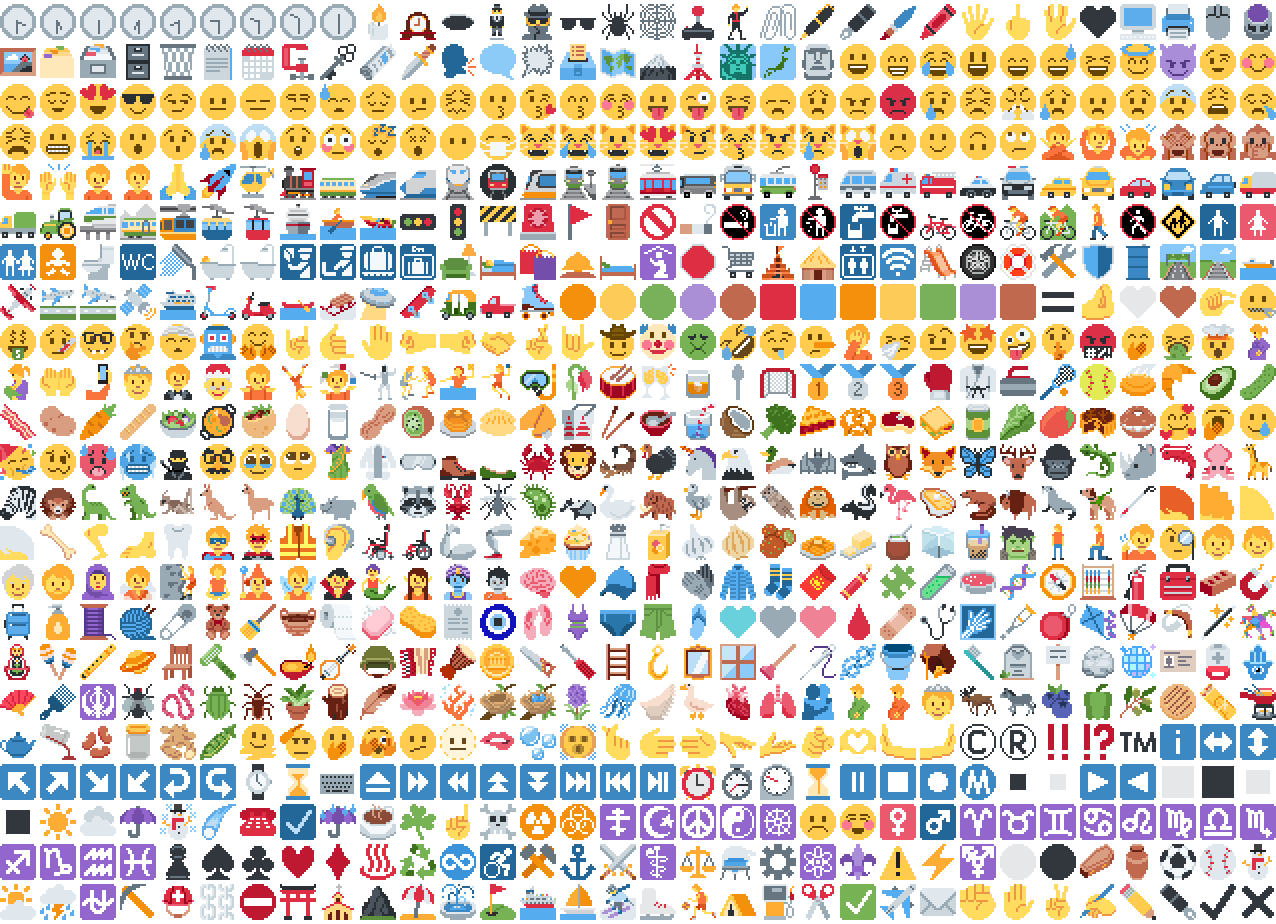
*Just some of the emoji in the pack*
## Installation
Please download the .zip file from the Versions section, put it in your
resource packs folder and select it for use in-game.
You can also embed this pack into another pack,
for use on a server or custom world for example.
Please remember to credit the project as it is
one of the requirements of the project license.
## Basic usage
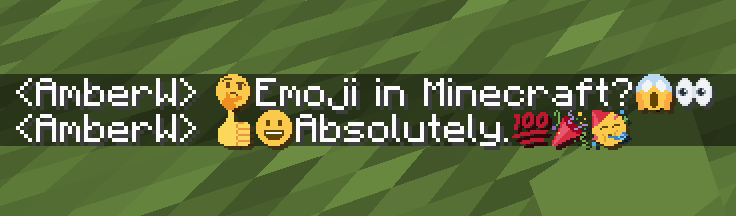
Most standard emoji characters will just work if you copy and paste them in or
use some kind of emoji input. For example, try copying emoji from
[this site](https://emojifinder.com/) or using the Windows emoji picker (Win+.).
However, emoji that consist of sequences of multiple character are not supported
by vanilla and will show up as multiple, separate characters. Sorry.
See below for ways to develop around this.
© ® ‼ ⁉ ™ ℹ ↔ ↕ ↖ ↗ ↘ ↙ ↩ ↪ ⌚ ⌛ ⌨ ⏏ ⏩ ⏪ ⏫ ⏬ ⏭ ⏮ ⏯ ⏰ ⏱ ⏲ ⏳ ⏸ ⏹ ⏺ Ⓜ ▪ ▫ ▶ ◀ ◻ ◼ ◽ ◾ ☀ ☁ ☂ ☃ ☄ ☎ ☑ ☔ ☕ ☘ ☝ ☠ ☢ ☣ ☦ ☪ ☮ ☯ ☸ ☹ ☺ ♀ ♂ ♈ ♉ ♊ ♋ ♌ ♍ ♎ ♏ ♐ ♑ ♒ ♓ ♟ ♠ ♣ ♥ ♦ ♨ ♻ ♾ ♿ ⚒ ⚓ ⚔ ⚕ ⚖ ⚗ ⚙ ⚛ ⚜ ⚠ ⚡ ⚧ ⚪ ⚫ ⚰ ⚱ ⚽ ⚾ ⛄ ⛅ ⛈ ⛎ ⛏ ⛑ ⛓ ⛔ ⛩ ⛪ ⛰ ⛱ ⛲ ⛳ ⛴ ⛵ ⛷ ⛸ ⛹ ⛺ ⛽ ✂ ✅ ✈ ✉ ✊ ✋ ✌ ✍ ✏ ✒ ✔ ✖ ✝ ✡ ✨ ✳ ✴ ❄ ❇ ❌ ❎ ❓ ❔ ❕ ❗ ❣ ❤ ➕ ➖ ➗ ➡ ➰ ➿ ⤴ ⤵ ⬅ ⬆ ⬇ ⬛ ⬜ ⭐ ⭕ 〰 〽 ㊗ ㊙ 🀄 🃏 🅰 🅱 🅾 🅿 🆎 🆑 🆒 🆓 🆔 🆕 🆖 🆗 🆘 🆙 🆚 🇦 🇧 🇨 🇩 🇪 🇫 🇬 🇭 🇮 🇯 🇰 🇱 🇲 🇳 🇴 🇵 🇶 🇷 🇸 🇹 🇺 🇻 🇼 🇽 🇾 🇿 🈁 🈂 🈚 🈯 🈲 🈳 🈴 🈵 🈶 🈷 🈸 🈹 🈺 🉐 🉑 🌀 🌁 🌂 🌃 🌄 🌅 🌆 🌇 🌈 🌉 🌊 🌋 🌌 🌍 🌎 🌏 🌐 🌑 🌒 🌓 🌔 🌕 🌖 🌗 🌘 🌙 🌚 🌛 🌜 🌝 🌞 🌟 🌠 🌡 🌤 🌥 🌦 🌧 🌨 🌩 🌪 🌫 🌬 🌭 🌮 🌯 🌰 🌱 🌲 🌳 🌴 🌵 🌶 🌷 🌸 🌹 🌺 🌻 🌼 🌽 🌾 🌿 🍀 🍁 🍂 🍃 🍄 🍅 🍆 🍇 🍈 🍉 🍊 🍋 🍌 🍍 🍎 🍏 🍐 🍑 🍒 🍓 🍔 🍕 🍖 🍗 🍘 🍙 🍚 🍛 🍜 🍝 🍞 🍟 🍠 🍡 🍢 🍣 🍤 🍥 🍦 🍧 🍨 🍩 🍪 🍫 🍬 🍭 🍮 🍯 🍰 🍱 🍲 🍳 🍴 🍵 🍶 🍷 🍸 🍹 🍺 🍻 🍼 🍽 🍾 🍿 🎀 🎁 🎂 🎃 🎄 🎅 🎆 🎇 🎈 🎉 🎊 🎋 🎌 🎍 🎎 🎏 🎐 🎑 🎒 🎓 🎖 🎗 🎙 🎚 🎛 🎞 🎟 🎠 🎡 🎢 🎣 🎤 🎥 🎦 🎧 🎨 🎩 🎪 🎫 🎬 🎭 🎮 🎯 🎰 🎱 🎲 🎳 🎴 🎵 🎶 🎷 🎸 🎹 🎺 🎻 🎼 🎽 🎾 🎿 🏀 🏁 🏂 🏃 🏄 🏅 🏆 🏇 🏈 🏉 🏊 🏋 🏌 🏍 🏎 🏏 🏐 🏑 🏒 🏓 🏔 🏕 🏖 🏗 🏘 🏙 🏚 🏛 🏜 🏝 🏞 🏟 🏠 🏡 🏢 🏣 🏤 🏥 🏦 🏧 🏨 🏩 🏪 🏫 🏬 🏭 🏮 🏯 🏰 🏳 🏴 🏵 🏷 🏸 🏹 🏺 🏻 🏼 🏽 🏾 🏿 🐀 🐁 🐂 🐃 🐄 🐅 🐆 🐇 🐈 🐉 🐊 🐋 🐌 🐍 🐎 🐏 🐐 🐑 🐒 🐓 🐔 🐕 🐖 🐗 🐘 🐙 🐚 🐛 🐜 🐝 🐞 🐟 🐠 🐡 🐢 🐣 🐤 🐥 🐦 🐧 🐨 🐩 🐪 🐫 🐬 🐭 🐮 🐯 🐰 🐱 🐲 🐳 🐴 🐵 🐶 🐷 🐸 🐹 🐺 🐻 🐼 🐽 🐾 🐿 👀 👁 👂 👃 👄 👅 👆 👇 👈 👉 👊 👋 👌 👍 👎 👏 👐 👑 👒 👓 👔 👕 👖 👗 👘 👙 👚 👛 👜 👝 👞 👟 👠 👡 👢 👣 👤 👥 👦 👧 👨 👩 👪 👫 👬 👭 👮 👯 👰 👱 👲 👳 👴 👵 👶 👷 👸 👹 👺 👻 👼 👽 👾 👿 💀 💁 💂 💃 💄 💅 💆 💇 💈 💉 💊 💋 💌 💍 💎 💏 💐 💑 💒 💓 💔 💕 💖 💗 💘 💙 💚 💛 💜 💝 💞 💟 💠 💡 💢 💣 💤 💥 💦 💧 💨 💩 💪 💫 💬 💭 💮 💯 💰 💱 💲 💳 💴 💵 💶 💷 💸 💹 💺 💻 💼 💽 💾 💿 📀 📁 📂 📃 📄 📅 📆 📇 📈 📉 📊 📋 📌 📍 📎 📏 📐 📑 📒 📓 📔 📕 📖 📗 📘 📙 📚 📛 📜 📝 📞 📟 📠 📡 📢 📣 📤 📥 📦 📧 📨 📩 📪 📫 📬 📭 📮 📯 📰 📱 📲 📳 📴 📵 📶 📷 📸 📹 📺 📻 📼 📽 📿 🔀 🔁 🔂 🔃 🔄 🔅 🔆 🔇 🔈 🔉 🔊 🔋 🔌 🔍 🔎 🔏 🔐 🔑 🔒 🔓 🔔 🔕 🔖 🔗 🔘 🔙 🔚 🔛 🔜 🔝 🔞 🔟 🔠 🔡 🔢 🔣 🔤 🔥 🔦 🔧 🔨 🔩 🔪 🔫 🔬 🔭 🔮 🔯 🔰 🔱 🔲 🔳 🔴 🔵 🔶 🔷 🔸 🔹 🔺 🔻 🔼 🔽 🕉 🕊 🕋 🕌 🕍 🕎 🕐 🕑 🕒 🕓 🕔 🕕 🕖 🕗 🕘 🕙 🕚 🕛 🕜 🕝 🕞 🕟 🕠 🕡 🕢 🕣 🕤 🕥 🕦 🕧 🕯 🕰 🕳 🕴 🕵 🕶 🕷 🕸 🕹 🕺 🖇 🖊 🖋 🖌 🖍 🖐 🖕 🖖 🖤 🖥 🖨 🖱 🖲 🖼 🗂 🗃 🗄 🗑 🗒 🗓 🗜 🗝 🗞 🗡 🗣 🗨 🗯 🗳 🗺 🗻 🗼 🗽 🗾 🗿 😀 😁 😂 😃 😄 😅 😆 😇 😈 😉 😊 😋 😌 😍 😎 😏 😐 😑 😒 😓 😔 😕 😖 😗 😘 😙 😚 😛 😜 😝 😞 😟 😠 😡 😢 😣 😤 😥 😦 😧 😨 😩 😪 😫 😬 😭 😮 😯 😰 😱 😲 😳 😴 😵 😶 😷 😸 😹 😺 😻 😼 😽 😾 😿 🙀 🙁 🙂 🙃 🙄 🙅 🙆 🙇 🙈 🙉 🙊 🙋 🙌 🙍 🙎 🙏 🚀 🚁 🚂 🚃 🚄 🚅 🚆 🚇 🚈 🚉 🚊 🚋 🚌 🚍 🚎 🚏 🚐 🚑 🚒 🚓 🚔 🚕 🚖 🚗 🚘 🚙 🚚 🚛 🚜 🚝 🚞 🚟 🚠 🚡 🚢 🚣 🚤 🚥 🚦 🚧 🚨 🚩 🚪 🚫 🚬 🚭 🚮 🚯 🚰 🚱 🚲 🚳 🚴 🚵 🚶 🚷 🚸 🚹 🚺 🚻 🚼 🚽 🚾 🚿 🛀 🛁 🛂 🛃 🛄 🛅 🛋 🛌 🛍 🛎 🛏 🛐 🛑 🛒 🛕 🛖 🛗 🛜 🛝 🛞 🛟 🛠 🛡 🛢 🛣 🛤 🛥 🛩 🛫 🛬 🛰 🛳 🛴 🛵 🛶 🛷 🛸 🛹 🛺 🛻 🛼 🟠 🟡 🟢 🟣 🟤 🟥 🟦 🟧 🟨 🟩 🟪 🟫 🟰 🤌 🤍 🤎 🤏 🤐 🤑 🤒 🤓 🤔 🤕 🤖 🤗 🤘 🤙 🤚 🤛 🤜 🤝 🤞 🤟 🤠 🤡 🤢 🤣 🤤 🤥 🤦 🤧 🤨 🤩 🤪 🤫 🤬 🤭 🤮 🤯 🤰 🤱 🤲 🤳 🤴 🤵 🤶 🤷 🤸 🤹 🤺 🤼 🤽 🤾 🤿 🥀 🥁 🥂 🥃 🥄 🥅 🥇 🥈 🥉 🥊 🥋 🥌 🥍 🥎 🥏 🥐 🥑 🥒 🥓 🥔 🥕 🥖 🥗 🥘 🥙 🥚 🥛 🥜 🥝 🥞 🥟 🥠 🥡 🥢 🥣 🥤 🥥 🥦 🥧 🥨 🥩 🥪 🥫 🥬 🥭 🥮 🥯 🥰 🥱 🥲 🥳 🥴 🥵 🥶 🥷 🥸 🥹 🥺 🥻 🥼 🥽 🥾 🥿 🦀 🦁 🦂 🦃 🦄 🦅 🦆 🦇 🦈 🦉 🦊 🦋 🦌 🦍 🦎 🦏 🦐 🦑 🦒 🦓 🦔 🦕 🦖 🦗 🦘 🦙 🦚 🦛 🦜 🦝 🦞 🦟 🦠 🦡 🦢 🦣 🦤 🦥 🦦 🦧 🦨 🦩 🦪 🦫 🦬 🦭 🦮 🦯 🦰 🦱 🦲 🦳 🦴 🦵 🦶 🦷 🦸 🦹 🦺 🦻 🦼 🦽 🦾 🦿 🧀 🧁 🧂 🧃 🧄 🧅 🧆 🧇 🧈 🧉 🧊 🧋 🧌 🧍 🧎 🧏 🧐 🧑 🧒 🧓 🧔 🧕 🧖 🧗 🧘 🧙 🧚 🧛 🧜 🧝 🧞 🧟 🧠 🧡 🧢 🧣 🧤 🧥 🧦 🧧 🧨 🧩 🧪 🧫 🧬 🧭 🧮 🧯 🧰 🧱 🧲 🧳 🧴 🧵 🧶 🧷 🧸 🧹 🧺 🧻 🧼 🧽 🧾 🧿 🩰 🩱 🩲 🩳 🩴 🩵 🩶 🩷 🩸 🩹 🩺 🩻 🩼 🪀 🪁 🪂 🪃 🪄 🪅 🪆 🪇 🪈 🪐 🪑 🪒 🪓 🪔 🪕 🪖 🪗 🪘 🪙 🪚 🪛 🪜 🪝 🪞 🪟 🪠 🪡 🪢 🪣 🪤 🪥 🪦 🪧 🪨 🪩 🪪 🪫 🪬 🪭 🪮 🪯 🪰 🪱 🪲 🪳 🪴 🪵 🪶 🪷 🪸 🪹 🪺 🪻 🪼 🪽 🪿 🫀 🫁 🫂 🫃 🫄 🫅 🫎 🫏 🫐 🫑 🫒 🫓 🫔 🫕 🫖 🫗 🫘 🫙 🫚 🫛 🫠 🫡 🫢 🫣 🫤 🫥 🫦 🫧 🫨 🫰 🫱 🫲 🫳 🫴 🫵 🫶 🫷 🫸
Also, check out the [9x version](https://modrinth.com/resourcepack/pixel-twemoji-9x) that blends right into the default font!
## Supported mods
### [Symbol Chat](https://modrinth.com/mod/symbol-chat)
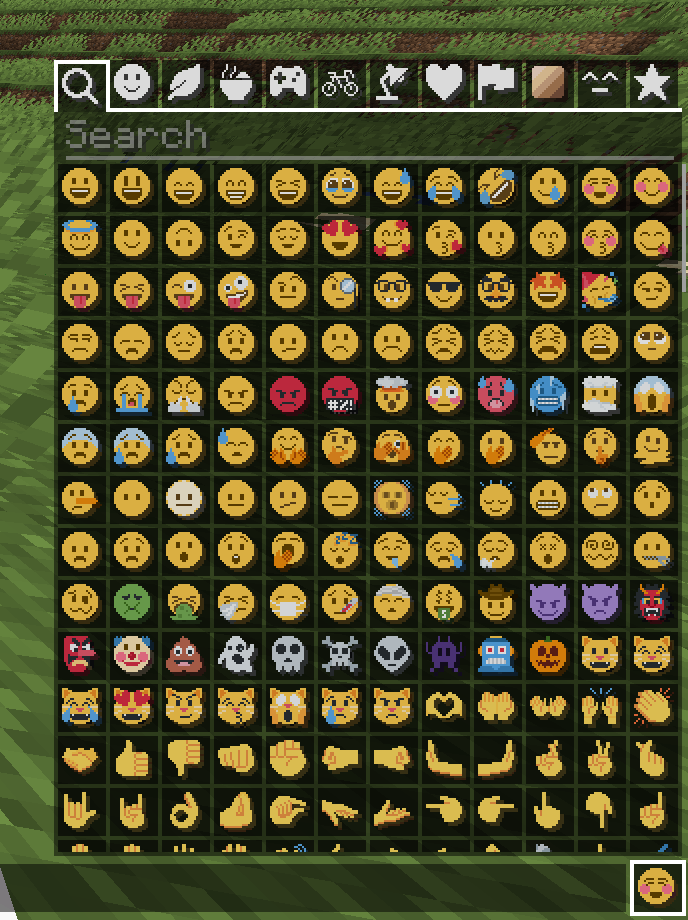
Easy to use emoji and symbol picker
## Remapped characters (for developers)
In order to have any support for emoji consisting of sequences they have been
remapped to unused single characters. An index of these can be found in
/assets/emoji_remappings/lang/en_us.json.
For example, `ud83dudc69u200dud83dudd2c` (👩+🔬=👩🔬)
is mapped to `udb80udf30` using this translation snippet:
“`json
“ud83dudc69u200dud83dudd2c”: “udb80udf30”
“`
**Please note that vanilla has no mechanism to
automatically convert to the remapped form.**
A custom emoji picker or some kind of mod/plugin is
required to make using these a smooth experience.
Because the index acts as a language file, a server side chat listener
could detect emoji sequences and turn them into translations like this one:
“`json
{“translate”: “ud83dudc69u200dud83dudd2c”}
“`
Any client with the pack installed can then perform the remapping for the server.
If the pack is not installed or the sequence is not found then it will just
fall back to displaying the sequence. This means that the server doesn’t need a
complete list of emoji sequences, just a way to detect potential ones.
(The [Unicode website](https://unicode.org/Public/emoji/latest/)
contains data files describing what is an emoji.)
## Shortcodes (for developers)
Shortcodes are a popular way to insert emoji by name. An index of shortcodes
can be found in /assets/emoji_shortcodes/lang/en_us.json.
For example, `:thinking:` is mapped to `ud83eudd14` (🤔):
“`json
“thinking”: “ud83eudd14”
“`
Emoji that need remapping already map to the remapped version.
**Please note that vanilla has no mechanism to
automatically convert shortcodes into emoji.**
Some kind of mod/plugin is required.
Because the index acts as a language file, a server side chat listener could
detect shortcodes and turn them into translations like this one:
“`json
{“translate”: “:thinking:”}
“`
Any client with the pack installed can then convert it for the server. If the
pack is not installed or the shortcode is not found then it will just fall back
to displaying the shortcode. This means that the server doesn’t need a complete
list of shortcodes, just a way to detect potential ones by finding substrings
beginning and ending with a colon `:`.
### Custom emoji?
Custom emoji could be created in a similar way by adding them to unused code
points of the default font and adding a translation with a shortcode.
For example, this translation snippet adds the shortcode `:pog:` for the
character `uE502`:
“`json
“:pog:”: “uE502”
“`
## Reverse shortcodes (for developers)
Maybe you want to display a name for each emoji, in some hover text for example.
That is where reverse shortcodes come in. An index of these can be found in
/assets/emoji_shortcodes_reverse/lang/en_us.json.
For example, `u200cud83eudd14` (`` + 🤔) is mapped to `:thinking:` using
this translation snippet:
“`json
“u200cud83eudd14”: “:thinking:”
“`
`u200c` is added to each entry to allow the index to be used as a language file
without conflicting with the other indexes. If the pack is not installed or the
emoji is not found then it will just fall back to displaying the characters,
including the invisible `u200c`.
A server side chat listener could detect shortcodes and
turn them into emoji with tooltips like this one:
“`json
{“translate”: “:thinking:”, “hoverEvent”: {“action”: “show_text”, “contents”: “:thinking:”}}
“`
With reverse shortcodes, it could also detect emoji and
emoji sequences and also give them tooltips like this one:
“`json
{“translate”:”ud83eudd14″,”hoverEvent”:{“action”:”show_text”,”contents”:{“translate”:”u200cud83eudd14″}}}
“`
## License
Graphics based on Twemoji Copyright (c) 2018 Twitter, Inc and other contributors, licensed under Creative Commons Attribution 4.0 International
Pixel art and resource pack adaptation Copyright (c) 2020 AmberW, licensed under Creative Commons Attribution 4.0 International
This texture pack replaces the music disc “13” and replaces it with the song “Purity” by A$AP Rocky ft. Frank Ocean. This makes it so that the name of the music disc is changed, and the music from that song is played. This music is from the album “Testing,” featuring many different artists, but for Purity, it features Frank Ocean.



