YouTube Chat
## 📺 YouTube Live Chat Integration
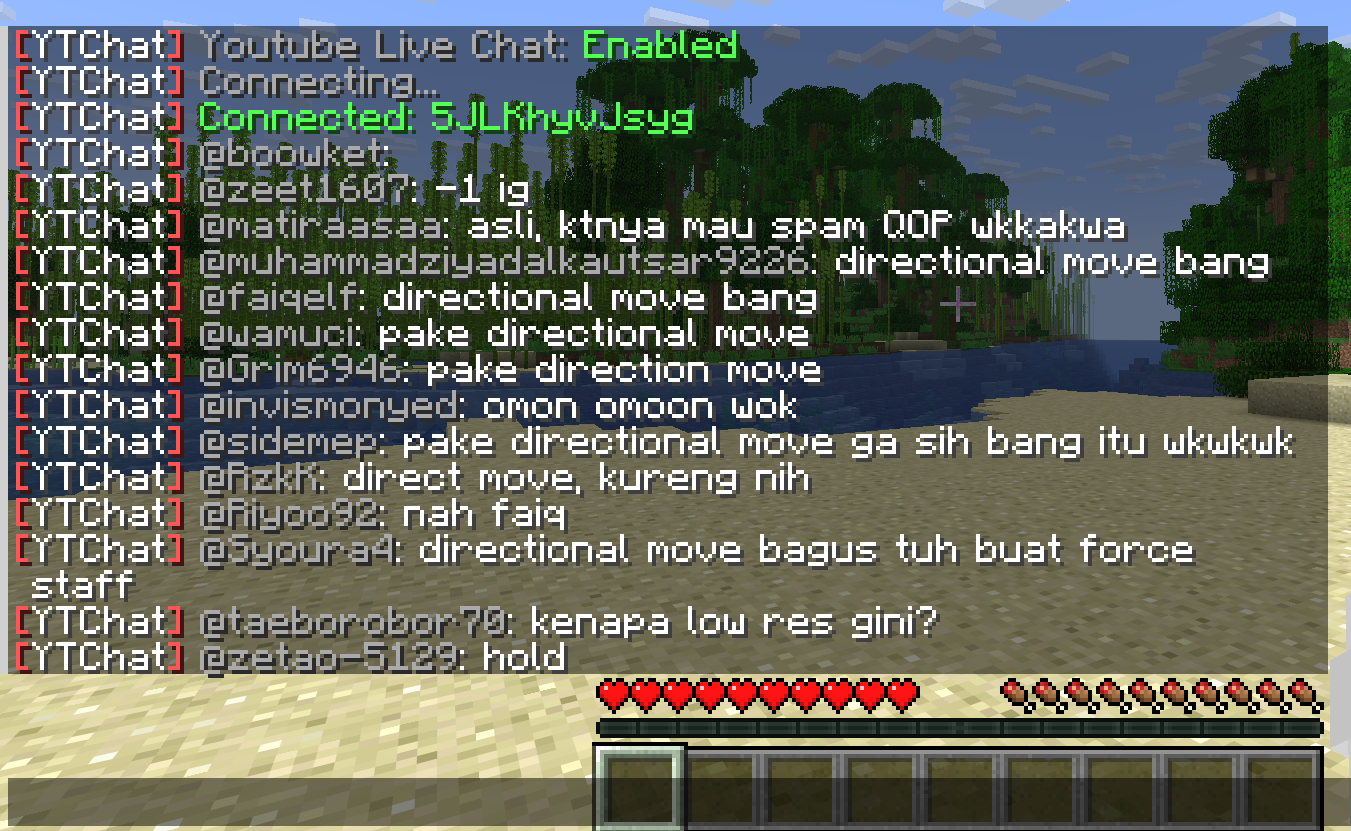
A Minecraft plugin for Spigot/Paper servers that seamlessly integrates YouTube Live Chat into your server. Messages sent during a live stream are displayed in real-time directly in the in-game chat, allowing players to interact with live audiences effortlessly.
### ✨ Features
– Real-time YouTube Live Chat integration
– Displays live stream messages in Minecraft chat
– Easy configuration and setup
### 🎮 Use Cases
Perfect for streamers who want to connect their in-game players with their YouTube audience, creating a more interactive and engaging experience.
### ⚙️ Compatibility
– Bukkit / Purpur / Paper / Spigot servers
– Modern Minecraft versions
YourDeathPoint

The plugin shows the coordinates of your death in chat, not visible to other players
You can change the message in the config.yml file! **For Paper only, may not work on Spigot**
Your totem is your skin
# What the goal of this pack?
I think have your skin as a totem is pretty, then I created this pack.
You can found a tutorial in the pack (its name is tutoral.txt)
# How I can set the pack in my Resource packs?
Go in your .minecraft, resourcepacks, and drag and drop the pack.
# I can’t modify the pack
Just unzip the pack with right click, and select “Extract All…”
# How to setup the pack?
TUTORIAL
1. Grab your own skin
go on https://namemc.com
search your pseudo
click on your profile
under your skin preview, there is all your skins and click on your latest
click on the download button
2. Put the skin in the Resource Pack
Go in your downloads, click on your skin and press Ctrl + X
Go in the resource pack : assets, minecraft, textures, item and press Ctrl + V
Rename your skin “totem” (verify the extension : it’s normally png)
There it is!
If you have questions, ask me on my discord : https://dsc.gg/somroti (it’s a french server but you can use Google Translate)
Here’s my discord for suggest ideas or report an issue : https://discord.gg/7yXRx6yVVy
You Think I’m Bread?!?!
this mod makes the bread look like grian
Version 1.6.1-1.10.2:
tested on 1.6.1, 1.7.10, 1.8.9, 1.9, and 1.10.2
Version 1.11-1.12.2:
tested on 1.11 and 1.12.2
says it’s meant for a newer version but its not
Version 1.13-1.14.4:
tested on 1.13-1.14.4
Version 1.15-1.21.5:
tested on 1.15, 1.16.3, 1.18.2, 1.20.1, 1.21.1, and 1.21.5
this will likely work for future versions as well
update: tested on 1.21.11 as well
notes: older versions have the new-looking texture
oftentimes, it will say it is meant for an older or newer version of minecraft, but this can generally be ignored
you are my sunshine SUN
Now you will always be greeted in the morning by the beautiful face of LeBron James.
replaces the sun texture with the “you are my sunshine” meme.
Your Options Shall Be Saved (YOSBS)
# Your Options Shall Be Saved (YOSBS)
Your Options Shall Be Saved (YOSBS) is a lightweight utility mod that lets modpack creators define default configuration files without overwriting player preferences
Updating a modpack often resets custom settings like keybinds or mod configs, because most launchers replace the entire `config/` folder
YOSBS solves this by copying any file placed in `config/yosbs/` to its proper location only once on first launch — and never again
This gives full control to the pack author:
– Files inside `config/yosbs/` are treated as user-owned: copied once, then left untouched
– Files inside `config/` behave as usual: they will be replaced on each update
That way, you decide which configs should persist, and which should reset
## Features
– **Zero-config**: just drop the defaults under `/config/yosbs/…` (or legacy `/config/yosbr`)
– Works for **any** file – `options.txt`, mod configs, `optionsshaders.txt`, etc
– Runs in the **pre-launch phase**, before Fabric/Forge starts loading the rest of the mods
## Compatibility & Installation
1. Fabric Loader ≥ 0.4.0 *(No Fabric API required)*
2. Minecraft 1.14 – 1.21.x
3. Requires Java 8 or newer
4. Put the YOSBS jar in `mods/` and launch once – the folder `/config/yosbs` is created automatically (or create it manually)
## Usage examples
| Want to ship… | Do this before first launch |
|—————|—————————-|
| A default `options.txt` | Place your file at `/config/yosbs/options.txt` |
| A REI config | `/config/yosbs/config/roughlyenoughitems/config.json5` |
## Credits
Inspired by the original [Your Options Shall Be Respected – YOSBR](https://modrinth.com/mod/yosbr) by *shedaniel*
Yoo RAM
**Description:**
Yoo RAM shows real-time memory usage, including used, free, and total RAM. It helps administrators and users monitor system performance easily, making memory management simple and transparent. The tool is lightweight, reliable, and designed for quick insights into how resources are being used.
**Commands:**
“`
/ram – Displays current RAM usage.
/yoo-ram – An alternative command for the same functionality.
/rambar – toggles the RAM BossBar.
/yoo-ram bar – alternative access to the BossBar
“`
**Permissions:**
“`
yoonai.ram.command.ram – Allows access to the `/ram(/rambar)` and `/yoo-ram(/yoo-ram bar)` commands.
“`
YonKaGor of Undying
# YonKaGor of Undying
This resourcepack adds YonKaGor Totems (SeaDrive and Tetra).
Simply rename any Totem of Undying to **”SeaDrive”** or **”Tetra”**.
**Requires CIT Resewn (on 1.21.4 and earlier). Also works(should) on OptFine.**
## Credits
Resources for this resourcepack is taken from [YonKaGor YouTube](https://www.youtube.com/@YonKaGor).
[](https://modrinth.com/mod/cit-resewn)
[](https://modrinth.com/project/yonkagor-of-undying/gallery)
YönetimPaneli
YonetimPaneli is plugin to use to manage your server from desktop
Also this plugin provide to use some plugin from desktop
Compatible Plugins
– Authme
– DiscordSRV
– Vault
– NuVotifier
These plugins are for Integration Menu
You can restart plugin with “/frame-start” command
And plugin has in-game features
For more information, Look Gallery
Yitalith
# Yitalith
你说的对,但伊塔丽斯是由YWYunyi制作的一款128X原版PBR材质包,它的目标很简单:让你熟悉的原版世界,变得无比真实和生动。
Yitalith, crafted by YWYunyi, is a 128x resource pack that fundamentally enhances Minecraft’s visuals while strictly preserving its vanilla identity.
它没有改变任何方块的“样子”,你一眼看去还是那个经典的Minecraft。但它改变了方块的“灵魂”,让它们学会了与光线和环境互动。
It doesn’t alter the “appearance” of any block—at a glance, it’s the classic Minecraft you know. Instead, it changes the “soul” of the blocks, teaching them to interact with light and the environment.
– **PBR**:是PBR!我加入了PBR!阳光下的铁块会反射出刺眼的金属光泽,羊毛是柔和哑光的。冰块不再是单纯的蓝色方块,它现在能清晰地倒映出周围的景物,如同玻璃一般。
**PBR**:Metals are authentically shiny, wool is naturally matte, and ice feature mirror-like reflections.
– **法线和视差**:是的,我添加了法线和视差。圆石的表面凹凸不平,这不再是平平的贴图,而是拥有真实深度和细节的表面。
**Normal & Parallax Mapping**:Surfaces gain real depth and a tangible 3D structure, moving beyond flat textures.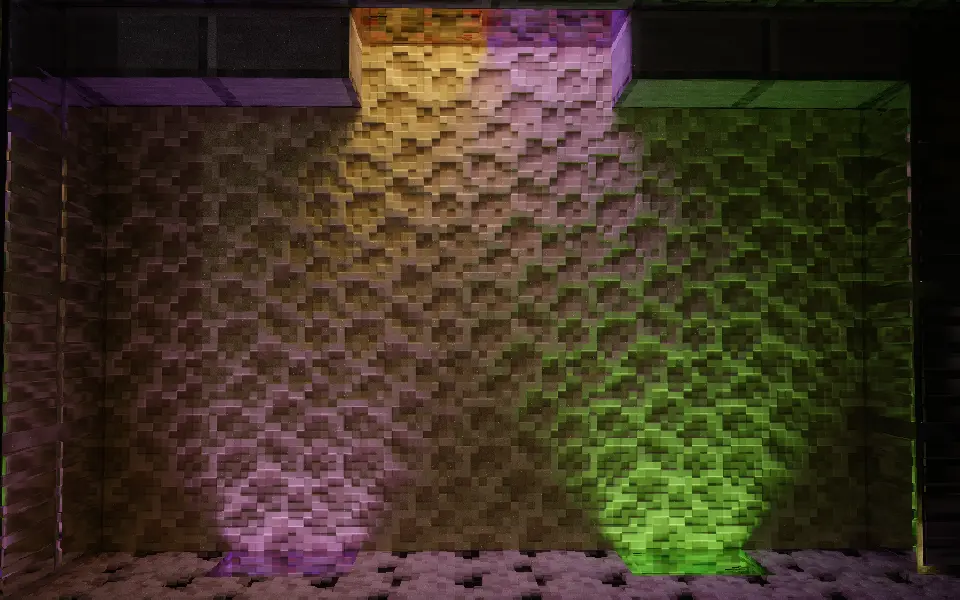
– **孔隙率**:下雨或淋水后,木板会被浸湿,颜色变深;石英和金属则会让水留在表面,形成水坑。每种材料都有了符合现实的表现。
**Porosity**:Materials react intelligently to moisture—wood darkens as it absorbs water, while metal and stone form surface puddles.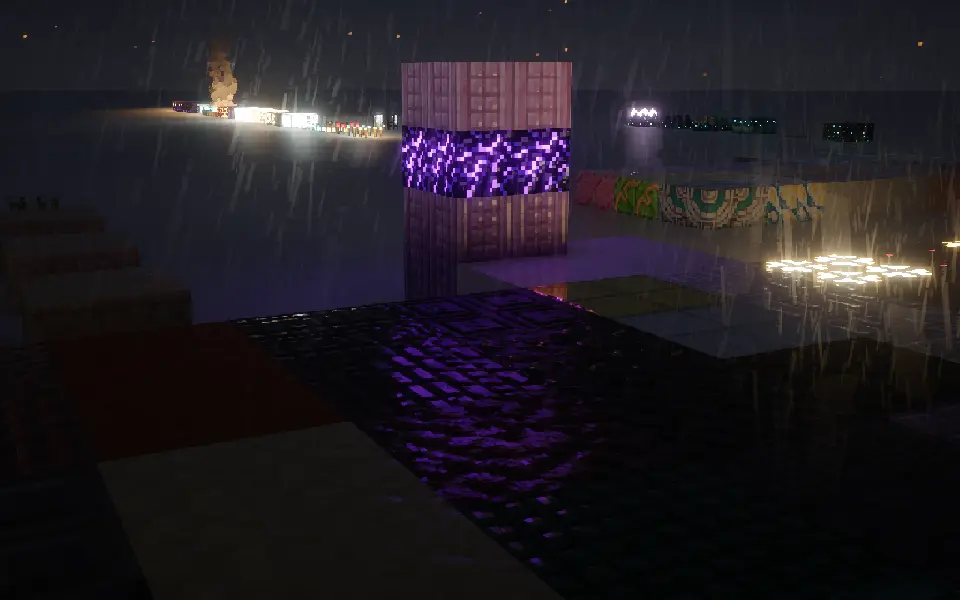
– **次表面散射**:它让树脂、雪块在背光时,能像真实世界一样透出柔和的光线。
–
**Subsurface Scattering**:Light softly glows through translucent blocks like resin and snow, simulating realistic light penetration.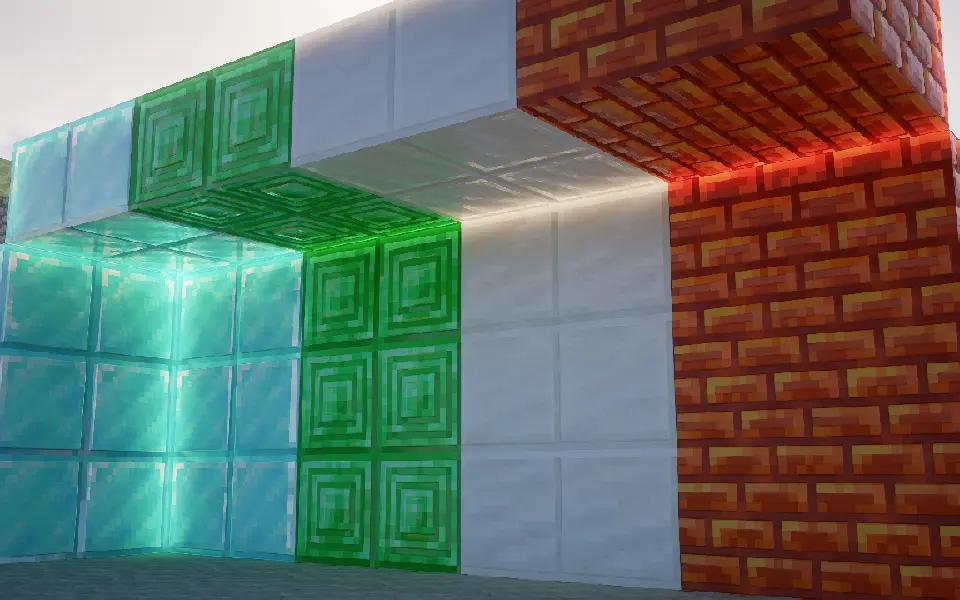
## 为什么我的效果没有上面的截图好?
## Why doesn’t my game look as good as the screenshots?
首先,检查你的光影是否支持**视差**和**labPBR**
First, check if your shader pack supports **Parallax** and **labPBR**.
其次,确保光影的视差和labPBR是开着的
Next, make sure these features are actually enabled in your shader settings.
然后,如果你的光影有以下功能,请按照下面设置:
Finally, if your shaders have the following options, please configure them accordingly:
– 将PBR格式改为**labPBR**
– Change the PBR format to **labPBR**.
– 关闭所有光影里关于**硬编码**的设置
– Disable all **Hardcoding** options within the shaders.
– 关闭**由视差生成法线**
– Disable **Normals by Parallax**.
– 打开**次表面散射**
– Enable **Subsurface Scattering**.
– 打开**平滑视差**
– Enable **Smooth Parallax**.
– 打开**孔隙率**
– Enable **Porosity**.
– 打开**屏幕空间追踪**或是**全局光线追踪**
– Enable **Screen Space Reflections** or **Global Illumination / Ray Tracing**.
– 打开**labPBR自发光**
– Enable **labPBR Emissive Textures**.
**我推的光影:**
**Shader recommendations:**
1. iterationRP
2. Sundial
3. Kappa
4. Nostalgia
5. PTGI GFME
6. Bliss
7. Astralex
8. Complementary
应该不会有多少人看到,我要偷偷贴一个QQ交流群:1009785936