Water Caustics

**Water Caustics** is an **experimental** resource pack that gives blocks animated textures using Continuity to simulate water caustics. These animations appear only on the top faces of blocks between Y-levels 55 and 62, and using Polytone, only applies to ocean biomes and rivers.

Current Blocks
Every block that can be found natrually in water biomes between Y-levels 55 and 62 by default, have animations.
– Log Types
– Plank Types
– Andesite
– Diorite
– Granite
– Polished Granite
– Stone
– Stone Brick Types
– Coral Block Types
– Clay
– Terracotta
– Dirt
– Sand
– Gravel
– Sandstone Types
– Prismarine
– Prismarine Bricks
– Netherrack
– Obsidian
– Packed Ice
– Blue Ice
– Dripstone Block
Slabs, stairs, trapdoors and fences included.
Affected Biomes
– Ocean
– Cold Ocean
– Lukewarm Ocean
– Warm Ocean
– Frozen Ocean
– Deep Ocean
– Deep Cold ocean
– Deep Lukewarm ocean
– Deep Frozen ocean
– River
CTM can’t detect water or fluid states, so blocks can’t connect directly to water. Instead, the texture is determined by Y-level and biomes. If any other biomes were added to the list, caustics could appear on blocks that aren’t actually underwater, such as beaches or any land biomes bordering the ocean.
For creative uses, a workaround for this, is making caustics appear next to land biomes that border oceans and rivers, by using Axiom [(?)](https://axiomdocs.moulberry.com/tools/painting/biomepainter.html) or WorldEdit [(?)](https://worldedit.enginehub.org/en/latest/usage/regions/regionops/#setting-biomes) to change the water’s biome to one of the ocean biomes.

Natrual Textures
For the best results, use [Natrual Textures](https://modrinth.com/resourcepack/natrual-textures) to give blocks rotations, which rotate the water caustics with it, to look more natrual, as shown in screenshots.

– [Continuity](https://modrinth.com/mod/continuity/versions)
– [Polytone](https://modrinth.com/mod/polytone)
Watch of Undying
—


—
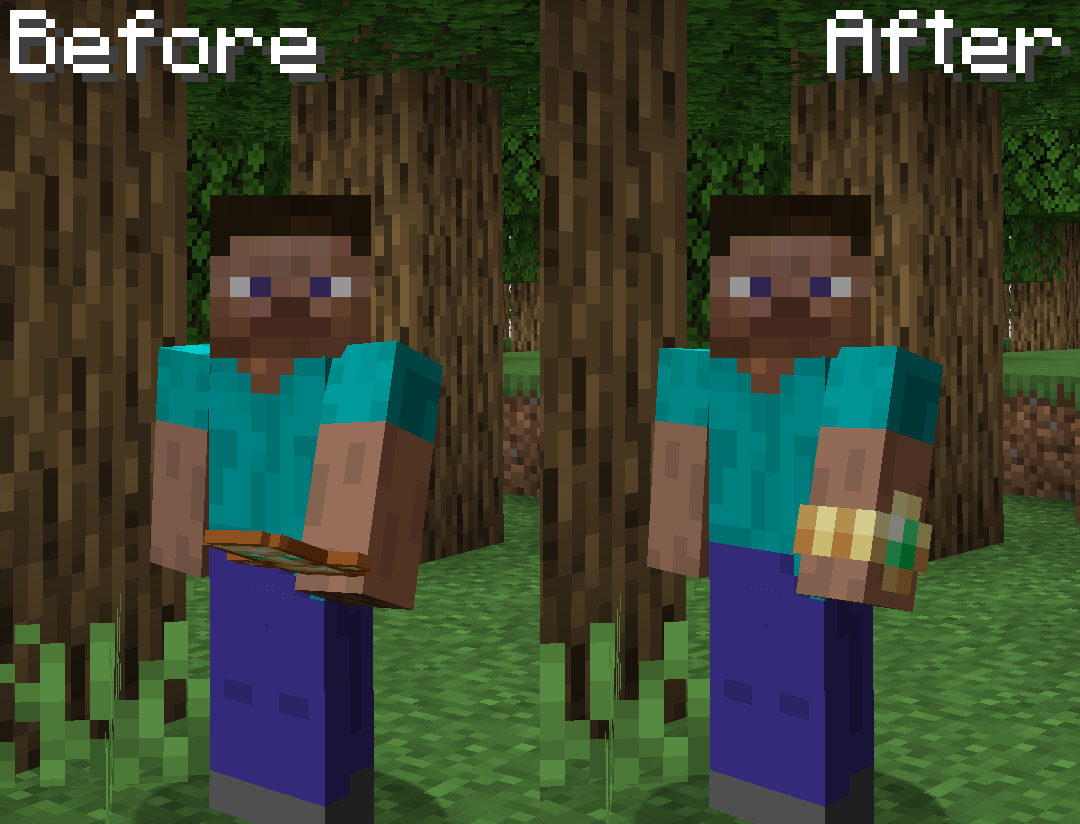
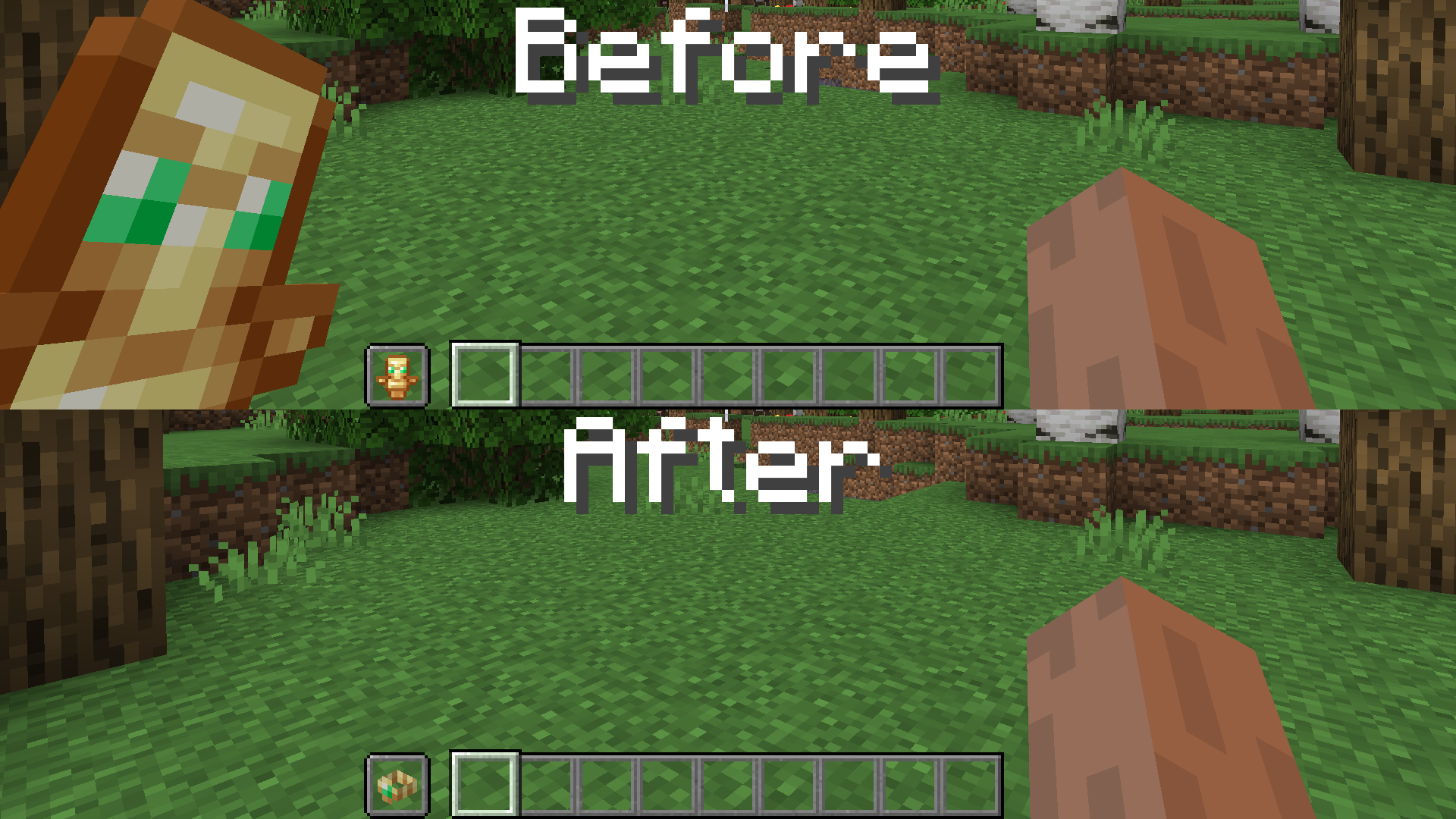
This resource pack replaces the Totem of Undying with a watch that your character wears. It also makes it invisible in first person. Doesn’t require Optifine or any other mods.
—
Watch of Fireworks
# Description
**Watch of Fireworks** is inspired by the [Watch of Undying](https://modrinth.com/resourcepack/watch-of-undying), a resource pack that transforms the Totem of Undying into a stylish watch. Similarly, the **Watch of Fireworks** gives fireworks a fresh look by turning them into a watch. And it doesn’t require optifine or any other mods!
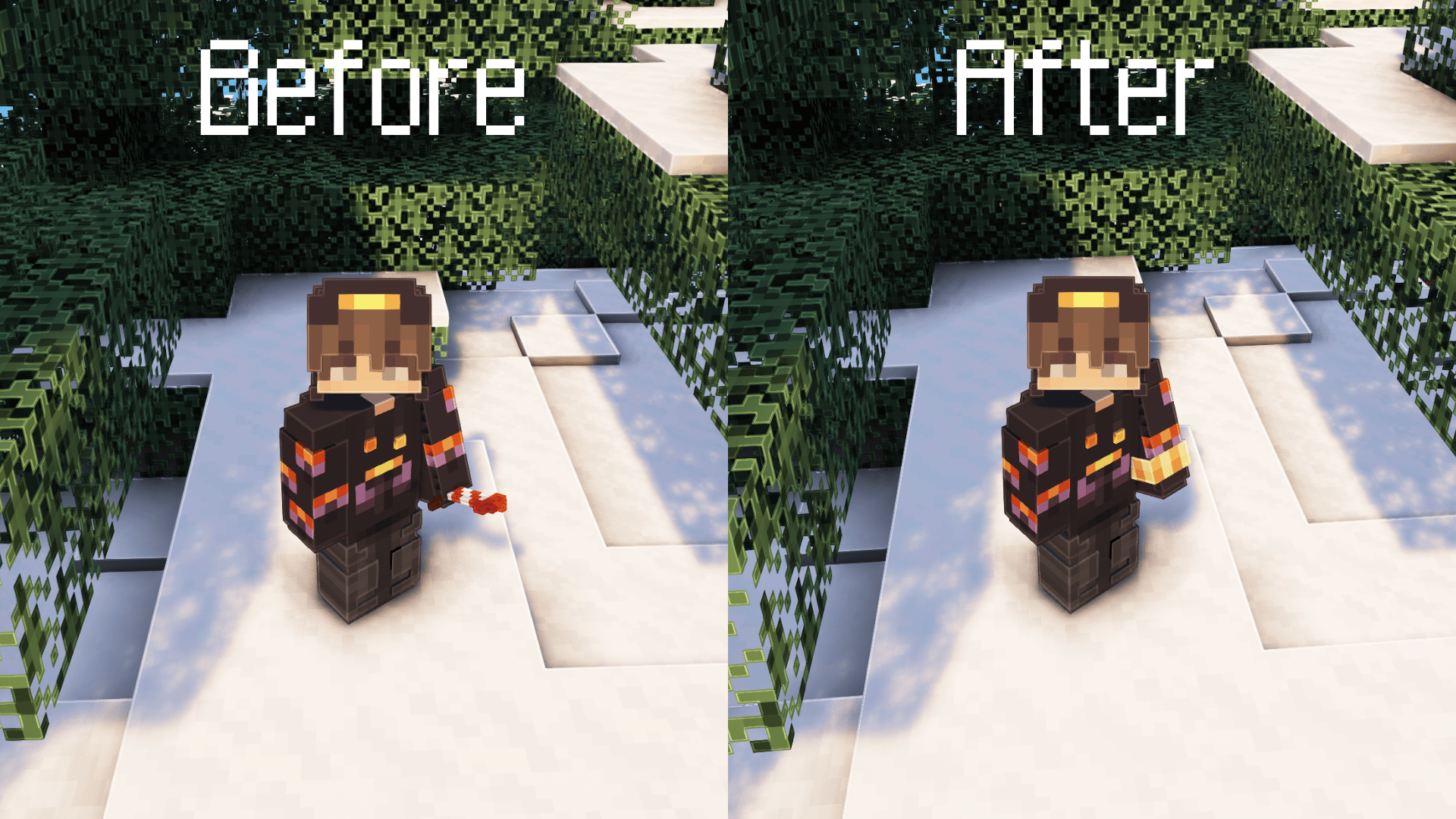

This pack uses the same module created by the original creator of the Watch of Undying, with modifications to the watch’s color and design to suit fireworks. I hope you enjoy the design! Don’t forget to check out the amazing [Watch of Undying](https://modrinth.com/resourcepack/watch-of-undying) too! <3
WasteLand Emeralds
# WasteLand Emeralds
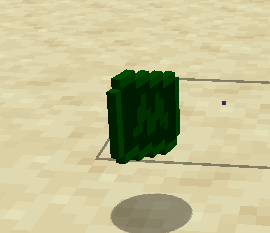
### This resource pack changes the texture of an emerald so that it looks like money
WAS THAT THE BITE OF 87?!
“The bite of 87” was a huge moment for Markiplier being the King of FNAF. Now you can take that moment with you each time you perish. The death sound is replaced with Mark saying, “WAS THAT THE BITE OF 87?!”
WarpsGUI

Simple but effective plugin for **infinite** Homes and Warps in GUI with changable icons, messages and even sounds!
****UPDATED TO 1.21.10****
Credit to the original author [[MrHardyCZ]](https://www.spigotmc.org/resources/authors/mrhardycz.62830/).
You can find his original plugin [[here]](https://www.spigotmc.org/resources/%E2%9C%A8-warpsgui-%C2%AB1-8-1-14-%C2%BB-%E2%9C%A8-homes-and-warps-in-gui-%E2%9C%85.22484/).
****Fixes v4.0.0 (v4a)****
* Fixed warps.homelimit.* permission
* Fixed an error when “/tpcancel” is called without an ongoing teleportation
****Additions v4.1.0 (v4e)****
* Added selectable icons for homes
* User can now select a home icon on home creation
* User can now change a home icon in the edit home menu
**Overview**


**EditWarp GUI**
* **Rename warp (Nametag icon)** – rename warp using nice AnvilGUI
* **Change icon (Current icon)** – change icon of the warp, Icons menu contains all items in the game and even search
* **Toggle the need for permissions (Banner icon)** – toggle the need for permissions (warps.usewarp.)
* **Remove warp (Barrier icon)** – remove warp
**EditHome GUI**
* **Rename home (Nameteg icon)** – rename home using nice AnvilGUI
* **Change icon (Current icon)** – change icon of the home, Icons menu contains all items in the game and even search
* **Remove home (Barrier icon)** – remove home


_If you want to decompile the plugin, feel free to do so._
_If you want to change the code, you are allowed to._
_This plugin contains the AnvilGUI API made by WesJD licenced under the MIT licence._
Warm Mojangles
This fontpack changes the color of the default font in Minecraft to be more pleasing to the eye.
To install it, make sure to select it in the resource packs screen and put it on top of other font packs.
# MY OTHER FONTS
– [Marga Font by SourAlien](https://modrinth.com/resourcepack/marga-font-by-souralien)
– [Paramita Font by SourAlien](https://modrinth.com/resourcepack/paramita-font-by-souralien)
– [PP Font](https://modrinth.com/project/pp-font)
– [Anicca Font by SourAlien](https://modrinth.com/resourcepack/anicca-font-by-souralien)
– [Tiny Bold Font](https://modrinth.com/resourcepack/tiny-bold-font)
– [SAS SMALL CAPS FONT](https://modrinth.com/resourcepack/sas-small-caps-font)
– [sas all lowercase font](https://modrinth.com/resourcepack/sas-all-lowercase-font)
– [Samsara Mono by SourAlien](https://modrinth.com/resourcepack/samsara-mono-font-by-souralien)
– [Ostrakon Font by SourAlien](https://modrinth.com/resourcepack/ostrakon-font-by-souralien)
– [Epsilon Font by SourAlien](https://modrinth.com/resourcepack/epsilon-font-by-souralien)
– [Alice Font](https://modrinth.com/resourcepack/alice-font)
– [Sleek DR](https://modrinth.com/resourcepack/sleek-dr)
– [Synesthete’s Dream](https://modrinth.com/resourcepack/synesthetes-dream)
– [HD B&W Font](https://modrinth.com/resourcepack/hd-bw-font)
Warehouse of the Forgotten
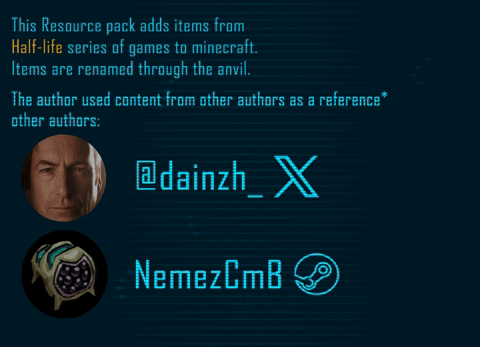
ITEMS TO RENAME: [*Tap*](https://drive.google.com/file/d/1TkMkDVdFuWcNuqbxHZ-89LkUs6cYKnaC/view?usp=sharing)
WardSS
# WardSS 1.4
## Description:
A powerful Minecraft plugin for managing staff controls (ScreenShare) with advanced features.
## Features:
freeze_system:
– command: “/ss ”
description: “Freeze a player for screening”
– automatic_teleport: “Moves staff and player to a predefined location”
– custom_titles: “Display titles/subtitles when a player is frozen/unfrozen”
– automatic_return: “Player is returned to their original location after unfreeze”
## Private_chat:
– “Exclusive chat between staff and frozen players”
– “Customizable message format”
– “Invisible to other players”
## Report_system:
– command: “/ssreport ”
description: “Report a player for staff review”
– command: “/reportlist”
permission: “wardss.report”
description: “View the list of all reported players”
– “Staff notified when a report is sent”
– “Configurable report broadcasts”
– “Customizable report message format”
– “Improved tab completions for /ssreport ”
## Protections:
– “Block commands for frozen players”
– “Notify staff on command attempts”
– “Automatic ban if a player disconnects during screening”
– “Staff bypass mode for unrestricted movement”
## Commands:
– “/ss – Freeze/unfreeze a player”
– “/ss setlocation – Set teleport location for screenings”
– “/ss bypass – Toggle bypass mode for staff”
– “/ssreport – Report a player for staff review”
– “/reportlist – View all reported players”
permissions:
– “wardss.use – Use the /ss command”
– “wardss.notify – Receive notifications”
– “wardss.bypass – Use bypass mode”
– “wardss.setlocation – Set screening teleport location”
– “wardss.report – Access /reportlist command”
## Configuration:
messages:
– prefix: “&7[&c&lWardSS&7]”
– staff-freeze: “&aYou have frozen %player% for screening!”
– player-frozen: “&cYou have been frozen by %staff%!”
– staff-unfreeze: “&aYou have unfrozen %player%!”
– player-unfrozen: “&aThe screening is over, you have been unfrozen!”
– frozen-title: “&c&lYOU HAVE BEEN FROZEN”
– frozen-subtitle: “&7Do not disconnect or you will be banned!”
– unfrozen-title: “&a&lYOU HAVE BEEN UNFROZEN”
– unfrozen-subtitle: “&7Thank you for your cooperation!”
– no-permission: “&cYou don’t have permission!”
– player-not-found: “&cPlayer not found!”
– already-frozen: “&cThis player is already frozen!”
– not-frozen: “&cThis player is not frozen!”
– teleport-set: “&aThe teleport position has been set!”
– teleport-not-set: “&cThe teleport position has not been set!”
– teleport-usage: “&cUsage: /ss ”
– report-sent: “&aReport sent successfully!”
– report-received: “&7You have received a new report”
– report-broadcast: “&7New report: &c%report%”
– report-submitted: “&7Report submitted by &c%player%”
– bypass-active: “&aBypass mode activated”
– bypass-inactive: “&cBypass mode deactivated”
– private-chat-format: “&8[&cSS&8] &7%player%: &f%message%”
– player-quit: “&c%player% disconnected during screening!”
– command-blocked: “&cYou cannot use commands while frozen!”
– command-attempt: “&c%player% attempted to use command: %command%”
### settings:
– notify-staff: true
– prevent-commands: true
– prevent-movement: true
– prevent-interaction: true
– prevent-damage: true
– title-fade-in: 10
– title-stay: 100
– title-fade-out: 10
## Installation:
– “Download the JAR from the releases section”
– “Place it in your server’s plugins folder”
– “Restart the server”
– “Configure config.yml as needed”
– “Set the teleport location with /ss setlocation”
## Requirements:
– “Bukkit/Spigot Server 1.8+”
– “Java 8 or higher”
– “Properly configured permissions”
## Additional_notes:
– “Ensure permissions are correctly set in your permissions plugin”
– “Recommended: Set teleport location in a secure, enclosed area”
– “Check for updates regularly for new features and fixes”
## License: “All Rights Reserved – No part of this plugin, including source code and resources, may be used, copied, modified, or redistributed without the explicit permission of the author.”
Warden of Undying
Add a new totem of undying looks like warden looks very cool & nice can be used in servers as well as in singleplayer.
――――――――――――――Loved the texture pack? Check out more [here](https://modrinth.com/user/Orenxo)――――――――――――――
➙Join our discord server for fun community and get updates.
➙Follow my projects on modrinth.
[](https://discord.gg/xJzWcqmevf)
[](https://discord.gg/xJzWcqmevf)