* **Interactive GUI Menu:** Let players view and manage their homes through a clean, fully customizable `/homes` inventory. Includes built-in support for empty states and custom buttons.
* **Dynamic Custom Icons:** Players can personalize how their homes look in the menu! Simply **Right-Click** a home icon while holding a block to update its appearance.
* **Safe Teleportation:** Configure a safe teleport delay. If a player moves during the countdown, the teleportation is automatically canceled.
* **Immersive Visuals & Audio:** Enhance the player experience with highly customizable ActionBars, on-screen Titles, sound effects, and particles during teleportation.
* **100% Customizable:** Tailor every single message, prefix, and menu item. Features native support for HEX colors (e.g., `&#FAEDCB`).
* **Custom Head Support:** Use Base64 textures to decorate your menus (perfect for custom “Close Menu” buttons or specific icons).
* **PlaceholderAPI Integration:** Extract data from your players’ homes to display on scoreboards, holograms, or custom UI menus.
—
## 📝 Commands & Permissions
| Command | Description | Permission |
| :— | :— | :— |
| `/sethome ` | Saves your current location as a home. | `xsethome.use.sethome` |
| `/home ` | Teleports you to a saved home. | `xsethome.use.home` |
| `/homes` | Opens the visual homes GUI. | *None (Free for all)* |
| `/delhome ` | Deletes a saved home. | `xsethome.use.delhome` |
| `/xsethome reload` | Reloads the configuration files. | *Admin Only* |
| `/xsethome help` | Displays admin commands. | *Admin Only* |
> **Note:** The default home limit for standard players is **3** (fully adjustable in the `config.yml`).
—
## 🔗 PlaceholderAPI Variables
You can use the following placeholders in your menus, scoreboards, or chat formatting.
*(Make sure to replace `` with the exact name of the home)*:
* `%xsethome__name%` ▸ Returns the name of the home.
* `%xsethome__world%` ▸ Returns the world where it is located.
* `%xsethome__x%` ▸ X coordinate of the home.
* `%xsethome__y%` ▸ Y coordinate of the home.
* `%xsethome__z%` ▸ Z coordinate of the home.
* `%xsethome__date%` ▸ Exact date of creation.
—
## 🚀 Installation Guide
1. **Download** the latest version of `xSetHome.jar`.
2. **Move** the downloaded file into your server’s `plugins` folder.
3. *(Optional but recommended)* Install **PlaceholderAPI** to utilize the custom variables.
4. **Restart** your server to generate the configuration files.
5. **Configure** `config.yml` and `menu.yml` to your liking, then run `/xsethome reload` in-game or from the console.
6. Enjoy!
# **X-Rooms**
### *Advanced BoxPVP room management for your server*
### 📝 **Description**
X-Rooms is a powerful, all-in-one plugin for creating and managing PvP rooms (BoxPVP) on your server. Define combat zones with WorldEdit, set up custom kits, potion effects, rewards, holograms and winner destinations — all from an intuitive in-game GUI. Compatible with Minecraft 1.8.8 to 1.21.x+.
### ✨ **Features**
– **WorldEdit Integration:** Select a region with WorldEdit/FAWE and instantly create a PvP room with `/xr create`.
– **Full GUI Management:** Edit every room property (name, sounds, abilities, equipment, rewards) from a clean visual interface — no config editing needed.
– **10 Configurable Abilities:** Strength, Speed, Resistance, Haste, Regeneration, Fire Resistance, Jump Boost, Saturation, Absorption, and Fly — each with adjustable levels per room.
– **Ability Level Limits:** Set global maximum levels for each ability in `config.yml` to prevent overpowered setups.
– **Custom Equipment & Rewards:** Define kit items players receive on match start and reward items for the winner, all via GUI.
– **Automatic Inventory Management:** Player inventories are backed up and restored automatically. No items lost.
– **Combat Logging Protection:** Configurable punishment for players who disconnect during PvP — keep or delete their backup inventory.
– **Winner Teleport Location:** Set a custom destination for the match winner per room, or let them stay in the room.
– **Configurable End Delay:** A customizable delay after the match ends before players are teleported out. Players are invulnerable and locked in the room during this period.
– **PvP Countdown:** Visual countdown (Titles + Sounds) before combat begins with a configurable timer.
– **Hologram Support:** Automatic holograms showing room name, player count and time remaining. Supports DecentHolograms and HolographicDisplays.
– **Per-Room Permissions:** Enable or disable permission requirements per room. Rooms are public by default.
– **Anti-Escape System:** Players cannot walk or teleport out of a room during active PvP.
– **Barrier Material:** Configure a visible or invisible barrier material during countdowns.
– **Entry Titles & Sounds:** Custom welcome titles, subtitles and sounds when entering a room region.
– **PlaceholderAPI:** Full PAPI integration for holograms and messages. Supports both internal and global placeholders.
– **HEX Color Support:** Use `&#RRGGBB` colors in messages and titles (1.16+). Falls back gracefully on older versions.
– **Multi-Language:** 3 built-in language files (English, Spanish, French) with automatic config updater.
– **Folia Support:** Full compatibility with Folia’s regionized threading — all teleports and tasks use async-safe methods.
– **Config Auto-Updater:** Detects outdated configs and updates them automatically without losing your settings.
Need help? Join our Discord or report issues in the discussion section.
XrayDetector
# XrayDetector
**A Minecraft X-ray Detection Plugin**
XrayDetector is a comprehensive detection system for identifying potential X-ray usage on Minecraft servers. This plugin monitors ore mining patterns and alerts staff members when suspicious activity is detected.
**Author:** nevmind
**Version:** 1.0.0
**All Rights Reserved**
—
## Features
### Core Detection System
– **Pattern-Based Detection**: Monitors ore mining frequency and speed to identify suspicious patterns
– **Four-Tier Severity System**: Classifies alerts as Low, Medium, High, or Very High based on mining behavior
– **Points Tracking**: Maintains cumulative X-ray suspicion scores for each player
– **Real-Time Alerts**: Notifies staff members instantly when detection thresholds are met
### Comprehensive Commands
– `/xray toggle` – Enable or disable the detection system
– `/xray set ores ` – Configure ore threshold for alerts
– `/xray set time ` – Set the time window for detection
– `/xray tp ` – Teleport to suspected player in spectator mode (invisible)
– `/xray chances list` – View top 10 players with highest X-ray suspicion points
– `/xray reload` – Reload configuration without restarting
### Advanced Configuration
– **Customizable Thresholds**: Adjust ore counts and time windows
– **Severity Levels**: Configure point values for each severity tier
– **Alert Colors**: Customize message colors using Minecraft color codes
– **Toggle System**: Enable/disable detection without removing the plugin
### Permission System
– `xray.admin` – Access to all plugin commands (default: op)
– `xray.alerts` – Receive X-ray detection alerts (default: op)
—
## Installation
1. Download `XrayDetector-1.0.0.jar` from the releases
2. Place the JAR file in your server’s `plugins` folder
3. Restart your server or use a plugin manager to load it
4. Configure the plugin in `plugins/XrayDetector/config.yml`
The plugin uses the Bukkit API 1.13+ for maximum compatibility across versions.
—
## Configuration
The plugin creates a `config.yml` file in `plugins/XrayDetector/` with the following options:
### Basic Settings
“`yaml
# Enable or disable detection system
enabled: true
# Number of ores to trigger alert
ores_threshold: 10
# Time window in seconds
time_window: 60
“`
### Severity Levels
Each severity level can be configured with minimum/maximum ore counts and point values:
– **Low**: 5-10 ores (5 points)
– **Medium**: 11-20 ores (15 points)
– **High**: 21-35 ores (30 points)
– **Very High**: 36+ ores (50 points)
### Alert Colors
Customize alert message colors using Minecraft color codes:
– `&b` = Aqua (Light Blue)
– `&f` = White
– `&e` = Yellow
– `&6` = Gold
– `&c` = Red
– `&4` = Dark Red
—
## How It Works
### Detection Logic
1. **Monitoring**: The plugin tracks when players mine ore blocks
2. **Pattern Analysis**: Calculates mining speed (ores per second) within the time window
3. **Severity Assessment**: Determines alert level based on ore count and mining speed
4. **Point Assignment**: Adds points to the player’s X-ray suspicion score
5. **Staff Notification**: Sends formatted alerts to all staff with `xray.alerts` permission
### Tracked Ores
The plugin monitors all ore types including:
– Coal, Iron, Gold, Diamond, Emerald
– Lapis Lazuli, Redstone, Copper
– Nether Gold, Nether Quartz
– Ancient Debris
– Deepslate variants of all ores
### Alert Format
“`
[XrayDetector] PlayerName mined 15 ores in 30.0 seconds [MEDIUM] (+15 points, Total: 45)
“`
—
## Commands & Permissions
| Command | Permission | Description |
|———|———–|————-|
| `/xray toggle` | `xray.admin` | Toggle detection on/off |
| `/xray set ores ` | `xray.admin` | Set ore threshold |
| `/xray set time ` | `xray.admin` | Set time window |
| `/xray tp ` | `xray.admin` | Teleport to player (spectator) |
| `/xray chances list` | `xray.admin` | Show top suspects |
| `/xray reload` | `xray.admin` | Reload configuration |
**Aliases:** `/xr`, `/xraydetector`
—
## FAQ
**Q: Does this plugin prevent X-ray?**
A: No, this plugin only detects potential X-ray usage. It cannot prevent players from using X-ray texture packs or mods.
**Q: Will this catch all X-ray users?**
A: The plugin detects suspicious mining patterns that may indicate X-ray usage. However, it’s not 100% accurate and should be used as one tool among many for server moderation.
**Q: Can players see the alerts?**
A: Only players with the `xray.alerts` permission (typically staff) receive alerts.
**Q: What happens when a player is detected?**
A: The plugin only sends alerts and tracks points. Staff must manually review and take appropriate action.
**Q: Does this work on older versions?**
A: The plugin requires Minecraft 1.13 or newer due to API compatibility.
—
## Support & Updates
For bug reports, feature requests, or support:
– Open an issue on the project repository
– Contact the server administrator
—
## License
**XrayDetector** by **nevmind**
**All Rights Reserved**
This software is proprietary and confidential. Unauthorized copying, distribution, or modification is strictly prohibited without explicit permission from the author.
🚤 X-Ray Boat lets you see straight through the boat and into the ocean below.
The main idea of this texture is simple and useful: with a transparent/open boat, you can clearly see the seafloor, corals, ruins, and underwater terrain while sailing. 🌊👀
It keeps a clean, vanilla-friendly look, but adds a practical and immersive detail that makes ocean exploration way more enjoyable. Perfect for discovering what’s beneath the water without leaving your boat. 🌿✨
Lightweight, simple, and visually pleasing — a small tweak that changes how you explore the seas. 🚣♂️
XPlus Font Pack
## XPlus Font Pack —— Make ingame font smooth and beautiful.
XPlus Font Pack is a Minecraft Font Pack developed by XPlus Team, which is used in XPlus Modpack. XPlus Font Pack transforms in-game fonts to the sleek and elegant Source Han Sans typeface. Say goodbye to bland default fonts and immerse yourself in a world of clarity and style.
With XPlus Font Pack, players can enjoy a seamless gaming experience across multiple languages, as it supports a wide range of language characters. Whether you’re communicating with friends in English, Korean, Russian,Chinese, or any other language, XPlus Font Pack ensures readability and consistency without the need for additional mod downloads.
### Version 1.1.0+ changes the font to HarmonyOS Sans, and requires mod Caxton to be loaded.
Source Han Sans is licensed under [SIL Open Font License, Version 1.1](https://github.com/adobe-fonts/source-han-sans?tab=License-1-ov-file#License-1-ov-file)
Dovahkiin is made by Pixel Sagas, which is licensed as [Freeware](https://www.fontspace.com/dovahkiin-font-f17997).
XPlayerKits
It’s a plugin that allows you to create kits for your players.
This plugin was created due to the lack of an optimized solution for this feature.
It uses very little RAM and is highly customizable.
| | | |
| — | — | — |
**Unlike other plugins that load the data of every single player registered on your server (wasting precious resources), XPlayerKits takes a smarter approach.**
It only loads player data when they actually join, and keeps just the essential information cached. This means **significantly lower RAM usage** without sacrificing performance.
On top of that, XPlayerKits comes with **built-in SQLite support right out of the box**, giving you a reliable and lightweight database solution. No more dealing with the limitations and issues of storing player data in messy YML files.
### Features
– **Migration:** Migrate data and kits from another plugin to save resources and avoid inventory exploits.
– **Kit placeholder requirements:** Use a system to check placeholder conditions.
– **Fully editable inventory:** Customize the kit inventory with an item name system for icons.
– **Claim/Deny actions:** Set actions when claiming or denying a kit, such as commands or sounds.
– **In-game GUI:** Edit kits directly in-game, including properties, icons, and content.
– **One-Time Kits:** Create kits that can only be claimed once, stored in player data.
– **First Join Kit:** Deliver a kit to players the first time they join your server.
– **Database support:** MongoDB, MySQL, and SQLite are supported (Recommended: MongoDB).
### Commands
– `/xkits editor` – Opens the editor for quick kit creation.
– `/xkits kits` – Opens the kit selection menu.
– `/xkits open [rotation/category]` – Opens the kit selection with category or rotation kits.
– `/xkits preview [player]` – Opens preview menu.
– `/xkits give ` – Give kits directly to players without checks.
– `/xkits claim ` – Give kits to players with checks.
– `/xkits reset ` – Reset a player’s data for a specific kit.
– `/xkits resetall ` – Reset all data for a player.
– `/xkits delete ` – Delete a kit.
– `/xkits migrate playerkits2_yml/playerkits2_mysql` – Migrate data from other plugins.
– `/xkits migratekits playerkits2` – Migrate kits from other plugins.
### Permissions
– `xkits.admin` – Allows players to use the `/xkits editor` and `/xkits slots` commands.
– `xkits.preview` – Allows players to use `/xkits preview`.
– `xkits.countdown.bypass` – Allows players to bypass kit countdowns.
– `xkits.onetime.bypass` – Allows players to bypass one-time restrictions.
### Placeholders
– `%xplayerkits_cooldown_%` – Show the time to next claim.
– `%xplayerkits_claimed_onetime_%` – Return yes or no if the kit of player is claimed.
– `%xplayerkits_claimed_cooldown_%` – Return yes or no if the kit of player is in cooldown.
### Actions
| Action | Description | Example |
|————————-|———————————————–|———————————————————–|
| console | Executes a command from the console. | `console:say test` |
| command | Executes a command as the player. | `command:dm open main` |
| sound | Plays a sound to the player. | `sound:ENTITY_ENDERMAN_TELEPORT;1.0f;1.0f` |
| playsound_resource_pack | Plays a sound from a resource pack. | `playsound_resource_pack:ENTITY_ENDERMAN_TELEPORT;1.0f;1.0f` |
| message | Sends a chat message to the player. | `message:You can’t claim this kit.` |
| center_message | Sends a centered message to the player. | `center_message:You can’t claim this kit.` |
| mini_message | Sends a MiniMessage formatted message. | `mini_message:You can’t claim this kit.` |
| broadcast | Sends a message to all players. | `broadcast:You can’t claim this kit.` |
| titles | Sends a title and subtitle to the player. | `titles:
Kit Claimed!;<subtitle>Enjoy your rewards!`|<br />
| wait_ticks | Waits before executing the next action. | `wait_ticks:40` |</p>
<p align="center">
<img decoding="async" src="https://i.imgur.com/OosO7SC.jpeg" alt="links">
</p>
<p>| <a href="https://discord.gg/4R9teKVcbM" target="_blank"><img decoding="async" src="https://i.imgur.com/5mATCrI.jpeg" alt="Discord" /></a> | <a href="https://www.patreon.com/c/insideranh" target="_blank"><img decoding="async" src="https://i.imgur.com/G31oZIG.jpeg" alt="Patreon" /></a> | <a href="https://www.insideranh.dev/docs/xplayerkits" target="_blank"><img decoding="async" src="https://i.imgur.com/zdRGBIY.jpeg" alt="Wiki" /></a> |<br />
| — | — | — |</p>
</article>
<article>
<h1>XPHearts</h1>
<p># **About**</p>
<p>[](https://modrinth.com/plugin/xphearts) [](https://www.curseforge.com/minecraft/bukkit-plugins/xphearts)<br />
[](https://ko-fi.com/J3J71G0IUZ)</p>
<p>XPHearts is a plugin that automatically adjust maximum hearts/health depending on your experience level. You can configure the amount of experience level needed in the configuration file.</p>
<p>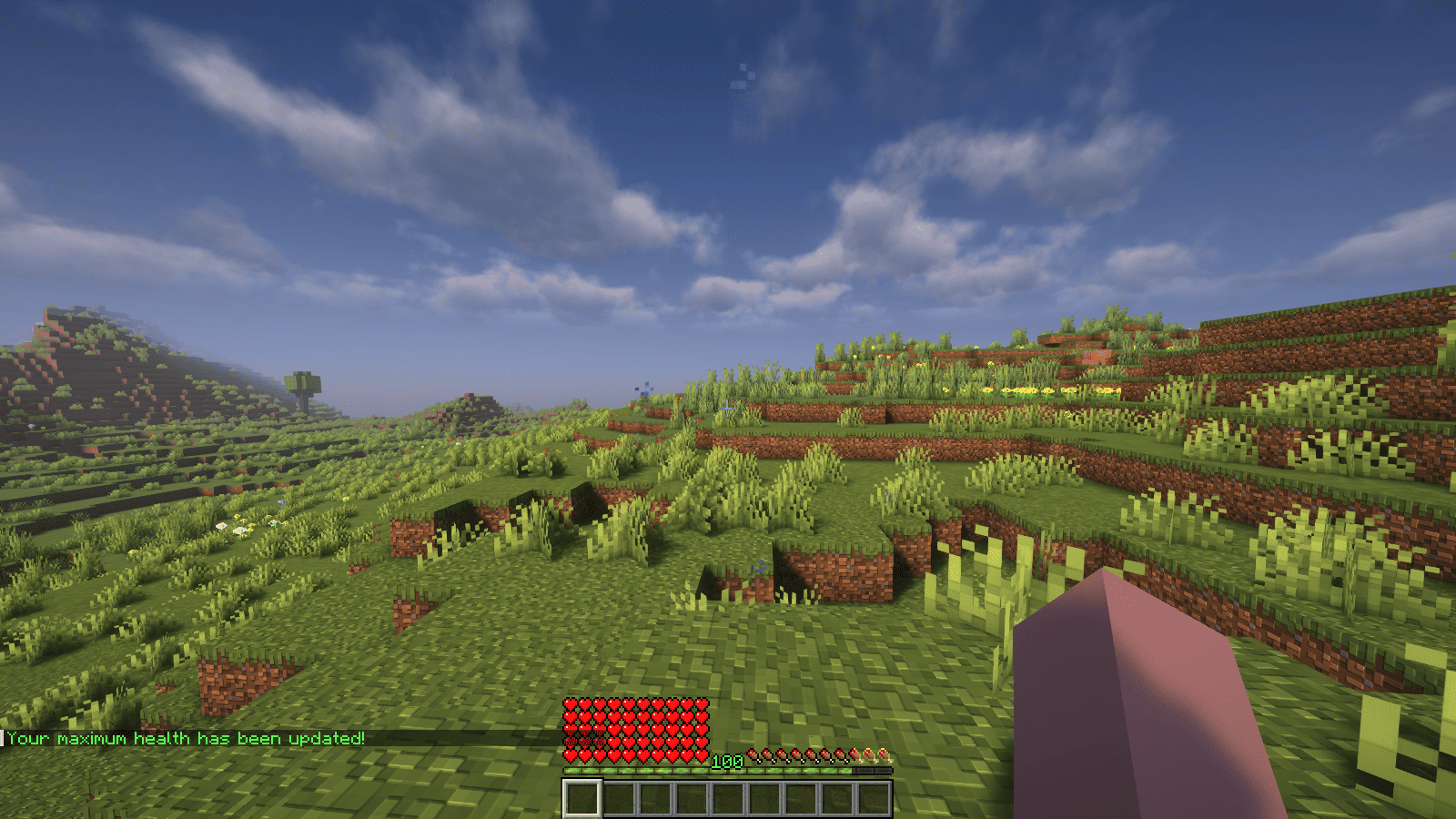<br />
</p>
<p>### Features</p>
<p>– Automatically adjust the player’s maximum hearts/health when they reach the experience level specified in the configuration.<br />
– Easy to understand config.<br />
– Lightweight.</p>
<p></p>
<p>### Commands<br />
| Command | Description | Permission |<br />
|—————-|————————————-|—————–|<br />
| `/xh` | Get the information about the plugin. | `xh.use` |<br />
| `/xh reload` | Reloads the config file. | `xh.admin` |<br />
| Command aliases| **xh, xpheart, xphearts** |</p>
<p></p>
<p>### Issues and Suggestions<br />
Suggest and report issues on [Github](https://github.com/seyviyer2/XPHearts/issues).</p>
</article>
<article>
<h1>XPDispenser</h1>
<p># XPDispenser</p>
<p>A Minecraft Bukkit plugin to throw your XP at yourself (e.g. to repair your mending tools).</p>
<p></p>
<p>[](https://github.com/Programie/XPDispenser/actions/workflows/build.yml)<br />
[](https://github.com/Programie/XPDispenser/releases/latest)<br />
[](https://modrinth.com/plugin/xpdispenser)<br />
[](https://www.curseforge.com/minecraft/bukkit-plugins/xpdispenser)</p>
<p>## What is it?</p>
<p>XPDispenser allows you to throw XP orbs at yourself by using your currently collected XP points.</p>
<p>The collected XP points can be used to repair tools and armor enchanted with the mending enchantment. In that way, you are able to reuse your already collected XP points to repair your tools and armor.</p>
<p>## Permissions</p>
<p>Currently, there is only one permission available which controls whether a player is allowed to use this plugin: `xpdispenser` (Default: everyone)</p>
<p>## How to use it?</p>
<p>Simply place a sign at any location with the text `[XPDispenser]` at the first line.</p>
<p>Optionally, the second line contains the amount of XP points to be thrown in a single time (defaults to 10, if not given on the sign).</p>
<p>So, if you want to get 50 XP points, you can place a sign with the following content:</p>
<p>* First line: `[XPDispenser]`<br />
* Second line: `50`</p>
<p>After correctly placing the sign, the color of the first line will change to blue.</p>
<p>To use the sign, simply interact with it (i.e. right click on it) while having the tool and/or armor to repair equipped.</p>
<p>### Why use a sign instead of a command?</p>
<p>It’s simple: I just don’t like to execute commands as a normal player, but I like to interact with the environment just like you would do in real life.</p>
<p>In case of this plugin, you could see the sign as some type of machine which will dispense some XP orbs.</p>
<p>## Build</p>
<p>You can build the project in the following 2 steps:</p>
<p> * Check out the repository<br />
* Build the jar file using maven: *mvn clean package*</p>
<p>**Note:** JDK 1.8 and Maven is required to build the project!</p>
<p>## My other plugins</p>
<p>You can find them on [my website](https://selfcoders.com/projects/minecraft-plugins).</p>
</article>
<article>
<h1>XP Tome</h1>
<p>### Functionality<br />
This mod adds a single item – the XP Tome. With the XP Tome you can store and retrieve XP. It can store up to 1395 XP by default (can be configured), which equals to having 30 levels on the XP bar.</p>
<p>### Usage<br />
– Sneak + right-click to store XP<br />
– Right-click to retrieve XP</p>
<p>### Recipe<br />
</p>
<p>### Config/Item Components<br />
Note: For item components, “true” means the component is on the item, and “false” means it isn’t.<br />
Note: If you want to change the default item components of the XP Tome you can still use the config file, however that comes with caveats explained therein. Consider creating a Data Pack and override the XP Tome’s recipe with the components set as you wish. [Here’s an example recipe.](https://gist.github.com/bl4ckscor3/074fc98a3206a01c8ff239923174543d) More info about [data packs](https://minecraft.wiki/w/Data_pack) and [recipes](https://minecraft.wiki/w/Recipe) on the wiki!</p>
<p>– *max_xp* – The maximum amount of XP points that the XP Tome can hold. The default value (1395) represents having 30 levels on the XP bar.<br />
– *retrieval_percentage* – The percentage of XP that the book will give back, as a sort of cost of using it. Example: If this config value is set to 0.75, and an XP Tome has 100 XP stored, attempting to retrieve these 100 XP will give back 75 XP. Note: This will not be 100% accurate, as Minecraft’s XP does not use decimals.<br />
– *retrieve_until_next_level* – Setting this to true will remove only as much XP from the book at a time as is needed for the player to reach their next level.<br />
– *retrieve_xp_orbs* – Setting this to true will remove XP from the book in XP orb form. This is useful if you want to use XP from the book for tools enchanted with Mending.<br />
– *store_until_previous_level* – Setting this to true will store only as much XP from the player’s XP bar until reaching the previous level, meaning only one level at maximum will be added to the book’s storage at a time.</p>
<p>The configuration file for Minecraft versions 1.14.4-1.20.1 can be found in the serverconfig folder of your world.</p>
<p>### Further Info<br />
This mod was created by me, following a request by Shivaxi. It is based off of [XP Book](https://www.curseforge.com/minecraft/mc-mods/xp-book) and was recreated due to a duplication bug in the original mod, as well as a bug which causes the enchanting table to reset each time the book is used. As this mod uses the same modid and item id as the original, the two mods can not be installed at the same time and switching between them will not lose you any items. I did not take any code or assets from the original mod.</p>
<p>You are allowed to use this mod in any modpack.</p>
</article>
<article>
<h1>XP Stacker</h1>
<p>🎉 **XPStacker: Let Your Server Breathe!** 🎉<br />
Is your server slowing down because of all the scattered XP orbs? 🐢 XPStacker offers a sleek and effective solution to this problem. This lightweight plugin automatically merges nearby XP orbs into a single one, significantly reducing server load while providing a smoother experience for players.</p>
<p>✨ **Key Features:**</p>
<p>– **Lag Reduction:** 💨 Drastically reduces server lag by merging hundreds of scattered XP orbs into a single orb.</p>
<p>– **Automatic Merging:** 🤝 New XP orbs automatically merge with nearby ones. No player action is required.</p>
<p>– **Configurable Radius:** ⚙️ Easily adjust the merge radius of XP orbs in the config.yml file.</p>
<p>– **Lightweight and Stable:** 🔋 Operates with minimal resource usage and does not affect your server’s other features.</p>
<p>Add XPStacker to your server now and let your players collect XP without any lag! 💎</p>
<p>✨ **Check Out Our Other Plugins!** ✨<br />
If you enjoy the **XPStacker** plugin, don’t forget to check out our other high-quality plugins for your server!</p>
<p>– **BuildByBit**: https://builtbybit.com/creators/fisfiskoray.600970<br />
– **PolyMart:** https://polymart.org/user/57522/fisfiskoray<br />
– **Modrinth:** https://modrinth.com/user/FisFisKoray</p>
</article>
</main>
<script type="speculationrules">
{"prefetch":[{"source":"document","where":{"and":[{"href_matches":"/*"},{"not":{"href_matches":["/wp-*.php","/wp-admin/*","/wp-content/uploads/*","/wp-content/*","/wp-content/plugins/*","/wp-content/themes/minecraft/*","/*\\?(.+)"]}},{"not":{"selector_matches":"a[rel~=\"nofollow\"]"}},{"not":{"selector_matches":".no-prefetch, .no-prefetch a"}}]},"eagerness":"conservative"}]}
</script>
<div class="gtranslate_wrapper" id="gt-wrapper-80074189"></div><script id="gt_widget_script_80074189-js-before">
window.gtranslateSettings = /* document.write */ window.gtranslateSettings || {};window.gtranslateSettings['80074189'] = {"default_language":"en","languages":["ar","az","bn","bg","hr","cs","da","nl","en","fi","fr","de","el","hu","id","it","ja","kk","ko","fa","pl","pt","ro","ru","sl","es","sv","th","uk","uz","vi"],"url_structure":"sub_directory","flag_style":"2d","wrapper_selector":"#gt-wrapper-80074189","alt_flags":[],"custom_domains":{"ru":"minecraft.vpesports.games"},"float_switcher_open_direction":"top","switcher_horizontal_position":"left","switcher_vertical_position":"bottom","flags_location":"\/wp-content\/plugins\/gtranslate\/flags\/"};
//# sourceURL=gt_widget_script_80074189-js-before
</script><script src="https://minecraft.vpesports.com/wp-content/plugins/gtranslate/js/float.js?ver=3.1.1" data-no-optimize="1" data-no-minify="1" data-gt-orig-url="/minecraft-version/1-15-2/page/8/" data-gt-orig-domain="minecraft.vpesports.com" data-gt-widget-id="80074189" defer></script><script id="wp-emoji-settings" type="application/json">
{"baseUrl":"https://s.w.org/images/core/emoji/17.0.2/72x72/","ext":".png","svgUrl":"https://s.w.org/images/core/emoji/17.0.2/svg/","svgExt":".svg","source":{"concatemoji":"https://minecraft.vpesports.com/wp-includes/js/wp-emoji-release.min.js?ver=7.0"}}
</script>
<script type="module">
/*! This file is auto-generated */
const a=JSON.parse(document.getElementById("wp-emoji-settings").textContent),o=(window._wpemojiSettings=a,"wpEmojiSettingsSupports"),s=["flag","emoji"];function i(e){try{var t={supportTests:e,timestamp:(new Date).valueOf()};sessionStorage.setItem(o,JSON.stringify(t))}catch(e){}}function c(e,t,n){e.clearRect(0,0,e.canvas.width,e.canvas.height),e.fillText(t,0,0);t=new Uint32Array(e.getImageData(0,0,e.canvas.width,e.canvas.height).data);e.clearRect(0,0,e.canvas.width,e.canvas.height),e.fillText(n,0,0);const a=new Uint32Array(e.getImageData(0,0,e.canvas.width,e.canvas.height).data);return t.every((e,t)=>e===a[t])}function p(e,t){e.clearRect(0,0,e.canvas.width,e.canvas.height),e.fillText(t,0,0);var n=e.getImageData(16,16,1,1);for(let e=0;e<n.data.length;e++)if(0!==n.data[e])return!1;return!0}function u(e,t,n,a){switch(t){case"flag":return n(e,"\ud83c\udff3\ufe0f\u200d\u26a7\ufe0f","\ud83c\udff3\ufe0f\u200b\u26a7\ufe0f")?!1:!n(e,"\ud83c\udde8\ud83c\uddf6","\ud83c\udde8\u200b\ud83c\uddf6")&&!n(e,"\ud83c\udff4\udb40\udc67\udb40\udc62\udb40\udc65\udb40\udc6e\udb40\udc67\udb40\udc7f","\ud83c\udff4\u200b\udb40\udc67\u200b\udb40\udc62\u200b\udb40\udc65\u200b\udb40\udc6e\u200b\udb40\udc67\u200b\udb40\udc7f");case"emoji":return!a(e,"\ud83e\u1fac8")}return!1}function f(e,t,n,a){let r;const o=(r="undefined"!=typeof WorkerGlobalScope&&self instanceof WorkerGlobalScope?new OffscreenCanvas(300,150):document.createElement("canvas")).getContext("2d",{willReadFrequently:!0}),s=(o.textBaseline="top",o.font="600 32px Arial",{});return e.forEach(e=>{s[e]=t(o,e,n,a)}),s}function r(e){var t=document.createElement("script");t.src=e,t.defer=!0,document.head.appendChild(t)}a.supports={everything:!0,everythingExceptFlag:!0},new Promise(t=>{let n=function(){try{var e=JSON.parse(sessionStorage.getItem(o));if("object"==typeof e&&"number"==typeof e.timestamp&&(new Date).valueOf()<e.timestamp+604800&&"object"==typeof e.supportTests)return e.supportTests}catch(e){}return null}();if(!n){if("undefined"!=typeof Worker&&"undefined"!=typeof OffscreenCanvas&&"undefined"!=typeof URL&&URL.createObjectURL&&"undefined"!=typeof Blob)try{var e="postMessage("+f.toString()+"("+[JSON.stringify(s),u.toString(),c.toString(),p.toString()].join(",")+"));",a=new Blob([e],{type:"text/javascript"});const r=new Worker(URL.createObjectURL(a),{name:"wpTestEmojiSupports"});return void(r.onmessage=e=>{i(n=e.data),r.terminate(),t(n)})}catch(e){}i(n=f(s,u,c,p))}t(n)}).then(e=>{for(const n in e)a.supports[n]=e[n],a.supports.everything=a.supports.everything&&a.supports[n],"flag"!==n&&(a.supports.everythingExceptFlag=a.supports.everythingExceptFlag&&a.supports[n]);var t;a.supports.everythingExceptFlag=a.supports.everythingExceptFlag&&!a.supports.flag,a.supports.everything||((t=a.source||{}).concatemoji?r(t.concatemoji):t.wpemoji&&t.twemoji&&(r(t.twemoji),r(t.wpemoji)))});
//# sourceURL=https://minecraft.vpesports.com/wp-includes/js/wp-emoji-loader.min.js
</script>
</body>
</html>


