WAS THAT THE BITE OF 87?!
“The bite of 87” was a huge moment for Markiplier being the King of FNAF. Now you can take that moment with you each time you perish. The death sound is replaced with Mark saying, “WAS THAT THE BITE OF 87?!”
“The bite of 87” was a huge moment for Markiplier being the King of FNAF. Now you can take that moment with you each time you perish. The death sound is replaced with Mark saying, “WAS THAT THE BITE OF 87?!”
This fontpack changes the color of the default font in Minecraft to be more pleasing to the eye.
To install it, make sure to select it in the resource packs screen and put it on top of other font packs.
# MY OTHER FONTS
– Marga Font by SourAlien
– Paramita Font by SourAlien
– PP Font
– Anicca Font by SourAlien
– Tiny Bold Font
– SAS SMALL CAPS FONT
– sas all lowercase font
– Samsara Mono by SourAlien
– Ostrakon Font by SourAlien
– Epsilon Font by SourAlien
– Alice Font
– Sleek DR
– Synesthete’s Dream
– HD B&W Font
ITEMS TO RENAME: *Tap*
# WardSS 1.4
## Description:
A powerful Minecraft plugin for managing staff controls (ScreenShare) with advanced features.
## Features:
freeze_system:
– command: “/ss
description: “Freeze a player for screening”
– automatic_teleport: “Moves staff and player to a predefined location”
– custom_titles: “Display titles/subtitles when a player is frozen/unfrozen”
– automatic_return: “Player is returned to their original location after unfreeze”
## Private_chat:
– “Exclusive chat between staff and frozen players”
– “Customizable message format”
– “Invisible to other players”
## Report_system:
– command: “/ssreport
description: “Report a player for staff review”
– command: “/reportlist”
permission: “wardss.report”
description: “View the list of all reported players”
– “Staff notified when a report is sent”
– “Configurable report broadcasts”
– “Customizable report message format”
– “Improved tab completions for /ssreport
## Protections:
– “Block commands for frozen players”
– “Notify staff on command attempts”
– “Automatic ban if a player disconnects during screening”
– “Staff bypass mode for unrestricted movement”
## Commands:
– “/ss
– “/ss setlocation – Set teleport location for screenings”
– “/ss bypass – Toggle bypass mode for staff”
– “/ssreport
– “/reportlist – View all reported players”
permissions:
– “wardss.use – Use the /ss command”
– “wardss.notify – Receive notifications”
– “wardss.bypass – Use bypass mode”
– “wardss.setlocation – Set screening teleport location”
– “wardss.report – Access /reportlist command”
## Configuration:
messages:
– prefix: “&7[&c&lWardSS&7]”
– staff-freeze: “&aYou have frozen %player% for screening!”
– player-frozen: “&cYou have been frozen by %staff%!”
– staff-unfreeze: “&aYou have unfrozen %player%!”
– player-unfrozen: “&aThe screening is over, you have been unfrozen!”
– frozen-title: “&c&lYOU HAVE BEEN FROZEN”
– frozen-subtitle: “&7Do not disconnect or you will be banned!”
– unfrozen-title: “&a&lYOU HAVE BEEN UNFROZEN”
– unfrozen-subtitle: “&7Thank you for your cooperation!”
– no-permission: “&cYou don’t have permission!”
– player-not-found: “&cPlayer not found!”
– already-frozen: “&cThis player is already frozen!”
– not-frozen: “&cThis player is not frozen!”
– teleport-set: “&aThe teleport position has been set!”
– teleport-not-set: “&cThe teleport position has not been set!”
– teleport-usage: “&cUsage: /ss
– report-sent: “&aReport sent successfully!”
– report-received: “&7You have received a new report”
– report-broadcast: “&7New report: &c%report%”
– report-submitted: “&7Report submitted by &c%player%”
– bypass-active: “&aBypass mode activated”
– bypass-inactive: “&cBypass mode deactivated”
– private-chat-format: “&8[&cSS&8] &7%player%: &f%message%”
– player-quit: “&c%player% disconnected during screening!”
– command-blocked: “&cYou cannot use commands while frozen!”
– command-attempt: “&c%player% attempted to use command: %command%”
### settings:
– notify-staff: true
– prevent-commands: true
– prevent-movement: true
– prevent-interaction: true
– prevent-damage: true
– title-fade-in: 10
– title-stay: 100
– title-fade-out: 10
## Installation:
– “Download the JAR from the releases section”
– “Place it in your server’s plugins folder”
– “Restart the server”
– “Configure config.yml as needed”
– “Set the teleport location with /ss setlocation”
## Requirements:
– “Bukkit/Spigot Server 1.8+”
– “Java 8 or higher”
– “Properly configured permissions”
## Additional_notes:
– “Ensure permissions are correctly set in your permissions plugin”
– “Recommended: Set teleport location in a secure, enclosed area”
– “Check for updates regularly for new features and fixes”
## License: “All Rights Reserved – No part of this plugin, including source code and resources, may be used, copied, modified, or redistributed without the explicit permission of the author.”
Add a new totem of undying looks like warden looks very cool & nice can be used in servers as well as in singleplayer.
――――――――――――――Loved the texture pack? Check out more here――――――――――――――
➙Join our discord server for fun community and get updates.
➙Follow my projects on modrinth.


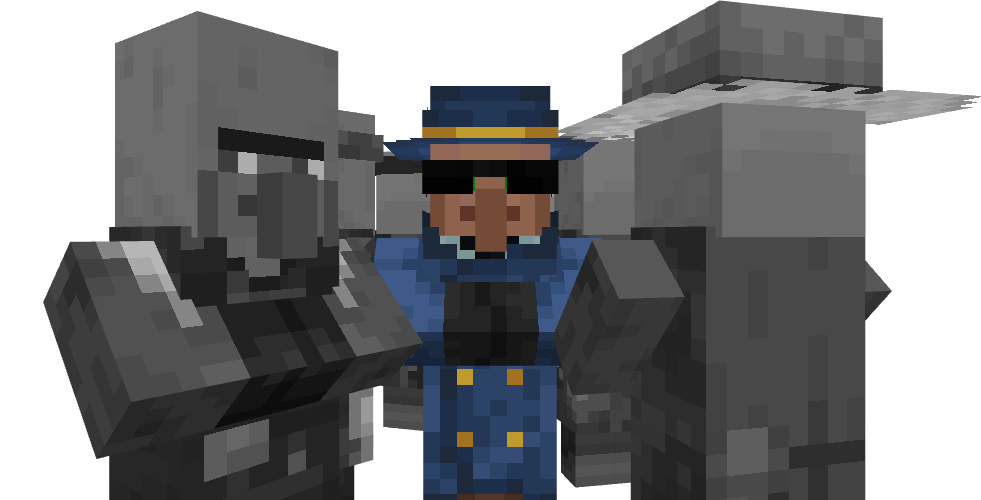
Have you ever wanted to replace wandering traders with some guys in jackets that look like they’re trying to stay away from cops? No? Oh…
_I have no idea what to white here actually_
# 
**Changes the Minecraft logo on the title screen (and the menu background) to a stupid shitpost I’ve had in my mind for a while.**
Two versions are available, one for 1.20 and up, and another for 1.19 and under. Make sure you download the correct version.

Special thanks to Ewan Howell for making the Blockbench plugin that made this possible.
This work is licensed under CC BY-NC-SA 4.0
Wall to wall platforming in Minecraft! This mod adds wall jumping and double jumping to the game.
Wall Cling: Jump towards a wall and hold the wall jump key (LSHIFT). Then…
Wall Jump: While wall clinging, keep holding W and let go of LSHIFT to wall jump.
Double Jump: Optional mid-air jump that you can use to your advantage.
If you made a map or video for the Wall-Jump mod and you want it listed here, feel free to message me!
Some configuration options:
– The Wall-Jump key (LSHIFT by default, but SPACE works well too)
– The height and distance launched during a Wall-Jump
– Double jumping (off by default, but it’s a really fun feature)
– Single-wall jumping (climb upwards using only a single wall)
– The minimum distance for fall damage (small falls won’t slow you down)
– A speed boost while sprinting on the ground and when gliding
– Enchantments for wall-jumping, double-jumping, and speed-boosting
(Servers with the mod installed will force clients to use the server’s config)

– Press `V` (by default) to trigger an action bar notification that tells you what stage of the day villagers are in, as well as the time until they are next working.
– Use the mods screen (ModMenu on Fabric/Quilt, built-in screen on (Neo)Forge) to edit the config to switch between the keybind toggling the message or showing it once.
This mod is fully client-side so can be used on any server. Find it on Modrinth or CurseForge.
_This mod was originally created by Triphora, who I took over maintenance from._

# 🕒 Waiting Screen Plugin – BossBar & Titles! 🏆
Give your server a professional touch with a waiting screen system that is fully customizable! This plugin manages player waiting before a game or event, featuring an attractive and configurable visual interface.
—
## ✨ Features
– **📊 Custom BossBar** – Personalize the BossBar with colors, styles, and custom messages.
– **🏆 Titles & Subtitles** – Display customizable messages with adjustable timing.
– **⬆️ Dynamic BossBar** – The BossBar updates as players join (only counts non-OP players).
– **💫 Effects** – Apply potion effects to players while they wait, configurable in `config.yml`.
– **🔊 Sounds** – Play sound effects when players join or leave the waiting list.
– **🚷 Movement Restriction** – Enable or disable player movement while in the waiting screen.
—
## ⚙️ Configuration
The plugin includes a `config.yml` file where you can customize:
– 🎨 **BossBar colors and styles**
– 🏆 **Title and Subtitle messages**
– ⏳ **Potion effects and duration**
– 🔊 **Entry and exit sounds**
– 🚷 **Allow or block player movement**
—
## 🛠️ Commands
This plugin includes the following commands to help you manage the waiting screen system:
—
### **/waitingscreen**
– **Description**: Shows the list of available commands.
– **Usage**:
– `/waitingscreen` – Displays all the available commands for managing the waiting screen.
—
### **/toggleWaitScreen**
– **Description**: Toggles the waiting screen on or off.
– **Usage**:
– `/toggleWaitScreen` – Activates or deactivates the waiting screen manually.
—
## 🎃 Carved Pumpkin Feature
You can customize the carved pumpkin by adding a custom image. Supported resolutions: 16×16, 32×32, 64×64, 128×128, and 256×256.
We recommend using 64×64, 128×128, or 256×256 for better quality. 🖼️
## 🛠️ How to Use the Texture Pack?
Go to the misc folder inside your texture pack.
Replace the default image with your own custom image.
Rename your image to: pumpkinblur.png 🏷️
You can send the texture pack to your friends so they can install it manually, or set it up directly on your server. 🌍
📥 Texture Pack Download: https://www.mediafire.com/file/82pmkh8mxtncif5/Custom_Pumpkin_Overlay.zip/file