# Features
– Single prerendered panorama of a player & allay adventuring for your main menu
# Not your cup of tea?
Feel free to check out other panoramas that I made for you!
WI Zoom
# WI Zoom (Wurst-Imperium Zoom)
The WI Zoom Minecraft mod lets you zoom in and out with the mouse wheel, providing up to 50x magnification without the need for a spyglass. This mod is fully compatible with OptiFine and Sodium, but unlike OptiFine’s zoom, WI Zoom lets the camera move in a logical way, without making it wobble around. WI Zoom supports all of the latest Minecraft versions, including snapshots.
## Features
– Up to 50x zoom!
– No spyglass needed!
– Zoom in and out with the mouse wheel!
– No wobbly camera nonsense!
– Dynamic mouse sensitivity! (since v1.1)
– Fully compatible with OptiFine / Sodium!
## How To Zoom
Hold down the V key to activate the zoom (this keybind can be changed).
While zooming, you can use the mouse wheel to zoom in further.
## Changing The Zoom Keybind
How to change the keybind (click to expand)
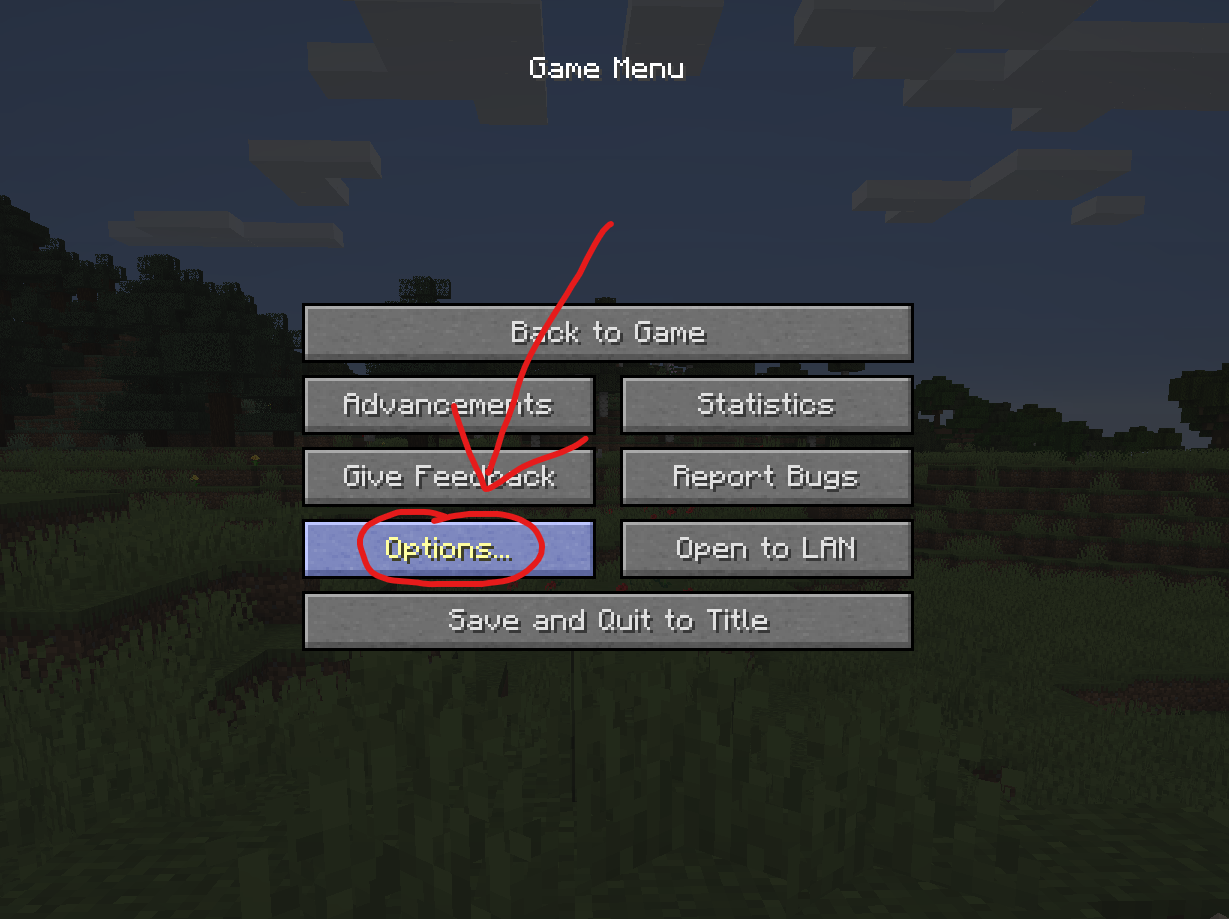
In the pause menu, click on “Options…”.
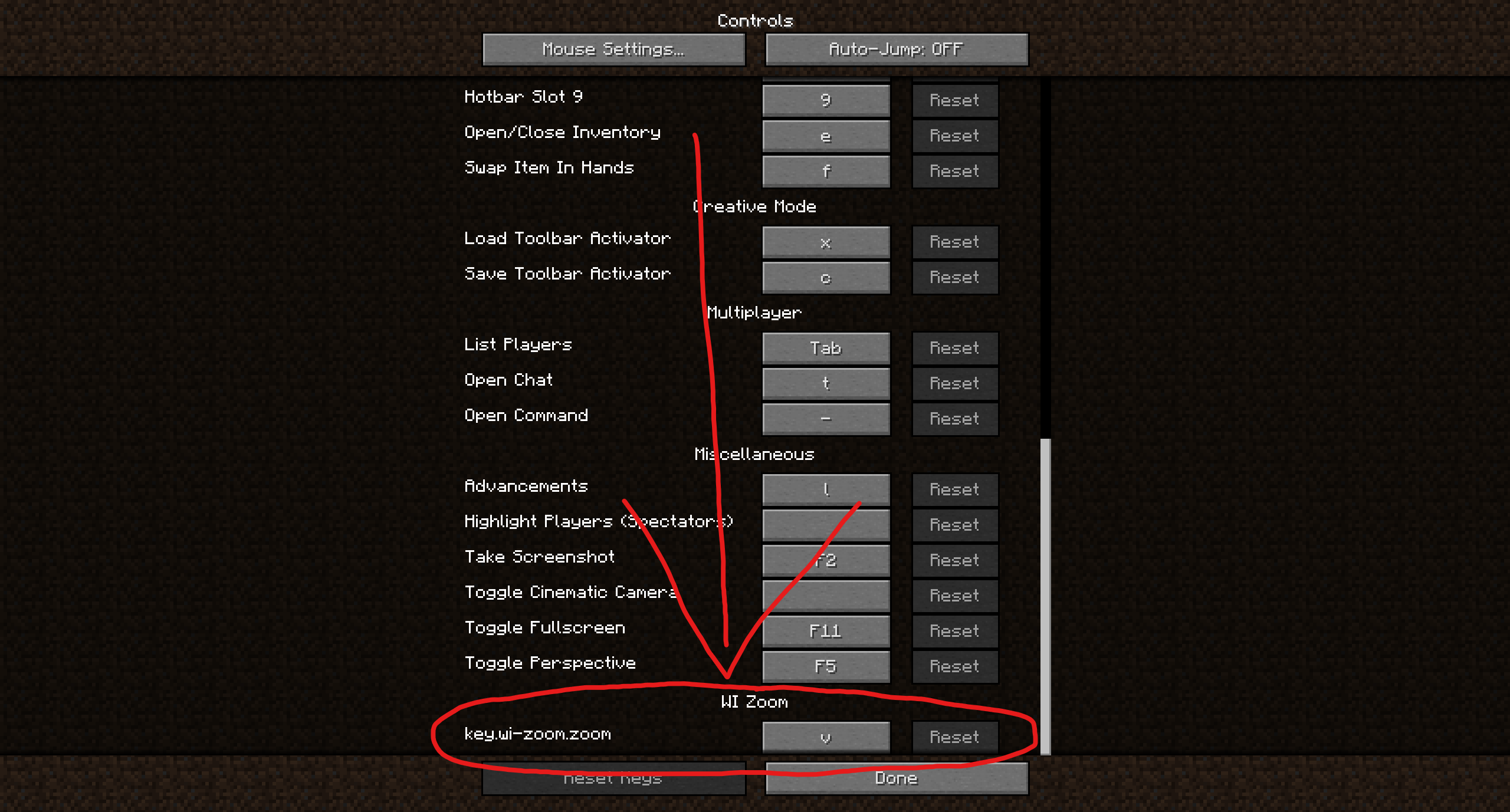
In the Options menu, click on “Controls…”.
In the Controls menu, scroll down to the “WI Zoom” section. If you don’t have any other mods installed, you will find this section at the very bottom.
## Supported Languages
– Azerbaijani (Azerbaijan) (since v1.5)
– Chinese (Simplified/Mainland) (since v1.4)
– Chinese (Traditional/Taiwan) (since v1.4)
– Cantonese (Hong Kong) (since v1.4)
– Classical Chinese (since v1.4)
– Dutch (Netherlands) (since v1.5)
– English (US)
– Estonian (Estonia) (since v1.4)
– French (France) (since v1.4)
– German (Germany)
– Kurdish (since v1.5)
– Portuguese (Brazil) (since v1.5)
– Russian (Russia) (since v1.3)
– Turkish (Turkey) (since v1.5)
– Ukrainian (Ukraine) (since v1.5)
Many players requested white pumpkins when the Pale Garden was introduced. This resource pack makes pumpkins white when placed in the Pale Garden biome, using CTM. Rotten Pumpkins also naturally spawn, similar to the ones found in Minecraft Dungeons. All pumpkin top textures rotate now aswell.
A simple change that changes glowstone to just a white texture. Good for things like fluorescent lights or chroma key.
Type “Subsetg4ming” in your search bar to find everything by me!
White Monster
# ⚪ White Monster 32x PVP Texture Pack (Monster Edition)
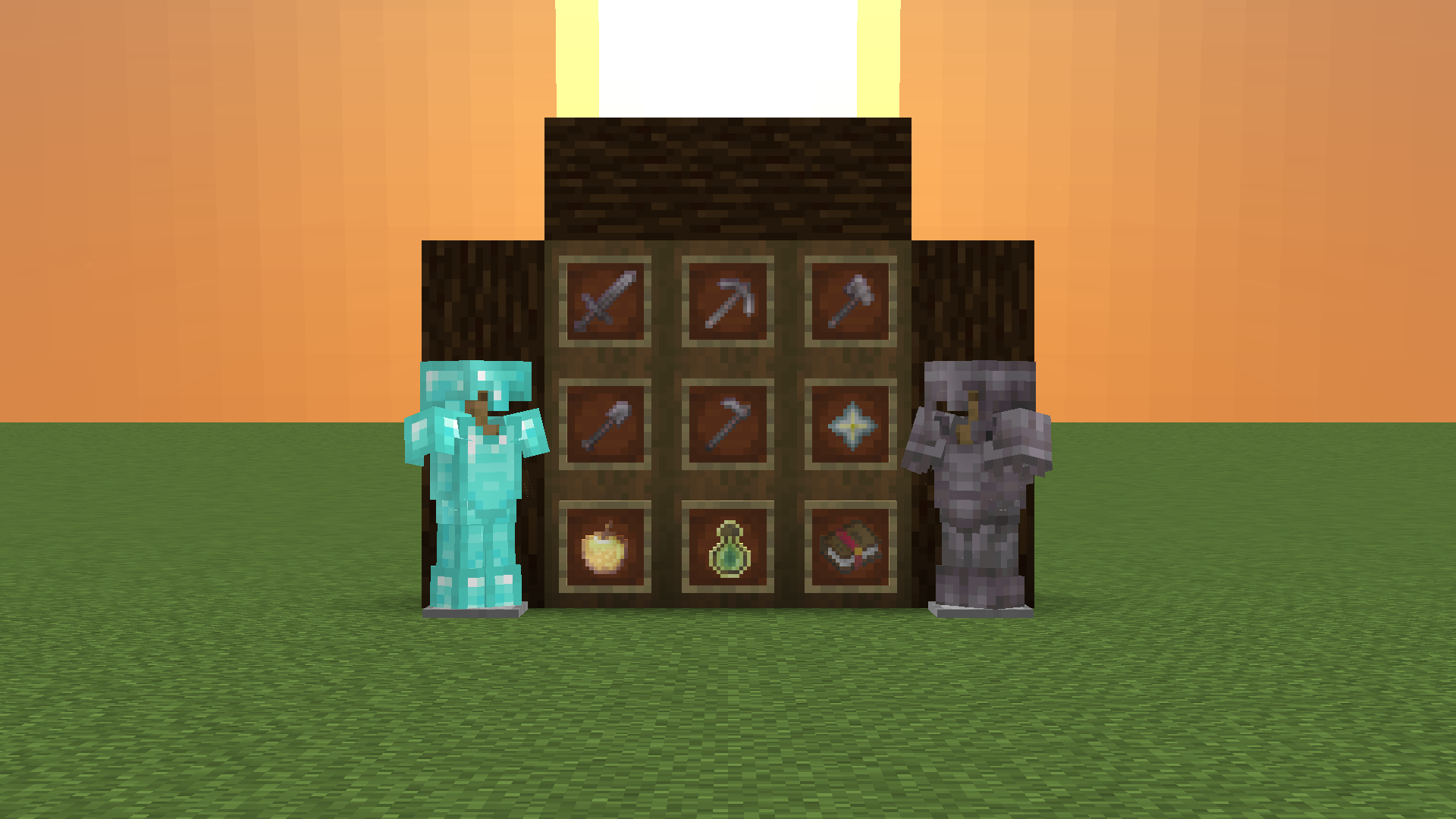
**White Monster 32x** is a **high-quality optimized Minecraft PVP pack**, inspired by *Monster Energy Ultra (white edition)*, designed specifically for **1.9-1.21+**.
Created by **iTzDrakthar** ⚡
—
## 📦 Features
– ✨ **Custom Particles** – smooth and unique for clear combat visibility
– 🗡️ **Custom Weapon Textures** – clean & sharp designs for swords and tools
– 🐾 **Custom Entity Models** – mobs reworked with a White Monster-inspired style
– 🧱 **Custom Blocks** – optimized blocks for better gameplay performance
– 🎞️ **Custom Animations** – dynamic animations for an immersive feel
– 🌌 **Custom Day/Night Sky** – improved sky textures for atmosphere
If you have any questions, do not hesitate and write to me in the personal discord: muralovty
Next update:
It won’t happen 🥺
White Enderman
Makes Enderman White
White Enchantment Glint
# White Enchantment Glint
Makes the enchantment glint **white**!