XrayDetector
# XrayDetector
**A Minecraft X-ray Detection Plugin**
XrayDetector is a comprehensive detection system for identifying potential X-ray usage on Minecraft servers. This plugin monitors ore mining patterns and alerts staff members when suspicious activity is detected.
**Author:** nevmind
**Version:** 1.0.0
**All Rights Reserved**
—
## Features
### Core Detection System
– **Pattern-Based Detection**: Monitors ore mining frequency and speed to identify suspicious patterns
– **Four-Tier Severity System**: Classifies alerts as Low, Medium, High, or Very High based on mining behavior
– **Points Tracking**: Maintains cumulative X-ray suspicion scores for each player
– **Real-Time Alerts**: Notifies staff members instantly when detection thresholds are met
### Comprehensive Commands
– `/xray toggle` – Enable or disable the detection system
– `/xray set ores ` – Configure ore threshold for alerts
– `/xray set time ` – Set the time window for detection
– `/xray tp ` – Teleport to suspected player in spectator mode (invisible)
– `/xray chances list` – View top 10 players with highest X-ray suspicion points
– `/xray reload` – Reload configuration without restarting
### Advanced Configuration
– **Customizable Thresholds**: Adjust ore counts and time windows
– **Severity Levels**: Configure point values for each severity tier
– **Alert Colors**: Customize message colors using Minecraft color codes
– **Toggle System**: Enable/disable detection without removing the plugin
### Permission System
– `xray.admin` – Access to all plugin commands (default: op)
– `xray.alerts` – Receive X-ray detection alerts (default: op)
—
## Installation
1. Download `XrayDetector-1.0.0.jar` from the releases
2. Place the JAR file in your server’s `plugins` folder
3. Restart your server or use a plugin manager to load it
4. Configure the plugin in `plugins/XrayDetector/config.yml`
—
## Compatibility
### Supported Platforms
– **Paper** (Recommended)
– **Spigot**
– **Bukkit**
– **PurPur**
– **Pufferfish**
### Minecraft Versions
– **1.21.x** (Latest)
– **1.20.x**
– **1.19.x**
– **1.18.x**
– **1.17.x**
– **1.16.x**
– **1.15.x**
– **1.14.x**
– **1.13+** (Minimum)
The plugin uses the Bukkit API 1.13+ for maximum compatibility across versions.
—
## Configuration
The plugin creates a `config.yml` file in `plugins/XrayDetector/` with the following options:
### Basic Settings
“`yaml
# Enable or disable detection system
enabled: true
# Number of ores to trigger alert
ores_threshold: 10
# Time window in seconds
time_window: 60
“`
### Severity Levels
Each severity level can be configured with minimum/maximum ore counts and point values:
– **Low**: 5-10 ores (5 points)
– **Medium**: 11-20 ores (15 points)
– **High**: 21-35 ores (30 points)
– **Very High**: 36+ ores (50 points)
### Alert Colors
Customize alert message colors using Minecraft color codes:
– `&b` = Aqua (Light Blue)
– `&f` = White
– `&e` = Yellow
– `&6` = Gold
– `&c` = Red
– `&4` = Dark Red
—
## How It Works
### Detection Logic
1. **Monitoring**: The plugin tracks when players mine ore blocks
2. **Pattern Analysis**: Calculates mining speed (ores per second) within the time window
3. **Severity Assessment**: Determines alert level based on ore count and mining speed
4. **Point Assignment**: Adds points to the player’s X-ray suspicion score
5. **Staff Notification**: Sends formatted alerts to all staff with `xray.alerts` permission
### Tracked Ores
The plugin monitors all ore types including:
– Coal, Iron, Gold, Diamond, Emerald
– Lapis Lazuli, Redstone, Copper
– Nether Gold, Nether Quartz
– Ancient Debris
– Deepslate variants of all ores
### Alert Format
“`
[XrayDetector] PlayerName mined 15 ores in 30.0 seconds [MEDIUM] (+15 points, Total: 45)
“`
—
## Commands & Permissions
| Command | Permission | Description |
|———|———–|————-|
| `/xray toggle` | `xray.admin` | Toggle detection on/off |
| `/xray set ores ` | `xray.admin` | Set ore threshold |
| `/xray set time ` | `xray.admin` | Set time window |
| `/xray tp ` | `xray.admin` | Teleport to player (spectator) |
| `/xray chances list` | `xray.admin` | Show top suspects |
| `/xray reload` | `xray.admin` | Reload configuration |
**Aliases:** `/xr`, `/xraydetector`
—
## FAQ
**Q: Does this plugin prevent X-ray?**
A: No, this plugin only detects potential X-ray usage. It cannot prevent players from using X-ray texture packs or mods.
**Q: Will this catch all X-ray users?**
A: The plugin detects suspicious mining patterns that may indicate X-ray usage. However, it’s not 100% accurate and should be used as one tool among many for server moderation.
**Q: Can players see the alerts?**
A: Only players with the `xray.alerts` permission (typically staff) receive alerts.
**Q: What happens when a player is detected?**
A: The plugin only sends alerts and tracks points. Staff must manually review and take appropriate action.
**Q: Does this work on older versions?**
A: The plugin requires Minecraft 1.13 or newer due to API compatibility.
—
## Support & Updates
For bug reports, feature requests, or support:
– Open an issue on the project repository
– Contact the server administrator
—
## License
**XrayDetector** by **nevmind**
**All Rights Reserved**
This software is proprietary and confidential. Unauthorized copying, distribution, or modification is strictly prohibited without explicit permission from the author.
—
## Credits
**Developer:** nevmind
**Plugin Version:** 1.0.0
**Last Updated:** 2025
Thank you for using XrayDetector!
Xray Boat

🚤 X-Ray Boat lets you see straight through the boat and into the ocean below.
The main idea of this texture is simple and useful: with a transparent/open boat, you can clearly see the seafloor, corals, ruins, and underwater terrain while sailing. 🌊👀
It keeps a clean, vanilla-friendly look, but adds a practical and immersive detail that makes ocean exploration way more enjoyable. Perfect for discovering what’s beneath the water without leaving your boat. 🌿✨
Lightweight, simple, and visually pleasing — a small tweak that changes how you explore the seas. 🚣♂️
XPlayerKits

It’s a plugin that allows you to create kits for your players.
This plugin was created due to the lack of an optimized solution for this feature.
It uses very little RAM and is highly customizable.
|  |
|  |
|  |
|
| — | — | — |

**Unlike other plugins that load the data of every single player registered on your server (wasting precious resources), XPlayerKits takes a smarter approach.**
It only loads player data when they actually join, and keeps just the essential information cached. This means **significantly lower RAM usage** without sacrificing performance.
On top of that, XPlayerKits comes with **built-in SQLite support right out of the box**, giving you a reliable and lightweight database solution. No more dealing with the limitations and issues of storing player data in messy YML files.

### Features
– **Migration:** Migrate data and kits from another plugin to save resources and avoid inventory exploits.
– **Kit placeholder requirements:** Use a system to check placeholder conditions.
– **Fully editable inventory:** Customize the kit inventory with an item name system for icons.
– **Claim/Deny actions:** Set actions when claiming or denying a kit, such as commands or sounds.
– **In-game GUI:** Edit kits directly in-game, including properties, icons, and content.
– **One-Time Kits:** Create kits that can only be claimed once, stored in player data.
– **First Join Kit:** Deliver a kit to players the first time they join your server.
– **Database support:** MongoDB, MySQL, and SQLite are supported (Recommended: MongoDB).

### Commands
– `/xkits editor` – Opens the editor for quick kit creation.
– `/xkits kits` – Opens the kit selection menu.
– `/xkits open [rotation/category]` – Opens the kit selection with category or rotation kits.
– `/xkits preview [player]` – Opens preview menu.
– `/xkits give ` – Give kits directly to players without checks.
– `/xkits claim ` – Give kits to players with checks.
– `/xkits reset ` – Reset a player’s data for a specific kit.
– `/xkits resetall ` – Reset all data for a player.
– `/xkits delete ` – Delete a kit.
– `/xkits migrate playerkits2_yml/playerkits2_mysql` – Migrate data from other plugins.
– `/xkits migratekits playerkits2` – Migrate kits from other plugins.

### Permissions
– `xkits.admin` – Allows players to use the `/xkits editor` and `/xkits slots` commands.
– `xkits.preview` – Allows players to use `/xkits preview`.
– `xkits.countdown.bypass` – Allows players to bypass kit countdowns.
– `xkits.onetime.bypass` – Allows players to bypass one-time restrictions.

### Placeholders
– `%xplayerkits_cooldown_%` – Show the time to next claim.
– `%xplayerkits_claimed_onetime_%` – Return yes or no if the kit of player is claimed.
– `%xplayerkits_claimed_cooldown_%` – Return yes or no if the kit of player is in cooldown.

### Actions
| Action | Description | Example |
|————————-|———————————————–|———————————————————–|
| console | Executes a command from the console. | `console:say test` |
| command | Executes a command as the player. | `command:dm open main` |
| sound | Plays a sound to the player. | `sound:ENTITY_ENDERMAN_TELEPORT;1.0f;1.0f` |
| playsound_resource_pack | Plays a sound from a resource pack. | `playsound_resource_pack:ENTITY_ENDERMAN_TELEPORT;1.0f;1.0f` |
| message | Sends a chat message to the player. | `message:You can’t claim this kit.` |
| center_message | Sends a centered message to the player. | `center_message:You can’t claim this kit.` |
| mini_message | Sends a MiniMessage formatted message. | `mini_message:You can’t claim this kit.` |
| broadcast | Sends a message to all players. | `broadcast:You can’t claim this kit.` |
| titles | Sends a title and subtitle to the player. | `titles:
Kit Claimed!;<subtitle>Enjoy your rewards!`|<br />
| wait_ticks | Waits before executing the next action. | `wait_ticks:40` |</p>
<p align="center">
<img decoding="async" src="https://i.imgur.com/OosO7SC.jpeg" alt="links">
</p>
<p>| <a href="https://discord.gg/4R9teKVcbM" target="_blank"><img decoding="async" src="https://i.imgur.com/5mATCrI.jpeg" alt="Discord" /></a> | <a href="https://www.patreon.com/c/insideranh" target="_blank"><img decoding="async" src="https://i.imgur.com/G31oZIG.jpeg" alt="Patreon" /></a> | <a href="https://www.insideranh.dev/docs/xplayerkits" target="_blank"><img decoding="async" src="https://i.imgur.com/zdRGBIY.jpeg" alt="Wiki" /></a> |<br />
| — | — | — |</p>
</article>
<article>
<h1>xPickup</h1>
<p># 💎 xPickup – The Ultimate Auto-Pickup Solution</p>
<p> </p>
<p>**Stop picking up items manually.** xPickup automatically places mined blocks and mob drops directly into your inventory with zero lag. Designed for modern servers, RPGs, and prisons.</p>
<p></p>
<p>—</p>
<p>> ### ✨ Key Features</p>
<p>* 🚀 **Instant Collection:** Items go straight to the inventory. No more items on the ground causing lag.<br />
* 🧩 **Advanced Compatibility:** **New!** Fully compatible with **CataMines**, MMOItems, and other custom item plugins. It detects custom drops instantly.<br />
* 💰 **Vault Integration:** Optional economy support. Charge money for auto-pickup or handle full inventories smartly.<br />
* ✨ **Visual & Sound Effects:** Customizable particles and sounds when picking up items.<br />
* 🌎 **World Management:** Enable or disable the plugin in specific worlds (Whitelist/Blacklist modes).<br />
* 🎒 **Full Inventory Logic:** Handles full inventories gracefully with customizable messages and titles.</p>
<p>—</p>
<p>> ### 🔧 Commands & Permissions</p>
<p>| Command | Permission | Description |<br />
| :— | :— | :— |<br />
| **Auto Pickup** | `xpickup.use` | Allows the player to auto-pickup items (Custom). |<br />
| `/xpickup reload` | `xpickup.admin` | Reloads the configuration file. |<br />
| **Update Check** | `xpickup.admin` | See update notifications on join. |</p>
<p>—</p>
<p>> ### ⚙️ Configuration (Preview)</p>
<p>Everything is configurable in `config.yml`:</p>
<p>“`yaml<br />
#<br />
# ▐▄• ▄ ▄▄▄·▪ ▄▄· ▄ •▄ ▄• ▄▌ ▄▄▄·<br />
# █▌█▌▪▐█ ▄███ ▐█ ▌▪█▌▄▌▪█▪██▌▐█ ▄█<br />
# ·██· ██▀·▐█·██ ▄▄▐▀▀▄·█▌▐█▌ ██▀·<br />
# ▪▐█·█▌▐█▪·•▐█▌▐███▌▐█.█▌▐█▄█▌▐█<br />
# •▀▀ ▀▀.▀ ▀▀▀·▀▀▀ ·▀ ▀ ▀▀▀ .▀<br />
# If you liked the plugin, leave us a heart on Modrinth : )</p>
<p># Compatible with HEX, & and Legacy colors.<br />
# Wiki: https://xplugins.es/plugins/xpickup</p>
<p>update: true</p>
<p># World control.<br />
worlds-control:<br />
enabled: true</p>
<p> # Operation mode (only works if ‘enabled’ is true):<br />
# “WHITELIST”: The plugin will only work in the worlds listed in ‘list’.<br />
# “BLACKLIST”: The plugin will work in all worlds EXCEPT those in the ‘list’.<br />
mode: “WHITELIST”</p>
<p> # List of world names (case sensitive).<br />
list:<br />
– “world”<br />
– “world_nether”<br />
– “world_the_end”</p>
<p># Should players have auto-pickup enabled by default when joining?<br />
auto-pickup-on-by-default: true</p>
<p># Sound settings when picking up an item.<br />
# Sound list: https://hub.spigotmc.org/javadocs/spigot/org/bukkit/Sound.html<br />
pickup-sound:<br />
enabled: true<br />
sound: “ENTITY_ITEM_PICKUP”<br />
volume: 1.0<br />
pitch: 1.5</p>
<p># Particle settings when picking up an item.<br />
# Particle list: https://hub.spigotmc.org/javadocs/spigot/org/bukkit/Particle.html<br />
pickup-particles:<br />
enabled: true<br />
particle: “CRIT”<br />
count: 8</p>
<p># Message settings when inventory is full.<br />
inventory-full-message:<br />
chat: true<br />
actionbar: true<br />
title:<br />
enabled: true<br />
# You can use color codes like &c, &l, and also &#RRGGBB for HEX.<br />
title: “&#FF5555&l¡Inventory Full!”<br />
subtitle: “&#AAAAAASome items dropped on the ground.”<br />
# Times in ticks (20 ticks = 1 second)<br />
fade-in: 10<br />
stay: 40<br />
fade-out: 10</p>
<p># Vault integration to charge per picked-up item<br />
vault:<br />
# Set to ‘true’ to enable charging per item.<br />
enabled: false<br />
# Cost per individual item picked up.<br />
# If set to 0.0, it will be free but Vault will still be required.<br />
cost-per-item: 0.01</p>
<p># NO CHANGE<br />
version: 1.0.6</p>
<p>“`</p>
<p>## 🐞 Support & feedback</p>
<p>> Found a bug? Have a suggestion? Please leave a review or report issues on our tracker. We are constantly updating xPickup to be the most reliable solution on the market.</p>
<div align="center">
<p>Developed with ❤️ by <strong>xPlugins</strong></p>
</p></div>
</article>
<article>
<h1>XPHearts</h1>
<p># **About**</p>
<p>[](https://modrinth.com/plugin/xphearts) [](https://www.curseforge.com/minecraft/bukkit-plugins/xphearts)<br />
[](https://ko-fi.com/J3J71G0IUZ)</p>
<p>XPHearts is a plugin that automatically adjust maximum hearts/health depending on your experience level. You can configure the amount of experience level needed in the configuration file.</p>
<p>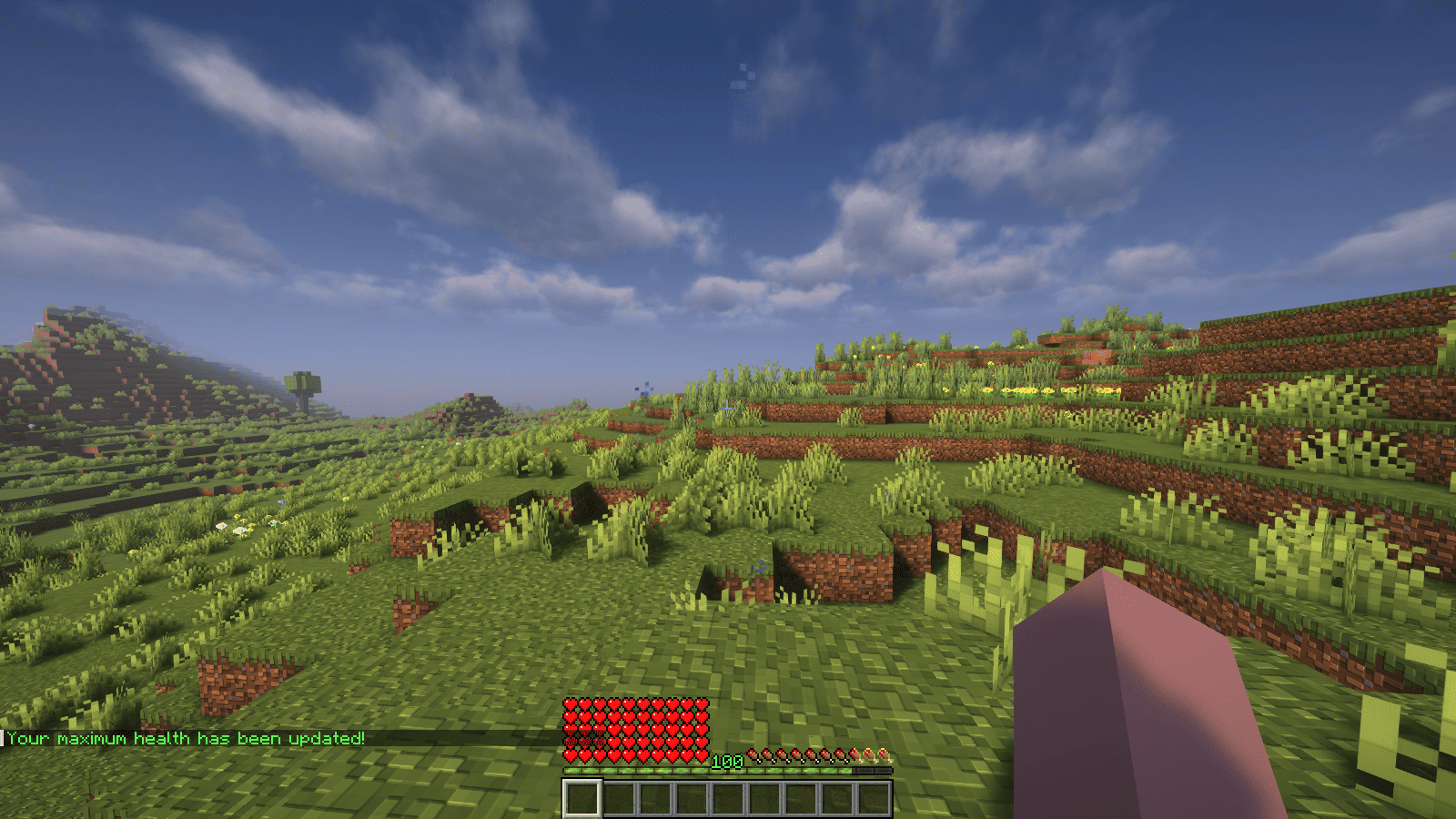<br />
</p>
<p>### Features</p>
<p>– Automatically adjust the player’s maximum hearts/health when they reach the experience level specified in the configuration.<br />
– Easy to understand config.<br />
– Lightweight.</p>
<p></p>
<p>### Commands<br />
| Command | Description | Permission |<br />
|—————-|————————————-|—————–|<br />
| `/xh` | Get the information about the plugin. | `xh.use` |<br />
| `/xh reload` | Reloads the config file. | `xh.admin` |<br />
| Command aliases| **xh, xpheart, xphearts** |</p>
<p></p>
<p>### Issues and Suggestions<br />
Suggest and report issues on [Github](https://github.com/seyviyer2/XPHearts/issues).</p>
</article>
<article>
<h1>XPDispenser</h1>
<p># XPDispenser</p>
<p>A Minecraft Bukkit plugin to throw your XP at yourself (e.g. to repair your mending tools).</p>
<p></p>
<p>[](https://github.com/Programie/XPDispenser/actions/workflows/build.yml)<br />
[](https://github.com/Programie/XPDispenser/releases/latest)<br />
[](https://modrinth.com/plugin/xpdispenser)<br />
[](https://www.curseforge.com/minecraft/bukkit-plugins/xpdispenser)</p>
<p>## What is it?</p>
<p>XPDispenser allows you to throw XP orbs at yourself by using your currently collected XP points.</p>
<p>The collected XP points can be used to repair tools and armor enchanted with the mending enchantment. In that way, you are able to reuse your already collected XP points to repair your tools and armor.</p>
<p>## Permissions</p>
<p>Currently, there is only one permission available which controls whether a player is allowed to use this plugin: `xpdispenser` (Default: everyone)</p>
<p>## How to use it?</p>
<p>Simply place a sign at any location with the text `[XPDispenser]` at the first line.</p>
<p>Optionally, the second line contains the amount of XP points to be thrown in a single time (defaults to 10, if not given on the sign).</p>
<p>So, if you want to get 50 XP points, you can place a sign with the following content:</p>
<p>* First line: `[XPDispenser]`<br />
* Second line: `50`</p>
<p>After correctly placing the sign, the color of the first line will change to blue.</p>
<p>To use the sign, simply interact with it (i.e. right click on it) while having the tool and/or armor to repair equipped.</p>
<p>### Why use a sign instead of a command?</p>
<p>It’s simple: I just don’t like to execute commands as a normal player, but I like to interact with the environment just like you would do in real life.</p>
<p>In case of this plugin, you could see the sign as some type of machine which will dispense some XP orbs.</p>
<p>## Build</p>
<p>You can build the project in the following 2 steps:</p>
<p> * Check out the repository<br />
* Build the jar file using maven: *mvn clean package*</p>
<p>**Note:** JDK 1.8 and Maven is required to build the project!</p>
<p>## My other plugins</p>
<p>You can find them on [my website](https://selfcoders.com/projects/minecraft-plugins).</p>
</article>
<article>
<h1>XP Stacker</h1>
<p>🎉 **XPStacker: Let Your Server Breathe!** 🎉<br />
Is your server slowing down because of all the scattered XP orbs? 🐢 XPStacker offers a sleek and effective solution to this problem. This lightweight plugin automatically merges nearby XP orbs into a single one, significantly reducing server load while providing a smoother experience for players.</p>
<p>✨ **Key Features:**</p>
<p>– **Lag Reduction:** 💨 Drastically reduces server lag by merging hundreds of scattered XP orbs into a single orb.</p>
<p>– **Automatic Merging:** 🤝 New XP orbs automatically merge with nearby ones. No player action is required.</p>
<p>– **Configurable Radius:** ⚙️ Easily adjust the merge radius of XP orbs in the config.yml file.</p>
<p>– **Lightweight and Stable:** 🔋 Operates with minimal resource usage and does not affect your server’s other features.</p>
<p>Add XPStacker to your server now and let your players collect XP without any lag! 💎</p>
<p>✨ **Check Out Our Other Plugins!** ✨<br />
If you enjoy the **XPStacker** plugin, don’t forget to check out our other high-quality plugins for your server!</p>
<p>– **BuildByBit**: https://builtbybit.com/creators/fisfiskoray.600970<br />
– **PolyMart:** https://polymart.org/user/57522/fisfiskoray<br />
– **Modrinth:** https://modrinth.com/user/FisFisKoray</p>
</article>
<article>
<h1>XP-like HUD</h1>
<p># **About <img decoding="async" src="https://cdn.modrinth.com/data/cached_images/c49920c30f1b1aa3cf4b55b646a3c20d40010d1a.png" width="24px" height="24px"> XP-like HUD**</p>
<p>**XP-like HUD** (or wixewsky’s XP-like HUD) will change in-game HUD (health, food, armor, etc) to use colored experience-like bars, being very vanilla-friendly.</p>
<p></p>
<p>Originally I made this HUD for Better than Adventure! and published it on Planet Minecraft, but came up porting this to vanilla Minecraft with some improvements and publishing here, on Modrinth.</p>
<p>You can download XP-like HUD for BTA! [here](https://modrinth.com/resourcepack/xp-like-hud-for-bta!)!</p>
<p>## Mod Support<br />
This Resource Pack supports 182 mods in total! ≈143 with custom assets and ≈39 tested out*. Currently supported mods:</p>
<details>
<summary> Expand to see</summary>
<p>– [AppleSkin](https://modrinth.com/mod/appleskin) by squeek502.<br />
– [Amarite](https://modrinth.com/mod/amarite) by AmyMialee.<br />
– [Armor Toughness Bar](https://modrinth.com/mod/armor-toughness-bar) by pbone64.<br />
– [Armor Toughness Bar, Again](https://modrinth.com/mod/armor-toughness-bar,-again) by paypur.<br />
– [Armor Chroma for Fabric](https://modrinth.com/mod/armor-chroma-for-fabric) by A5b84.<br />
– [Armor Chroma](https://www.curseforge.com/minecraft/mc-mods/armor-chroma) by jobicade.<br />
– [Farmer’s Delight](https://modrinth.com/mod/farmers-delight) by vectorwing.<br />
– [Brewin’ And Chewin’](https://modrinth.com/mod/brewin-and-chewin) by Torty.<br />
– [More Heart Types](https://modrinth.com/mod/more-heart-types) by Oth3r.<br />
– [Heartache](https://modrinth.com/mod/heartache) by spzla.<br />
– [Detail Armor Bar](https://modrinth.com/mod/detail-armor-bar) by RedLime.<br />
– [Detail Armor Bar Reconstructed](https://modrinth.com/mod/detail-armor-bar-reconstructed) by Coredex.<br />
– [Pick Your Poison](https://modrinth.com/mod/pick-your-poison) by Ladysnake.<br />
– [Raised](https://modrinth.com/mod/raised) by yurisuika.*<br />
– [Colorful Hearts](https://modrinth.com/mod/colorful-hearts) by Terrails.<br />
– [Nostalgic Tweaks](https://modrinth.com/mod/nostalgic-tweaks) by rjxkenshin.<br />
– [Heart Effects](https://modrinth.com/mod/heart-effects) by Doublea06_.<br />
– [Victus](https://modrinth.com/mod/victus) by glisco.<br />
– [Stamina](https://modrinth.com/mod/insane-stamina) by Insane96.<br />
– [PartialHearts](https://modrinth.com/mod/partialhearts/versions) by DialingSpoon527.*<br />
– [ArmorSkin](https://modrinth.com/mod/armorskin) by IzzyDotExe.<br />
– [Extra Armor Info](https://modrinth.com/mod/extra-armor-info) by mrmelon54.<br />
– [Insane’s Survival Overhaul (aka IguanaTweaks Reborn)](https://www.curseforge.com/minecraft/mc-mods/iguanatweaks-reborn) by Insane96.<br />
– [Thirst Was Taken](https://modrinth.com/mod/thirst-was-taken) by ghen-git and mlus.<br />
– [Thirst Bar](https://modrinth.com/datapack/thirst-bar) by 3geE.<br />
– [It’s Thirst](https://modrinth.com/mod/its-thirst) by capybaro.<br />
– [Tough As Nails](https://modrinth.com/mod/tough-as-nails) by Adubbz and Forstride.<br />
– [Survive](https://modrinth.com/mod/survive) by Stereowalker.<br />
– [Simple Hydration](https://modrinth.com/datapack/simple-hydration) by Boid.<br />
– [uku’s Armor HUD](https://modrinth.com/mod/ukus-armor-hud) by uku.*<br />
– [Auto HUD](https://modrinth.com/mod/autohud) by Crendgrim.*<br />
– [Homeostatic](https://modrinth.com/mod/homeostatic) by wendall911.<br />
– [Energy Bar Indicator](https://modrinth.com/datapack/stamina-bar-indicator) by Diesse.<br />
– [Dehydration](https://modrinth.com/mod/dehydration) by Globox1997.<br />
– [Bewitchment](https://modrinth.com/mod/bewitchment) by MoriyaShiine and cybercat5555.<br />
– [Upgrade Aquatic](https://modrinth.com/mod/upgrade-aquatic) by Team Abnormals.<br />
– [The Aether](https://modrinth.com/mod/aether) by The Aether Team.<br />
– [Njol’s HUD](https://modrinth.com/mod/njols-hud) by Njol.<br />
– [Fancy Health Bar](https://modrinth.com/mod/fancy-health-bar) by efekos.*<br />
– [Armor Hud](https://modrinth.com/mod/armor-hud) by SaolGhra.<br />
– [SpiffyHUD](https://modrinth.com/mod/spiffyhud) by Keksuccino.*<br />
– [Melancholic Hunger & HUD](https://modrinth.com/mod/melancholic_hunger) by antigers.<br />
– [Mediumcore](https://modrinth.com/mod/alexs-mediumcore) by AlexModGuy.<br />
– [NutritionZ](https://modrinth.com/mod/nutritionz) by xR4YM0ND and Globox1997.<br />
– [Health Indicators](https://modrinth.com/mod/health-indicators) by AdyTech99.<br />
– [Dietary Statistics](https://modrinth.com/mod/dietary_statistics) by Rikka-Kitani.<br />
– [Quark](https://modrinth.com/mod/quark) by Vazkii.<br />
– [Water Source 2](https://modrinth.com/mod/watersource2) by Koiro.<br />
– [Mantle](https://modrinth.com/mod/mantle) by KnightMiner.<br />
– [BedrockIfy](https://modrinth.com/mod/bedrockify) by juancarloscp52.*<br />
– [Bedrock Hotbar](https://modrinth.com/mod/bedrock-hotbar) by BizCub.*<br />
– [Malum](https://modrinth.com/mod/malum) by SammySemicolon.<br />
– [Energizer](https://modrinth.com/mod/energizer) by Gauraaaaaaaa.<br />
– [Arthritis](https://modrinth.com/mod/arthritis) by ProstStuff and Bloxedzero.<br />
– [Hydration](https://modrinth.com/mod/hydration) by Exzotic.<br />
– [Hydration](https://modrinth.com/mod/hydration-mod) by BlackVault.<br />
– [Armor Points ++](https://modrinth.com/mod/armorpoints) by Cheos and SopsyHallow.<br />
– [ParCool!](https://modrinth.com/mod/parcool) by alRex_U.<br />
– [Scaling Health](https://modrinth.com/mod/scaling-health) by SilentChaos512.<br />
– [Legacy4J](https://modrinth.com/mod/legacy4j) by Kyubion Studios.<br />
– [Feathers](https://modrinth.com/mod/feathers) by Elenai.<br />
– [Verticality](https://modrinth.com/mod/verticality) by KrLite.*<br />
– [HUDTweaks](https://modrinth.com/mod/hudtweaks) by burgerindividual.*<br />
– [Crim’s Party GUI](https://modrinth.com/mod/crims-party-gui) by Crim and Favouriteless.*<br />
– [Hunger Remover](https://modrinth.com/mod/hunger-remover) by SmushyTaco.*<br />
– [Overflowing Bars](https://modrinth.com/mod/overflowing-bars) by Fuzs.<br />
– [Mindful Eating](https://www.curseforge.com/minecraft/mc-mods/mindful-eating) by camcam_burger.<br />
– [Botania](https://modrinth.com/mod/botania) by Vazkii.<br />
– [Cracker’s Wither Storm Mod](https://modrinth.com/mod/crackers-wither-storm-mod) by nonamecrackers2.<br />
– [Frostbyte’s Improved Inventory](https://modrinth.com/mod/frostbytes-improved-inventory) by FrostbyteGames.<br />
– [Totem Bar](https://modrinth.com/mod/totem-bar) by Yomna.<br />
– [I ❤ TFC (I Heart TFC)](https://modrinth.com/mod/ihearttfc) by alekiponi.<br />
– [Leave My Bars Alone](https://modrinth.com/mod/leave-my-bars-alone) by Fuzs.*<br />
– [Colorful ui](https://modrinth.com/mod/cui) by pustoykishka.*<br />
– [Overloaded Armor Bar](https://modrinth.com/mod/overloaded-armor-bar) by Tfarcenim.*<br />
– [Crumbling Hearts](https://modrinth.com/mod/crumbling-hearts) by KreaDex.*<br />
– [Scorchful](https://modrinth.com/mod/scorchful) by TheDeathlyCow.<br />
– [Frostiful](https://modrinth.com/mod/frostiful) by TheDeathlyCow.<br />
– [Mana Attributes](https://modrinth.com/mod/mana-attributes) by TheRedBrain.<br />
– [Life Fruits](https://modrinth.com/mod/life-fruits) by super_okina.<br />
– [ArmorHUD](https://modrinth.com/mod/armorhud-fabric) by kyh148.<br />
– [Vampirism](https://modrinth.com/mod/vampirism) by maxanier and cheaterpaul.<br />
– [Would you Rather](https://modrinth.com/mod/wyr) by EightSidedSquare.<br />
– [Chococraft](https://modrinth.com/mod/chococraft) by clienthax and Mrbysco.<br />
– [Hudless](https://modrinth.com/mod/hudless) by ZipeStudio.*<br />
– [Withered Hearts](https://modrinth.com/mod/withered-hearts) by Ramixin.*<br />
– [Extended Hotbar](https://modrinth.com/mod/extended-hotbar) by DenWav and unilock.*<br />
– [Double Hotbar](https://modrinth.com/mod/double-hotbar) by sidezbros.*<br />
– [RemoveHUD](https://modrinth.com/mod/removehud) by IzzyDotExe.*<br />
– [Better GUI Scaling](https://modrinth.com/mod/betterguiscaling) by yeahimrose.*<br />
– [Granular Hunger](https://modrinth.com/mod/granular-hunger) by Tetro48.<br />
– [Blue Skies](https://modrinth.com/mod/blue-skies) by Modding Legacy.<br />
– [Extra RPG Attributes](https://modrinth.com/mod/extra-rpg-attributes) by cleannrooster.<br />
– [RunicLib](https://modrinth.com/mod/runiclib) by Yirmiri and BackupCup.<br />
– [Cold Sweat](https://modrinth.com/mod/cold-sweat) by Mikul.<br />
– [Dungeon’s Delight](https://modrinth.com/mod/dungeons_delight) by Yirmiri and Betwixer.<br />
– [Additional Saturation](https://modrinth.com/mod/additional-saturation) by wet_noodles90.<br />
– [Advanced UI Scaling](https://modrinth.com/mod/advanced-ui-scale) by qendolin.*<br />
– [Head-down Display Continuation](https://modrinth.com/mod/hdd-continuation) by The_Computerizer.*<br />
– [Vehicle Hunger Bar](https://modrinth.com/mod/vehicle-hunger-bar) by CrownSheep.*<br />
– [Hexed](https://modrinth.com/mod/hexed) by BackupCup.<br />
– [Better Bubbles](https://modrinth.com/mod/betterbubbles) by IllagerCaptain.<br />
– [Vampire’s Delight](https://modrinth.com/mod/vampires-delight) by GridExpert.<br />
– [Meulti’s Backrooms](https://modrinth.com/mod/meultis-backrooms) by Meulti and hacone.<br />
– [Extended Armor Bars](https://www.curseforge.com/minecraft/mc-mods/extended-armor-bars) by RebelKeithy.<br />
– [Elytra Bar HUD](https://www.curseforge.com/minecraft/mc-mods/elytra-bar-hud) by Fotatata.<br />
– [Advanced Armor Bar](https://modrinth.com/mod/advanced-armor-bar) by Sygikal.<br />
– [Saturative](https://modrinth.com/mod/saturative) by emilahmaboy.*<br />
– [More Offhand Slots](https://modrinth.com/mod/more-offhand-slots) by TkkynaA.*<br />
– [Giacomo’s HUD Overlays Configurator](https://www.curseforge.com/minecraft/mc-mods/giacomos-hud-overlays-configurator) by zacomat.*<br />
– [Cyra](https://modrinth.com/mod/cyra) by Le_Keko.<br />
– [Ametrine](https://modrinth.com/mod/ametrine) by nickfluffingfox and Buff_sheep.<br />
– [LemonSkin](https://modrinth.com/mod/lemonskin) by myxazaur.<br />
– [Haema](https://modrinth.com/mod/haema) by will_bl.<br />
– [Spells & Shields](https://modrinth.com/mod/spells-shields) by CAS_ual_TY.<br />
– [Oreganized](https://modrinth.com/mod/oreganized) by TeamGalena.<br />
– [Fantazia](https://modrinth.com/mod/fantazia) by ArkadiyHimself.<br />
– [Secrets of the Void](https://modrinth.com/mod/secrets-of-the-void) by the_destiny.<br />
– [Horseman](https://modrinth.com/mod/horseman) by mortuusars.*<br />
– [Offhand Hotbar](https://modrinth.com/mod/offhand-hotbar) by ThePotatoArchivist.*<br />
– [Bountiful Fares](https://modrinth.com/mod/bountiful-fares) by Hecco.<br />
– [FireHud](https://modrinth.com/mod/firehud) by LordEnder_Kitty.<br />
– [WinWeapons](https://modrinth.com/mod/winweapons) by Lumineade and TheTrueYak.<br />
– [Etherology](https://modrinth.com/mod/etherology) by Faradey and Feytox.<br />
– [Fright’s Delight](https://modrinth.com/mod/frights-delight) by ChefMooon.<br />
– [Metabolism](https://modrinth.com/mod/metabolism) by lilypuree.<br />
– [Just Another Witchery Remake](https://modrinth.com/mod/just-another-witchery-remake) by mrsterner and anatevka.<br />
– [Toxony](https://modrinth.com/mod/toxony) by MrFrostyDev.<br />
– [SmartHUDReheated](https://modrinth.com/mod/smarthudreheated) by deflatedpickle.*<br />
– [CustomHealthHUD](https://modrinth.com/mod/customhealthhud) by POHH.*<br />
– [Ecological Replenishment Station](https://modrinth.com/mod/ecological-replenishment-station) by niannianan and mlus.<br />
– [Eternal Starlight](https://modrinth.com/mod/eternal-starlight) by LeoMinecraftModding.<br />
– [Eidolon:Repraised](https://modrinth.com/mod/eidolonrepraised) by Alexthw46.<br />
– [Stellarity](https://modrinth.com/mod/stellarity) by kohara.<br />
– [Trailier Tales](https://modrinth.com/mod/trailier-tales) by FrozenBlock.<br />
– [Sweet Calamity](https://modrinth.com/mod/sweet-calamity) by Valent and Valend.<br />
– [Better Flight](https://modrinth.com/mod/betterflight) by ArkVeil and rejahtavi.<br />
– [Illager Revolution](https://modrinth.com/mod/illager-revolution) by SangreBK and AstianBK.<br />
– [Unusual End](https://modrinth.com/mod/unusual_end) by Sweetygamer2 and SashaKYotoz.<br />
– [BITE](https://modrinth.com/mod/bite) by KevReTV.<br />
– [Stamina Attributes](https://modrinth.com/mod/stamina-attributes) by TheRedBrain.<br />
– [ExtendedHotbarRebared](https://modrinth.com/mod/extendedhotbarrebared) by deflatedpickle.*<br />
– [Eleron](https://modrinth.com/mod/eleron) by Sindercube.<br />
– [Aileron](https://modrinth.com/mod/aileron) by Lodestar.<br />
– [Overhauled Damage](https://modrinth.com/mod/overhauled-damage) by TheRedBrain.<br />
– [Combat Roll](https://modrinth.com/mod/combat-roll) by ZsoltMolnarrr.<br />
– [ArmorWeight](https://modrinth.com/mod/armorweight) by ptayur.<br />
– [Goety – The Dark Arts](https://modrinth.com/mod/goety) by Polarice3.<br />
– [Chai’s Better HUD](https://modrinth.com/mod/chais-better-hud) by Chai.*<br />
– [Axiom](https://modrinth.com/mod/axiom) by Moulberry.*<br />
– [Rats](https://modrinth.com/mod/rats) by AlexModGuy and GizmoTheMoonPig.<br />
– [The Undergarden](https://modrinth.com/mod/the-undergarden) by quek and GizmoTheMoonPig.<br />
– [Galosphere](https://modrinth.com/mod/galosphere) by Orcinus, Ninni and lunarbunten.<br />
– [Aylyth](https://modrinth.com/mod/aylyth) by cybercat5555.<br />
– [Burnt](https://modrinth.com/mod/burnt) by pxlbnk.<br />
– [JCRAFT: Eyes of Ender](https://modrinth.com/mod/jojo-eyes-of-ender) by Arna and more.<br />
– [L_Ender’s Cataclysm](https://modrinth.com/mod/l_enders-cataclysm) by mcl_ender.<br />
– [Unusual Prehistory](https://modrinth.com/mod/unusual-prehistory-forge) by peeko322131 and crydigo.<br />
– [WitherUtils](https://modrinth.com/mod/witherutils) by klangzwang.<br />
– [Sanity: Descent Into Madness](https://modrinth.com/mod/sanity-descent-into-madness) by croissantnova.<br />
– [StaminaZ](https://modrinth.com/mod/staminaz) by Globox1997.*<br />
– [Sprint O’ Meter](https://modrinth.com/mod/sprintometer) by PaperScorpio.*<br />
– [Goblins & Dungeons](https://modrinth.com/mod/goblins-dungeons) by superlord9362 and Weastiann.<br />
– [Exotelcraft](https://modrinth.com/mod/exotelcraft) by TKD_Kedis.<br />
– [Euphorics](https://modrinth.com/mod/euphorics) by TalonMinecraft and EightSidedSquare.<br />
– [Enigmatic Legacy](https://modrinth.com/mod/enigmatic-legacy) by Aizistral.<br />
– [Legendary Survival Overhaul](https://www.curseforge.com/minecraft/mc-mods/legendary-survival-overhaul) by krampus_there, armkath and Alex_Hashtag.<br />
– [Hardcore Survival](https://modrinth.com/mod/hardcore-survival) by AFrozenRain.<br />
– [Nycto](https://modrinth.com/mod/nycto) by MoriyaShiine and cybercat5555.<br />
– [TerraFirmaCraft](https://modrinth.com/mod/terrafirmacraft) by eerussianguy, Therighthon, dries007 and alcatrazEscapee.<br />
– [Enlightend](https://modrinth.com/mod/enlightend) by lixir and hhumanoid.<br />
– [Jaden’s Nether Expansion](https://modrinth.com/mod/jadens-nether-expansion) by ThatJadenXgamer.<br />
– [GD656MotionHUD](https://modrinth.com/mod/gd656motionhud) by Minecraft_GD656.*<br />
– [Inventorio](https://modrinth.com/mod/inventorio) by RubixDev and LizardOfOz.<br />
– [Supplementaries](https://modrinth.com/mod/supplementaries) by MehVahdJukaar and Plantkillable.<br />
– [Mutant More](https://modrinth.com/mod/new-mutant-more) by AlexandersFunAndGames.<br />
– [Confluence: Otherworld](https://modrinth.com/mod/confluence) by Magic_Team.Jvav.<br />
– [Embers Rekindled](https://modrinth.com/mod/embers) by RCXcrafter.<br />
– [Obscure API](https://modrinth.com/mod/obscure-api) by Obscuria.<br />
– [Frozify](https://modrinth.com/mod/frozify) by XZX.<br />
– [Defile](https://modrinth.com/mod/defile) by RAT and more.<br />
– [Slotted Armor HUD](https://modrinth.com/mod/slotted-armor-hud) by poqbox.*</p>
</details>
<p>| * — _mods that already work but were tested for some issues_.</p>
<p>**This count will grow with updates.** If you want to see your favorite mod in this list, DM me on Discord or Telegram (read Contact). Some mods not included in this list can work without issues, but it is not guaranteed. Forks of included mods must work fine, if textures and texture structuring was not affected by the fork. I recommend use mod versions that were released before XP-like HUD’s update since some mods may add more content in the HUD or change it with updates.</p>
<p>Due to the rounded corners, some mods, like hunger removal or HUD flipping mods, may cause some visual problems. You can download sharp or circular corner variant to fix these compatibility issues. Just download additional (supplementary) file by selecting it on download page, since it is not the main version of this Resource Pack. Also you can find an addon for flipped armor bar inside .zip file.</p>
<p>## Variants and Addons<br />
This Resource Pack comes in three variants:</p>
<p>– **Rounded**: The main variant, rounds only the left or right side of bars, depending on its position.<br />
– **Sharp**: No corners of the bars are rounded.<br />
– **Circular**: Every corner of the bars is rounded.</p>
<p>This Resource Pack includes four optional addons inside .zip file:</p>
<p>– **Pre-hunger Addon**. Flips armor and oxygen bars for better experience with hunger removal mods.<br />
– **Numbered Hotbar Addon**. Adds numbers on hotbar for better accessibility.<br />
– **Alpha and Beta Addon**. Extends XP-like HUD’s support to every single Minecraft version.<br />
– **Armor Chroma Addon**. Adds full compatibility for Armor Chroma and Armor Chroma for Fabric.</p>
<p>Due to some limitations with assets count, some XP-like HUD versions on Minecraft 1.20.3 and below can crash your game because it has too much folders inside assets. Delete useless mods, update your game, use version with less content, or use older Resource Pack versions, there is nothing I can do (except stop adding more and more mod support) (Minecraft 1.20.X and below worked fine on my end while I was testing mods ever since I added “CRASH FIX” and “Vanilla” versions inside main .zip btw).</p>
<p>You can leave a comment on [Planet Minecraft](https://www.planetminecraft.com/texture-pack/xp-like-hud/)!</p>
<p>## Contact</p>
<p>If you want contact me, ask a question, help with development, suggest a mod to support, or report a bug, DM me on Discord **[@wixewsky](https://discord.com/users/372017357222313987)** or Telegram **[@wixewsky](https://t.me/wixewsky)**.</p>
<details>
<summary> License and Legal</summary>
<p>You are **NOT allowed** to:</p>
<p> – Publish this Resource Pack or its modifications on third-party websites and platforms without permission AND original [Modrinth link](https://modrinth.com/resourcepack/xp-like-hud).</p>
<p> – Steal or modify this Resource Pack unless it is for personal use or help with develepment.</p>
<p> – Port and publish this Resource Pack to the Bedrock Edition or BE’s Marketplace.</p>
<p> – Sell this Resource Pack.</p>
<p> – Share this Resource Pack as a file on your media, like Telegram channels.</p>
<p>You are allowed to do anything not included in this list, like including this Resource Pack to your modpacks or use it in your videos or livestreams.</p>
<p>If you are not sure what you are allowed or disallowed to do, feel free to DM me on Discord or Telegram.</p>
<p>This Resource Pack officially published **ONLY** on Modrinth and Planet Minecraft, if you downloaded it from somewhere else, you have been scammed and you shouldn’t use these websites ever again. **They deprive authors of revenue, overtake traffic and adding virues in their reuploads**. </p>
<p>This list can be changed at any moment. LICENSE.txt can be different from this section.</p>
<p>A stable and bug-free experience is not guaranteed, especially with old Minecraft versions or a modded client. **In my experience**, vanilla and modded Minecraft 1.20.1, 1.21.1 and 1.21.8 worked perfectly fine. Modded Minecraft 1.21.8 with a few supported mods worked fine as well.</p>
</details>
</article>
<article>
<h1>xokz’s Glowing Toggle</h1>
<p>**To use, run `/trigger glowing` to toggle the glowing effect!**</p>
<p>This simple datapack allows players to toggle a permenant glowing effect for easy tracking in multiplayer.</p>
<p>This pack was created with compatibility and performance in mind. It is fully compatible with other sources of glowing. Toggling off glowing will not remove sources of glowing not from xokz’s glowing toggle.</p>
<details>
<summary>Admin Commands</summary>
<p>– To lock a players ability to toggle glowing, run `/execute as <player> run function glowing:admin/lock_trigger`</p>
<p>– To unlock a players ability to toggle glowing, run `/execute as <player> run function glowing:admin/unlock_trigger`</p>
<p>– To make a player glow, run `/execute as <player> run function glowing:admin/make_glow`</p>
<p>– To make a player stop glowing, run `/execute as <player> run function glowing:admin/stop_glow`</p>
</details>
<p>### Sponsor: Sparkedhost<br />
Want a great server for a cheap price? Click the banner below, with code `xokz25` for a 25% discount!<br />
[](https://billing.sparkedhost.com/aff.php?aff=3077)</p>
</article>
<article>
<h1>Xmas meowl Totem of Undying</h1>
<p>– ENG: **Meowl** (in Russian, “Myaowl” or “Myaul”) is a creature with a cat’s head and an owl’s body, sitting on a branch. Initially, it was a fun photoshop creation.<br />
The first images of the cat owl appeared in 2013 on the Chinese platform Weibo. However, it gained popularity only in October 2025 on TikTok</p>
<p>– RU: **Meowl** (в рунете — «Мяовл» или «Мяул») — существо с кошачьей головой и телом совы, сидящее на ветке. Изначально — это весёлое творение фотошопа.<br />
Первые изображения с котосовой появились в 2013 году на китайской платформе Weibo. Но популярность они обрели только в октябре 2025 года в TikTok</p>
<p>[Meowl Totem](https://modrinth.com/resourcepack/meowl-totem-of-undying/versions)</p>
<p>[ALL RESOURCEPACKS COLLECTION: MEMES + STREAMERS](https://modrinth.com/collection/sfDcDGAi)</p>
</article>
</main>
<script type="speculationrules">
{"prefetch":[{"source":"document","where":{"and":[{"href_matches":"/*"},{"not":{"href_matches":["/wp-*.php","/wp-admin/*","/wp-content/uploads/*","/wp-content/*","/wp-content/plugins/*","/wp-content/themes/minecraft/*","/*\\?(.+)"]}},{"not":{"selector_matches":"a[rel~=\"nofollow\"]"}},{"not":{"selector_matches":".no-prefetch, .no-prefetch a"}}]},"eagerness":"conservative"}]}
</script>
<div class="gtranslate_wrapper" id="gt-wrapper-58744213"></div><script id="gt_widget_script_58744213-js-before">
window.gtranslateSettings = /* document.write */ window.gtranslateSettings || {};window.gtranslateSettings['58744213'] = {"default_language":"en","languages":["ar","az","bn","bg","hr","cs","da","nl","en","fi","fr","de","el","hu","id","it","ja","kk","ko","fa","pl","pt","ro","ru","sl","es","sv","th","uk","uz","vi"],"url_structure":"sub_directory","flag_style":"2d","wrapper_selector":"#gt-wrapper-58744213","alt_flags":[],"custom_domains":{"ru":"minecraft.vpesports.games"},"float_switcher_open_direction":"top","switcher_horizontal_position":"left","switcher_vertical_position":"bottom","flags_location":"\/wp-content\/plugins\/gtranslate\/flags\/"};
//# sourceURL=gt_widget_script_58744213-js-before
</script><script src="https://minecraft.vpesports.com/wp-content/plugins/gtranslate/js/float.js?ver=3.1.1" data-no-optimize="1" data-no-minify="1" data-gt-orig-url="/minecraft-version/1-14/page/8/" data-gt-orig-domain="minecraft.vpesports.com" data-gt-widget-id="58744213" defer></script><script id="wp-emoji-settings" type="application/json">
{"baseUrl":"https://s.w.org/images/core/emoji/17.0.2/72x72/","ext":".png","svgUrl":"https://s.w.org/images/core/emoji/17.0.2/svg/","svgExt":".svg","source":{"concatemoji":"https://minecraft.vpesports.com/wp-includes/js/wp-emoji-release.min.js?ver=7.0"}}
</script>
<script type="module">
/*! This file is auto-generated */
const a=JSON.parse(document.getElementById("wp-emoji-settings").textContent),o=(window._wpemojiSettings=a,"wpEmojiSettingsSupports"),s=["flag","emoji"];function i(e){try{var t={supportTests:e,timestamp:(new Date).valueOf()};sessionStorage.setItem(o,JSON.stringify(t))}catch(e){}}function c(e,t,n){e.clearRect(0,0,e.canvas.width,e.canvas.height),e.fillText(t,0,0);t=new Uint32Array(e.getImageData(0,0,e.canvas.width,e.canvas.height).data);e.clearRect(0,0,e.canvas.width,e.canvas.height),e.fillText(n,0,0);const a=new Uint32Array(e.getImageData(0,0,e.canvas.width,e.canvas.height).data);return t.every((e,t)=>e===a[t])}function p(e,t){e.clearRect(0,0,e.canvas.width,e.canvas.height),e.fillText(t,0,0);var n=e.getImageData(16,16,1,1);for(let e=0;e<n.data.length;e++)if(0!==n.data[e])return!1;return!0}function u(e,t,n,a){switch(t){case"flag":return n(e,"\ud83c\udff3\ufe0f\u200d\u26a7\ufe0f","\ud83c\udff3\ufe0f\u200b\u26a7\ufe0f")?!1:!n(e,"\ud83c\udde8\ud83c\uddf6","\ud83c\udde8\u200b\ud83c\uddf6")&&!n(e,"\ud83c\udff4\udb40\udc67\udb40\udc62\udb40\udc65\udb40\udc6e\udb40\udc67\udb40\udc7f","\ud83c\udff4\u200b\udb40\udc67\u200b\udb40\udc62\u200b\udb40\udc65\u200b\udb40\udc6e\u200b\udb40\udc67\u200b\udb40\udc7f");case"emoji":return!a(e,"\ud83e\u1fac8")}return!1}function f(e,t,n,a){let r;const o=(r="undefined"!=typeof WorkerGlobalScope&&self instanceof WorkerGlobalScope?new OffscreenCanvas(300,150):document.createElement("canvas")).getContext("2d",{willReadFrequently:!0}),s=(o.textBaseline="top",o.font="600 32px Arial",{});return e.forEach(e=>{s[e]=t(o,e,n,a)}),s}function r(e){var t=document.createElement("script");t.src=e,t.defer=!0,document.head.appendChild(t)}a.supports={everything:!0,everythingExceptFlag:!0},new Promise(t=>{let n=function(){try{var e=JSON.parse(sessionStorage.getItem(o));if("object"==typeof e&&"number"==typeof e.timestamp&&(new Date).valueOf()<e.timestamp+604800&&"object"==typeof e.supportTests)return e.supportTests}catch(e){}return null}();if(!n){if("undefined"!=typeof Worker&&"undefined"!=typeof OffscreenCanvas&&"undefined"!=typeof URL&&URL.createObjectURL&&"undefined"!=typeof Blob)try{var e="postMessage("+f.toString()+"("+[JSON.stringify(s),u.toString(),c.toString(),p.toString()].join(",")+"));",a=new Blob([e],{type:"text/javascript"});const r=new Worker(URL.createObjectURL(a),{name:"wpTestEmojiSupports"});return void(r.onmessage=e=>{i(n=e.data),r.terminate(),t(n)})}catch(e){}i(n=f(s,u,c,p))}t(n)}).then(e=>{for(const n in e)a.supports[n]=e[n],a.supports.everything=a.supports.everything&&a.supports[n],"flag"!==n&&(a.supports.everythingExceptFlag=a.supports.everythingExceptFlag&&a.supports[n]);var t;a.supports.everythingExceptFlag=a.supports.everythingExceptFlag&&!a.supports.flag,a.supports.everything||((t=a.source||{}).concatemoji?r(t.concatemoji):t.wpemoji&&t.twemoji&&(r(t.twemoji),r(t.wpemoji)))});
//# sourceURL=https://minecraft.vpesports.com/wp-includes/js/wp-emoji-loader.min.js
</script>
</body>
</html>