Vitelist

My Website

***

Vitelist is a simple, but useful Whitelist plugin for Velocity based on UUIDs, so it does not rely on player names.
***

– Vitelist runs on Velocity.
***

If you have any issues or find a bug, please remember to report it
here GitHub
***
Check out my other projects on my profile
visual corps
Visual Crops is a lightweight resource pack that replaces the default crop textures for wheat, carrots, potatoes and beetroot. Each growth stage is more visually distinct, making it easy to tell at a glance when your crops are ready to harvest — no more guessing!
Visible Effects
**A Texture Pack To Reveal Players Using Invisibility**
—
Where To Download?
—


—
**Q&A**
—
**Q: Why Should I Download It?**
—
A: This Pack Is So You Can Catch Players Using An Invisibility Potion.
—
**Q: What Does This Pack Change?**
—
A: This Pack Changes The Potion Partical Effect Texture Within The Game To Be Obvious.
—
**Q: Should I Download From A New Developer That Makes MC Packs And Why?**
—
A: Yes Absolutely, Downloading From A New Dev Can Help Support Them With Creating New And Better Content, You May Even Find Something That Has Low Downloads And Views But Is What You Really Needed (For Example Going In The Nether In 1.13 But With A Modern Texture Pack).
—
How To Install :
—
Drag and Drop The File You Downloaded Into Your Resourcepacks Folder.
—
How To Get To Resourcepacks Folder :
—
Way 1 : Go In Game And Click Onto “Options” Then “Resource Packs…” Then “Open Pack Folder”.
Way 2 : On Windows Click Win + R and Type %appdata% Then Click Onto “.minecraft” Then “resourcepacks”.
—
Usage
—
This Pack May Be Used Personaly And In Videos (Credit Would Be Nice To Support Me :D).
If This Pack Goes On To A Public Server, Credit Is Required.
Reuploading This Pack Is Prohibited Without Concent.
Visible Tripwires
# Visible Tripwires
Visible Tripwires is a Minecraft resource pack that makes tripwires easier to see by changing their textures and models. It can really help players who want to spot tripwires more clearly.
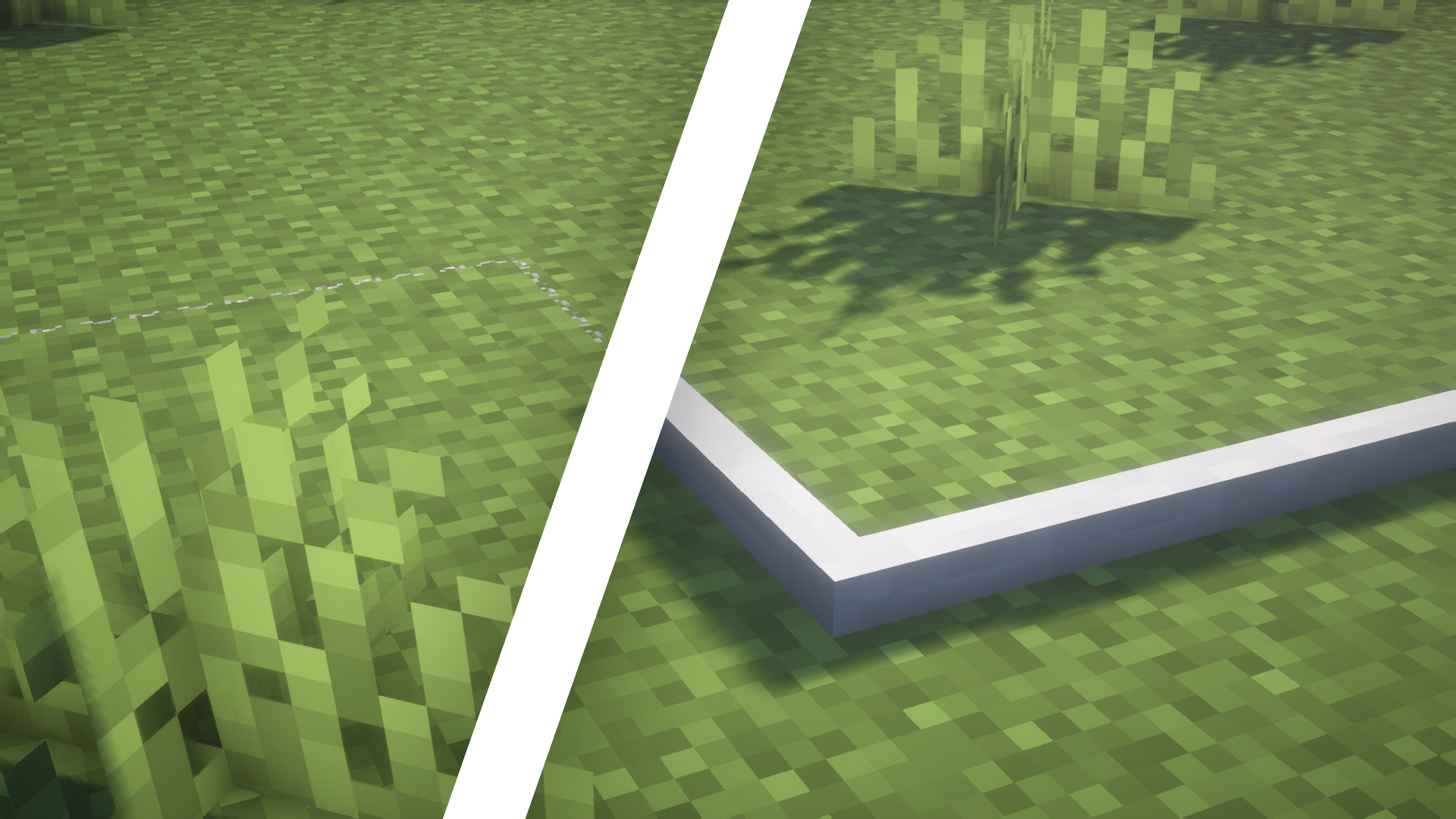
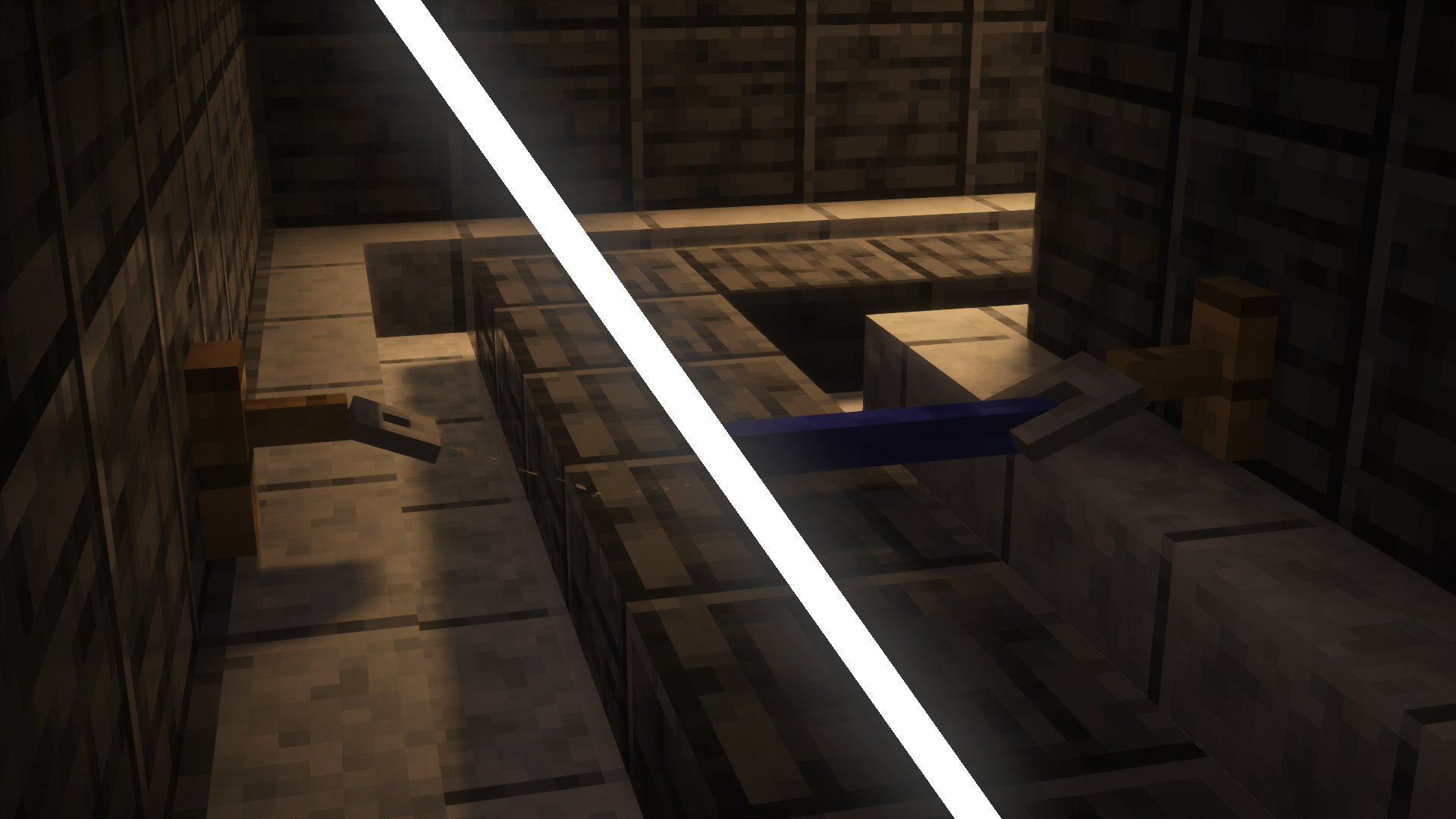
The resource pack adds three different looks for tripwires:
1. **Normal State**: In this state, the tripwire lies on the ground and has a standard white texture.
2. **Attached State**: When stretched between two tripwire hooks, the wire lifts off the ground and turns blue.
3. **Powered State**: When something touches the wire after it’s been set up, it moves back down to the ground and turns red.
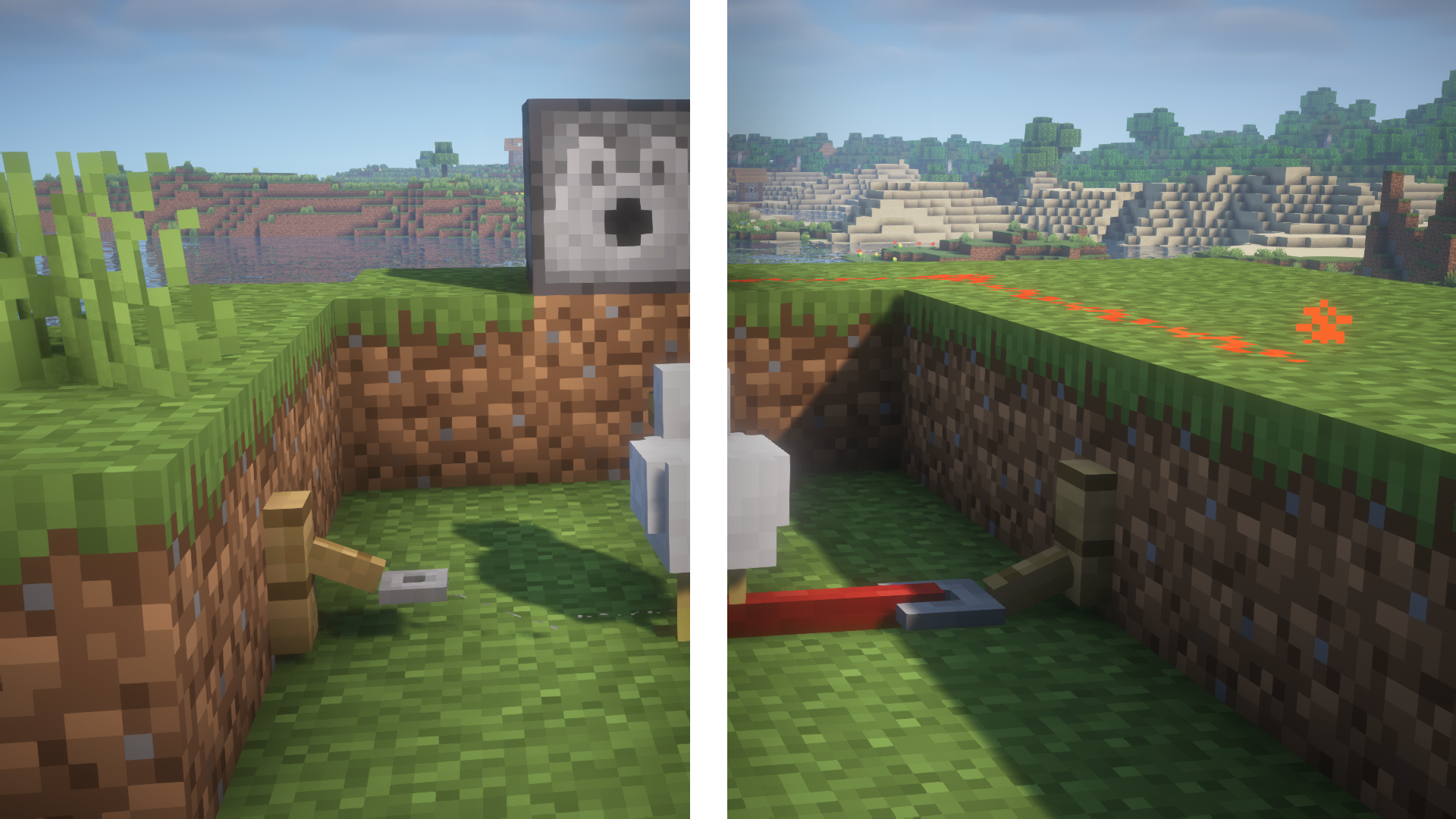
Also, the pack changes how the tripwire hooks look so they match the new style of the wires.
For more screenshots, check out the gallery here.
Visible Powdered Snow
**This texture pack makes powdered snow more visible by making it bluer.**
It was made by adding a translucent blue overlay to the vanilla minecraft powdered snow texture.
**Important: There are two versions in the versions tab, one is very visible, one is slightly visible and less protruding, the blue is less opaque in the former. Choose correctly when downloading the pack.**
Visible Powder Snow and Cobwebs
A simple resource pack that makes Powder Snow and Cobwebs more visible by tinting them cyan.
Helps you avoid getting trapped, making it useful for both PvP and general gameplay.
Visible Amount Food
# Visible Amount Food
## ENGLISH
With this texture pack you will be able to see the amount of food thighs recovered in each meal. It will be useful to you, since you will finally know what food is best and when you should eat it so as not to waste it.
###
### By @d_de_diego_d
##
## ESPAÑOL
Con este paquete de texturas podrás ver la cantidad de muslos de comida que se recupera en cada comida. Te será útil, ya que porfin sabras que comida es mejor y cuando debes comerla para no malgastarla.
### By @d_de_diego_d
© TRIDEX 2025 – All Rights Reserved
ViperX
# ViperX
 
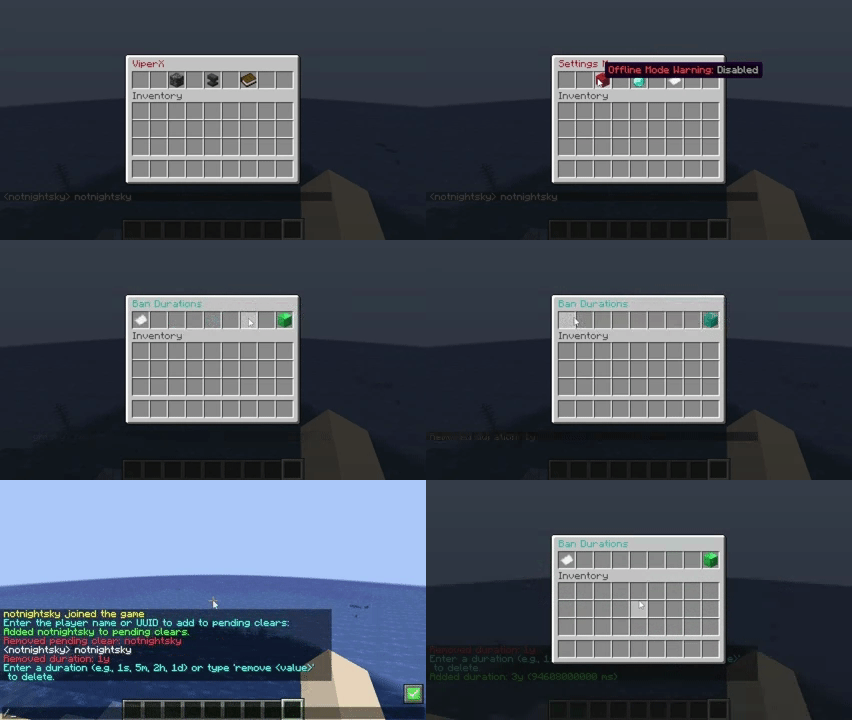
**Just a simple minecraft plugin that clears any player’s inventory when banned and is fully compatible with AdvancedBan and LiteBan.**


## Features
– Clear inventory on ban
– Support for advancedBans
– Support for liteBans
– Clear inventory on custom duration
– Config menu
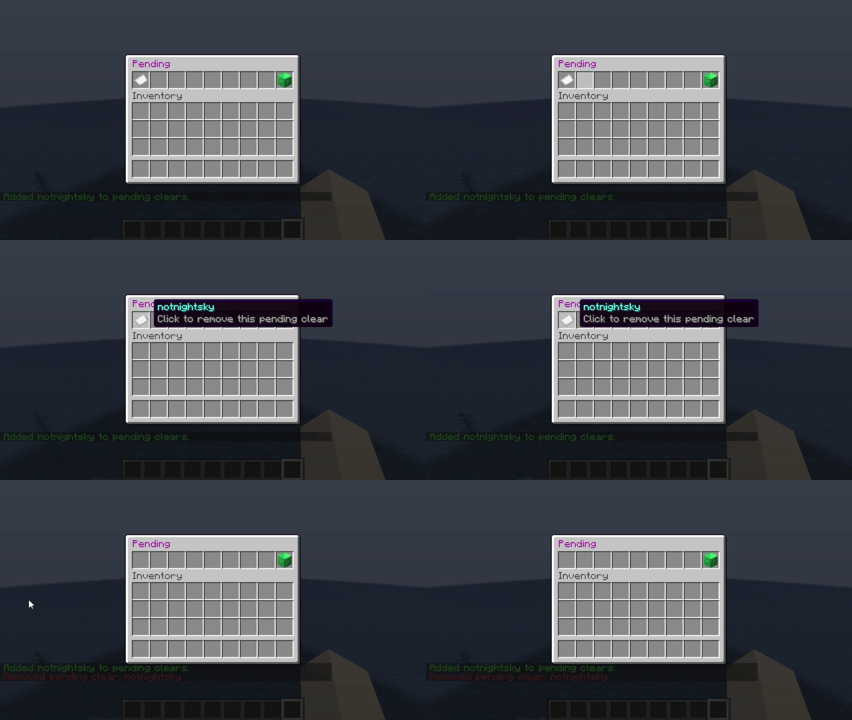
– Pending clear list (add/remove)
– Duration list (add/remove)
config.yaml
“`
# False:Does not warn the currently logged-in admin, If the server is in offline mode
# True:Warns the currently logged-in admin, If the server is in offline mode
offline-mode-warning: true
global:
ban-durations:
grace-period: 100
duration:
– 1y
– 1m
– 1mo
“`
## Authors
– xmoderlive
Enchantment Enhancements

# ✨ Enchantment Enhancements ✨
Tired of every enchanted book looking exactly the same?
**Enchantment Enhancements** gives each enchanted book a unique texture, making them instantly recognizable at a glance.
No more hovering, guessing, or squinting at tooltips. just clean, organized visuals that make managing enchantments easier.
## 🧩 Minecraft Version Compatibility 🧩
| Minecraft Version | Requirements |
| —————– | —————————————————————————————————– |
| **26.1+** | ✅ No additional mods required
| **1.21.4+** | ✅ No additional mods required |
| **1.8 – 1.20.5** | ℹ️ Requires OptiFine **or** CIT Resewn |
Want to see what I’m working on next, hang out with other cool artists, or need help with the pack? Join my Discord server!
## 🎉 Credits 🎉
Huge thanks to the people who made this pack possible:
**Shrimpsnail** – for making everything function correctly in-game. This pack would not exist without your help 🙏
**PixelPengu** – for the amazing enchanted book render used in the gallery
## ❤️ Support Me ❤️
If you enjoy this pack and want to support me and my future projects, consider buying me a coffee ☕

VIP+ Chat – Advanced
### Description
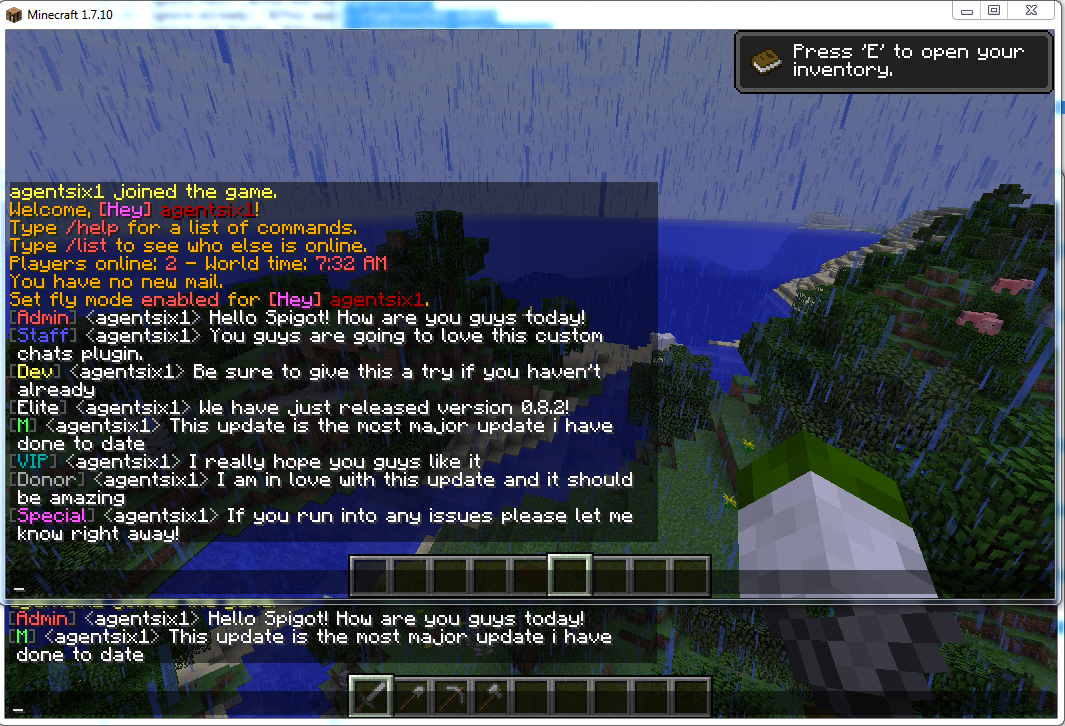
This is a very feature rich plugin that allows you to create an infinite number of private chats. The chats are configurable in a lot of ways allowing for customizations of how the chat looks and works. For additional info make sure to check out the features list down below or watch the videos about the features. The basics are worth a look just for general info!
### Screen Shots & Videos
**Basics**
**Anti Swear**
**Everything Else**
### **_Features:_**
– **Folia Support!**
– Custom Chat layout
– Ability to disable all color codes
– Permission-based chats
– Toggle Chat State
– Ignore Chat
– Blacklist ignoring chats
– Blacklist viewing chats
– Blacklist talking in chats
– Make your own custom chats
– Toggle the ability to use colors in-game
– Custom chats have multiple commands for each chat
– Check the version of the plugin
– Force players to unignore chats
– Set a custom permission node for your custom chats
– Customize most if not all the plugin messages
– Check the version of the plugin
– Allow/DIsable Ignore
– Focus on a single chat having all messages go to your chat
– chat with use of single symbol
– chat anti swear
– antiswear like words or exact words remove or replace the word
– antiswear a like word or exact words ban message
– ignore single players
– see the status of whether or not you are ignoring anything or are blacklisted
– ability to completely modify antiswear dictionaries in-game
– toggle antiswear in-game
– custom antiswear files
– list players you are currently ignoring
### Default Configs
Default config.yml – https://github.com/agentsix1/VIP-Plus-Chat/blob/main/src/main/resources/config.yml
Default chat.yml – https://github.com/agentsix1/VIP-Plus-Chat/blob/main/src/main/resources/chat.yml
### Documentation
Commands & Permissions: Click Here
Config Variables: Click Here
### Source – https://github.com/agentsix1/VIP-Plus-Chat