WorldChatter

# Security Features
### Anti-Swear
This helps to prevent any sensitive or inappropriate words from your chat to help keep it clean.
It has the ability to customize words (BlackList / WhiteList).
### Anti-Repeat
This prevents players from repeating the same words or letters over and over again.
### Anti-ADs
It will block any type of IPs or URLs from the player.
### Anti-Caps
This helps to prevent the player from sending large uppercased messages in the chat!
# Configurations!
### Detection Messages!
If anyone triggers one of the security settings, you will be alerted, and they will be alerted as well.
“`yaml
DetectedMessage: “&c%player_name%’s message got detected by the following flags &e[%flags%] n———-> &6%message%” # Change how the detection message is sent
DetectedPlayerMessage: “&cYou have been detected by the following flags &e[%flags%]” # Changes how the message is sent to the player (set it to “” if you don’t want to send it)
“`
### Switch Messages (For Proxies)
This will notify everyone in the server or the previous and current server when a player switches from one server to another!
“`yaml
# This switch message is only available for both BungeeCord & Velocity
SwitchSettings:
enabled: true
global: true # false is just the current server & previous server / true all the servers
premessage: “&a%player_name% &ehas switched from &6%previous_server% &eto &f%current_server%”
comessage: “&a%player_name% &ehas arrived from &6%previous_server%”
“`
### Others
“`yaml
SpamMessage: “&cYour message is blocked by the &eAnti-Spamn&7Remaining time: %duration% seconds” # Changes how the anti-spam message is sent (set it to “” if you don’t want to send it)
ChatClearMessage: “&eThe Chat has been cleared by &a%sender%” # Changes how the cleared chat message gets sent
NoPermissionMessage: “&eYou’re not allowed to use this command!”
“`
# Utilities Features!
### Aliases
This feature enhances WorldChatter’s placeholders by allowing customization of player and place names using two new placeholders: `{player_name}` and `{player_place}`.
“`yaml
aliases:
enabled: true
place:
world: “&aOverworld&r”
player:
OmarOmar93: “OmarOmar93 &o&eTest Omar Yes”
“`
### Chat Locking
This allows staff or console to lock or unlock the chat using `wc lock`!
“`yaml
ChatLockMessage:
enabled: true
public: true # TRUE | Shows the message to everyone or FALSE | just the sender
locked: “&eThe Chat is now &cLOCKED &eby &a%sender%”
unlocked: “&eThe Chat is now &aUNLOCKED &eby &a%sender%”
currently: “&eThe Chat is Currently &clocked”
“`
### Clear Chat!
Clear the chat with `wc clear`!
### Custom Join and Quit Messages!
Customize join and quit messages with special permissions for certain players.
“`yaml
Join:
enabled: true
level: 1 # 1 is just current place / 2 the whole server
place: “world” # place to send the message
message: “&a%player_name% &fhas joined the game!”
permmode: true # Checks to use the permissions mode to send messages / disabled will use default message
permissions:
“admin”:
permissions: [ “worldchatter.control”, “*” ]
message: “&a%player_name% &fhas joined the gamen&e[Teleport to %player_name%]”
Quit:
enabled: true
level: 1 # 1 is just current place / 2 the whole server
place: “world” # place to send the message – type %place% to make it the last player’s place
message: “&a%player_name% &fhas left the game!”
permmode: false # Checks to use the permissions below to show a different message or no!
permissions:
“admin”:
permissions: [ “worldchatter.control”, “*” ]
message: “&a%player_name% &fhas left the game &8You have nothing to do to that player :P”
“`
### Notifications
Customize notification sounds for detections.
“`yaml
notification:
enabled: true
staff: # notification detection for staff
sound: “BLOCK_NOTE_BLOCK_PLING” # the sound to play as the notification you can find it here by https://helpch.at/docs/SERVER_VERSION_GOES_HERE/index.html?org/bukkit/Sound.html
volume: 1 # volume of the sound
pitch: 1 # pitch of the sound
player: # notification detection to the player
sound: “BLOCK_NOTE_BLOCK_PLING”
volume: 1
pitch: 1
“`
### Channels
Introducing the new **Channels** Feature!
Add Places or Players **or both if you would like!** Into each other and priortize them from top to bottom according to the importance of each channel!
“`yml
GlobalSending: true
channels:
admin:
players:
– “OmarOmar93”
– “HoneySalted”
– “Notch”
places:
– “World”
– “Lobby”
main:
places:
– “world”
– “world_nether”
– “world_the_end”
“`
### Debug Mode – (Implemented in Channels only Currently)
The New Debug mode is what prints out more information about WorldChatter! like, Warnings, Errors and infos for each action happening inside the plugin!
“`yml
debug:
enabled: true
info: “&7[&9WorldChatter Debugger &r| Info&7]&r ”
warning: “&7[&9WorldChatter Debugger &r| &eWarning&7]&e ”
error: “&7[&9WorldChatter Debugger &r| &4Error&7]&4 ”
“`

# WorldChatterAPI
Learn more about the API and its capabilities by [Clicking here!](https://github.com/OmarOmar93/WorldChatterAddonChecker)
# Donate!
If you’d like to support the development of WorldChatter and other projects, consider donating!
[Buy me a Coffee!](https://www.paypal.com/paypalme/omaomar93)
# Other Projects!
[WorldCaster](https://modrinth.com/plugin/worldcaster)
Standalone Broadcast Add-on
# Supported Plugins!
– PlaceholderAPI
– Multiverse-Core
– ItemsAdder (With PlaceholderAPI)
– Luckperms
– And other plug-ins that have PlaceholderAPI’s placeholder!
# Massive thank you to:
– **Abdelaziz189356** – For the help with 2.0, 2.1, and 3.0 being possible, 3.0 Tester!
– **yousife_7aloly** – The tester for 2.0!
– **FastEverlast** – The Tester for 2.4!
– **Fabrizio Santana, 4zy** – 3.0 Testers
There are lots of additional features to explore!
Thank you for taking the time to read this and use the plugin!
World Utils
# Description
World Utils adds several commands to manipulate or fix Minecraft worlds. Most of those operate at the Chunk NBT data level.
For documentation, see here the CurseForge page for now: https://legacy.curseforge.com/minecraft/mc-mods/world-utils
I need to rewrite and clean up the documentation at some point…
# Always make sure you have a FULL world backup before using this mod!!
The mod works at the chunk NBT data level, and has the potential to mess up everything.
WorldManager
# WorldManager
WorldManager is a simple plugin allowing worlds to be automatically reset on demand.
**NOTE:** The plugin is currently in beta, so please check out [here](https://github.com/Zffu/WorldManager) to suggest features you’d like!
## Commands
### /worldmanager
This is the main command of the plugin, allows to have a list of the commands.
### /worlds
This command allows you to have information on worlds handled by WorldManager.
### /loadworld
This command allows you to load a world handled by WorldManager.
### /unloadworld
This command allows you to unload a world handled by WorldManager.
### /createworld
This command allows you to create a world reset option for the specified world.
## Permissions & Messages
WorldManager allows its users to modify the required permissions and messages to whatever they’d like. In order to do so, please head to the config
## API
WorldManager comes with an API allows you to use its features without the plugin.
Working Full Bright
# World Full Brightness
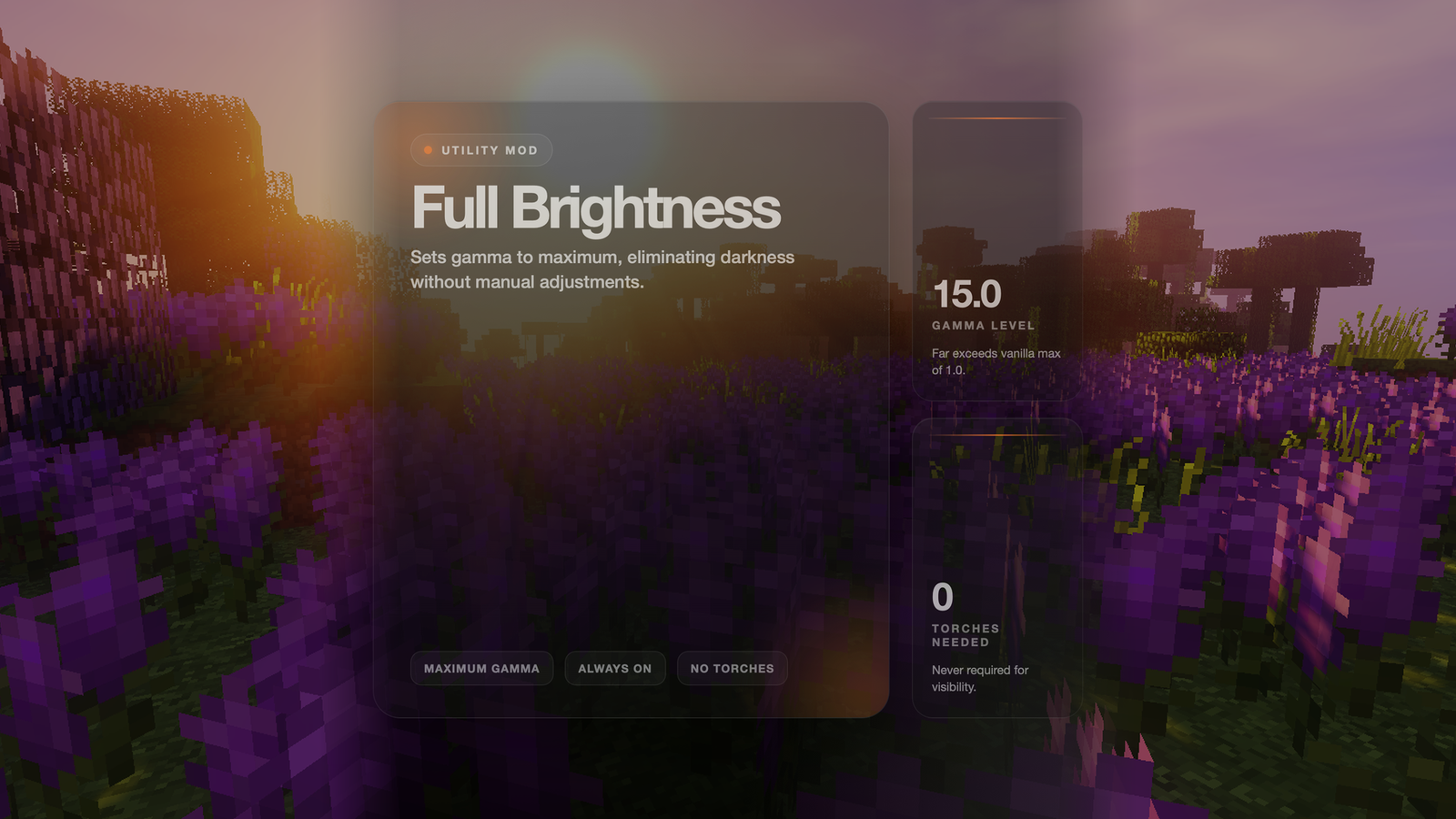
Never struggle to see in dark caves or at night again! This mod sets your game to maximum brightness at all times.
## Features
– ✅ **Maximum Brightness** – Sets gamma to 15.0 (way beyond normal max of 1.0)
– ✅ **Always Active** – No need to adjust brightness settings manually
– ✅ **No Darkness** – See clearly in caves, at night, and underwater
– ✅ **Lightweight** – Minimal performance impact
## How It Works
The mod automatically sets your gamma (brightness) setting to maximum when you load the game. This makes everything visible without needing torches or other light sources.
## Benefits
– **Cave Exploration** – See every block clearly without placing torches everywhere
– **Night Time** – No more waiting for day or sleeping through the night
– **Underwater** – See clearly in ocean depths
– **Building** – Work on projects at any time without lighting concerns
– **PvP** – Spot enemies in dark areas
Wool Revamped
# **Wool Revamped** by Lvminosity
**Wool Revamped** is a 16x resource pack with simple and cool wool textures, mainly for Bedwars / FPS Boost
Note: this pack is generally intended to be used as an overlay for many other bedwars texture packs, however it is still compatible with other packs
wood plus
a mod that adds new bookshelfs and crafting table versions and ladder and sticks and fletching tables and cartography and composters and framed glass and tinted glass and lecterns for every wood type made from the same type
of wood all been done for now
for fabric and as I am still adding everything I am sticking to snapshots for 1.20.5 until I am done then there will be a main version and a snapshot one
i use a texture artist so the textures are placeholders from each type of block
you now can craft wood sticks made form that wood ladder crafting soon
the original versions are now have oak in the name
can use any stick type in some crafts working on that if it does not work use oak sticks the original
sorry the textures are taking so long i recommend you use or make a resource pack if you can since i have no idea how long this is going to take
the unknown wood type is for mods to map there own woods with the minecraft:unknown_planks for everything but composters and minecraft:unknown_slabs for composters item tags based on the april fools potato wood
use sticks for framed glass crafts
wolf’s HD weapons
a texture change of most of the weapon texture to make them HD
such as the netherite sword and the crossbow.
:this texture pack changs these textures and more: This texture pack is for PVP club
.netherite sword
.diamond sword .bow
.netherite axe
.diamond axe
.iron sword .crossbow
.loaded crossbow
.crossbow
(New textures coming soon with new updates)
(netherite sword texture in this pack one of many)

[my modrinth account for more mods like this one](https://modrinth.com/user/lonewolf165)
WolfPound
WolfPound – Adopt a Wolf Today!

Current Version: v1.0.4
Features:
– Lets users buy wolves (or you could make them free )
– Integrates with iConomy, BOSEconomy, RealEconomy, Essentials Built in Economy, and Permissions! (ToDoo: Integrate Vault)
– Spawn wolves as neutral, friendly or REALLY ANGRY
– Spawn multiple wolves with one command! (Disclaimer: I am not responsible for the massive amount of wolves you spawn, or if wolves start getting in fights)
– Limit the number of wolves you can spawn with the command
– Multi-World Support! All options are now configurable PER WORLD!
[documentation](https://www.spigotmc.org/resources/wolfpound.119248/field?field=documentation)
Wolf Backport
A backport for Minecraft’s wolf textures in 24w10a. **Entity Texture Features or Optifine required**. All assets are by Mojang/Microsoft. (Not endorsed/associated with them). You can choose the biome-dependant wolves version or the random wolves version of the resource pack.
– Entity Texture Features: https://modrinth.com/mod/entitytexturefeatures
– Optifine: https://www.optifine.net/home
The resource pack screen might prompt you that this resource pack is made for newer versions, **you can continue and equip it regardless**.
Check out the wolf textures in the gallery or in:
[https://minecraft.wiki/w/Wolf#Variants](https://minecraft.wiki/w/Wolf#Variants)
This does not alter any wolf mechanics in older versions, this is simply a resource pack to change the textures.
WLIB

WLIB
Static utility library built for dynamic bukkit plugins
WLIB is a utility library for bukkit servers that simplifies common plugin development tasks and reduces repetitive boilerplate code.
Features include:
* Dynamic command registration
* Static event management
* Plugin management APIs
* Debug and development tools
* Reflection and compatibility helpers
* Cross-platform Bukkit/Paper/Folia support
* General-purpose utility classes for plugin development
WLIB is intended as a lightweight developer library and is primarily used across projects from WebMC Development.