Xearo地图汉化(MiniMap+WorldMap+PVP)
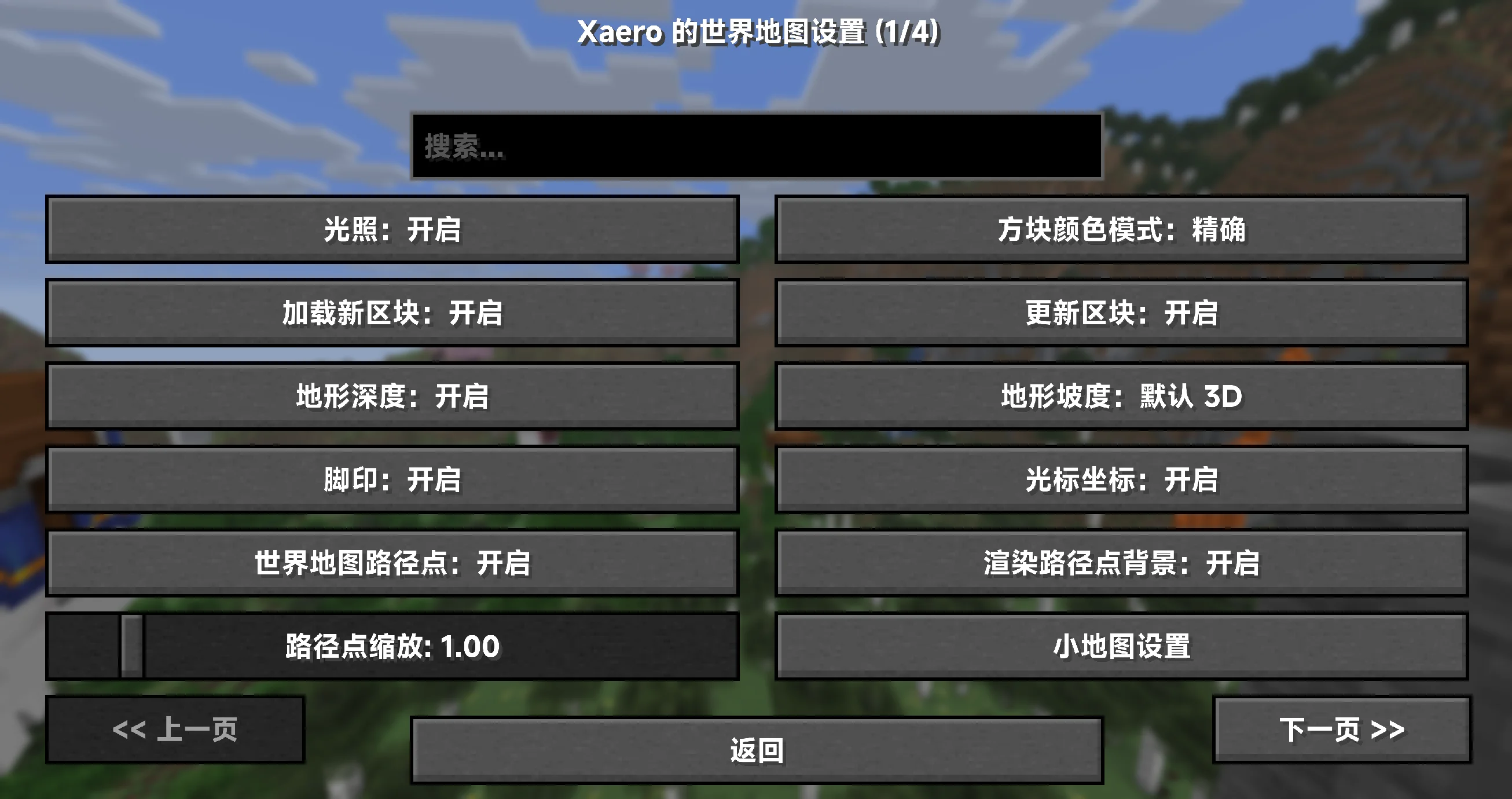
Xearo 地图汉化(MiniMap + WorldMap + PVP)🇨🇳
## 概览 🚀
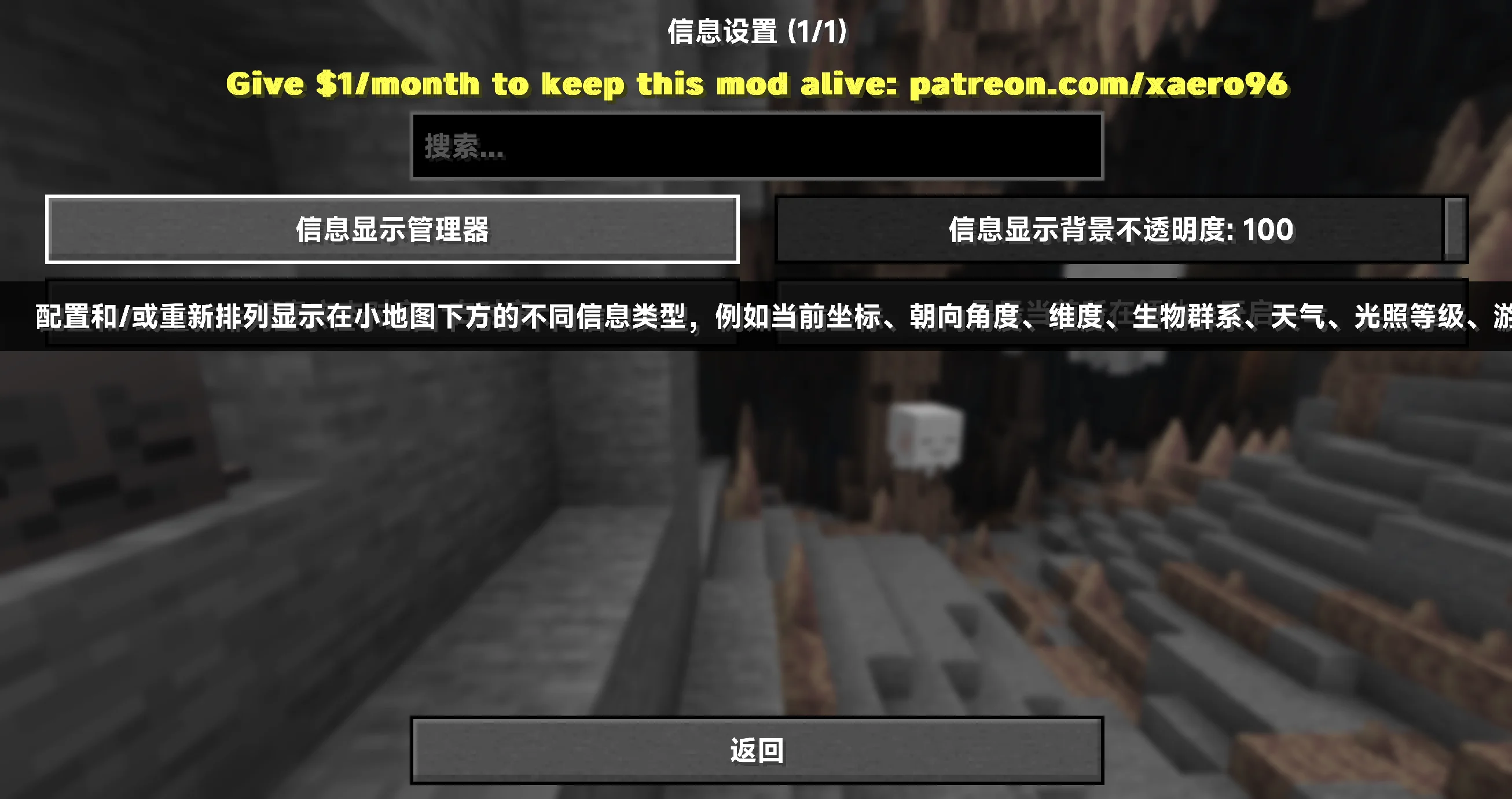
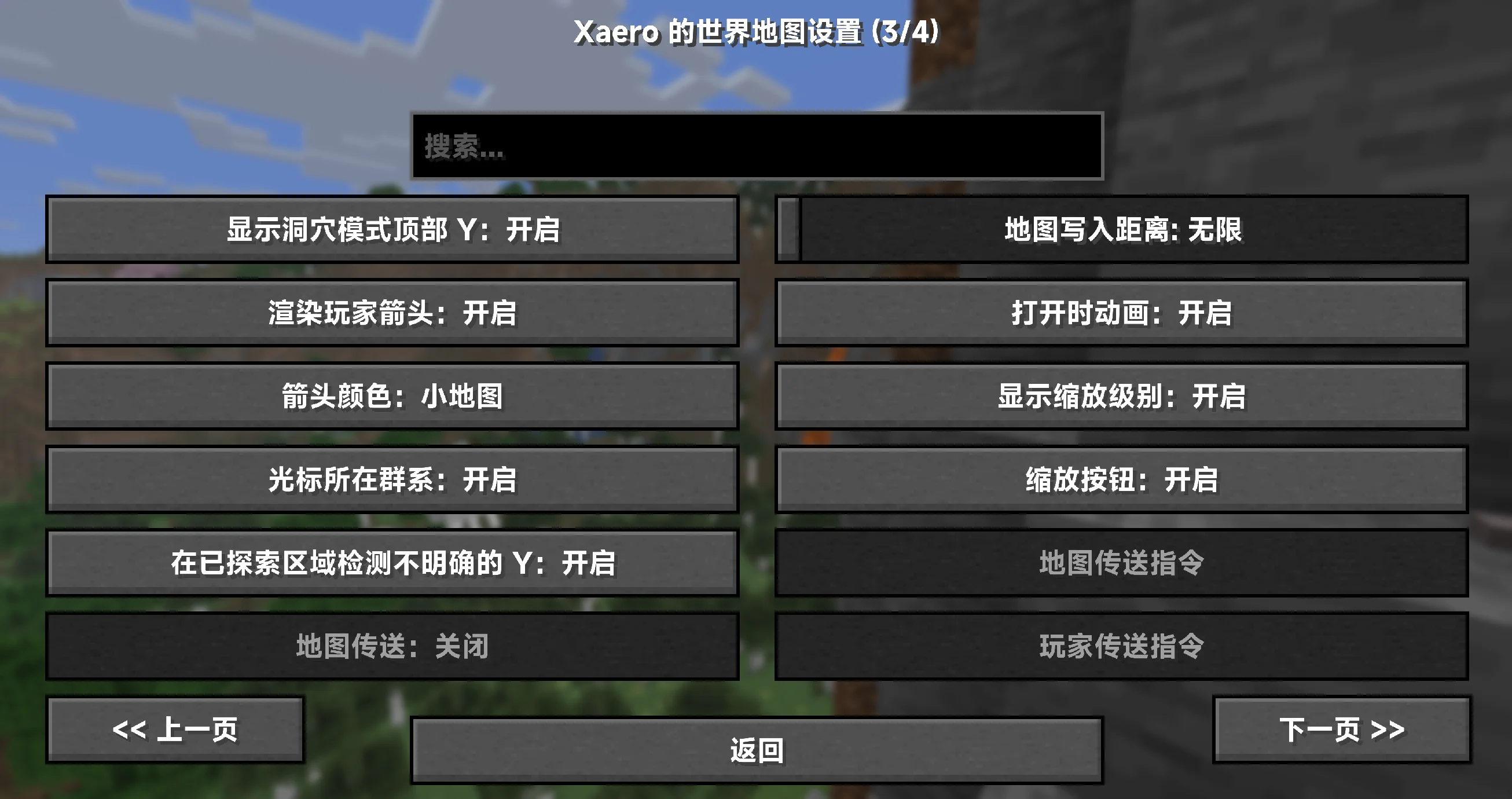
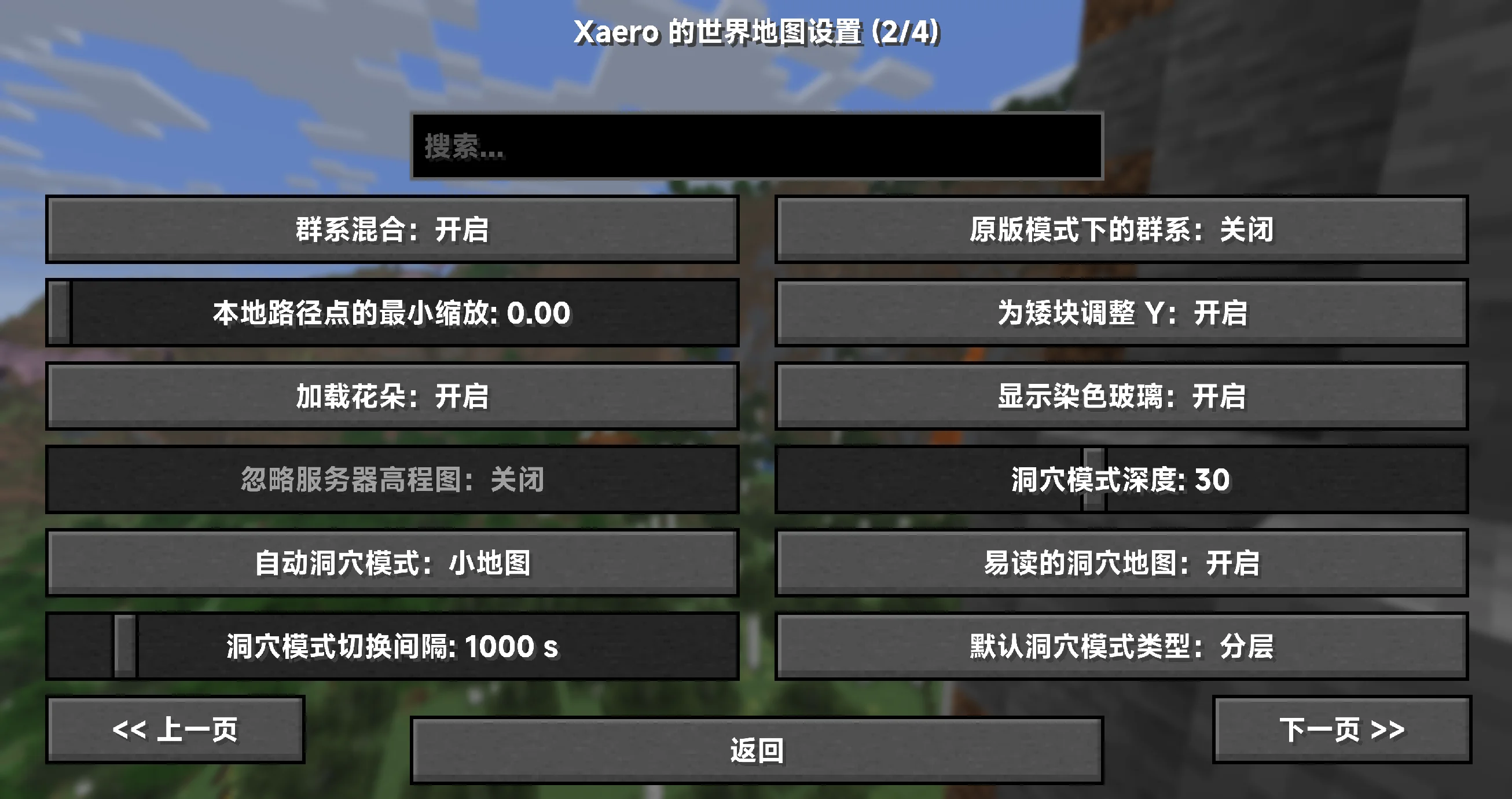
– 100% 覆盖小地图、世界地图与 PVP 地图相关的设置项、提示与界面文本(以已知键为准)✅
– 资源包形态,装上即用;无需任何前置或修改模组文件 🎒
– 持续更新,紧跟上游版本变动,确保术语统一与说明准确 🔄
– 仅客户端生效,不影响服务器与性能(只替换文本,不改动逻辑)🧘
## 适配范围与前提 ⚙️
– 目标模组版本:所有版本适配(以官方发布版本为基准维护)
– 覆盖对象:小地图(Minimap)、世界地图(World Map)、PVP 地图(Better PVP 系功能)
– 语言代码:zh_cn(简体中文)
## 覆盖内容 📝
– 设置类目与条目名称、详细说明与工具提示
– 键位绑定与界面按钮、浮层/叠加层说明(Overlay)
– 错误/警告/兼容性提示、状态信息与对话框
– 术语统一(示例,实际以包内为准):
– Waypoint → 路径点
– Deathpoint → 死亡点
– Chunk Grid → 区块网格
– Entity Radar → 实体雷达
– Biome → 生物群系
– Slime Chunks → 史莱姆区块
– Zoom / Zoom Steps → 缩放 / 缩放步进
– Dimension → 执行维度(主世界/下界/末地等)
– Overlay → 叠加层
## 安装与使用 📦
1. 下载本汉化资源包,将压缩包放入游戏目录的 resourcepacks 文件夹。
2. 启动游戏 → 选项 → 资源包,启用本资源包,并将其移动到更高优先级(置顶以覆盖其他语言包)。
3. 语言设置切换为 简体中文(zh_cn)。
4. 如未立即生效,请使用 F3+T 刷新资源或重启游戏。
小贴士:建议与优质平滑字体资源包搭配使用,获得更清晰的地图与界面文本显示 👓
## 常见问题(FAQ) 💬
– Q:为什么还有少量英文?
A:可能是上游新版本新增/更名的键位,或极少数硬编码字符串。请等待下一次更新,或提交反馈协助定位。
– Q:是否会影响服务器或性能?
A:不会。仅客户端文本资源,不参与渲染或网络处理。
– Q:需要装在服务器上吗?
A:不需要。把资源包放在客户端即可,在任意服务器里都能生效。
– Q:路径点命名/导入导出与我语言有关吗?
A:汉化不改变存档/配置结构,仅影响界面文本;你的航点数据与原版兼容。
## 许可证与授权 📜
– 汉化文本与打包:CC BY-SA 4.0(署名-相同方式共享)
– 说明:本汉化仅包含文本与相关配置,不包含任何原模组代码或美术资源。
允许随整合包分发与二次分发,但需保留署名与相同许可。感谢理解与支持!🤝
## 非官方声明与致谢 🙏
– 本项目为非官方汉化,与原作者及其团队无从属关系。
– 致谢:感谢原作者提供功能强大的地图与 PVP 拓展!
– 原模组主页(供玩家参考):
– [Xaero’s Minimap](https://modrinth.com/mod/xaeros-minimap)
– [Xaero’s World Map](https://modrinth.com/mod/xaeros-world-map)
XD’s Utils
## Description
XD’s Utils is a plugin and mod that provides a custom web interface that you can monitor the whole server, create backups to restore points of your server with a simple script to restore to a backup, an API to get and modify data of the server and plugin through sending web requests, and more!
## Features
| Feature | Implementation |
|——————-|—————-|
| Invsee | ✅ |
| AFK Detector | ✅ |
| Bounties | ✅ |
| Custom Shops | ✅ |
| Economy | ✅ |
| Chat Muting | ✅ |
| Chat Censoring | ✅ |
| Disabled Commands | ✅ |
| Disabled Items | ✅ |
| Custom Messages | ✅ |
| Backups | ✅ |
| Web Interface | ✅ |
| Commands | ✅ |
> ✅ : Implemented
>
> 🚧 : Work in Progress
>
> ❌ : Not implemented
## Config
Config Example
“`yml
# /$$ /$$ /$$$$$$$ /$$
# | $$ / $$| $$__ $$| $/
# | $$/ $$/| $$ $$|_//$$$$$$$
# $$$$/ | $$ | $$ /$$_____/
# >$$ $$ | $$ | $$ | $$$$$$
# /$$/ $$| $$ | $$ ____ $$
# | $$ $$| $$$$$$$/ /$$$$$$$/
# |__/ |__/|_______/ |_______/
# /$$ /$$ /$$ /$$ /$$
# | $$ | $$ | $$ |__/| $$
# | $$ | $$ /$$$$$$ /$$| $$ /$$$$$$$
# | $$ | $$|_ $$_/ | $$| $$ /$$_____/
# | $$ | $$ | $$ | $$| $$| $$$$$$
# | $$ | $$ | $$ /$$| $$| $$ ____ $$
# | $$$$$$/ | $$$$/| $$| $$ /$$$$$$$/
# ______/ ___/ |__/|__/|_______/
# ============================ #
# WEB #
# ============================ #
# Enabled (true/false)
enable_web: true
# Hosted Port (1000-99999)
port: 8080
# ============================ #
# BACKUPS #
# ============================ #
# Enabled (true/false)
enable_backups: true
# Folders to back up & Backup interval (Folder Names: Minutes)
folders:
– world: 120
– world_nether: 240
– world_the_end: 240
– plugins/XDs-Utils: 300
# Max folder size (MB) (-1/0 for unlimited)
max_size: 1024
# Max backups (Int) (-1/0 for unlimited)
max_backups: 10
# Compression level (0-9)
compression_level: 7
# ============================ #
# MESSAGES #
# ============================ #
# Message to send when a player joins for the first time (true/false)
enable_first_join_message: true
# %player% – Player’s name
# %message% – Message to send
first_join_message: “%yellow%Welcome %gray%%player% %yellow%to the server!”
# Message to send when a player joins (true/false)
enable_custom_join_message: true
# %player% – Player’s name
# %message% – Message to send
join_message: “%green%+ %gray%%player%”
# Message to send when a player leaves (true/false)
enable_custom_leave_message: true
# %player% – Player’s name
# %message% – Message to send
leave_message: “%red%- %gray%%player%”
# Custom player messages (true/false)
enable_custom_message_format: true
# %player% – Player’s name
# %message% – Message to send
custom_message_format: “%gray%%player% %dark_gray%» %gray%%message%”
# ============================ #
# DISABLED ITEMS #
# ============================ #
# Items to disable (Item IDs)
disabled_items:
# – minecraft:item_1
# – minecraft:item_2
# – minecraft:item_3
# Method to disable items
# 1 – Removes Recipe
# 2 – Removes Recipe & Clears Item
disable_method: 1
# ============================ #
# DISABLED COMMANDS #
# ============================ #
disabled_commands:
# – “/command_1”
# – “/command_2”
# – “/command_3”
# ============================ #
# CHAT CENSORING #
# ============================ #
# Words to censor
censored_words:
# – “censored_word1”
# – “censored_word2”
# – “censored_word3”
# Regex patterns to censor
censor_regex_patterns:
# – “censored_regex_pattern1”
# – “censored_regex_pattern2”
# – “censored_regex_pattern3”
# Method to censor words
# 0 – Do nothing (Only logs)
# 1 – Replaces Words with ‘*’
# 2 – Removes Words from message
# 3 – Do not send message
censor_method: 1
# ============================ #
# ECONOMY #
# ============================ #
# Enable the shop (true/false)
enable_shop: true
# Allow anyone to create shops (true/false)
anyone_create_shops: true
# Enable bounties (true/false)
enable_bounties: true
# Bounty you gain when you kill a player (Int/Float/Double)
kill_reward: 100.00
# Amount of money to give to players when join the next day (Int/Float/Double)
daily_balance: 100.00
# Items in the default shop (Item ID: Cost, Amount, Slot)
shop_items:
– minecraft:elytra:
cost: 50000
amount: 1
slot: 0
– minecraft:netherite_ingot:
cost: 25000
amount: 1
slot: 1
– minecraft:diamond:
cost: 2500
amount: 1
slot: 2
– minecraft:emerald:
cost: 2500
amount: 1
slot: 3
– minecraft:gold_ingot:
cost: 50
amount: 1
slot: 4
– minecraft:iron_ingot:
cost: 50
amount: 1
slot: 5
“`
XD’s Library
### XD’s Library
#### XDPXI’s library for numerous tasks.
—
### Features
> Please view the [Documentation](https://xdlib.xdpxi.dev/) for the correct features for your version
—
### Building from Source
#### To build the mod from source follow the steps below:
– Clone the [Git repository](https://github.com/XDPXI/XDLib)
– Run `gradlew build` or `build.ps1` in your terminal in the cloned repository
#### The compiled mod will be in `build/libs`
X-Clearlag
[](https://www.spigotmc.org/resources/x-clearlag-custom-cleaning-1-8-1-21-11.132713/) [](https://wiki-x-proyects.vercel.app/) [](https://discord.com/invite/Yb6GsfGWmd)
# **X-ClearLag**
*Next-generation entity cleanup with Folia support, proximity protection, and multi-language modular tasks*
—
## 📄 Description
**X-ClearLag** is the ultimate, professional-grade entity management solution for modern servers. Completely rebuilt from the ground up, it offers **native Folia compatibility**, wall-clock precision tasks, and advanced performance optimizations. Protect your players’ experience with the brand-new **Proximity Protection system**, automatically intervene during lag spikes with **TPS-based emergency cleanups**, and monitor your world smoothly using the **Interactive Chunk Inspector**.
All of this without a single annoying console warning. Supports **Spigot, Paper, Purpur, and Folia (1.8.x – 26.1)**.
## ⚡ Main Commands
**`/xcl [subcommand]`** (*Aliases: `/clearlag`, `/xclearlag`*)
– **`help`** – Shows the interactive help menu.
– **`reload`** – Hot-reloads configuration and language files.
– **`clear`** – Manually triggers the main cleanup tasks instantly.
– **`inspect`** – Opens the **Interactive Chunk Inspector** to hunt down entity clusters.
– **`clearchunk `** – Wipes all entities from a targeted chunk.
– **`tpchunk `** – Teleports instantly to a specific chunk coordinate.
– **`update`** – Checks for the latest X-ClearLag updates.
## ⭐ Key Features
– **Folia & Next-Gen Support** — 100% compatible with Folia’s regional threading model. Built for elite performance.
– **Player Proximity Protection** — Smartly ignores dropped items and entities that are right next to your active players.
– **TPS Monitor & Auto-Cleanup** — Server lagging? X-ClearLag detects TPS drops and automatically triggers an emergency surgical cleanup.
– **Batch Processing & Anti-Spike** — Removes thousands of entities in controlled batches over multiple ticks, preventing the classic “clearlag server freeze”.
– **Interactive Chunk Inspector** — View the Top 12 busiest chunks and manage them through interactive chat clicks.
– **Internal Notifications & PAPI** — Use `[TITLE], [ACTIONBAR], [BROADCAST], [SOUND]` directly in config. Full PlaceholderAPI support.
– **BossBar Countdown** — Elegant visual countdown bar for players during the last 60s (Requires 1.9+).
– **Task-Based Architecture** — Create unlimited independent cleanup tasks. Make one run every 5 mins for drops, and another every 30 mins to run `save-all`.
– **Granular Protection** — Secure mobs by name-tag, leash state, type whitelist, or world blacklists.
## 🌐 Multi-Language Support
– **English** — `en`
– **Español** — `es`
– **Português** — `pt`
– **日本語** — `ja`
– **Русский** — `ru`
– **Custom** — `custom`
## 🔑 Permissions
– **`xclearlag.admin.*`** — Grants all admin permissions (Default: OP).
– **`xclearlag.admin.reload`** — Access to `/xcl reload`.
– **`xclearlag.admin.clear`** — Access to `/xcl clear`.
– **`xclearlag.admin.inspect`** — Access to `/xcl inspect`.
– **`xclearlag.admin.clearchunk`** — Access to `/xcl clearchunk`.
– **`xclearlag.admin.tpchunk`** — Access to `/xcl tpchunk`.
– **`xclearlag.admin.update`** — Access to `/xcl update`.
– **`xclearlag.bypass`** — Bypass countdown messages (Default: false).
– **`xclearlag.notify`** — Receive cleanup notifications (Default: true).
## 🧩 Developer API
X-ClearLag provides a lightweight API for other plugins to interact with the cleanup engine. Support for custom events like `XPreClearEvent` (cancellable) and `XPostClearEvent` allows you to prevent cleanups during critical moments or track performance metrics easily. Full **PlaceholderAPI** support included!
## ⚙️ Configuration Example
> [!TIP]
> This is a basic example. For a full explanation of every setting and module, please visit our [Official Wiki](https://wiki-x-proyects.vercel.app/).
“`yaml
prefix: “&8[&bX-ClearLag&8] &7”
language: “en”
tps-check:
enabled: true
threshold: 16.0
interval: 60
task-to-run: [“clearlag”]
bossbar:
enabled: false
color: “RED”
style: “SOLID”
tasks:
clearlag:
enabled: true
interval: 300
min-players: 3
remove-drops: true
protect-named: true
protect-leashed: true
protect-near-player: false
near-player-radius: 16
countdown: [60, 30, 10, 5, 3, 2, 1]
countdown-commands:
60:
– ‘[TITLE] &b&lX-ClearLag’
– ‘[SUBTITLE] &7Cleanup in &c60s’
– ‘[SOUND] NOTE_PLING’
10:
– ‘[ACTIONBAR] &eEntities removed in &c10s&e!’
entities: [ARROW, SNOWBALL, EXPERIENCE_ORB]
protected-entities: [PLAYER, VILLAGER, ARMOR_STAND]
commands: []
optimizations:
batch-size: 100
chunks-per-tick: 40
“`
—
xali’s Potions – Addon
This project is fan made and not directly related to any of xali’s works. Xali owns all the rights to “xali’s Potions”
Click the banner below to download original “xali’s Potions”. Original file is required for this pack to operate correctly!
[](https://www.modrinth.com/resourcepack/xalis-potion)
^ Click it ^
Resource packs must be installed in the following order:

### **1.21.5+** Updating the pack to 1.21.5+ right now is not possible due to [this Minecraft bug](https://report.bugs.mojang.com/servicedesk/customer/portal/2/MC-305269). As soon as this issue is fixed, I’ll update the pack to the next supported version
—
**ATTENTION!**
You are **required** to install any mod that can work with custom CIT resource packs for the pack to be able to operate: [Optifine](https://optifine.net/home), [CIT Resewn](https://modrinth.com/mod/cit-resewn), [Forge CIT](https://www.curseforge.com/minecraft/mc-mods/forge-cit), [CIT Reforged](https://www.curseforge.com/minecraft/mc-mods/cit-reforged), [[CIT] CustomItemTextures](https://modrinth.com/mod/cit), etc. The pack should work on any Minecraft version with any mentioned mods. Ignore the “Incompatible” warning.
The purpose of this pack is to provide additional mod support to “xali’s Potions”. This pack does not include any textures that are already included in “xali’s Potions” and only adds those which are missing. This pack probably won’t be updated with any more additional mods in the future because it was made just for our own personal experience that I decided to share.
Mods supported by this pack:
– Nether’s Exoticism
– Kobolds
– Undergarden
– Alex’s Mobs
– Upgrade Aquatic
– Removed Content Revival
– Phantasm
—
All the art is done by HASKO, pack assembled by DedMaxim99
HASKO [VK page](https://vk.com/hasko_arts)
Anybody is free to use this pack anywhere. Just do not rename the pack, please.
Contact me (DedMaxim99):
My [YouTube channel](https://www.youtube.com/channel/UCrMHx89X71br0aDlzwsLDHQ)
My [Twitch channel](https://www.twitch.tv/dedmaxim99)
My [VK page](https://vk.com/id728112150)
My [Telegram](https://t.me/DedMaxim99)
xali’s Enchanted Books – Fix
This project is fan made and not directly related to any of xali’s works. Xali owns all the rights to “xali’s Enchanted Books”
Click the banner below to download original “xali’s Enchanted Books”.
Original file is required for this pack to operate correctly!
## What does this pack “fix”?
**If there are mods present that increase enchantments’ max levels like Apotheosis, those books would have missing textures. So, with this Apotheosis examle, there are books like “Sharpness VII”, that won’t have a custom texture without this pack. The fix makes it so any level above vanilla maximum will use the texture of max level enchantment. This pack does not include any textures that are already included in “xali’s Enchanted Books” and only adds those which are missing, so you need to install both: this fix and the original pack.**
DOWNLOAD ORIGINAL AND ADDON:
[](https://www.modrinth.com/resourcepack/xalis-enchanted-books)
[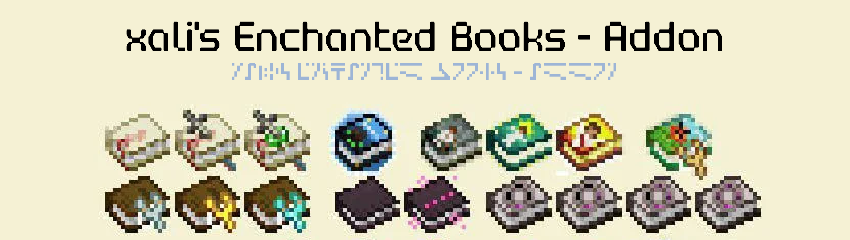](https://modrinth.com/resourcepack/xalis-enchanted-books-addon)
**[Below 1.21.5]** Resource packs must be installed in the following order:
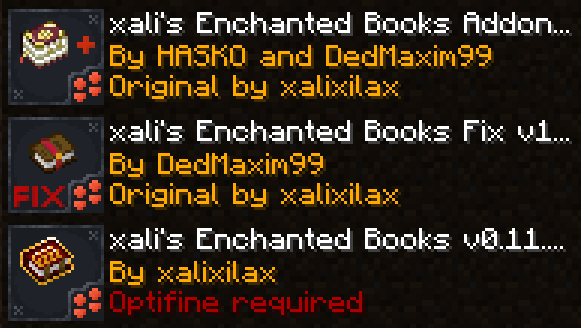
**[1.21.5+]** Starting 1.21.5, if you use xali’s Enchanted Books – Addon you DO NOT need to use this pack. The “fix” is now integrated into the Addon pack!
—
**ATTENTION!**
You are **required** to install any mod that can work with custom CIT resource packs for the pack to be able to operate: [Optifine](https://optifine.net/home), [CIT Resewn](https://modrinth.com/mod/cit-resewn), [Forge CIT](https://www.curseforge.com/minecraft/mc-mods/forge-cit), [CIT Reforged](https://www.curseforge.com/minecraft/mc-mods/cit-reforged), [[CIT] CustomItemTextures](https://modrinth.com/mod/cit), etc. The pack should work on any Minecraft version with any mentioned mods. Ignore the “Incompatible” warning.
**ATTENTION!** At the moment of writing, 04 Jul 2024, CIT Reforged has a [bug](https://github.com/Tfarcenim/CIT-Reforged/issues/16) that prevents this pack from operating! Use Optifine or try to launch Fabric version, CIT Resewn, using Sinytra Connector
—
Anybody is free to use this pack anywhere. Just do not rename the pack, please.
Contact me:
My [YouTube channel](https://www.youtube.com/channel/UCrMHx89X71br0aDlzwsLDHQ)
My [Twitch channel](https://www.twitch.tv/dedmaxim99)
My [VK page](https://vk.com/id728112150)
My [Telegram](https://t.me/DedMaxim99)
xali’s Enchanted Books – Addon
This project is fan made and not directly related to any of xali’s works. Xali owns all the rights to “xali’s Enchanted Books”
Click the banner below to download original “xali’s Enchanted Books”. Original file is required for this pack to operate correctly!
The purpose of this pack is to provide additional mod support to “xali’s Enchanted Books”. This pack does not include any textures that are already included in “xali’s Enchanted Books” and only adds those which are missing. This pack probably won’t be updated with any more additional mods in the future because it was made just for our own personal experience that I decided to share.
[](https://www.modrinth.com/resourcepack/xalis-enchanted-books)
^ Click it ^
Resource packs must be installed in the following order:

### **ATTENTION!**
**[1.21.5+]** Since vanilla Minecraft now has support for custom item models, no additional mods are required!
Additionally, now [xali’s Enchanted Books – Fix]([https://modrinth.com/resourcepack/xalis-enchanted-books-fix](https://modrinth.com/resourcepack/xalis-enchanted-books-fix)) is integrated into the Addon due to how custom models for enchanted books are implemented by Mojang.
**[Below 1.21.5]** You are **required** to install any mod that can work with custom CIT resource packs for the pack to be able to operate: [Optifine](https://optifine.net/home), [CIT Resewn](https://modrinth.com/mod/cit-resewn), [Forge CIT](https://www.curseforge.com/minecraft/mc-mods/forge-cit), [CIT Reforged](https://www.curseforge.com/minecraft/mc-mods/cit-reforged), [[CIT] CustomItemTextures](https://modrinth.com/mod/cit), etc. The pack should work on any Minecraft version with any mentioned mods. Ignore the “Incompatible” warning.
Mods supported by this pack:
– Supplementaries
– Combat Roll
– Endless Biomes
– Kobolds
– Undergarden
– Farmer’s Delight
—
All the art is done by HASKO, pack assembled by DedMaxim99
HASKO [VK page](https://vk.com/hasko_arts)
Anybody is free to use this pack anywhere. Just do not rename the pack, please.
Contact me (DedMaxim99):
My [YouTube channel](https://www.youtube.com/channel/UCrMHx89X71br0aDlzwsLDHQ)
My [Twitch channel](https://www.twitch.tv/dedmaxim99)
My [VK page](https://vk.com/id728112150)
My [Telegram](https://t.me/DedMaxim99)
xah0b Twitch Totem
– **Xah0b** (XAHOB) is a famous twitch streamer on Twitch/Kick Platforms playing Minecraft and just chatting. Use this and you get totem of undying with xah0b and unqie sound when you die in game
– **Xah0b** (XAHOB) известный стример на платформах Twitch/Kick, играющий в Minecraft и просто общающийся в чате. Используйте его, и вы получите тотем бессмертия с Xah0b и уникальный звук при смерти в игре.
[Check collection with all memes + streamers Totems ](https://modrinth.com/collection/sfDcDGAi)
XaeroSupport

Please join my Discord to get
updates and for me to fully assist you with bugs,
questions, or suggestions.
Discord: [**click here**](https://drak.gg/discord)

## XaeroSupport
Adds XaeroMinimap and XaeroWorldMap support to your Minecraft server!
## Definitions
**Xaero Server-Specifics**:
– How filled out your maps are on a specific world. (The loaded/filled in chunks when you open your map for a specific world.)
– Waypoints.
**Backend Server**:
– A Minecraft server behind a Minecraft proxy that is also not a Minecraft proxy.
**Minecraft Proxy**:
– Such as:
– Velocity and forks.
– BungeeCord and forks.
**Server Id**:
– A unique identifier (that is a number) that tells players’ Xaero mods (on the client) that your server is your server.
## FAQ
**Q**: Does this affect performance?
**A** (Simple): No.
**A** (Full): Most plugins won’t affect performance, even if they are bigger plugins. What effects performance is how the plugins do operations with your server. This plugin does no operations, it is all just packets and it only sends packets when a player joins.
**Q**: Is this a `1:1` (`1 to 1`) replacement of the Xaero **mods** (server-side), but as a **plugin**?
**A** (Simple): No, but eventually yes.
**A** (Full): Right now, all this does is add support for `Xaero Server-Specifics` (look in the `Definitions` to define). Eventually, I will add more `1:1` functionality from the Xaero mods.
**Q**: Why would I use this if it is not a `1:1` replacement?
**A** (Full): Well, keep in mind that eventually it will be. But, in the mean time, this is extremely useful for `Minecraft Proxies` because it makes it so each of your `Backend Servers` can have their own `Xaero Server-Specifics` (look in the `Definitions` to define) — this is very helpful due to how Xaero stores these in your game’s files.
**Q**: What would happen if I don’t use this, or something like this and I have players who use Xaero’s mod join my server?
**A** (Full): Xaero used to keep `Xaero Server-Specifics` defined per world/server name. Which is an issue if you have multiple servers you join with the same name (i.e. if you have all your server’s named `Minecraft Server` — which is the default). Xaero recently added functionality to look at the IP that players used to join your server to differentiate the `Xaero Server-Specifics`, but this only works if you have an updated mod and if your server isn’t behind a `Minecraft Proxy`. **If the players’ mod thinks you are on the same server/world *when you are not*, it will overwrite/reset the map data it already has filled out, or even delete or add some way points. This plugin fixes that.**

– No more need for Paper forks!
– Some paper forks (such as `Leaf` and `DivineMC`) add exactly what this plugin does directly into your server software, this plugin adds it as a plugin so you don’t need to rely on `Leaf` or `DivineMC` to be stable.
– Easy set up! (Drag and drop!)
– It automatically generates a `Server Id` for your server.
Xaero’s Vanilla GUI
This resource pack customizes Xaero’s Minimap to seamlessly blend with Minecraft’s vanilla aesthetic. Enjoy a minimalistic design with colors and icons that match the base game, bringing a consistent and immersive feel to your adventures. Ideal for players who want the functionality of Xaero’s Minimap without straying from the classic Minecraft look.
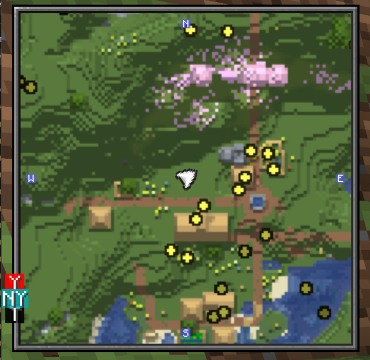
### USE XAEROPLUS TO FIX THE CURSOR PLACEMENT!
Further more with this resourcepack, I suggest [Xaero’s Map Frame](https://modrinth.com/resourcepack/xaeros-map-frame) highly to go along with the aesthetic!