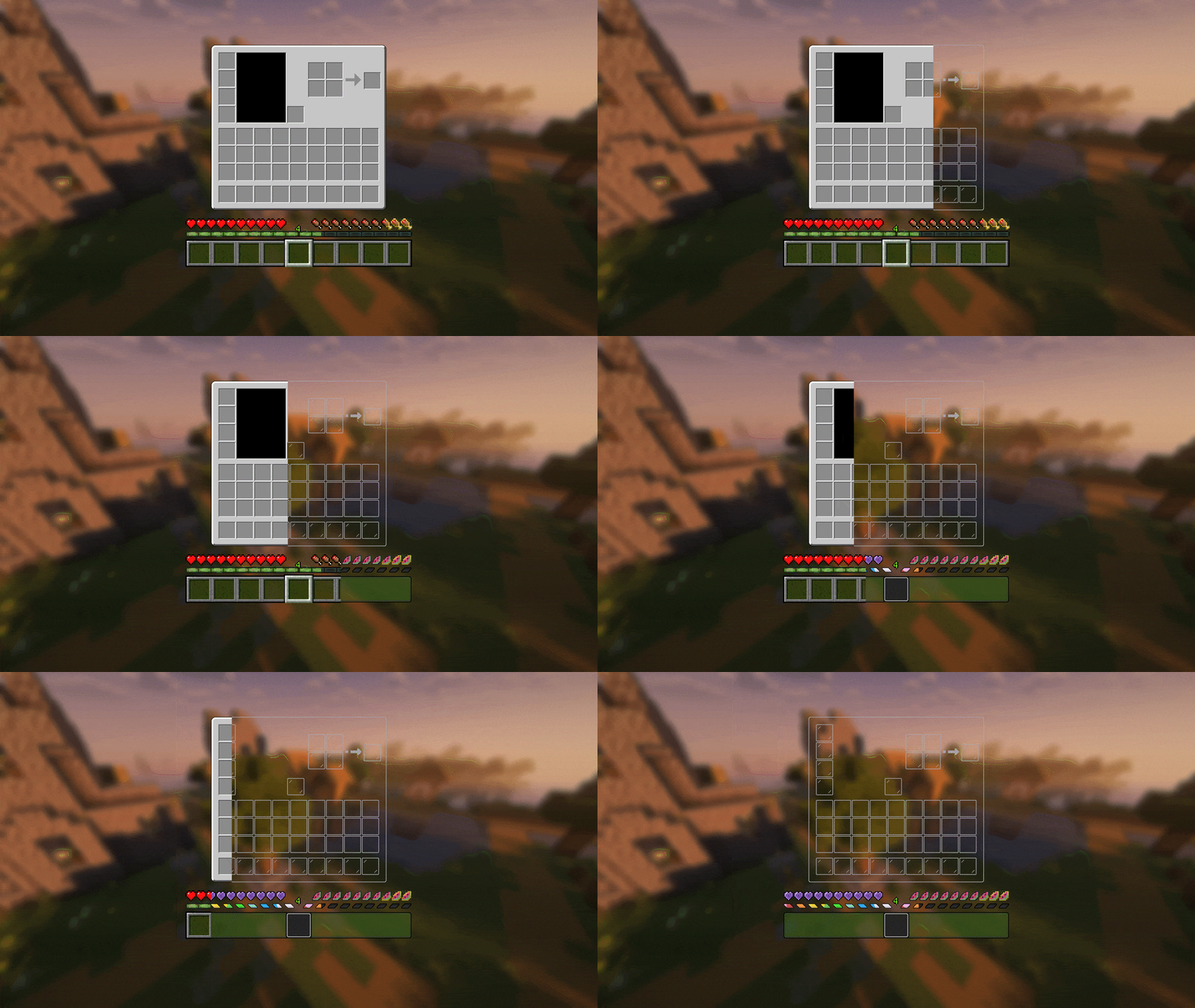
Transparent GUI
中文
| 一个支持1.7.10到1.22的透明gui材质包!|
| :————-:|
|**搭配[清洁屏幕](https://modrinth.com/resourcepack/low-shield-fire-no-pumpkinblur)使用效果更好!**|
| **适配模组:** |
|jade|✅|
|fabric|✅|
|appleskin|✅|
|inventoryprofilesnext|✅|
English
| A transparent GUI texture pack that supports 1.7.10 to 1.22!|
| :————-:|
|**It works better with [Clean Screen](https://modrinth.com/resourcepack/low-shield-fire-no-pumpkinblur)!**|
| **Mod support:** |
|jade|✅|
|fabric|✅|
|appleskin|✅|
|inventoryprofilesnext|✅|
|**Wait for more**|
zItemStacker
[](https://minestrator.com/a/GROUPEZ)
zItemStacker
Allows you to stack your items
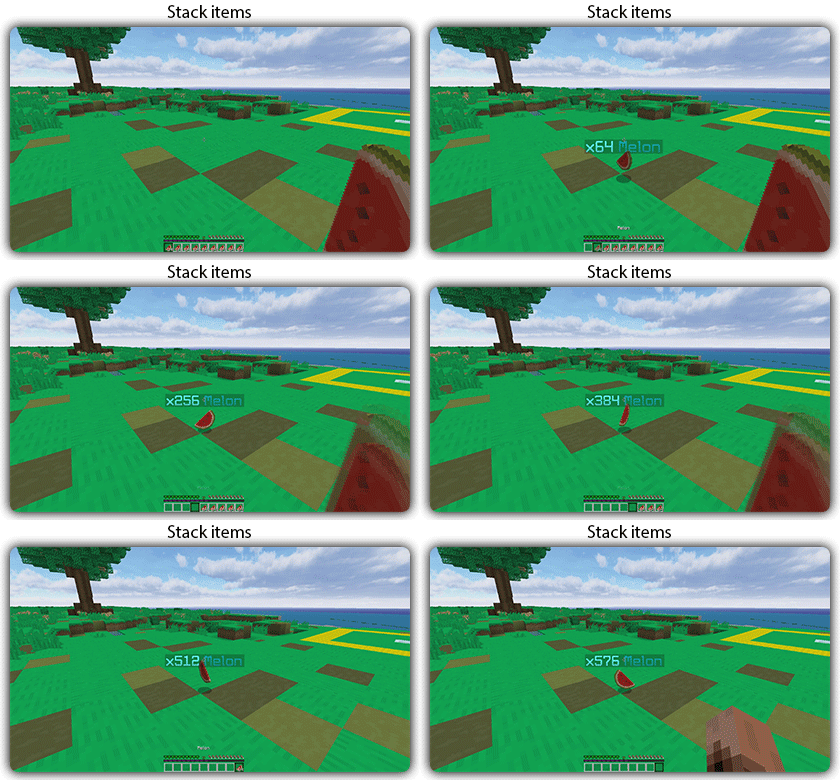
## Features:
– You can whitelist items to be taken into account by the plugin.
– You can blacklist the items that should not be taken into account by the plugin.
## Commands:
– /zitemstacker reload – reload lang and config file
– /zitemstacker version – show plugin version
Source code: https://github.com/Maxlego08/zItemStacker
Support: http://discord.groupez.dev/
Zip Zip totem
Zip Zip totem with sound is a simple resource pack that replaces the texture of the totem and its sound with the meme zip zip zip
This resource pack was made for the players of the GribMine server!
Join us
Zilibobka (Зилибобка) Totem of Undying
– EN: **Zilibobka** is a popular Russian meme, which was also stimulated during post-ironic memes in 2017 on the social network VKontakte and Tiktok. Texture pack replaces Totem of Immortality with this meme
– RU: **Zilibobka (Зилибобка)** – популярный российский мем который также был зафоршен во времена постироничных мемов в 2017 году в соц сети ВКонтакте и Тиктоке. Текстурпак заменяет тотем бессмертия на этот мем
[ALL RESOURCEPACKS COLLECTION: MEMES + STREAMERS](https://modrinth.com/collection/sfDcDGAi)
zHomes







zHomes is a modern, fast and fully-configurable homes plugin for Spigot/Paper/Purpur/PufferFish servers. It focuses on simplicity, speed and customization so server owners can give players a familiar — but powerful — teleportation experience.
Some features:
– Create, delete and list homes
– Admin tools for managing and converting homes
– PlaceholderAPI support for message placeholders
– MiniPlaceholders support for minimessage placeholders
– Vault support for economy/command-costs
– GriefPrevention and WorldGuard integration for region checks
– Teleport warmup and safe-teleport checks
– Configurable commands, messages and permissions
– 100% configurable menus
– Uses SQL (H2/SQLite/MariaDB/MySQL) for storage (no local data/ directory)
Maintained by [yL3oft](https://github.com/yL3oft). This project is free and open-source.
—

Requirements
– Java 17+ (check release notes for exact JDK requirement)
– Paper, Spigot or a compatible fork
Installation
1. Download the latest JAR from Releases / Modrinth / Hangar / Spigot.
2. Place the JAR in your server’s `plugins/` folder.
3. Start the server once to generate config files (src/main/resources/config.yml defaults).
4. You’re done!
Quick test
– As a player: `/sethome home1` then `/home home1`
– As an admin: `/zhomes reload`
—

Admin
– `/zhomes info` — Shows plugin info and stats.
– `/zhomes reload` — Reloads plugin configuration and messages.
– `/zhomes version ` — Checks the plugin version and updates if `` is specified.
– `/zhomes nearhomes [radius] <-u -h >` — Check for homes near a location (your location by default). Admins can specify a user and home to check near that home.
– `/zhomes parse ` – Parse a string with Plugin Placeholders & PlaceholderAPI placeholders for a specific player.
– `/zhomes export` — Export all homes to a .json.gz file in the plugin folder.
– `/zhomes import ` — Import homes from a .json.gz file exported by `/zhomes export`.
– `/zhomes converter ` — Inline converter tool to import homes from other plugins (example: `/zhomes converter ultimatehomes`). See detailed converter docs: https://docs.yleoft.me/zhomes/commands-and-permissions/zhomes-converter-less-than-type-greater-than
Player / Home commands
– `/sethome [name]` — Create a home (default name if omitted).
– `/delhome [name]` — Delete a home. Admins can use `/delhome `.
– `/home [name]` — Teleport to a home. Admins can use `/home `.
– `/homes [player]` — List homes. Admins can use `/homes `.
– `/home rename [oldName] [newName]` — Rename a home
Notes
– Command costs and vault integration require Vault to be installed.
– Some commands have admin-only variants (see Permissions below).
Full command list and usage: https://docs.yleoft.me/zhomes/commands-and-permissions
—

Below are the permission nodes and their default intent as defined in the plugin configuration (zHomes/config.yml). Use your permissions plugin to grant or deny these.
Command permissions
– zhomes.command.main — Main command (True by default)
– zhomes.command.main.help — Help SubCommand (Only OP by default)
– zhomes.command.main.version — Version SubCommand (True by default)
– zhomes.command.main.info — Info SubCommand (Only OP by default)
– zhomes.command.main.reload — Reload SubCommand (Only OP by default)
– zhomes.command.main.nearhomes – Nearhomes SubCommand (Only OP by default)
– zhomes.command.main.parse — Parse SubCommand (Only OP by default)
– zhomes.command.main.converter — Converter SubCommand (Only OP by default)
– zhomes.command.main.importexport — Import & Export SubCommand (Only OP by default)
– zhomes.command.sethome — `/sethome` (True by default)
– zhomes.command.delhome — `/delhome` (True by default)
– zhomes.command.delhome.others — `/delhome ` (Only OP by default)
– zhomes.command.homes — `/homes` (True by default)
– zhomes.command.homes.others — `/homes ` (Only OP by default)
– zhomes.command.home — `/home` (True by default)
– zhomes.command.home.others — `/home ` (Only OP by default)
– zhomes.command.home.rename — `/home rename` (True by default)
Bypass / misc permissions (as defined in config.yml)
– zhomes.bypass.limit — Bypass home limits (Only OP by default)
– zhomes.bypass.dimensionalteleportation — Bypass dimension restriction (Only OP by default)
– zhomes.bypass.safeteleport — Bypass safe-teleport checking (False by default)
– zhomes.bypass.warmup — Bypass teleport warmup (Only OP by default)
– %command_permission%.bypass.command-cost — Bypass command-cost (Only OP by default). Command-specific bypass permission is generated from the command permission string (see config.yml)
– %command_permission%.bypass.command-cooldown — Bypass commands cooldown (Only OP by default). Command-specific bypass permission is generated from the command permission string (see config.yml)
If you want to see the authoritative defaults and change them, open src/main/resources/config.yml in the repo or check the live docs: https://docs.yleoft.me/zhomes/commands-and-permissions
—

zHomes contains an inline converter to import homes from well-known plugins. The converter runs in-chat (not a GUI). See full converter details here: https://docs.yleoft.me/zhomes/commands-and-permissions/zhomes-converter-less-than-type-greater-than
—

Supported integrations:
– PlaceholderAPI — Message placeholders supported & custom [placeholders provided by zHomes](https://docs.yleoft.me/zhomes/hooks/placeholderapi).
– MiniPlaceholders – MiniMessage placeholders supported for advanced message formatting & custom [placeholders provided by zHomes](https://docs.yleoft.me/zhomes/hooks/miniplaceholders).
– Vault — for economy-based command-costs.
– GriefPrevention — region checks integration.
– WorldGuard — region and flag checks.
– MiniMessage — advanced message formatting.
– bStats — anonymous metrics (configurable).
Enable or disable integrations from config and ensure the third-party plugins are installed on the server when you expect integration behavior.
—

If you find zHomes helpful or need assistance:
– Discord: https://discord.gg/yCdhVDgn4K
– Issues: https://github.com/yL3oft/zHomes/issues
– Docs: https://docs.yleoft.me/zhomes
Support the project by starring the repo and joining the Discord!
—
zHead
[](https://minestrator.com/a/GROUPEZ)
zHead is a swift and intuitive plugin enabling you to access thousands of custom Minecraft skulls with distinctive designs. This user-friendly skulls plugin opens the door to creative design possibilities, significantly improving your builds’ quality and offering creative liberty to both you and your players.
Should you seek additional methods to make your builds stand out with ease, zHead is the perfect solution!
Credit: [https://minecraft-heads.com/](https://minecraft-heads.com/)
## Commands:
– **/zhead** (aliases: /head, /zhd) – `zhead.use` – Display commands
– **/zhead reload** – `zhead.reload` – Reload configuration files
– **/zhead info** – `zhead.info` – Get head information
– **/zhead give [] []** – `zhead.give` – Give a head
– **/zhead search ** – `zhead.search` – Search heads
– **/zhead random [] []** – `zhead.random` – Give a random head
– **/playerhead ** – `zhead.player.head` – Give a player’s head
## Inventory Permissions:
– `zhead.miscellaneous`
– `zhead.plants`
– `zhead.monsters`
– `zhead.humanoid`
– `zhead.humans`
– `zhead.food.drinks`
– `zhead.decoration`
– `zhead.blocks`
– `zhead.animals`
– `zhead.alphabet`
– `zhead.refresh`
## Placeholders:
– **%zhead_count%** – Displays the total number of heads
– **%zhead_count_format%** – Displays the total number of heads with a format
– **%zhead_category_count_%** – Displays the total number of heads for a category
– **%zhead_category_count_format_%** – Displays the total number of heads for a category with a format
**API**: [https://github.com/Maxlego08/zHead?tab=readme-ov-file#api](https://github.com/Maxlego08/zHead?tab=readme-ov-file#api)
[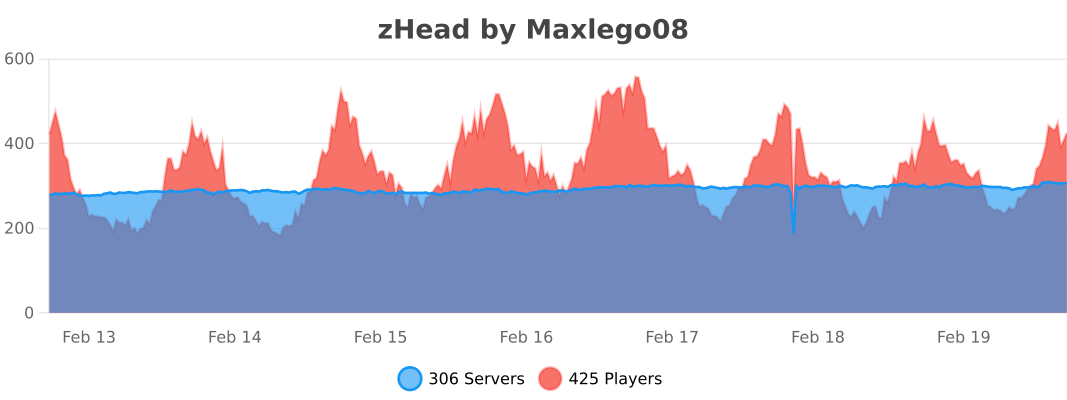](https://bstats.org/plugin/bukkit/zHead/21364)
## We would like to extend our heartfelt thanks to [Minecraft-Heads.com](https://minecraft-heads.com/) for providing their API, which has been an invaluable source of all the data used in our project.
ZeroXFog
Zero Fog removes distance and dimensional fog for a clearer and sharper experience. Enjoy improved visibility in the Nether, End, and caves without altering the core aesthetic. Designed to stay lightweight and simple, this pack enhances exploration, building, and PvP by eliminating visual haze while keeping performance and compatibility in mind.
ZeroTwo Totem
# ABOUT
**This texture pack replaces the totem with the character Zero Two from the anime Darling in the Franxx. The sound when using the totem has also been replaced with the phrase “Dar-ling.” If you liked the texture pack, add it to your favorites! Enjoy the game!**
# IMPORTANT
– ### **Is there a port on the Bedrock Edition?**
This texture pack is designed exclusively for Java Edition. We do not plan to release a version for Bedrock Edition.
– ### **Want to use it on Bedrock Edition?**
You can port the texture pack yourself, as long as you comply with all license terms.
– ### **Pack version warning ?**
There is a high chance that resource packs will work with different versions of Minecraft without the need to change the version of the pack, unless there is a major update that breaks resource packs.
AntiXRay
# 🛡️ zepAntiXRay — Hide Ores from X-Ray Cheaters
**Anti XRay** protects your server from players using X-Ray resource packs or hacked clients to locate ores. Ores are hidden **server-side** and only revealed when a player is close enough or has direct line of sight.
—
## ✨ Features
– **Hides ores server-side** — Diamond, Emerald, Gold, Iron, Redstone, Lapis, Ancient Debris and more
– **No client mod required** — works completely server-side
– **Lightweight** — minimal performance impact on your server
– **Simple & focused** — does exactly one thing, and does it well
—
## ⚙️ How it works
Ore blocks are **replaced with stone** in the chunk data before being sent to the client. They are only revealed when a player is **close enough**, preventing any X-Ray cheater from spotting them at a distance.
—
## 📋 Requirements
| | |
|—|—|
| **Minecraft** | 1.7.x-1.21.x |
| **Server Software** | Paper, Purpur, Folia, Bukkit, Spigot |
| **Java** | 21+ |
| **ProtocolLib** | Please use the Newst Version |
—
## ⚠️ Limitations
> This plugin is focused **solely on hiding ores**. It does not include any additional anti-cheat features beyond X-Ray protection.
Zent PvP and SMP
Best SMP + PvP Texture Pack | Default Edit
Creator: Battlezent
⭐ Overview
This pack is a fully custom default edit designed to give you a clean, optimized, and visually appealing experience for both SMP gameplay and PvP combat.
Every texture, detail, and tweak was made exclusively by Battlezent, ensuring a unique style with no reused assets.
🔥 Features
🎯 PvP Improvements
Clean & sharp sword models for better visibility
Reduced fire and particles for clearer duels
Optimized armor and item textures
Clear hit particles and improved critical effects
🌿 SMP Enhancements
Slightly improved blocks while keeping the classic default feel
Better item clarity for survival progression
Smooth UI elements for crafting, inventory, and menus
🎨 Visual Style
Faithful to vanilla but noticeably cleaner
Soft color adjustments for a more modern look
Consistent art direction — all made by Battlezent
⚙️ Performance
Lightweight and FPS-friendly
Great for low-end and high-end PCs
Works smoothly on most versions (adjust as needed)
Suggestions and feedback are welcome!