VerseChests
# Verse Chests Plugin Description
The **Verse Chests Plugin** is a performance-optimized and feature-packed solution for adding customizable loot chests to your Minecraft PvP server. It enhances gameplay by introducing dynamic chests scattered across the map, offering unique loot and fostering competitive exploration.
## Features:
– **Dynamic Loot Chests**: Automatically spawn loot-filled chests across the map to encourage exploration and PvP engagement.
– **Custom Chest Creation**: Easily create chests by placing specific blocks on the ground, making setup quick and intuitive.
– **Advanced Loot Configuration**:
– Customize loot tables directly from configuration files or through in-game commands.
– Set item rarities and precise drop chances for balanced and rewarding gameplay.
– **Rarity & Drop Control**: Configure item rarity levels (e.g., Rare, Epic, Mythic, Legendary) and adjust probabilities for fine-tuned loot distribution.
– **Command Support**: Manage chest contents, rarity levels, and drop chances conveniently with commands.
– **Optimized Performance**: Verified for minimal server load, as proven by **Spark Profiler** testing (see screenshot below), ensuring smooth performance even on high-traffic servers.
## Benefits:
– Encourage exploration and competitiveness by offering randomized loot rewards across the map.
– Simplify chest creation and loot management with user-friendly tools and commands.
– Maintain server performance without compromising features or functionality, as verified by Spark Profiler results showing negligible impact on server threads.
—
## Spark Profiler Screenshot

The **Verse Chests Plugin** is ideal for servers aiming to create an exciting, loot-driven PvP environment with seamless customization and performance efficiency.
Verlixia

### DISCLAIMER!
Most of the Verlixia code is originally by Capt Tatsu in his BSL Shaders. Verlixia is a “fork” of BSL Shaders v8.3 with permission by Capt Tatsu himself. Credits to Capt Tatsu! Verlixia is also currently in beta and slightly unfinished.
## Verlixia!
**Verlixia** is a shaderpack based on BSL that adds/changes:
– Color toning: Warmer colors during the day but cooler colors during night time and storms!
– Better darkness: Nights and caves are more darker for realism, including storms.
– Wet reflections: Water is now reflective by default and now after it rains, blocks will have a shiny wet reflection!
– Multi-colored block lighting: Soul torches and redstone objects have their own colored glow, but is pretty subtle!
– Heat haze: A wavy effect when you are looking at things like lava, fire, torches or in a desert, savanna or the Nether!
– Wind gust system: Waving is now randomized and can be a little wavy up to wavy based off wind gust.
– New atmospherics: The End has an endless purple aurora in the sky and way more purple toned than BSL, the Moon has a more bluish tint than BSL too.
– Darkness effect rework, including desaturtion, film grain boost and a slight chromatic aberration effect, for horror effect.
### Platforms, versions and hardware requirements
Verlixia can be ran with the Iris mod with Sodium and/or OptiFine, works best on Iris due to its modern architecture and Sodium integration. Verlixia can work also on many versions and subversions like BSL, this includes:
– 1.21.x (has been tested)
– 1.20.x
– 1.19.x
– 1.18.x
– 1.17.x
– 1.16.x
– 1.15.x
– 1.14.x
– 1.13.x
– 1.12.x
– 1.11.x
– 1.10.x
– 1.9.x
– 1.8.x
Verlixia is pretty demanding, more demanding than BSL so you will need these for your PC for **High** experiences on **1440p**:
| Tier | Recommended GPUs | Target Performance |
| :— | :— | :— |
| **Minimum** | RTX 1660 Super / RX 5600 XT / Arc A380 | 40+ FPS |
| **Recommended** | RTX 5070 Ti / RX 9070 XT | 144+ FPS |
| **Best Performance** | RTX 5090 | 240+ FPS |
| Tier | Recommended CPUs | Target Performance |
| :— | :— | :— |
| **Minimum** | Ryzen 5 3600 / i3-12100 | 30+ FPS |
| **Recommended** | Ryzen 7 7700X / i9-12700K | 144+ FPS |
| **Best Performance** | Ryzen 9 9950X3D / i9-14900KS | 240+ FPS |
However these are just estimates and may be inaccurate and depends on how powerful your CPU is. These estimates only count 1440p and High, 1080p + Medium has lower requirements and 4K + Ultra has way higher requirements. This also depends on how much RAM you have, 32 GB is recommended / give Minecraft 6GB.
### License & testing info
Verlixia is created by KaiakK, original BSL shaders by Capt Tatsu. This plugin was tested on a RTX 4060, 1440p, 16GB of RAM! First shader pack by me ever, probably the last too.
Thanks for 8,000 downloads!
VerifyMC-Proxy
VerifyMC-Proxy is a companion plugin for VerifyMC that runs on your BungeeCord/Waterfall or Velocity proxy server. It intercepts player logins and verifies whitelist status via the VerifyMC backend API before allowing players to connect to your backend servers.
Features:
– Support for both BungeeCord/Waterfall and Velocity
– Real-time whitelist verification via HTTP API
– Customizable kick messages
– Multi-language support (English/Chinese)
– Auto-update configuration from remote
VerifyMC
# 🛡️ VerifyMC
## 🚀 Introduction
**VerifyMC** is an ultra-lightweight, powerful whitelist management plugin for Minecraft servers. It supports web-based registration, auto/manual review, banning, theme switching, AuthMe integration, and high customizability, helping you secure and manage your server community with ease.
—
## 📝 Key Features
1. 🖥️ **Web Registration & Review**: Players can submit whitelist applications via a web page; admins can review, ban, and manage users online.
2. 🔒 **Auto/Manual Review**: Supports both automatic approval and manual admin review to fit different server needs.
3. 🚫 **Ban System**: Ban problematic players to keep your server safe.
4. 🎨 **GlassX Theme**: Beautiful glassmorphism design with smooth animations and modern UI.
5. 📨 **Email Verification & Domain Whitelist**: Integrated SMTP email verification, supports email domain whitelist and alias limit.
6. 🔐 **Self-hosted CAPTCHA**: Built-in graphical CAPTCHA (math/text) – no external services required.
7. 🎮 **Discord Integration**: OAuth2 Discord account linking with optional/required mode.
8. 📋 **Registration Questionnaire**: Customizable questionnaire system with multi-language support.
9. 📧 **User Notifications**: Automatic email notifications for whitelist approval/rejection.
10. 🌐 **Multi-language Support**: Both web UI and plugin messages support English and Chinese.
11. ⚙️ **Highly Customizable**: Set max accounts per email, player ID regex, whitelist bypass IPs, and more.
12. 🪶 **Lightweight**: Plugin jar is under 6MB, integrates multiple features, and runs efficiently.
13. 🔄 **Auto Update & Backup**: Config files auto-upgrade, with full backup before each update.
14. 🧩 **Flexible Whitelist Modes**: Supports Bukkit native whitelist sync, plugin self-management, and MySQL storage.
15. 💾 **MySQL & Data File Storage**: Easily switch between local file and MySQL storage; supports automatic migration.
16. 📝 **Audit Log Multi-Storage**: Audit logs can be stored in file or MySQL.
17. 🌍 **Custom Internationalization**: Auto-loads any messages_xx.properties file; users can add any language.
18. 🔐 **AuthMe Integration**: Seamless integration with AuthMe plugin for password management and auto-registration.
19. 🎮 **Bedrock Support**: Geyser/Floodgate player prefix support for cross-platform servers.
20. 🔗 **Proxy Support**: BungeeCord/Velocity proxy plugin for network-level whitelist enforcement.
—
## 🖼️ Screenshots (GlassX Theme)
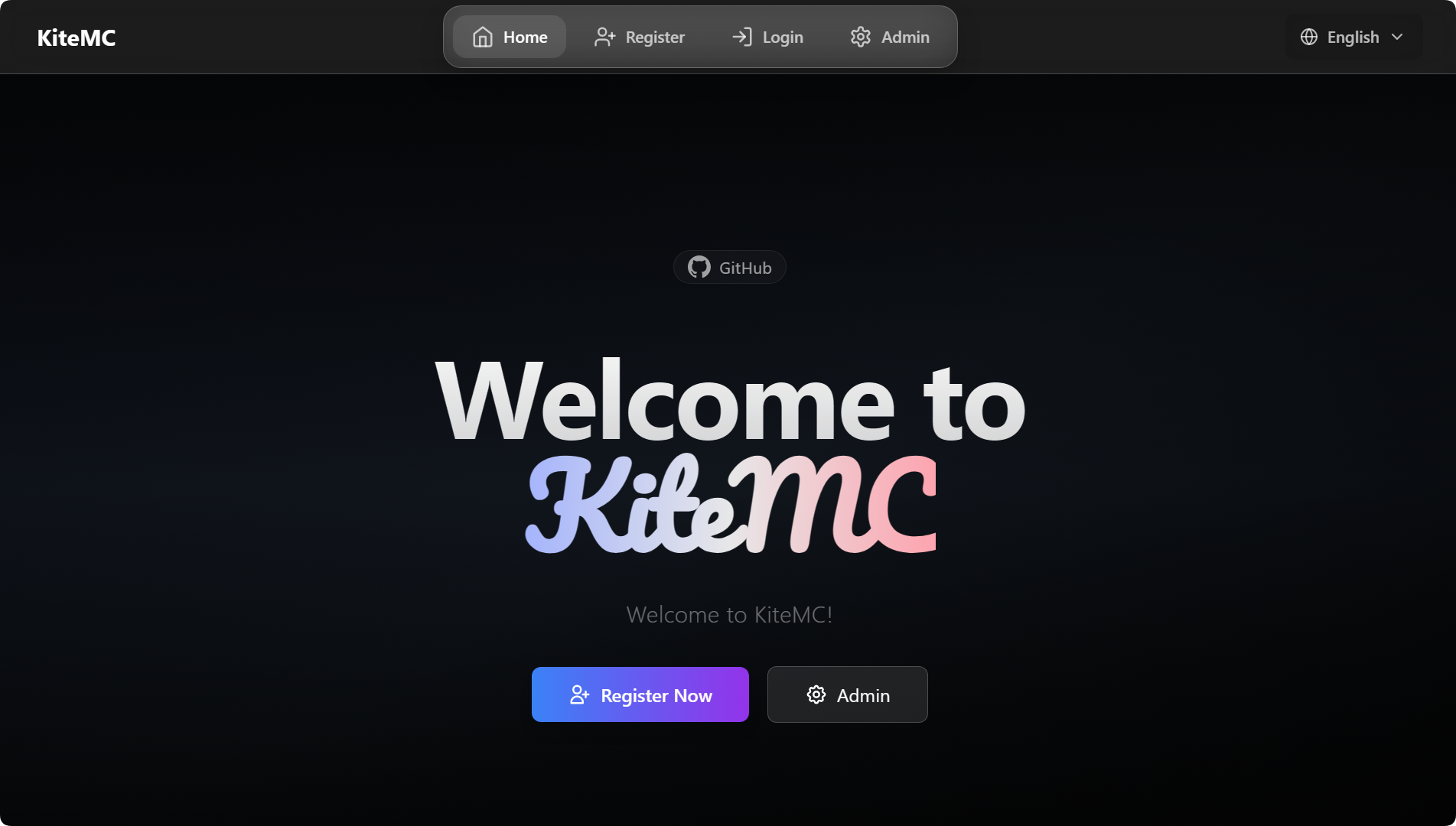
### Home Page
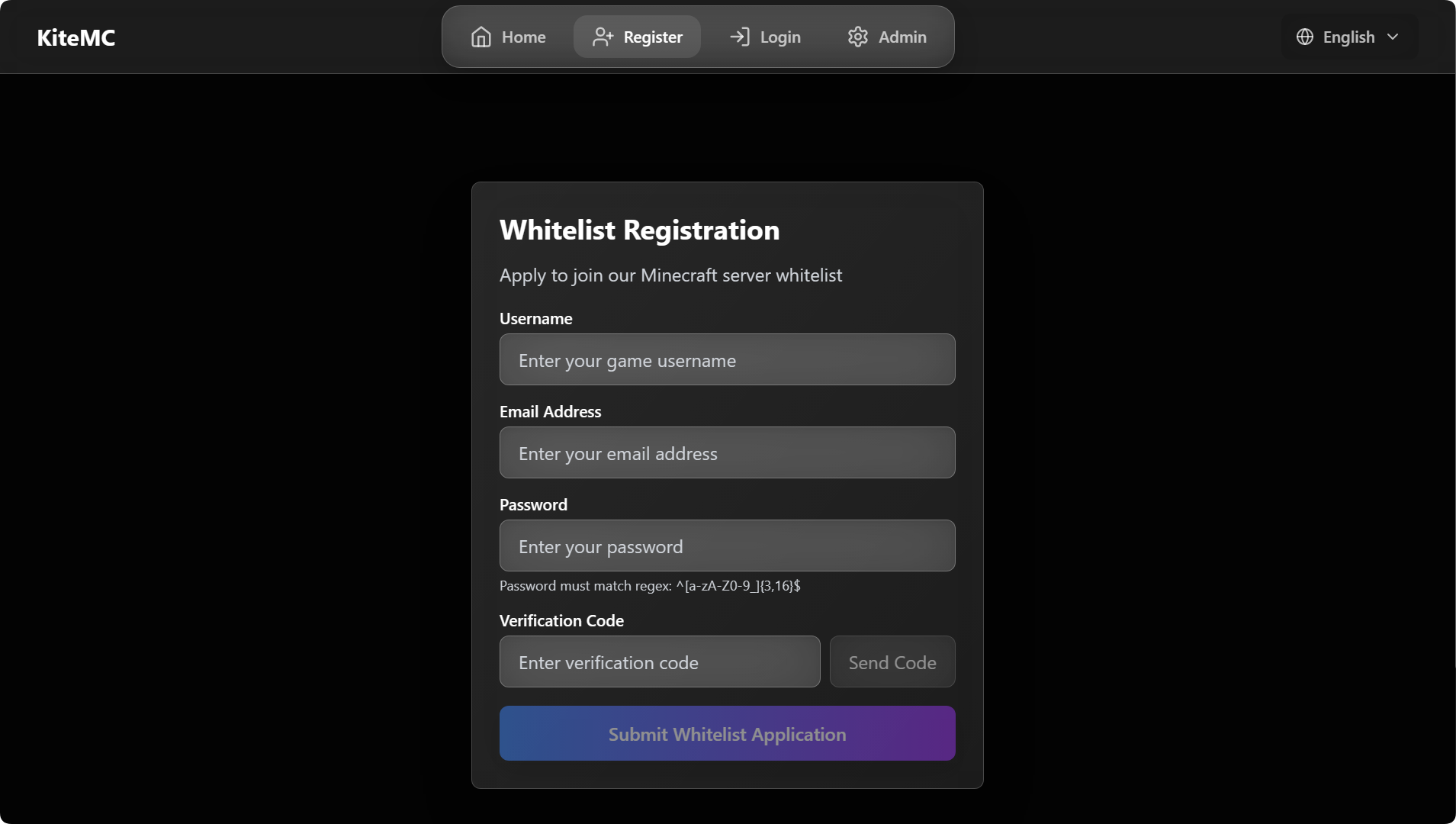
### Registration Page
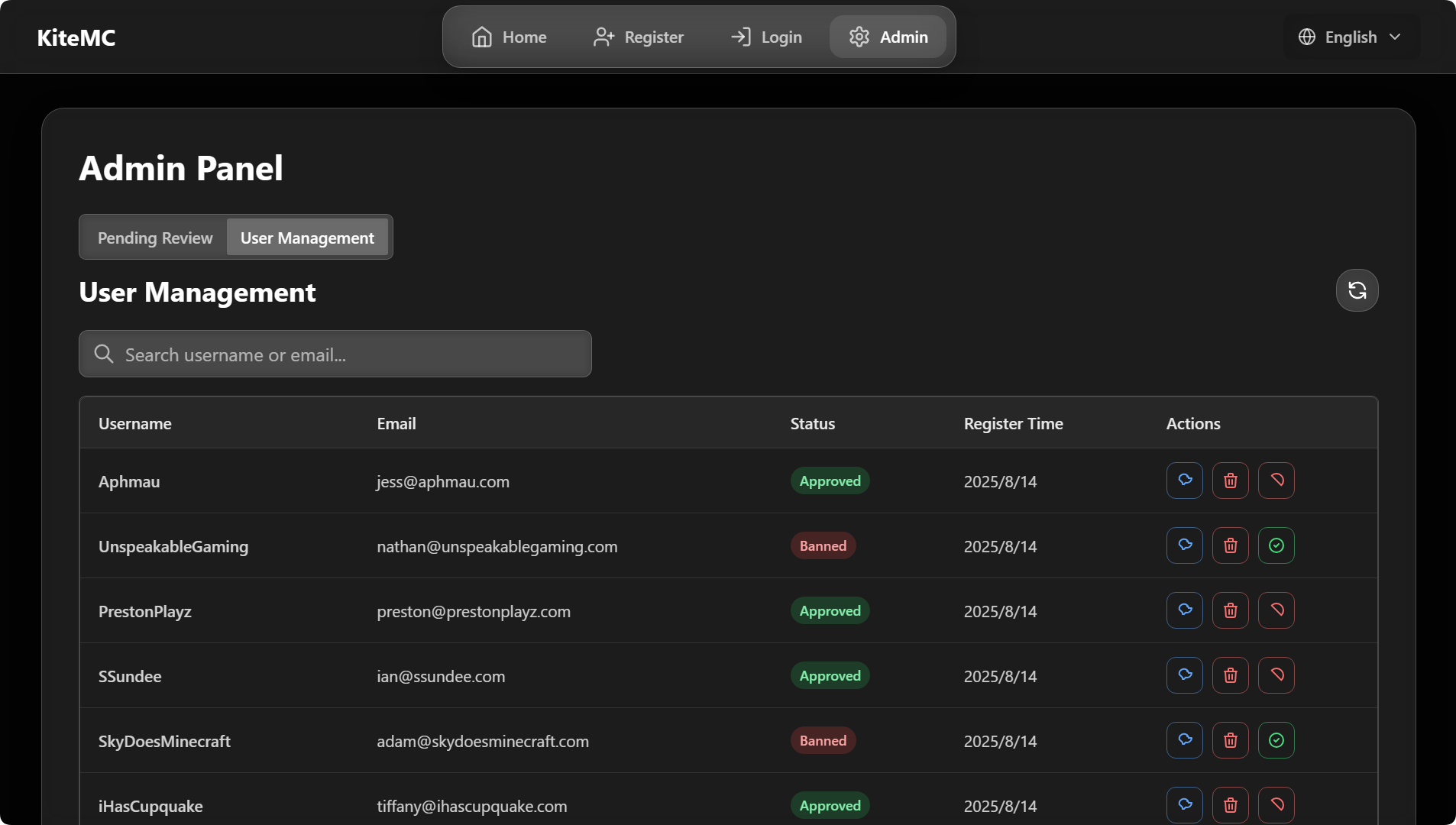
### Admin Panel
—
## 🛠️ Tech Stack
– Java (Bukkit/Spigot/Paper/Folia plugin)
– Frontend: Vue3 + Tailwind CSS (custom themes supported)
– WebSocket real-time communication
– Email service: SMTP
—
## 📦 Installation & Configuration
1. Download the latest `VerifyMC.jar` and place it in your server’s `plugins` directory.
2. Start the server to auto-generate config files, then edit `config.yml` as needed (see full example below).
3. Restart the server and visit `http://your_server_ip:8080` to access the admin panel.
“`yaml
# —————————————-
# General Settings
# —————————————-
# Global language setting. Affects plugin messages and web UI. (e.g., ‘zh’, ‘en’)
language: zh
# Enable detailed console logs for troubleshooting.
debug: false
# —————————————-
# Web Server
# —————————————-
# The port for the web interface.
web_port: 8080
# The server name displayed on the web interface.
web_server_prefix: ‘[ Name ]’
# —————————————-
# Verification & Whitelist
# —————————————-
# Supported authentication methods. Options: ’email’ (email verification), ‘captcha’ (graphical captcha).
# You can use multiple methods, e.g.: [email, captcha]
#
# [IMPORTANT] Configuring the captcha: section below does NOT enable captcha!
# To enable captcha, you MUST add ‘captcha’ to this list:
# Captcha only: auth_methods: [captcha]
# Both email and captcha: auth_methods: [email, captcha]
auth_methods:
– email
# Maximum number of game accounts that can be linked to a single email address.
max_accounts_per_email: 2
# Whitelist mode: ‘bukkit’ (syncs with server’s whitelist.json) or ‘plugin’ (uses internal database).
whitelist_mode: plugin
# Registration URL displayed to non-whitelisted players when in ‘plugin’ mode.
web_register_url: https://domain.com/
# —————————————-
# Registration
# —————————————-
# If true, new user registrations are automatically approved. If false, they require manual admin approval.
register:
auto_approve: false
# —————————————-
# User & Security
# —————————————-
# A regular expression to validate player names.
username_regex: “^[a-zA-Z0-9_-]{3,16}$”
# If false, usernames that only differ by case (e.g., “Player” and “player”) are treated as the same.
username_case_sensitive: false
# A list of IP addresses that can join the server without being whitelisted.
whitelist_bypass_ips:
– 127.0.0.1
# The password for accessing the admin panel on the web interface.
admin:
password: your_custom_password
# —————————————-
# User Notification
# —————————————-
# Send email notification to users when admin reviews their application.
user_notification:
# Whether to enable user notification feature
enabled: true
# Whether to send notification when application is approved
on_approve: true
# Whether to send notification when application is rejected
on_reject: true
# —————————————-
# Frontend (UI)
# —————————————-
frontend:
# The visual theme for the web interface. Options: ‘glassx’.
theme: glassx
# URL for the logo. Can be a web link or a local file path (e.g., ‘/logo.png’).
logo_url: /logo.png
# A message to display on the homepage.
announcement: Welcome to [ Name ]!
# —————————————-
# Email (SMTP)
# —————————————-
smtp:
host: smtp.qq.com
port: 587
username: [email protected]
password: your_email_password
from: [email protected]
enable_ssl: true
# Subject (title) of the verification code email
email_subject: VerifyMC Verification Code
# —————————————-
# Sync Settings (for bukkit mode)
# —————————————-
# If true, automatically syncs changes from whitelist.json to the plugin’s database.
whitelist_json_sync: true
# If true, automatically adds approved users to whitelist.json and removes banned/deleted users.
auto_sync_whitelist: true
# If ‘bukkit’ mode is disabled, this setting (if true) cleans players from whitelist.json.
auto_cleanup_whitelist: true
# —————————————-
# Auto Update & Backup
# —————————————-
# If true, automatically adds new settings to your config.yml on plugin updates.
auto_update_config: true
# If true, automatically updates the language files.
auto_update_i18n: true
# If true, automatically updates the email templates.
auto_update_email: true
# If true, automatically updates theme files.
auto_update_static: true
# If true, creates a full backup of the plugin data folder before any auto-updates.
backup_on_update: true
# —————————————-
# Email Registration Restrictions
# —————————————-
# Enable email domain whitelist
enable_email_domain_whitelist: true
# Enable email alias limit (e.g. forbid [email protected])
enable_email_alias_limit: false
# Email domain whitelist. Leave empty to use default mainstream domains
email_domain_whitelist:
– gmail.com
– 163.com
– 126.com
– qq.com
– outlook.com
– hotmail.com
– icloud.com
– yahoo.com
– foxmail.com
# —————————————-
# Storage & Data Migration
# —————————————-
storage:
# Storage type, options: data (local file), mysql (external database)
type: data
# Whether to automatically migrate data from the original storage to the new storage when switching storage.type (e.g., data→mysql or mysql→data)
auto_migrate_on_switch: false
mysql:
host: localhost
port: 3306
database: verifymc
user: root
password: yourpassword
# —————————————-
# Authme Integration Configuration
# —————————————-
authme:
# Whether to enable Authme integration functionality
enabled: true
# Whether to require password input during web registration
require_password: true
# Whether to automatically register to Authme when approval is granted
auto_register: false
# Whether to automatically unregister from Authme when user is deleted
auto_unregister: false
# Password regex pattern
password_regex: “^[a-zA-Z0-9_]{3,16}$”
# —————————————-
# Captcha Configuration
# —————————————-
# Captcha can be used as an alternative or supplement to email verification
# Add ‘captcha’ to auth_methods to enable: auth_methods: [captcha]
# Or use both: auth_methods: [email, captcha]
captcha:
# Captcha type: math (math expression) or text (random characters)
type: math
# Length of text captcha (ignored for math type)
length: 4
# Captcha expiration time in seconds
expire_seconds: 300
# —————————————-
# Bedrock Player Support
# —————————————-
# For Geyser/Floodgate bedrock players
bedrock:
# Whether to enable bedrock player support
enabled: false
# Prefix for bedrock players (commonly “.” for Floodgate)
prefix: “.”
# Regex for bedrock usernames
username_regex: “^\.[a-zA-Z0-9_\s]{3,16}$”
# —————————————-
# Questionnaire Configuration
# —————————————-
# Detailed questions are configured in questionnaire.yml
questionnaire:
# Whether to enable questionnaire feature
enabled: false
# Minimum score to pass
pass_score: 60
# Auto-approve users who pass the questionnaire
auto_approve_on_pass: false
# —————————————-
# Discord Integration (OAuth2)
# —————————————-
# Requires creating a Discord application at https://discord.com/developers/applications
discord:
# Whether to enable Discord integration
enabled: false
# Discord application client ID
client_id: “”
# Discord application client secret
client_secret: “”
# OAuth2 redirect URI
redirect_uri: “https://yourdomain.com/api/discord/callback”
# Optional: require users to be in specific guild/server
guild_id: “”
# Whether Discord linking is required for registration
required: false
“`
—
## 💬 Official Community
– **QQ Group**: 1041540576 (Join)
– **Discord**: https://discord.gg/TCn9v88V
—
> ❤️ If you like this project, please Star, share, and give us feedback!
velostat
This plugin provides a lightweight HTTP API that exports the real-time status of all Velocity backend servers in JSON format.
Exported fields are fully configurable via `plugins/velostat/config.yml`, allowing safe public exposure.
The game version is for all versions supported by Velocity 3.4.0-SNAPSHOT as it is added to the proxy server only. The game version must be specified and is specified, but see the Server compatibility for details.
– – –
# Installation
1. Download the latest release of the plugin
2. Put `velostat-x.x.jar` in /plugins directory of velocity
This completes the process!
– – –
# Config reference
| Setting name | Description | Default |
|:—————————|:———————————————————————————–|:——–|
| `api.port` | The port number for the internal HTTP server to listen on. | `8080` |
| `ping.interval_seconds` | The interval (in seconds) at which the plugin pings sub-servers to collect status. | `10` |
| `export.server.name` | Whether to include the server name (defined in Velocity) in the JSON output. | `true` |
| `export.server.address` | Whether to include the server address in the JSON output. | `true` |
| `export.server.status` | Whether to include the online/offline status in the JSON output. | `true` |
| `export.server.motd` | Whether to include the server’s MOTD (Message of the Day) in the JSON output. | `true` |
| `export.server.players` | Whether to include player counts (online/max) in the JSON output. | `true` |
| `export.server.version` | Whether to include the game version name and protocol version in the JSON output. | `true` |
| `export.server.updated_at` | Whether to include the last update timestamp in the JSON output. | `true` |
– – –
# Example Json output
Accessing `http://:/status` will return data with a `Content-Type: application/json`.
### FULL data
“`json
{
“lobby”: {
“name”: “lobby”,
“address”: “127.0.0.1:25565”,
“online”: true,
“motd”: “Welcome to the Lobby!”,
“players”: {
“online”: 12,
“max”: 100
},
“version”: {
“name”: “Paper 1.21.1”,
“protocol”: 767
},
“updated_at”: 1704681000000
},
“survival”: {
“name”: “survival”,
“address”: “127.0.0.1:25566”,
“online”: false,
“motd”: null,
“players”: {
“online”: 0,
“max”: 0
},
“version”: null,
“updated_at”: 1704681000000
}
}
“`
### Configured data
“`json
{
“lobby”: {
“name”: “lobby”,
“online”: true,
“motd”: “Welcome to the Lobby!”,
“players”: {
“online”: 12,
“max”: 100
},
“updated_at”: 1704681000000
},
“survival”: {
“name”: “survival”,
“online”: false,
“motd”: null,
“players”: {
“online”: 0,
“max”: 0
},
“updated_at”: 1704681000000
}
}
“`
## Field Description
### Root Object
| Field | Type | Description |
|———–|———|——————————————–|
| `servers` | `array` | List of servers defined in `velocity.toml` |
—
### Server Object
| Field | Type | Description |
|:————:|:———:|:——————————————————————|
| `name` | `string` | Server name defined in `[servers]` section of `velocity.toml` |
| `address` | `string` | Server address (`host:port`) |
| `online` | `boolean` | Whether the server responded to a ping |
| `motd` | `string` | Server MOTD (may contain legacy color codes) |
| `players` | `object` | Player information (only present if enabled and server is online) |
| `version` | `object` | Minecraft version information |
| `updated_at` | `number` | Last update timestamp(UNIX time) |
—
### Players Object
| Field | Type | Description |
|:——–:|:——–:|———————————-|
| `online` | `number` | Current number of online players |
| `max` | `number` | Maximum player capacity |
—
### Version Object
| Field | Type | Description |
|:———-:|:——–:|————————————-|
| `name` | `string` | Version name reported by the server |
| `protocol` | `number` | Minecraft protocol version |
—
## Notes
* Fields may be **omitted** depending on `config.yml` settings.
* If a server is offline, only `name`, `address`, and `online` are guaranteed.
* This API is intended for **internal dashboards, status pages, or monitoring tools**.
# Issue and question
If the plugin does not work properly, try deleting `config.yml`.
Problems and questions feature request [here]([https://github.com/stellarcielo/velostat/issues).
Velodicord
](https://modrinth.com/plugin/velodicord)


# Velodicord
## JAPANESE/日本語
## Description
This is a plugin for velocity, which allows you to share chat between discord and minecraft, Japanese language version of it, start/stop velocity server notification, player move in/out/server move notification, player death notification, player progress achievement notification, player command execution notification, server move by /server name, current coordinates notification to discord by /pos, current player notification by /player (can also be done from discord). player’s progress, player’s command execution, server move by /server name, /pos notification to discord of current coordinates, /player notification of current players (from discord as well), etc.
> **Notification of player death, player progress, player command execution, /pos notification to discord of current coordinates, and Fabdicord is also needed on the fabric server side**
## TODO
1. Create a discord bot
– Required permissions
– Bot
– Privileged Gateway Intents
– PRESENCE INTENT
– SERVER MEMBERS INTENT
– MESSAGE CONTENT INTENT
– OAuth2
– OAuth2 URL Generator
– SCOPES
– applications.commands
– bot
– BOT PERMISSIONS
– Administer
1. Put this plugin in the plugins folder of velocity server and restart
1. Edit plugins/Velodicord/config.json
1. let’s enjoy!
## config file
“`
{
“_bcomment_” : “discordbotのtoken”,
“BotToken” : “aaaaaa”,
“_mcomment_” : “discordのメインチャンネルID”,
“MainChannelID” : “000000”,
“_pmcomment_” : “discordのプラグインメッセージチャンネルID”,
“PMChannelID” : “000000”,
“_lcomment_” : “マイクラサーバーのログ**フォーラム**チャンネルID(オプション)”,
“LogChannelID” : “000000”,
“_ncomment_” : “discordの入退出などの通知チャンネルID(オプション)”,
“NoticeChannelID” : “000000”,
“_pocomment_” : “discordのPOSチャンネルID(オプション)”,
“PosChannelID” : “000000”,
“_cccomment_” : “discordのコマンドチャンネルID(オプション)”,
“CommandChannelID” : “000000”,
“_vcomment_” : “VOICEVOXのタイプ CPU : 1 DirectML : 2 CUDA : 3”,
“VOICEVOX-type” : “1”,
“_dcomment_” : “デフォルトの読み上げの声のID”,
“DefaultSpeakerID” : “3”,
“_crcomment_” : “管理者コマンドを実行できるロールID”,
“CommandRoleID” : “aaaaaa”
}
“`

VelocityWelcomeX
**VelocityWelcome
Overview**
VelocityWelcome is a comprehensive Minecraft server welcome system that works across both Velocity proxy and Bukkit/Spigot servers. It provides customizable, colorful welcome messages while eliminating the default vanilla join and quit messages for a cleaner, more professional server experience.
**Features**
Custom Welcome Messages: Display personalized, randomized welcome messages when players join your network
Player Join Counter: Show players their unique join number (e.g., “#42”) to create a sense of community and history
No Vanilla Messages: Automatically suppresses the default Minecraft join/quit messages
Network-Wide Support: Works seamlessly between Velocity proxy and all connected Bukkit/Spigot servers
Fully Customizable: Change colors, message formats, and welcome text through a simple configuration
Persistent Player Data: Maintains player join rankings across server restarts
**Why Choose VelocityWelcome?**
Clean Server Experience
VelocityWelcome completely eliminates the standard Minecraft join and quit notifications that can clutter your chat, especially on busy servers. Only your custom welcome messages will be displayed, giving your server a professional and polished feel.
Enhanced First Impressions
First impressions matter. When new players join your server, they’ll be greeted with a colorful, personalized welcome message that stands out from the standard Minecraft experience. This small touch can significantly improve how players perceive your server’s quality.
Community Building
The unique join counter feature shows players their position in your server’s history (e.g., “Welcome PlayerName! (#137)”). This creates a sense of belonging and community, making players feel like they’re part of something established and significant.
Network Efficiency
VelocityWelcome is designed specifically for proxy-based server networks. It efficiently communicates between your Velocity proxy and backend servers to ensure consistent behavior and prevent duplicate welcome messages when players move between servers in your network.
Technical Excellence
VelocityWelcome is built with performance in mind:
Lightweight with minimal resource usage
Uses efficient plugin messaging channels
Thread-safe concurrent collections for player tracking
Early-priority event handling to prevent conflicts with other plugins
**Setup and Installation**
**Prerequisites**
Velocity proxy server (latest version recommended)
Bukkit/Spigot/Paper servers (latest version recommended)
Installation Steps
**Download the Plugin Files**
VelocityWelcome.jar (for Velocity proxy)
VelocityWelcomeBukkit.jar (for each Bukkit/Spigot server)
Both from here.
**Install on Velocity**
Place VelocityWelcome.jar in your Velocity plugins folder
Restart your proxy server
A default configuration will be generated
**Install on Backend Servers**
Place VelocityWelcomeBukkit.jar in the plugins folder of each backend server
Restart each server
No additional configuration needed on backend servers
**
Configuration (Optional)**
Edit the config.json file in the VelocityWelcome folder
Customize welcome messages, colors, and other options
Save changes and use /velocity reload to apply
Configuration
The plugin creates a simple JSON configuration file with the following options:
VelocityWebConsole
# VelocityWebConsole
**Control your Velocity proxy from anywhere via a web browser.** No SSH, no external web server — just drop the plugin and open a URL. Perfect for VPS setups where you don’t have direct terminal access.
**_NOTE THIS PLUGIN IS NEW AND UNDER ACTIVE DEVELOPMENT, EXPECT BUGS. PLEASE REPORT THEM TO THE PROVIDED DISCORD CHANNEL UNDER #plugin-help_**
—
## 🟢 SUPER Easy setup & use
– **No external server** — The plugin runs its own web server. No Apache, nginx, or database to install or configure.
– **Three steps** — Drop the jar in `plugins/`, restart Velocity, then open `http://YOUR_SERVER_IP:25580/` in a browser. That’s it.
– **Sensible defaults** — Port **25580**, log file auto-detected. You only need to edit `config.properties` if you want a different port or to bind to localhost.
– **First login** — Log in with **admin** / **admin**, set a new password when prompted, and you’re in. Add more users (admin/viewer) from the **Users** page if you like.
—

—
## ✨ Features
– **Live console view** — See your proxy’s console output in real time, streamed straight to the browser.
– **Run commands** — Execute any Velocity console command from the web UI.
– **User management** — Create multiple users with **Admin** (full control) or **Viewer** (read-only console, no command execution) roles.
– **Secure by default** — Passwords are stored hashed (PBKDF2) in `users.json`.
– **HTTPS support** — Serve the console over TLS. Set `use_https=true` in config and provide a keystore (PKCS12 or JKS). Use a certificate from **Let’s Encrypt** (or another CA) for your domain to avoid browser “Not secure” warnings; self-signed certs work but require clicking “Advanced → Proceed” once per browser. When using HTTPS, the session cookie is `Secure` and responses send **HSTS** so browsers stick to HTTPS. Optional **HTTP redirect**: set `redirect_http_port` so users can type `http://yourserver:25580` and get redirected to `https://yourserver:25581` (see config comments).
—
## ⚙️ Configuration
Edit `plugins/velocitywebconsole/config.properties` and restart the proxy for changes to take effect.
| Option | Default | Description |
|——–|———|————-|
| `port` | `25580` | Port the web console listens on (HTTPS if `use_https=true`, else HTTP). |
| `bind_address` | `0.0.0.0` | `0.0.0.0` = all interfaces, `127.0.0.1` = localhost only. |
| `log_file` | *(auto)* | Path to Velocity’s log file if auto-detect fails (e.g. `logs/latest.log`). |
| `use_https` | `false` | Serve over HTTPS (requires `keystore_path` and `keystore_password`). |
| `keystore_path` | *(empty)* | Path to keystore file (.p12/.pfx or .jks). Relative = under plugin data dir. |
| `keystore_password` | *(empty)* | Keystore password. |
| `keystore_type` | `PKCS12` | `PKCS12` or `JKS`. |
| `redirect_http_port` | `0` | When using HTTPS: HTTP port that redirects to HTTPS so users can type the URL without `https://`. Set `port` to the HTTPS port (e.g. 25581) and `redirect_http_port` to the port users type (e.g. 25580). `0` = disabled. |
—
## 🔒 Security tips
– **Change the default password** on first use.
– Prefer `bind_address=127.0.0.1` and use SSH port forwarding if you only need access from your own machine.
– Don’t expose the web console port to the internet without a firewall or strong passwords.
—
## 📋 Requirements
– **Velocity** 3.4.x – 3.5.x proxy, built on 3.4.x API (tested on 3.5.x)
– **Java 17+**
—
VelocityVersionBouncer
# VelocityVersionBouncer
**A simple and fully automated way to connect players to the correct server based on their game version.**
**VelocityVersionBouncer** is a plugin for the Velocity proxy (tested on version 3.4) that automatically selects the most compatible backend server for a connecting player, based on their protocol version (Minecraft game version).
—
### 🔧 How It Works
– Everytime a client connects to your proxy the plugin will check all the registered servers and compare their protocol versions (game versions).
– By default, the first server that matches will be selected (you can change that in the config).
– There is a config.toml file located in the plugins folder (`plugins/VelocityVersionBouncer/config.toml`).
– In the config itself each option is pretty well explained (nevertheless I’ll include an example config.toml at the end of this README).
– Optional features include: a fallback functionality as well as comparing versions for server list pings.
### ❓ Questions you may have:
– **Is this also triggered when changing servers via `/server`?** No, the version checking is only triggered when connecting initially (from the multiplayer server list) or when using the fallback functionality.
– **What happens if no compatible server is found?** The client will simply be disconnected with the according note/reason.
– **Does this work with modded minecraft servers?** If you’re using setups like Ambassador+ProxyCompatibleForge (more information) this plugin will route the client based purely on their protocol version (game version), not their installed mods. _Note: This setup has only been tested with PaperMC and (Neo)Forge servers._
### 📦 Installation & 🛠️ Requirements
1. Download the `.jar` file of the last stable release (here) or build it yourself (the gradle files are included).
2. Put the file in your servers `plugins/` folder (only the proxy!) and restart the server once to generate the config file.
3. When you’re finished editing the config restart the proxy once more and everything should be working.
_Note: this plugin may not work properly if you are not running on `Java 21` (or higher) and `Velocity 3.4.0` or above_
4. If you’re having problems: make sure you’re not using a snapshot (as these are expected to be unstable and this README is always explaining the latest release anyway), if there’s still a problem feel free to open an issue on the plugins GitHub repository.
## Example Config:
“`toml
# This config is used to determine how and if servers are checked for their protocol versions whenever a client tries to connect to a backend server (and optionally if they lost connection)
# ‘whitelist’ is a string array of server names to check for their protocol version when a client tries to connect.
# leaving this empty is equal to putting all registered servers in
# Example: [“server1”, “server2”]
# Note: spaces outside the strings will be ignored.
whitelist = [“lobby1”, “lobby2”, “fun-minigame”, “devServer”]
# ‘blacklist’ is an array of strings to exclude from the temporary list of servers during version comparison.
# first the whitelist is added and then all servers contained in the blacklist are removed from that temporary list.
blacklist = [“devServer”]
# If enabled this option ensures that joining players will be distributed evenly over all servers
# Options: (case-insensitive)
# “FIRST-MATCH” – players will be sent to the first matching server
# “BALANCED” – players will be evenly distributed over all matching servers
distribution = “FIRST-MATCH”
# This option if set to ‘true’ lets you override verlocity’s way of determining the server list ping response by using the try-list of the config (‘ping-passthrough’)
# instead when a client sends a server ping it will use the same algorithm to determine a matching server as in the joining/fallback process
# be carefully when also using clientbrands in the explicit routings as these can’t be used to match server pings
server-list-ping = false
# This option determines wether to use velocities ping-passthrough when no matching server was found for the ping response
# If set to true, things like the description will probably show but the client shows that the version doesn’t match,
# otherwise the client will display “Can’t connect to server”
# This option will also be ignored if ‘server-list-ping’ is set to false
default-to-ping-passthrough = true
# This defines how often all backend servers get pinged to refresh infos in the plugins ping cache
# in seconds
ping-intervall = 300
# If enabled this option ensures that whenever a client is kicked from a server (whether during login, via /kick, or for another reason),
# they will be automatically redirected (bounced) to another server instead of being disconnected. (obviously if a client disconnects explicitly via leaving the server they will not be redirected)
enable-fallback-bouncing = true
# If set to true, the server the client was kicked from will be temporarily excluded from fallback options,
# preventing the client from being sent back there during fallback-bouncing.
exclude-previous-server = false
# When there is a valid server name in ‘explicit-fallback-server’ the plugin won’t search for a new server and instead only tries the specified server.
# Leave this empty, if you’d like to disable this option (also this is disabled when enable-fallback-bouncing is set to false).
explicit-fallback-server = “lobby”
# —— explicit routing ——
# Syntax
# v1_x_x – game version
# p000 – protocol version (Protocol Versions for every release/snapshot can be found here: https://minecraft.wiki/w/Minecraft_Wiki:Projects/wiki.vg_merge/Protocol_version_numbers)
# cFORGE – Client brand (for example: vanilla, forge, fabric, Geyser (for player joining through GeyserMC), badlion, etc.
# either a game version (v) or a protocol version (p) is necessary but client brands (c) are completely optional
# when no client brand is defined the routing just takes every client joining with the defined game/protocol version
[explicit-routing]
# Example: v1_21_8cFORGE = “lobby-1”
# Example: p123 = “lobby-2”
# Example: cGeyser = “GeyserMC-server”
“`
VelocitySlots
# VelocitySlots
VelocitySlots is a simple Velocity (and BungeeCord) plugin that **fakes the maximum player slots** in your server’s MOTD.
* Supports dynamic slot adjustment based on online players with an offset.
* Can also be set to a static number or an “unlimited” mode.
* Lightweight and requires **no other plugin dependencies**.
—
## Features
* **DYNAMIC mode**: Show `online players + offset` as max slots.
* **STATIC mode**: Always show a fixed maximum slot number.
* Configurable via `config.yml`.
—
## Installation
1. Place the `VelocitySlots.jar` in your `plugins/` folder.
2. Start Velocity — a default `config.yml` will be generated automatically.
3. Stop Velocity and edit `plugins/VelocitySlots/config.yml` as needed.
4. Restart Velocity to apply changes.
—
## Configuration (`config.yml`)
“`yaml
# ———————————————————-
# VelocitySlots Configuration File
# ———————————————————-
# This file allows you to control the “max slots” displayed
# in your server list (the MOTD), without affecting the real
# number of online players.
#
# You can configure static numbers and dynamic slots.
# All settings here only affect the max players shown
# to clients.
#
# Keep in mind, this is fake max slots, meaning if for
# example the max slots of your server is at 200 players,
# the limit will still work.
# ———————————————————-
# ————————
# MAX SLOTS MODE
# ————————
# Choose how the max slots should be displayed.
# Options:
# DYNAMIC -> max slots = online players + offset
# STATIC -> max slots = static-slots value
max-slots-mode: DYNAMIC
# ————————
# DYNAMIC MODE SETTINGS
# ————————
# Only used if max-slots-mode is set to DYNAMIC.
# The plugin will take the real online player count and
# add the offset. This makes the server appear fuller.
# Example: 50 players online + offset 10 => 50/60 shown
offset: 0
# ————————
# STATIC MODE SETTINGS
# ————————
# Only used if max-slots-mode is set to STATIC.
# This number will always be shown as the max slots in the
# server ping, regardless of the actual player count.
# Example: static-slots: 1 will show 20/1 if 20 are online
static-slots: 100
# ————————
# NOTES
# ————————
# 1. Only the max slots value is changed; online players
# always display the real count.
# 2. Offset is ignored in STATIC modes.
# 3. Setting max-slots-mode: DYNAMIC with offset: 0
# simply mirrors the current online count as max slots.
# 4. You can adjust these values at any time; the changes
# will take effect immediately for the next server ping.
“`
—
## Example
If you have **50 players online** and `offset: 10` in FAKE mode:
“`
MOTD: 50/60
“`