UltimateAutoRestart
## Features
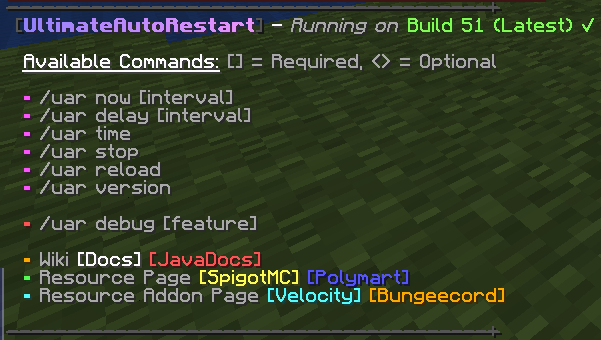
– Create schedules like “Monday;23;00”, “Friday;02;00”, “Daily;12;00”.
– Configure commands to run on restart or x sec. before (or after).
– Configure commands to run on specific days of the week.
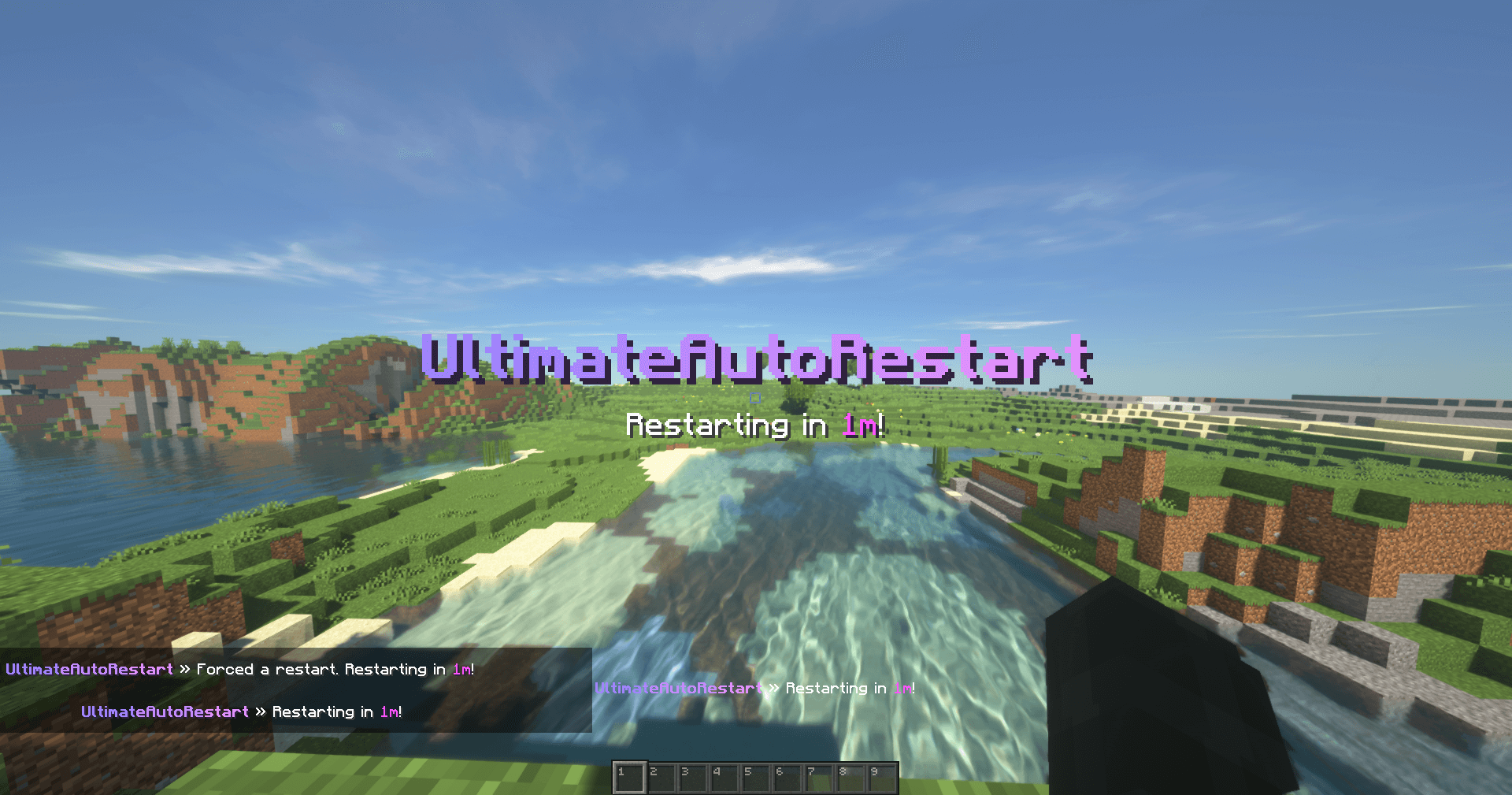
– Choose at which intervals sounds, messages will be sent.
– Delay restarts if x users are playing on the server.
– Execute Bukkit, Bungee, and Velocity commands (further setup required).
– Schedule commands to run through your proxy (you can do stuff like send back players to their server after it’s up, send global restart alerts, etc.).
– Command for your players to check when a restart will happen.
– Command to override or delay the restart interval, and define a reason for it.
– Works on all panels (Pterodactyl, Multicraft, some may require extra steps).
## Gallery
### YouTube Video

## Default configurations
– View the default config file here!
– View the default messages file here!
## Developer API
– Information about the available Developer API can be found here
UA Translation | Переклад українською
Ukrainizacija (Ukrainian Localization for mods)
I will present the description in two languages



Welcome to our Ukrainian language resource pack for Minecraft! This pack adds Ukrainian translations to various mods in the game, allowing Ukrainian players to fully immerse themselves in the Minecraft world. We believe it’s essential for Ukrainian players to have access to the game in their native language, which is why we’ve created this resource pack. Our team has put a lot of time and effort into translating the mods and ensuring that the Ukrainian translations are accurate and easy to understand.
If you’re interested in contributing to our project or providing feedback, please check out our GitHub repository at https://github.com/SKZGx/UA-Translation. We welcome any contributions or suggestions from the community.
We hope you enjoy playing Minecraft in Ukrainian and that our resource pack enhances your gaming experience. Let’s encourage our fellow citizens to play the game in Ukrainian and support our language and culture!
### Список перекладів можна переглянути на сайті
### The list of translations is available on the website
https://sumtranslate.netlify.app/

### This is a large archive of translations we have done.
### Це великий архів перекладів які ми робили.
Ласкаво просимо до нашого ресурс-паку української мови для Minecraft! Цей пак додає український переклад до різних модів у грі, дозволяючи українським гравцям повністю зануритись у світ Minecraft. Ми вважаємо, що важливо, щоб українські гравці мали доступ до гри у своїй рідній мові, тому ми створили цей ресурс-пак. Наша команда вклала багато часу та зусиль у переклад модів та забезпечення того, що українські переклади є точними та легко зрозумілими.
Якщо ви зацікавлені в контрибуції нашого проєкту або хочете надати зворотний зв’язок, перегляньте наш репозиторій на GitHub за посиланням https://github.com/SKZGx/UA-Translation. Ми вітаємо будь-які внески або пропозиції від громади.
Ми сподіваємось, що вам сподобається грати в Minecraft українською мовою та що наш ресурс-пак покращить ваші враження від гри. Давайте підтримувати та грати ігри українською мовою, сприяючи нашій мові та культурі!
U.P.E. Addon – Neither Portal
Adds a visual effect to the portal in the style of the portals from the snapshot 20w14infinite.
Simply dye and rename one of the pieces of leather armor using any dye, and your portal will become colored.
For proper operation on versions BELOW 1.21.5, a mod implementing CIT (Custom Item Textures) is required.
For versions ABOVE 1.21.5+, no modifications are required (except perhaps the U.P.E. Addon – Connector Ultima, if you want to play with multiple addons).
U.P.E. Addon – Jeb_ Portal
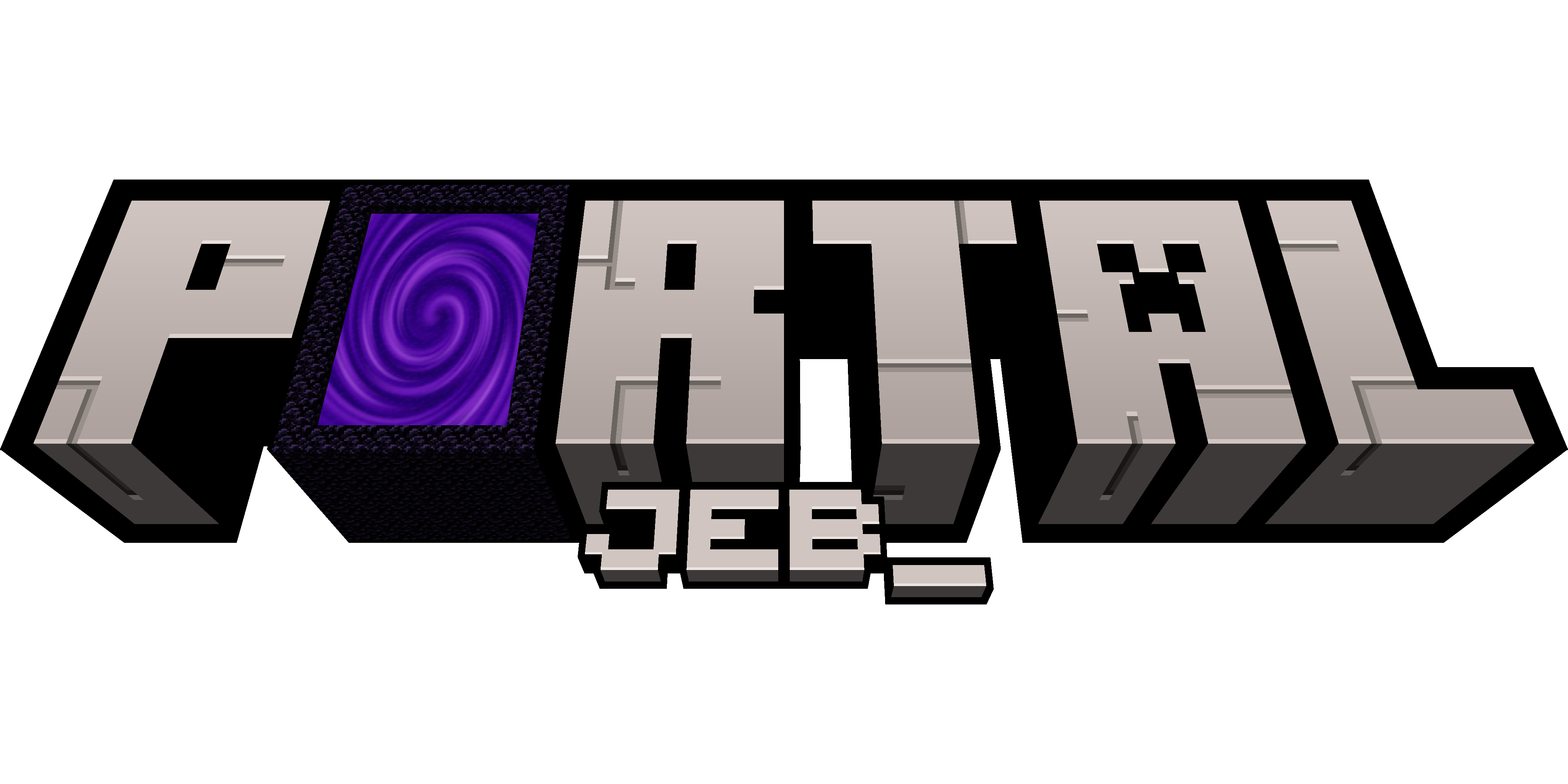
Adds a visual effect to the portal in the style of the renamed sheep jeb_ .
Simply rename one of the pieces of leather armor, and your portal will shimmer with the colors of a “jeb_” sheep.
For proper operation on versions BELOW 1.21.5, a mod implementing CIT (Custom Item Textures) is required.
For versions ABOVE 1.21.5+, no modifications are required (except perhaps the U.P.E. Addon – Connector Ultima, if you want to play with multiple addons).
TZP Extra Compat (Tissou’s Zombie Style)
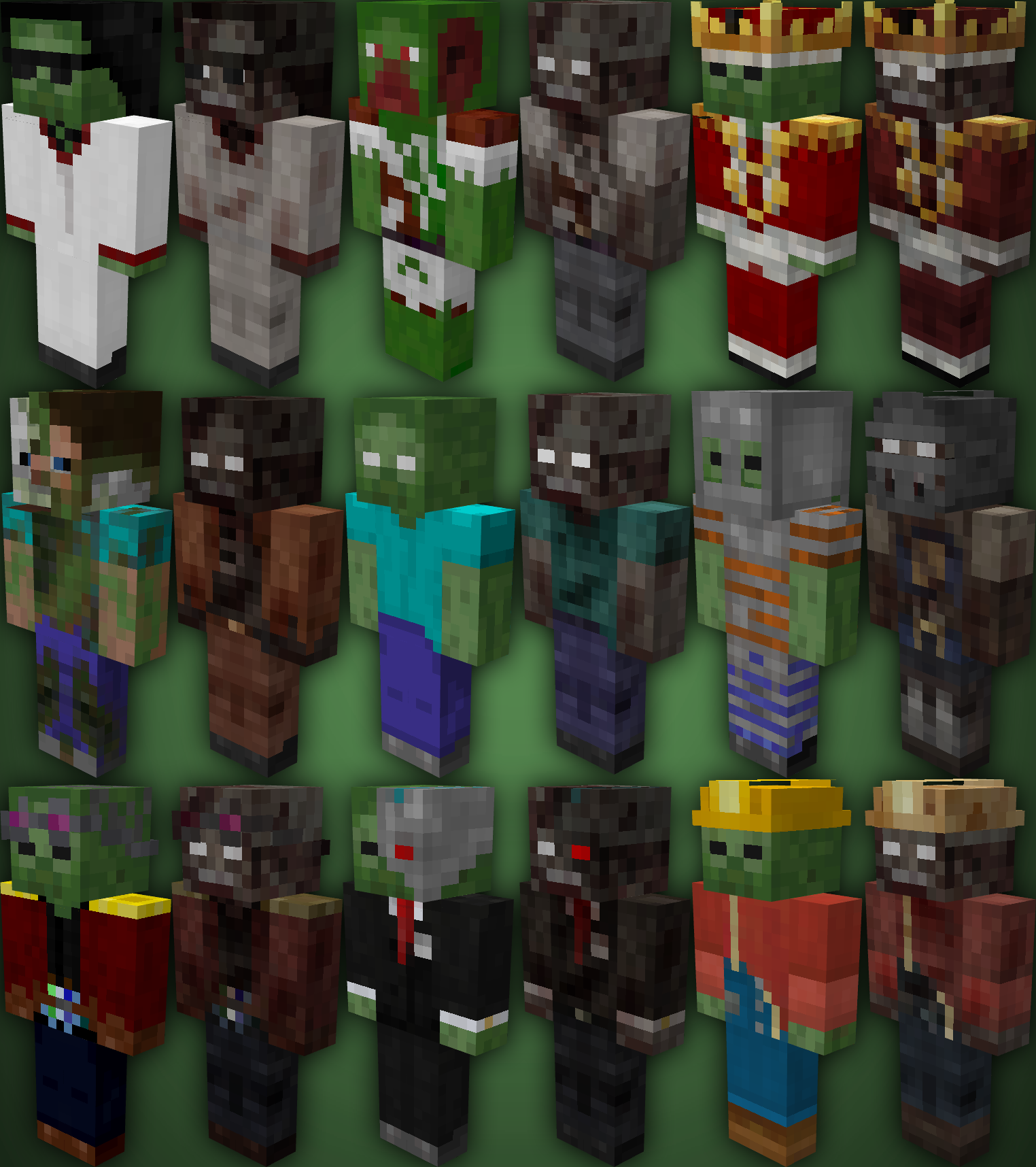
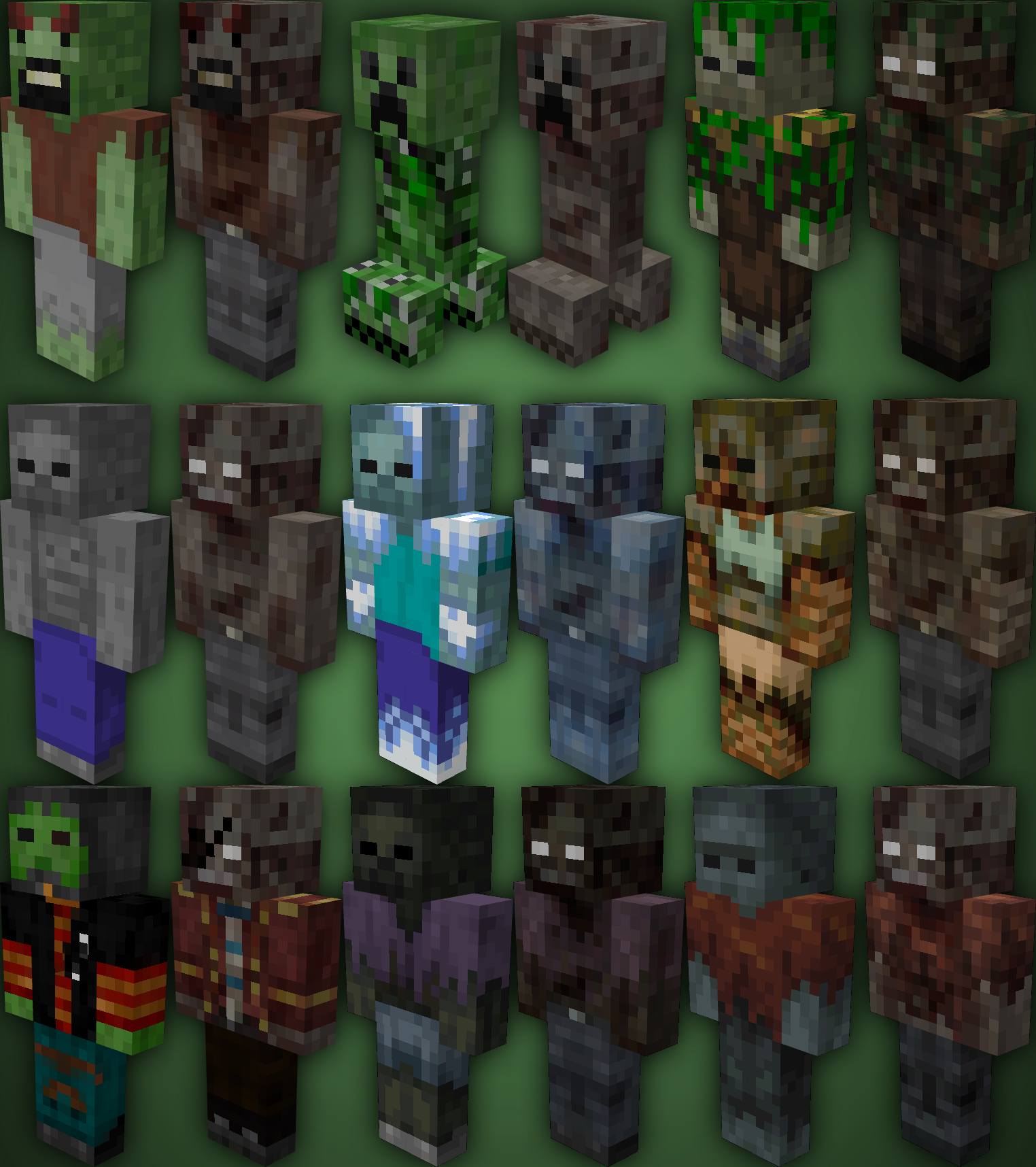
TZP Extra Mod Compat, Add new textures to mobs (zombies) so you feel more according to Tissou’s Zombie Pack Style.
### Mod Compatibility:
– Sully’s Mod
– Mo’ Zombies Wave
– Mob Variants
– Majrusz’s Progressive Difficulty
### Before (left), after (right)
Typewriter Font 32x
‘Typewriter Font’ is a Minecraft Resource Pack that aims to recreate typewriter like letters. It makes the Gameplay feel more medieval and immersive.
## The Alphabet

## Also supports cyrillic/accented letters and pictograms

Typed Pixel Font
### Typed Pixel Font
– This pack changes the Game Font to my own one named “Typed Pixel”.
– It’s based on the Typewriter Machine letters.
– The font is easier to read for people with reading disorders.
### All Rights Reserved:
– This work is under All Rights Reserved license.
### Can I use your work in my own creations?
– Feel free to give my work a new life for as long as you credit me in the creation you use it in.
– When using my work please post a link to an official site.
– When crediting my work you can use either “Dawortar” or “Dakinate”, both nicknames are associated with me.
### For More:
– Curse Forge: https://www.curseforge.com/members/dawortar/projects
– Planet Minecraft: https://www.planetminecraft.com/member/dawortar/submissions
### Support Me:
– Patreon: https://www.patreon.com/dawortar
– PayPal: https://www.paypal.com/paypalme/dawortar
– Ko-fi: https://ko-fi.com/dawortar
### Owned and Created by: Daki “Dawortar” Nate
©2024 Dakinate/Dawortar
Tyler the Creator Records
Changes minecrafts BORING discs to tyler the creators albums.
Currently has:
– **IGOR**
Tweakeroo
## Description
Tweakeroo is a client-side mod that adds a whole bunch of miscellaneous “tweaks” to the game.
Some of the more popular tweaks are Hand Restock, Flexible Block Placement and Accurate Block Placement, Fast Left and Right Click, Gamma Override and Free Camera.
The default hotkey to open the config menu is `X + C`.
## Warning for playing on servers
You should make sure that the mod is allowed on the server if you play in multiplayer!
Some (or many, or most?) of the features are considered to be rather powerful and cheaty by many players, and many server might not allow using many of the features.
Some servers might also have automated anti-cheat plugins or mods, which can either kick or ban the player when they detect “unusual activity” which doesn’t happen with a vanilla client.
An example of this are the Flexible and Accurate Block Placement features, which can click on air blocks, and they can also send item use packets with a modified hit position (this is how the “accurate block placement protocol” intoduced by Carpet mod back in 1.12-ish works).
As another example, Hand Restock might get flagged because it sends a few slot click packets really quickly, without opening the player inventory.
So **ask the server owners or admins before using the mod!** Or, you know, run your own server for yourself and some friends, where you make the rules on what is allowed.
## List of features
Here are some rough lists of the available features in some versions of the mod. The exact available features varies by the mod version, where later versions usually have more features. There are also a small number of features that have been (temporaily?) disabled for example during the 1.19.x MC versions due to vanilla code changes making them difficult to port (Creative Extra Items and Custom Flat World Presets tweaks for example).
The features are divided into two types of categories in the config menu:
– `Tweaks` are features that “add functionality”
– `Yeets` (or `Disable Toggles` in older naming) are features which disable some functionality of the vanilla game (such as `Disable Nether Fog`).
Note: Features marked with an asterisk only work in single player. They need to be applied to server-side code, which in a client-side mod is only possible for the integrated server, so in other words while playing in single player.
Features in MC 1.12.2 (Ornithe 0.40.0-ish and LiteLoader 0.31.0-ish versions)
Tweaks
– Accurate Block Placement
– After Clicker
– Aim Lock
– Angel Block
– Block Placement Y-Mirror
– Block Breaking Particle Tweaks
– Block Model Override
– Block Reach Override
– Block Render Type Override
– Breaking Grid
– Breaking Restriction
– Chat Background Color
– Chat Persistent Text
– Chat Timestamp
– Chunk Render On Main Thread
– Chunk Render Timeout Override
– Cloud Height Override
– Command Block Extra Fields
– Custom Flat Presets
– Debug Pie Chart Scale
– Elytra Camera
– * Empty Shulker Boxes Stack
– * Empty Shulker Boxes Stack On Ground
– Explosion Reduced Particles
– F3 Cursor
– Fake Sneaking
– Fast Block Placement
– Fast Left Click
– Fast Right Click
– * Fill/Clone Limit Override
– Fly Speed Override
– Flexible Block Placement
– Free Camera
– Gamma Override
– Hand Restock
– Hangable Entity Bypass
– Hold Attack
– Hold Use
– Hotbar Scroll
– Hotbar Slot Cycle
– Hotbar Slot Randomizer
– Hotbar Swap
– Inventory Preview
– Item Unstacking Protection
– Lava Visibility
– Llama Steering
– Map Preview
– Matching Sky Fog
– Movement Keys Last
– Periodic Attack
– Periodic Use
– Permanent Sneak
– Permanent Sprint
– Pick Before Place
– Placement Grid
– Placement Limit
– Placement Restriction
– Placement Restriction First
– Placement Restriction Hand
– Player Inventory Peek
– Player List Always Visible
– Player On Fire Scale
– Potion Warning
– Print Death Coordinates
– * Relaxed Block Placement
– Render Edge Chunks
– Render Invisible Entities
– Render Limit Entities
– Repair Mode
– Shulker Box Display
– Sign Copy
– Snap Aim
– Snap Aim Lock
– Spectator Teleport
– Static Fov
– * Structure Block Limit Override
– Swap Almost Broken Tools
– Tab Complete Coordinate
– Tile Entity Render Distance Override
– Tool Switch
– World List Date Format
– Zoom
Yeets
– Disable Block Breaking Particles
– Disable Double Tap Sprint
– Disable Boss Fog
– Disable Christmas Chests
– Disable Client Entity Updates
– Disable Dead Mob Rendering
– Disable Dead Mob Targeting
– Disable Entity Rendering
– * Disable Entity Ticking
– Disable Falling Block Entity Rendering
– Disable First Person Potion Effects
– Disable Inventory Effect Rendering
– Disable Item Glint
– Disable Item Switch Render Cooldown
– Disable Light Updates
– Disable Light Updates (All)
– Disable Mob Spawner Mob Rendering
– Disable Nether Fog
– * Disable Observer
– * Disable Observer Update-On-Place
– Disable Offhand Rendering
– Disable (All) Particles
– Disable Portal Gui Closing
– Disable Rain Effects
– Disable Render Distance Fog
– Disable Scoreboard Rendering
– Disable Sign Gui
– Disable Shulker Box Tooltip
– Disable Slime Block Slowdown
– Disable Sounds (All)
– Disable Sounds (List)
– Disable Tile Entity Rendering
– * Disable Tile Entity Ticking
– * Disable Villager Trade Locking
– Disable Wall Unsprint
Features in MC 1.13.2 – 1.20.4 versions
Note that not all of these are currently available in older MC versions or mod versions.
Tweaks
– tweakAccurateBlockPlacement
– tweakAfterClicker
– tweakAimLock
– tweakAngelBlock
– tweakBlockReachOverride
– tweakBlockTypeBreakRestriction
– tweakBreakingGrid
– tweakBreakingRestriction
– tweakChatBackgroundColor
– tweakChatPersistentText
– tweakChatTimestamp
– tweakCommandBlockExtraFields
– tweakCreativeExtraItems
– tweakCustomFlatPresets
– tweakCustomFlyDeceleration
– tweakCustomInventoryScreenScale
– tweakElytraCamera
– tweakEntityTypeAttackRestriction
– * tweakEmptyShulkerBoxesStack
– * tweakEmptyShulkerBoxesStackOnGround
– tweakExplosionReducedParticles
– tweakF3Cursor
– tweakFakeSneaking
– tweakFakeSneakPlacement
– tweakFastBlockPlacement
– tweakFastLeftClick
– tweakFastRightClick
– * tweakFillCloneLimit
– tweakFlySpeed
– tweakFlexibleBlockPlacement
– tweakFreeCamera
– tweakGammaOverride
– tweakHandRestock
– tweakHangableEntityBypass
– tweakHoldAttack
– tweakHoldUse
– tweakHotbarScroll
– tweakHotbarSlotCycle
– tweakHotbarSlotRandomizer
– tweakHotbarSwap
– tweakInventoryPreview
– tweakItemUnstackingProtection
– tweakLavaVisibility
– tweakMapPreview
– tweakMovementKeysLast
– tweakPeriodicAttack
– tweakPeriodicUse
– tweakPeriodicHoldAttack
– tweakPeriodicHoldUse
– tweakPermanentSneak
– tweakPermanentSprint
– tweakPlacementGrid
– tweakPlacementLimit
– tweakPlacementRestriction
– tweakPlacementRestrictionFirst
– tweakPlacementRestrictionHand
– tweakPlayerInventoryPeek
– tweakPotionWarning
– tweakPrintDeathCoordinates
– tweakPickBeforePlace
– tweakPlayerListAlwaysVisible
– tweakRenderEdgeChunks
– tweakRenderInvisibleEntities
– tweakRenderLimitEntities
– tweakRepairMode
– * tweakSculkPulseLength
– tweakShulkerBoxDisplay
– tweakSignCopy
– tweakSnapAim
– tweakSnapAimLock
– tweakSneak_1
– tweakSpectatorTeleport
– * tweakStructureBlockLimit
– tweakSwapAlmostBrokenTools
– tweakTabCompleteCoordinate
– tweakToolSwitch
– tweakWeaponSwitch
– tweakYMirror
– tweakZoom
Yeets
– disableArmorStandRendering
– disableAxeStripping
– disableBatSpawning
– disableBeaconBeamRendering
– disableBlockBreakingParticles
– disableDoubleTapSprint
– disableBossBar
– disableBossFog
– disableChunkRendering
– disableClientEntityUpdates
– disableClientLightUpdates
– * disableConstantChunkSaving
– disableCreativeMenuInfestedBlocks
– disableDeadMobRendering
– disableDeadMobTargeting
– disableEntityRendering
– * disableEntityTicking
– disableFallingBlockEntityRendering
– disableFirstPersonEffectParticles
– disableInventoryEffectRendering
– disableItemSwitchRenderCooldown
– disableMobSpawnerMobRendering
– disableNauseaEffect
– disableNetherFog
– disableNetherPortalSound
– * disableObserver
– disableOffhandRendering
– disableParticles
– disablePortalGuiClosing
– disableRainEffects
– disableRenderingScaffolding
– disableRenderDistanceFog
– disableScoreboardRendering
– disableShulkerBoxTooltip
– disableShovelPathing
– disableSignGui
– disableSkyDarkness
– disableSlimeBlockSlowdown
– disableStatusEffectHud
– disableTileEntityRendering
– * disableTileEntityTicking
– * disableVillagerTradeLocking
– disableWallUnsprint
– disableWorldViewBob
TVP
Dark minimalist 16× PvP resource pack. Improved blocks, models and item positions keep visuals clean and readable. Materials stay clear, nothing distracts or hurts the eyes.
