Enchantment Enhancements

# ✨ Enchantment Enhancements ✨
Tired of every enchanted book looking exactly the same?
**Enchantment Enhancements** gives each enchanted book a unique texture, making them instantly recognizable at a glance.
No more hovering, guessing, or squinting at tooltips. just clean, organized visuals that make managing enchantments easier.
## 🧩 Minecraft Version Compatibility 🧩
| Minecraft Version | Requirements |
| —————– | —————————————————————————————————– |
| **26.1+** | ✅ No additional mods required
| **1.21.4+** | ✅ No additional mods required |
| **1.8 – 1.20.5** | ℹ️ Requires [OptiFine](https://optifine.net) **or** [CIT Resewn](https://modrinth.com/mod/cit-resewn) |
Want to see what I’m working on next, hang out with other cool artists, or need help with the pack? Join my [Discord server](https://discord.com/invite/v76bc8UBnc)!
## 🎉 Credits 🎉
Huge thanks to the people who made this pack possible:
**Shrimpsnail** – for making everything function correctly in-game. This pack would not exist without your help 🙏
**PixelPengu** – for the amazing enchanted book render used in the gallery
## ❤️ Support Me ❤️
If you enjoy this pack and want to support me and my future projects, consider buying me a coffee ☕

viola
## viola
_(previously known as simple dark)_
viola is my very own dark-themed, purple-accented ui pack for minecraft. an array of mods for forge/fabric/quilt are supported, but due to the redesign some may look out of place.
if you have any suggestions, make a github issue <3
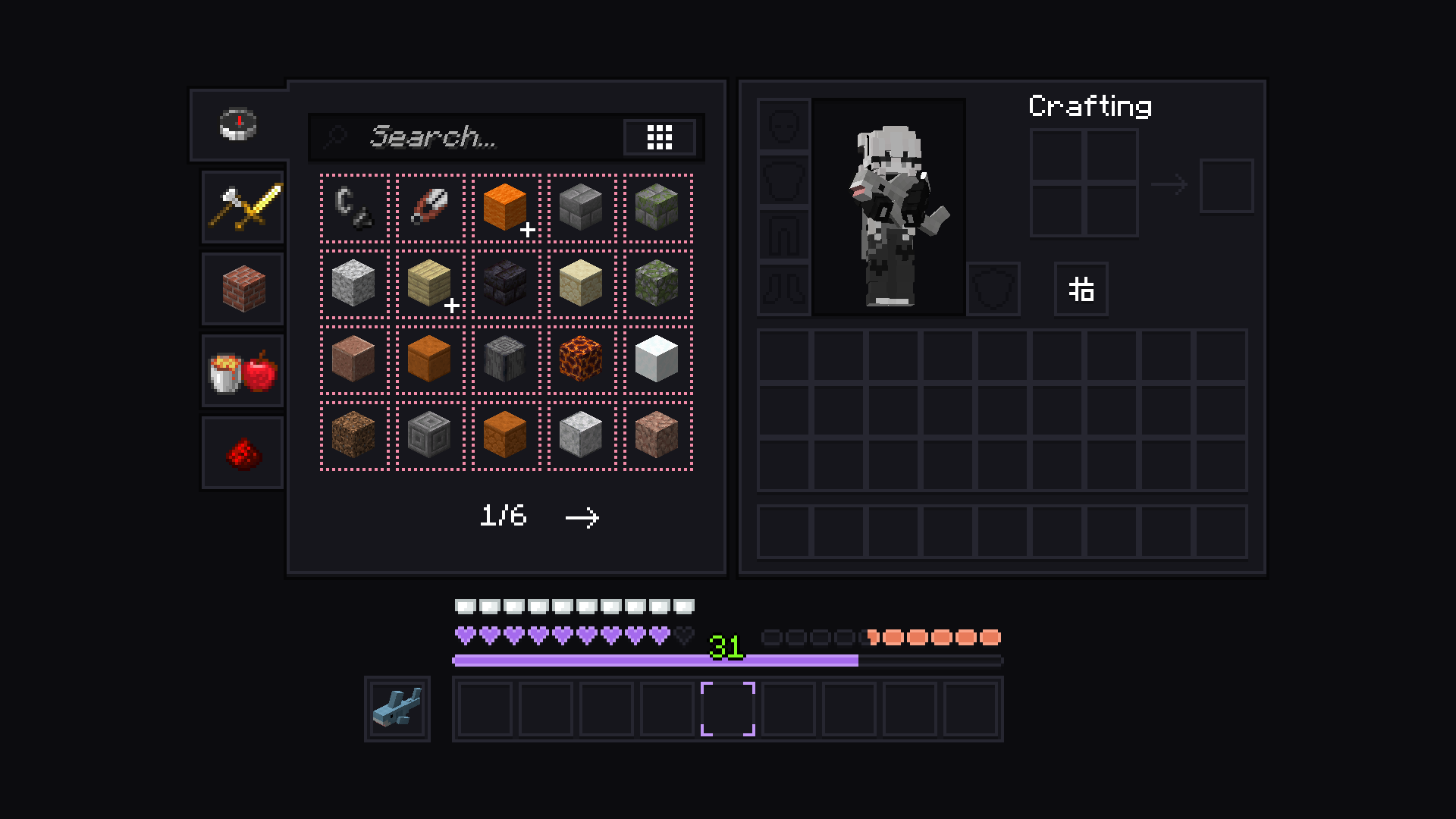
disclaimer: [blåhaj](https://modrinth.com/mod/blahaj) unfortunately not included
Vine Boom Totems
*boom* 🤨
Supports all versions 1.11 and higher.
Villagers Speak

# What does this resource pack do?
This resource pack changes the villager “Hrrrrmmm” sounds to be more verbal ones, **such as:**
– _”**Get outa my village steve I wont tell you again**”_
– _”**Get away from me stinky**”_
– _”**Ahhh, why’d you kill me**”_
– **And more!**
# Additional information,
The villagers **do not swear** or say any **_rude_** language and all the **voices still sound like villagers** and not humans.
# Credits
We (**_ELTE Studios_**), **developed** and **made** this pack using the **Butterium** modpack for the **best optimisation, smoothness and QOL**, you can **download it on modrinth [here](https://modrinth.com/modpack/butterium)**.
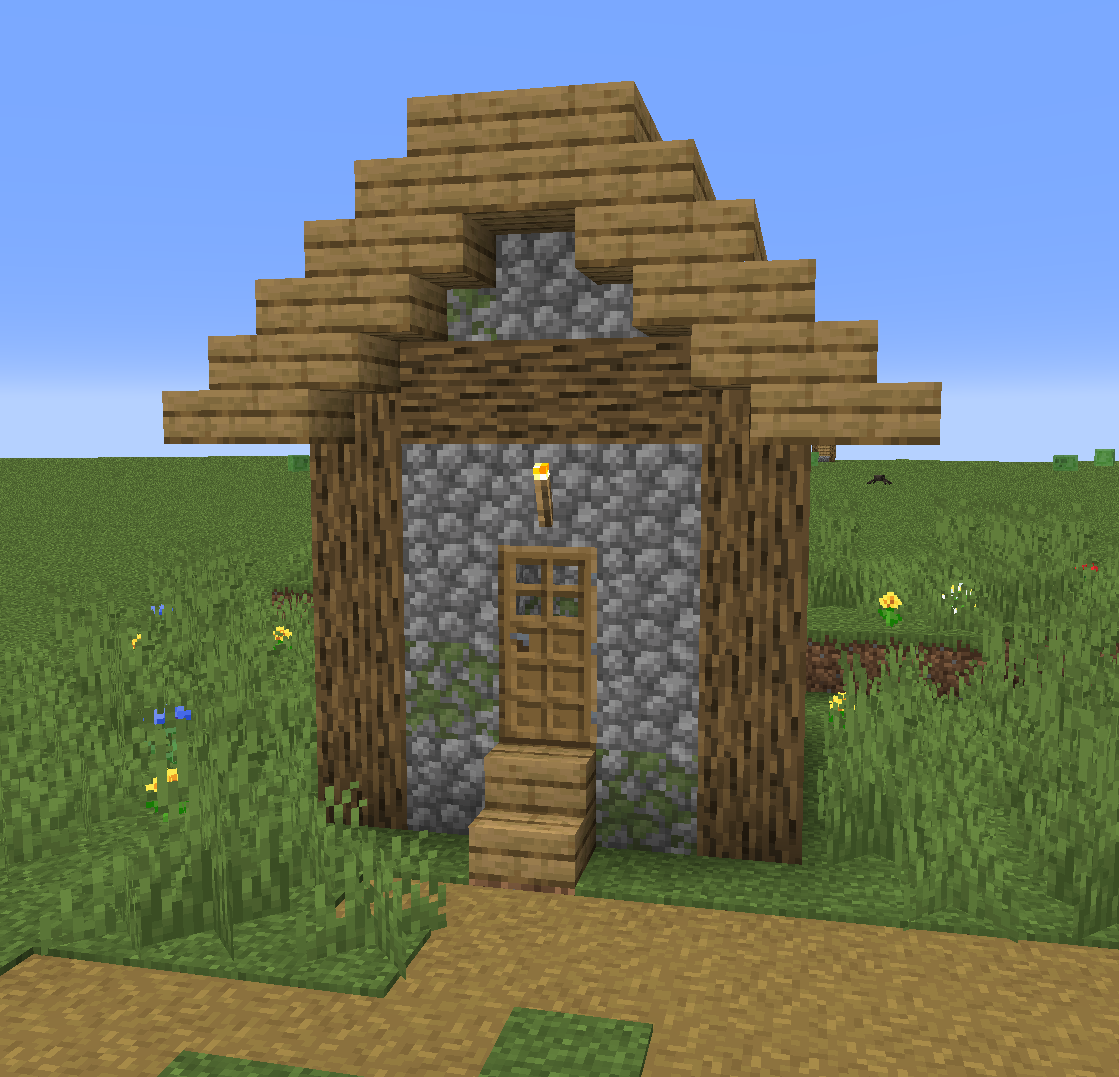
# Villager house
VillagerGUIApi






Full Transcript
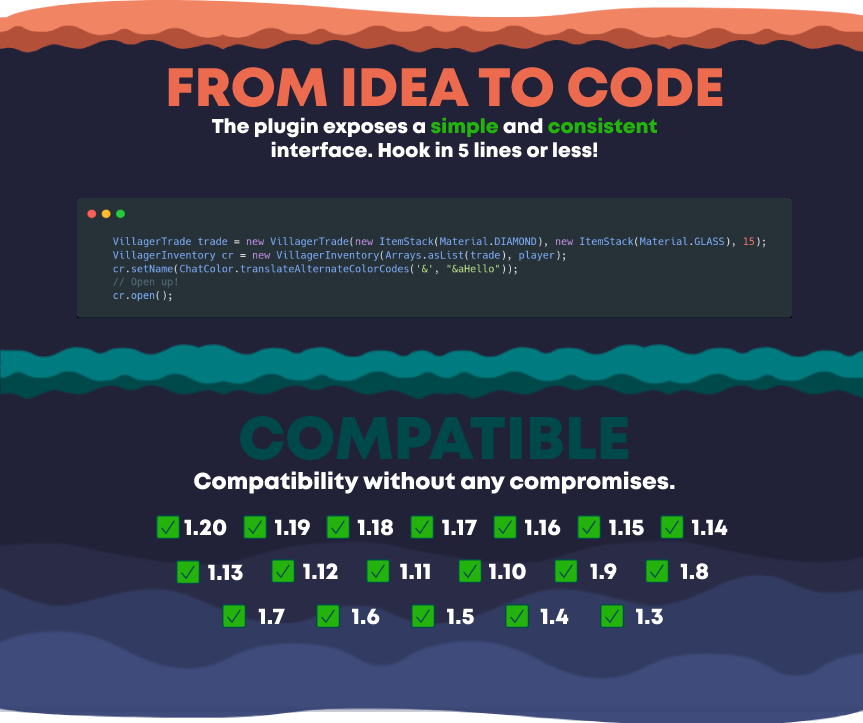
FROM IDEA TO CODE
The plugin exposes a simple and consistent interface. Hook in 5 lines or less!
COMPATIBLE
Compatibility without any compromises.
Supports all versions from 1.3 to 1.19
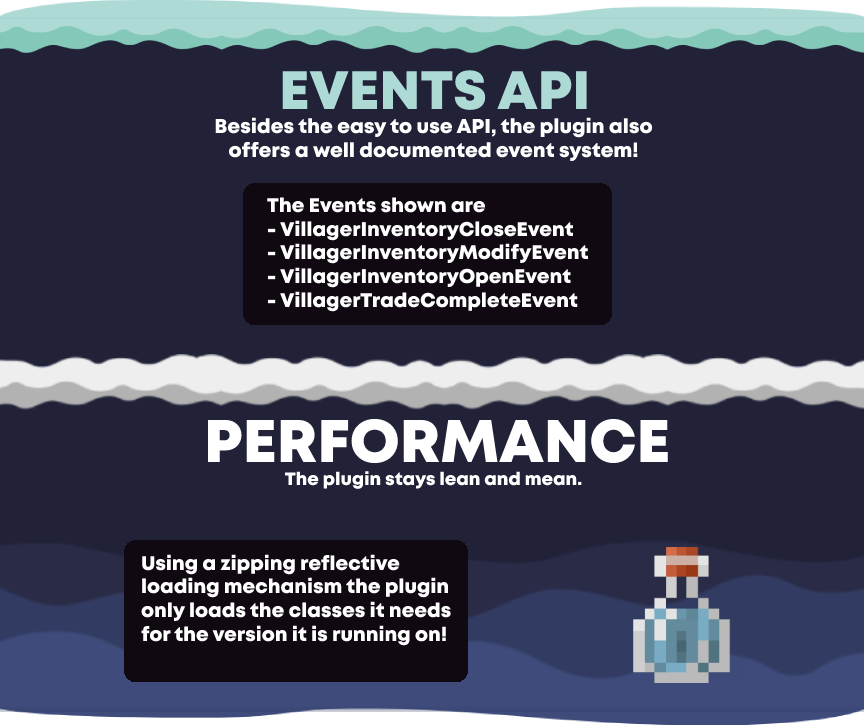
EVENTS API
Besides the easy to use API, the plugin also offers a well documented event system!
The Events shown are
– VillagerInventoryCloseEvent
– VillagerInventoryModifyEvent
– VillagerInventoryOpenEvent
– VillagerTradeCompleteEvent
PERFORMANCE
The plugin stays lean and mean.
Using a zipping reflective loading mechanism the plugin only loads the classes it needs for the version it is running on!

Vignette Removed
Vignette is an effect that darkens the corners of the screen.
So I made this quick resource pack removing the Vignette Effect, enjoy.
Vignette is most noticable in dark spaces or in The Nether, and it can be annoying.
(This resource pack will also remove the red world border tint!)
Click the link below to be taken to a comparison shot where you can see the difference between having vignette on vs off, and vice versa.
https://cdn.knightlab.com/libs/juxtapose/latest/embed/index.html?uid=8027fbc2-e30b-11ea-bf88-a15b6c7adf9a

Link: http://bisect.thenexusproject.net/

### ↑ (This is an overexaggerated comparison, but it shows what the resourcepack does.) ↑
Vicarious Totem
_中国用户可以前往[此处](https://www.minebbs.com/resources/1-12-x-1-20-x.8383/)查看介绍_
### Plugin Description
– A fun little plugin where, when a player holding the “Vicarious Totem” takes fatal damage, the entity that attacked the player will die in their place. If the damage is not from an entity, the nearest living entity within a 6-block radius will die instead. If none of these conditions are met, the Vicarious Totem will function as a regular Totem of Undying.
– **_The Vicarious Totem only works when held in the off-hand._**
### Command Permissions
– **/vicarioustotem** – Get a “Vicarious Totem”
– **/vicarioustotem reload** – Reload the configuration file
– **vicarioustotem.admin** – Main plugin permission
### Configuration File
“`
Totem-Name: “&6Vicarious Totem”
No-Permission: “&cYou do not have permission to use this command”
Get-Success: “&aYou have successfully received a Vicarious Totem”
No-Console: “&cThis command can only be executed by a player”
Reload-Success: “&aPlugin reloaded successfully”
“`
ViaVersionStatus
# Description
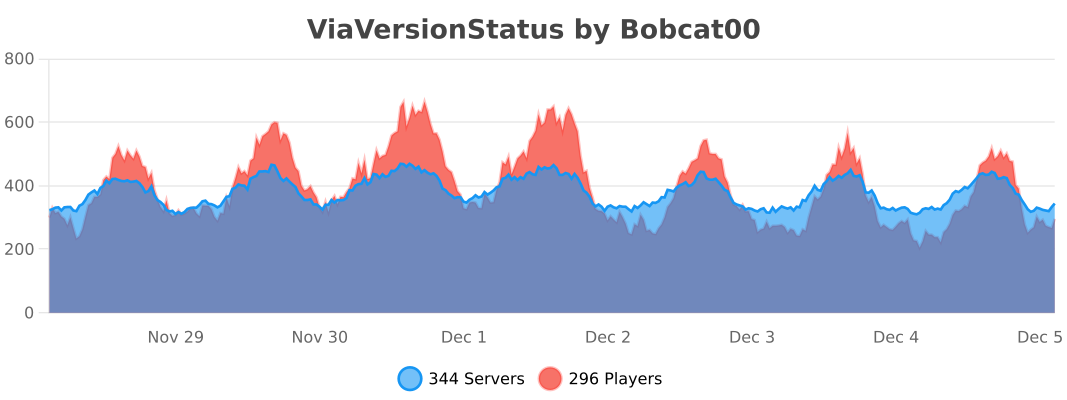
ViaVersionStatus will report which Minecraft versions your players are using when they join your server. Reports are sent to your server log file and online players with the permission viaversionstatus.notify. Optionally, if a player joins with a client version different than your server version, the plugin can send the player a warning that he’s not using the matching client version. The plugin can also issue console commands based on the client’s version.
Reasonable default values are provided in the configuration file, so you can simply put the plugin in your plugins folder and restart your server. The plugin requires [ViaVersion](https://modrinth.com/plugin/viaversion) and Java 17+.


Note that ViaVersion provides a command to show the versions of all currently online players: /viaversion list
# Permissions
ViaVersionStatus has a number of permissions to allow fine-tuning of its behavior. However, all you really need to do is give the permission **viaversionstatus.notify** to admins you want to receive in-game version notifications when other players join. If you give yourself the ‘*’ permission, you might also want to set **viaversionstatus.notify.ignoresame** to false.
Following are details of all ViaVersionStatus permissions:
## Permission Details
The following permissions normally given only to admins, as they control the in-game notification given when players join the server.
**viaversionstatus.notify** – A player with this permission will get a message with the player’s client version (as shown above) when they join the server. Defaults to op.
**viaversionstatus.notify.ignoresame** – A player with this permission will not get a message with the player’s client version if the client’s version matches the server’s version. Defaults to false.
The following permissions apply to the players joining your server and can be used to control exactly which features of ViaVersionStatus will be invoked when they join. All of the following permissions default to false, so simply give a player(s) a permission to exempt them from the corresponding processing. Most of these features can also be disabled in the config file if you want to do so for all players.
**viaversionstatus.exempt** – Exempts this player from all processing at join.
**viaversionstatus.exempt.log** – Exempts this player from client version being logged at join.
**viaversionstatus.exempt.notify** – Exempts this player from notifying other players at join while also preventing them from triggering the configured join notification command.
**viaversionstatus.exempt.notify.message** – Exempts this player from notifying other players at join.
**viaversionstatus.exempt.notify.command** – Exempts this player from triggering the configured join notification command.
**viaversionstatus.exempt.warn** – Exempts this player from receiving an older version warning while also preventing them from triggering the configured older version warning command.
**viaversionstatus.exempt.warn.message** – Exempts this player from receiving an older version warning.
**viaversionstatus.exempt.warn.command** – Exempts this player from triggering the configured older version warning command.
**viaversionstatus.exempt.warn.newer** – Exempts this player from receiving an newer version warning while also preventing them from triggering the configured newer version warning command.
**viaversionstatus.exempt.warn.newer.message** – Exempts this player from receiving a newer version warning.
**viaversionstatus.exempt.warn.newer.command** – Exempts this player from triggering the configured newer version warning command.
# Configuration (optional)
Strings in the configuration file can use four variables: **%player%** is replaced with the player’s name, **%displayname%** is replaced with the player’s “display name”, **%version%** is replaced with the version of the player’s client, and **%server%** is replaced with the detected server version. You can also use the standard Minecraft color codes. Strings should be enclosed in double quotes (“…”).
**notify-ops** – If true, ops will be notified of the client’s version when any player joins the server.
**notify-string** – This message is sent to players with the viaversionstatus.notify permission when any player joins the server.
**notify-command** – This command is issued by the console when a player joins the server (defaults to none).
**warn-players** – If true, players joining with a client that is older than the server version will be warned with the warn-string message.
**warn-string** – This message is set to players joining with a client that is older than the server version, if enabled. Note that warn-players must be true to use this.
**warn-command** – This command is issued by the console when a player joins with a client that is older than the server version (defaults to none). Note that warn-players must be true to use this.
**warn-players-newer** – If true, players joining with a client that is newer than the server version will be warned with the warn-string message.
**warn-string-newer** – This message is set to players joining with a client that is newer than the server version, if enabled. Note that warn-players-newer must be true to use this.
**warn-command-newer** – This command is issued by the console when a player joins with a client that is newer than the server version (defaults to none). Note that warn-players-newer must be true to use this.
**high-priority** – When set to true, ViaVersionStatus will run later in the login process. This can be useful if %displayname% in notify-string is not working as expected.
**list-supported-protocols** – If true, the protocols (Minecraft versions) supported by ViaVersion will be written to the log file at startup.
**enable-metrics** – If true, bStats metrics will be enabled by this plugin, subject to the bStats global config entry.
**prism-integration** – If true, ViaVersionStatus will send an event to the Prism logging plugin, with the player’s name and client version. See the section below for more details.
**prism-action-string** – This string is used by Prism when displaying a player’s client version.
A note about %displayname%: The displayname is set by other plugins, so this is dependent on the other plugin’s timing. In particular, EssentialsX has a built-in time delay which will prevent the displayname from appearing in the notification sent to ops. However, the displayname can be used in the version warning sent to the players.
The default configuration results in the messages shown above.
# Prism Integration
If you use the [Prism V4](https://modrinth.com/plugin/prism) logging plugin, you can have ViaVersionStatus log each player’s name and client version when they join the server. Prism V4 is a complete rewrite of Prism. The event is logged with the action vvs-connect. You can specify this during a lookup with the parameter a:connect. You must be using **Prism V4.3-dev31 or later**.
In order to enable the Prism integration you need to set **prism-integration** in the ViaVersionStatus config file to true. ViaVersionStatus will write to the log file if it has successfully hooked into Prism.
Here’s an example of the Prism lookup results:

# Commands
None.
# Miscellaneous
This plugin is compatible with ViaVersion, ViaBackwards, and ViaRewind.
This plugin uses the bStats metrics system to provide _anonymous_ usage data. You may opt-out by changing **enable-metrics** in the ViaVersionStatus config file. The metrics are available at [https://bstats.org/plugin/bukkit/ViaVersionStatus](https://bstats.org/plugin/bukkit/ViaVersionStatus)
ViaVersion
# ViaVersion
Allows you to connect to servers that are older than your Java Edition client version. See our [GitHub page](https://github.com/ViaVersion) for more information.
**On Fabric, use either [ViaFabric](https://modrinth.com/mod/viafabric) or [ViaFabricPlus](https://modrinth.com/mod/viafabricplus). To override the included version**
– in **ViaFabric**, put ViaVersion into the `mods` folder
– in **ViaFabricPlus**, put ViaVersion into the `config/viafabricplus/jars` folder
[Bungee](https://hangar.papermc.io/ViaVersion/ViaBungee) and [Sponge](https://modrinth.com/project/viasponge) also have their own platform implementations.
Requires Java 17. See [here](https://docs.papermc.io/misc/java-install) how to update your installed Java version. As a last resort, you can download Java 8 downgraded builds from [our ci](https://ci.viaversion.com/job/ViaVersion-Java8/).
## Get access to Via* with new MC version support early
**Starting with 1.20.5, ViaVersion and ViaBackwards will only be released a day or so *after* a Minecraft update** unless the protocol changes of the update were trivial. **If you want early-access, usually days or even weeks before the final release, you can subscribe to either**:
– [GitHub Sponsors](https://github.com/sponsors/kennytv/sponsorships?sponsor=kennytv&tier_id=385613&preview=false) (*preferred option*. Use the `/verify` command on this Discord after), or alternatively
– [Patreon](https://www.patreon.com/kennytv/membership) (see the highest tier and make sure to link Patreon to your Discord account under Discord Settings->Connections)
## Note on release channels
It is recommended to always use the latest beta release. Alpha builds are used for work on snapshot version compatibility or other cutting-edge changes.
**Always use the same build channel across the ViaVersion, ViaBackwards, and ViaRewind projects.**
Releases/Dev Builds
——–
You can find official releases in the following places:
– **Hangar (for our plugins)**: https://hangar.papermc.io/ViaVersion/ViaVersion
– **Modrinth (for our mods)**: https://modrinth.com/mod/viaversion
– **GitHub**: https://github.com/ViaVersion/ViaVersion/releases
Dev builds for **all** of our projects are on our Jenkins server:
– **Jenkins**: https://ci.viaversion.com
ViaVersion as a Dependency
———-
**JavaDocs:** https://jd.viaversion.com
**Maven:**
“`xml
viaversion-repo
https://repo.viaversion.com
“`
“`xml
com.viaversion
viaversion-api
[4.0.0,5.0.0)
provided
“`
**Gradle:**
“`kotlin
repositories {
maven(“https://repo.viaversion.com”)
}
dependencies {
compileOnly(“com.viaversion:viaversion-api:VERSION”) // Replace the version
}
“`
Resources
——–
– **[Via Mappings Generator](https://github.com/ViaVersion/Mappings)**
– **[Mojang mappings](https://minecraft.wiki/w/Obfuscation_map)** (Thank you, Mojang, very cool)
– **[wiki.vg](https://wiki.vg)** (Used for historic information regarding packet structure, we also contribute back)
– **[Burger](https://github.com/Pokechu22/Burger)** (See [PAaaS](https://github.com/Matsv/Paaas))
Special thanks to all our [Contributors](https://github.com/ViaVersion/ViaVersion/graphs/contributors).
ViaRewind
# ViaRewind
**ViaVersion addon to allow 1.8.x and 1.7.x clients on newer server versions.**
Runs on 1.9-latest servers or 1.8 clients and lower.
**You can override the included version in [ViaFabric](https://modrinth.com/mod/viafabric) or [ViaProxy](https://github.com/ViaVersion/ViaProxy):**
– in **ViaFabric**, put ViaRewind into the `mods` folder
– in **ViaProxy**, put ViaRewind into the `jars` folder
Requires Java 17. See [here](https://docs.papermc.io/misc/java-install) how to update your installed Java version. As a last resort, you can download Java 8 downgraded builds from [our ci](https://ci.viaversion.com/view/ViaRewind/job/ViaRewind-Java8/).
**Requires [ViaVersion](https://hangar.papermc.io/ViaVersion/ViaVersion) and [ViaBackwards](https://hangar.papermc.io/ViaVersion/ViaBackwards) to be installed..**
Releases/Dev Builds
–
You can find releases in the following places:
– **Hangar (for our plugins)**: https://hangar.papermc.io/ViaVersion/ViaRewind
– **Modrinth (for our mods)**: https://modrinth.com/mod/viarewind
– **GitHub**: https://github.com/ViaVersion/ViaRewind/releases
Dev builds for **all** of our projects are on our Jenkins server:
– **Jenkins**: https://ci.viaversion.com/view/ViaRewind/
Other Links
–
**Maven:** https://repo.viaversion.com/
**Issue tracker:** https://github.com/ViaVersion/ViaRewind/issues
**List of contributors:** https://github.com/ViaVersion/ViaRewind/graphs/contributors