# Winter 2017 Panorama
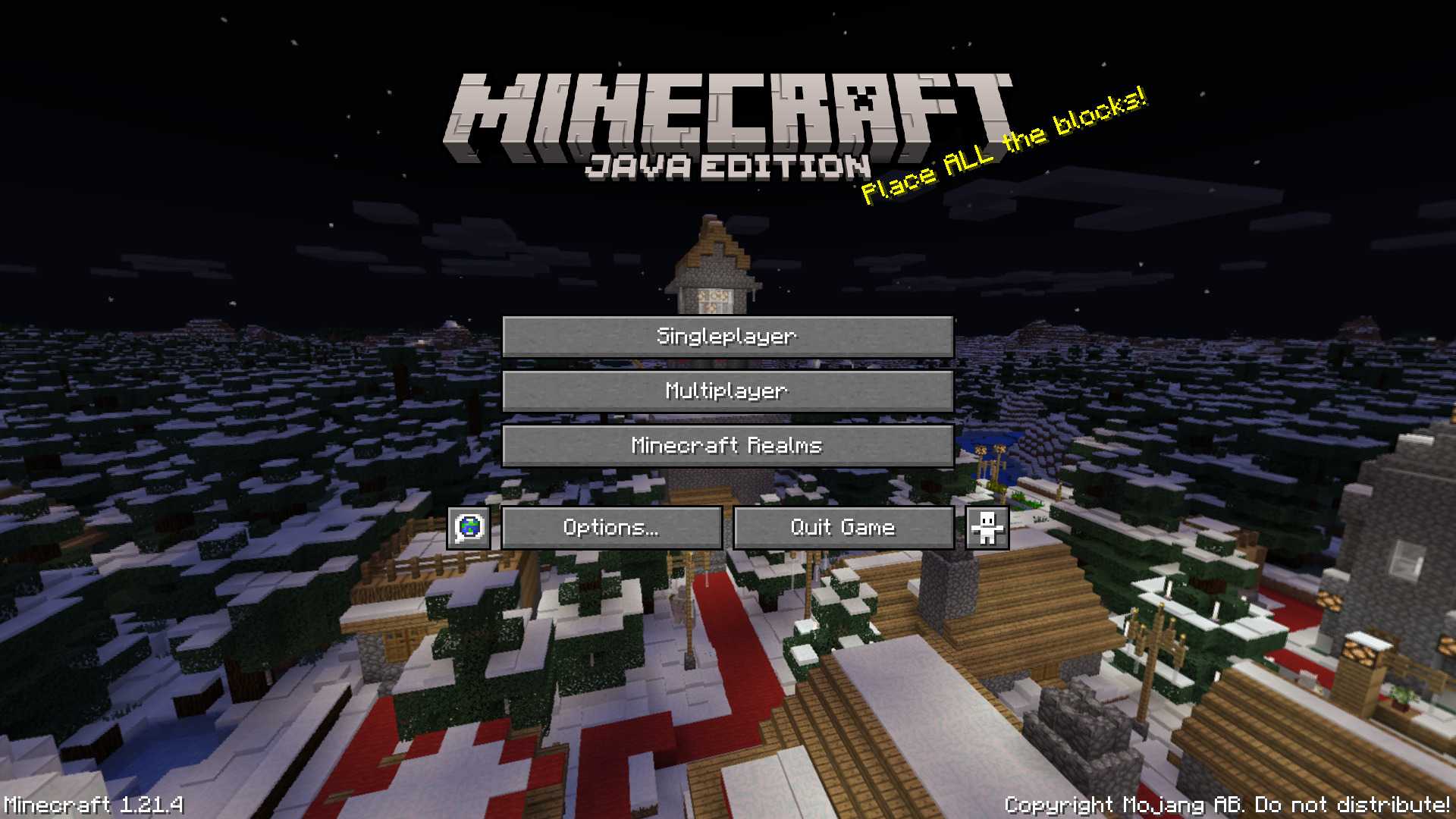
This panorama was used in Bedrock Edition during the 2017 winter holiday season (1.2.7 to 1.2.8)
### Features:
Adds the Panorama from the Bedrock 2017 winter holiday season [(Gallery)](https://modrinth.com/resourcepack/winter-2017-panorama/gallery)
### Credits
The images were taken from the Minecraft Wiki [(Check it out!)](https://minecraft.wiki/w/Historical_panoramas#Holiday_2017)
WingAuth

[
](https://github.com/Elytrium)
# WingAuth
WingAuth is a modern Velocity authentication plugin for offline/hybrid networks.
## How it works
It runs login/register protection before players reach backend servers, using a Limbo-based auth flow.
Designed for server admins who want strong account protection with flexible setup.
## Key features
– Velocity-only architecture (runs the login on a virtual world)
– Session handling and brute-force protection
– Premium/hybrid and Floodgate-compatible scenarios (Bedrock support)
– Configurable messages and behavior
– Database-backed account storage (legacy-compatible migration path)
Wild Wolves
Make tamed wolves use the wild wolf texture. Download the “No Collars” version to remove collars on tamed dogs as well!
Supports all Minecraft versions from Beta 1.4 (when wolves were added!)
Includes all wolf variants from 1.20.5.
Compatible with Fresh Animations!
Must be loaded _above_ Fresh Animations resource pack.
**Note:** For versions before 1.6.1, this pack must be placed in the texturepacks folder, rather than the resourcepacks folder.
**Another Note:** In 1.8, the default colour of collars was changed to orange. This was reverted in 1.9. This is _not_ accounted for in this resource pack.
White Monster
# ⚪ White Monster 32x PVP Texture Pack (Monster Edition)
**White Monster 32x** is a **high-quality optimized Minecraft PVP pack**, inspired by *Monster Energy Ultra (white edition)*, designed specifically for **1.9-1.21+**.
Created by **iTzDrakthar** ⚡
—
## 📦 Features
– ✨ **Custom Particles** – smooth and unique for clear combat visibility
– 🗡️ **Custom Weapon Textures** – clean & sharp designs for swords and tools
– 🐾 **Custom Entity Models** – mobs reworked with a White Monster-inspired style
– 🧱 **Custom Blocks** – optimized blocks for better gameplay performance
– 🎞️ **Custom Animations** – dynamic animations for an immersive feel
– 🌌 **Custom Day/Night Sky** – improved sky textures for atmosphere
# White Enchantment Glint
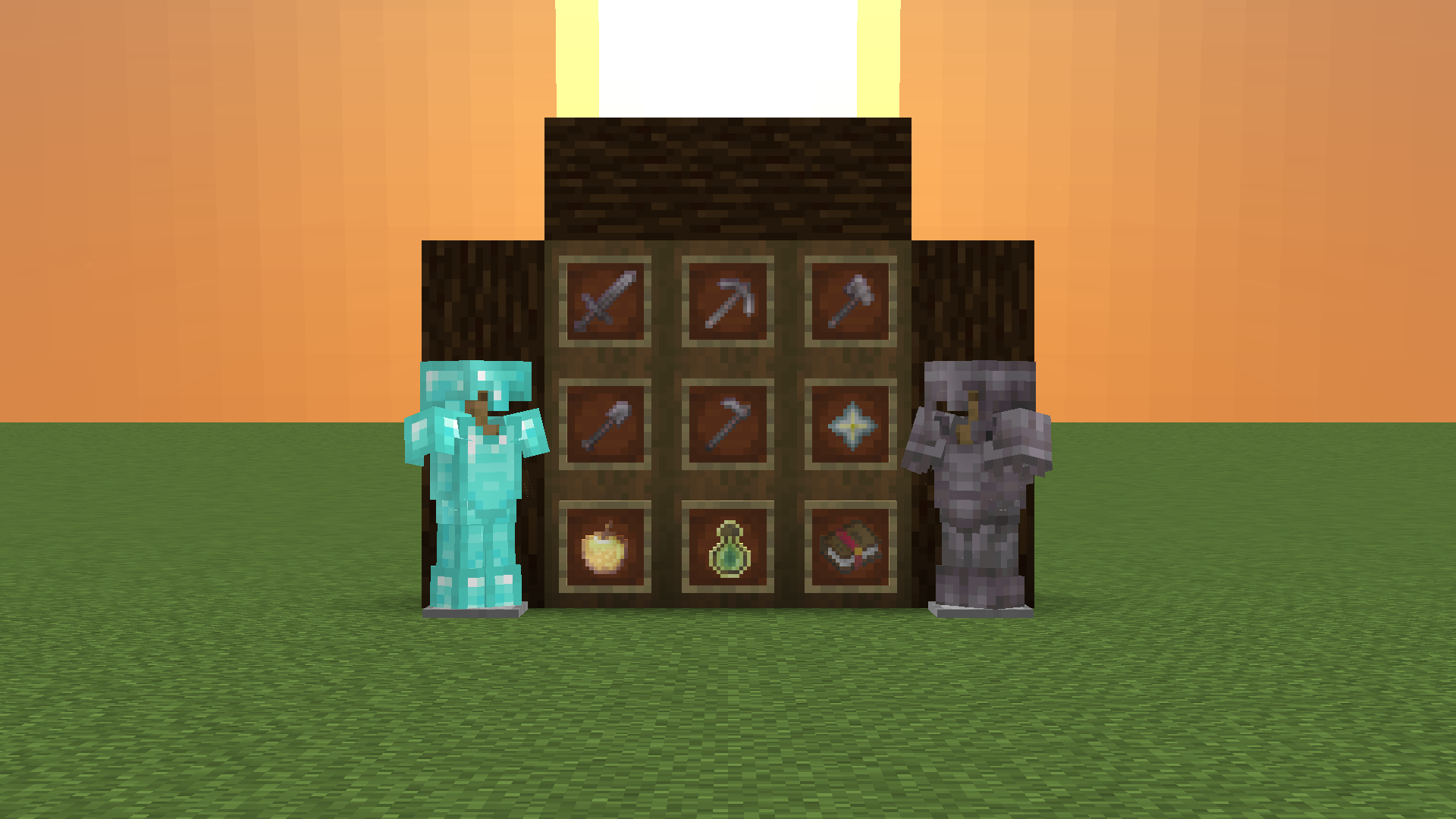
Makes the enchantment glint **white**!
WhereIDied
WhereIDied is a simple and easy to use Minecraft plugin that tells players the exact coordinates of their death in a custom message. Allows flexible text customization via config.yml.
What Language Is That?
### Consider joining the Discord server for updates!
**”What Language Is That?”** fixes one of Minecraft’s most confusing features by **converting the Standard Galactic Alphabet into readable English**.
The mysterious symbols used in enchanting tables are fully translated, so you can finally understand what you’re looking at instead of guessing like a wizard who skipped class.
This pack works directly on the Enchanting Table interface, making enchantment text clear and easy to read while keeping the original vanilla style intact.
No gameplay changes, no mods required — just a simple, clean upgrade that makes Minecraft make sense.
# WorldEditSelectionVisualizer
## Overview
WorldEditSelectionVisualizer (WESV) is essentially the famous [WorldEditCUI mod](http://www.minecraftforum.net/forums/mapping-and-modding/minecraft-mods/1292886-worldeditcui-1-11-2-version-available) in the form of a bukkit plugin, which means that players **don’t need to install anything on their client**.
## Features
* Spawns particles around WorldEdit selections so players can see them
* No client mod required
* Supports cuboid, sphere, ellipsoid, cylinder, polygon and convex selections
* Can display the current clipboard (use `/wesv toggle clipboard` to enable)
* Use `/wesv toggle` to toggle the visualizer
* Option to only show the selection when holding the selection item
* Configurable particle effect and view distance
* Prevent players from spawning too many particles when selecting huge regions
* Highly customizable for the performance of your server
* Supports both [WorldEdit](https://enginehub.org/worldedit) and [FastAsyncWorldEdit](https://www.spigotmc.org/resources/fastasyncworldedit.13932/)
* Compatible with all Minecraft versions starting with 1.7.10
* [PlaceholderAPI](https://placeholderapi.com/) support (you can use the placeholders `%wesv_toggled_selection%`, `%wesv_toggled_clipboard%`, `%wesv_volume_selection%` and `%wesv_volume_clipboard%`)
* Support for RGB color codes in messages on Minecraft 1.16 and higher, with the `&#rrggbb` format
* [Folia](https://github.com/PaperMC/Folia) support for better performance
* `/wesv toggle` and `/wesv toggle clipboard`: toggle the selection/clipboard visualization
* `/wesv lock`: lock/unlock the origin of the clipboard visualization to your current location
* `/wesv lock tp`: teleport to the lock location (when clipboard visualization lock is enabled)
* `/wesv reload`: reload the configuration
### Permissions
* `wesv.toggle`: use the toggle command
* `wesv.use`: allows the visualizer to be turned on
* `wesv.reload`: allows the configuration of this plugin to be reloaded from the config.yml file
### Configuration
This plugin can be very resource expensive, try adjusting the configuration if you experience lag.
# When enabled, if a new update is available it will display a message in the console on enable
check-updates: true
# You can edit the plugin messages here
messages:
no-permissions: “&cYou don’t have the permission to use this command.”
config-reloaded: “&aThe config was reloaded”
selection-too-large: “&6The visualizer only works with selections up to a size of %blocks% blocks.”
visualizer-enabled: “&6Your visualizer has been &eenabled.”
visualizer-disabled: “&6Your visualizer has been &cdisabled.”
visualizer-clipboard-enabled: “&6Your clipboard visualizer has been &eenabled&6.”
visualizer-clipboard-disabled: “&6Your clipboard visualizer has been &cdisabled&6.”
# When enabled, if a player disables the selection visualization and leaves the server, when he will
# come back, the selection visualization will be still disabled until he activates it again with /wesv toggle.
save-toggle: true
# Delay in ticks when the WorldEdit selection and clipboard are updated.
# This doesn’t affect particles spawning and players performances.
# The server impact is medium
selection-update-interval: 20
# When enabled, the particles are displayed only when holding the WorldEdit selection wand item (by default a wooden axe)
# You can change the WorldEdit wand item in the WorldEdit configuration
need-we-wand: false
# When enabled, top and bottom particles will be displayed for cuboid selections
cuboid-top-bottom: false
# Settings for visualization
# ‘selection’: The WorldEdit current selection
# ‘clipboard’: The WorldEdit clipboard (when you use //copy or //schem load )
# ‘primary’: The primary selection points (the region borders)
# ‘secondary’: The secondary selection points
# ‘fade-delay’: The number of seconds before the particles disappears. You can set it to 0 to remove the fade delay
# ‘max-selection-size’ : The maximum size of a selection to be display. A big value (> 1000000) can cause important lags
# ‘points-distance’: The distance between each particle. The higher this number is, fewer particles will be spawn
# ‘lines-gap’ (secondary selection only): The distance between each particles lines on cuboid and polygon. The higher this number is, fewer particles will be spawn. Set it to 0 to remove cuboid lines
# ‘update-interval’: The delay in ticks between particles spawn. This impact the players performances
# ‘view-distance’: The maximum distance in which players can see the particles. On 1.7.10 the particle distance is limited to 16 (Minecraft limitation)
# ‘particles’: The particles type and data. The data can be a color for redstone like in the form ‘r,g,b’ or a Material for block crack/item crack
# The particle types are available on https://hub.spigotmc.org/javadocs/spigot/org/bukkit/Particle.html
visualization:
selection:
fade-delay: 0
max-selection-size: 50000
primary:
points-distance: 1.0
update-interval: 12
view-distance: 64
particles:
type: “FLAME”
data: “”
secondary:
points-distance: 3.0
lines-gap: 5.0
update-interval: 18
view-distance: 32
particles:
type: “REDSTONE”
data: “RED”
clipboard:
fade-delay: 0
max-selection-size: 50000
primary:
points-distance: 1.0
update-interval: 12
view-distance: 64
particles:
type: “FLAME”
data: “”
secondary:
points-distance: 3.0
lines-gap: 5.0
update-interval: 18
view-distance: 32
particles:
type: “REDSTONE”
data: “BLUE”
“`
### Video
## Bugs & suggestions
Please don’t post bugs or suggestions in the review section, but please open an [issue on GitHub](https://github.com/MrMicky-FR/WorldEditSelectionVisualizer/issues).
If you just have a question, you can ask it on my [Discord server](https://discord.gg/q9uwabt).
And if you like this plugin you can leave a review or star the [GitHub project](https://github.com/MrMicky-FR/WorldEditSelectionVisualizer).
## Original Author
WorldEditSelectionVisualizer (WESV) has been originally created by [rojet601](https://dev.bukkit.org/members/rojet601). Since this user’s gone inactive since November 2015 and the plug-in contains some errors, [ZathrusWriter](https://www.spigotmc.org/members/zathruswriter.137995/) decided to release an 1.8. forward-compatible version with those errors fixed.

