## Elytra (Brown)
This resource pack changes the elytra textures to be a nice brown color.
_If you want to support us and our work, please consider checking out our similar resource packs or all of our resource packs!_
Installation
To install this resource pack, select your Minecraft version in the download menu, and copy the downloaded file into Minecraft’s `resourcepacks` folder. Alternatively, if you are using the Modrinth App, you can easily add this resource pack to an instance by selecting “Install with Modrinth App” in the download menu.
For more detailed installation instructions, see the Minecraft Wiki.
## Elytra (Blue)
This resource pack changes the elytra textures to be a nice blue color.
_If you want to support us and our work, please consider checking out our similar resource packs or all of our resource packs!_
Installation
To install this resource pack, select your Minecraft version in the download menu, and copy the downloaded file into Minecraft’s `resourcepacks` folder. Alternatively, if you are using the Modrinth App, you can easily add this resource pack to an instance by selecting “Install with Modrinth App” in the download menu.
For more detailed installation instructions, see the Minecraft Wiki.
## Elytra (Black)
This resource pack changes the elytra textures to be a nice black color.
_If you want to support us and our work, please consider checking out our similar resource packs or all of our resource packs!_
Installation
To install this resource pack, select your Minecraft version in the download menu, and copy the downloaded file into Minecraft’s `resourcepacks` folder. Alternatively, if you are using the Modrinth App, you can easily add this resource pack to an instance by selecting “Install with Modrinth App” in the download menu.
For more detailed installation instructions, see the Minecraft Wiki.
## Elytra (Allay)
This resource pack changes the elytra textures to look like the Allay’s wings.
_If you want to support us and our work, please consider checking out our similar resource packs or all of our resource packs!_
Installation
To install this resource pack, select your Minecraft version in the download menu, and copy the downloaded file into Minecraft’s `resourcepacks` folder. Alternatively, if you are using the Modrinth App, you can easily add this resource pack to an instance by selecting “Install with Modrinth App” in the download menu.
For more detailed installation instructions, see the Minecraft Wiki.
It’s a plugin that allows you to manage daily challenges to promote competition within the server!
Designed for a Vanilla but usable in all modalities (Prison, Factions, Vanilla, Survival, Towny…), it is also configurable in many ways such as the points to give, the boost if you want more competitive and the give points at every minutes online for improve the loyalty of online players.
# ⚡️Features⚡️
– Possibility to create and set infinity Challenges with a creation of a File in the correct Folder;
– Possibility to create and set a Event Challenge;
– Possibility to reset points at every challenge or accumulate points;
– Possibility to give points if player is online;
– Possibility to set Brodcast Message;
– Possibility to view top in times or yesterday;
– Possibility to use PlaceholderAPI;
– Possibility to select Db you want use;
– Possibility to configure all messages;
– No Dependency;
– RGB Support for messages;
– Possibility to generate random Challenges order;
– Possibility to set boost global with points;
– Possibility to set boost for single player with points;
– Possibility to set start hour and time duration for all Challenges;
– Possibility to configure an interface of all Challenges;
– Possibility to configure an infinite positions for the top;
– Possibility to configure a reward for each position in the top;
– Possibility to configure a series of rewards for each position in the top;
– Possibility to randomize the challenges;
– Possibility to disable the schedule in any moment with just a command;
– vc for add points at player
– vc for see the current daily challenge
– vc for clear all Challenges and Points
– vc for stop Event Challenge
– vc [time] for start Event Challenge with file configuration
– vc [time] for start a random Event Challenge with file configuration
– vc for see the list of Challenges (Player Only)
– vc [skip] for go to the next challenge and if you want skip the peaceful time
– vc for see your points (Player Only)
– vc for see points of another player
– vc for reload plugin configurations
– vc for see the list of backup files (Console Only)
– vc for restore a backup file with H2Database (Console Only)
– vc for remove points at player
– vc for receive reward of win
– vc [time] for add a challenge in the schedule
– vc [time] for add a random challenge in the schedule
– vc for remove a challenge from the schedule
– vc for disable the schedule
– vc
# Random: if you want random generation of Challenges
# Normal: if you want basic plugin schedule
# Single: if you want a single random challenge generated
# Nothing: if you don”t want a scheduler
ChallengeGeneration: ‘Normal’
# Points Gesture
Points:
# If you want to reset the player points at the end of every challenge
ResetPointsAtNewChallenge: false
# If you want resume points without zero (Ex 1.000 = 1k)
PointsResume: true
# Points if remain online for x minutes
OnlinePoints:
# If You want this feature
Enabled: false
# Point at minutes
Point: 10
# Every time you want player remain online for give points
Minutes: 10
# Minimum points for give rewards (-1 for disabling)
MinimumPoints: 0
# This gesture is for give points at player only if the player have the permission configured
# P.S. Empty -> Disabled
Permission: ”
# Chest for ItemCollectionChallenge
CollectionChallengeItem:
Type: CHEST
Name: “&7Chest Collector”
Lore:
– “&7Place this chest and use it for collect items”
BroadcastMessage:
# time in minutes 0 to disabled
TimeTitleChallenges: 10
Top:
# if you want top yesterday with broadcast and commands
YesterdayTop: false
# if you want a reward for each place in the ranking
RankingReward: false
# if you want to give a random reward (ATTENTION if you use RankingReward this features is false of default)
RandomReward: false
# how many players you want reward?
NumberOfReward: 3
# If you want to use H2, MySql or .yml file for data storage (write H2, MySql or Yaml)
Database: ‘H2’
# These configurations work only for MySql database
MySql:
Url: “jdbc:mysql://localhost:3306/vanillachallenges”
Username: “eliotesta98”
Password: “eliotesta98”
Prefix: “”
Backup:
Enabled: true
NumberOfFilesInFolder: 4
# If you want to obfuscate the following challenges in the interface
LockedInterface: false
# If you want to not regenerate a file of a specific challenge or a list of challenges files
ChallengeRegeneration:
# What do you want? Blacklist or Whitelist?
Type: “Blacklist”
# Global Challenges
Globals:
– “FileName”
# Event Challenges
Events:
– “FileName”
# If you want a cooldown between challenges
# Possible values are:
# – {time}t (ticks)
# – {time}s (seconds)
# – {time}m (minutes)
# – {time}h (seconds)
# where {time} is a number
Cooldown: “0t”
Interfaces:
Challenges:
Title: “&aChallenges”
OpenSound: minecraft:entity.ender_dragon.flap # ENDERDRAGON_WINGS <1.13
Slots:
- 'bbbbbbbbb'
- 'bhhhhhhhb'
- 'bhhhhhhhb'
- 'bhhhhhhhb'
- 'bhhhhhhhb'
- 'bbblbrbbb'
Items:
Challenge:
Letter: 'h'
Name: '&a{challengeName}'
Type: 'PLAYER_HEAD'
Texture: '' # set to '' to disable
Lore:
- '&7&oTime Duration: &f{time}'
- '&7&oDescription: &f{challengeDescription}'
- '&7&oPoints: &f{challengePoint}'
- '&7&oWords: {words}.&f * {word}'
- '&7&oRewards: {rewards}.&f * {reward} x {number}'
- '&7&oBlocks: {challengeBlocks}.&f * {block}'
- '&7&oItems in hand: {challengeItemsInHand}.&f * {item}'
- '&7&oSneaking: &f{challengeSneaking}'
- '&7&oBlocks On Place: {challengeBlocksOnPlane}.&f * {block}'
- '&7&oVehicles: {challengeVehicles}.&f * {vehicle}'
- '&7&oMobs: {challengeMobs}.&f * {mob}'
- '&7&oItems: {challengeItems}.&f * {item}'
- '&7&oCauses: {challengeCauses}.&f * {cause}'
- '&7&oColors: {challengeColors}.&f * {color}'
SoundClick: ''
Border:
Letter: 'b'
Name: " "
Type: GRAY_STAINED_GLASS_PANE # STAINED_GLASS_PANE;7 <1.13
Texture: '' # set to '' to disable
Lore: [ ]
SoundClick: ''
LeftPage:
Letter: 'l'
Type: 'PLAYER_HEAD'
Name: '&6&lPage {number}'
Texture: 'eyJ0ZXh0dXJlcyI6eyJTS0lOIjp7InVybCI6Imh0dHA6Ly90ZXh0dXJlcy5taW5lY3JhZnQubmV0L3RleHR1cmUvZWVkNzg4MjI1NzYzMTdiMDQ4ZWVhOTIyMjdjZDg1ZjdhZmNjNDQxNDhkY2I4MzI3MzNiYWNjYjhlYjU2ZmExIn19fQ=='
SoundClick: ''
Lore: [ ]
RightPage:
Letter: 'r'
Type: 'PLAYER_HEAD'
Name: '&6&lPage {number}'
Texture: 'eyJ0ZXh0dXJlcyI6eyJTS0lOIjp7InVybCI6Imh0dHA6Ly90ZXh0dXJlcy5taW5lY3JhZnQubmV0L3RleHR1cmUvNzE1NDQ1ZGExNmZhYjY3ZmNkODI3ZjcxYmFlOWMxZDJmOTBjNzNlYjJjMWJkMWVmOGQ4Mzk2Y2Q4ZTgifX19'
SoundClick: ''
Lore: [ ]
Locked:
Letter: 'h1'
Name: '&a{challengeName}'
Type: 'PLAYER_HEAD'
Texture: '' # set to '' to disable
Lore:
- '&7&oTime Duration: &f{time}'
- '&7&oDescription: &f{challengeDescription}'
- '&7&oPoints: &f{challengePoint}'
- '&7&oWords: {words}.&f * {word}'
- '&7&oRewards: {rewards}.&f * {reward} x {number}'
- '&7&oBlocks: {challengeBlocks}.&f * {block}'
- '&7&oItems in hand: {challengeItemsInHand}.&f * {item}'
- '&7&oSneaking: &f{challengeSneaking}'
- '&7&oBlocks On Place: {challengeBlocksOnPlane}.&f * {block}'
- '&7&oVehicles: {challengeVehicles}.&f * {vehicle}'
- '&7&oMobs: {challengeMobs}.&f * {mob}'
- '&7&oItems: {challengeItems}.&f * {item}'
- '&7&oCauses: {challengeCauses}.&f * {cause}'
- '&7&oColors: {challengeColors}.&f * {color}'
SoundClick: ''
# you can use a different coloring by using a hexadecimal. for all messages Ex. &{#FFFF00}(yellow).
# Example for a command: '/vc &{#FFFF00}&{#000000} command reload Plugin’
Messages:
Prefix: ‘&eVanillaChallenges &r’
Commands:
Footer: ‘&7(&7&l(&c&l!&7&l)&7) &9[] optional value, <> required’
Economy: ‘ &e/vc &6 &7for add or remove points of a player’
Challenge: ‘ &e/vc &6 &7for see the daily challenge selected and time resume’
Clear: ‘ &e/vc &6 &7for clear all informations of databases and refresh’
Event: ‘ &e/vc &6 [time] &7for start or stop a challenge event’
List: ‘ &e/vc &6 &7for see the list of Challenges’
Next: ‘ &e/vc &6 [skip] &7go to the next challenge and if you want skip the peaceful time’
Points: ‘ &e/vc &6 [playerName] &7for see your points or points of another player’
Reload: ‘ &e/vc &6 &7command reload Plugin’
Reward: ‘ &e/vc &6 &7for receive reward of win’
Schedule: ‘ &e/vc &6 [[challenge|random] [time]] &7for add or remove a challenge from schedule or disable it’
Time: ‘ &e/vc &6
Errors:
YouAreNotAPlayer: ‘{prefix}&cYou are not a player’
CommandNotFound: ‘{prefix}&cCommand not found’
NoPerms: ‘{prefix}&cInsufficient permission’
AlreadyPlacedChest: ‘{prefix}&7You already placed a chest for Collection Item Challenge’
AlreadyStartEvent: ‘{prefix}&cYou already start a Challenge Event! If you want stop it write vc ‘
AlreadyStopEvent: ‘{prefix}&cYou already stopped the Challenge Event! If you want start a new Challenge write vc ‘
CaseBroken: ‘{prefix}&7Your chest location is broken, please replace it’
Schedule: ‘{prefix}&cYou cannot remove the current challenge from the schedule, if you want to remove it use the /vc command’
Add: ‘{prefix}&cYou cannot add this challenge because is already scheduled’
AlreadyDisable: ‘{prefix}&7You already disabled the schedule, if you want enable it configure it in config.yml and restart the plugin’
Time: ‘{prefix}&cThis value {value} is not valid! please use h,m or s. For example: 5m’
Success:
Add: ‘{prefix}&aSuccessfully scheduled this challenge’
Remove: ‘{prefix}&aSuccessfully removed form schedule this challenge’
Restored: ‘{prefix}&aSuccessfully restored database’
TimeAdd: ‘{prefix}&aSuccessfully add {time} at the current challenge, time remaining: &5{hours}h {minutes}m {seconds}s’
TimeRemove: ‘{prefix}&aSuccessfully remove {time} at the current challenge, time remaining: &5{hours}h {minutes}m {seconds}s’
TimeSet: ‘{prefix}&aSuccessfully set {time} at the current challenge’
Points:
Info: ‘{prefix}&e{player} &7have &b{number}&7 points’
PlayerPlaceholder: ‘You’
ActuallyInTop: ‘{prefix}&7Actually in top there are:’
TopPlayers:
– ‘&6{number}° &e{player}&7 with &b{points}&7 points’
– ‘&7{number}° &e{player}&7 with &b{points}&7 points’
– ‘&8{number}° &e{player}&7 with &b{points}&7 points’
PointsEveryMinutes: ‘{prefix}&7You collect &b{points}&7 points in &e{minutes}&7 minutes’
ChallengeReward: ‘{prefix}&7You complete the challenge and arrive at top 3 players, receive x&b{number}&7 of &e{item}’
BoostMessage: ‘{prefix}&5Start boosting!&7 You have &bx{number}&7 points for &e{minutes}&7 minutes’
BoostMessageSinglePlayer: ‘{prefix}&5Start personal boosting!&7Only you have &bx{number}&7 points for &e{minutes}&7 minutes’
PointsRemainForBoosting: ‘{prefix}&7Remain &b{points}&7 points for start next boost!’
PointsRemainForBoostingSinglePlayer: ‘{prefix}&7Remain &b{points}&7 points for start next personal boost!’
PointsRemainForReward: ‘{prefix}&7Remain &b{points}&7 points for get the reward!’
ChatWord: ‘{prefix}&7Write this word for receive &b{points}&7 points: &5{word}’
CorrectAnswer: ‘{prefix}&e{player} &7write the correct answer!’
PointsAdd: ‘{prefix}&b{points} &7points added at &e{player}’
PointsRemove: ‘{prefix}&b{points} &7points removed at &e{player}’
ChallengeList: ‘{prefix}&bList of Challenges:{challengeList}’
ChallengeofList: ‘&b{challenge}’
Cooldown: ‘{prefix}&b{hours}h {minutes}m {seconds}s &7until the start of the next challenge’
TimeRemaining: ‘{prefix}&b{hours}h {minutes}m {seconds}s &7until the finish of the challenge’
“`yaml
BlockPlacer:
TypeChallenge: ‘BlockPlaceChallenge’
# if you want to enable or disable the challenge
Enabled: true
# Time settings
# If you want a random start or end set ‘Random’
TimeSettings:
# What time do you want the challenge to start?
Start: ’05:00′
# What time do you want the challenge to end?
End: ’24:00′
# How much time you want for this challenge?
# Possible values are:
# – {time}t (ticks)
# – {time}s (seconds)
# – {time}m (minutes)
# – {time}h (seconds)
# where {time} is a number
# P.S. if you don’t set this value the plugin calculate it with Start and End values
# For Ex. 24:00-05:00 = 19h
Time: ‘0h’ # Worlds where you want the challenge to work, if you want all worlds set []
Worlds: []
# Blocks you want placed for the challenge, if you want all blocks set []
# add RANDOM at the end of list for select only one item random from list
# Ex. Items:
# – DIRT
# – COBBLESTONE
# – RANDOM
Blocks: []
# Block on you want to place the block, if you want all block set []
# add RANDOM at the end of list for select only one item random from list
# Ex. Items:
# – DIRT
# – COBBLESTONE
# – RANDOM
BlocksOnPlaced:
– GRASS_BLOCK
# Able or disable Sneak when place Es. true or false or NOBODY
Sneaking: ‘NOBODY’
# How many points you want give at place?
Point: 1
# if you want a multiplier based on all players
Boost:
Enabled: false
#Number you want reached for give the multiplier
Points: 10000
# Multiplier you want give when reached the number
Multiplier: 2
# For how many minutes you want give the multiplier?
Minutes: 10
# if you want a multiplier based on a single player
BoostPlayer:
Enabled: false
# Number you want reached for give the multiplier
Points: 5000
# Multiplier you want give when reached the number
Multiplier: 4
# For how many minutes you want give the multiplier?
Minutes: 2
# Name of Challenge
NameChallenge: “&7Block Place Challenge”
# item representing challenge
ItemChallenge: ‘DIRT’
# Title challenge
# Placeholder List:
# – {challengeName}
# – {block#} where # is a number (start with 1) Ex. {block1}
# – {blockOnPlaced#} where # is a number (start with 1) Ex. {blockOnPlaced1}
# – {points}
# – {minutes}
# – {slots}
# – {sneaking}
# – {world#} where # is a number (start with 1) Ex. {world1}
# – {item#} where # is a number (start with 1) Ex. {item1}
# – {itemInHand#} where # is a number (start with 1) Ex. {itemInHand1}
# – {vehicle#} where # is a number (start with 1) Ex. {vehicle1}
# – {cause#} where # is a number (start with 1) Ex. {cause1}
# – {color#} where # is a number (start with 1) Ex. {color1}
# – {mob#} where # is a number (start with 1) Ex. {mob1}
# – {force}
# – {power}
# – {onGround}
# – {keepInventory}
Title:
– ‘&8’
– ‘&8██&b███&8███&b██’
– ‘&8█&b██&8████&b███ {challengeName}’
– ‘&b██&6█&8███&b███&8█’
– ‘&b█&8██&6█&8█&b███&8██&7Place block on Grass Block for receive {points} point’
– ‘&b█&8███&6██&b█&8███ &7{hours}h {minutes}m {seconds}s to the end of the challenge’
– ‘&8████&6██&8████’
– ‘&8███&6█&8██&6█&8███’
– ‘&8██&6█&8████&6█&8██’
– ‘&8’
# Reward in blocks EX: IRON_INGOT:16 Type:Quantity
# Reward with command EX: [command]:give %player% TNT 1
Rewards:
– ‘[command]:give %player% TURTLE_HELMET 1’
“`
Challenges/Event/BlockPlacer.yml
“`yaml
BlockPlacer:
TypeChallenge: ‘BlockPlaceChallenge’
# Time settings
# If you want a random start or end set ‘Random’
TimeSettings:
# What time do you want the challenge to start?
Start: ’05:00′
# What time do you want the challenge to end?
End: ’24:00′
# How much time you want for this challenge?
# Possible values are:
# – {time}t (ticks)
# – {time}s (seconds)
# – {time}m (minutes)
# – {time}h (seconds)
# where {time} is a number
# P.S. if you don’t set this value the plugin calculate it with Start and End values
# For Ex. 24:00-05:00 = 19h
Time: ‘0h’ # Worlds where you want the challenge to work, if you want all worlds set []
Worlds: []
# Blocks you want placed for the challenge, if you want all blocks set []
# add RANDOM at the end of list for select only one item random from list
# Ex. Items:
# – DIRT
# – COBBLESTONE
# – RANDOM
Blocks: []
# Block on you want place the block, if you want all block set []
# add RANDOM at the end of list for select only one item random from list
# Ex. Items:
# – DIRT
# – COBBLESTONE
# – RANDOM
BlocksOnPlaced:
– GRASS_BLOCK
# Able or disable Sneak when place Es. true or false or NOBODY
Sneaking: ‘NOBODY’
# How many points you want give at place?
Point: 1
# if you want a multiplier based on all players
Boost:
Enabled: false
#Number you want reached for give the multiplier
Points: 10000
# Multiplier you want give when reached the number
Multiplier: 2
# For how many minutes you want give the multiplier?
Minutes: 10
# if you want a multiplier based on a single player
BoostPlayer:
Enabled: false
# Number you want reached for give the multiplier
Points: 5000
# Multiplier you want give when reached the number
Multiplier: 4
# For how many minutes you want give the multiplier?
Minutes: 2
# Name of Challenge
NameChallenge: “&7Block Place Challenge”
# item representing challenge
ItemChallenge: ‘DIRT’
# Title challenge
# Placeholder List:
# – {challengeName}
# – {block#} where # is a number (start with 1) Ex. {block1}
# – {blockOnPlaced#} where # is a number (start with 1) Ex. {blockOnPlaced1}
# – {points}
# – {minutes}
# – {slots}
# – {sneaking}
# – {world#} where # is a number (start with 1) Ex. {world1}
# – {item#} where # is a number (start with 1) Ex. {item1}
# – {itemInHand#} where # is a number (start with 1) Ex. {itemInHand1}
# – {vehicle#} where # is a number (start with 1) Ex. {vehicle1}
# – {cause#} where # is a number (start with 1) Ex. {cause1}
# – {color#} where # is a number (start with 1) Ex. {color1}
# – {mob#} where # is a number (start with 1) Ex. {mob1}
# – {force}
# – {power}
# – {onGround}
# – {keepInventory}
Title:
– ‘&8’
– ‘&8██&b███&8███&b██’
– ‘&8█&b██&8████&b███ {challengeName}’
– ‘&b██&6█&8███&b███&8█’
– ‘&b█&8██&6█&8█&b███&8██&7Place block on {blockOnPlaced1} for receive {points} point’
– ‘&b█&8███&6██&b█&8███ &7{hours}h {minutes}m {seconds}s to the end of the challenge’
– ‘&8████&6██&8████’
– ‘&8███&6█&8██&6█&8███’
– ‘&8██&6█&8████&6█&8██’
– ‘&8’
# Reward in blocks EX: IRON_INGOT:16 Type:Quantity
# Reward with command EX: [command]:give %player% TNT 1
Rewards:
– ‘[command]:give %player% TURTLE_HELMET 1’
“`

If you want support or add a specific Challenge, don’t hesitate to report it either on Discord or via Modrinth.
– Thanks xSavior_of_God for helping me to realize one of my project.
– NBT API (https://www.spigotmc.org/resources/nbt-api.7939/) Used to make the item in hand look better.
– BIG THANKS goes to Ome_R (https://www.mc-market.org/members/40228/) from BG-Softwarse who allowed us to use his class for handling configuration files <3
Vanilla Accent HUD

This is a resource pack combining the previously created “**Armor Hud Changes**” with newly created textures. This resource pack modifies not only the armor bar included in “**Armor HUD Changes**,” but also the health gauge, hunger gauge, experience gauge, and hotbar. It is basically created based on vanilla block textures and effect icons. Please feel free to let us know if you have any comments or requests. We will strive to improve it.

This resource pack supports versions 1.6.1 through the latest version.
Vanilish Shaders are lightweight shaders designed to bring a realistic atmosphere to the Minecraft world while maintaining the classic vanilla feel. These shaders provide soft lighting, natural water reflections, and warm sky and world colors.
With a balance between visual quality and efficiency, Vanilish Shaders are suitable for a wide range of devices — from low-end to high-end PCs. They deliver a more vibrant gameplay experience while preserving Minecraft’s signature look.
This shader is a modification of MakeUp Ultra Fast Shaders, with improvements in color, lighting, and atmospheric effects to achieve a more natural and immersive appearance.
### **Features :**
• Shadows
• Depth of field
• Temporary anti-aliasing
• Improved ambient occlusion
• Chromatic aberration
• Motion blur
• Volumetric clouds
• Volumetric light
• Reflexes
• Waving plants
• … and more
### **If you have any suggestions, found a bug, etc.,contact me on Discord. :**
This Is a Lightweight Death Counter Datapack Which supports almost all versions.
to use it just put the datapack in your worlds datapacks folder and than type /reload in the chat if you get a chat message it works and it will count all deaths from every player from that day on. if you’ve ever made a server and wanted everyone to know how often they died than look no further this datapack/mod will make it so everyone knows how often they died
VampireX
# VampireX
Become a Vampire and regenerate your health by killing other players and mobs.
## Features
– Regenerate health by killing other players and mobs
– Customizable heal amounts
– Configurable messages
## Permissions
– `vampirex.use` – Allows the player to use the vampire ability
– `vampirex.admin` – Allows reloading the plugin configuration
## Configuration
The plugin comes with a default configuration file (`config.yml`) that can be customized to fit your server’s needs. You can modify the following settings:
“`yaml
# Default amount of health to regenerate if entity not in custom list
heal-amount: 2.0
# Whether to use custom heal amounts per entity type else plugin will use default heal-amount for all
custom-heal-amounts: true
# Amount of health to regenerate per entity type (1.0 = 0.5 hearts
entity-heal-amounts:
PLAYER: 4.0
ZOMBIE: 2.0
COW: 1.0
SPIDER: 0.0
# Whether to send the heal message or not
send-message: true
# Message sent to the player when they heal
heal-message: “&cYou drank the blood of your victim and felt rejuvenated!”
“`
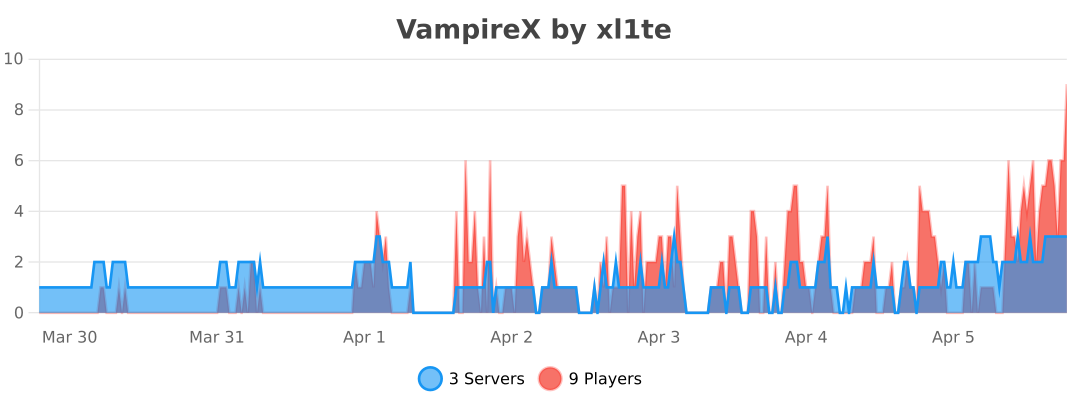
## Statistics by bStats
ValkyrieLib
About
This is a library of common code for all of ValkyrieofNight’s and TeamKrypticLinks mods.
Can I use this in my modpack?
Curesforge, Modrinth and FTB modpacks: Go Ahead 🙂
Packs on external sites: Must acquire my permission and then link back to this project page.