WebConsoleServer
# WebConsoleServer
A Minecraft plugin that exposes your server console through a WebSocket connection. Built for [groupez.dev](https://groupez.dev), a test server generator for paid plugins.
## Features
– Real-time console log streaming via WebSocket
– Password-protected authentication
– Log history persistence (loads previous logs on client connection)
– Support for both **Spigot/Paper** and **Velocity** platforms
– Included test web page for quick testing
## Supported Platforms
| Platform | Minecraft Version | Java Version |
|———-|——————-|————–|
| Spigot/Paper | 1.8.8+ | Java 8+ |
| Velocity | 3.3.0+ | Java 21+ |
## Test Web Page
A test web page is included in the `web/` folder. Open `web/index.html` in your browser to connect to the WebSocket server and view console logs in real-time.
## Installation
1. Download the appropriate JAR for your platform from [Modrinth](https://modrinth.com/project/webconsoleserver)
2. Place the JAR in your server’s `plugins` folder
3. Restart your server
4. Configure the plugin in `plugins/WebConsoleServer/config.properties` (Velocity) or `plugins/WebConsoleServer/config.yml` (Spigot)
## Configuration
“`properties
# IP address to bind the WebSocket server (use 0.0.0.0 for all interfaces)
websocket-host=0.0.0.0
# Port for the WebSocket server
websocket-port=8765
# Password for WebSocket authentication (leave empty for no authentication)
websocket-password=changeme
# Maximum number of log lines to keep in history
max-log-history=500
“`
## WebSocket Protocol
### Authentication Flow
1. Client connects to `ws://host:port`
2. Server sends `{“type”:”auth_required”}`
3. Client sends `{“type”:”auth”,”password”:”your_password”}`
4. Server responds with `{“type”:”auth_success”}` or `{“type”:”auth_failed”}`
5. On success, server sends log history followed by `{“type”:”history_complete”}`
### Message Types
| Type | Direction | Description |
|——|———–|————-|
| `auth_required` | Server → Client | Authentication is required |
| `auth` | Client → Server | Authentication request with password |
| `auth_success` | Server → Client | Authentication successful |
| `auth_failed` | Server → Client | Authentication failed |
| `log` | Server → Client | Console log message |
| `history_complete` | Server → Client | All historical logs have been sent |
### Log Message Format
“`json
{“type”:”log”,”message”:”[12:34:56] [INFO] [ServerName]: Your log message here”}
“`
## Building from Source
“`bash
# Build all modules
./gradlew build
# Output JARs are located in target/
# – WebConsoleServer-Spigot-1.0.jar
# – WebConsoleServer-Velocity-1.0.jar
“`
On Windows, use `gradlew.bat` instead of `./gradlew`.
## License
MIT License
## Links
– [groupez.dev](https://groupez.dev) – Test server generator for paid plugins
– [Github](https://github.com/GroupeZ-dev/WebConsoleServer) – Source code
Wayland Fix
*Note: if you do not use Linux, this mod is not for you*
“[Wayland](https://wayland.freedesktop.org/) is a replacement for the X11 window system protocol and architecture with the aim to be easier to develop, extend, and maintain.”
With the increasing popularity of Wayland compositors on Linux, including several desktop environments switching to Wayland by default, application support for Wayland makes the Linux desktop experience all the better.
While Minecraft does run under XWayland, features like per-monitor HiDPI scaling do not function. If you experience problems related to XWayland, this mod is for you.
# Requirements
A Wayland-supported system GLFW installation and the following JVM flag is required:
“`
-Dorg.lwjgl.glfw.libname=/usr/lib/libglfw.so
“`
To install the proper GLFW on Arch Linux, run:
“`sh
sudo pacman -S glfw-wayland
“`
# Motivation
I wrote this mod after using [Sway WM](https://swaywm.org/) with a HiDPI display. All XWayland applications look blurry, so it is not an option. The community solution was to [patch the system glfw](https://github.com/Admicos/minecraft-wayland), but I’d rather not do that.
# Bug Reports
If you continue to experience problems with Minecraft on Wayland after installing this mod, file a bug report [on the issue tracker](https://github.com/StackDoubleFlow/MCWaylandFix/issues) if it hasn’t already been reported.
Wawla – What Are We Looking At
This mod is an addon for Waila/Hwyla. It gathers a lot of additional information about the game and presents it using the information display HUD. This mod requires Hwyla or Waila, along with Bookshelf.
NOTE: This mod requires other mods to run properly!
Features include
- Animal Breeding Cooldown
- Animal Growing Up timer.
- Armor points
- Block Blast Resistance (Off by default)
- Block Hardness (Off by default)
- Block Break Progress
- Block Enchantment Power
- Total Enchanting Power for Enchanting Table
- Horse Speed
- Horse Jump Strength
- Item Frame Contents
- Player Head Username
- Villager Professions
- Trapped Chests displayed as normal Chests instead.
Notice: If you are using older versions of the mods, some features may not be available, and some additional features may not be documented. This page only maintains info on the latest versions.
Like the mod and want to support me?
[](https://nodecraft.com/r/darkhax)
**This project is sponsored by Nodecraft. Use code [DARKHAX](https://nodecraft.com/r/darkhax) for 30% off your first month of service!**
MelonPack
# Welcome to Melonpack
Do you like Melons? Do you like Minecraft texture packs? If so, this pack is for you!
This pack makes most things melon! Melons? MELON! tools? MELON! hotbar? MELON!
FEATURES INCLUDED ARE
- Watermelon tools
- Watermelon Armor
- Easy Brewing
- Melon Particles
- Melon Health
- AND MUCH MORE
# Info/Contact
Click here for discord!
Contact me at “[email protected]” OR “abstractmelon#0115”
We hope you enjoy the Pack:)
Water Sounds pack
**This is an underwater acoustic themed sound package designed around a 1.9+combat system.**
**The current version (0.3a) has been modified:**
– Bow and Arrow sound Effects
– Crossbow sound effects
– Strike sound effects
**FAQ:**
– Q:Will it be ported to an old version?
– A:No plan.
*Using machine translation
中文翻译:
**这是一个围绕 1.9+战斗系统 所制作的水声主题音效包**
**当前版本(0.3a)修改了**
– 弓箭音效
– 弩箭音效
– 打击音效
**常见问题:**
– 将会移植到旧版本吗?
– 目前没有计划
WasteLand Emeralds
# WasteLand Emeralds
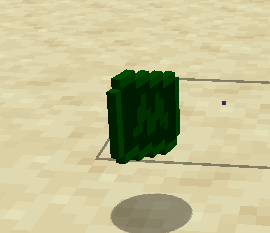
### This resource pack changes the texture of an emerald so that it looks like money
Warm Mojangles
This fontpack changes the color of the default font in Minecraft to be more pleasing to the eye.
To install it, make sure to select it in the resource packs screen and put it on top of other font packs.
# MY OTHER FONTS
– [Marga Font by SourAlien](https://modrinth.com/resourcepack/marga-font-by-souralien)
– [Paramita Font by SourAlien](https://modrinth.com/resourcepack/paramita-font-by-souralien)
– [PP Font](https://modrinth.com/project/pp-font)
– [Anicca Font by SourAlien](https://modrinth.com/resourcepack/anicca-font-by-souralien)
– [Tiny Bold Font](https://modrinth.com/resourcepack/tiny-bold-font)
– [SAS SMALL CAPS FONT](https://modrinth.com/resourcepack/sas-small-caps-font)
– [sas all lowercase font](https://modrinth.com/resourcepack/sas-all-lowercase-font)
– [Samsara Mono by SourAlien](https://modrinth.com/resourcepack/samsara-mono-font-by-souralien)
– [Ostrakon Font by SourAlien](https://modrinth.com/resourcepack/ostrakon-font-by-souralien)
– [Epsilon Font by SourAlien](https://modrinth.com/resourcepack/epsilon-font-by-souralien)
– [Alice Font](https://modrinth.com/resourcepack/alice-font)
– [Sleek DR](https://modrinth.com/resourcepack/sleek-dr)
– [Synesthete’s Dream](https://modrinth.com/resourcepack/synesthetes-dream)
– [HD B&W Font](https://modrinth.com/resourcepack/hd-bw-font)
WardSS
# WardSS 1.4
## Description:
A powerful Minecraft plugin for managing staff controls (ScreenShare) with advanced features.
## Features:
freeze_system:
– command: “/ss ”
description: “Freeze a player for screening”
– automatic_teleport: “Moves staff and player to a predefined location”
– custom_titles: “Display titles/subtitles when a player is frozen/unfrozen”
– automatic_return: “Player is returned to their original location after unfreeze”
## Private_chat:
– “Exclusive chat between staff and frozen players”
– “Customizable message format”
– “Invisible to other players”
## Report_system:
– command: “/ssreport ”
description: “Report a player for staff review”
– command: “/reportlist”
permission: “wardss.report”
description: “View the list of all reported players”
– “Staff notified when a report is sent”
– “Configurable report broadcasts”
– “Customizable report message format”
– “Improved tab completions for /ssreport ”
## Protections:
– “Block commands for frozen players”
– “Notify staff on command attempts”
– “Automatic ban if a player disconnects during screening”
– “Staff bypass mode for unrestricted movement”
## Commands:
– “/ss – Freeze/unfreeze a player”
– “/ss setlocation – Set teleport location for screenings”
– “/ss bypass – Toggle bypass mode for staff”
– “/ssreport – Report a player for staff review”
– “/reportlist – View all reported players”
permissions:
– “wardss.use – Use the /ss command”
– “wardss.notify – Receive notifications”
– “wardss.bypass – Use bypass mode”
– “wardss.setlocation – Set screening teleport location”
– “wardss.report – Access /reportlist command”
## Configuration:
messages:
– prefix: “&7[&c&lWardSS&7]”
– staff-freeze: “&aYou have frozen %player% for screening!”
– player-frozen: “&cYou have been frozen by %staff%!”
– staff-unfreeze: “&aYou have unfrozen %player%!”
– player-unfrozen: “&aThe screening is over, you have been unfrozen!”
– frozen-title: “&c&lYOU HAVE BEEN FROZEN”
– frozen-subtitle: “&7Do not disconnect or you will be banned!”
– unfrozen-title: “&a&lYOU HAVE BEEN UNFROZEN”
– unfrozen-subtitle: “&7Thank you for your cooperation!”
– no-permission: “&cYou don’t have permission!”
– player-not-found: “&cPlayer not found!”
– already-frozen: “&cThis player is already frozen!”
– not-frozen: “&cThis player is not frozen!”
– teleport-set: “&aThe teleport position has been set!”
– teleport-not-set: “&cThe teleport position has not been set!”
– teleport-usage: “&cUsage: /ss ”
– report-sent: “&aReport sent successfully!”
– report-received: “&7You have received a new report”
– report-broadcast: “&7New report: &c%report%”
– report-submitted: “&7Report submitted by &c%player%”
– bypass-active: “&aBypass mode activated”
– bypass-inactive: “&cBypass mode deactivated”
– private-chat-format: “&8[&cSS&8] &7%player%: &f%message%”
– player-quit: “&c%player% disconnected during screening!”
– command-blocked: “&cYou cannot use commands while frozen!”
– command-attempt: “&c%player% attempted to use command: %command%”
### settings:
– notify-staff: true
– prevent-commands: true
– prevent-movement: true
– prevent-interaction: true
– prevent-damage: true
– title-fade-in: 10
– title-stay: 100
– title-fade-out: 10
## Installation:
– “Download the JAR from the releases section”
– “Place it in your server’s plugins folder”
– “Restart the server”
– “Configure config.yml as needed”
– “Set the teleport location with /ss setlocation”
## Requirements:
– “Bukkit/Spigot Server 1.8+”
– “Java 8 or higher”
– “Properly configured permissions”
## Additional_notes:
– “Ensure permissions are correctly set in your permissions plugin”
– “Recommended: Set teleport location in a secure, enclosed area”
– “Check for updates regularly for new features and fixes”
## License: “All Rights Reserved – No part of this plugin, including source code and resources, may be used, copied, modified, or redistributed without the explicit permission of the author.”
Kid Named Finger Title Screen (Waltuh)
**Changes the Minecraft logo on the title screen (and the menu background) to a stupid shitpost I’ve had in my mind for a while.**
Two versions are available, one for 1.20 and up, and another for 1.19 and under. Make sure you download the correct version.
[](https://ko-fi.com/nanobuntv)
Special thanks to [Ewan Howell](https://ewanhowell.com) for making the [Blockbench plugin](https://www.blockbench.net/plugins/minecraft_title_generator) that made this possible.
This work is licensed under [CC BY-NC-SA 4.0](https://creativecommons.org/licenses/by-nc-sa/4.0)
Waguri pack
This is pvp project for anime lovers!
you can play pvp better because I added a lot of things
for pvp. for example: small totem small items no particles
waifu guis and custom items custom paints custom
music. Yes it is true I added phonk discs for you
You can listen phonks with jukebox and you can see
custom armor and tools and I added fullbright yes You
don’t need any resurcepack everything is here just
install and play 🙂