ZZZ Fissure Sounds
This resourcepack replaces the Nether Portal sounds with the ones from the Fissures in Zenless Zone Zero! Sounds changed are:
– Idle portal sound.
– Entering the portal.
– Exitng the portal.
This video showcases the sounds in action:
–
Zume
# IMPORTANT LICENSE NOTICE
By using this project in any form, you hereby give your “express assent” for the terms of the license of this project (see [LICENSE](https://github.com/Nolij/Zume/raw/master/LICENSE)), and acknowledge that I (the author of this project) have fulfilled my obligation under the license to “make a reasonable effort under the circumstances to obtain the express assent of recipients to the terms of this License”.
# Zume
An ~~over-engineered~~ simple zoom mod.
This mod adds a keybind which zooms in your FOV while it’s held down, allowing you to see further away, and keybinds
for increasing and decreasing the zoom level.
# FAQ
#### Q: Where is the config?
A: You’ll find the config at `.minecraft/global/zume.json5` (note that this is the default `.minecraft` folder, not
the instance `.minecraft`). You can modify the file while the game is running, and the config will be automatically
reloaded. On platforms which have mod menus (such as Forge, and Fabric with [Mod Menu](https://modrinth.com/mod/modmenu)
installed), the config button for Zume will open this file in your system text editor.
#### Q: discord where
A: https://discord.gg/6ZjX4mvCMR
#### Q: What version is this for?
A: Zume supports the following platforms:
– Fabric: Any version supported by Fabric Keybinding API v1 (currently 14.4+)
– NeoForge: 20.4+ (requires NeoForge 20.4.195+)
– LexForge: 14.4 – 20.5 (requires MixinBootstrap before 16.1) (there are currently no plans to support 20.6+)
– Legacy Fabric: Any version supported by Legacy Fabric Keybinding API v1 (currently 7.10 – 12.2)
– Babric (Fabric for Minecraft Beta): Any version supported by Station API (currently b7.3)
– Vintage Forge: 8.9 – 12.2 (requires MixinBooter or UniMixins)
– Archaic Forge: 7.10 (requires UniMixins)
#### Q: Can you add support for ?
A: Every platform I intend to add support for myself is already supported. PRs are welcome for other platforms **if
the following conditions are met**:
– Must not break single-jar compatibility with any already supported platform (obviously).
– Must not be for a platform that has a 1st-party compatibility layer for an already supported platform – explicit
Quilt support will not be accepted so long as Quilt maintains a Fabric compatibility layer; it’d be a waste of CI
time. [Sinytra Connector](https://github.com/Sinytra/Connector) is a 3rd-party compatibility layer, so explicit
Forge support will be provided.
– Must not manually maintain overridden game options; implementations that look like
[Mooz’s](https://github.com/embeddedt/Mooz/blob/92570f7449a7e71c1c0b988788027b10c00f1346/src/main/java/org/embeddedt/mooz/ClientProxy.java#L35-L56)
will not be accepted – no offense [embeddedt](https://github.com/embeddedt). Direct ASM is fine as long as functionality is similar enough.
– Must make a reasonable effort to be maximize compatibility with existing mods on target platforms – see use of
Neo/LexForge API over mixins in Neo/LexForge implementations, and use of `@WrapWithCondition` and
`@ModifyExpressionValue` and such from MixinExtras over `@Redirect` in most implementations.
– Must follow existing format – add a Unimined subproject for each newly supported platform.
– Must not have exclusive features without significant justification – if you’re adding a feature, add it to every
version.
#### Q: What kind of weird license is this?
A: OSL-3.0 is the closest equivalent to a LAGPL I could find. AGPL and GPL are incompatible with Minecraft, and LGPL
doesn’t protect network use. OSL-3.0 protects network use and is compatible with Minecraft.
#### Q: Why though? It’s so strict!!!!
A: This is, and will remain, free, copyleft software. Any requests to change the license other than to make it even
stronger will be denied immediately (unfortunately GPL and AGPL aren’t compatible with Minecraft due to linking
restrictions, as much as I’d like to use them). Even in situations where I use parts of other projects with more
“permissive” licenses, I will treat them as copyleft, free software.
## License
This project is licensed under OSL-3.0. For more information, see [LICENSE](https://github.com/Nolij/Zume/raw/master/LICENSE).
## Need a Minecraft server? Consider CreeperHost!

ZStaffChatPro Bridge (Addon)
# ZStaffChatPro Bridge
Server-side addon for [ZStaffChatPro](https://modrinth.com/plugin/zstaffchatpro) that connects your Spigot/Paper/Folia backends to the proxy.
## What it does
– **Vanish Sync** — Syncs PremiumVanish/SuperVanish status to BungeeCord/Velocity so vanished players are hidden from /stafflist across the network
– **AFK Detection** — Sends player movement data (throttled to 30s per player) to the proxy for accurate AFK tracking
– **Activity Bridging** — Enables proxy-side features like in-game activity log and /staffafk to work with real player data
## Setup
1. Install ZStaffChatPro on your BungeeCord/Velocity proxy
2. Install this Bridge addon on each Spigot/Paper/Folia backend
3. No configuration needed — it connects automatically via plugin messaging
## Requirements
– ZStaffChatPro on the proxy (BungeeCord or Velocity)
– Spigot, Paper, or Folia 1.16+
– Optional: PremiumVanish or SuperVanish for vanish sync
ZStaffChatPro

—
*The most advanced staff communication plugin for Minecraft networks.*
**[Wiki & Documentation](https://docs.zenyxdev.org)** | **[Bridge Addon](https://modrinth.com/plugin/zstaffchatpro-bridge-(addon))** | **[Discord](https://discord.com/invite/ZGd6Mvacuf)**
—
## What is ZStaffChatPro?
ZStaffChatPro is a powerful and lightweight staff chat plugin designed for Minecraft server networks. It allows your staff team to communicate privately across multiple servers using fully customizable chat channels.
Whether you run a small survival server or a large network with dozens of backends, ZStaffChatPro provides everything your staff needs — private channels, playtime tracking, AFK detection, Discord integration, and much more.
The plugin works on **Spigot**, **Paper**, **Folia**, **BungeeCord**, and **Velocity**, supporting Minecraft **1.8.x — 1.21.x** and **26.1.1**.
—
## Features
### Unlimited Custom Channels
Create as many staff chat channels as you need — Staff, Admin, Builder, Helper, or anything you can think of. Each channel is fully independent with its own:
– Display name and color prefix
– Permission node
– Command and aliases (e.g. `/sc`, `/ac`, `/bchat`)
– Chat prefix shortcut (e.g. type `!hello` in chat to send “hello” to the Staff channel)
– Message format with full placeholder support
– Priority system for staff list ordering
Want just one channel? Keep only “staff” in the config and you’re done.
### Cross-Network Support
Full BungeeCord and Velocity proxy support. Staff can chat across all backend servers seamlessly.
– See which server each staff member is on
– Track server switches in the activity log
– Disable staff chat on specific servers (e.g. lobby, minigames)
– Custom server display names via aliases (e.g. `hub-01` shows as `Hub`)
– Bridge addon for accurate AFK detection and signed chat support on backends
### Discord Integration
Connect your staff chat to Discord with two available modes:
**Webhook Mode** — Simple one-way setup (Minecraft -> Discord). Just paste a webhook URL and you’re done. Each channel can have its own Discord channel. Supports rich embeds with customizable colors, authors, and footers.
**Bot Mode** — Full two-way integration (Minecraft <-> Discord). Staff can send messages from Discord directly into the in-game staff chat. Supports role-based permissions, custom bot status, and rich embeds.
Both modes include an **Activity Log** that sends staff joins, leaves, server switches, vanish, and AFK events to Discord — with per-event embed colors.
### Staff List
View all online staff members with `/stafflist`. Three display modes available:
**Default** — Compact, one line per channel:
“`
Staff (2): player1, player2
“`
**Grouped** — One player per line:
“`
Staff (2)
player1
player2
“`
**Server** — Grouped by backend server (proxy only):
“`
Staff (3)
Hub (1)
player1
Survival (2)
player2
player3
“`
Player format is fully customizable — show LuckPerms prefix, server name, or any combination.
### Staff Management
**Playtime Tracking** — Track how long each staff member spends online. View daily, weekly, and total playtime with AFK breakdown using `/stafftime`.
**AFK Detection** — Automatically marks inactive staff as AFK after a configurable timeout. AFK status is shown in the staff list and reported in the activity log. Staff can also manually toggle AFK with `/staffafk`.
**Spy Mode** — Allows authorized staff to see messages from all channels, even ones they don’t have permission for. Toggle with `/staffspy`.
**Toggle Mode** — Use `/sc` without a message to toggle auto-redirect. When enabled, all your regular chat messages are automatically sent to that staff channel.
**Activity Log** — Track staff activity directly in the staff chat channel:
– Player joins and leaves
– Server switches (with previous and current server)
– Vanish on/off
– AFK on/off
No extra permission needed — works for any player with access to a channel.
### Integrations
**LuckPerms** — Automatic support for prefix, suffix, group, and rank placeholders. Use `{luckperms_prefix}`, `{luckperms_rank}`, etc. in any message format. Full hex color support including `&#RRGGBB` format.
**PremiumVanish / SuperVanish** — Vanished players are shown with a [Vanished] tag in the staff list and vanish events are tracked in the activity log. Cross-server sync via Bridge addon.
**Chat Filter** — Built-in word filter with two modes: censor (replace with obfuscated text or custom string) or block (prevent the message entirely). Supports word lists and regex patterns.
### Customization
Everything is configurable. Clean config files with detailed comments for every option.
– Full hex color support (`{#FF5555}text`)
– Gradient support (`{#FF0000>>#0000FF}text{/}`)
– 20+ placeholders across all formats
– Multi-line message support
– Customizable help, about, and staff list output
– Auto-backup and regeneration when config version changes
—
## Quick Start
1. Drop the plugin JAR into your server’s `plugins/` folder
2. For proxy setups: install on the proxy + [Bridge addon](https://modrinth.com/plugin/zstaffchatpro-bridge-(addon)) on each backend server
3. Start the server — default channels work out of the box
4. Customize channels, formats, and features in `config.yml`
For detailed setup guides, all configuration options, and troubleshooting visit the **[Wiki](https://docs.zenyxdev.org)**.
—
## Commands
| Command | Description |
|———|————-|
| `/sc ` | Send a message to the Staff channel |
| `/ac ` | Send a message to the Admin channel |
| `/stafflist` | View all online staff members |
| `/staffspy` | Toggle spy mode (see all channels) |
| `/stafftime [player]` | View playtime statistics |
| `/staffafk` | Toggle AFK status |
| `/zscp reload` | Reload all configuration files |
| `/zscp about` | Show plugin info and status |
Full command list, permissions, and placeholders available on the [Wiki](https://docs.zenyxdev.org).
—
## Supported Platforms
| Platform | Versions |
|———-|———-|
| Spigot / Paper | 1.8.x — 1.21.x and 26.1.1 |
| Folia | 1.19.4+ |
| BungeeCord / Waterfall | All versions |
| Velocity | 3.0+ |
—
Need help? Visit the **[Wiki](https://docs.zenyxdev.org)** or join our **[Discord](https://discord.com/invite/ZGd6Mvacuf)**.
Zombies Remade

Zombies Remade Remakes the Texture of the Zombie to a more Modren one
and with more Actions and more Stuff with what the Zombie can be
Discamer This does not Change the other Zombie textures like Husk and Drowned only the Normal Zombie for now i remove this Discamer if i do end up adding them
Also dont worry about the Pack saying it Might not Work Because it should Work
also i made this because no one else did
Zombie Piglin Backport
REQUIRES OPTIFINE
uses a custom model
This adds the new zombie piglin model into earlier version of Minecraft using optifine
Animations are approximate so there are some differences.
Have this pack below for a full experience
[1.14 Texture Backport Pack](https://www.curseforge.com/minecraft/texture-packs/actually-correct-1-14-texture-backport)
Other Packs
[Bat Backport](https://modrinth.com/resourcepack/bat-backport)
[Horse Backport](https://modrinth.com/resourcepack/horse-backport)
[Vex Backport](https://modrinth.com/resourcepack/vex-backport)
[Zombie Piglin Backport](https://modrinth.com/resourcepack/zombie-piglin-backport)
Zombie Horse Texture Backport
A backport of the zombie horse texture from the Mounts of Mayhem drop, compatible with almost every Minecraft version.
ZNPCsPlus
# ZNPCsPlus
ZNPCsPlus is a powerful and intuitive Spigot plugin that allows you to create and manage fake entities in Minecraft. These entities can perform actions such as executing commands or switching servers, providing seamless integration and interactivity for players.
This plugin is a modern, performance-focused remake of the original ZNPCs plugin, developed to ensure continued support and enhanced features after the original was discontinued.
—
## Features
– **100% Packet-Based**: All operations are offloaded from the main thread, ensuring excellent performance.
– **Performance & Stability Oriented**: Designed to minimize server impact while remaining reliable.
– **Wide Version Support**: Compatible with Minecraft versions 1.8 through 1.20.4.
– **Flexible Storage Options**: Choose from multiple storage solutions to best suit your setup.
– **Intuitive Commands**: User-friendly command system for effortless NPC management.
—
## Requirements
### Software
– **Java**: Version 8 or higher
– **Minecraft Versions**: 1.8 – 1.21
### Supported Server Platforms
– [Spigot](https://www.spigotmc.org/)
– [Paper](https://papermc.io/software/paper) ([GitHub](https://github.com/PaperMC/Paper))
– [Folia](https://papermc.io/software/folia) ([GitHub](https://github.com/PaperMC/Folia))
– ArcLight ([GitHub](https://github.com/IzzelAliz/Arclight))
### Optional Dependencies/Extensions
– [PlaceholderAPI](https://github.com/PlaceholderAPI/PlaceholderAPI): Enables the use of placeholders for dynamic content.
—
## Why Choose ZNPCsPlus?
– **Performance**: Optimized for high performance, with no tasks running on the main thread.
– **Compatibility**: Works across a broad range of Minecraft versions and server types.
– **Flexibility**: Supports custom storage backends and integrates seamlessly with popular plugins.
—
## Found a Bug or Need Help?
– **Report Issues**: Open an issue in our [GitHub issue tracker](https://github.com/Pyrbu/ZNPCsPlus/issues).
– **Get Support**: Join our [support Discord](https://discord.gg/MAZz6XpPcg).
—
## Installation
1. Download the latest release of ZNPCsPlus from [Spigot](https://www.spigotmc.org/resources/znpcsplus.109380/) or [Modrinth]. (Dev Builds are available at out [Jenkins](https://ci.pyr.lol/job/ZNPCsPlus/)).
2. Place the downloaded JAR file in your server’s `plugins` folder.
3. Restart your server.
—
## Credits
ZNPCsPlus wouldn’t be possible without the following libraries and resources:
– **[PacketEvents 2.0](https://github.com/retrooper/packetevents)**: Packet handling library.
– **[Minecraft Protocol Wiki (formally wiki.vg)](https://minecraft.wiki/w/Minecraft_Wiki:Projects/wiki.vg_merge/Main_Page)**: Minecraft protocol documentation.
– **[gson](https://github.com/google/gson)**: JSON parsing library by Google.
– **[Mineskin.org](https://mineskin.org/)**: Website for raw skin file uploads
– **[Adventure](https://docs.advntr.dev/)**: Minecraft text API.
– **[DazzleConf](https://github.com/A248/DazzleConf)**: Configuration library.
– **[Director](https://github.com/Pyrbu/Director)**: Command library.
– **[PlaceholderAPI](https://github.com/PlaceholderAPI/PlaceholderAPI)**: Universal placeholder system.
—
## Metrics
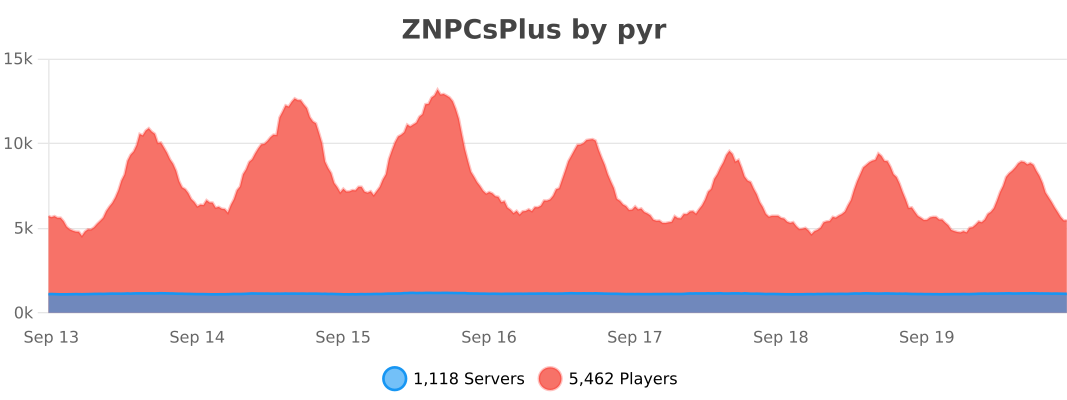
ZNPCsPlus utilizes [bStats](https://bstats.org/) for anonymous data collection. Metrics help us improve the plugin by providing insight into usage and performance. You can disable this in the `bStats` configuration.
[](https://bstats.org/plugin/bukkit/ZNPCsPlus/18244/)
—
## Support the Project
Love ZNPCsPlus? Help us grow by:
– Starring the [GitHub repository](https://github.com/Pyrbu/ZNPCsPlus).
– Leaving a positive review on [Spigot](https://www.spigotmc.org/resources/znpcsplus.109380/).
—
zMenu
[](https://minestrator.com/a/GROUPEZ)

**Documentation**: [docs.zmenu.dev](http://docs.zmenu.dev)
**Documentation en français**: [docs.zmenu.dev/v/fr/](https://docs.zmenu.dev/v/fr/)
[](https://docs.zmenu.dev/plugins-files#example_shop.yml)

## With [zMenu+](https://www.spigotmc.org/resources/zmenu-premium-zmenu-addon.115533/) addon:
[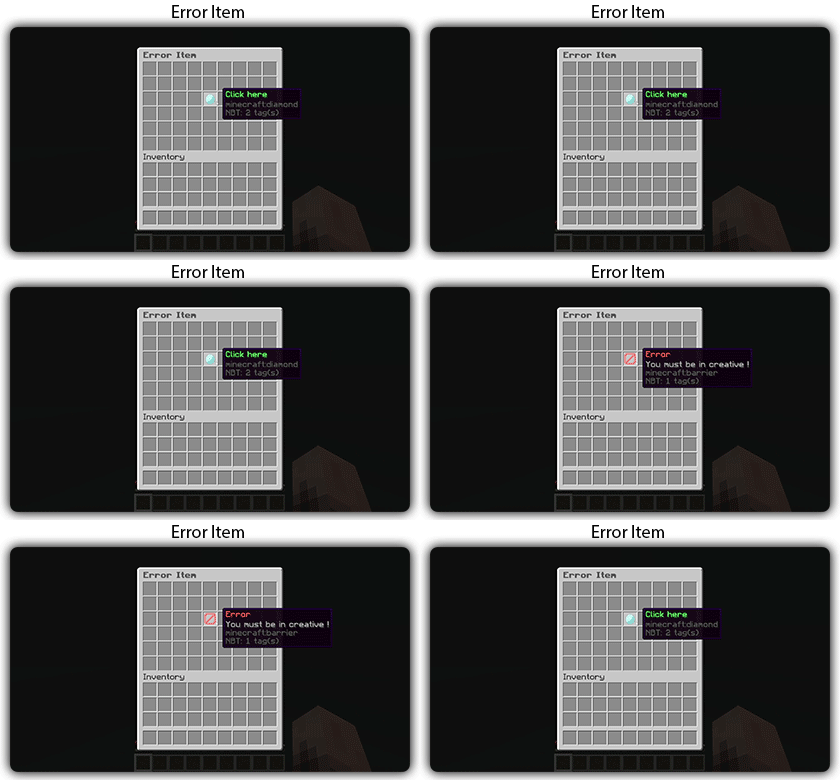](https://docs.zmenu.dev/configurations/buttons#error-item-zmenu)
[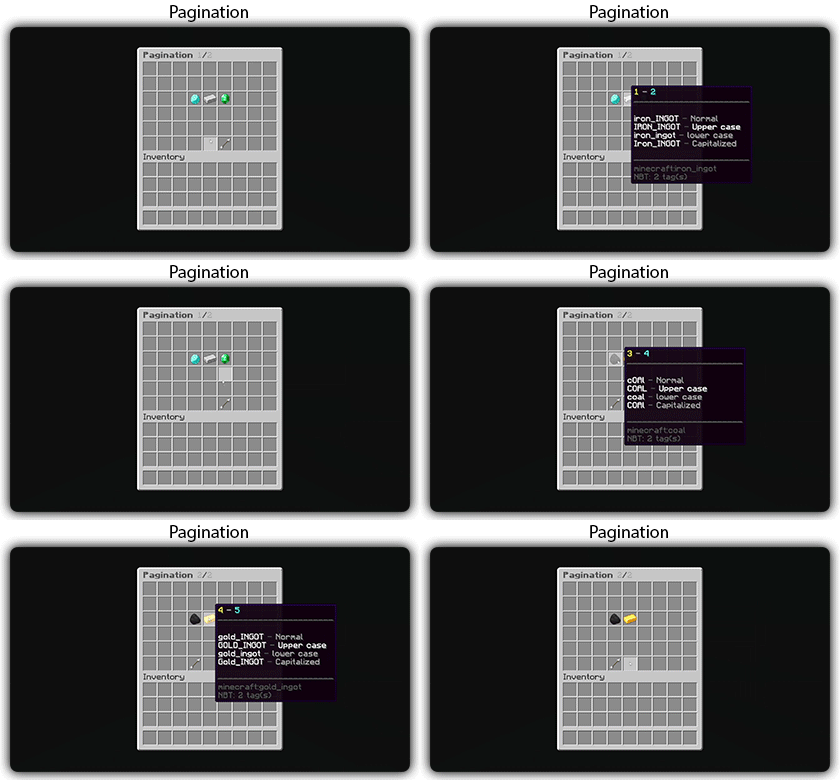](https://docs.zmenu.dev/configurations/buttons#pagination-zmenu)
[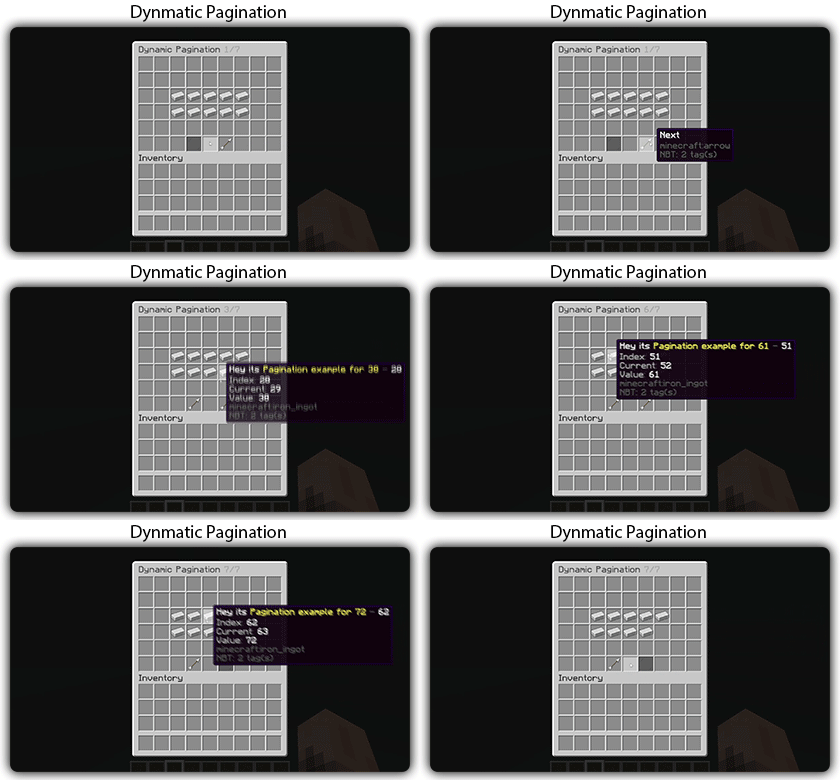](https://docs.zmenu.dev/configurations/buttons#dynamic-pagination-zmenu)
# **Features:**
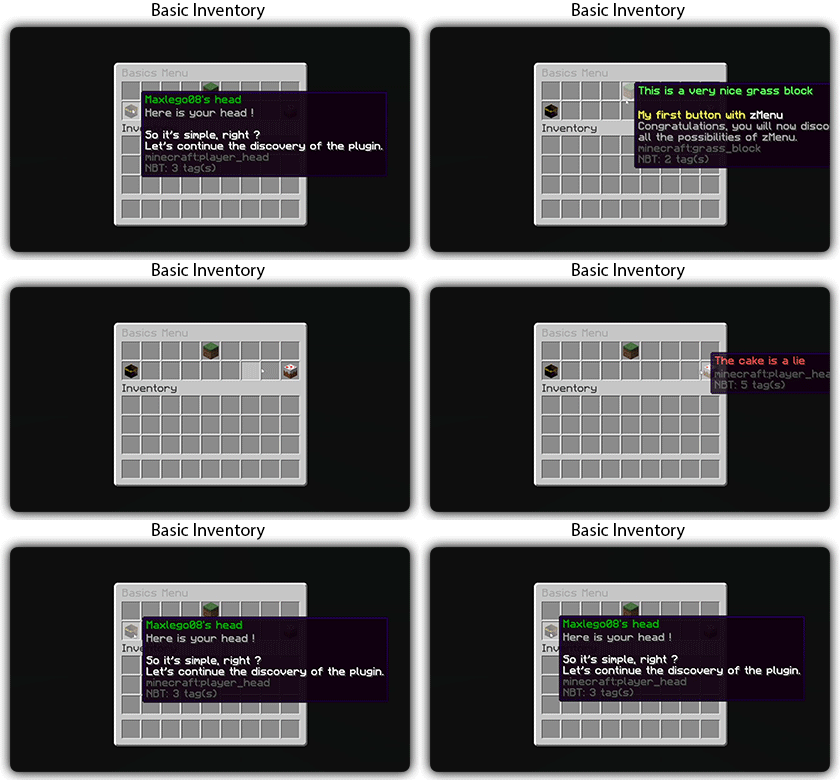
✅ Ability to create an **infinite number of GUI** menus and **commands**.
✅ Possibility to create several pages in the same inventory.
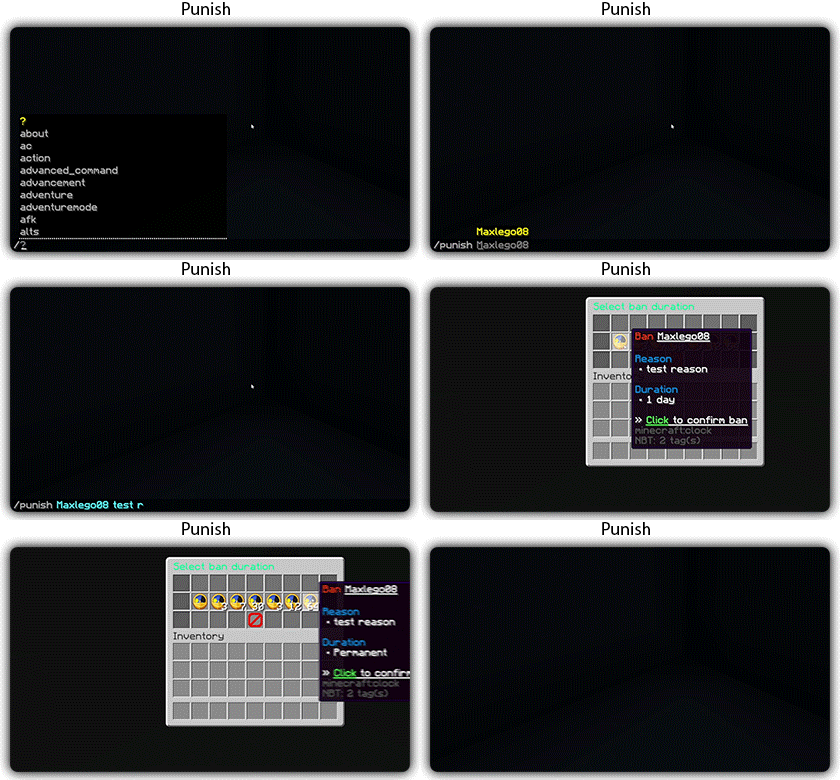
✅ Arguments, actions, and auto-completion for your commands.
✅ A marketplace to download configurations.
✅ An [online inventory editor](https://minecraft-inventory-builder.com/).
✅ Open Source: [GitHub](https://github.com/Maxlego08/zMenu).
✅ Advanced API.
✅ Ability to create an infinite number of buttons for each of your actions.
✅ Highly customizable.
✅ PlaceholderAPI support.
✅ Kyori Adventure [Mini Message Format](https://docs.adventure.kyori.net/minimessage/format.html) support.
✅ [Folia](https://papermc.io/software/folia) support.
✅ Convert from other plugins: [zMenuConvert](https://www.spigotmc.org/resources/zmenuconvert.110403/).
✅ Patterns, no more need to copy and paste the same configuration several times!
✅ [zHead](https://www.spigotmc.org/resources/zhead-database.115717/) and HeadDatabase support.
✅ Documentation translated into several languages:
1. English: [docs.zmenu.dev](https://docs.zmenu.dev/)
2. Français: [docs.zmenu.dev/v/fr/](https://docs.zmenu.dev/v/fr/)
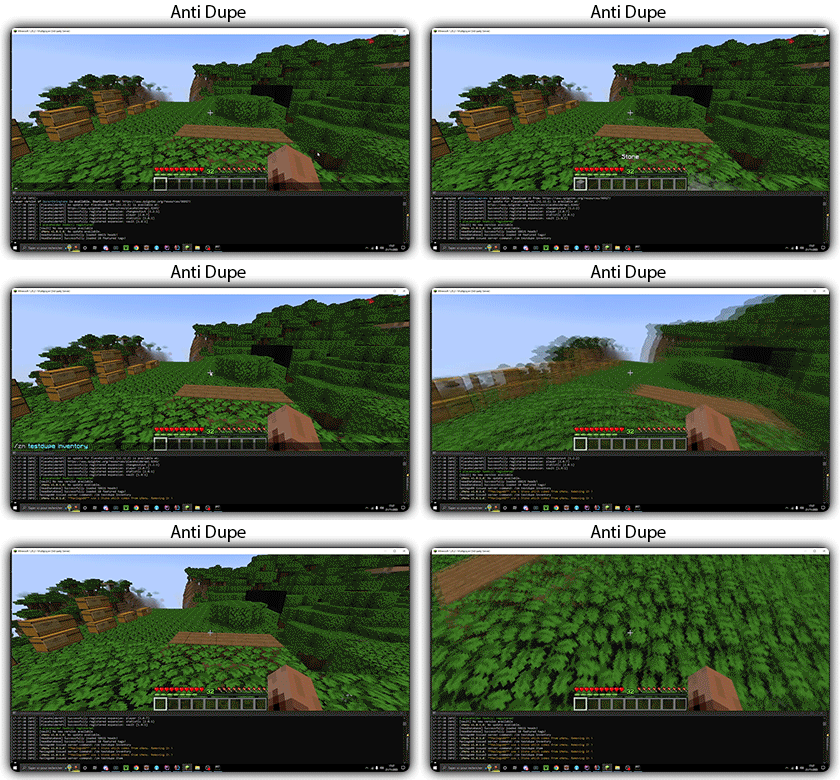
✅ **Anti-duplication** system. Duplication will be completely impossible with the plugin.
✅ Turn your items into a configuration with **/zm save**.
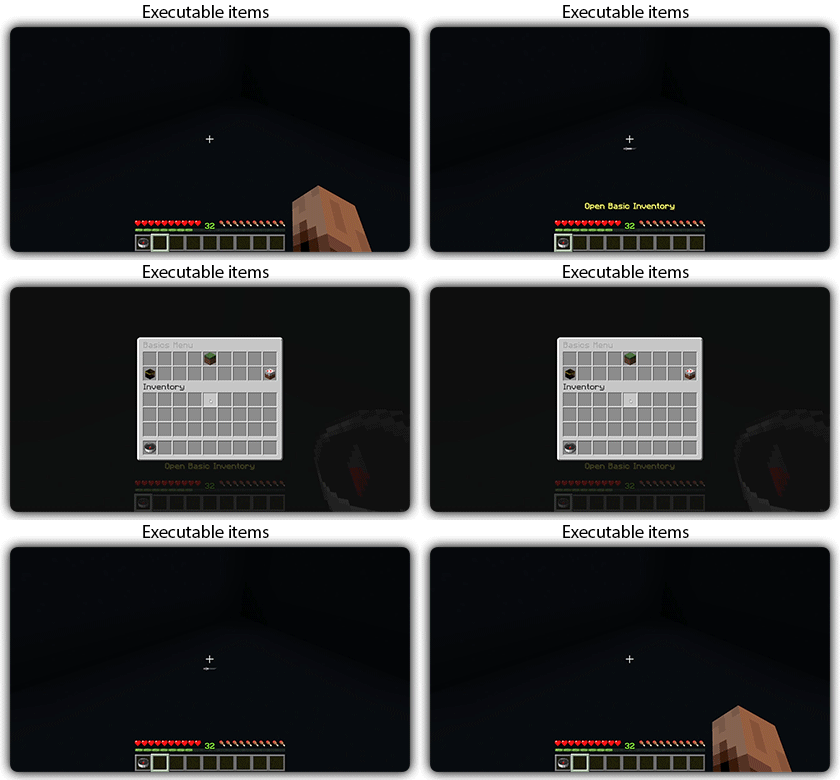
✅ Executable items for open inventories.
✅ Possibility to **translate your items** into several languages. The plugin displays the correct translation to the player!
✅ Use mathematical expressions in your inventories!
**Plugin’s files**: [https://docs.zmenu.dev/plugins-files](https://docs.zmenu.dev/plugins-files)
[](https://discord.groupez.dev/)
## Video:
[](https://youtube.com/watch?v=spxnyY7lY0Q)
[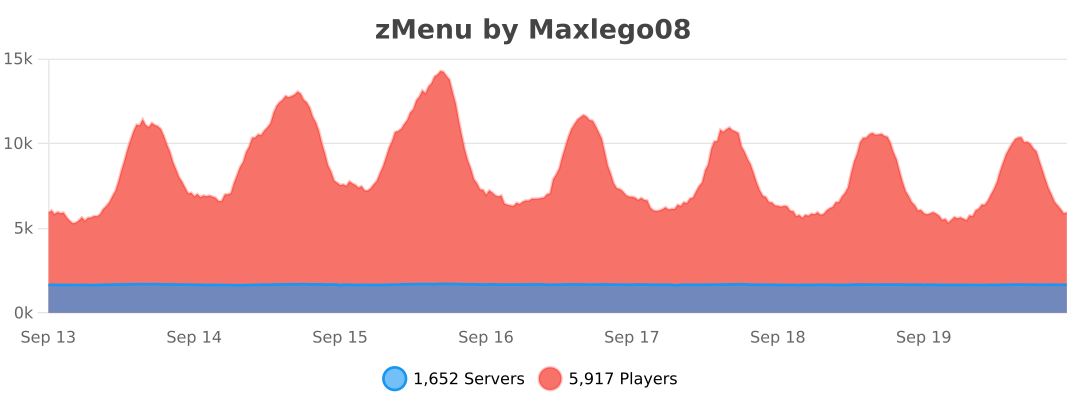](https://bstats.org/plugin/bukkit/zMenu/14951)
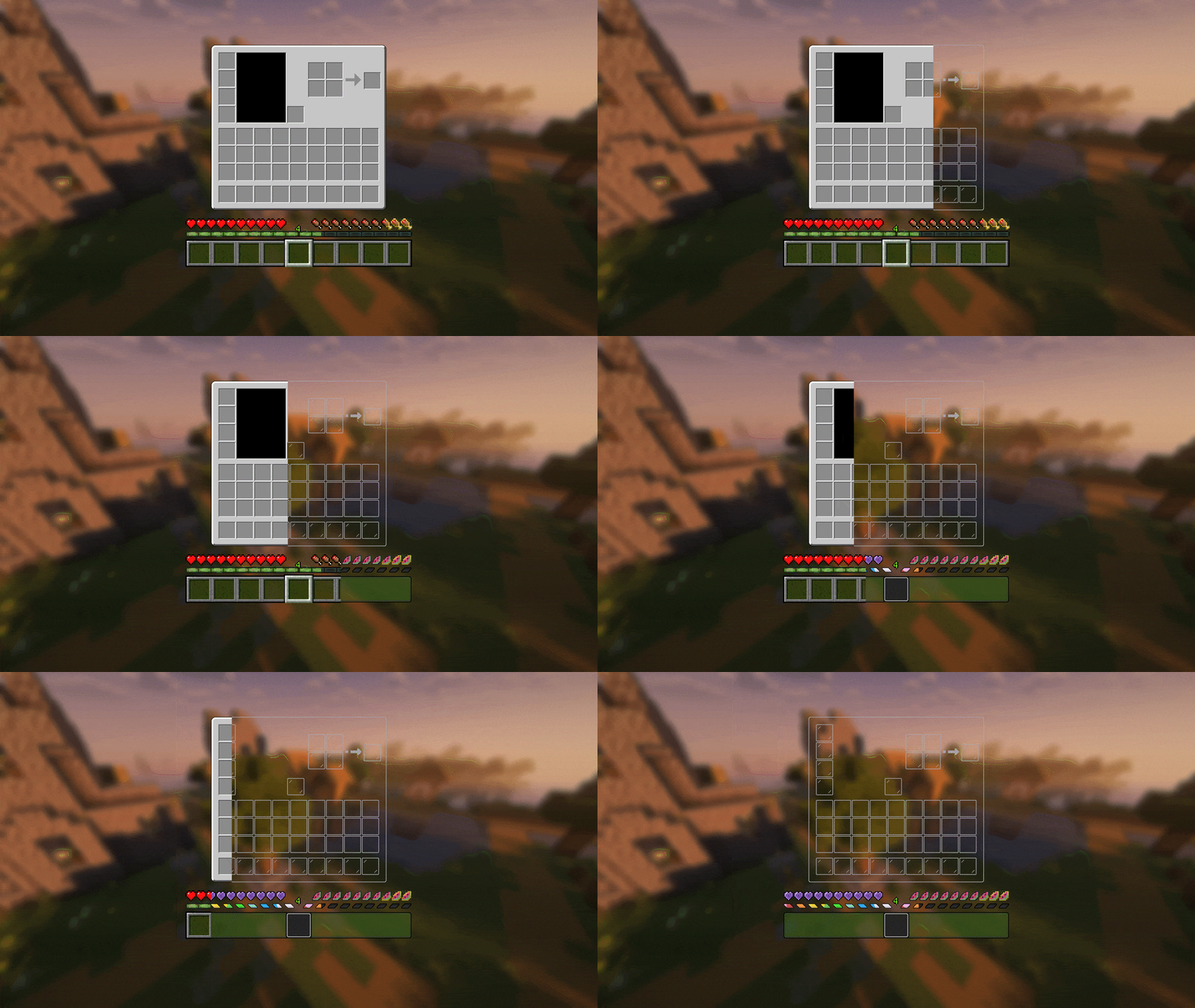
Transparent GUI
中文
| 一个支持1.7.10到1.22的透明gui材质包!|
| :————-:|
|**搭配[清洁屏幕](https://modrinth.com/resourcepack/low-shield-fire-no-pumpkinblur)使用效果更好!**|
| **适配模组:** |
|jade|✅|
|fabric|✅|
|appleskin|✅|
|inventoryprofilesnext|✅|
English
| A transparent GUI texture pack that supports 1.7.10 to 1.22!|
| :————-:|
|**It works better with [Clean Screen](https://modrinth.com/resourcepack/low-shield-fire-no-pumpkinblur)!**|
| **Mod support:** |
|jade|✅|
|fabric|✅|
|appleskin|✅|
|inventoryprofilesnext|✅|
|**Wait for more**|