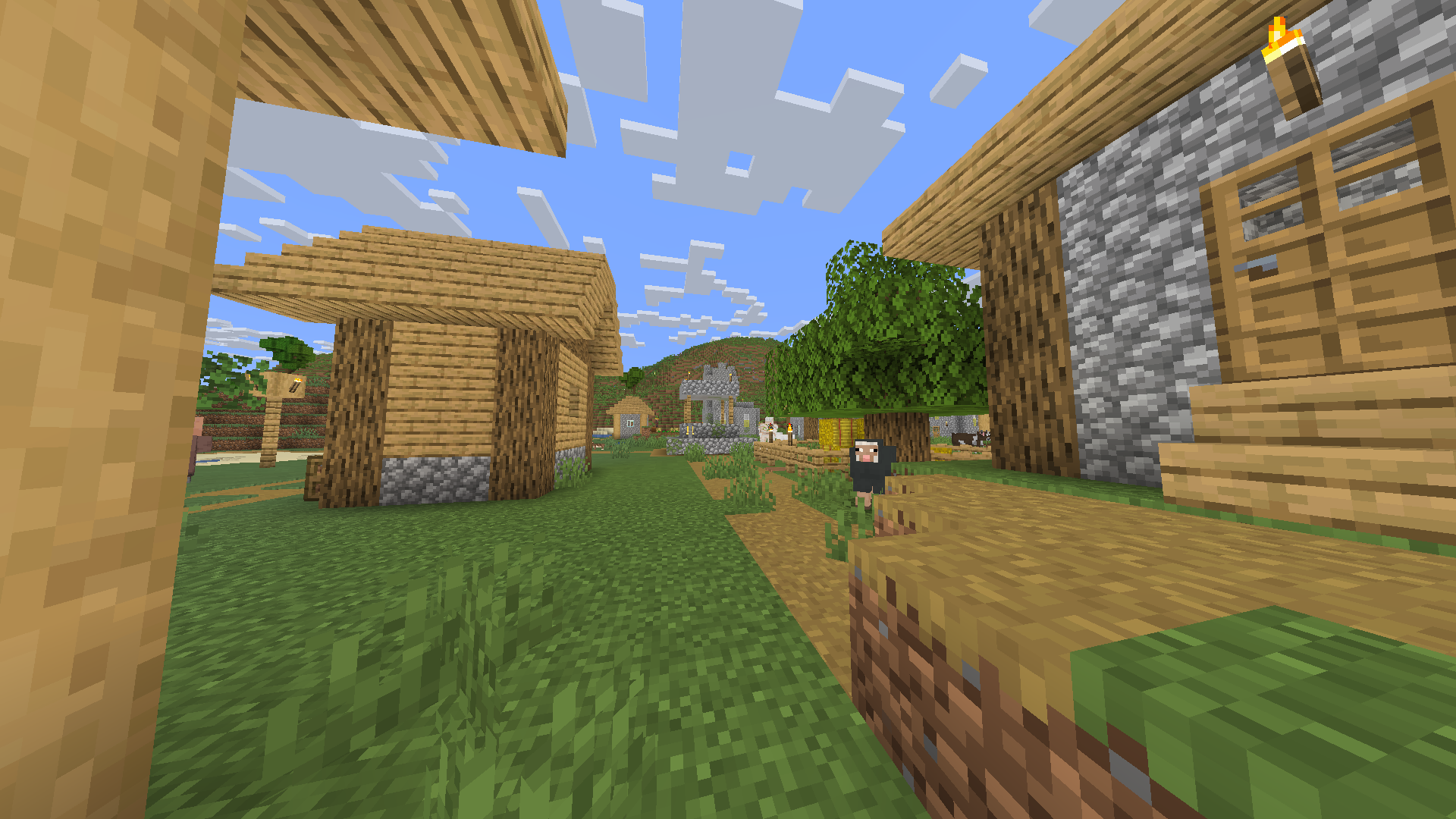
Lightingless



## Removes the shading engine
every texture has a little gamma however it does still have support for dark areas/night
## Probably the worlds smallest shader!
it makes the game like some youtuber shaders
ex. MumboJumbo
LegacyVoiceChat
# LegacyVoiceChat
**LegacyVoiceChat** adds proximity voice chat to legacy — including **Ornithe**, **StationAPI**, **Better than Adventure!**, **Project Poseidon**, **Risugami Modloader** and **More!**.
## ⚠️ WARNING
> **LegacyVoiceChat is currently a WIP mod.**
> Expect bugs, UI changes, and protocol changes at any time.
## Features
### Proximity Voice Chat
– 3D positional audio
– Directional sound based on player orientation
– Dynamic volume fading with distance
### Audio Device Management
– Choose custom **input** and **output** devices
– **Push-to-Talk** or **Voice Activation** modes
– Adjustable mic sensitivity
### Groups / Parties
– Create or join voice groups
– Talk privately with teammates (ignores distance)
### Mute & Deafen
– Mute specific players or yourself
– Deafen to silence all incoming voice
Looking for the raw jar file for MultiMc or Prism Launcher? [Click Here](https://legacyvoicechat.com/)
### Server Notes
Make sure to port forward “`25566 UDP“` or change the port in the server config
Legacy OptiFabric
**for mcsr**: use [mods.tildejustin.dev](https://mods.tildejustin.dev/)
If you’re looking for OptiFabric for 1.14 to 1.15.2 for regular Fabric instead of Ornithe, check out [OptiFabric Origins](https://modrinth.com/mod/optifabric-origins)
## Legacy OptiFabric
OptiFabric for Legacy Fabric (1.3.1-1.13.2) and Ornithe (b1.7.3-1.14.4)
– Legacy Fabric installer and official MultiMC instances: https://legacyfabric.net/downloads.html
– Ornithe installer (can generate MultiMC instances): https://ornithemc.net
– Legal speedrunning MultiMC instances for Ornithe and Legacy Fabric (vanilla LWJGL, no extra libraries or mods): [Minecraft-Java-Edition-Speedrunning/legacy-fabric-instance-generator/releases](https://github.com/Minecraft-Java-Edition-Speedrunning/legacy-fabric-instance-generator/releases)
based on the work of [RedLime’s OptiFabric-Pre1.14](https://github.com/RedLime/OptiFabric-Pre1.14), a fork of [hYdos’s OptiFabric 1.8.9](https://github.com/hYdos/OptiFabric) which
in turn is a derivative of [modmuss’ original OptiFabric](https://github.com/modmuss50/OptiFabric)
## installing
this mod requires an optifine jar in the mods folder alongside optifabric. for 1.7.2 and onwards this can be sourced
from [OptiFine’s official website](https://optifine.net/downloads), and older versions these can be retrieved either
from [SpeedyCube64’s Pre-1.9 Optifine Archive](https://github.com/speedycube64/Complete_OptiFine_Archive_Pre_1.9) or on
the [OptiFine history thread](https://www.minecraftforum.net/forums/mapping-and-modding-java-edition/minecraft-mods/1286605-b1-4-1-9-optifine-history).
## how it works
this mod uses [Minecraft-Java-Edition-Speedrunning/fabric-asm](https://github.com/Minecraft-Java-Edition-Speedrunning/fabric-asm), a minor derivative
of [Cat Core’s Fabric-ASM/no-guava](https://github.com/thecatcore/Fabric-ASM/tree/no-guava) which itself is an updated version
of [Chocohead’s fabric-asm](https://github.com/Chocohead/Fabric-ASM). fabric asm allows more extreme asm modification and the fork used has no dependency on guava or apache
commons, which older minecraft versions don’t provide.
### steps
1. the mod looks for an optifine installer or mod jar or zip in the current mods folder
2. if it finds an installer jar it runs the extract task in its own throwaway classloader
3. the optifine mod jar is a set of classes that need to replace the ones that minecraft provides
4. optifine’s replacement classes change the name of some lambda methods, so it take a good guess at the old name (using the original minecraft jar)
5. remap optifine to intermediary
6. move the patched classes out as they won’t do much good on the classpath twice
7. add optifine to the classpath
8. register the patching tweaker for every class that needs replacing
9. replace the target class with the class that was extracted, also do some more fixes to it, and make it public (due to access issues)
10. hope it works
## notes
– this mod does not really work in dev or named environments. In Legacy Fabric’s case the yarn builds are corrupted in some versions so this cannot work atm, feather is better but still has issues.
– the accessWideners are created based on the output of tiny remapper’s checkPackageAccess option, but they are unlikely to ever be 100% complete. if you have a crash that has to do with and invalid access, report it and it may be able to be fixed.
## class excluder
this is a kind of hidden feature that is occasionally useful to remove files when remapping the jar. to do this, it reads the `optifabric-excluded-classes.json` file
in `.minecraft/config/` if it exists, and expects the file to contain a mapping of versions (field names) to an array of removable classes (or textures or anything else, it’s just
a filename).
an example file contents to revert the removal of the profiler for 1.3.2 light is provided below. if the optifine version you are trying to make an excluder extry for has already
been loaded before in your instance, delete its folder in the `.optifine` folder in `.minecraft` to force a recache.
“`json
{
“OptiFine_1.3.2_L_B2”: [
“ik.class”
]
}
“`
Legacy Minigames Lobby Panorama
Makes ur panorama the og Minecraft Minigames lobby (new)
Legacy Console Edition Background/Panorama
# What does the pack do?
This pack adds the original Legacy Console Edition background panorama to java edition!
## It says incompatible?
This pack should be compatible with almost every Minecraft version because it only changes the panorama.
## Why does this exist?
This exists purely because **I got bored** and wanted to re-create the old Minecraft Legacy Console Edition background panorama with a world I downloaded lmao.
Just Enough Speed
Are you bored about the “player moved too quickly” notice on server?
Then you could use this mod to get rid of it!
Currently supports:
Forge: 1.19.x
Fabric: All Versions
Jappaified
Jappaified backports new Jappa-styled textures to every single version of Minecraft before 1.14 except for snapshots and April Fools updates, and I mean it. EVERY. SINGLE. VERSION. (There’s also a Classicube version)
This pack aims to port the modern textures as accurately as possible. This includes having correct ore textures, new cloud textures, and new changes when new updates drop if possible.

## Installation (pre a1.2.2)
### Prism Launcher / MultiMC
In the instance menu (click “Edit Instance” to get there), go to the Version section and click “Add to Minecraft.jar”. Once your file explorer of choice opens up, find the version you downloaded and select it. After that, it should be installed and you can launch the game with it.

I’d also recommend using [LegacyFix](https://github.com/betacraftuk/legacyfix) to get those old versions running idealy.
### Optifine and MCPatcher for old versions
Optifine and MCPatcher can be used to get the water and lava working properly in versions between a1.1.2_01 and r1.4.7. You can get the version you want [here](https://github.com/backporteverything/Backport-Everything/tree/main/Supplementary%20Files) and then you can add them by doing the same thing you do when using pre a1.2.2 versions of this pack to add MCPatcher.
## Version Numbering Scheme
game1(-game2).bigpatch.smallpatch.bugfix
game1 is the earliest Minecraft version a version of this pack supports
game2 is the latest Minecraft version a version of this pack supports
bigpatch is if I add or change something to every single version of the pack. Whenever this happens, I will make a downloadable .zip file with every version of the pack (it saves me a LOT of time)
smallpatch is if I want to add or change something in certain versions of the pack
bugfix is if I need to fix something in certain versions of the pack
The current version of a pack right now would be game1(-game2)(-OP).2.X.X
## Also Check Out
[Tunes: Backport](https://modrinth.com/resourcepack/tunes-backport): A pack that adds new songs to r1.6 and later. It works great alongside this pack.
[MC New Textures: Sound Pack](https://modrinth.com/resourcepack/mcnt-sound): A pack that backports the new sounds to r1.7 and later. It’s meant to go with MC New Textures, but it should work with this pack too.
[Modernity: Climate Mapped Water](https://modrinth.com/resourcepack/modernity): There are water climate resource packs that truly add the new water colors to r1.6 to r1.12.2. Though, you’ll have to copy the stuff from this to my pack if you are using r1.6 specifically.
[Modernity Adjunct](https://modrinth.com/resourcepack/modernity-adjunct): A pack that added Jappa-like textures to old mods on old versions. It’s meant to go with Modernity, a pack similar to this one, but I think mine should work as well if you want to give it a shot.
[Backport Everything](https://modrinth.com/resourcepack/backport-everything): A pack with a very similar goal as this one, that was made around the same time by pure coincidence! If there are changes in this pack you like more, use it instead of my pack. Also, this pack works with the StationAPI port of The Aether mod on b1.7.3 if you like that and Jappa textures.
IP Ban Plugin
# IPBanPlugin
A lightweight, high-performance IP ban system for Velocity Proxy servers.
## 🚀 Features
– **Ultra Lightweight**: Weighs only ~350KB (no external database drivers required).
– **JSON Storage**: Simple, human-readable storage in `banned_ips.json`. No database setup needed.
– **High Performance**:
– Instant ban checks (0ms latency) using in-memory caching.
– Asynchronous file I/O to prevent server lag.
– **Full UTF-8 Support**: Correctly handles Cyrillic and special characters in ban reasons and messages.
– **Instant Kick**: Automatically kicks players who are online when their IP is banned.
## 📥 Installation
1. Download the latest `ipbanplugin-x.x.x.jar` from the releases page.
2. Place the jar file into your Velocity `plugins/` folder.
3. Restart the proxy.
## 🛠 Commands & Permissions
| Command | Usage | Description | Permission |
|———|——-|————-|————|
| `/ipban` | `/ipban` | Lists all banned IPs. | `ipbanplugin.ban` |
| `/ipban` | `/ipban [reason]` | Bans a specific IP address. | `ipbanplugin.ban` |
| `/unbanip` | `/unbanip ` | Unbans a specific IP address. | `ipbanplugin.unban` |
## ⚙️ Configuration
The plugin generates a configuration folder at `plugins/ipbanplugin/`.
### `config.yml`
Basic configuration settings.
### `messages.properties`
Fully customizable messages with support for color codes (`&`) and placeholders.
*Note: The file is read as UTF-8, so you can use any language.*
### `banned_ips.json`
Stores the ban data.
“`json
[
{
“ip”: “127.0.0.1”,
“bannedBy”: “Admin”,
“bannedAt”: “2026-01-01 12:00:00”
}
]
“`
## 📋 Requirements
– Velocity 3.3.0 or higher
– Java 17 or higher
## Github
https://github.com/yunexal/ip-ban-plugin
Invisible Armor for Old Minecraft
Invisible armor for old Minecraft! Just drop into your texture pack folder and enjoy!
InvisAlert+
InvisAlert+
InvisAlert+ is a lightweight, client-side resource pack designed to make invisibility particles in Minecraft immediately visible. Invisible potions and effects can be frustrating, especially in PvP, survival, or mob-fighting scenarios where timing and awareness matter. This pack replaces the subtle default particles with a bright, clear warning so you always know when other players are invisible around you
Key Features:
– Clear Indicators: Instantly see when invisibility is applied with a bold, easy-to-notice particle.
– Minimal & Lightweight: Only changes the invisible potion particle; leaves all other textures untouched.
– Compatible with Any Pack: Layer InvisAlert+ over your favorite texture pack without conflicts.
– PvP & Survival Friendly: Designed for players who need awareness in fast-paced or tactical situations.
Installation Instructions:
Download the zip.
Move the InvisAlert+ folder into your Minecraft resourcepacks directory.
Enable the pack in-game and layer it on top of your existing texture pack.
Notes:
Fully client-side; no server mods required.
Works on all supported Minecraft versions (1.20+ recommended).
Perfect for PvP servers, survival maps, or personal gameplay improvement.