Movie Sounds
A resourcepack to bring some of the Minecraft movie sounds to the normal game..
– [ FLINT AND STEEL (Extended Version) ](https://www.youtube.com/watch?v=00iQSiN12G8) by EpochGD over Chirp
– Water bucket
– Flint and steel
– The nether (going through portal)
– The overworld (entering portal)
– Enderpearl
– Chicken
– Iron Golem
– Cave ambience
– Fuse and explosion
> # How to install
>
– **1:** Download Movie Sounds.zip
– **2:** Go to %appdata%
– **3:** Copy the .zip file to /Roaming/.minecraft/resourcepacks
– **4:** Load Minecraft and select the Movie Sounds Pack
> # FAQ:
>
– **Q:** Does this work with my resource pack?
**A:** Yes.
– **Q:** Do I need any mods to use this?
**A:** No.
If you have any questions mail me: [email protected]
Movie Portal
## A simple texture pack to replace the Nether Portal for the Minecraft Movie Portal.
> # How to install
>
– **1:** Download Minecraft Movie Portal.zip
– **2:** Go to %appdata%
– **3:** Copy the .zip file to /Roaming/.minecraft/resourcepacks
– **4:** Load Minecraft and select the Minecraft Movie Portal Texture Pack
> # FAQ:
>
– **Q:** Does this work with my resource pack?
**A:** Yes.
– **Q:** Do I need any mods to use this?
**A:** No.
Mojang zombie
adds mojang shirts to zombies…
thats it
Moin Leute Trymacs hier – Laserluca
**Deutsch**
Dieses Ressourcenpaket fügt den “Moin Leute Trymacs hier” Soundeffekt ein, wenn man sich einem Creeper nähert. Dieser Sound ist aus dem Minecraft Let´s play “Minecraft mit Luca” Staffel 1 von dem YouTuber Laserluca bekannt, weil er diesen Sound immer hinzugefügt hat, wenn ein Creeper da war. Dieses Pack fügt diesen Sound automatisch dazu, wenn ein Creeper zündet. Es dient hauptsächlich zu nostalgiezwecken. Diese Version der Mod funktioniert für alle Minecraft Versionen.
**English**
This resource pack adds the “Moin Leute Trymacs hier” sound effect when approaching a Creeper. This sound is known from the Minecraft Let’s play “Minecraft mit Luca” season 1 by the YouTuber Laserluca, because he always added this sound when a Creeper was there. This pack automatically adds this sound when a Creeper ignites. It is mainly for nostalgia purposes. This version of the mod works for all Minecraft versions.
legacy-lwjgl3
# legacy-lwjgl3
A mod for [Ornithe](https://ornithemc.net) to run old versions of Minecraft with [lwjgl3](https://github.com/lwjgl/lwjgl3).
### Usage
#### Configuration
The mod offers optional configuration options via system properties or
environment variables.
A list of currently available options is provided below.
| Property Name | Environment variable name | Description |
|———————————————–|———————————————–|——————————————————|
| `legacy_lwjgl3.use_sdl` | `LEGACY_LWJGL3_USE_SDL` | Use SDL3 instead of GLFW for window & input handling |
### Unstable versions (CI)
Bleeding-Edge versions can be found in the Actions tab of the repository: https://github.com/moehreag/legacy-lwjgl3/actions.
### Building
This mod can be built using `./gradlew build`, jars can then be found at `build/libs/`.
### Dev
This mod is published to AxolotlClient’s maven, located at https://maven.axolotlclient.com.
“`kotlin
repositories {
maven(“https://maven.axolotlclient.com/releases”)
//maven(“https://maven.axolotlclient.com/snapshots”) // for unstable versions, optional
}
dependencies {
modImplementation(“io.github.moehreag:legacy-lwjgl3:“)
}
“`
### IME support for other mods
This mod provides IME preedit overlay functionality. If other mods provide independent text field implementations
they will not integrate with IME by default. legacy-lwjgl3 publishes a small API package which allows other mods
to integrate with IME input.
“`kotlin
repositories {
maven(“https://maven.axolotlclient.com/releases”)
//maven(“https://maven.axolotlclient.com/snapshots”) // for unstable versions, optional
}
dependencies {
modImplementation(“io.github.moehreag.legacy-lwjgl3:api:“)
}
“`
### Contributing
Contributions are welcome! Due to the project structure and its goal to support as many Minecraft versions
as possible working with the codebase is not trivial. If you are interested in contributing and need
assistance please join our [Discord server](https://discord.gg/BfmYmPw3Ts)
### Credits
This mod is forked from the version for legacyfabric authored by Zarzelcow: https://github.com/Zarzelcow/legacy-lwjgl3.
It is based on [lwjgl2](https://github.com/lwjgl/lwjgl) and a forge mod by gudenau: https://github.com/gudenau/MC-LWJGL3.
Additional Credits to:
– The OrnitheMC Project: https://ornithemc.net
– Contributors to this mod, especially: [Floweynt](https://github.com/Floweynt)
Mods Type Checker
# ModsChecker
CLI tool to audit Minecraft mods and flag client-only mods. It scans a `mods` folder, calculates hashes, and queries Modrinth and CurseForge to classify mods.
## Features
– Modrinth lookup by SHA1.
– CurseForge lookup by fingerprint (batch request).
– Metadata detection from `fabric.mod.json`, `META-INF/mods.toml`, `mcmod.info`.
– Client-only classification + heuristics.
– Console summary and optional JSON report.
– English/Russian output.
## Requirements
– Runtime: Java 8 to 25.
– Build: JDK 17+ (Gradle 8.x requirement).
## Build
“`bash
./gradlew build
“`
Resulting fat-jar:
“`
build/libs/modschecker-1.0.0.jar
“`
## Run
“`bash
java -jar modschecker-1.0.0.jar
“`
## Example output

## Configuration file
On first run, a `modschecker.properties` file is created next to the jar (or in the working directory).
Example:
“`properties
modsDir=./mods
curseforgeApiKey=
gameId=432
verbose=false
jsonOutput=
language=ru
pauseOnExit=true
“`
## CLI options
– `–modsDir `: Mods folder (default `./mods` next to the jar or cwd).
– `–curseforgeApiKey `: API key (or env `CURSEFORGE_API_KEY`).
– `–gameId `: Default `432` (Minecraft).
– `–jsonOutput `: Save JSON report.
– `–verbose`: Print extra diagnostics.
– `–language `: `ru` or `en`.
– `–pause`: Wait for Enter before exit (default on Windows).
– `–noPause`: Do not wait for Enter.
## Classification rules
A mod is considered client-only if:
– Modrinth `client_side=required` and `server_side=unsupported` (client required), or
– Modrinth `client_side=required` and `server_side=optional` (client preferred).
If Modrinth data is not available, a heuristic is used based on keywords in mod names.
## Notes
– CurseForge is used for identification only (no explicit client/server flags).
– No infinite retries or loops; HTTP timeouts are used.
Mod Menu Ornithe
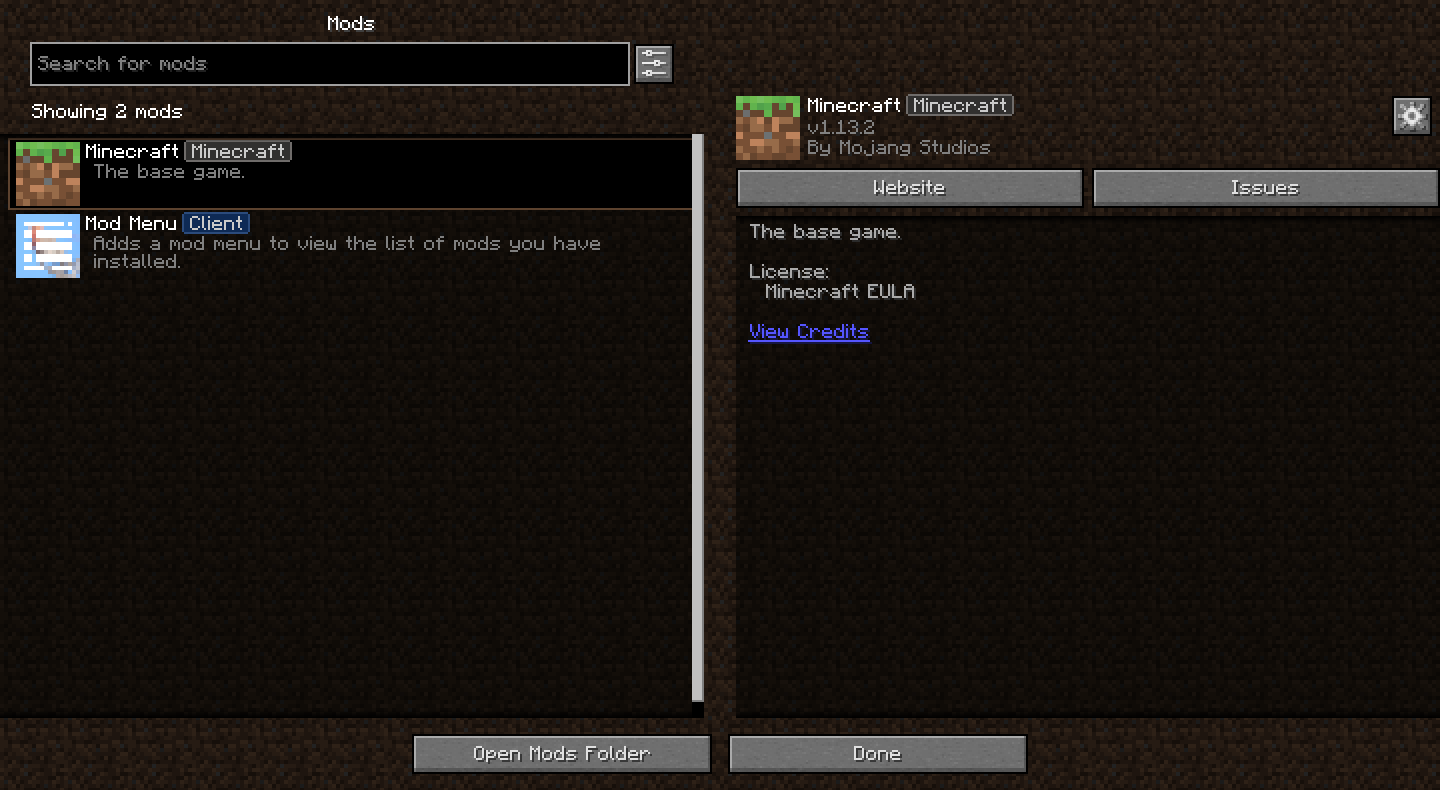
Bringing [Mod Menu](https://modrinth.com/mod/modmenu) to legacy Minecraft versions through [Ornithe](https://ornithemc.net)!
Requires [Ornithe Standard Libraries](https://modrinth.com/mod/osl).
Modern Textures
Backports textures from modern Minecraft to 1.2.5 and older.
The “No Mojang” version doesn’t replace the Mojang startup logo. The size of the modern image causes
Mod Remapping API
# Mod Remapping API
Remaps non-Fabric mods made for a different environment (by default obfuscated) to the current runtime mappings.
Provides hooks to expand the remapping process from other mods.
This mod doesn’t depend on a specific Minecraft version and should work on any version that Fabric Loader can launch.
### Mods depending on this API:
– [Fabricated Legacy Forge](https://modrinth.com/mod/fabricated-forge)
– [Apron](https://modrinth.com/mod/Apron)
– [Fabricated-Rift](https://modrinth.com/mod/fabricated-rift)
## Credits
### Most of the original code of the mod remapper
– paulevsGitch’s mod BetaLoader
Mod Loading Screen
# Mod Loading Screen
An advanced loading screen with the loading progress of mods. It works on all Minecraft versions, as it doesn’t even require Minecraft. Its only requirement is Fabric Loader 0.12.0 or later or Quilt Loader (specific versions of Quilt support are unknown). Do note that if you run this mod on a game other than Minecraft, the loading screen may not close itself.
## Agent
Mod Loading Screen provides a Java agent, which allows opening the loading screen before even the mod loader itself loads. This feature is primarily targeted at modpack developers who want to make a seamless loading experience. The agent can be used by passing `-javaagent:mod-loading-screen-1.0.4.jar` as a JVM argument. If the agent is used, the loading screen should *not* be installed as a mod.
## API
To depend on the API, use the Modrinth Maven. The API should be JiJed, and doing so will not include Mod Loading Screen inside your mod (it will only include the API, which is only a few kilobytes). The API is designed to have both forwards and backwards binary compatibility with future Mod Loading Screen versions. An API is provided for checking which API calls will return stubs and which ones are real.
“`gradle
repositories {
exclusiveContent {
forRepository {
maven {
name = “Modrinth”
url = “https://api.modrinth.com/maven”
}
}
filter {
includeGroup(“maven.modrinth”)
}
}
}
dependencies {
// implementation, not modImplementation!
include(implementation(“maven.modrinth:mod-loading-screen:1.0.4:api”))
}
“`
The API has two top-level classes: `LoadingScreenApi` and `AvailableFeatures`. Full javadocs are available for both classes.