**BeacmcAuth** is a modern authentication plugin for Minecraft servers, designed to provide both **security** and **convenience** for players and administrators.
With BeacmcAuth, you can:
– Secure your server with up-to-date authentication methods.
– Make player login and registration fast and easy.
– Improve administrative control over user accounts.
> ⚠️ **Note:** This plugin requires **[PacketEvents](https://modrinth.com/plugin/packetevents)** to function properly. Make sure you have it installed on your server before using BeacmcAuth.
## Features
**Licensed Login:** Automatic login for players who own a licensed account and have enabled premium mode using the /premium command.
**Email & Security Question:** Configure an SMTP server to allow players to recover their password via email. Players can also set a security question and use it during authentication to reset their password if they forget it.
**Social Network Linking:** Players can link their in-game account to Discord and Telegram. Linking allows additional account management features such as banning, kicking, and password resetting through the connected platform.
**Security:** Player passwords are securely hashed using the BCrypt algorithm. Protection against SQL injection is provided, and small delays are applied to database-related actions to reduce the effectiveness of automated attacks.
**Alternative Account Detection:** Administrators can search for possible alternative accounts by a player’s nickname using the /alts command.
**Flexible Configuration:** Most features can be configured through the plugin configuration files, allowing server owners to easily adapt the system to their needs.
**Database Support:** The plugin supports multiple database types (such as MySQL MariaDB, SQLite or PostgreSQL) to store player authentication data safely and efficiently.
**Proxy Support:** Designed to work with proxy servers such as Velocity and BungeeCord, making it suitable for large Minecraft networks.
**Account Management Tools:** Provides convenient commands and tools for administrators to manage player accounts, including password resets, and moderation actions.
## Installation
1. Download the plugin from the website or GitHub Actions.
2. Move the JAR file into the `./plugins` folder.
3. Do the same with PacketEvents.
4. Restart the server.
5. Enjoy the plugin.
## Axior!
**Axior** is a plugin that is for advanced operator tools! It adds things like a muting system, better ban system, report system and various other more admin tools! Axior also will help with easily finding server and hardware info in the server console on start up, so that you won’t have to go through your system to find that info!
Axior adds up to 30 different commands, which almost all of them are for the operators! A few notable commands include:
– “`axban“`
– “`axmute“`
– “`axwarn“`
– “`axexecute“`
– “`axenabler“`
– “`axdisabler“`
– “`axmaintenance“`
– “`axtp“`
– “`axfreeze“`
Axior also has a few more features, but some of them are not accessable by command and are done automatically in console. This includes:
– Client detection (Fabric, Forge, NeoForge, etc.)
– Providing system info (startup only)
Overall, Axior is meant to help server owners the most and provide staff on servers what they need! Axior gives you so much admin tools so that you don’t have to get multiple plugins when you can get around 15 tools in ONE plugin!
### Integrations and dependencies
In addition to those features, Axior also adds Discord webhook support for sending reports, warnings, bans, mutes (including pardons and unmutes) and server info that can be sent to your webhook!
LuckPerms is necessary due to permission setting up, some permissions can not be accessed without a custom permissions manager, recommend LuckPerms the most for setting this up. However if you are using the Folia version, LuckPerms is not available on Folia so you will have to find an Folia alternative to LuckPerms like [FoliaPerms](https://modrinth.com/plugin/foliaperms) which I created specifically for Axior and any other Folia plugin looking for a lightweight permission handler.
Eventually if theres feature(s) that is too big or too hard to implement into Axior, expect some type of add-on plugin named “AxiorExtras” or under any other name that would implement the extra feature(s) and hard-depend on Axior.
### What platforms can Axior be ran on?
Axior can be ran on many similar software and some proxies, this includes:
– Bukkit
– Spigot
– Paper
– Purpur
– _Pufferfish_ (not listed on Modrinth)
– _Leaf_ (not listed on Modrinth)
– Folia
– BungeeCord (doesn’t have all features)
– Waterfall (doesn’t have all features)
– Velocity (doesn’t have all features)
### What game versions can Axior be ran on?
Axior can be ran on many versions and subversions, this includes:
– 1.21.x (has been tested)
– 1.20.x
– 1.19.x
– 1.18.x
– 1.17.x
– 1.16.x
– 1.15.x
– 1.14.x
– 1.13.x (has been tested)
– 1.12.x
– 1.11.x
– 1.10.x (has been tested)
– 1.9.x
– 1.8.x
– 1.7.x
### License
Axior is created by KaiakK, this project is licensed under **GNU General Public License v3**.
[](https://modrinth.com/plugin/multimedia)
AutoViaUpdater
## AutoViaUpdater
**More info & guide:** [GitHub – AutoViaUpdater](https://github.com/NewAmazingPVP/AutoViaUpdater)
**What it does**
Keeps **ViaVersion**, **ViaBackwards**, **ViaRewind** (and **ViaRewind-Legacy** on Spigot) up-to-date by checking CI and applying updates automatically.
1. Place the jar in `plugins/` (or on your proxy) and start once.
2. Choose which Via components to update and set the check interval in the config.
3. Run a manual check with `/updatevias` if needed.
**Commands**
* `/updatevias` — run update check now *(perm: `autoviaupdater.admin`)*
“`yaml
# AutoViaUpdater config
# For understanding the difference between release and snapshot builds visit: https://ci.viaversion.com/
# ‘snapshot’ chooses latest builds when available regardless if they are -SNAPSHOT or not; otherwise latest non-snapshot is used.
# ‘dev’ selects the *-DEV* Jenkins job; ‘java8’ selects the *-Java8* job.
# All of the builds here are from Jenkins. If you want to use any other source use this plugin: https://www.spigotmc.org/resources/autoupdateplugins.109683/
ViaVersion:
# Enable or disable ViaVersion updates (https://ci.viaversion.com/job/ViaVersion)
enabled: true
# Download the latest build, regardless of whether it’s a snapshot “-SNAPSHOT” or not.
# Otherwise, download the latest non-snapshot build.
snapshot: true
# Enable or disable DEV channel builds from Jenkins (https://ci.viaversion.com/job/ViaVersion-DEV/)
dev: false
# Enable or disable Java 8 builds (https://ci.viaversion.com/job/ViaVersion-Java8/)
java8: false
ViaBackwards:
# Enable or disable ViaBackwards updates (https://ci.viaversion.com/view/ViaBackwards/job/ViaBackwards/)
enabled: true
# Download the latest build, regardless of whether it’s a snapshot “-SNAPSHOT” or not.
# Otherwise, download the latest non-snapshot build.
snapshot: true
# Enable or disable DEV channel builds from Jenkins (https://ci.viaversion.com/view/ViaBackwards/job/ViaBackwards-DEV/)
dev: false
# Enable or disable Java 8 builds (https://ci.viaversion.com/view/ViaBackwards/job/ViaBackwards-Java8/)
java8: false
ViaRewind:
# Enable or disable ViaRewind updates (https://ci.viaversion.com/view/ViaRewind/job/ViaRewind/)
enabled: true
# Download the latest build, regardless of whether it’s a snapshot “-SNAPSHOT” or not.
# Otherwise, download the latest non-snapshot build.
snapshot: true
# Enable or disable DEV channel builds from Jenkins (https://ci.viaversion.com/view/ViaRewind/job/ViaRewind-DEV/)
dev: false
# Enable or disable Java 8 builds (https://ci.viaversion.com/view/ViaRewind/job/ViaRewind-Java8/)
java8: false
ViaRewind-Legacy:
# Enable or disable ViaRewind-Legacy updates. Note: Will not do anything for Bungeecord servers. (https://ci.viaversion.com/view/ViaRewind/job/ViaRewind%20Legacy%20Support/)
enabled: true
# Download the latest build, regardless of whether it’s a snapshot “-SNAPSHOT” or not.
# Otherwise, download the latest non-snapshot build.
snapshot: true
# Enable or disable DEV channel builds from Jenkins (https://ci.viaversion.com/view/ViaRewind/job/ViaRewind%20Legacy%20Support%20DEV/)
dev: false
# Check-Interval setting
# The interval (in minutes) to check for updates
Check-Interval: 60
# Experimental Cron Support
# Example “0 0 * * *” is daily at midnight
# Leave it blank “” to disable and use the Check-Interval
Cron-Expression: “”
# The number of seconds to wait after the server has fully loaded before starting the update checking process.
# Setting this value too low may cause errors.
# If errors occur while loading vias, try setting this value to 60 seconds or higher.
Delay: 5
# AutoRestart settings
# AutoRestart is whether the server will restart after an update
# AutoRestart-Delay is the delay in seconds before restarting
# AutoRestart-Message is the message that will be broadcasted before restarting
AutoRestart: false
AutoRestart-Delay: 60
AutoRestart-Message: ‘&cServer is restarting in 1 minute!’
“`
> **TL;DR**
> Drop in the jar ➜ list the plugins you want ➜ it finds, downloads, validates, and stages updates from a ton of
> sources – on a schedule, in parallel, without blocking your main thread.
* [`config.yml`](#configyml)
* [`list.yml`](#listyml)
* [Scheduling Cheat Sheet](#scheduling-cheat-sheet)
* [Performance Tuning Guide](#performance-tuning-guide)
* [Commands & Permissions](#commands–permissions)
* [How It Works (Under the Hood)](#how-it-works-under-the-hood)
* [Examples for Every Source](#examples-for-every-source)
* [Troubleshooting & FAQ](#troubleshooting–faq)
* [Building from Source](#building-from-source)
* [Security Notes](#security-notes)
* [Contributing, Issues & Support](#contributing-issues–support)
* [License](#license)
—
## Highlights
* **One list, many sources.** Pull updates from GitHub Releases/Actions, Jenkins, SpigotMC (Spiget), dev.bukkit,
Modrinth, Hangar, BusyBiscuit, blob.build, Guizhanss v2, MineBBS, CurseForge, or any page with a direct `.jar` link.
* **Local sources.** Point at local jar files or run scripts that output a jar path for custom/patched builds.
* **Smart file selection.** Use `?get=`, `[N]` (pick the N-th asset – works for both GitHub and Jenkins
artifacts), `?artifact=2` for GitHub Actions bundles, `?prerelease=true`, `?alpha=true`, `?beta=true`, `?latest=true`,
`?channel=Alpha`, `?autobuild=true` – mix and match to land on the exact build you need.
* **Zero-friction config evolution.** New options are **auto-added** to `config.yml` without clobbering your comments or
existing values.
* **HTTP flexibility.** Add custom headers, rotate User-Agents, and route through proxies when needed.
* **Performance built-in.**
* Fully **async** downloads; no main-thread stalls.
* **Java 11+ HTTP/2** client for modern, non-blocking transfers.
* **Java 21+ virtual threads** for ultra-lightweight concurrency.
* **Connection pooling**, **parallel downloads**, and **retry with exponential backoff**.
* **Flexible scheduling.** Interval + boot delay *or* cron with timezone support.
* **Cross-platform.** Works on **Spigot**, **Paper**, **Folia**, **Velocity**, **BungeeCord**.
* **Safe updates.** Download ➜ validate ➜ atomic replace, staged through temp/update paths.
* **Integrity + dedupe.** Optional zip integrity checks and MD5 comparison skip corrupted or unchanged downloads.
* **Rollback safety net.** Snapshot the previous jar and auto-restore if the new build fails to start.
> **Note:** GitHub and Jenkins links both accept `[N]` to pick the **N-th** artifact on their release/build pages (
> 1-indexed).
> **Tip:** You can pass just the **project root URL** for most sources (e.g., a GitHub repo or Spigot resource page) and
> let AutoUpdatePlugins choose the latest artifact. Add selectors for precision.
* **Minecraft:** 1.8 → Latest
* **Java:** 8+ (uses advanced features automatically on 11+ and 21+)
—
## Requirements
* **Java 8 or newer.**
* Uses Java 11+ HTTP/2 client when available.
* Uses Java 21+ virtual threads when available.
* **Network access** for source builds (Gradle/Maven wrappers or system `gradle`/`mvn`, if used).
—
## Installation
1. Download the latest `.jar` from **[Spigot](https://www.spigotmc.org/resources/autoupdateplugins.109683/)**.
2. Place it into your server’s **`plugins/`** directory.
3. Start the server to generate default config files.
4. Edit **`plugins/AutoUpdatePlugins/config.yml`** and **`plugins/AutoUpdatePlugins/list.yml`**.
5. Run **`/update`** or **`/aup update`** (or restart) to kick off the first check.
> **Velocity / BungeeCord:** Same process – drop the jar in `plugins/`, configure, then trigger an update run.
—
## Quick Start
1. Add a few entries to `list.yml`:
“`yaml
ViaVersion: “https://www.spigotmc.org/resources/viaversion.19254/”
Geyser: “https://download.geysermc.org/v2/projects/geyser/versions/latest/builds/latest/downloads/spigot”
EssentialsXChat: “https://github.com/EssentialsX/Essentials[3]”
“`
2. Leave `updates.interval` at the default (every 120 minutes), or set a cron schedule.
3. Optional: Add a GitHub token in `config.yml` to avoid rate limits.
4. Trigger a run:
“`
/update
“`
5. New jars are staged atomically in your plugins folder (using temp/update paths under the hood). **Restart** the
server to load the updated jars.
—
## Configuration
### `config.yml`
> The plugin **adds new options automatically** without overwriting your comments. Below is the full schema with
> defaults and notes.
“`yaml
################################################################################
# AutoUpdatePlugins – Main Configuration
################################################################################
updates:
# How often to run plugin updates (minutes). Default: 120 (every 2 hours)
interval: 120
# Delay after server startup (seconds) before the first run. Default: 50
bootTime: 50
# Schedule (experimental): Use a cron expression to control exactly when
# updates run. When set, this overrides both interval and bootTime.
# Examples:
# Every day at 03:30: “30 3 * * *”
# Every 15 minutes: “*/15 * * * *”
# At 5 past every hour on weekdays: “5 * * * 1-5”
schedule:
cron: “” # Cron expression (UNIX 5-field). Leave blank to disable.
timezone: “UTC” # Timezone for the cron schedule, e.g. “America/New_York”
# Optional GitHub personal access token (PAT). Strongly recommended if you use
# many GitHub links to avoid API rate-limits when listing releases/artifacts.
# Scope: public_repo is enough for public repos.
# Generate a token: https://github.com/settings/tokens
key:
# HTTP configuration (optional)
http:
# If blank, a rotating pool of realistic User-Agents will be used.
userAgent: “”
# Extra request headers added to every request. Only add if you know you need it.
headers: [ ]
# Verify TLS certificates (set to false to trust all; only if you must)
sslVerify: true
# Optional pool of User-Agents; the plugin will rotate between them to avoid
# strict CDNs blocking automation.
userAgents:
– { ua: “Mozilla/5.0 (Windows NT 10.0; Win64; x64) AppleWebKit/537.36 (KHTML, like Gecko) Chrome/123.0.0.0 Safari/537.36” }
– { ua: “Mozilla/5.0 (Macintosh; Intel Mac OS X 10_15_7) AppleWebKit/605.1.15 (KHTML, like Gecko) Version/17.0 Safari/605.1.15” }
– { ua: “Mozilla/5.0 (X11; Linux x86_64; rv:126.0) Gecko/20100101 Firefox/126.0” }
# Behavior toggles
behavior:
useUpdateFolder: true
# Open downloaded .jar/.zip to ensure integrity before install (recommended)
zipFileCheck: true
# Skip replacing an existing plugin if the new jar has the same MD5
ignoreDuplicates: true
# Allow GitHub/Modrinth/Hangar pre-releases by default for release queries.
allowPreRelease: false
# Enable source-build fallback for GitHub repositories.
autoCompile:
enable: false
# Build when a release has no .jar asset (zip-only)
whenNoJarAsset: true
# Build from source if default branch is newer than latest (pre)release by N months
branchNewerMonths: 6
# Verbose debug logging. Toggle with /aup debug on|off
debug: false
# Restart the server/proxy automatically after updates.
restartAfterUpdate: false
# Delay in seconds before restarting after updates.
restartDelaySec: 5
# Broadcast message before restarting (supports {delay}).
restartMessage: “Server restarting to apply updates.”
# Performance and reliability options
performance:
# Maximum parallel downloads. Higher is faster but uses more IO/CPU.
# If set above CPU cores, it is clamped internally.
maxParallel: 4
# HTTP connect timeout in milliseconds per request.
connectTimeoutMs: 10000
# HTTP read timeout in milliseconds per request.
readTimeoutMs: 30000
# Optional per-download hard timeout in seconds. 0 disables the cap.
perDownloadTimeoutSec: 0
# Retry behavior for transient HTTP errors (403/429/5xx)
maxRetries: 3
# Exponential backoff base and max delay in milliseconds between retries
backoffBaseMs: 500
backoffMaxMs: 5000
# Limit concurrent downloads per host to avoid 429s and improve stability
maxPerHost: 3
rollback:
# Keep a backup of the previous version when updating a plugin and automatically revert back on plugin load failure (experimental!)
enabled: false
# Maximum number of old versions to keep per plugin (0 = unlimited)
maxBackups: 3
# Case-insensitive regex patterns that trigger rollback when matched in logs.
filters:
– “Unsupported API version”
– “Could not load plugin”
– “Error occurred while enabling”
– “Unsupported MC version”
– “You are running an unsupported server version”
# Plugins List Configuration
# Edit the generated list.yml in this folder. Format:
# {FileSaveName}: {link.to.plugin}
#
# Example list.yml template: https://github.com/NewAmazingPVP/AutoUpdatePlugins/blob/main/list.yml
# Examples:
# ViaVersion: “https://www.spigotmc.org/resources/viaversion.19254/”
# Geyser: “https://download.geysermc.org/v2/projects/geyser/versions/latest/builds/latest/downloads/spigot”
# EssentialsXChat: “https://github.com/EssentialsX/Essentials[3]”
#
# Supported sources: GitHub (Releases & Actions), Jenkins, SpigotMC (Spiget), dev.bukkit, Modrinth, Hangar,
# BusyBiscuit, blob.build, Guizhanss v2, MineBBS, CurseForge, local file paths, local scripts, plus generic pages with direct .jar links.
#
# Tips:
# – Select assets: append [N] to pick the Nth asset or use ?get= to match by filename.
# – GitHub Actions ZIPs: use ?artifact=2 (or ?index=/ ?zip=) to pick a specific build, default is the first.
# – Pre-releases: set behavior.allowPreRelease: true or append ?prerelease=true on a GitHub link.
# – Channel flags: ?beta=true, ?alpha=true, ?latest=true, or ?channel=Alpha/Beta for Hangar.
# – Modrinth/Hangar obey the same flags (?alpha, ?beta, ?latest) to pick non-release builds when desired.
# – Force source build from GitHub: append ?autobuild=true to a GitHub repo URL.
“`
#### Safety & Recovery
– `behavior.zipFileCheck`: validates `.jar` downloads extracted from archives before they ever reach the plugins
directory.
– `behavior.ignoreDuplicates`: skips deployment if the incoming jar matches the installed checksum, avoiding pointless
restarts.
– `rollback.*`: snapshots the previous jar, keeps a rotating history, and restores automatically when console output
matches the configured failure patterns.
#### Advanced Selectors Cheat Sheet
| Flag / Selector | Effect | Providers |
|——————————|————————————————————————————–|——————————–|
| `?get=` | Picks assets whose filename matches a regex | GitHub, Jenkins, Modrinth, etc |
| `[N]` | Chooses the N‑th asset (1-indexed) | GitHub Releases, Jenkins |
| `?artifact=2` / `?index=` | Chooses the N‑th GitHub Actions artifact (defaults to 1) | GitHub Actions |
| `?prerelease=true` | Install the newest build regardless of stability tier | GitHub, Modrinth, Hangar |
| `?alpha=true` / `?beta=true` | Prefer that channel while falling back to newer releases if no matching build exists | GitHub, Modrinth, Hangar |
| `?latest=true` | Same as `?prerelease=true`, but intended for explicit “always newest” behaviour | GitHub, Modrinth, Hangar |
| `?channel=Alpha` / `Beta` | Stick to a specific Hangar channel | Hangar |
| `?autobuild=true` | Trigger Gradle/Maven source builds when binaries are missing | GitHub |
**Key options explained**
* **`updates.schedule.cron` + `timezone`** – When set, cron **overrides** `interval`/`bootTime`.
* **`updates.key`** – GitHub PAT for Releases/Actions access and higher rate limits (especially useful for public repos
under heavy use or any private repos).
* **`http.userAgents`** – Simple rotation to avoid brittle server-side filters.
* **`proxy`** – Full support for HTTP/SOCKS proxies.
* **`behavior.autoCompile`** – For GitHub repos: if there’s no release jar (or if the branch is newer than the last
release by `branchNewerMonths`), the repo can be **built from source** using Gradle/Maven.
* **`behavior.zipFileCheck`** – Open downloaded jars/zips to ensure they aren’t corrupt before install.
* **`behavior.ignoreDuplicates`** – Skip replacing a plugin if the new jar has the same MD5.
* **`behavior.useUpdateFolder`** – Stage new jars in the server’s `update/` directory for atomic swaps.
* **`behavior.restartAfterUpdate`** – Automatically restart after updates (delay via `behavior.restartDelaySec`, message
via `behavior.restartMessage`).
* **`behavior.debug`** – Verbose logging toggle, also controllable via `/aup debug`.
* **`rollback`** – Configure automatic snapshots, retention, and log-match triggers for self-healing updates.
* **`paths`** – Customize temp/staging/output locations (falls back to sane defaults).
* **`performance`** – See [Performance Tuning Guide](#performance-tuning-guide).
—
### `list.yml`
A simple mapping of **plugin display name ➜ source URL (+ optional selectors)**.
> Comment out a line with `#` to temporarily disable an entry. The `/aup enable` and `/aup disable` commands toggle this
> for you.
**Selectors you can use**
* **`[N]`** – Select the **N-th** jar asset (1-indexed) from a release or Jenkins build page. Example:
`…/Essentials[3]`
* **`?get=`** – Choose files whose names match a regex. Example: `?get=.*(paper|spigot).*.jar`
* **`?artifact=2`** – Pick a specific GitHub Actions artifact (defaults to the first).
* **`?prerelease=true`** – Permit pre-releases.
* **`?autobuild=true`** – Force a source build on GitHub even if a jar asset exists.
> **Pro tip:** Combine selectors, e.g. `…?prerelease=true&get=.*spigot.*.jar`.
—
### Scheduling Cheat Sheet
Common cron expressions (with examples using `America/New_York`):
If cron is empty, the plugin uses **`interval`** (minutes) with an initial **`bootTime`** delay (seconds).
—
### Performance Tuning Guide
* **Java 21+ (virtual threads):** Keep `performance.maxParallel` higher (e.g., 8–16) for many small artifacts.
* **Java 11+ (HTTP/2):** Great default throughput. Tune `maxPerHost` if a single origin hosts most of your jars.
* **Java 8:** Increase `readTimeoutMs` if you see timeouts on large downloads; lower `maxParallel` if network is
saturated.
* **Retries:** The plugin retries **`maxRetries`** times with exponential backoff (`backoffBaseMs` → `backoffMaxMs`).
* **Per-download timeout:** Set `perDownloadTimeoutSec` to protect against stuck transfers; keep `0` to disable.
* **I/O Paths:** Put `tempPath`/`updatePath` on fast local storage if possible.
—
## Commands & Permissions
### Commands
* **`/update`** – Trigger an update run.
* **`/aup download [names…]`** – Update all, or only the named plugins.
* **`/aup update [names…]`** – Alias of `download`.
* **`/aup stop`** – Request to stop the current updating process.
* **`/aup reload`** – Reload the plugin configuration.
* **`/aup add `** – Add a new entry to `list.yml`.
* **`/aup remove `** – Remove an entry from `list.yml`.
* **`/aup list [page]`** – View the configured plugin list.
* **`/aup debug `** – Toggle verbose logging and persist the setting.
* **`/aup enable|disable `** – Toggle an entry (comment/uncomment in `list.yml`).
> **Heads-up:** Most servers still require a **restart** to load updated jars. The plugin handles download & staging;
> you decide when to reboot (auto-restart available via `behavior.restartAfterUpdate`).
—
## How It Works (Under the Hood)
1. **Discovery.** For each entry in `list.yml`, the plugin detects the provider (GitHub, Jenkins, SpigotMC, etc.) and
computes the **latest matching artifact** using your selectors.
2. **Download (async).** Files are fetched with pooled connections; on Java 11+ it uses the HTTP/2 client; on Java 21+
it schedules downloads on virtual threads when available.
3. **Validation.** Optional **zip integrity** checks and duplicate detection (`name + size`) avoid unnecessary writes.
4. **Staging & Atomic Replace.** Files are written to a **temp** directory, then moved atomically into the *
*update/plugins** target so the server is never left in a partial state.
5. **Repeat.** According to your **interval** or **cron** schedule, with retries/backoff on transient failures.
—
## Examples for Every Source
> **Patterns below are illustrative.** Use your project’s actual URLs and apply selectors as needed.
**Q: Updates downloaded, but server didn’t change.**
A: Most platforms load jars only at startup. **Restart** your server after a run. Avoid hot-reloaders for complex
plugins.
**Q: GitHub rate-limited / cannot access Actions artifacts.**
A: Add a **GitHub PAT** in `config.yml` → `updates.key`. For private repos, ensure the token has read access to
Releases/Actions artifacts.
**Q: Wrong file selected.**
A: Add a **`?get=regex`** or use **`[N]`** to pick an asset index. Confirm the regex escapes dots (e.g., `\.jar`).
**Q: Timeouts or slow downloads.**
A: Increase `readTimeoutMs`; decrease `maxParallel`; or set `perDownloadTimeoutSec` and tune `maxRetries`/backoff.
**Q: Need pre-releases.**
A: Use per-link flags like `?prerelease=true`, `?beta=true`, `?alpha=true`, or `?latest=true` (works on GitHub,
Modrinth, and Hangar). Hangar also respects `?channel=Alpha`/`Beta`. Set `behavior.allowPreRelease: true` if you want
this to be the default.
**Q: Behind a corporate proxy.**
A: Configure `proxy.type/host/port`. If your proxy MITM-s TLS, ensure the Java trust store has the proxy CA.
**Q: Build from source didn’t trigger.**
A: Ensure `behavior.autoCompile.enable: true` and use `?autobuild=true` or let it kick in when no jar asset exists. The
server must have outbound network access.
—
## Building from Source
Use **Maven**:
“`bash
mvn -DskipTests package
“`
The built `.jar` will be in `target/`.
—
## Security Notes
* Prefer **least-privileged tokens**. For GitHub, use a PAT limited to the repos you need with read permissions
sufficient for Releases/Actions artifacts.
* Treat third-party download links as untrusted: keep `zipFileCheck: true`.
* Consider pinning sources with `?get=regex` to avoid accidentally switching to platform-incompatible jars.
—
## Contributing, Issues & Support
* **Bugs / Feature requests:** Open an issue:
[https://github.com/NewAmazingPVP/AutoUpdatePlugins/issues](https://github.com/NewAmazingPVP/AutoUpdatePlugins/issues)
* PRs welcome! Please keep code style consistent and include a brief test plan in your PR description.
—
## Acknowledgements
**This is the original AutoUpdatePlugins project.** There are several forks of this plugin in the community; many of
their good ideas and improvements have been incorporated here over time as well. Thanks especially to contributors and
projects like ApliNi/AutoUpdatePlugins and others for inspiration and features.
—
## License
AutoUpdatePlugins is licensed under the **MIT License**. See **`LICENSE`** for details.
—
### Changelog Snapshot (v12.x)
* Expanded provider coverage and smarter selection (`[N]`, `?get=regex`, `?prerelease`, `?autobuild`).
* HTTP stack upgrades (HTTP/2 on Java 11+, virtual threads on Java 21+).
* Better parallelism, retry/backoff, and connection pooling defaults.
* Comment-preserving config regeneration and richer scheduling controls.
—
AutoUpdateGeyser
## AutoUpdateGeyser
**More info & guide:** [GitHub – AutoUpdateGeyser](https://github.com/NewAmazingPVP/AutoUpdateGeyser)
1. Drop the jar in `plugins/` (or on your proxy for Velocity/Bungee).
2. Start the server once to generate the config.
3. Edit the config to enable/disable Geyser or Floodgate and set the check interval.
4. (Optional) Run a manual check with `/updategeyser`.
**Commands**
* `/updategeyser` — run update check now *(perm: `autoupdategeyser.admin`)*
**Permissions**
* `autoupdategeyser.admin` — allows manual check
**Config (YAML)**
“`yaml
# Update settings for Geyser and Floodgate
# geyser: default = true # set to true to enable Geyser updates, false to disable
# floodgate: default = true # set to true to enable Floodgate updates, false to disable
# interval: default = 60 # update checker interval in minutes
# bootTime: default = 5 # Number of seconds the plugin should wait after the server is fully done loading to start its update checking process. If set too low could cause errors
# autoRestart: default = false # Should the plugin auto restart the server/proxy everytime a new update is installed (with a delay of 10 seconds)? NOT RECOMMENDED as players might not be aware.
updates:
geyser: true # Set to true to enable Geyser updates, false to disable
floodgate: true # Set to true to enable Floodgate updates, false to disable
interval: 60 # Update checker interval in minutes
bootTime: 5 # Number of seconds the plugin should wait after the server is fully done loading to start its update checking process. If set too low could cause errors
autoRestart: false # Should the plugin auto restart the server/proxy everytime a new update is installed (with a delay of conmfigured seconds)?
# Note it executes the “restart” command on spigot and “end” command on bungeecord and its assumed you have a built-in feature/script to restart server/proxy everytime its shutdown
restartDelay: 60 # Restart delay in seconds
restartMessage: “Server is restarting shortly!” # Message to send intially when restart is scheduled for the delay
“`
Brings AuthMe support to your BungeeCord **and** Velocity servers!
## About
This is a fork of [AuthMeBungee](https://github.com/AuthMe/AuthMeBungee) with added support
for [Velocity](https://papermc.io/software/velocity) proxy software.
*Description copied from AuthMeBungee’s README*
> This plugin acts like a bridge between your bukkit servers and your BungeeCord instance. To explain simple how it
> works, bukkit-side plugins send a message to bungee-side on user authentication. If bungee-side doesn’t receive this
> message, the player won’t be able to talk in chat and to perform commands, including BungeeCord commands.
>
> **AutoLogin:** If you have AuthMe on multiple servers, you can enable autoLogin option that allow you to switch
> between your servers without having to perform login command again.
## Changes from AuthMeBungee
AuthMeProxy includes support for both BungeeCord forks and Velocity,
unlike AuthMeBungee, which is compatible only with BungeeCord.
Additionally, AuthMeProxy contains a simple developer API, allowing you to interact with the backend player directly
from proxy.
This includes:
– Force login
– Force logout
– Unregistering players
– Registering players
> **Tip**
> For player operations to work at least one player has to be online on the target server.
## Support
– [GitHub issue tracker](https://github.com/Defective4/AuthMeProxy/issues)
– [Spigot page](https://www.spigotmc.org/resources/authmeproxy.116570/)
– ~~Discord~~ (None at the moment)
> **Caution**
> Please do **not** ask for support with this fork on AuthMeReloaded Discord.
– Spigot or any of its forks (Tested on Paper and Purpur 1.12+, any version above 1.7 should work)
## Downloads
You can download latest release [here](https://modrinth.com/plugin/authmeproxy/versions#all-versions).
## Installation
**BungeeCord**
This part is mostly the same as with original AuthMeBungee
1. Download AuthMeProxy-Bungee-`x.x`.jar package
2. Place AuthMeProxy-Bungee-`x.x`.jar into your BungeeCord’s plugins folder
3. Restart everything
4. Configure the plugin **(don’t forget to config authServers)**
5. Enable the **Hooks.bungeecord** option in your **AuthMeReloaded config file**
6. Enjoy!
**Velocity**
Velocity installation requires installing the core plugin on your Velocity server and a bridge on all your auth servers.
1. Download *AuthMeProxy-Velocity-`x.x`.jar* package
2. Place *AuthMeProxy-Velocity-`x.x`.jar* in your Velocity’s plugins folder
3. Download AuthMe-Velocity-Bridge-`x.x`.jar
4. Copy *AuthMe-Velocity-Bridge-`x.x`.jar* to all auth servers’ plugins folder
5. Restart both Velocity and all auth servers
6. Configure the plugin **(don’t forget to config authServers)**
7. Enable the **Hooks.bungeecord** option in your **AuthMeReloaded config file**
8. Enjoy!
**Please follow these steps and configure the plugin before saying it doesn’t work!**
AntiHealthIndicator
AntiHealthIndicator
## Overview
The **AntiHealthIndicator** plugin prevents hackers and modders from seeing other players’ health. Designed to be
lightweight with minimal server performance impact, it modifies packets directly, making it impossible to bypass. Logic
executes asynchronously to minimize server load. Additional features include hiding durability, enchantments, item stack
amounts, player saturation, absorption, and XP.
### Requires PacketEvents
Ensure the [PacketEvents](https://modrinth.com/plugin/packetevents) library is installed on your server.
| Platform | Supported Versions |
|————————————|——————–|
| Bukkit (Spigot, Paper, Folia etc.) | 1.8.8 – 1.21.11 |
| Velocity | Latest Major |
| BungeeCord (or any forks) | Latest Major |
| Sponge | Latest Major |
## Spoofers
The plugin includes various spoofing features:
– Health (including randomization)
– Air Ticks
– Player Absorption
– Player Saturation
– Player Gamemode
– Player XP
– Item Durability
– Item Enchantments
– Item Stack Amount
## Commands
– `/antihealthindicator` or `/ahi` – Main plugin command.
## Permission Nodes
Operators (OPs) have these permissions by default, except for `AntiHealthIndicator.Bypass`:
– `AntiHealthIndicator.Notify` – Notifies player of updates.
– `AntiHealthIndicator.Bypass` – Prevents receiving spoofed data
– `AntiHealthIndicator.Reload` – Grants access to the `/antihealthindicator reload` command.
– `AntiHealthIndicator.Debug` – Receives debug messages if debugging is enabled.
## Installation
1. **Prerequisites**: Install [PacketEvents](https://modrinth.com/plugin/packetevents).
2. **Download**: Get the latest release from
the [GitHub release page](https://github.com/Bram1903/AntiHealthIndicator/releases/latest).
3. **Installation**: Move the downloaded plugin to your server’s plugins directory.
4. **Configuration**: Customize settings in `config.yml`.
5. **Reload**: Reload the plugin using `/antihealthindicator reload` or restart the server to apply changes.
## Credits
Special thanks to:
– **[@Retrooper](https://github.com/retrooper)**: Author of [PacketEvents](https://github.com/retrooper/packetevents).
– **[@Tofaa](https://github.com/Tofaa2)**: Helped design the project infrastructure and logic. Check out
his [EntityLib](https://github.com/Tofaa2/EntityLib).
– **[@Booky10](https://github.com/booky10)**: Helped with various complex matters.
– **[@Abhigya](https://github.com/AbhigyaKrishna)**: Designed the Gradle Build Chain.
## License
This project is licensed under the [GPL3 License](LICENSE).
AlwaysOnline
**Notice:** This will not keep your **aternos** server always running, this plugin is to help servers keep players connecting whilst minecraft authentication servers are down.
This plugin will NOT help you when you first install it when mojang servers are offline, it must be installed when they are online!
## **Overview**
Hate mojang servers being offline? Same with me. So to resolve this issue, I have created AlwaysOnline. A plugin that keeps your bukkit, spigot, paper **or** bungeecord server online while mojang is offline.
## **How it works**
The plugin is set to a repeating task with a configurable delay, to see if the session servers are offline. If they are, the plugin will go into mojang offline mode. When in this mode, the server will allow players to login if their ip matches from their last authenticated login. If they don’t match, it denies them from logging in. The plugin will also deny new players from joining if the mojang authentication servers are down.
Works with: **Bungeecord, Velocity, Spigot, Paper, Bukkit**
## **Features**
* Stores last authenticated data in a FlatFile type database or MySQL
* UUIDs will **not** be cracked, but instead premium. This means that player UUIDs will always be consistent.
* Doesn’t rely on any third party services
* Compatible with most bukkit, spigot, paper & bungee plugins
* Lightweight and efficient
* No libraries required
* Works with all bungeecord versions
* Works with bukkit, spigot, paper versions
* **/alwaysonline toggle** – Manually toggle between mojang offline mode and back.
* /**alwaysonline enable** – Makes the plugin check to see if the mojang servers are offline.
* /**alwaysonline disable** – Makes the plugin stop checking to see if the mojang servers are offline.
* /**alwaysonline reload** – Reloads the configuration file.
Permission node for all of these commands is **alwaysonline.usage**
## **Permissions**
**alwaysonline.notify** – Players with this permission node will be alerted when the mojang servers go online or offline.
## **Configuration file**
“`
#Welcome to the AlwaysOnline main configuration file!
#The delay to wait between checking to see if mojang is online, in seconds.
check-interval=60
#Message for the MOTD to be when mojang servers are offline. Set to ‘null’ to disable.
message-motd-offline=&eMojang servers are down,n&ebut you can still connect!
#The message to display when a user attempts to login while the mojang servers are offline, but their IP does not match.
message-kick-ip=We can not let you join since you are not on the same computer you logged on before!
#The message to display when a user is new and logs in while mojang servers are offline.
message-kick-new=We can not let you join because the mojang servers are offline!
#The message to display when a user attempts to login with an invalid minecraft username.
message-kick-invalid=Invalid username. Hacking?
#The message to display when mojang servers go offline. Set to null to disable.
message-mojang-offline=&5[&2AlwaysOnline&5]&a Mojang servers are now offline!
#The message to display when mojang servers go back online. Set to null to disable.
message-mojang-online=&5[&2AlwaysOnline&5]&a Mojang servers are now online!
#Below are three session server check methods which can be used to determine if mojang is online or not.
#For example, if http-head-session-server is true AND mojang-server-status is also true, then the plugin will
#only go into mojang offline mode if both services claim the session servers are offline.
#Uses the status information located at https://sessionserver.mojang.com/
http-head-session-server=true
##########################################
# Mysql Database Information
# Only edit if using mysql
##########################################
use_mysql=false
host=127.0.0.1
port=3306
database-name=minecraft
database-username=root
database-password=password
#Please do not change this!
config_version=5
“`
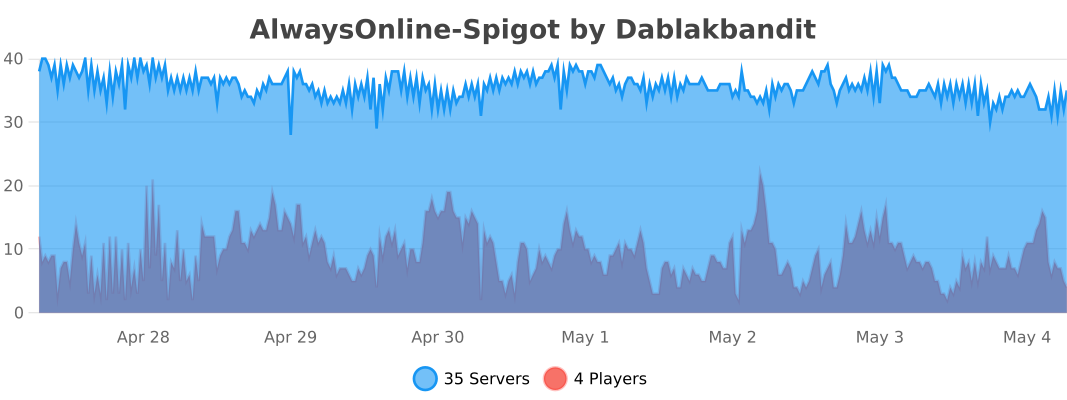
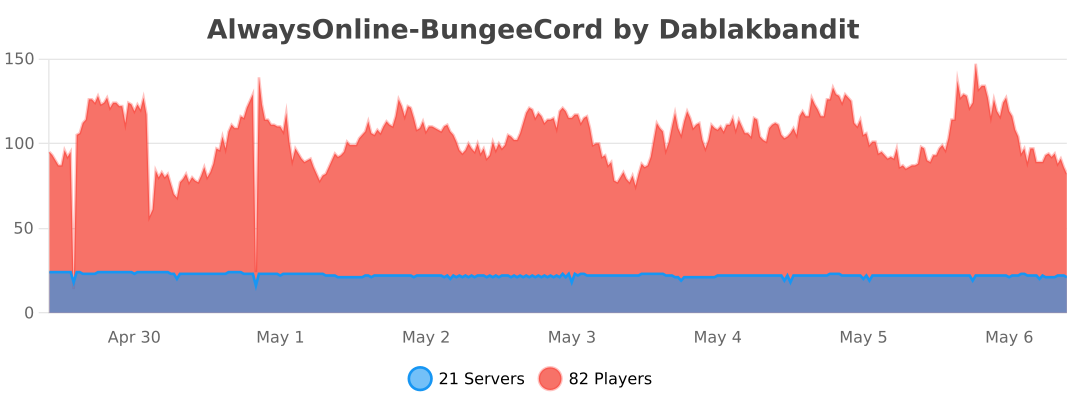
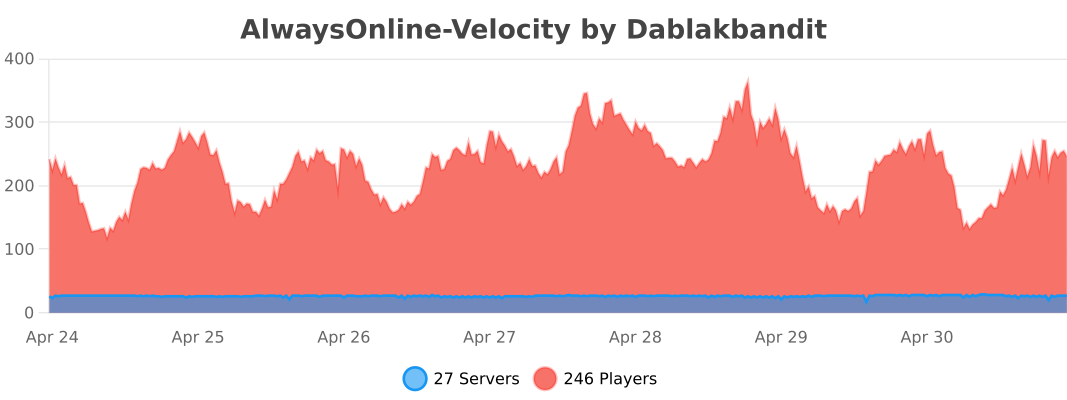
The following information is sent to bstats.org:
* A unique identifier
* The server’s Java version
* Whether the server is on online or offline mode.
* The plugin’s version
* The server’s version
* The OS’ version, name, and architecture
* The core count of the CPU
* The number of players online
* The Metrics version
Opting out of this service can be done by disabling Metrics globally by editing the bStats’s configuration file.
AltAuth
**AltAuth has not been updated to recent Minecraft versions. Since Mojang accounts have become completly unusable I have no need anymore for the modification, although the banned and multiplayer disabled accounts functionality should still work.**
# AltAuth
AltAuth is a solution to allow players with ~~Mojang account~~, (untested) banned accounts and (untested) multiplayer disabled accounts to join online mode Minecraft servers depending on client and server support.
This works by redirecting the session server requests to a proxy specified by the server.
**Trusting the AltAuth proxy session server used by the server is required, as a malicious proxy server can use your Minecraft account for up to 48 (Mojang account) or 24 (Microsoft account) hours on ALL servers.** You can select in-game which AltAuth proxy servers you trust. A server using AltAuth has to trust its selected AltAuth proxy server that it prevents unauthenticated users from joining. More information on setting up an AltAuth proxy and a technical overview can be found on the GitHub page https://github.com/lixfel/AltAuth.