VelocityNavigator

**VelocityNavigator** is a production-grade Velocity proxy plugin that introduces absolute traffic control over your network through intelligent initial-join load balancing and a highly context-aware `/lobby` system.
No more funneling all new players into a single hub. No more sending players to offline servers. No more guessing which lobby they ended up on.
## Why VelocityNavigator?
### For Players
– `/lobby` just works — fast, reliable, with clear feedback messages.
– Always routes to a healthy, reachable server.
– Automatically places them into the best lobby immediately upon joining the network before they even finish authentication.
### For Admins
– **Initial Join Balancing** — Bypasses Velocity’s default static fallback engine to perfectly split initial proxy connection waves.
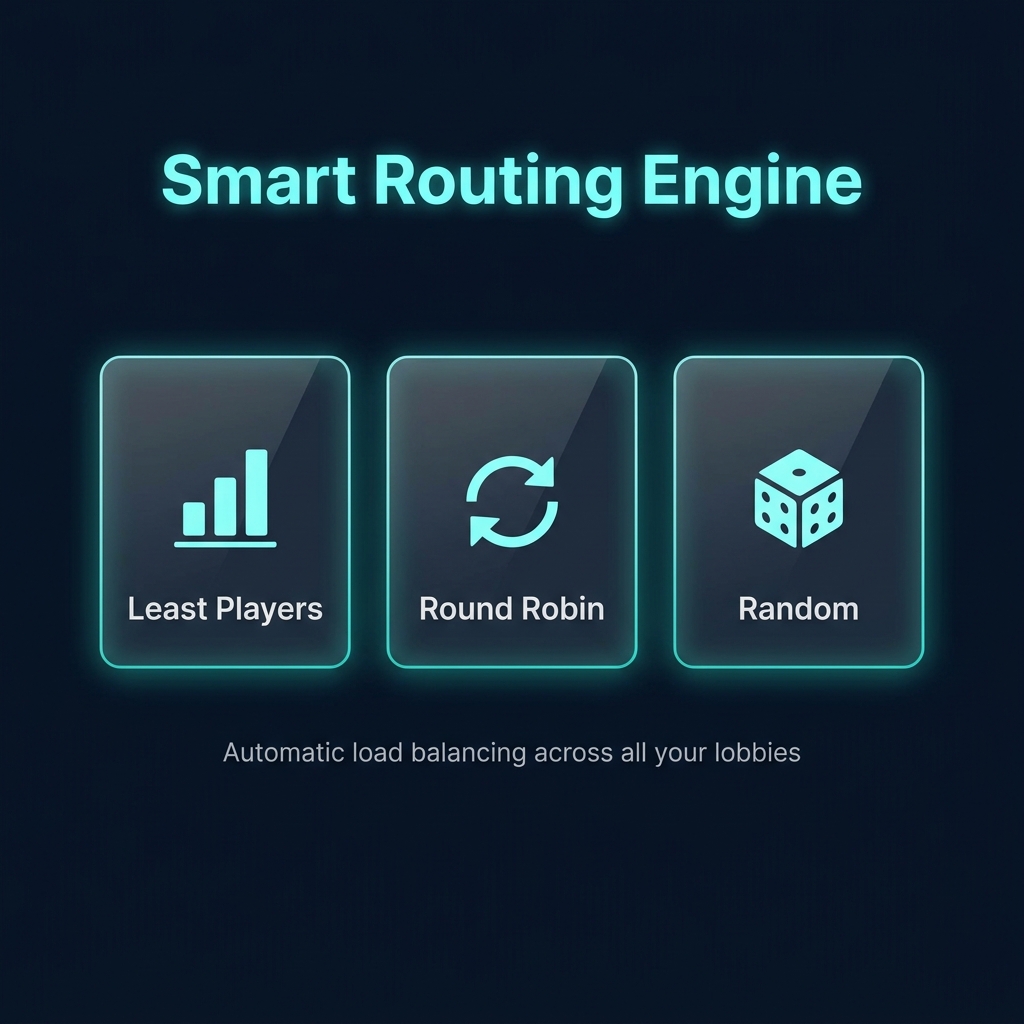
– **Three routing algorithms** — `least_players`, `random`, `round_robin`
– **Contextual lobby groups** — different game servers can point to different lobby pools with automatic fallback loops
– **Real-time health checks** — async pings with configurable timeout, TTL caching, and ping coalescing to prevent backend storms
– **Anti-spam protection** — pre-execution cooldown locks block macro abuse before the routing engine even fires
## How Routing Works
“`
Player runs /lobby
↓
Contextual group resolution (if enabled)
↓
Fallback to default lobbies (if contextual group is empty/offline)
↓
Cycle pruning (remove current server if alternatives exist)
↓
Async health checks (with TTL cache + ping coalescing)
↓
Selection strategy (least_players / random / round_robin)
↓
Player is connected to the best available lobby
“`
*All server name matching is **case-insensitive** — `Lobby-1` and `lobby-1` are treated identically.*
## Commands & Diagnostics
| Command | Permission | Description |
|———|———–|————-|
| `/lobby` | `velocitynavigator.use` | Send to best available lobby |
| `/vn reload` | `velocitynavigator.admin` | Reload config live |
| `/vn status` | `velocitynavigator.admin` | Runtime status dashboard |
| `/vn version` | `velocitynavigator.admin` | Installed + latest version info |
| `/vn debug player ` | `velocitynavigator.admin` | Preview routing for a player |
| `/vn debug server ` | `velocitynavigator.admin` | Inspect server health snapshot |
## Quick Config Example
“`toml
config_version = 3
[commands]
primary = “lobby”
aliases = [“hub”, “spawn”]
[routing]
selection_mode = “least_players”
balance_initial_join = true
cycle_when_possible = true
default_lobbies = [“lobby-1”, “lobby-2”]
[routing.contextual]
enabled = true
fallback_to_default = true
[routing.contextual.groups]
bedwars = [“bw-lobby-1”, “bw-lobby-2”]
[routing.contextual.sources]
“bedwars-1” = “bedwars”
[health_checks]
enabled = true
timeout_ms = 2500
cache_seconds = 60
“`
## Compatibility
– **Platform:** Velocity only
– **Velocity:** `3.x`
– **Java:** `17+`
—
## 📖 Documentation & Links
– **GitHub Repository**: [View Source](https://github.com/sdemonzdevelopment-spec/VelocityNavigator)
– **Configuration Guide**: [Read Here](https://github.com/sdemonzdevelopment-spec/VelocityNavigator/wiki/Configuration-Guide)
– **Routing Algorithms**: [Read Here](https://github.com/sdemonzdevelopment-spec/VelocityNavigator/wiki/Routing-Algorithms)
– **Initial Join Balancing**: [Read Here](https://github.com/sdemonzdevelopment-spec/VelocityNavigator/wiki/Initial-Join-Balancing)
—
Looking for hosting? Check out https://nexeu.zip/ – budget-friendly hosting.

—
## 📊 Telemetry
[](https://bstats.org/plugin/velocity/Velocity%20Navigator/28341)
—

Built with ❤️ by DemonZ Development
Premium Minecraft infrastructure, engineered for scale.
GateKeeper
# GateKeeper
A plugin adding a basic whitelist system to velocity, with a floodgate integration to add direct bedrock player support.
It stores the players in a simple SQLite database.
—
### Commands and Permissions:
—
`/vwhitelist` (aliases: `/velocitywhitelist`, `/gatekeeper`)
– `add ` : Adds a new player to the whitelist
– `remove ` : Removes the specified player from the whitelist
– `on` : Enables the whitelist
– `off` : Disables the whitelist
– ` list` : Lists all players currently on the whitelist
– `clear` : Clears the entire whitelist
Permissions are given based on the commands:
`whitelist`: base command node
– `whitelist.add` for the add-command
– `whitelist.clear` for the clear-command
– `whitelist.list` ||
– `whitelist.off` ||
– `whitelist.on` ||
– `whitelist.remove` ||
—
### config.yml
—
“`yaml
enabled: true # if the whitelist should be enabled or not. This will change with the use of `/whitelist on|off`.
prefix: “[Whitelist] ” # The prefix for every message except the disconnect reason.
cache:
enabled: true # if caching should be enabled
ttl-minutes: 5 # ttl (time to live) defining for how long the cache should be considered up-to-date
refresh-interval-minutes: 10 # interval in which to refresh the cache
messages:
disconnect-reason: | # the message shown to the player when he is not on the whitelist
You are not whitelisted on this server.
Please contact an administrator if you believe this is a mistake.
errors:
player-not-found: “Player ‘{0}’ not found.”
already-whitelisted: “Player is already whitelisted.”
not-whitelisted: “Player is not whitelisted.”
incorrect-confirmation: “Incorrect confirmation number.”
whitelist-already-on: “Whitelist is already enabled.”
whitelist-already-off: “Whitelist is already disabled.”
usage:
add: “Usage: /whitelist add ”
remove: “Usage: /whitelist remove ”
whitelist: “Usage: /whitelist ”
info:
added-to-whitelist: “Added {0} to the whitelist.”
removed-from-whitelist: “Removed {0} from the whitelist.”
whitelist-on: “Whitelist has been enabled.”
whitelist-off: “Whitelist has been disabled.”
list: “Whitelisted players: {0}”
list-empty: “The whitelist is currently empty.”
whitelist-clear: “Please type in /whitelist clear {0} in the next 15 seconds to confirm. Note that this action cannot be undone.”
whitelist-clear-confirmed: “Whitelist cleared successfully.”
“`
Velocity Friends
# Velocity Friends
**VelocityFriends** is a lightweight and fully customizable friends system built for the Velocity Minecraft proxy. It allows players to easily add, remove, and manage friends across your network using a suite of intuitive commands.
## Benefits of VelocityFriends ✅
– Fully customizable (colours, messages, command names, etc)
– Secure private messaging between friends
– Ability to add/remove friends
– Friend requests system
– Ability to hot-reload configs and commands.
– Ability to use placeholders inside of the chat messages (messages.yml config file), such as %player_name%
– Ability to see all friend requests you’ve been sent
– Ability to see all friends you’ve added and their online status (what server they’re playing on)
– Ability for staff members to use ‘/fspy’ to view player’s /fmsg’s for better network moderation
– Feature which sends a message to your friends telling them whether you’ve joined or left the network
– Integrates with **PremiumVanish** (if installed) so staff members can remain anonymous across your friends list too!
## Permissions ⚠
**`friends.use`** = should be given to **all players**
**`friends.reload`** = should be given to developers/admins who need access to “/friends reload” which reloads the commands and configs. **DO NOT GIVE TO ALL PLAYERS**
**`friends.spy`** = should be given to **staff members/moderators** who need access to “/fspy” which allows them to view players private /fmsg’s. **DO NOT GIVE TO ALL PLAYERS**
## Commands 🔨
### Message
_Message a friend that you have added._
**Usage:** /fmsg
### Reply
_Reply to the person who most recently messaged you._
**Usage:** /freply
### Spy
_Allows staff members to view all the players /fmsg’s. This command toggles the ability to do so._
**Usage:** /fspy
### Friends List
_View all the friends you’ve added. If that friend is online, it’ll also display which server they’re playing. Otherwise, will show they’re offline._
**Usage:** /friendslist
### Add/Request Friend Command
_Send a friend request to another player on the network._
**Usage:** /friends request
### Remove Friend Command
_Remove a player as a friend._
**Usage:** /friends remove
### Request Accept Command
_Accept a friend request that you have been sent._
**Usage:** /friends accept
### Request Decline Command
_Decline a friend request that you have been sent._
**Usage:** /friends decline
### Requests List Command
_View all the friend requests you have been sent._
**Usage:** /friendrequests
### Reload Command
_Reloads the configuration files, and also re-registers all the commands._
**Usage:** /friends reload
## Showcase
### Reload Command

### List of all subcommands under the ‘parent’ node
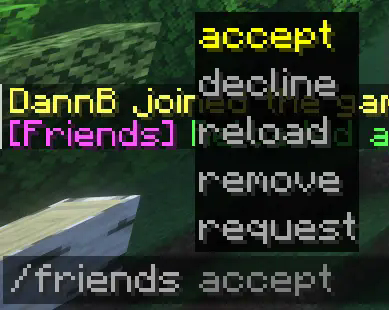
### Friend Requests (sent and received)


### Friends List

### Friend Requests List

### Message on Login

## Contact
For suggestions, bug reports, or general help; join the discord:
[https://discord.gg/v5hU7kBp2S](https://discord.gg/v5hU7kBp2S)
VelocityFailover
# VelocityFailover
A lightweight Velocity proxy plugin that automatically handles server crashes and restarts — no player left behind.
## What does it do?
When a backend server goes down (crash, restart, `/stop`), VelocityFailover:
1. **Instantly detects** the server is down
2. **Moves affected players** to a limbo server
3. **Monitors** the downed server for recovery
4. **Automatically reconnects** players back to their original server once it’s ready
5. **Blocks** other players from joining unavailable servers with a friendly message
All of this happens seamlessly — players see a short message, wait on limbo, and get moved back automatically.
## Why VelocityFailover?
– **Zero external dependencies** — only the Velocity API, nothing else
– **Extremely lightweight** — no constant heartbeat pinging all servers. Recovery pings run *only* on servers that are actually down
– **Instant detection** — uses Velocity’s kick events instead of slow polling intervals. Players are redirected in milliseconds, not seconds
– **Gradual reconnection** — players are transferred back one at a time to avoid overloading a freshly started server
– **Smart kick detection** — distinguishes between server crashes and normal kicks (bans, anticheat, etc.). A banned player won’t end up on limbo
– **Connection blocking** — players trying to manually join a recovering server get a message instead of being thrown into limbo
– **No Paper plugin needed** — runs entirely on the Velocity proxy side
## Requirements
– Velocity 3.4.0+
– Java 17+
– A limbo server registered in `velocity.toml` (e.g. [PicoLimbo](https://github.com/Quozul/PicoLimbo) or an empty Paper server)
## Installation
1. Download the latest `.jar` from [Releases](../../releases)
2. Place it in your Velocity `plugins/` folder
3. Start the proxy — a default `config.yml` will be generated in `plugins/velocityfailover/`
4. Edit `config.yml` to match your server setup
5. Restart the proxy or use /failoverreload
## Commands and permissions
/failoverreload – reloads config (permission: velocityfailover.reload)
## Configuration
“`yaml
# Name of the limbo server registered in velocity.toml
limbo-server: “limbo”
# Server groups to monitor.
# Groups are for organization only — each server is tracked individually.
groups:
lobby:
servers:
– “lobby1”
– “lobby2”
spawn:
servers:
– “spawn1”
– “spawn2”
# Recovery monitor settings
recovery:
ping-interval-ms: 2000 # How often to ping downed servers
pings-to-ready: 3 # Successful pings in a row before recovery starts
grace-period-ms: 5000 # Extra wait after pings pass (lets plugins load)
transfer-interval-ms: 50 # Delay between each player transfer
ping-timeout-ms: 2000 # Timeout for a single ping
# Kick reasons that indicate a server shutdown (checked via String.contains)
# If a player is kicked with one of these reasons, the server will be marked as offline
shutdown-keywords:
– “Server closed”
– “Server shutting down”
# Messages sent to players (MiniMessage format)
messages:
sent-to-limbo: “The server is temporarily unavailable. You will be moved back automatically when it returns.”
reconnecting: “The server is back online! Reconnecting…”
connection-blocked: “This server is currently unavailable. Please try again in a moment.”
“`
### Important notes
– The **limbo server must not be listed** in any monitored group — it is always treated as available
– Server names in the config must match exactly what is in your `velocity.toml`
– Messages support [MiniMessage](https://docs.advntr.dev/minimessage/format.html) formatting
## How it works
“`
Player on spawn2 ──> spawn2 crashes
│
KickListener catches the crash kick
│
Player redirected to limbo instantly
│
RecoveryMonitor starts pinging spawn2
│
3 successful pings ──> 5s grace period
│
Players transferred back one by one
│
spawn2 marked as ONLINE again
“`
## FAQ
**Q: What if a player disconnects while waiting on limbo?**
They are removed from the reconnect queue. When they rejoin, your existing routing plugin handles them normally.
**Q: What if the server crashes again during player transfers?**
The plugin handles this gracefully. Already-transferred players get kicked back to limbo. Remaining players stay on limbo. Recovery restarts from scratch.
**Q: Does this replace my hub plugin?**
No. This only handles crashes/restarts.
VelocityDiscordLink
## Makes your players link!
### /link command
– Can be changed to any string! Imagine /amongus code
– Customisable description and parameter name!
### Displays a single-use code on join!
– Keeps the same code for each players until proxy restart!
### Supports only one minecraft account per discord link!
– Players can’t spam 100 accounts to a single discord!
##Role whitelist!
###Role Check on join
– Will not let a player without a role on the server!
– Can be disabled
Velocity Discord
# Velocity Discord
Chat from all servers gets bridged with a discord channel
## Features
– Configurable
– Webhooks or embeds or normal text for messages
– Player count in bot status
– List command
– Templating syntax for all messages
– Death and Advancement messages shown
– Server start/stop messages
– Server status in channel topic
– Reload command for config changes while the server is running
> **Note**
> This requires a [companion Velocity plugin](https://github.com/unilock/YepLib)
> and [companion backend mod/plugin](https://github.com/unilock/YepTwo) for advancement/death messages
## Installation
1. Create a bot application [here](https://discordapp.com/developers/applications/)
– Go to the `Bot` tab and click `Add bot`
2. Enable the `SERVER MEMBERS INTENT` and `MESSAGE CONTENT INTENT` under `Privileged Gateway Intents`
3. Copy the bot’s token, you might have to click `Reset Token` first
4. Install the plugin on your server, start the server once, then stop the server again
5. Open the plugin config file at `plugins/discord/config.toml`
6. Under `[discord]`, paste your token in place of `TOKEN`
7. Under `[discord]`, paste the channel id you want to use
– To get a channel id, you have to enable developer mode in Discord
– Open Discord settings, go to `Advanced`, then turn on `Developer Mode`
– Now right-click the channel you want to use and click `Copy ID`
8. Set any additional config options you want
9. Start the server and check if it works
### For Webhooks
1. Create a webhook in the channel you want to use
– Right-click the channel, click `Edit Channel`, go to `Integrations`, click `Create Webhook`
– Copy the webhook URL
2. Paste the webhook URL under `[discord.webhook]` in the config file
### For advancements/deaths
1. Install the [YepLib](https://github.com/unilock/YepLib) velocity plugin alongside this plugin
2. Install the [YepTwo](https://github.com/unilock/YepTwo) backend mod/plugin on each of your backend servers that you want to
receive advancements/deaths from
### Configuration
The config file is generated at `plugins/discord/config.toml`. See [here](https://github.com/fooooooooooooooo/VelocityDiscord/wiki/Configuration) for the default config
VelocityCoolList
### [Hangar page](https://hangar.papermc.io/atikiNBTW/VelocityCoolList)
VelocityCoolList is a simple and easy-to-use plugin for Minecraft Velocity servers that allows you to create a whitelist based on nicknames.
## Commands and permissions
The main command is “`/vclist“`, it shows you information about VelocityCoolList, below are its arguments:
| Argument| Description | Permission |
|———|——————————————-|—————|
| enable | Enables whitelist. | vclist.admin |
| disable | Disables whitelist. | vclist.admin |
| add | Add player to the whitelist. | vclist.manage |
| remove | Remove player from the whitelist. | vclist.manage |
| list | Gives you a list of whitelisted players. | vclist.manage |
| reload | Reload plugin. | vclist.admin |
| clear | Clears the whitelist. | vclist.manage |
| status | Get the status of the plugin. | vclist.admin |
Aliases: “`/vcl“`, “`/velocitycoollist“`
## Colors and formatting
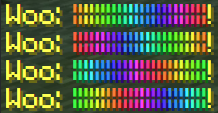
This plugin supports MiniMessage modern formatting, which allows you to make gradients and many other things.
Here is what this formatting supports, its documentation is in config and [here](https://docs.advntr.dev/minimessage/format.html#standard-tags)!
Velocity Commands
# Velocity Commands
**Velocity Commands** is a powerful and fully customizable command system for the **Velocity proxy**.
It allows server owners to create their own commands using a simple configuration file — no coding required.
Create custom chat commands, automate actions, broadcast messages, run console commands, and much more across your entire network.
**Documentation:** https://velocitycommands.dannb.online/
**Discord:** https://discord.gg/v5hU7kBp2S
—
# ✨ Features
### Fully Custom Commands
Create your own commands using a simple `commands.yml` configuration file.
### Multiple Command Types
Velocity Commands supports several command behaviours:
– `message_self` — send a message to the player executing the command
– `message_other_player` — send a message to another player
– `broadcast` — broadcast a message to the entire proxy
– `console_command` — execute a command from the console
Find information on command types here: [https://velocitycommands.dannb.online/command-types/message-self](https://velocitycommands.dannb.online/command-types/message-self)
—
### 🔄 Hot Reloading
Add, remove, or modify commands **without restarting your server**.
—
### 🎯 Custom Command Parameters
Create dynamic commands with parameters such as:
“`
/msg
/punch
“`
Supported parameter types include:
– `player`
– `string`
– `word`
– `greedy_string`
Find more information on custom parameters here: [https://velocitycommands.dannb.online/getting-started/command-syntax-and-parameters](https://velocitycommands.dannb.online/getting-started/command-syntax-and-parameters)
—
### 🎨 Chat Formatting
Velocity Commands supports:
– **MiniMessage formatting**
– **Legacy colour codes (`&6`, `&a`, etc)**
—
### 🔗 Automatic Link Detection
Links in messages are automatically converted into **clickable chat links**.
—
### 🔊 Command Sounds
Play sounds when commands are executed to provide feedback to players.
—
### ⚡ Run Commands Anywhere
Commands can execute:
– as the **player**
– as the **server console**
– on the **Velocity proxy**
– on **backend servers** (Spigot, Paper, Purpur, etc)
—
### 🔐 Permission Support
Restrict commands with permissions so only certain players can use them.
You can also define **view permissions** so only certain players receive broadcasted messages.
—
### 📦 Built-in Placeholders
Velocity Commands includes several built-in placeholders, such as:
– `%player_name%`
– `%player_ping%`
– `%server_online_players%`
– and more!
These allow you to create dynamic and interactive commands.
Find all available base placeholders here: [https://velocitycommands.dannb.online/getting-started/placeholders](https://velocitycommands.dannb.online/getting-started/placeholders)
—
# 📖 Documentation
Full documentation can be found here:
https://velocitycommands.dannb.online/
—
# 💬 Support
If you need help, have suggestions, or want to report a bug, join the Discord:
https://discord.gg/v5hU7kBp2S
—
# 🚀 Example
Example command configuration:
“`yaml
punch:
type: “broadcast”
aliases: [“broadcast”]
command: /punch [otherPlayerName:player] [reason:greedy_string]
message: “[PUNCHED] %player_name% has punched %otherPlayerName% for the reason of %reason%”
permission: “velocitycommands.punch”
view_permission: “velocitycommands.view”
enabled: true
“`
This would allow players to run:
“`
/punch
“`
—
# ❤️ Why Velocity Commands?
Velocity Commands makes it easy to build powerful commands for your network without writing any code.
Perfect for:
– network utilities
– moderation tools
– roleplay commands
– announcements
– automation
– server quality-of-life improvements
VelocityCommandForward
# VelocityCommandForward
**Forward commands from backend to proxy!**
## ✨ Features
* Custom command.
* Custom message.
* Customize commands to be sent silently (without sending messages or console logs).
* Players and console can execute proxy commands (sends a packet to the proxy to execute either as player or console).
## 📥 How to install? / Installation / Setup
Very simple, download both Velocity and Paper plugin and upload to their designed servers (proxy/backend).
1. Turn off your proxy (Velocity) and backend (Paper) server.
2. Download Velocity and Paper version plugin.
3. Drop both plugin files (for your server version) into the `plugins` folder.
4. Start your server.
## 💡 Notes
* Configuration only generates for backend server!
## ❓ Use case for this?
* My use case was very niche, I have a discord command that can run minecraft commands (if player is online) and
the issue was that the discord bot was running on backend server, and so I decided to make a plugin to run proxy
commands, such as `/skin`.
* Another common use case is when you install the TAB plugin on Velocity and need to send commands from the backend server to the proxy server, such as `/btab scoreboard` to toggle TAB’s scoreboard. While executing it manually works fine, if you use custom items from other plugins that are bound to this command, the command may fail to execute. In such cases, simply relying on this plugin’s commands can resolve the issue of TAB commands not working.
## 🕹️ Command usage
Command name can be changed in the backend plugin configuration:
“`yaml
custom-command: proxyexec
“`
| command | description | permission |
|————————|——————————————————————————————————|———————————–|
| `/proxyexec reload` | Used to reload plugin config. Changing `custom-command` requires a server restart. | velocitycommandforward.admin (op) |
| `/proxyexec ` | Forward commands to the proxy. Example: `/proxyexec tab reload` executes `/tab reload` on the proxy. | velocitycommandforward.send |
In the examples I changed the command to `proxy`, I didn’t set it as default because I was worried that some other plugin could use this command already.

## Executing in console
If you execute the command in the console, you won’t get any output, and instead it’s going to show up in the proxy server logs.
There must be at least one online player to be able to send command packet to the proxy (that’s how plugin messaging channels work between backend and proxy).
Backend server.

Proxy server.

## 📄 Default configuration
Changing `custom-command` requires a server restart.
“`yaml
# VelocityCommandForward
# Command for forwarding commands to proxy.
# You need to restart the server for the changes to apply.
custom-command: proxyexec
# Here you can specify root commands that will not send log and message.
filtered-commands:
– example_command
# {command} = The command that was sent by the sender
# {sender} = The player who sent the command
# If set to ”, no message will be sent.
messages:
reload: ‘&aPlugin messages and filters have been reloaded!’
command-sent-as-player: ‘&2Command sent to proxy &7=> &a/{command}’
command-sent-as-console: ‘&2Command sent as console to proxy &7=> &a/{command}’
no-online-player: ‘&cThere must be at least 1 online player to be able to execute proxy console commands!’
console-log: ‘[{sender}] Sending command packet to proxy => /{command}’
velocity-log: ‘[{sender}] Received proxy command packet => /{command}’
“`
## ✅ Requirements
* Velocity plugin was built with `Java 17` and Paper plugin is `Java 21`.
* Compatible with versions 1.20.6 and above. Since the plugin uses Brigadier (added in 1.20.6) to build commands, servers running lower versions will encounter errors.
VelocityChat
# VelocityChat
– [中文](https://github.com/MapleDust/VelocityChat/blob/v1.8/README.md)
– English
A Cross-server chat plugin for Velocity proxy
## Features
– Cross-server chat
– (configurable, default true) Enable color code
. check [Minecraft Wiki](https://minecraft.wiki/w/Formatting_codes) for
more information
, use `&` instead of `§` in game.
– `/vchat local` Send local message (to current server), alias (configurable) `/lc`.
– `/vchat broadcast` Send global message, alias (configurable) `/br`.
– Message of player joined, left and switch server.
– (configurable, default false) Send sample players when client refreshing multiplayer games.
– (configurable, default false) Show all proxy players on tab list.
– (configurable, default true) enable command `glist`.
– (configurable, default true) enable default global chat.
– (configurable) Send local message if chat message is starts with matched string.
– (configurable) translations
## Files
Locate in `plugins/VelocityChat`
### Configuration `config.toml`
– See in the file
### Langs
#### Default `langs/default/*.properties`
– The default language file is now forced to refresh
#### Custom `langs/custom/*.properties`
– You can replace any default translation here.
Some of the translations:
– Fallback chat format:`qu_an.chat.message.chat.default=`
– Server exclusive chat format:`qu_an.chat.message.chat.server.=`
– Examples:
– `qu_an.chat.message.chat.server.lobby=§8[§r{0}§8|§r{1}]§r<{2}§r> {3}`
– `qu_an.chat.message.chat.server.survival=§8[§r{0}§8]§r<{2}§r> {3}`
– Use fallback chat format if missing.
– Server name:`qu_an.chat.server.name.=`
– Examples:
– `qu_an.chat.server.name.lobby=Lobby`
– `qu_an.chat.server.name.survival=§aSurvival Server`
– Use server id if missing.