UniversalPluginUpdater
UniversalPluginUpdater
[](https://github.com/DreamVoid/UniversalPluginUpdater/releases/latest)

[简体中文](https://github.com/DreamVoid/UniversalPluginUpdater/blob/main/README.md) | English
—
## Introduction
UniversalPluginUpdater (UPU) is a Minecraft server plugin that allows you to quickly update existing server plugins, while also providing APIs to help developers easily implement automatic update functionality for their plugins.
The development of UniversalPluginUpdater was inspired by [APT](https://wiki.debian.org/zh_CN/Apt).
## Documents and tutorials
For first-time UPU users, reading the [UPU Help Manual](https://docs.upu.dreamvoid.me/en/) can help them get started quickly. Many questions can be answered by consulting the documentation, which also includes how UPU checks for updates to other plugins.
## Download
* Stable version
* [Modrinth](https://modrinth.com/plugin/upu/versions)
* [Hangar](https://hangar.papermc.io/DreamVoid/UniversalPluginUpdater/versions)
* [GitHub Releases](https://github.com/DreamVoid/UniversalPluginUpdater/releases)
## Commands
This is just a list of some commonly used commands. For a complete list of commands, please refer to the [documentation](https://docs.upu.dreamvoid.me/en/core/commands).
| Command | Description |
| — | — |
| /universalpluginupdater (/upu) | UniversalPluginUpdater main command |
| /upu update | update list of available plugins. |
| /upu list | list all available plugins |
| /upu download | download existing plugins’ newer version by downloading. |
| /upu upgrade | upgrade existing plugins by downloading/installing newer version. |
| /upu repo | configuration file repository sub-command |
## License
[GNU General Public License v3.0](https://github.com/DreamVoid/UniversalPluginUpdater/blob/main/LICENSE)
—
[DreamVoid](https://github.com/DreamVoid), Made with ❤.
UnSignedVelocity2
# UnSignedVelocity2
[](https://github.com/MemencioPerez/UnSignedVelocity2/actions)



Allow your moderation plugins to work again for users with versions 1.19.1 or higher
This plugin works by removing signed information from commands and messages sent by clients 1.19.1 or higher, allowing plugins that cancel proxy messages, such as ChatRegulator or AuthMeVelocity, to work again
This is a fork of the original UnSignedVelocity made by 4drian3d, updated to work with newer Minecraft versions
## Requirements
– Velocity 3.4.0+
– Java 17+
– [PacketEvents 2.4.0+](https://modrinth.com/plugin/packetevents)
## Metrics
[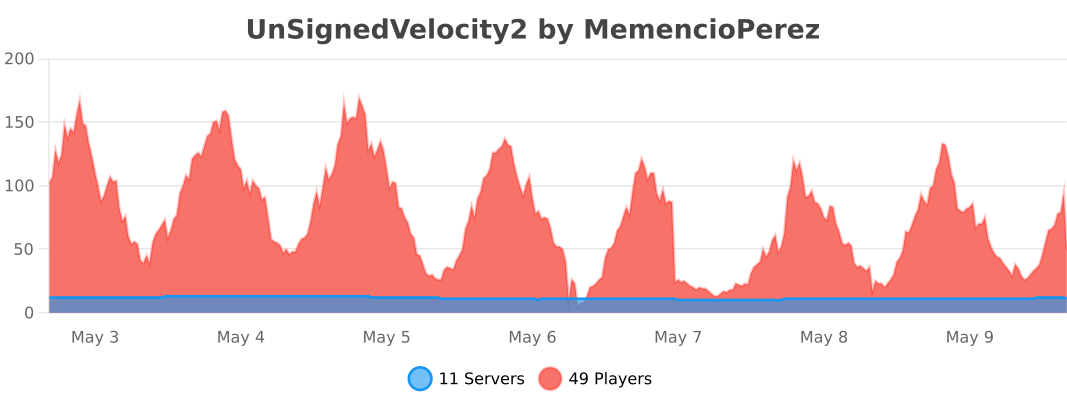](https://bstats.org/plugin/velocity/UnSignedVelocity2/24373)
UltraSpeedLimit
# UltraSpeedLimit
Limit the speed at which players can switch between servers.
## Required
– Java 17+
– Velocity 3.3.0+
– [Plugin|Lib] [MavenLoaderAPI 1.2-SNAPSHOT+](https://modrinth.com/plugin/mavenloader-api)
## Config
“`yaml
connections: 2 #The number of times that can be switched between the server during the expiration time+1
expired-connections: 30 #Expired time, unit: second
connect-failed-message: The connection speed limit has been reached! Please come back
later!
“`
UltimateAntiBot
[](https://discord.com/invite/EXFGgdTVKp)
# INFORMATION
This is a plugin that works on both bungeecord and spigot!
Remember that being just a plugin it can’t work wonders!
If you have a server with underpowered hardware or with a free host, don’t expect great performances!
Also, although spigot support has been introduced, remember that bungeecord is a better choice for handling large attacks and that on spigot it could cause slowdowns!
When installing the plugin remember that if you have a bungeecord server you will have to put the plugin ONLY in the bungeecord plugin folder! If you use only spigot instead you have to put it in the spigot plugins folder then just reboot and the server!
# GEYSER INFORMATION
The plugin supports the entry of players via geyser however there are some changes you need to make in the config to ensure that there are no problems!
First you have to deactivate the packet check, then you have to modify the legalname check by making it allow players with names containing the charater that geyser adds to the minecraft base name to enter, if the charater is the dot (“.”) then you don’t have to do anything, otherwise you have to change the regex (you can ask for help in my discord server for this by opening a ticket).
# PROTECTS FROM
– **FAST JOIN**
– **SLOW JOIN (BYPASSABLE USE A CAPTCHA PLUGIN ON THE LOBBY SERVER INSTEAD)**
– **PING ATTACK**
– **COMBINED**
– **BAD PACKET (ONLY ON BUNGEECORD / WATERFALL / VELOCITY)**
# FEATURES
– Fully customizable (config & messages)
– VPN system for detecting slow attacks.
– Hook to IPSet & IPTables for handling large attacks.
– A great variety of checks to detect as many bots as possible.
– An intelligent filter that activates only during attacks to avoid filtering important server errors.
– An easy verification system for non-bot players during attacks.
– An ID based blacklist system that will allow you to manage your blacklist more easily!
– Automatic notifications when there is an attack.
– Automatic attack logging system!
– An autopurger for blacklist, whitelist and attack logs.
# COMMANDS
– /uab help – displays help message
– /uab toggle actionbar/title/bossbar – toggle notification
– /uab stats – displays antibot stats
– /uab clear blacklist/whitelist – will clean up one of the two
– /uab whitelist add/remove – manage whitelist
– /uab blacklist add/remove – manage blacklist
– /uab logs list/info – manage attack logs
– /uab cache status/clear – manage uab cache
– /uab firewall – displays firewall stats
– /uab check – checks for a blacklisted player
– /uab reload – reload messages
– /uab dump – used for support assistance
# PERMISSIONS
– /uab help – uab.command.help
– /uab toggle actionbar/title/bossbar – uab.command.toggle
– /uab stats – uab.command.stats
– /uab clear blacklist/whitelist – uab.command.clear
– /uab whitelist add/remove – uab.command.whitelist
– /uab blacklist add/remove – uab.command.blacklist
– /uab firewall – uab.command.firewall
– /uab logs list/info – uab.command.logs
– /uab cache status/clear – uab.command.cache
– /uab firewall – uab.command.firewall
– /uab check – uab.command.check
– /uab reload – uab.command.reload
– /uab dump – uab.command.dump
– Automatic notification – uab.notification.automatic
– ANTI-VPN bypass permission – uab.bypass.vpn
# SOME VIDEOS
# PLUGIN STATS
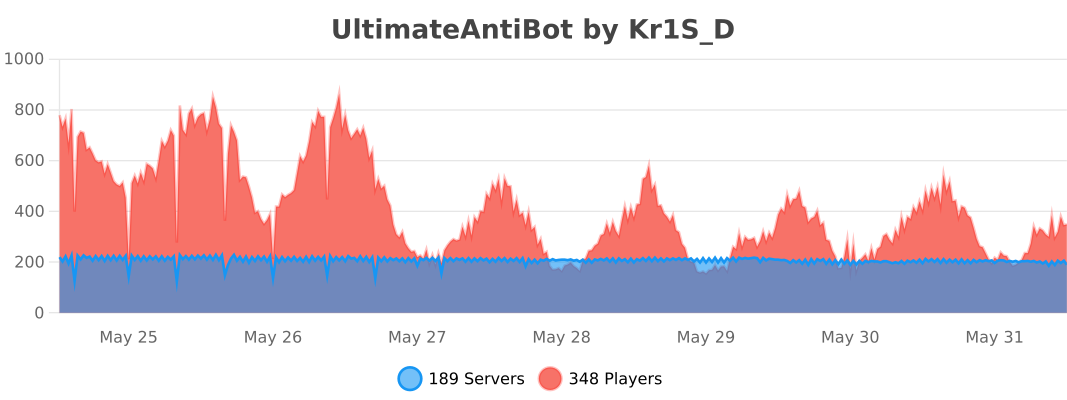
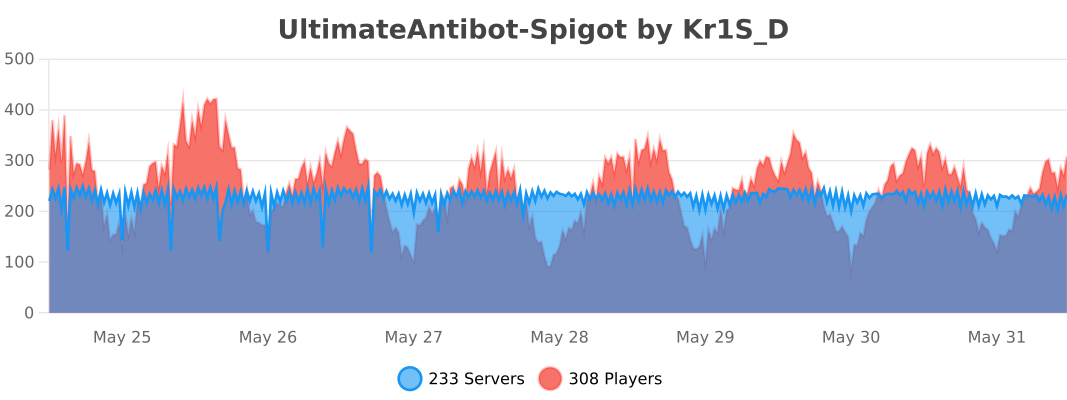
ulib
# uLib
 
ulib is a general purpose library.
Copyright (c) 2022 [fluse1367](https://gitlab.com/fluse1367)
See “Included Software” (at the bottom) for copyright and license notice of included software.
Please also refer to the [documentation](https://gitlab.com/fluse1367/ulib/-/blob/main/docs/Readme.md).
## Features
Brief overview of ulib’s features.
### Core
– Code Injection Framework
– Dynamic Library Injection
– Maven Resolver
– Reflection Utilities
– JsonRPC v2 API
– Yaml/Json API
– SQL API
– Misc
### Minecraft
– Mojang Launchermeta API
– Mojang/Bukkit Mappings API
– Proxy-Server Bridge
– User Cache
– Misc
### Spigot
– GUI/Inventory Menus API
– Custom Enchantments
– Item API
– Misc
## Things to Know
– The minecraft variants of library depend on recent spigot/bungeecord/velocity versions. That means it may not work as
expected or may not work at all on older server versions. You will not receive any support, when using another server
version than the one this library is built for.
If you want to use older server versions, consider a cross-version compatibility tool, like
[ViaBackwards](https://www.spigotmc.org/resources/viabackwards.27448),
[ViaRewind](https://www.spigotmc.org/resources/viarewind.52109) or
[ProtocolSupport](https://www.spigotmc.org/resources/protocolsupport.7201).
– Minimum Java version is 17.
– When launching uLib for the first time (or if the respective caching folder was removed), it will download a few of
dependencies/libraries.
## Disclaimer
Note the copyright and [license of this project](https://gitlab.com/fluse1367/ulib/-/blob/main/LICENSE). Use this library at your own risk! The contributors of this
project do not take any responsibility/liability in any way.
# Included Software
The following 3rd-party software is included within this project:
– NBTEditor
([click](https://github.com/BananaPuncher714/NBTEditor/blob/ff303d06e16eed119079bae92b8ef5700ec35d87/src/main/java/io/github/bananapuncher714/nbteditor/NBTEditor.java))
Copyright (c) 2018 [BananaPuncher714](https://github.com/BananaPuncher714), licensed under
the [MIT license](https://github.com/BananaPuncher714/NBTEditor/blob/ff303d06e16eed119079bae92b8ef5700ec35d87/LICENSE)
– Apache Commons Lang v3 (Copyright (c) 2022 [The Apache Software Foundation](https://www.apache.org/), licensed under
the [Apache License 2.0](https://github.com/apache/commons-lang/blob/9f1ac974e1b52c58b1950acdaaf3e0d5881409df/LICENSE.txt)):
– SystemUtils
Class ([click](https://github.com/apache/commons-lang/blob/9f1ac974e1b52c58b1950acdaaf3e0d5881409df/src/main/java/org/apache/commons/lang3/SystemUtils.java))
– JavaVersion
Class ([click](https://github.com/apache/commons-lang/blob/9f1ac974e1b52c58b1950acdaaf3e0d5881409df/src/main/java/org/apache/commons/lang3/JavaVersion.java))
—
tuffvote
## tuffvote
runs all commands in its config file whenever votifier recieves a vote from a server list. you can configure what server lists you want to have trigger the commands, and what commands run.
a usecase for this might be wanting users who vote to get a rank, so you could have a command be “/lpb %username% parent add voter“.
“/tuffvotereload“ to reload its config
True Proxy Send Command
# True Proxy Send Command
Place the Jar file into both Velocity and your Paper servers’ `plugins` folder, and you’ll have access to the `/send` command via players, datapacks, and command blocks!
## How to use:
The syntax is `/send `, where is any Minecraft player selector, (e.g @a, @p, @s), and is any named server in your `velocity.toml` file.
## How it works:
Both halves talk to each other via Bukkit’s plugin channel messages. Velocity will send the list of servers to each Paper server, and Paper will send what player(s) and what server were argued in the command back to Velocity.
## Contact me!
If you’re looking for older versions (or even newer!), or different server side loaders (e.g Spigot, or even just plain Bukkit), contact me at [email protected] or join my [Discord server](https://discord.com/invite/3fKNRsuwf9) to let me know and I’ll start working on that as soon as I can!
tpagui
# TpaGui
A simple plugin that provides GUI functionality for TPA, supporting chest menus and Bedrock Edition forms.
## Features
### Java Edition
– Chest menu interface
– Displays skulls of all online players
– Left-click to request teleportation to a player
– Right-click to request a player to teleport to you
– Supports multi-page display
– Previous/Next page buttons
### Bedrock Edition
– Dropdown form interface
– Player selection dropdown menu
– Teleport method toggle switch
– Automatically identifies Bedrock Edition players
– Teleport request popup
– Shows requester’s name
– Shows teleport direction
– Accept/Decline buttons
– Closing the window automatically declines the request
### Common Features
– Supports customizing all message texts
– Supports color codes
– Allows viewing the list of online players from the console without relying on other plugins
## Commands
– `/tpagui` – Opens the teleport request menu
– Aliases: `/tpag`, `/tgui`
## Permissions
– `tpagui.use` – Permission to use the `/tpagui` command (default: all players)
## Dependencies
– Required: Paper 1.13+
– Optional: Floodgate (for Bedrock Edition support)
ToriumPlayersSum
# ToriumPlayersSum
ToriumPlayersSum is a plugin for the Velocity proxy server that collects and displays the total number of online players connected to multiple servers linked through Velocity. The plugin is ideal for networks where multiple servers (e.g., lobbies, mini-games, survival, etc.) are running simultaneously, and administrators or players need to see the total number of active players across all servers.
## Installation:
1. Download the plugin and place it in the `plugins` folder on your Velocity proxy.
2. Restart the proxy server.
3. The plugin will automatically start collecting online player data from connected servers.
Torium
# Torium




**Torium** is a versatile plugin for Velocity-based proxy servers, designed to provide administrators with powerful tools for managing players and servers. The plugin easily integrates into your system, is configurable via files, and supports multiple languages, making it an ideal choice for servers of any size.
### Are you using my plugin? – write to me in Discord what you would like to see in it, or if something does not work. My discord: thorgathis.
## 📝 Commands
Torium offers a set of commands to manage players and servers, simplifying administrative tasks:
– **/alert** — Sends a global message to all players on the proxy.
– **/find** — Locates a player and shows which server they are on.
– **/send** — Moves a player to a specified server.
– **/lobby** — Teleports a player to the lobby server.
– **/list** — Displays a list of all servers and players.
– **/treload** — Reloads the plugin’s configuration and language files.
## 🔒 Permissions
Torium uses a permission system to control who can execute specific commands. Some examples include:
– **torium.command.alert** — Access to `/alert`.
– **torium.command.find** — Access to `/find`.
– **torium.command.send** — Access to `/send`.
– **torium.command.lobby** — Access to `/lobby`.
– **torium.command.list** — Access to `/list`.
– **torium.command.reload** — Access to `/treload`.
## ⚙️ Configuration
Torium provides flexible configuration via the `config.toml` file, allowing you to tailor the plugin to your server’s needs:
– Enable or disable commands.
– Customize message formats and command outputs.
– Set the lobby server for the `/lobby` command.
– Adjust proxy ping responses to show the total number of players across all servers.
– etc.
All adjustments can be made quickly and easily through configuration files.
## 🌍 Multi-Language Support
Torium supports multiple languages, including English and Russian. You can add your own custom language files by placing them in the `lang` folder. This makes it easy to adapt the plugin for your audience and use it in international communities.
## 🔧 Utils
Torium offers useful utilities that can significantly enhance your server’s functionality:
– **Proxy Ping Modification** — Adjusts the proxy ping response to display the total number of players across all servers, not just the current one.
– **Server List Customization** — Control the visibility of empty servers in the `/list` command through configuration, helping to avoid interface clutter.
– etc.
These utilities allow you to better manage your server and provide players with accurate information.
## ⚡ Installation
Installing Torium is quick and easy:
1. Download the plugin from Modrinth.
2. Place the `Torium-X.X.jar` file in your proxy’s `plugins` folder.
3. Restart the server.
4. Configure the plugin via the provided configuration files.
After that, Torium is ready to use!
—
**Torium** is the perfect choice for administrators who want to simplify proxy management and improve player interactions. Easy to set up, highly flexible, and supporting multiple languages, Torium is an excellent tool for servers of any size.