Velocity Broadcast Reborn
## VelocityBroadcast Reborn
The new and improved version of my old popular plugin called “Velocity Broadcast”. The best known and lightweight broadcasting plugin for any network to use.
# Introduction
Welcome to the GitHub repo and source code for the plugin VelocityBroadcast Reborn. This is a complete rewrite of my previous VelocityBroadcast plugin. I reworked and rebuilt the plugin from scratch. Due to the fact a ton of promised features sadly did not work out correctly. The biggest complaint being permissions. Well, I did it. I was able to fix a few old grievances and even add some new features. So without further ado, the information regarding VelocityBroadcast Reborn!
VelocityBroadcast Reborn is a unique and lightweight plugin that allows people with specific permission nodes/groups with permission nodes assigned to LuckPerms for Velocity to broadcast a message across the entire network. This is useful for events, maintenance announcements, and more. I do plan to add more features one day, but for now this is what we have. Light, simple, and easy to use. Please use the Issue Tracker above to report any issues or feedback about the plugin.
# Dependencies
– The latest stable build of Velocity
– A main hub/lobby server (Preferably running Paper, but it should work on any type of server. Including modded)
– A secondary/multiple servers on the network to receive full compatibility
# Setup
1. Download the latest version from Spigot or the Releases page on the right
2. Upload the plugin file to your ***Proxy’s*** plugin folder (Do not upload it to the hub server’s plugin folder)
3. Restart the proxy
4. In the console of your proxy server, run the following command(s) depending on your preferred usage. (4a for users specifically, 4b for groups)
4a. lpv user {username} permission set {permission node} true {context (optional)}
4b. lpv group {group} permission set {permission node} true {context (optional)}
4c. Or you can do it in GUI mode with the command “lpv editor”
5. Restart your proxy again
6. Now the setup is complete, enjoy!
# Commands and Permissions
– /vb – When typed on its own will show the help page – No permission needed
– /vb {message} – When typed and paired with a message, it will send a message across all servers on a network (Legacy Color Codes and MiniMessage compatible) – vb.broadcast
– /vp prefix {new prefix} – This allows whoever has the required permission to change the prefix in front of the message broadcasted – vb.admin
– /vb reload – Allows people with the correct permission node to reload the config if it was edited manually – vb.admin
***Currently due to the limitations of Velocity, you can not run the commands while being opped. You MUST have the correct permission nodes for it to work.***
Velocity Auto Start
# Velocity Auto Start:
**AutoStart is a Velocity proxy plugin that starts your backend Minecraft
server on demand and shuts it down automatically when nobody’s online — saving resources without keeping the server running 24/7.**
## How it works:
When a player tries to connect through the proxy and the backend is offline, the plugin automatically fires a configurable start command (e.g. a screen + shell script), kicks the player with a friendly “starting up” message, and updates the server list MOTD to show a “STARTING… PLEASE WAIT” status. Once the server is up, players can join normally. When the last player leaves, a configurable idle timer (default: 20 minutes) counts down and gracefully stops the server.
## Features:
⚡ On-demand startup — backend server starts the moment a player tries to connect
💤 Idle shutdown — automatically stops the server after a configurable period of inactivity
📋 Dynamic MOTD — shows different status messages depending on server state (offline, starting, online)
🔧 Fully configurable — backend host/port, start/stop commands, idle timeout, and all messages are set via config.toml
💬 MiniMessage support — MOTD and kick messages use the MiniMessage format for rich formatting
## Requirements:
Velocity proxy
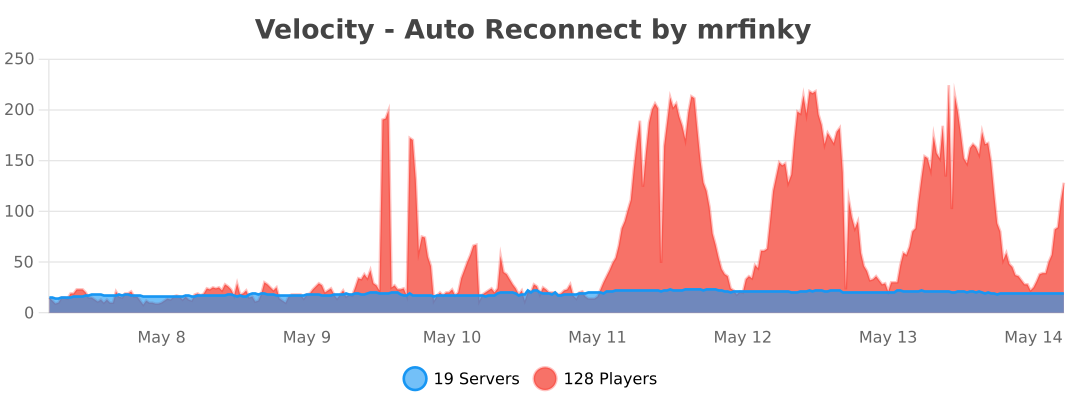
Velocity – Auto Reconnect
VelocityReconnect keeps players online while a backend server restarts and reconnects them automatically when it comes back.
Instead of kicking players out during a restart, VelocityReconnect keeps retrying in the background and can hold players inside the proxy while they wait. This makes restarts, crashes, and maintenance feel much smoother for players.
By default, VelocityReconnect uses its built-in no-limbo mode, so no extra backend or limbo server is required. If you prefer, it can also work with a real holding server.
Features:
Native Velocity reconnect handling
No limbo server required
Built-in no-limbo mode enabled by default
Optional support for a real holding server
Automatic reconnect attempts while the backend is offline
Custom reconnect titles, subtitles, and actionbar messages
Animation support in reconnect messages
Configurable reconnect timing and retry behavior
Fallback server support
Per-server permission support
Simple Voice Chat compatibility for built-in holding mode
Setup:
1. Drop the plugin into your proxy’s plugins folder.
2. Restart your Velocity proxy.
3. Open the config and set the reconnect timing to match how long your server usually takes to start.
4. Check that the shutdown text or regex matches the message your backend sends when it restarts.
5. If needed, edit the config and reload the plugin.
Test it and enjoy.
Credits:
VelocityReconnect is based on and ported from tau’s BungeeReconnect, with additional Velocity-specific changes and built-in proxy holding support for single-backend setups.
Velocity Alert


# Velocity Alert Plugin
## Overview
A simple Velocity plugin that alerts/announces players in your entire server network. You can use this feature to warn players about an upcoming server/proxy restart, or announce any other important message you want to mention.
## Features
* `/alert (message)`
* Permission node is `alert.command.permission` (recommended for staff only; you can setup the permissions in your permission plugin)
* Colored messages with HEX color support
* Config file where you can customise the alert message prefixes and colors.
### Supported Formats
A list of supported formats with links on how to use them.
– [Legacy](https://www.digminecraft.com/lists/color_list_pc.php)
– [JSON](https://minecraft.wiki/w/Raw_JSON_text_format)
– [XML (MiniMessages)](https://docs.advntr.dev/minimessage/format.html#minimessage-format)
### Format Examples
Here are some basic examples of those 3 different formats: ([ALERT] Warning!)
– Legacy: `/alertlegacy &cWarning!`
– JSON: `/alertjson {“text”:”Warning!”,”color”:”red”}`
– XML (MiniMessage): `/alertxml Warning!`
Or you can use `/alert` by changing the format in the config file. The defaults format is lagacy.
## Installation and Setup
1. Download the latest Alert plugin [here](https://modrinth.com/plugin/velocity-alert/version/1.8).
2. Place the plugin in the plugins folder of your proxy server.
3. Restart your proxy and that’s it! The plugin should be loaded.
If you have any questions or have found a problem, please report it to [https://github.com/Anwenden001/Velocity-Alert-Plugin/issues](https://github.com/Anwenden001/Velocity-Alert-Plugin/issues)
Velocitab

GitHub — Setup — Discord — Docs
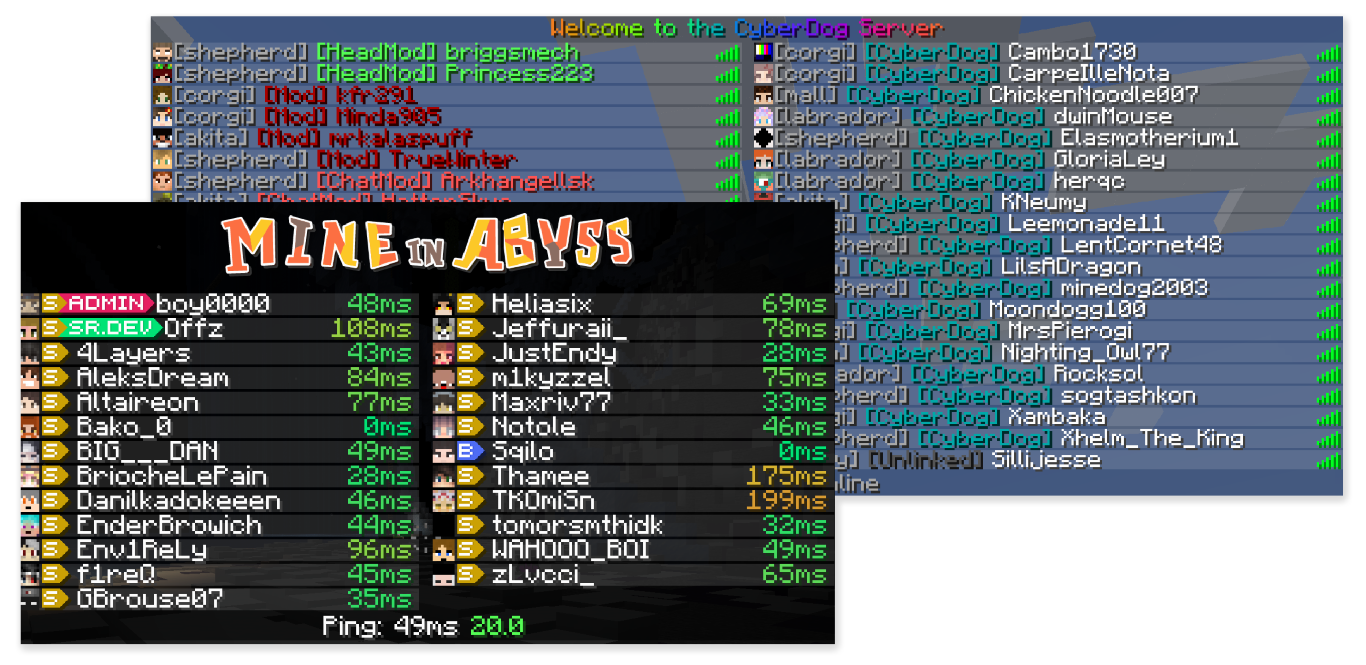
**Velocitab** is a super-simple Velocity TAB menu plugin that uses scoreboard team client-bound packets to actually sort player lists without the need for a backend plugin. Supporting modern RGB formatting, animations, comprehensive placeholder support and defining multiple TAB menus for different groups of servers, Velocitab is a versatile plugin, useful for any Velocity-based proxy network.

### **⭐ Flexible list sorting**
Customizable TAB [list sorting](https://william278.net/docs/velocitab/sorting) based on user role, server, placeholder, and more.
### **⭐ Versatile formatting support**
Make your TAB list beautiful with full RGB color support, supporting MiniMessage, MineDown and legacy [formatting modes](https://william278.net/docs/velocitab/formatting).
### **⭐ Multiple TAB menus for different servers**
Create [server groups](https://william278.net/docs/velocitab/server-groups) and configure different TAB lists to show for each group!
### **⭐ Animations support**
Add extra flair to your TAB list or display additional information by creating pretty looking [animations](https://william278.net/docs/velocitab/animations).
### **⭐ Player nametags**
Customize how over-the-head [nametags](https://william278.net/docs/velocitab/nametags) look to help players stand out in-game.
### **⭐ Full placeholder support**
Comes with a robust set of built-in [placeholders](https://william278.net/docs/velocitab/placeholders), MiniPlaceholders support, as well as PAPIProxyBridge for PlaceholderAPI support
**Ready?** [Get started in a new TAB…](https://william278.net/docs/velocitab/setup)

* A Velocity 3.3.0 proxy running the latest version
* Backend servers running MC 1.12.2 or newer, or MC 1.8-1.8.9
* Java 17

Helpful links to get you started:
* **[Website](https://william278.net/project/velocitab)** — Visit my website!
* **[Docs](https://william278.net/docs/velocitab)** — Read the plugin docs!
* **[Discord](https://discord.com/invite/tVYhJfyDWG)** — Get support, ask questions!
* **[bStats](https://bstats.org/plugin/velocity/Velocitab/18247)** — Check out the plugin metrics!
* **[GitHub](https://github.com/WiIIiam278/Velocitab)** — Check out the plugin source code!
* **[Setup](https://william278.net/docs/setup)** — Read the setup instructions!

velocit
# velocit
A [playit.gg](https://playit.gg) plugin for [Velocity](https://github.com/PaperMC/Velocity) servers
# Getting Started
1. [Setup a Velocity Server](https://docs.papermc.io/velocity/getting-started)
2. Install the plugin’s [latest release](https://github.com/200Tigersbloxed/velocit/releases/latest)
3. Click the link in the console window to link your playit account to the server
4. Done!
# What’s supported?
Pretty much anything that’s TCP will work right now.
Feature | Description | Supported
— | — | —
Minecraft TCP | The TCP port for Velocity | ✔️
UDP Ports | UDP Ports (for things like Geyser) | ❌
Extra TCP Ports | Any extra TCP ports to expose | ✔️
IP Forwarding | The actual IP address of the client | ❌
*any feature listed is planned*
# How to Build?
1. Pull the repo
2. Open with your favorite Java IDE
3. Refresh maven packages
4. `mvn install`
Velocircon
[](https://modrinth.com/plugin/velocircon/versions)
[](https://github.com/code-lime/Velocircon/releases)
[](https://modrinth.com/plugin/velocircon)
[](https://hangar.papermc.io/code-lime/velocircon/versions)
[](https://github.com/code-lime/Velocircon/actions)
# Velocircon
**Velocircon** is a plugin for [Velocity](https://papermc.io/software/velocity) that adds RCON support, allowing you to connect to your Velocity proxy and execute commands remotely.
## About
Velocircon enables administrators and automation systems to connect to Velocity via the RCON (Remote Console) protocol and securely execute any commands supported by the proxy. This greatly improves management and automation capabilities for Minecraft servers using Velocity as their proxy.
## Features
– Standard RCON protocol support
– Execute any Velocity command via RCON
– Secure password authentication
– Easy setup and integration
## Installation
1. Download the latest Velocircon release.
2. Place the `.jar` file in the `plugins` directory of your Velocity server.
3. Restart the server.
## Configuration
After the first launch, the plugin will generate a configuration file `rcon.yml` in the `plugins/velocircon` directory.
**You must set a password and enable RCON (`enable: true`), otherwise the plugin will not work!**
Default configuration:
“`yaml
enable: false
host: 0.0.0.0
port: 25575
password: PASSWORD
colors: true
console-output: true
permissions:
luck-perms:
enable: false
group: ‘*’
regex:
enable: false
regex: minecraft.(.*)
“`
### Environment Variables
Configuration options can also be overridden using **environment variables**. This is useful when running Velocity in Docker or other container environments.
Environment variables use the following format:
“`
VELOCIRCON__
“`
Rules:
* The prefix **`VELOCIRCON__`** is required.
* Use **double underscores `__`** to separate configuration levels.
* Replace `-` with `_`.
* Variable names are case-insensitive, but uppercase is recommended.
### Options
– `enable` (`VELOCIRCON__ENABLE`): Set to `true` to activate RCON support.
– `host` (`VELOCIRCON__HOST`): Address to bind the RCON server (default: `0.0.0.0` for all interfaces).
– `port` (`VELOCIRCON__PORT`): Port for RCON connections.
– `password` (`VELOCIRCON__PASSWORD`): Set a strong password for authentication.
– `colors` (`VELOCIRCON__COLORS`): Enables color codes in command output (recommended).
– `console-output` (`VELOCIRCON__CONSOLE_OUTPUT`): Redirects RCON output to the console.
– `permissions`: RCON connection permissions. If all `enable: false` – all permissions are allowed.
– `luck-perms`: Use [LuckPerms](https://modrinth.com/plugin/luckperms) group to control connection permissions.
– `enable` (`VELOCIRCON__PERMISSIONS__LUCK_PERMS__ENABLE`): Enable usage `LuckPerms` permissions filter.
– `group` (`VELOCIRCON__PERMISSIONS__LUCK_PERMS__GROUP`): ‘`*`’ or an empty string – all permissions are allowed.
– `regex`: Use [Regex](https://regex101.com) (regular expression) to control connection permissions.
– `enable` (`VELOCIRCON__PERMISSIONS__REGEX__ENABLE`): Enable usage `Regex` permissions filter.
– `regex` (`VELOCIRCON__PERMISSIONS__REGEX__REGEX`): `Regex` string.
### Examples
Config file:
“`yaml
port: 25575
console-output: true
permissions:
luck-perms:
enable: false
“`
Environment variables:
“`bash
VELOCIRCON__PORT=25580
VELOCIRCON__CONSOLE_OUTPUT=false
VELOCIRCON__PERMISSIONS__LUCK_PERMS__ENABLE=true
“`
Resulting configuration:
“`yaml
port: 25580
console-output: false
permissions:
luck-perms:
enable: true
“`
Environment variables **override values from `rcon.yml`**.
## Usage
To connect to Velocity via RCON, use any compatible client.
We recommend [itzg/rcon-cli](https://github.com/itzg/rcon-cli) for its flexibility and ease of use.
Example connection command:
“`sh
rcon-cli –host –port 25575 –password
“`
Once connected, you can send any Velocity command as if you were using the Velocity console.
## Requirements
– Java 21 or higher (recommended by Velocity documentation)
– Velocity Proxy
## License
This project is licensed under the GNU General Public License v3.0. See the [LICENSE](https://github.com/code-lime/Velocircon/blob/master/LICENSE) file for details.
## Feedback & Contributions
Found a bug or want to suggest an improvement? Please open an issue or submit a pull request!
—
**Author:** [@code-lime](https://github.com/code-lime)
[](https://bstats.org/plugin/velocity/Velocircon/26312)
VeloChatX

# VeloChatX
A plugin that help Velocity server **distribute** players’ messages to its sub servers. It can also automatically **broadcasting message** from player and timed broadcast.
With this plugin, players can freely chat with each other or chat privately. Players can also **remind** them that they can **block** people from different servers who do not want to chat

[](https://github.com/Danburen/VeloChatX/stargazers)
[简体中文](https://github.com/Danburen/VeloChatX/tree/main/docs/zh)
### 🤠 plugin features
* When player join/leave server,broadcast the join/leave message to previous server and the present server.
* Automatically parse chat color logging out in proxy server.
* Support message customization
* Use [luckperms](https://github.com/LuckPerms/LuckPerms/tree/master?tab=readme-ov-file) to get player data.
* i18n support, support language en_US, zh_CN
* auto fix the language for the player join the game
* auto update
* ban words filter
* timed broadcast support
* persist data with database
* tab list replace
* flexable inner server placeholder
### 👉 Getting Start [Docs](https://danburen.github.io/VeloChatX-Docs/en)
* Download the plugin from latest [Release](https://github.com/Danburen/VeloChatX/releases)
* Put “`VeloChatX“` file to your “`Velocity“` plugin file
* **Start** the server and the plugin will generate config files for you
* **Stop** the server and configurate the configs file
* **Restart** the server and enjoy.
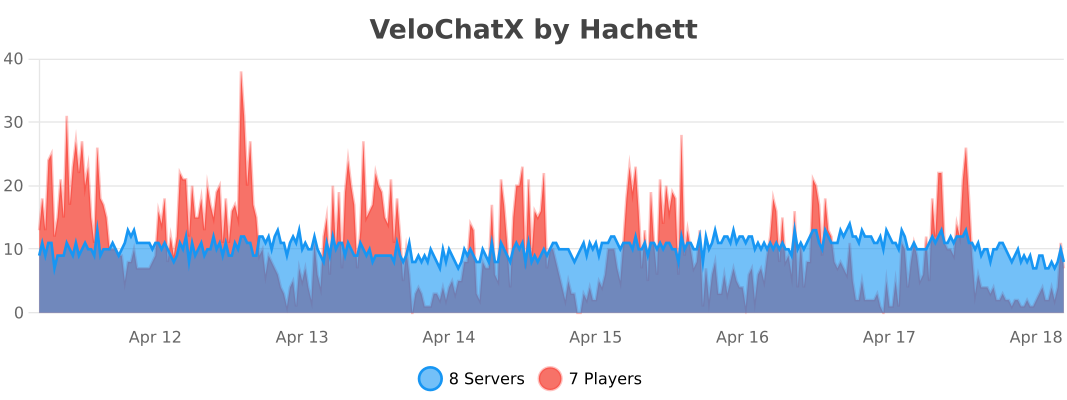
### 📊 Stats
### ❤️ Support Us
Thank you for reading the introduction of my plug-introductions.
If you like, you can collect it or [buy me a cup of coffee ](https://afdian.com/a/WaterWood/plan)
Velobby
# Velobby
**Velobby** is a modern, lightweight, and feature-rich lobby management plugin for **Velocity Proxy**. It provides advanced load balancing, auto-reconnection systems, premium lobby support, and full customization.
## 🚀 Features
* **Multiple Lobby Support**: Add as many lobby servers as you need.
* **Premium/Special Lobbies**: Automatically route VIP players to specific lobbies based on permissions.
* **Load Balancing**: Distribute players among lobbies using different strategies:
* `random`: Connects to a random lobby.
* `balance`: Connects to the lobby with the fewest players.
* `order`: Fills lobbies in order (first available).
* **Auto-Reconnect (Fallback)**: Automatically redirects players to a lobby if they are kicked from a backend server (prevents them from being disconnected from the proxy).
* **Command Aliases**: Custom aliases like `/lobby` or `/hub`.
* **Blocked Servers**: Prevent the use of lobby commands in specific servers (e.g., Auth, Login).
* **Modern Messaging**: Full support for **MiniMessage** (Gradients, Hex colors, etc.) and legacy color codes.
* **Multi-Language**: Built-in English (`en`), Spanish (`es`), and German (`de`) support.
* **Update Checker**: Automatically checks for new versions.
## 📥 Installation
1. Download the `Velobby.jar`.
2. Place it in your Velocity `plugins` folder.
3. Restart your proxy.
4. Configure `config.yml` and language files in `plugins/velobby/`.
## 🛠 Commands & Permissions
| Command | Description | Permission |
| :— | :— | :— |
| `/velobby add` | Adds the server you are currently on to the lobby list. | `velobby.admin` |
| `/velobby remove` | Removes the current server from the lobby list. | `velobby.admin` |
| `/velobby status` | Shows the status and player count of all lobbies. | `velobby.admin` |
| `/velobby send ` | Sends a specific player or all players to a lobby. | `velobby.admin` |
| `/velobby reload` | Reloads configuration and language files. | `velobby.admin` |
| `/lobby`, `/hub` | Connects the player to a lobby (Aliases are configurable). | None (Default) |
## ⚙️ Configuration
### `config.yml`
“`yaml
lobbies:
– lobby1
– lobby2
# Premium/Special Lobbies
# If ‘default’ is true, players with the specified permission will be sent
# to the special lobby instead of the normal load-balanced lobbies.
special_lobbies:
default: true
lobby-vip: velobby.vip # Players with this permission go to ‘lobby-vip’
# Connection modes:
# random – Picks a random lobby.
# balance – Picks the lobby with the fewest players.
# order – Picks the first available lobby in the list.
connection-mode: random
# Servers where /lobby commands are disabled (supports wildcards like auth*)
blocked-servers:
– auth*
– login
# Check for updates on startup
check-updates: true
# Redirect players to lobby if kicked from a server
auto-reconnect: true
# Custom aliases for the lobby command
aliases:
– lobby
– hub
# Language: en (English), es (Spanish), de (German)
language: en
“`
## 🎨 Customization (MiniMessage)
Velobby uses **MiniMessage** for text formatting. You can use gradients, hex colors, and more in `lang/en.yml`, `lang/es.yml`, or `lang/de.yml`.
**Examples:**
* **Red**: `Hello` or `<#ff0000>Hello`
* **Gradient**: `Velobby`
* **Bold**: `Important`
* **Legacy**: `&cHello` (Supported but MiniMessage is recommended)
## 🔄 Auto-Reconnect Logic
If a player is kicked from a server (e.g., a Survival server restarts):
1. Velobby intercepts the kick event.
2. It checks if `auto-reconnect` is enabled.
3. It checks if the player has permission for a **Special Lobby**. If so, it tries to connect them there first.
4. If not, it finds a suitable normal lobby (excluding the server the player was kicked from).
5. It sends the player to that lobby and displays a title/message explaining the redirection.
## 👥 Contributors
* **lukasbeppi**: German translation (`de.yml`)
VeloAuth API
VeloAuth API is a mandatory library and dependency plugin for Velocity proxy version 3.3.0 and higher. It does not provide any gameplay or security features on its own.
Purpose:
Serves as the required foundational layer for the main plugin VeloAuth System.
Provides the internal API, data structures, and the base configuration file (config.yml) needed for the authentication system to operate.
Manages basic communication between the Velocity proxy and downstream game servers in the context of authentication.
Important: This plugin must be installed on your Velocity proxy for VeloAuth System to work. It has no standalone functionality.