Ascii Text Renderer
## Showcase
This is an example of the texture pack with the colors set to “minecraft” and “darkPurple” in the config.
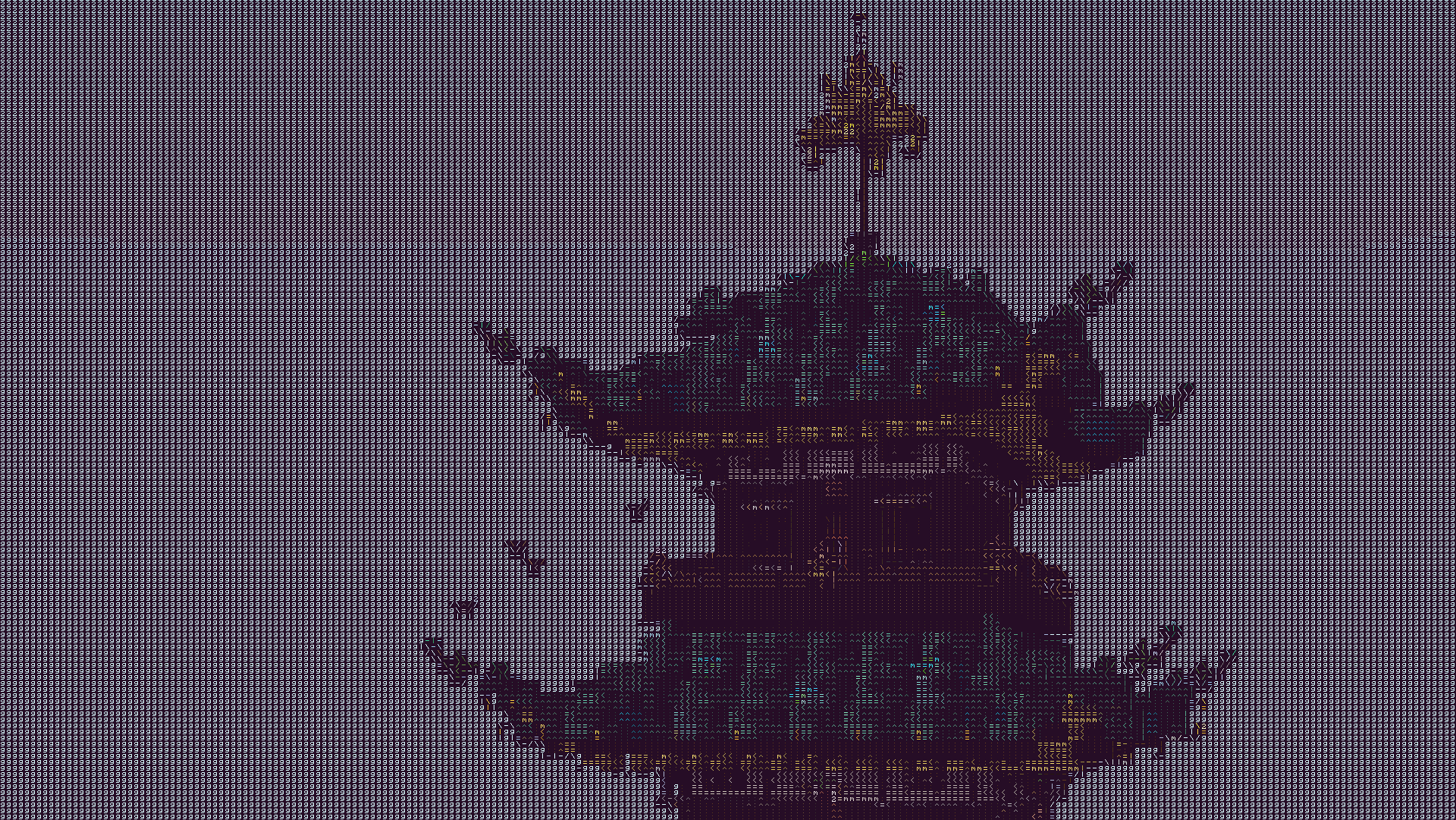
The text may look blurry since the image is a lot smaller than ingame. To show you what the text looks like up close, this is a zoomed in look at a part of the above image.
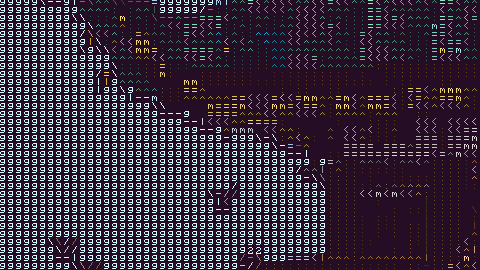
This is more accurate to what you will see ingame. You will see it as sharp as this image, but you will still see the entire image filling up your whole screen.
## Description
This texture pack renders your game as ascii art in completely vanilla minecraft. No mods at all are required for this pack to work. However, **YOU MUST HAVE GRAPHICS SET TO FABULOUS** in your minecraft video settings.
The image above doesn’t fully capture how it looks ingame due to scaling differences, so in order to see the pack in its full beauty you either need to look at the screenshot in fullscreen somehow or actually download the texture pack and look at it ingame.
## How to Use
1. Install the texture pack for one of the supported Minecraft versions.
2. Apply the texture pack ingame, and in your video settings make sure your graphics setting is set to *fabulous* or the pack will not work. Your graphics setting can also act as a toggle for the pack, as setting it to fast or fancy will disable the effect.
3. To configure the texture pack as seen in the gallery, open the texture pack and find the config file in `assets/minecraft/shaders/include/config.glsl`. There are only three options, and many color presets.
## Support
If you have an issue, you can join [my discord](https://discord.gg/gymTft2GbV) and ask in there. I also have frequent votes for my future texture packs, and take suggestions for packs.
https://www.alphaleo.li/resourcepacks
Ascending fade
Changes chunk fade to make it ascend from below using 25w44a feature with vanilla shaders.
This pack uses 25w44a chunk fade feature to make animation. Speed of animation is controlled by vanilla “video settings -> chunk fade” slider.
8-Bit Trial Chambers
# 8-Bit Trial Chambers
Experience the Trial Chambers in full 8-bit glory just like a Classic Dungeon Crawler by downloading this Resource Pack! Try it both with and without Smooth Lighting!
This pack modifies shaders to increases contrast and saturation of all textures then restricts them to an 8-bit format. These shaders also create a dither effect as the light level decreases for an interesting 8-bit aesthetic! Plus, almost all sounds that could be emitted from playing through the Trial Chambers have been changed to a custom 8-bit one using the Famitracker Tool.
## Check it out in action here!
0light1levels15
### Important info
– Does NOT require OptiFine to work
– Only works with 1.21.2 and above
### How does it work
Using the lightmap core shader implemented in 1.21.2, we now able to do this sort of things
### A little background
I was building a big area with cool stuff, and I needed to light it perfectly for the vibe. And this is much easier with some rps like HMS Optifine. But here’s the problem, most of these packs don’t work in Vanilla. So I decided to make my own pack. But at that moment I was too busy to work with the code, so I asked Microsoft Copilot for help. After 3 failures we finally got it working. Then I tweaked the result, made this cool icon and now it will be the first real working in vanilla such rp on Modrinth
### Also recommend
– **[Dark Smooth GUI](https://modrinth.com/resourcepack/dark-smooth-gui)**
– **[Boosted Brightness](https://modrinth.com/resourcepack/boosted-brightness-rp)**
– **[Small Held Items](https://modrinth.com/resourcepack/small-held-items)**
– **[Centered Crosshair Fix](https://modrinth.com/resourcepack/centered-crosshair-fix)**