zLink
zLink is your custom link plugin. It works by connecting to a database and giving the user a code, that code the user can input into your project to link their account. Right now you can fetch the users uuid, luckperms rank, display name, world, game mode and when they first joined.
**Please Note: This plugin is still in beta, there will be bugs and it will not be perfect.**
If you would like to get releases before it comes here please visit: [Our Official Website](https://link.zavrobot.tech/)
ZLDiscord
**ZLDiscord is a universal plugin for Minecraft servers that provides advanced features, including a voting system, integration with placeholders for voice chats, and the creation of custom messages. This plugin is designed to simplify and automate server management.**
**Version:** 1.16.5 – 1.20.x
**Minimum** Java: 17
**Mandatory dependencies:**
[PlaceholderAPI](https://www.spigotmc.org/resources/placeholderapi.6245/)
**Development:** [here](https://plugin.zoliryzik.ru/en)
# **Commands in the game:**
“`
• /zevent “title” “command” “time” “channel_id” — Creates a new poll. (Administrator rights required).
• /zembed “Unique Name” “Title” “Description” “Channel ID” “Image URL” “Thumbnail URL” “Footer Text”” “Footer Icon URL” — creates a new embed. (administrator rights required).
(Administrator rights required).
• /zembedmanage “action” “unique_name” “new_value” — Manage created embed messages. (Administrator rights required).
• /zlink — Link your account to Discord.
• /zunlink — Unlink your account from Discord.
“`
# **Commands in Discord:**
“`
• /zevent — Creates a new poll. (Administrator rights required).
• !embed — Creates an Embed message in Discord. (Requires administrator rights ).
• /link < code > — Link your account to Discord. (In the bot’s private messages)
• /unlink — Unlink your account from Discord.
“`
# **Permisheny:**
“`
zoliryzik.use
zoliryzik.zlink
zoliryzik.zunlink
zoliryzik.zembed
zoliryzik.zembed_manage
“`
# **Placeholders (PlaceholderAPI)**
ZLDiscord integrates with PlaceholderAPI to display voice chat status. Make sure you have PlaceholderAPI installed.
**Available placeholders:**
“`
• %zoliryzik_in_vc% — Returns “In voice chat”, “Not in voice chat” and “Not bound”.
“`
# **Examples of use**
**Create a poll for an event:**
To create a poll for an event, simply type the following into the chat:
“`• /zevent “Siege of the ship” “boat run” “20m” “0000000000000000000”“`
Players will be able to vote in the Discord channel you specified.
**Create an embed message in Discord:**
To create an embed message in Discord, simply type the following into the chat:
“`• /zembed “Siege of the ship” “Siege of the ship” “The Siege of the Ship event is underwaynCords X: 0 Y: 0” “0000000000000000000”“`
Players will be able to see this message in the Discord channel you specified.
ZlAutoGive
## ✨ Overview
ZlAutoGive is a **powerful, lightweight, and fully configurable plugin** that automatically gives players the **vanilla drops** of blocks directly to their inventory! Perfect for servers that want to streamline resource collection while keeping the **vanilla Minecraft experience intact**.
With ZlAutoGive, you can:
* 💎 Automatically get blocks and items from mining or harvesting **without losing vanilla mechanics**.
* 🍏 Receive **apple drops from oak leaves** with the same probability as vanilla.
* 🛠 Respect **Silk Touch & Fortune enchantments** on your tools.
* 🎛 Apply **multipliers per permission group** (e.g., VIP, MVP) to increase drops.
* 📦 Handle **full inventories gracefully**, dropping items to the ground with a clear warning message.
* ⚡ Enable or disable the system dynamically, reload config/messages, and customize **prefixes & colors**.
—
## 🧩 Features
* ✅ Automatic vanilla drops
* ✅ Silk Touch & Fortune support
* ✅ Multipliers per permission (`zlautogive.multiplier.X`)
* ✅ Configurable messages with **colors** (`&x`, `&#hex`, `&`)
* ✅ Inventory full handling with item drop + warning message
* ✅ Works for **Minecraft 1.18 and above**
* ✅ Lightweight & server-friendly
—
## ⚙ Configuration
ZlAutoGive comes with:
* `config.yml` – Enable/disable system, set multipliers per permission.
* `messages.yml` – Customize all messages, including prefix, help, and inventory full warnings.
**Example config snippet:**
“`yaml
system-enabled: true
multipliers:
vip: 3
mvp: 5
“`
**Example message:**
“`yaml
inventory-full: “%prefix%&cYour inventory is full! Dropped &b%amount%x &f%item%”
“`
—
## 📝 Commands
| Command | Permission | Description |
| ——————– | ———————– | —————————————— |
| `/zlautogive on` | `zlautogive.admin` / OP | Enable the system (applies after restart) |
| `/zlautogive off` | `zlautogive.admin` / OP | Disable the system (applies after restart) |
| `/zlautogive reload` | `zlautogive.admin` / OP | Reload config and messages |
| `/zlautogive` | Any with permission | Show help message |
—
## 🎨 Customization
* Full **color support**: `&`, `&x`, `&#hex`
* **Prefix customization** in `messages.yml`
* Control multipliers per **LuckPerms groups**
—
## 💡 Why use ZlAutoGive?
* Saves players time without breaking vanilla Minecraft.
* Perfect for **semi-vanilla, survival, and minigame servers**.
* Fully **configurable and permission-based**, giving you complete control.
* Lightweight and **optimized for 1.18+ servers**.
—
## 🚀 Installation
1. Place `ZlAutoGive.jar` in your `/plugins` folder.
2. Start your server once to generate config/messages.
3. Configure multipliers and messages to your liking.
4. Reload with `/zlautogive reload` or restart the server.
—
## 📣 Support & Credits
* Developed by **Zeralyth Studios**
* For support or suggestions, contact your server dev team or reach out to Zeralyth Studios.
—
### 🎉 Enjoy streamlined mining & harvesting while keeping Minecraft fully vanilla! 🍀💎
Zithium ChatFilter
A simple chat filtering plugin designed to keep your chat clean and safe for all users.
[](https://aspirehosting.net/aff.php?aff=21)
Permissions:
– chatfilter.bypass – Bypasses the chat filter.
zItemStacker
[](https://minestrator.com/a/GROUPEZ)
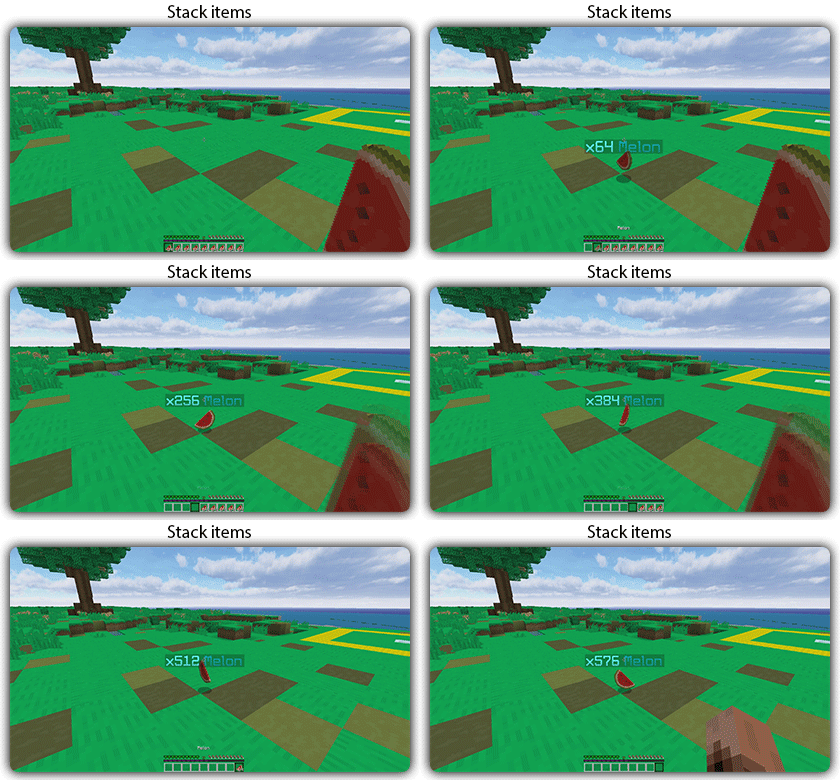
zItemStacker
Allows you to stack your items
## Features:
– You can whitelist items to be taken into account by the plugin.
– You can blacklist the items that should not be taken into account by the plugin.
## Commands:
– /zitemstacker reload – reload lang and config file
– /zitemstacker version – show plugin version
Source code: https://github.com/Maxlego08/zItemStacker
Support: http://discord.groupez.dev/
Zhylon Core
# Zhylon Core – The Backbone of All Zhylon Plugins
**Zhylon Core is a minimalistic dependency plugin that serves as the shared foundation for all plugins in the Zhylon ecosystem.**
It does **not provide any direct features, commands, or visible functionality** for players or server administrators. Instead, it acts as the **technical backbone** that ensures consistency, stability, and modularity across all *Zhylon* modules.
This plugin includes utility classes, shared APIs, configuration handling, and other internal systems that other Zhylon plugins rely on to function properly.
⚠️ If you’re using any Zhylon plugin, **Zhylon Core** is required. Without it, dependent plugins may not start or work correctly.
️**What’s Inside
Shared utility and helper classes**
– Base configuration system
– Common event listeners or API interfaces
– Unified logging & exception handling
– Version check & compatibility management
– Optional: automatic service registration/hooks
**Why a Core Plugin?**
Large plugin systems benefit from a modular structure. Instead of bundling the same logic into every plugin, **Zhylon Core centralizes common code**, reducing redundancy and improving maintainability. It also allows for faster updates and better integration across plugins in the Zhylon suite.
**What Zhylon Core is not**
– ❌ It does not add gameplay features
– ❌ It does not include any commands
– ❌ It does not do anything on its own
It’s designed to run silently in the background – doing the invisible work that makes everything else possible.
**✅ Do not remove this plugin**
Zhylon Core is required for all official Zhylon modules to function. If you’re using a plugin that lists Zhylon Core as a dependency, make sure it stays installed.
Zhylon CombatLock
# Zhylon CombatLock
### Modern, Lightweight PvP Combat Plugin for Minecraft Paper Servers
**Zhylon CombatLock** is a powerful and efficient PvP combat system designed specifically for Minecraft Paper servers. Instead of merely tracking combat events, it actively locks players into combat to prevent unfair escapes, restrict certain actions, and ensure a fair and challenging PvP experience. Whether you’re running a hardcore PvP server or simply want to stop combat dodging, **Zhylon CombatLock** delivers with style, flexibility, and performance.
### ✅ Key Features:
– ⚔️ Automatically locks players into combat when taking real PvP damage
– ⏳ Displays an individual, visible combat timer in the action bar
– 🛑 Blocks specific commands while players are locked in combat
– 💀 Instantly punishes players who disconnect during combat by causing death and inventory drop
– ⚙️ Clean, easy-to-use configuration file with full control over timing and settings
– 🔌 Minimal external dependencies — only requires **ZhylonCore**, the backbone of all Zhylon plugins
*📦 Requires [ZhylonCore](https://www.spigotmc.org/resources/zhylon-core.126889/) to run.*
### 🛠️ Plugin Commands & Permissions:
– /combatlock — Toggle combat lock bypass (Permission: combatlock.toggle-bypass)
– /combatlock-check [player] — Check if a player is in combat lock (combatlock.check)
– /combatlock-reload — Reload plugin configuration (combatlock.reload)
– /combatlock-timeout — Set combat lock timeout (combatlock.timeout)
– /combatlock-toggle — Enable or disable combat lock globally (combatlock.toggle)
Permissions are defaulted to server operators (op) for control.
### ⚙️ Configuration Highlights:
– enabled: Enable or disable the plugin globally (default: true)
– combatlock-enabled: Enable or disable the combat lock feature (default: true)
– combatlock-timeout: Duration in seconds before combat lock expires (default: 10)
– combatlock-bypass-enabled: Allow bypassing combat lock (default: false)
Full configuration allows you to tailor combat behavior exactly to your server’s PvP rules.
### 🛠️ Setup Instructions:
1. Download ZhylonCombatLock.jar and ZhylonCore.jar
2. Place both files into your server’s /plugins/ folder
3. Restart or reload your server
4. Customize the config.yml inside /plugins/ZhylonCombatLock/ to fit your server’s rules
5. Enjoy a fair and balanced PvP combat system right out of the box!
zHomes







zHomes is a modern, fast and fully-configurable homes plugin for Spigot/Paper/Purpur/PufferFish servers. It focuses on simplicity, speed and customization so server owners can give players a familiar — but powerful — teleportation experience.
Some features:
– Create, delete and list homes
– Admin tools for managing and converting homes
– PlaceholderAPI support for message placeholders
– MiniPlaceholders support for minimessage placeholders
– Vault support for economy/command-costs
– GriefPrevention and WorldGuard integration for region checks
– Teleport warmup and safe-teleport checks
– Configurable commands, messages and permissions
– 100% configurable menus
– Uses SQL (H2/SQLite/MariaDB/MySQL) for storage (no local data/ directory)
Maintained by [yL3oft](https://github.com/yL3oft). This project is free and open-source.
—

Requirements
– Java 17+ (check release notes for exact JDK requirement)
– Paper, Spigot or a compatible fork
Installation
1. Download the latest JAR from Releases / Modrinth / Hangar / Spigot.
2. Place the JAR in your server’s `plugins/` folder.
3. Start the server once to generate config files (src/main/resources/config.yml defaults).
4. You’re done!
Quick test
– As a player: `/sethome home1` then `/home home1`
– As an admin: `/zhomes reload`
—

Admin
– `/zhomes info` — Shows plugin info and stats.
– `/zhomes reload` — Reloads plugin configuration and messages.
– `/zhomes version ` — Checks the plugin version and updates if `` is specified.
– `/zhomes nearhomes [radius] <-u -h >` — Check for homes near a location (your location by default). Admins can specify a user and home to check near that home.
– `/zhomes parse ` – Parse a string with Plugin Placeholders & PlaceholderAPI placeholders for a specific player.
– `/zhomes export` — Export all homes to a .json.gz file in the plugin folder.
– `/zhomes import ` — Import homes from a .json.gz file exported by `/zhomes export`.
– `/zhomes converter ` — Inline converter tool to import homes from other plugins (example: `/zhomes converter ultimatehomes`). See detailed converter docs: https://docs.yleoft.me/zhomes/commands-and-permissions/zhomes-converter-less-than-type-greater-than
Player / Home commands
– `/sethome [name]` — Create a home (default name if omitted).
– `/delhome [name]` — Delete a home. Admins can use `/delhome `.
– `/home [name]` — Teleport to a home. Admins can use `/home `.
– `/homes [player]` — List homes. Admins can use `/homes `.
– `/home rename [oldName] [newName]` — Rename a home
Notes
– Command costs and vault integration require Vault to be installed.
– Some commands have admin-only variants (see Permissions below).
Full command list and usage: https://docs.yleoft.me/zhomes/commands-and-permissions
—

Below are the permission nodes and their default intent as defined in the plugin configuration (zHomes/config.yml). Use your permissions plugin to grant or deny these.
Command permissions
– zhomes.command.main — Main command (True by default)
– zhomes.command.main.help — Help SubCommand (Only OP by default)
– zhomes.command.main.version — Version SubCommand (True by default)
– zhomes.command.main.info — Info SubCommand (Only OP by default)
– zhomes.command.main.reload — Reload SubCommand (Only OP by default)
– zhomes.command.main.nearhomes – Nearhomes SubCommand (Only OP by default)
– zhomes.command.main.parse — Parse SubCommand (Only OP by default)
– zhomes.command.main.converter — Converter SubCommand (Only OP by default)
– zhomes.command.main.importexport — Import & Export SubCommand (Only OP by default)
– zhomes.command.sethome — `/sethome` (True by default)
– zhomes.command.delhome — `/delhome` (True by default)
– zhomes.command.delhome.others — `/delhome ` (Only OP by default)
– zhomes.command.homes — `/homes` (True by default)
– zhomes.command.homes.others — `/homes ` (Only OP by default)
– zhomes.command.home — `/home` (True by default)
– zhomes.command.home.others — `/home ` (Only OP by default)
– zhomes.command.home.rename — `/home rename` (True by default)
Bypass / misc permissions (as defined in config.yml)
– zhomes.bypass.limit — Bypass home limits (Only OP by default)
– zhomes.bypass.dimensionalteleportation — Bypass dimension restriction (Only OP by default)
– zhomes.bypass.safeteleport — Bypass safe-teleport checking (False by default)
– zhomes.bypass.warmup — Bypass teleport warmup (Only OP by default)
– %command_permission%.bypass.command-cost — Bypass command-cost (Only OP by default). Command-specific bypass permission is generated from the command permission string (see config.yml)
– %command_permission%.bypass.command-cooldown — Bypass commands cooldown (Only OP by default). Command-specific bypass permission is generated from the command permission string (see config.yml)
If you want to see the authoritative defaults and change them, open src/main/resources/config.yml in the repo or check the live docs: https://docs.yleoft.me/zhomes/commands-and-permissions
—

zHomes contains an inline converter to import homes from well-known plugins. The converter runs in-chat (not a GUI). See full converter details here: https://docs.yleoft.me/zhomes/commands-and-permissions/zhomes-converter-less-than-type-greater-than
—

Supported integrations:
– PlaceholderAPI — Message placeholders supported & custom [placeholders provided by zHomes](https://docs.yleoft.me/zhomes/hooks/placeholderapi).
– MiniPlaceholders – MiniMessage placeholders supported for advanced message formatting & custom [placeholders provided by zHomes](https://docs.yleoft.me/zhomes/hooks/miniplaceholders).
– Vault — for economy-based command-costs.
– GriefPrevention — region checks integration.
– WorldGuard — region and flag checks.
– MiniMessage — advanced message formatting.
– bStats — anonymous metrics (configurable).
Enable or disable integrations from config and ensure the third-party plugins are installed on the server when you expect integration behavior.
—

If you find zHomes helpful or need assistance:
– Discord: https://discord.gg/yCdhVDgn4K
– Issues: https://github.com/yL3oft/zHomes/issues
– Docs: https://docs.yleoft.me/zhomes
Support the project by starring the repo and joining the Discord!
—
zHead
[](https://minestrator.com/a/GROUPEZ)
zHead is a swift and intuitive plugin enabling you to access thousands of custom Minecraft skulls with distinctive designs. This user-friendly skulls plugin opens the door to creative design possibilities, significantly improving your builds’ quality and offering creative liberty to both you and your players.
Should you seek additional methods to make your builds stand out with ease, zHead is the perfect solution!
Credit: [https://minecraft-heads.com/](https://minecraft-heads.com/)
## Commands:
– **/zhead** (aliases: /head, /zhd) – `zhead.use` – Display commands
– **/zhead reload** – `zhead.reload` – Reload configuration files
– **/zhead info** – `zhead.info` – Get head information
– **/zhead give [] []** – `zhead.give` – Give a head
– **/zhead search ** – `zhead.search` – Search heads
– **/zhead random [] []** – `zhead.random` – Give a random head
– **/playerhead ** – `zhead.player.head` – Give a player’s head
## Inventory Permissions:
– `zhead.miscellaneous`
– `zhead.plants`
– `zhead.monsters`
– `zhead.humanoid`
– `zhead.humans`
– `zhead.food.drinks`
– `zhead.decoration`
– `zhead.blocks`
– `zhead.animals`
– `zhead.alphabet`
– `zhead.refresh`
## Placeholders:
– **%zhead_count%** – Displays the total number of heads
– **%zhead_count_format%** – Displays the total number of heads with a format
– **%zhead_category_count_%** – Displays the total number of heads for a category
– **%zhead_category_count_format_%** – Displays the total number of heads for a category with a format
**API**: [https://github.com/Maxlego08/zHead?tab=readme-ov-file#api](https://github.com/Maxlego08/zHead?tab=readme-ov-file#api)
[](https://bstats.org/plugin/bukkit/zHead/21364)
## We would like to extend our heartfelt thanks to [Minecraft-Heads.com](https://minecraft-heads.com/) for providing their API, which has been an invaluable source of all the data used in our project.
zEssentials
[](https://minestrator.com/a/GROUPEZ)
**Attention, this is a free version of zEssentials, you can use it but you must buy the paid version to get help!**
[](https://zessentials.groupez.dev/)
[](https://github.com/Maxlego08/zEssentials/)
[](https://bstats.org/plugin/bukkit/zEssential/21703)
[](https://discord.groupez.dev/)
[](https://zessentials.groupez.dev/)
## **Plugin Required:**
– **zMenu**: [zMenu Ultra Complete Menu Plugin](https://www.spigotmc.org/resources/zmenu-ultra-complete-menu-plugin.110402/)
– **PlaceholdersAPI**: [PlaceholderAPI](https://www.spigotmc.org/resources/placeholderapi.6245/)
You can also install **Vault**, the plugin is intended to work with.
If you are on Folia, you must be careful to take the right version of the plugins. zMenu automatically supports Folia. For PlaceholderAPI, use [this version](https://github.com/Anon8281/PlaceholderAPI/releases/tag/1.1). For Vault, use [This version](https://github.com/Geolykt/Vault/releases).
Download the latest zMenu DEV version on my Discord: [Discord Link](https://discord.gg/ZaHrgZCfh4)
## **Convert from other plugins:**
– [CMI](https://zessentials.groupez.dev/getting-started/convert#cmi) **/zess convert CMI**
## [**Features:**](https://zessentials.groupez.dev/)
### ✅ **Economies**
### ✅ **Teleportation**
### ✅ **Confirmation Inventories** (for /pay and /tpa)
### ✅ **Join** and **Quit** messages
### ✅ **JSON** and **MYSQL** storage
### ✅ **Open Source**
### ✅ Support for multiple languages: **French**, **English**, and **Italian**
### ✅ All messages are configurable
### ✅ **Folia** Support
### ✅ **MiniMessage** Support
### ✅ **Module** system
### ✅ **Warp** (with GUI)
### ✅ **Spawn**
### ✅ Ability to **disable each command**
### ✅ **Random Tp**
### ✅ **Home** (4 display types)
### ✅ **Sanction** (ban, mute, kick, kickall)
### ✅ More than **130 commands**
### ✅ **Redis**
### ✅ **Chat Format**
### ✅ **Chat Histories**
### ✅ **Kits**
### ✅ **Holograms**
### ✅ **Scoreboard**
### ✅ **Mailbox** for items
### ✅ **Rules**
### ✅ More than **35 placeholders**
### ✅ **Alignment placeholder** (like MCC Island)
### ✅ **Replace placeholder** (replaces the result of a placeholder with another thanks to various conditions)
### ✅ Ultra complete **documentation** and **default configuration**, everything is explained correctly!
### ✅ **Baltop**
### ✅ **Developer API**
### ✅ **Offline EnderSee and InvSee**
### ✅ Create **custom items**
### ✅ **Multiple message types**: ACTION, CHAT, TITLE, CENTER, NONE, CHAT_AND_ACTION, WITHOUT_PREFIX
## [**Chat Module**](https://zessentials.groupez.dev/modules/chat)
### ✅ Different rules of chat protection (alphanumeric, links, ItemsAdder font, same message, etc.)
### ✅ Dynamic cooldown: The faster the player writes, the longer the cooldown
### ✅ Clear and Toggle chat commands
### ✅ Chat format by permission
### ✅ Permission for mini message or color in chat
### ✅ Moderator actions on messages
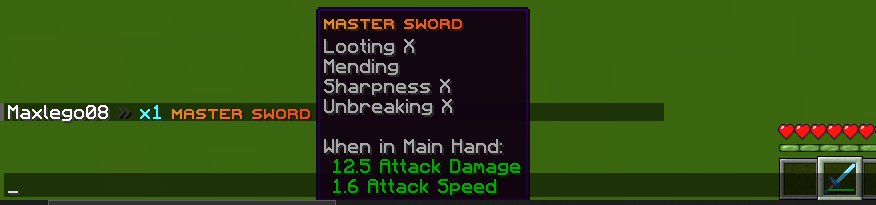
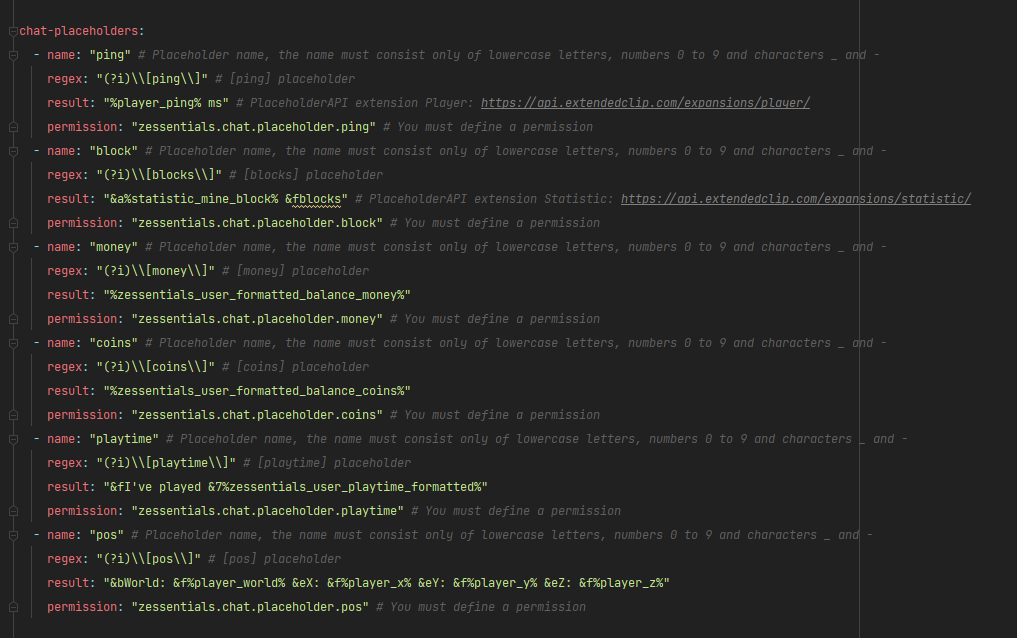
### ✅ Chat placeholders: [pos], [item], [playtime], and custom placeholders!
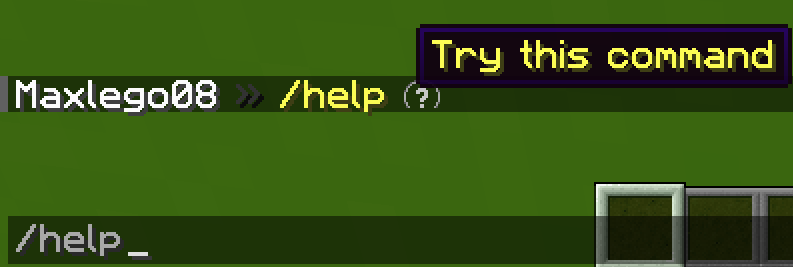
### ✅ Command placeholders: Replace **./** with a clickable command!
Images





## [**Discord Module**](https://zessentials.groupez.dev/modules/discord)
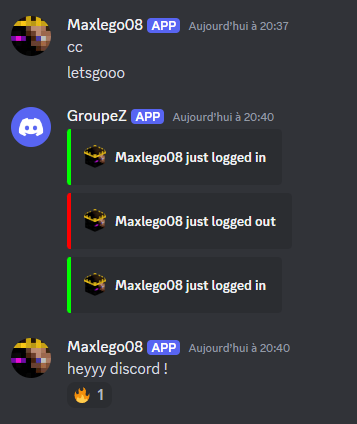
### ✅ **Chat Message**
### ✅ **Join Message**
### ✅ **Quit Message**
### ✅ **First Join Message**
Images
## [**Economy Module**](https://zessentials.groupez.dev/modules/economy)
### ✅ Create multiple virtual **economies**
### ✅ **Vault** support
### ✅ **Baltop** (inventory and message)
### ✅ Several ways to **display numbers**
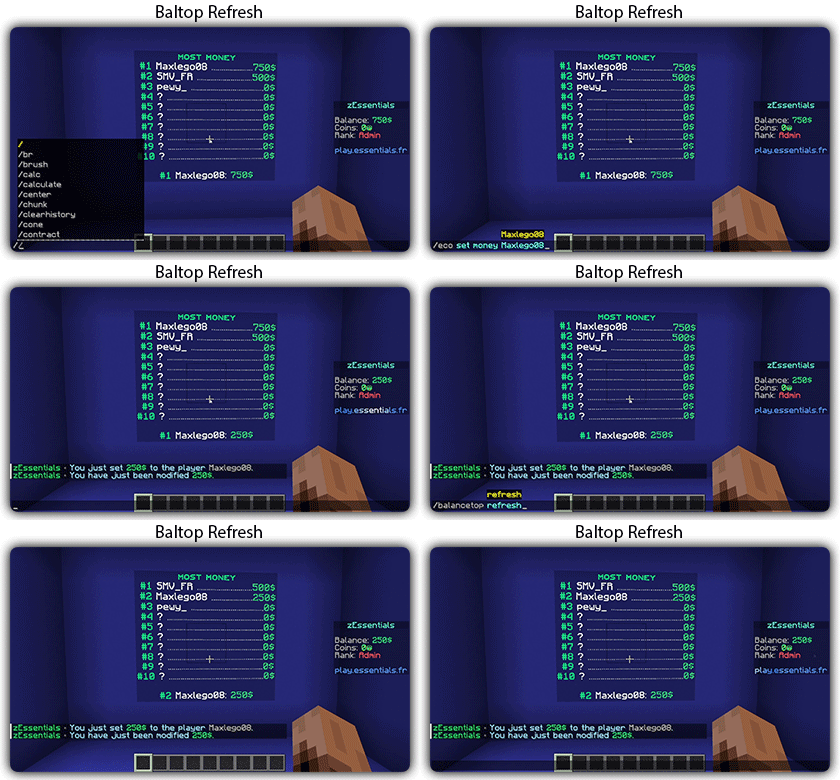
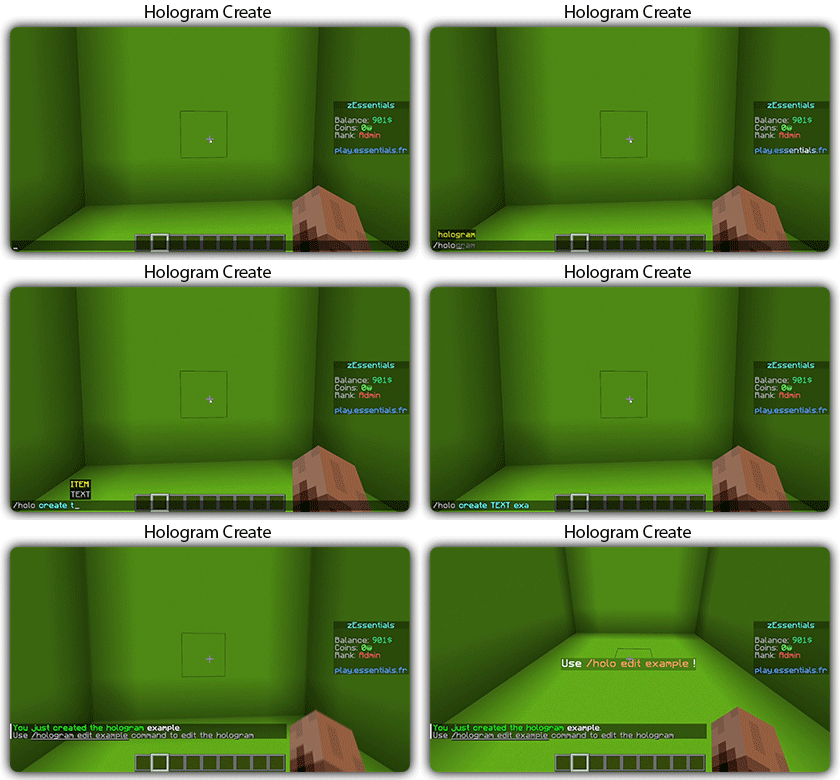
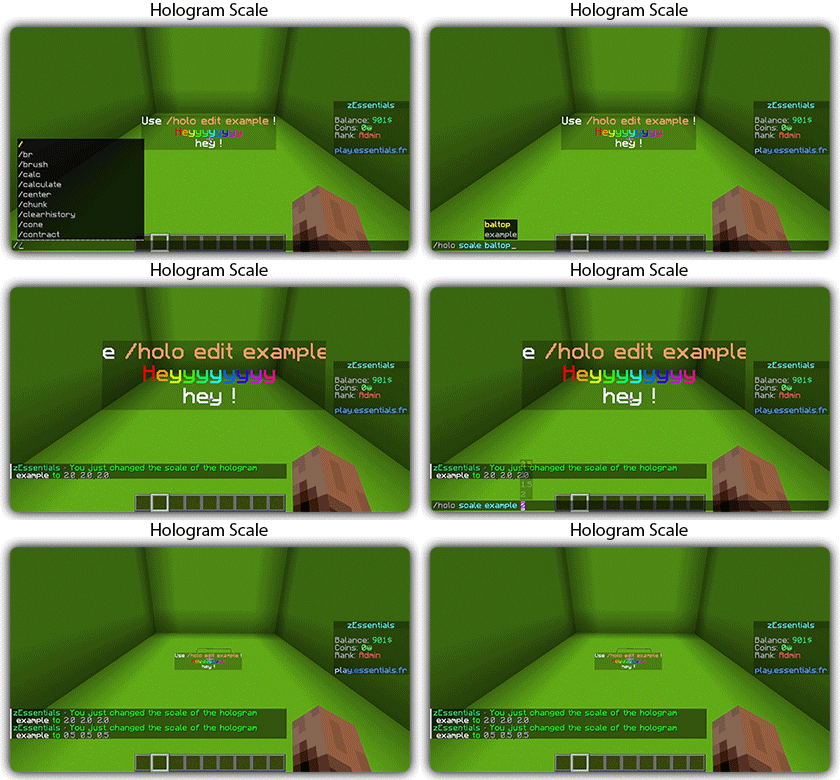
## [**Hologram Module**](https://zessentials.groupez.dev/modules/hologram)
### ✅ **Display Entities**, Text, Item, and Block
### ✅ **Packet-Based**: All holograms are client-side (zEssentials takes care of everything, no other plugins needed)
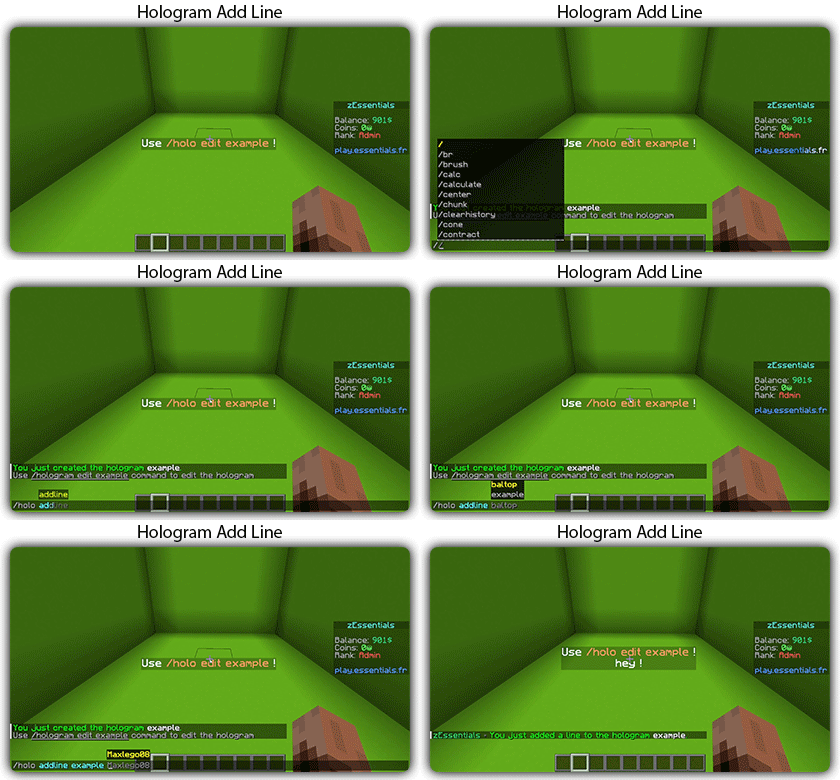
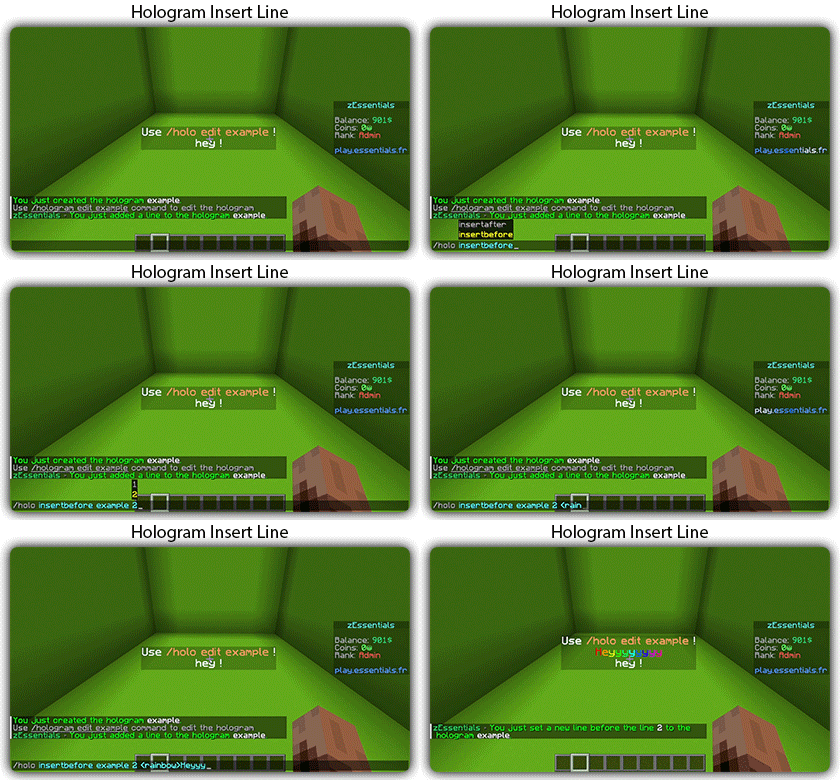
### ✅ **In-game editor**: +20 commands to modify each element of your holograms
### ✅ [**Event System**](https://zessentials.groupez.dev/modules/hologram#events): Updates your holograms with events, no more lagging tasks
### ✅ PlaceholderAPI Support
### ✅ **Damage Indicator**
## [**Homes Module**](https://zessentials.groupez.dev/modules/home)
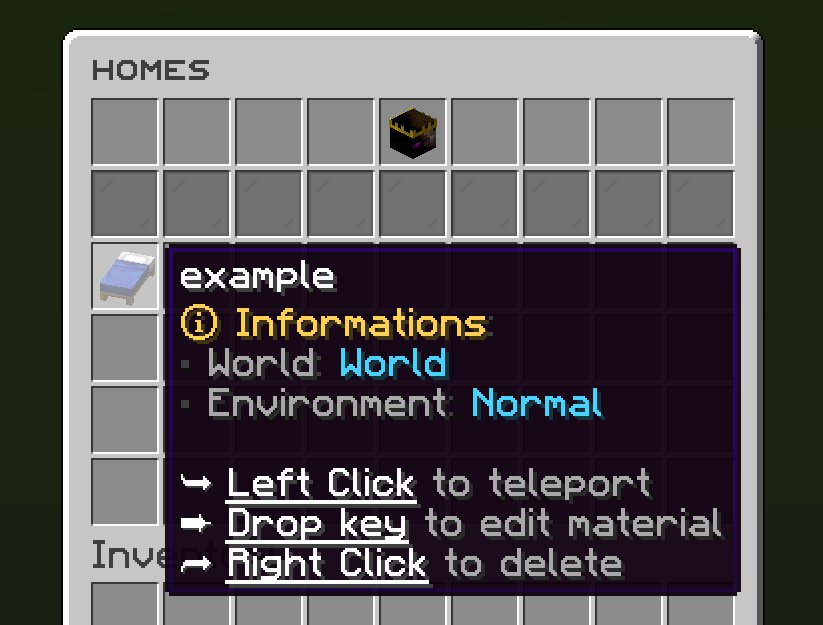
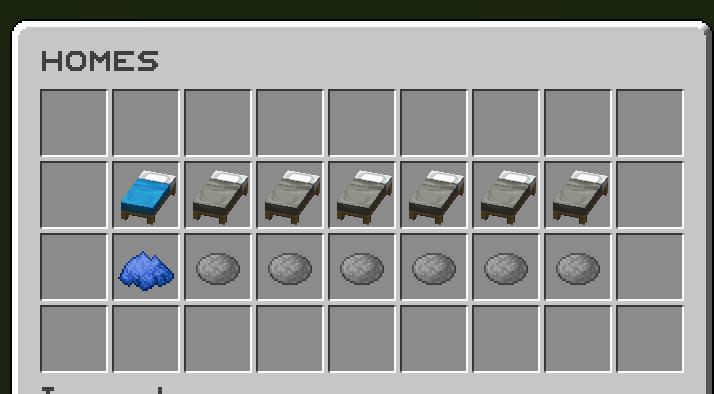
### ✅ 4 ways to display homes: inventory, like donutsmp inventory, inline message, multiline message
### ✅ Offline Support
### ✅ Homes Per Rank: Set the number of homes by permission
Images



## [**Items Module**](https://zessentials.groupez.dev/modules/items)
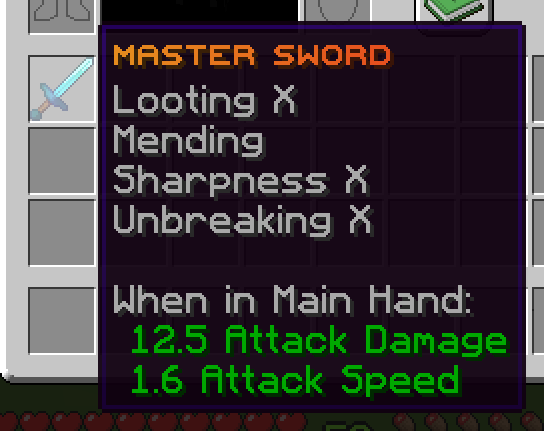
### ✅ Create custom items: Use the /give or /giveall command for accessions
Images

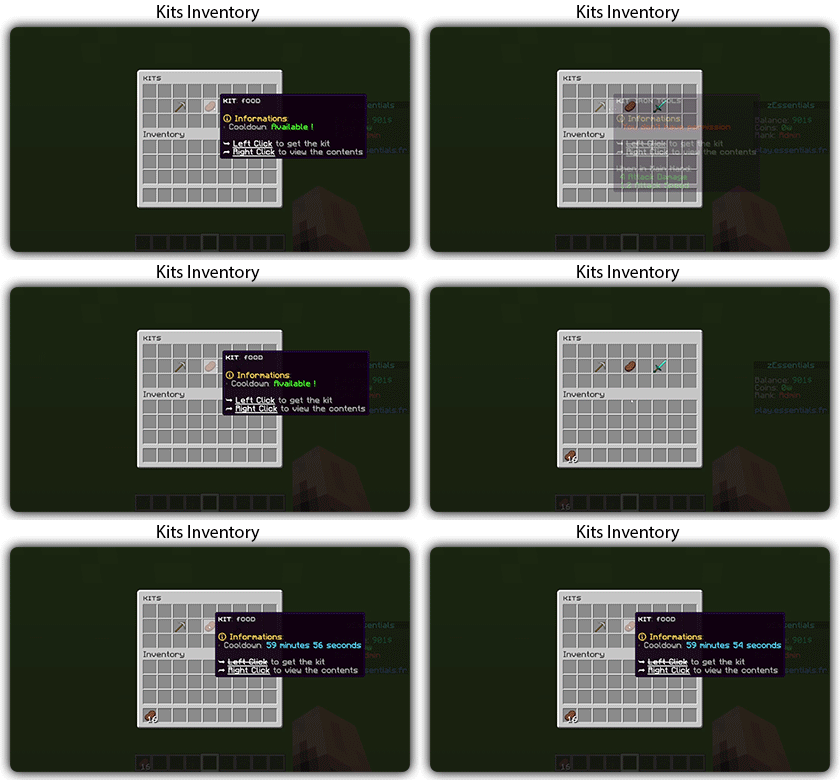
## [**Kit Module**](https://zessentials.groupez.dev/modules/kits)
### ✅ **Cooldowns**: Set a time between each kit recovery
### ✅ [**Execute actions**](https://docs.zmenu.dev/configurations/buttons/actions): Perform actions when a player gets the kit (commands, message, sound, etc.)
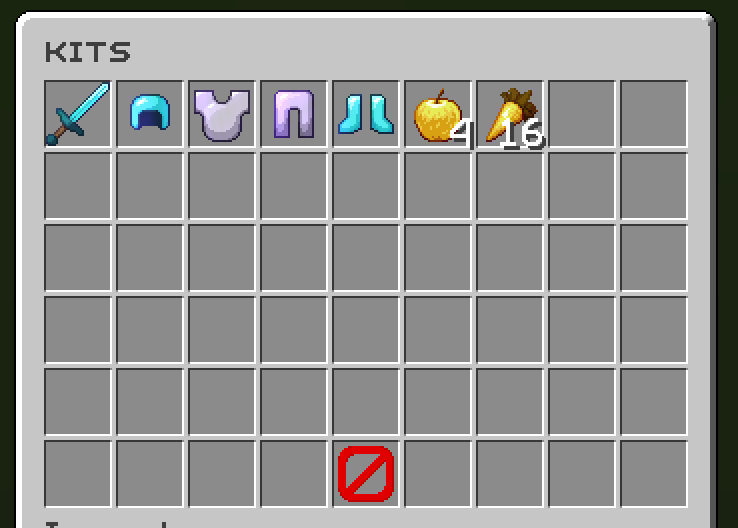
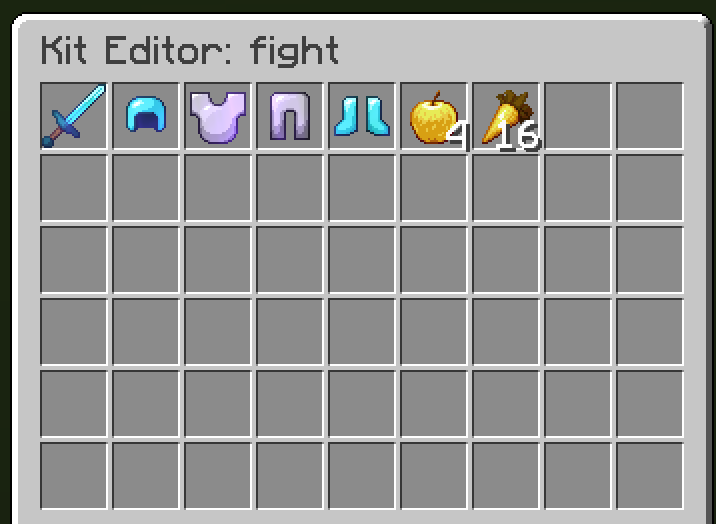
### ✅ **GUI Driven**: Edit, preview, and obtain kits via customizable inventories
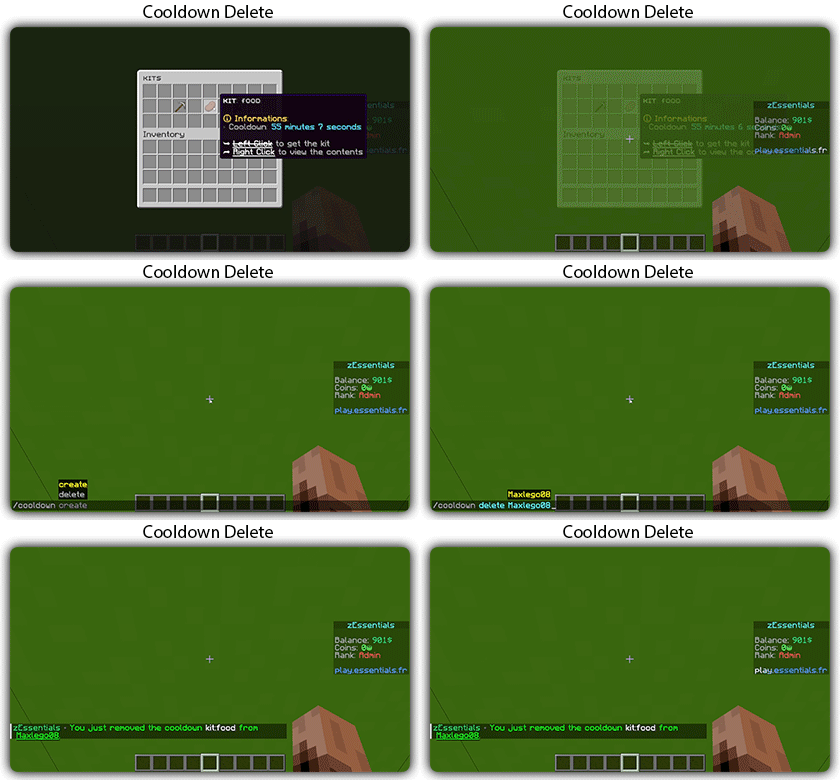
### ✅ **Cooldown management**: Use commands to manually add or remove cooldowns (not just for kits)
Images
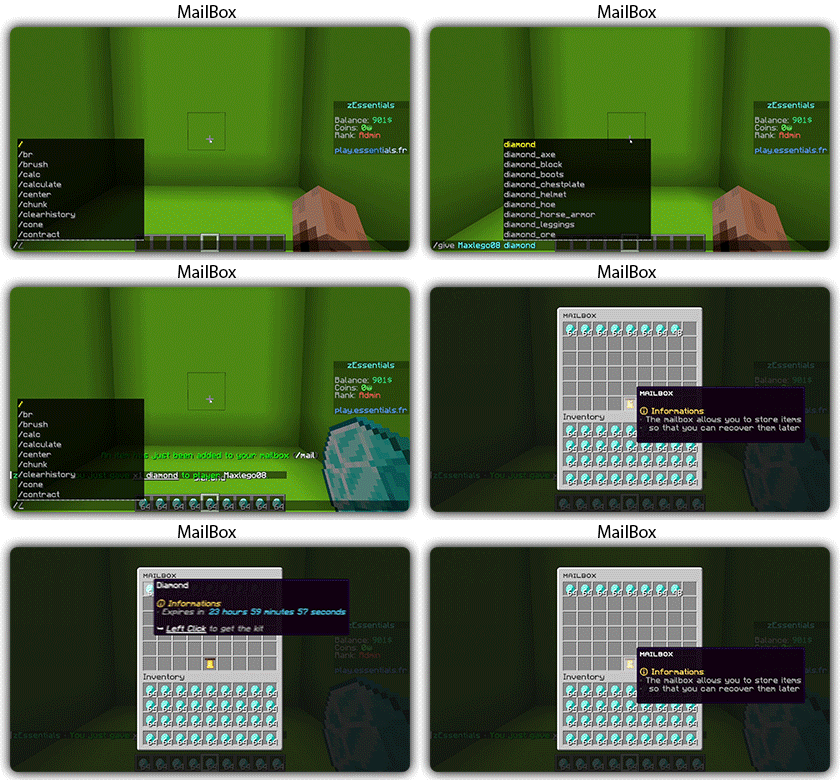
## [**Mailbox Module**](https://zessentials.groupez.dev/modules/mailbox)
### ✅ Allows to **store items**; the player cannot add items to it, they can only remove them
### ✅ If the player’s inventory is **full**, the items will end up in the mailbox
### ✅ A complete **API** for anyone to add items to the mailbox
## [**Messages**](https://zessentials.groupez.dev/messages)
### ✅ **7 message types**: chat, action, without_prefix, none, center, bossbar, title
### ✅ **Translated into multiple languages**: English, French, Italian, German
### ✅ Send [**multiple messages**](https://zessentials.groupez.dev/messages#multi-messages) at the same time
### ✅ **MiniMessage** support
### ✅ **Custom placeholders**: Define a placeholder list for your messages, such as `` and ``
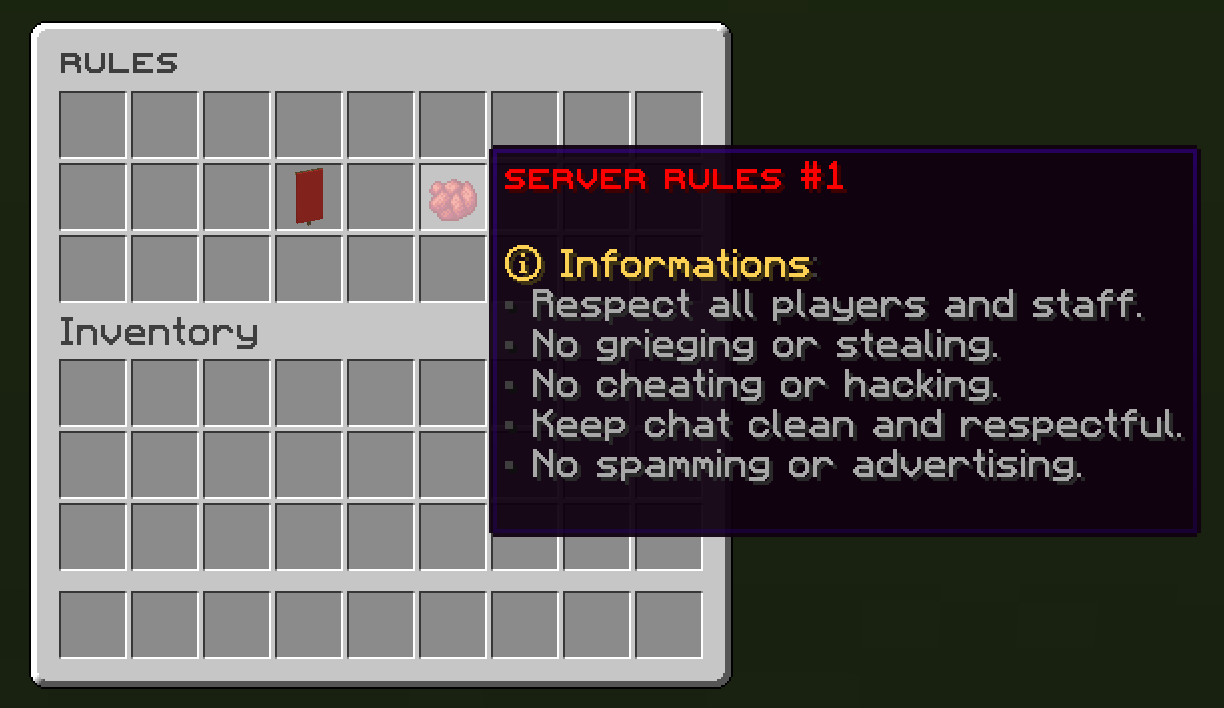
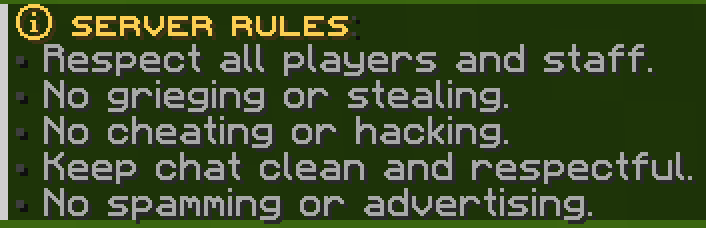
## [**Rules Module**](https://zessentials.groupez.dev/modules/rules)
### ✅ Displays server rules either by message or in an inventory
Images
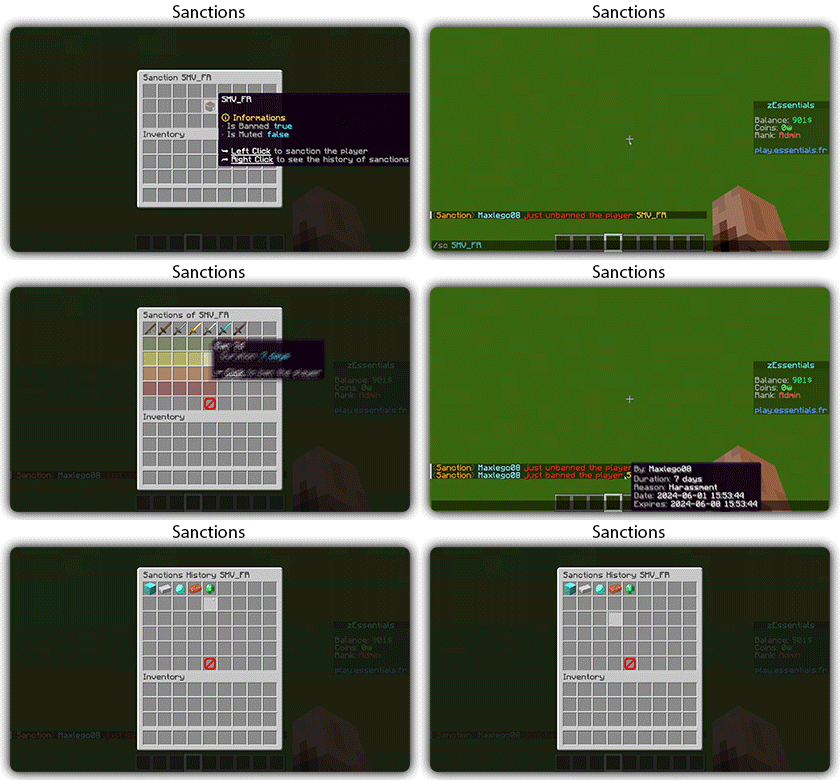
## [**Sanction Module**](https://zessentials.groupez.dev/modules/sanction)
### ✅ 3 Punishment Types: Ban, Mute, and Kick
### ✅ **Immune**: A list of players immune to sanctions!
### ✅ **Sanctions history**
### ✅ **Inventories**: An inventory to display the player’s profile with active sanctions, an inventory to display the player’s sanctions history, and an inventory to apply a predefined sanction to the player
Images

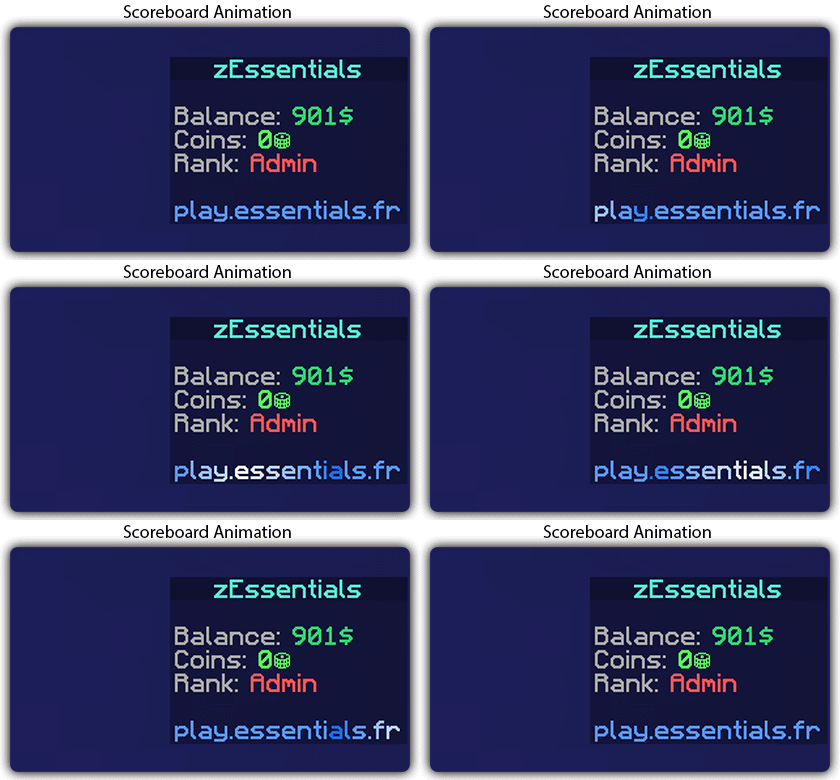
## [**Scoreboard Module**](https://zessentials.groupez.dev/modules/scoreboard)
### ✅ **Packet-Based**: All scoreboards are client-side (no other plugins required, zEssentials handles everything)
### ✅ [**Event System**](https://zessentials.groupez.dev/modules/scoreboard#events): Updates your scoreboard with events, no more lagging tasks
### ✅ **Animation**: Create animations for your scoreboard
### ✅ **Unlimited Length**: Use as many characters per line as you want
### ✅ [**MiniMessage Support**](https://docs.advntr.dev/minimessage/index.html): Works perfectly with mini message formats
### ✅ **Scoreboard Commands**: Player command to toggle scoreboard display
### ✅ **Custom board**: Create unlimited scoreboards using [zMenu requirements](https://docs.zmenu.dev/configurations/buttons/requirements#requirements-type) (permission, placeholder, regex, LuckPerms, etc.)
### ✅ PlaceholderAPI Support
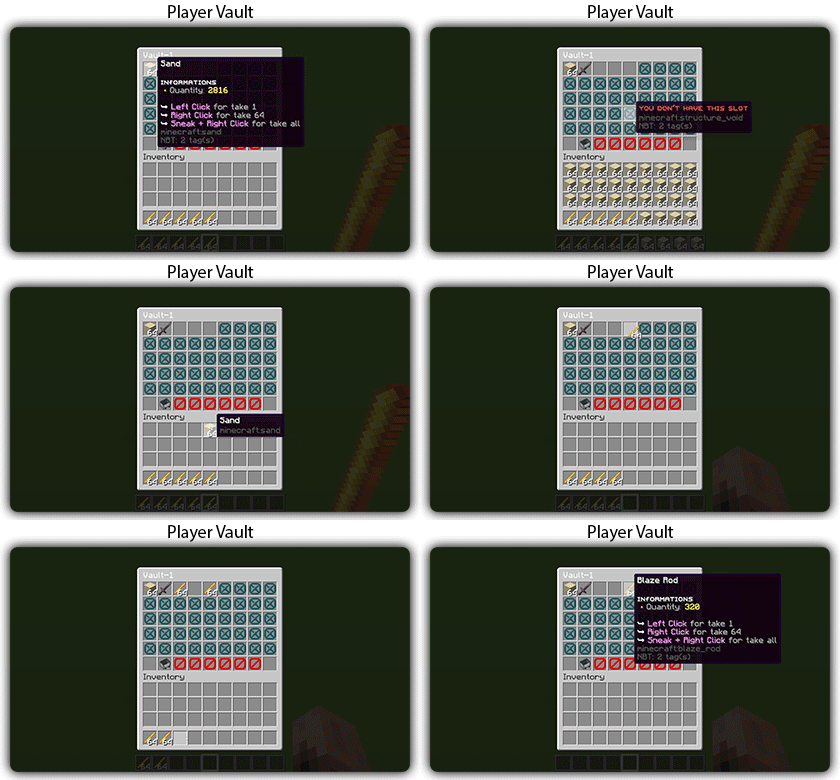
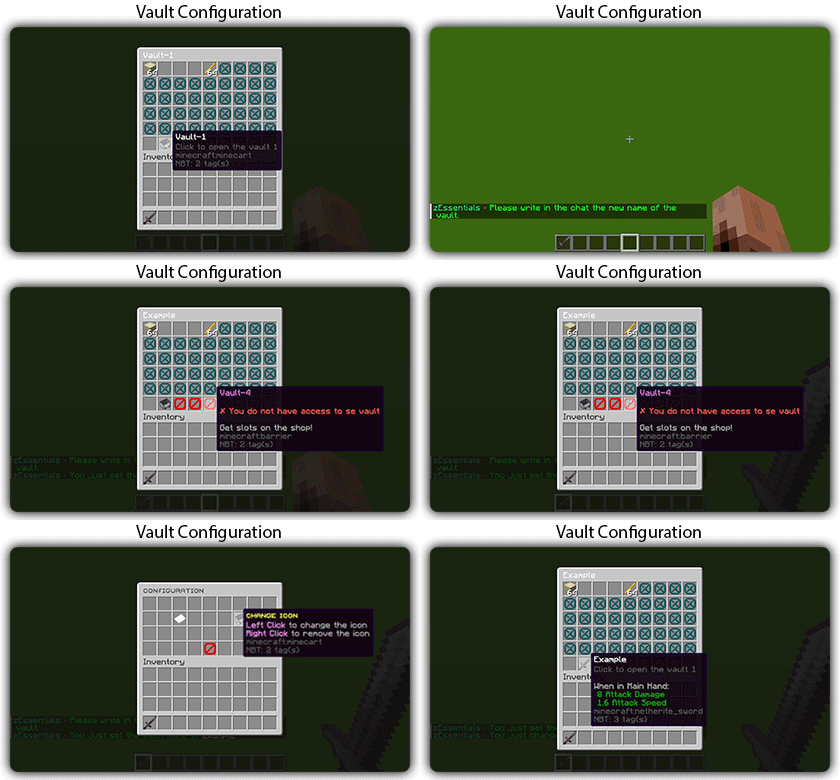
## [**Player Vault Module**](https://zessentials.groupez.dev/modules/vault)
### ✅ **Unlimited** player vaults
### ✅ Set the number of **slots** for each player
### ✅ **Rename** and custom **icon**
## [**Vote Module**](https://zessentials.groupez.dev/modules/vote)
### ✅ (I’m too lazy for the vote description now, sorry, but it’s a very good module, I swear!)
## [**Warp Module**](https://zessentials.groupez.dev/modules/warp)
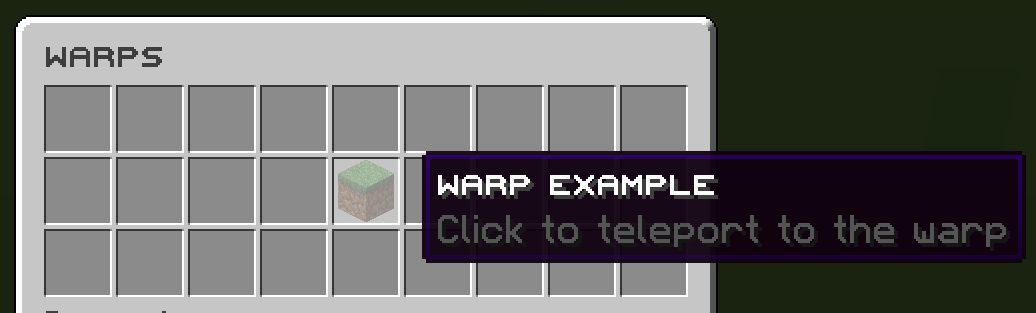
### ✅ Displays warps in an inventory or message
### ✅ **Permission per warps**
Images

**Documentation**: [https://zessentials.groupez.dev/](https://zessentials.groupez.dev/)