ZombieApocalypseSSS

# ZombieApocalypseSSS
**A full-featured zombie apocalypse survival plugin for Paper 1.21+**
[](https://modrinth.com/plugin/zombieapocalypsesss)
[](https://papermc.io)
[](https://adoptium.net)
[](LICENSE)
*Turn your Minecraft server into a post-apocalyptic nightmare — one corpse at a time.*
[📥 Download](https://modrinth.com/plugin/zombieapocalypsesss) • [🐛 Report a Bug](https://modrinth.com/plugin/zombieapocalypsesss) • [💬 Discord](#)
—
## 📖 Table of Contents
* ✨ Features
* 📦 Requirements
* 🚀 Installation
* ⌨️ Commands & Permissions
* 🔧 Configuration
* 🔫 CombatGunSSS Integration
* 🧩 Developer API
* 🔍 Troubleshooting
* ❓ FAQ
* 📄 Credits
—
# ✨ Features
## 🧠 Advanced Zombie AI
* **15+ configurable zombie types** (Tank, Screamer, Assassin, Boss, etc.)
* **Hive Mind** — group aggro behavior
* **Noise system** — blocks, gunshots, explosions attract zombies
* **Scent detection** — sneak < walk < sprint
* **Feign Death** zombies revive after a delay
* **Breaker AI** — destroy doors and blocks
* **Sun weakness** (burn or slow)
---
## 🎯 Tier Evolution System
| Tier | Multiplier | Speed | Knockback |
| -------- | ---------- | ----- | --------- |
| Primal | ×1.0 | — | 0 |
| Adapted | ×1.2 | +0.1 | 0 |
| Mutated | ×1.5 | +0.2 | 0.2 |
| Aberrant | ×2.5 | +0.3 | 0.5 |
---
## 📈 Progressive Difficulty
| Phase | Days | Spawn Rate | Unlock |
| ----- | ----- | ---------- | --------------- |
| 1 | 0–5 | 40% | Basic zombies |
| 2 | 6–15 | 70% | Status zombies |
| 3 | 16–30 | 90% | Special zombies |
| 4 | 31+ | 100% | All types |
⚠️ **Fixed in 4.4.0:** Phase-based spawning now works correctly.
---
## 🧬 Infection System
* 0–100 infection points
* Effects scale with level
* +5 per hit (30% chance)
* Natural decay (~1 point / 30s, faster in safe zones)
---
## 🧠 Psychological Horror (Sanity)
* BossBar display (green → purple)
* Hallucinations, fake sounds, fake messages
* Drains in darkness, near zombies, when alone
⚠️ **Fixed in 4.4.0:** All sanity multipliers now apply correctly.
---
## 🔥 Campfire Safe Zones
* Prevent zombie spawning
* Heal players and reduce infection
* 3 upgrade tiers
* Zombies can destroy them
---
## 🩹 Survival Items
* **Bandage** — stop bleeding
* **Antivirus** — reset infection
* **Adrenaline** — temporary boost with crash
* **Zombie Camo** — ignored by zombies
* **Radio** — locate supply drops
---
## 🌙 Blood Moon
* Random night event (default 5%)
* Increased spawn rate and stronger zombies
* API events available
---
## 📦 Supply Drops
* Random drops near players
* Fully configurable loot table
* Optional coordinate broadcast
⚠️ **Fixed in 4.5.0:** Tier 3 campfire radius now correctly blocks zombie spawns.
---
## 🔫 Sentry Turrets
* Auto-target zombies
* Multiple ammo types
* Persistent across restarts
⚠️ **Fixed in 4.4.0:** Data loss issue resolved.
---
## 🌍 World Structures
* Military Checkpoint
* Crashed Plane
* Hospital
* Survivor Camp
* Outpost
✔️ Scale with difficulty
✔️ No ocean spawning
---
## 📖 Survival Guide GUI
* Interactive in-game guide
* Covers all systems and mechanics
---
# 📦 Requirements
| Component | Version |
| ----------- | -------- |
| Java | 21+ |
| Paper | 1.21+ |
| WorldGuard | Optional |
| ProtocolLib | Optional |
---
# 🚀 Installation
1. Download the `.jar`
2. Place it in `plugins/`
3. Start the server
4. Edit configs
5. Use `/zapoc reload`
---
# ⌨️ Commands
| Command | Description |
| ------------------- | ------------- |
| `/zapoc reload` | Reload config |
| `/zapoc summon` | Spawn zombie |
| `/zapoc infect` | Infect player |
| `/zapoc cure` | Cure |
| `/zapoc panic` | Spawn horde |
| `/zapoc bloodmoon` | Toggle event |
| `/zapoc supplydrop` | Force drop |
| `/zapoc stats` | View stats |
---
# 🔐 Permissions
| Permission | Description |
| -------------- | ------------------- |
| `zapoc.admin` | Full access |
| `zapoc.use` | Use features |
| `zapoc.immune` | Immune to infection |
---
# 🔧 Configuration
Config files:
* `config.yml`
* `zombies.yml`
* `items.yml`
* `events.yml`
* `mechanics.yml`
* `turrets.yml`
* `sun-effect.yml`
* `spawn-control.yml`
* `messages_en.yml`
* `messages_vi.yml`
---
# 🔫 CombatGunSSS Integration
👉 https://modrinth.com/plugin/combatgunsss
* 30+ guns
* Full compatibility
* Optional but recommended
---
# 🧩 Developer API
```java
ZombieApocAPI api = ZombieApocAPI.getInstance();
api.isInfected(player);
api.getInfectionPoints(player); // raw 0–100
api.getSanity(player); // new in 4.5.0
api.isBleeding(player); // new in 4.5.0
api.spawnZombie(world, location, "tank");
api.isInSafeZone(location);
```
Events:
* BloodMoonStartEvent
* BloodMoonEndEvent
* SupplyDropEvent
* ZombieInfectEvent
---
# 🔍 Troubleshooting
Zombies not spawning
* Check `spawn-control.enabled`
* Ensure world is enabled
* Use Paper (not Spigot)
* Test with `/zapoc summon`
Zombies spawning inside Tier 3 campfire zones
* Fixed in 4.5.0
* The spawn-block check now uses a 5×5 chunk search to cover the full 40-block radius
API zombie has wrong / mixed type after spawnZombie()
* Fixed in 4.5.0
* Previous builds applied a random type first then the requested type, leaving stale PDC keys
Spawn phases not working
* Fixed in 4.4.0
* Update plugin
Sanity system not working
* Fixed in 4.4.0
* Check `mechanics.yml`
Infection not disabling
* Fixed in 4.4.0
Turrets disappearing
* Fixed in 4.4.0
Recipes not showing
* Fixed in 4.3.3
Zombie names broken
* Fixed in 4.3.3
Structures spawning in ocean
* Fixed in 4.3.1+
/reload breaks plugin
* Always restart server
—
# ❓ FAQ
### Does this replace vanilla zombies?
Optional — configurable.
### Does it support multiple worlds?
Yes.
### Is it laggy?
Optimized, but depends on config.
### Can I disable infection?
Yes (`config.yml`).
### Do I need CombatGunSSS?
No, but recommended.
### Does it support Spigot?
No — Paper only.
—
# 📄 Credits
**Author:** Duong2012G
**License:** Apache 2.0
*Open source — contributions welcome.*
ZombieApocalypse999
## Features
### 🧟 Dynamic Zombie Evolution System
– Zombies gain experience from killing passive mobs and players, leveling up to become stronger
– Each level increases speed, health, and damage
– Zombies display their level above their head (e.g. “Zombie LV3”)
– Normal zombies that reach max level mutate into a random special type
– Fully configurable EXP values and max level cap
### 🌙 Blood Moon Events
– Powerful zombie surge events that occur on a configurable schedule (default every 5 days)
– Massively increased spawn rates and mutation chances during blood moons
– Dramatic announcement with sound effects and particles
– Can ignore darkness requirements so zombies spawn everywhere
– Supports advanced cron-like scheduling with time windows
### 🧬 Unique Zombie Mutations
Every zombie has a chance to spawn as one of 11 unique mutation types:
| Mutation | Description |
|———-|————-|
| **Tank** | Massive health pool with damage resistance, slow but devastating |
| **Charger** | Lightning-fast zombie that rushes players with a speed boost |
| **Assassin** | Invisible with a faint particle aura, ambush specialist |
| **Blight** | Spreads poison on hit with a toxic particle cloud |
| **Burster** | Explodes on death, releasing a poison cloud and dealing area damage |
| **Spitter** | Ranged attacker that launches poison projectiles |
| **Frost** | Applies slowness on hit, chilling players to the bone |
| **Shrieker** | Screams to alert and aggro all nearby zombies toward the player |
| **Cryo** | Leaves frozen trails, can flash-freeze players, shatters on death dealing AoE damage |
| **Inferno** | Shoots fireballs, leaves fire trails, and drops lava on death |
| **Leech** | Steals health on hit, has a life-steal aura, heals nearby zombies on death |
Each mutation has individually toggleable abilities in the configuration.
### 🫀 Custom Item Drops
– **Zombie Heart** — All zombies have a 5% chance to drop a Zombie Heart (configurable)
– Each mutation type has its own unique loot table with configurable drop chances
– Loot tables support per-item drop chances and custom materials
### 🧪 Crafting System
Access the crafting menu with `/za crafting` to craft special items:
**Cure Potion**
– Recipe: 1 Water Bottle + 2 Rotten Flesh + 2 Diamond Blocks
– Drinking the Cure Potion removes all infection and restores you to normal
**Purified Zombie Heart**
– Recipe: 8 Zombie Hearts + 1 Cure Potion (center)
– Eating a Purified Zombie Heart permanently grants **+2 extra hearts**
– Extra hearts persist through infection, mutation, curing, and death — they are truly permanent
– Stackable and can be used multiple times for even more hearts
### 🦠 Player Infection System
– Zombies have a configurable chance to infect players on hit
– Infection builds up over time, displayed as a boss bar
– Golden apples and enchanted golden apples can reduce infection
– At 100% infection, the player transforms into a zombie with a random mutation
– Infected players gain abilities matching their mutation type
– Infected players are ignored by zombies and can hunt other players
– Use a Cure Potion to fully reverse the transformation and restore your health
### 🛡️ Safezone System
– Create protected areas where zombies cannot spawn or enter
– Each player can own up to 3 safezones (configurable)
– Safezones start with a 10-block radius and can be expanded up to 50 blocks
– Optional border particles to visualize safezone boundaries
### 🌍 Per-World Configuration
– Configure different zombie behavior for each world (Overworld, Nether, End)
– Per-world settings for mutation rates, spawn rates, damage, speed, and health multipliers
– Enable fire immunity, teleportation abilities, or restrict which mutations can spawn
– Override spawn time modes and zombie caps per world
### 🎚️ Difficulty Presets
Four built-in difficulty presets that adjust multiple settings at once:
| Preset | Description |
|——–|————-|
| **Casual** | Relaxed experience — fewer zombies, lower infection chance, slower scaling |
| **Normal** | Standard balanced experience |
| **Hardcore** | Challenging survival — more zombies, higher mutation rates, stronger enemies |
| **Nightmare** | Brutal difficulty — maximum spawns, very high infection chance, no golden apple cures |
### 🧠 Advanced Zombie AI
– **Memory System** — Zombies remember players they’ve seen and pursue them
– **Noise Detection** — Sprinting, eating, shooting bows, and placing torches attract nearby zombies
– **Pack Behavior** — Zombies form groups with leaders that coordinate attacks
– **Block Breaking** — Zombies can break through doors, fences, and chests to reach players (configurable per-block cooldowns)
– **Sunlight Protection** — Zombies don’t burn in sunlight by default (configurable)
### 🏗️ Structure Generation
– Ruined structures spawn naturally in newly generated chunks
– Adds atmosphere and exploration opportunities to your world
—
## Commands
### Main Commands
| Command | Description |
|———|————-|
| `/za` or `/zombieapocalypse999` | Show help and available commands |
| `/za crafting` | Open the crafting menu GUI |
| `/za info` | View current day, mutation rate, difficulty, and active zombie counts |
| `/za preset ` | Change difficulty preset |
### Admin Commands (requires `zombieapocalypse.admin`)
| Command | Description |
|———|————-|
| `/za reload` | Reload all configurations without restarting |
| `/za spawn ` | Spawn a specific zombie mutation type |
| `/za killzombies` | Remove all custom zombies from the server |
| `/za clearzombies ` | Clear custom zombies within a radius around you |
| `/za forcebloodmoon` | Force start a blood moon event |
| `/za forcestopbloodmoon` | End the current blood moon event |
| `/za event ` | Control special events |
| `/za cure give ` | Give cure potions to a player |
### Safezone Commands (requires `zombieapocalypse.safezone` or `zombieapocalypse.admin`)
| Command | Description |
|———|————-|
| `/za safezone create ` | Create a safezone at your location |
| `/za safezone remove ` | Remove a safezone you own |
| `/za safezone list` | List all safezones |
| `/za safezone expand [amount]` | Expand a safezone’s radius (default +5 blocks) |
### Aliases
– `/za` → `/zombieapocalypse`
– `/za999` → `/zombieapocalypse999`
—
## Permissions
| Permission | Description | Default |
|————|————-|———|
| `zombieapocalypse.admin` | Access to admin commands (reload, spawn, kill, blood moon, cure give) | OP |
| `zombieapocalypse.spawn` | Permission to spawn zombies manually | OP |
| `zombieapocalypse.safezone` | Permission to create and manage safezones | — |
—
## Zombie Mutation Types
Available types for `/za spawn`: `normal`, `tank`, `charger`, `assassin`, `blight`, `burster`, `spitter`, `frost`, `shrieker`, `cryo`, `inferno`, `leech`
—
**Experience a truly dynamic and evolving zombie apocalypse where every day brings new challenges and stronger threats!**
Zombalypse
A Zombie Apocalypse plugin, very inspired by the many challenges about this sort of stuff, and also includes quite a lot of custom types.
### Commands
| Command | Description | Permission |
|————|———————————-|———————|
| zombalypse | Reloads the plugin | _zombalypse.reload_ |
| zombspawn | Spawns a specific type of zombie | _zombalypse.spawn_ |
You can use the config.yml file to change the spawn behavior, make zombified piglins randomly target someone, or show the zombie’s type as their nametag.
### API?
Would you like to add your own zombies?
You can use Zombalypse’s API by including it as a Jar Dependency on your project!
### Known issues
* Zombified Piglins can randomly target invulnerable players. `Only if “zombifiedPiglinAttack” is set to true`
ZNPCsPlus
# ZNPCsPlus
ZNPCsPlus is a powerful and intuitive Spigot plugin that allows you to create and manage fake entities in Minecraft. These entities can perform actions such as executing commands or switching servers, providing seamless integration and interactivity for players.
This plugin is a modern, performance-focused remake of the original ZNPCs plugin, developed to ensure continued support and enhanced features after the original was discontinued.
—
## Features
– **100% Packet-Based**: All operations are offloaded from the main thread, ensuring excellent performance.
– **Performance & Stability Oriented**: Designed to minimize server impact while remaining reliable.
– **Wide Version Support**: Compatible with Minecraft versions 1.8 through 1.20.4.
– **Flexible Storage Options**: Choose from multiple storage solutions to best suit your setup.
– **Intuitive Commands**: User-friendly command system for effortless NPC management.
—
## Requirements
### Software
– **Java**: Version 8 or higher
– **Minecraft Versions**: 1.8 – 1.21
### Supported Server Platforms
– [Spigot](https://www.spigotmc.org/)
– [Paper](https://papermc.io/software/paper) ([GitHub](https://github.com/PaperMC/Paper))
– [Folia](https://papermc.io/software/folia) ([GitHub](https://github.com/PaperMC/Folia))
– ArcLight ([GitHub](https://github.com/IzzelAliz/Arclight))
### Optional Dependencies/Extensions
– [PlaceholderAPI](https://github.com/PlaceholderAPI/PlaceholderAPI): Enables the use of placeholders for dynamic content.
—
## Why Choose ZNPCsPlus?
– **Performance**: Optimized for high performance, with no tasks running on the main thread.
– **Compatibility**: Works across a broad range of Minecraft versions and server types.
– **Flexibility**: Supports custom storage backends and integrates seamlessly with popular plugins.
—
## Found a Bug or Need Help?
– **Report Issues**: Open an issue in our [GitHub issue tracker](https://github.com/Pyrbu/ZNPCsPlus/issues).
– **Get Support**: Join our [support Discord](https://discord.gg/MAZz6XpPcg).
—
## Installation
1. Download the latest release of ZNPCsPlus from [Spigot](https://www.spigotmc.org/resources/znpcsplus.109380/) or [Modrinth]. (Dev Builds are available at out [Jenkins](https://ci.pyr.lol/job/ZNPCsPlus/)).
2. Place the downloaded JAR file in your server’s `plugins` folder.
3. Restart your server.
—
## Credits
ZNPCsPlus wouldn’t be possible without the following libraries and resources:
– **[PacketEvents 2.0](https://github.com/retrooper/packetevents)**: Packet handling library.
– **[Minecraft Protocol Wiki (formally wiki.vg)](https://minecraft.wiki/w/Minecraft_Wiki:Projects/wiki.vg_merge/Main_Page)**: Minecraft protocol documentation.
– **[gson](https://github.com/google/gson)**: JSON parsing library by Google.
– **[Mineskin.org](https://mineskin.org/)**: Website for raw skin file uploads
– **[Adventure](https://docs.advntr.dev/)**: Minecraft text API.
– **[DazzleConf](https://github.com/A248/DazzleConf)**: Configuration library.
– **[Director](https://github.com/Pyrbu/Director)**: Command library.
– **[PlaceholderAPI](https://github.com/PlaceholderAPI/PlaceholderAPI)**: Universal placeholder system.
—
## Metrics
ZNPCsPlus utilizes [bStats](https://bstats.org/) for anonymous data collection. Metrics help us improve the plugin by providing insight into usage and performance. You can disable this in the `bStats` configuration.
[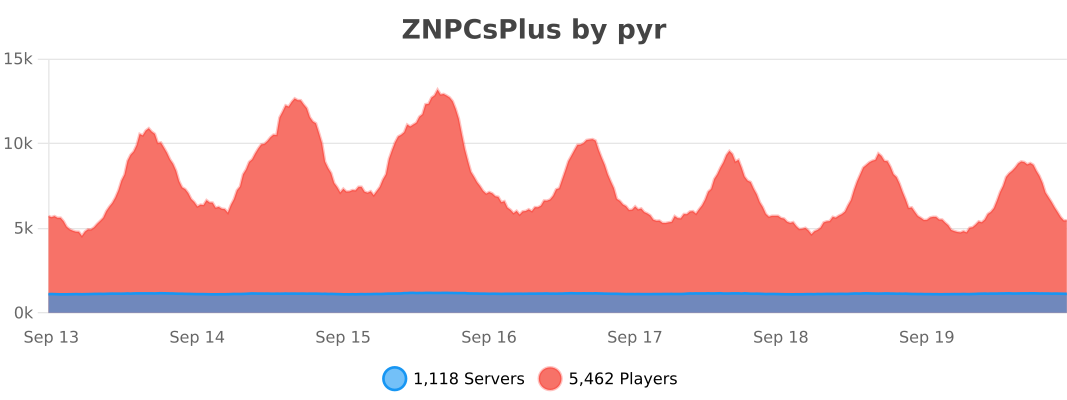](https://bstats.org/plugin/bukkit/ZNPCsPlus/18244/)
—
## Support the Project
Love ZNPCsPlus? Help us grow by:
– Starring the [GitHub repository](https://github.com/Pyrbu/ZNPCsPlus).
– Leaving a positive review on [Spigot](https://www.spigotmc.org/resources/znpcsplus.109380/).
—
zmsg
What are the capabilities of this plugin? :
This plugin is designed to differentiate itself from other chat plugins that don’t require a dependency generator; this plugin allows you to…
1. /chattoggel
2. /msgtoggel
3. /w
4. /msg
5. admincommands
6. /zmsg reload
7. /msgalerts
**What does Chattogel do?**
You are able to deactivate the chat; for example, a player writes something in the chat, but you can’t see it. However, if you have ChatTogel enabled, you can still send messages.
**What does /msgtoggel do?**
/msgtoggel lets you toggle whether you want to receive private messages from players. I also have /msgblock in mind, but that will come later.
**What does msg or w do?**
/msg or /w is simply like the original Minecraft message. Msg is like typing in chat, but only to one person.
**What does /zmsg reload do?**
It simply reloads the configuration without having to stop the server.
**What does /msgalerts do?**
It allows you to see what players write in the message.
Has the Plugins Permission ?
Yes, of couse the permission is:
– zmsg.chat.color
– zmsg.chat.toggle
– zmsg.cooldown.bypass
– zmsg.msg.bypass
– zmsg.msg.toggle
– zmsg.msgalerts
– zmsg.reload
– zmsg.repeat.bypass
_**If you have any questions about the plugin, you can reach me at disord my username:**_
mrzitrroneog
zMItemsBuilder
# ⚔️ zMItemsBuilder | Advanced Item & Kit System
Take your Minecraft server to the next level with **zMItemsBuilder**, a powerful and flexible plugin designed to create fully customizable items, armor sets, tools, and scalable kits with ease.
—
## ✨ Features
* 🛡️ **Armor Sets**
* Automatically generate full armor sets (helmet, chestplate, leggings, boots)
* 🛠️ **Tool Sets**
* Create complete tool kits (axe, hoe, shovel)
* ⚔️ **Custom Weapons & Items**
* Fully customizable swords, pickaxes, keys, coins, and more
* 📈 **Scalable Enchant System**
* Dynamic enchantments based on levels
* Supports:
* Linear scaling
* Interval scaling
* Static values
* Perfect for progression-based servers
* 🎨 **Advanced Formatting System**
* Gradient text support
* Custom placeholders:
* `{level}`, `{rarity}`, `{enchants}`, `{item_type}`, etc.
* Automatic color generation (primary + secondary)
* 🧩 **Reusable Items**
* Define items once and reuse them across multiple kits
* 🔒 **Behavior Flags (Restrictions)**
* Disable actions like:
* Dropping items
* Crafting
* Placing blocks
* Using anvils, furnaces, enchant tables, etc.
* 🔑 **Custom Item Identity**
* NBT-based IDs (`id_item`)
* Resource pack support (`custom-model-data`)
* 🌐 **Multi-language Support**
* English & Spanish included
—
## 📦 What You Can Create
* Full armor kits with abilities (effects, stats, etc.)
* PvP/PvE progression systems with levels
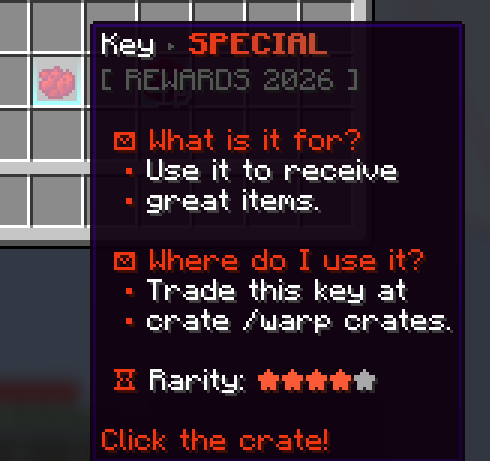
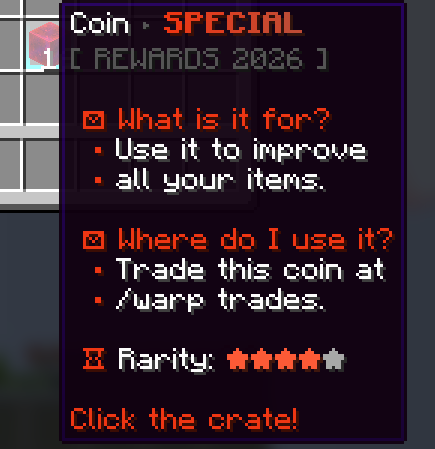
* Crate rewards (keys, coins, special items)
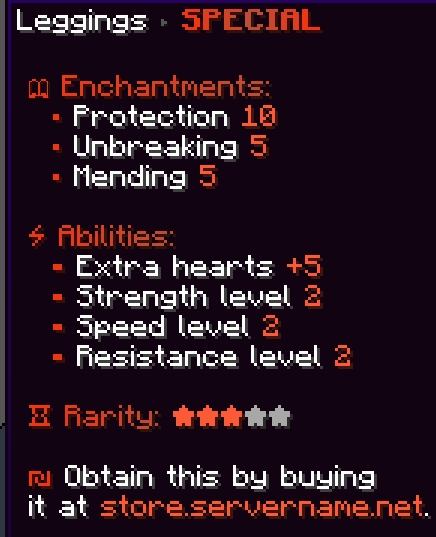
* Store-exclusive items
* Restricted items (non-droppable, non-craftable, etc.)
* Fully customized server economies
—
## ⚙️ Kit System
* Group multiple items into kits
* Assign rarities for visual formatting
* Apply levels to scale item power dynamically
* Reuse items across different kits
—
## 🎮 Commands
* `/zmitems create `
* Crea un nuevo ítem base dentro del sistema.
* `` → ID interno del ítem (sin espacios)
* `` → Color en formato RGB para el prefijo visual
* `/zmitems reload` -> Reloaded items
## 🔐 Permissions
– `zmitemsbuilder.use`
– `zmitemsbuilder.create`
– `zmitemsbuilder.reload`
## Preview Examples Items:
> Create items faster and more efficiently, with just one command:
“`
/zmitems create objects &#F13713&lS&#E13E1F&lP&#D1452A&lE&#C14C36&lC&#D1452A&lI&#E13E1F&lA&#F13713&lL
“`
—
## 🔥 Example Use Cases
* OP Prison / OP PvP servers
* KitPvP with progression
* Factions with custom gear
* RPG servers with leveling systems
* Crates & rewards systems
—
## 💡 Why zMItemsBuilder?
Unlike basic item plugins, **zMItemsBuilder** gives you full control over:
* Item behavior
* Visual design
* Progression systems
* Reusability & scalability
All in a clean, optimized, and developer-friendly configuration.
Player Manager
# PlayerManager
**A powerful SMP player data management plugin by Open-Source Group**
[](https://modrinth.com/plugin/playermanager)
[](https://www.minecraft.net)
[](https://mit-license.org/)
—
## Overview
PlayerManager is the ultimate solution for SMP servers that need flexible player data management. Allow players to **start fresh** without creating new accounts, and give admins **complete control** over player progression, inventories, advancements, and more!
## 📥 Installation
1. Download the latest version from [Modrinth](https://modrinth.com/project/playermanager)
2. Place `PlayerManager.jar` in your server’s `plugins` folder
3. Restart your server
4. Configure permissions in your permission plugin (LuckPerms, PermissionsEx, etc.)
5. Enjoy
—
## Main Feature in Detail
### Complete Player Reset
When you use `/pm reset `:
1. Clears inventory and ender chest
2. Resets health, food, and XP to default
3. Removes all advancements
4. Resets all statistics
5. Sets gamemode to survival
6. Teleports player to world spawn
7. Kicks player with a message
8. Player can rejoin and start completely fresh
—
## 🛠️ Requirements
– **Minecraft Version**: 1.21+
– **Server Software**: Spigot, Paper, Purpur, or any Spigot-based server
– **Java Version**: 17+
—
## 🐛 Bug Reports & Feature Requests
Found a bug or have a feature idea?
– **GitHub Issues**: [Report Here](https://github.com/mrzmiless/playermanager/issues)
—
## 📜 License
This project is licensed under the MIT License – see the [LICENSE](https://mit-license.org/) file for details.
—
## 💖 Credits
**Made with ❤️ by [zmiless](https://github.com/mrzmiless) – Open-Source Group**
—
## Links
– **GitHub**: [Source Code](https://github.com/mrzmiless/playermanager)
## Show Your Support
If you like this plugin, please:
– Star the repository on GitHub
– Download it on Modrinth
– Share it with your friends!
zMenu
[](https://minestrator.com/a/GROUPEZ)

**Documentation**: [docs.zmenu.dev](http://docs.zmenu.dev)
**Documentation en français**: [docs.zmenu.dev/v/fr/](https://docs.zmenu.dev/v/fr/)
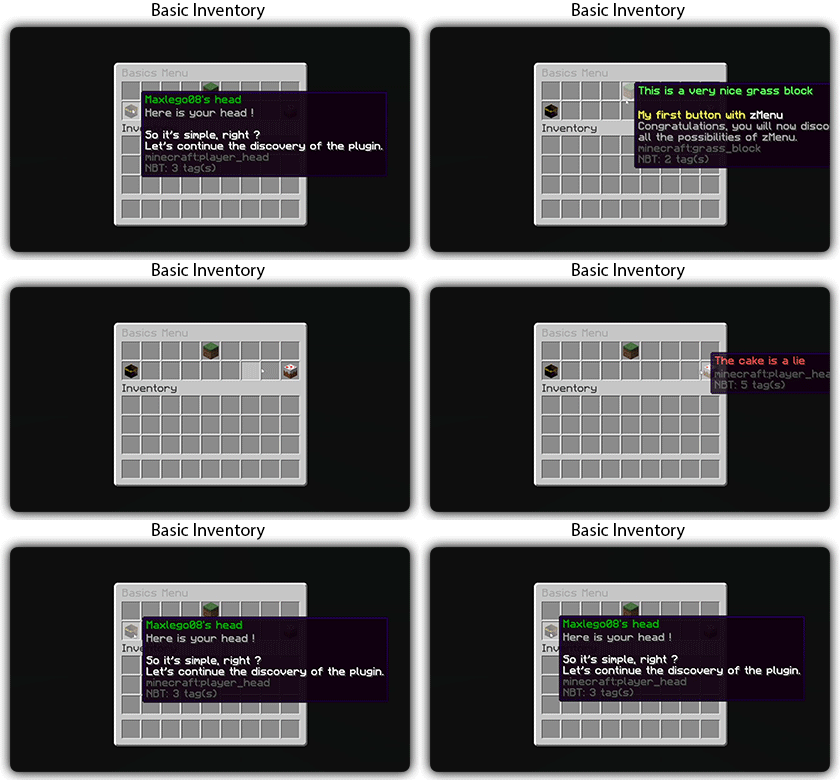
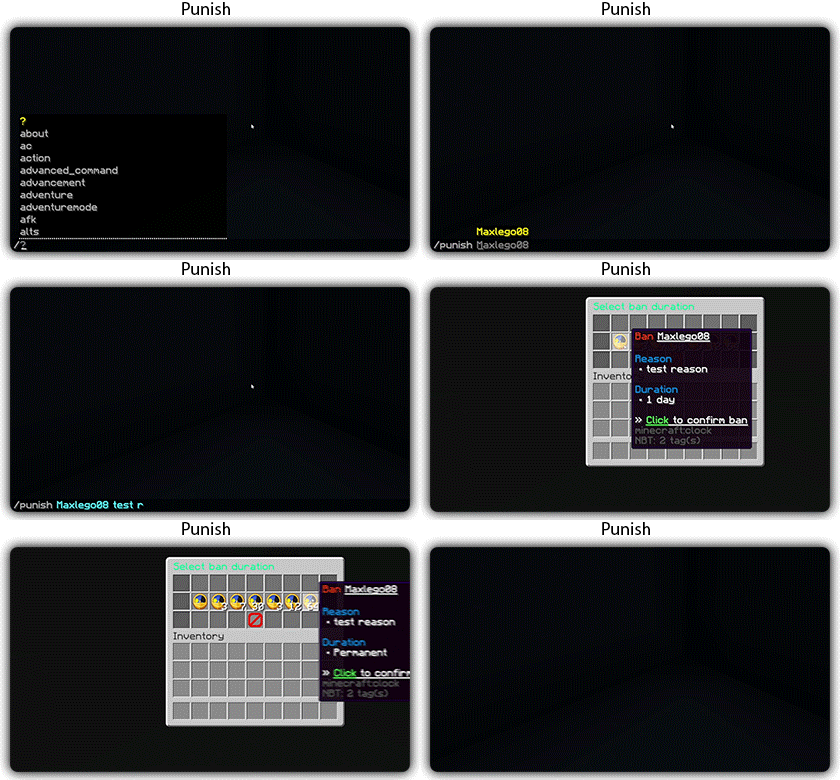
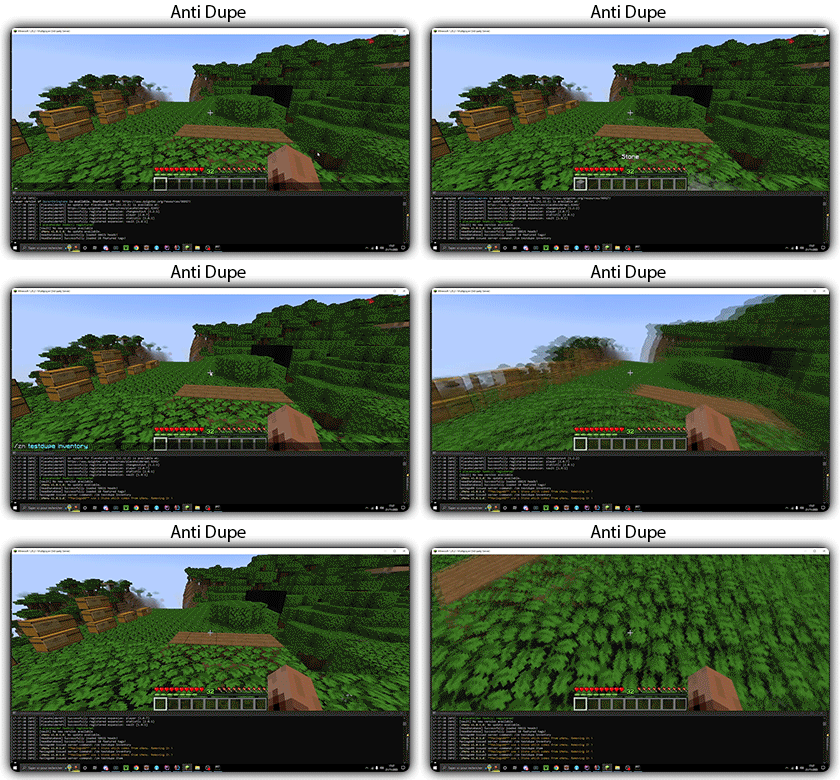
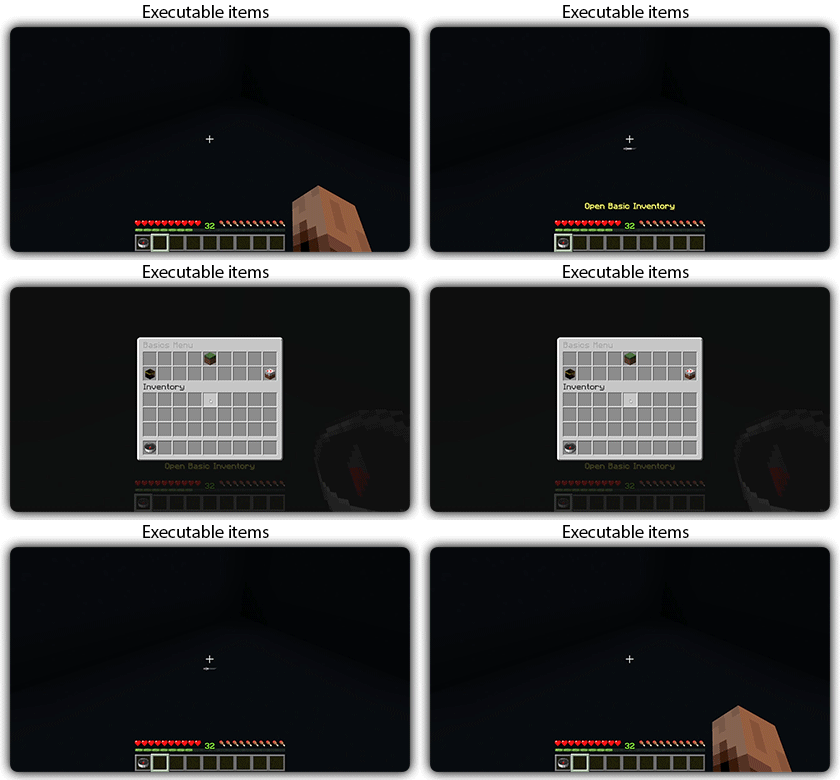
[](https://docs.zmenu.dev/plugins-files#example_shop.yml)

## With [zMenu+](https://www.spigotmc.org/resources/zmenu-premium-zmenu-addon.115533/) addon:
[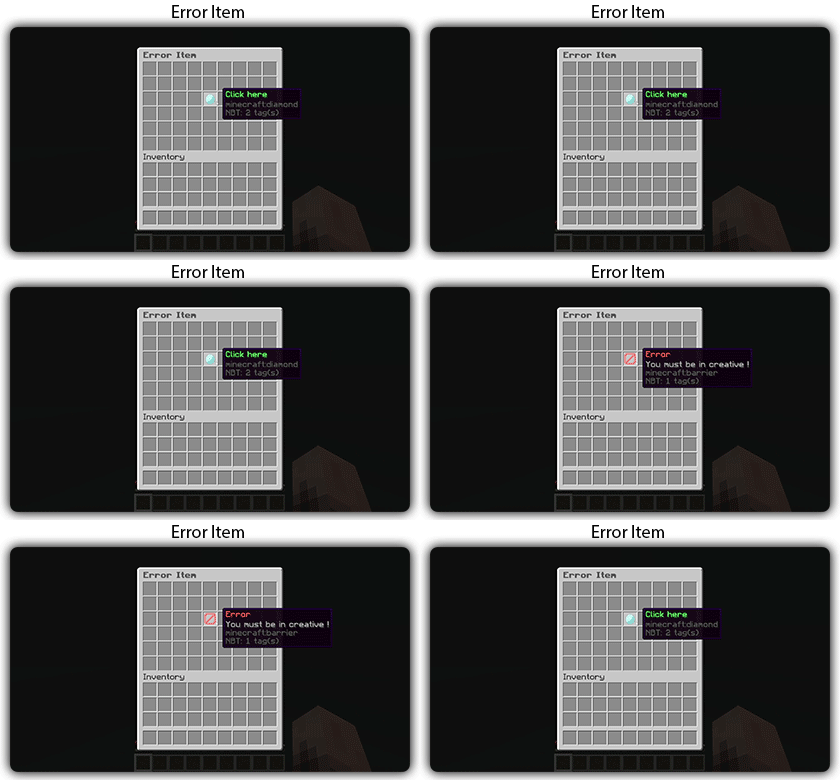](https://docs.zmenu.dev/configurations/buttons#error-item-zmenu)
[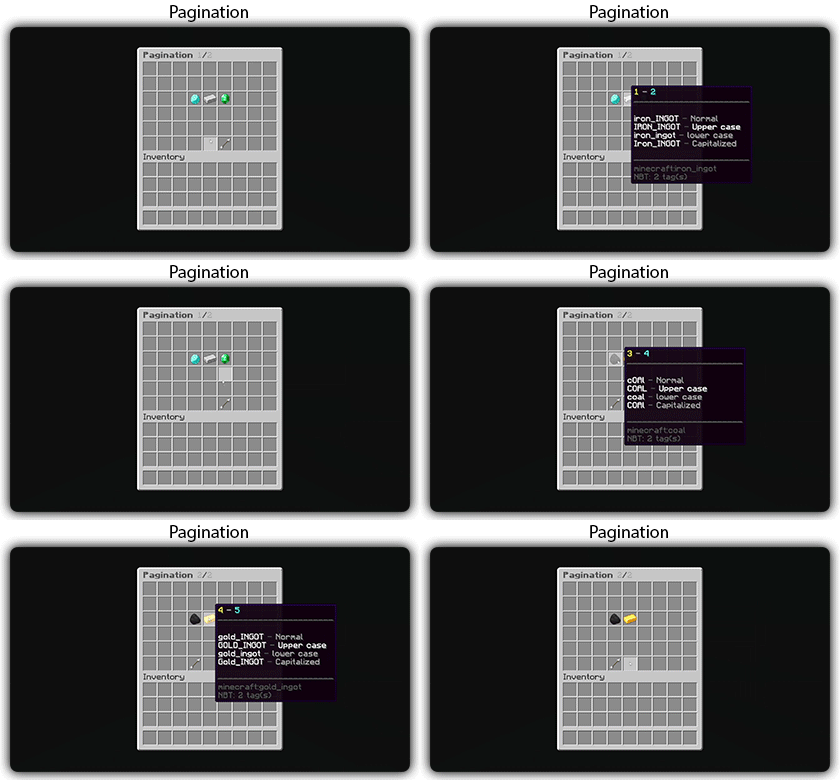](https://docs.zmenu.dev/configurations/buttons#pagination-zmenu)
[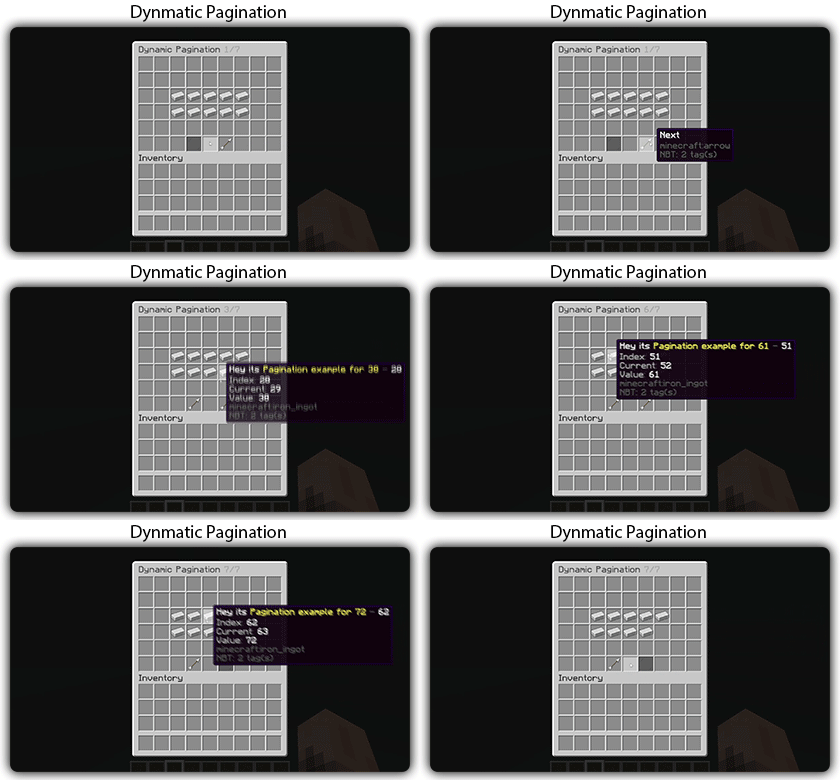](https://docs.zmenu.dev/configurations/buttons#dynamic-pagination-zmenu)
# **Features:**
✅ Ability to create an **infinite number of GUI** menus and **commands**.
✅ Possibility to create several pages in the same inventory.
✅ Arguments, actions, and auto-completion for your commands.
✅ A marketplace to download configurations.
✅ An [online inventory editor](https://minecraft-inventory-builder.com/).
✅ Open Source: [GitHub](https://github.com/Maxlego08/zMenu).
✅ Advanced API.
✅ Ability to create an infinite number of buttons for each of your actions.
✅ Highly customizable.
✅ PlaceholderAPI support.
✅ Kyori Adventure [Mini Message Format](https://docs.adventure.kyori.net/minimessage/format.html) support.
✅ [Folia](https://papermc.io/software/folia) support.
✅ Convert from other plugins: [zMenuConvert](https://www.spigotmc.org/resources/zmenuconvert.110403/).
✅ Patterns, no more need to copy and paste the same configuration several times!
✅ [zHead](https://www.spigotmc.org/resources/zhead-database.115717/) and HeadDatabase support.
✅ Documentation translated into several languages:
1. English: [docs.zmenu.dev](https://docs.zmenu.dev/)
2. Français: [docs.zmenu.dev/v/fr/](https://docs.zmenu.dev/v/fr/)
✅ **Anti-duplication** system. Duplication will be completely impossible with the plugin.
✅ Turn your items into a configuration with **/zm save**.
✅ Executable items for open inventories.
✅ Possibility to **translate your items** into several languages. The plugin displays the correct translation to the player!
✅ Use mathematical expressions in your inventories!
**Plugin’s files**: [https://docs.zmenu.dev/plugins-files](https://docs.zmenu.dev/plugins-files)
[](https://discord.groupez.dev/)
## Video:
[](https://youtube.com/watch?v=spxnyY7lY0Q)
[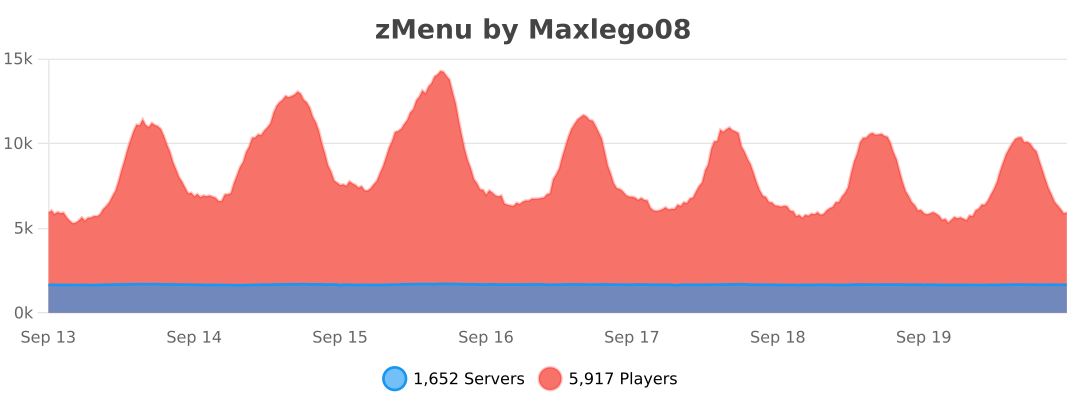](https://bstats.org/plugin/bukkit/zMenu/14951)
zMBlockLimiter
🔷 ZMBlockLimiter
🚀 ZMBlockLimiter is an ultra-lightweight and highly optimized plugin designed to limit specific blocks per chunk, helping to reduce lag, control automatic farms, and keep your server stable and fast on Paper, Spigot, Pufferfish, and Purpur.
💡 Built with real servers in mind, including existing worlds and advanced economies. Forget heavy scans and TPS spikes: smart control without impacting performance.
✨ Main Features
– 🌍 Per-chunk limits, not per player → prevents exploits and overload.
– 🏗️ Fully compatible with existing worlds, no unnecessary resets.
– ⚡ Optimized for Paper / Spigot / Pufferfish / Purpur.
– 🔒 No bypass: rules apply to all players equally.
– 🕹️ Lazy and controlled scanning system with low TPS impact.
– 📝 Clear, simple, and well-documented configuration.
– ⚙️ Ideal for intense survival gameplay and large automatic farms.
⚙️ How It Works
– Blocks are counted per chunk (16×16).
– ❌ No constant full-world scans.
– ✔️ Smart and gradual counting:
– When chunks load
– When blocks are placed or broken
– ➕ Add new blocks to the configuration and use /zmblocklimiter rescan to safely recalculate counters without freezing the server.

🧾 Commands
– /zmblocklimiter reload 🔄
Reloads the configuration (no scans)
– /zmblocklimiter rescan 🧹
Re-scans chunks to safely recalculate counters
🔐 Permissions
– zmblocklimiter.admin → Full command access
– zmblocklimiter.reload → Allows /zmblocklimiter reload
– zmblocklimiter.rescan → Allows /zmblocklimiter rescan
📌 Recommended Use Cases
– 🚜 Limiting hoppers, dispensers, and technical blocks
– 🌾 Controlling automatic farms
– ⚡ Reducing lag in overloaded chunks
– 🏰 Survival servers with many players
– 🛡️ Admins who want control without heavy plugins
🧠 Plugin Philosophy
ZMBlockLimiter does not try to patch lag —
it aims to prevent it at the root with a simple, clear, and efficient approach.
📦 Compatibility
– Minecraft 1.21+
– Paper
– Spigot
– Pufferfish / Purpur
🌐 Support / Spanish available
👤 Developed by zMarkitos_
ZLives

# Please read the concept of this plugin
## Concept :
– **1. Player A and Player B gets default 3 lives and 10 Hearts**
– **2. Player A killed Player B, then Player B will lose 1 live (remaining = 2) and in exchange of the live, player B will get +5 Hearts (total = 15).**
– **3. If Player A again killed Player B, then Player B will lose 1 live (remaining = 1) and in exchange of the live player B will get +5 Hearts (total = 20)**
– **4. After this if Player B killed Player A, then Player B will gain 1 live and -5 Hearts.**
– ### *NOTE : The maximum hearts obtainable are 25 and maximum lives are 3, so no one can go beyond it (untill changed from config.yml)*
## 1. Plugin Description
**ZLives** is a unique Minecraft plugin that introduces a **lives and heart system** to your server. Players start with a limited number of lives and hearts, and their actions (such as killing other players or being killed) affect their lives and hearts. Key features include:
– **Lives System**:
Players start with a default number of **3 lives**. When a player loses all their lives, they are eliminated and put into spectator mode.
– **Heart System**:
Players have a limited number of hearts, **default is 10** (20 Heart points). Hearts determine the player’s max health.
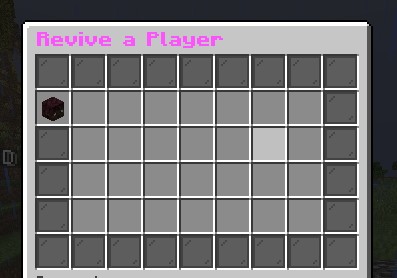
– **Revival System**: Eliminated players can be revived using a special **Revive Book** or by an admin using the `/revive` command.
– **Elimination Animation**: When a player is eliminated, a dramatic animation and sound effect play to signify their elimination.
– **Customizable Config**: The plugin allows server admins to configure default lives, hearts, and other settings via the `config.yml` file.
– **Commands**:
– `/lives`: Check your remaining lives and hearts.
– `/revive `: Revive an eliminated player (admin-only).
– `/elimination-animation`: Play the elimination animation on a player or at specific coordinates (admin-only).
## 2. Installation Guide
Follow these steps to install and set up the **ZLives** plugin on your Minecraft server:
#### **Step 1: Download the Plugin**
1. Download the `ZLives.jar` file from the provided source (e.g., SpigotMC, GitHub, or your custom build).
2. Place the `ZLives.jar` file in your server’s `plugins` folder.
#### **Step 2: Start the Server**
1. Start or restart your Minecraft server.
2. The plugin will generate a default `config.yml` file in the `plugins/ZLives` folder.
#### **Step 3: Configure the Plugin**
1. Open the `config.yml` file located in the `plugins/ZLives` folder.
2. Customize the settings as needed.
#### **Step 4: Test the Plugin**
1. Join your server and test the plugin’s features.
2. Use the `/lives` command to check your lives and hearts.
3. Test the elimination and revival mechanics.
—
## **3. Screenshots**
### **Elimination Animation**
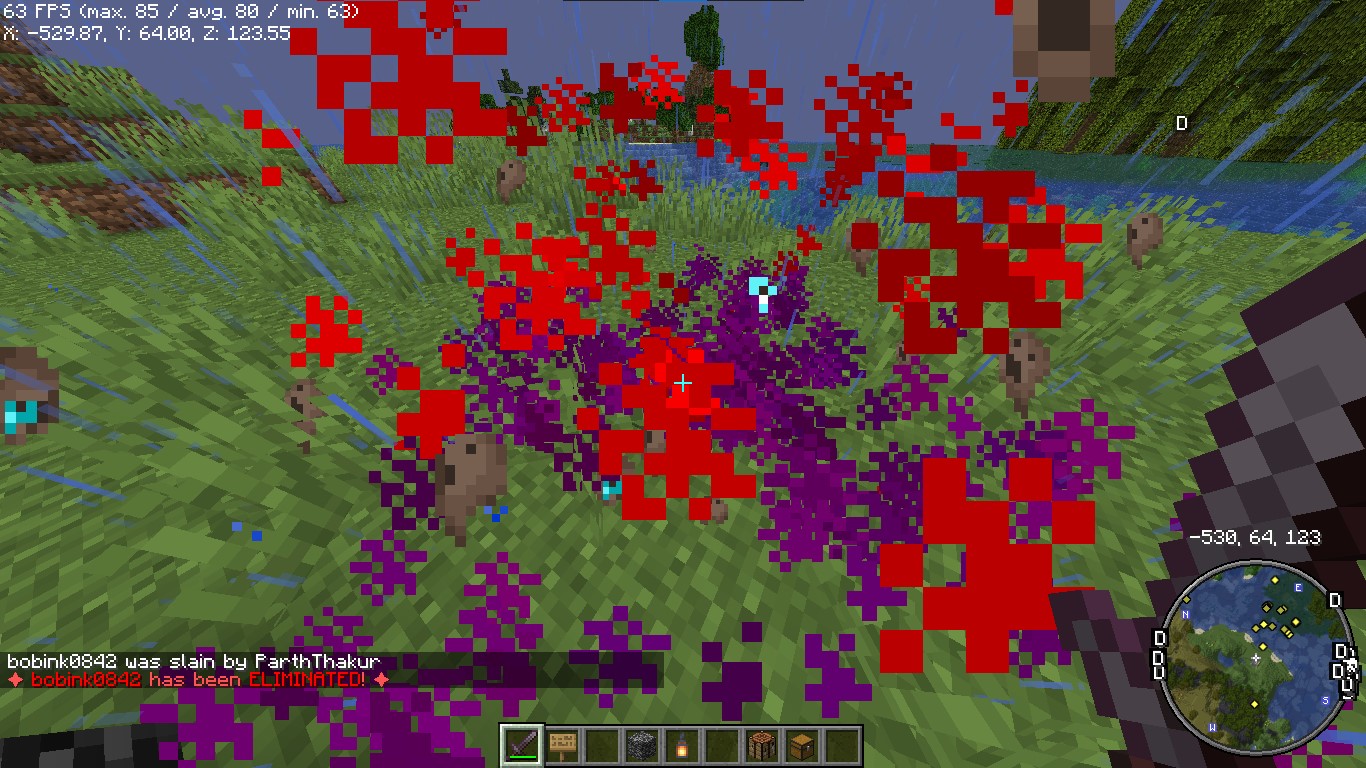
*Players see a dramatic animation when they are eliminated.*
### **Revival Animation**
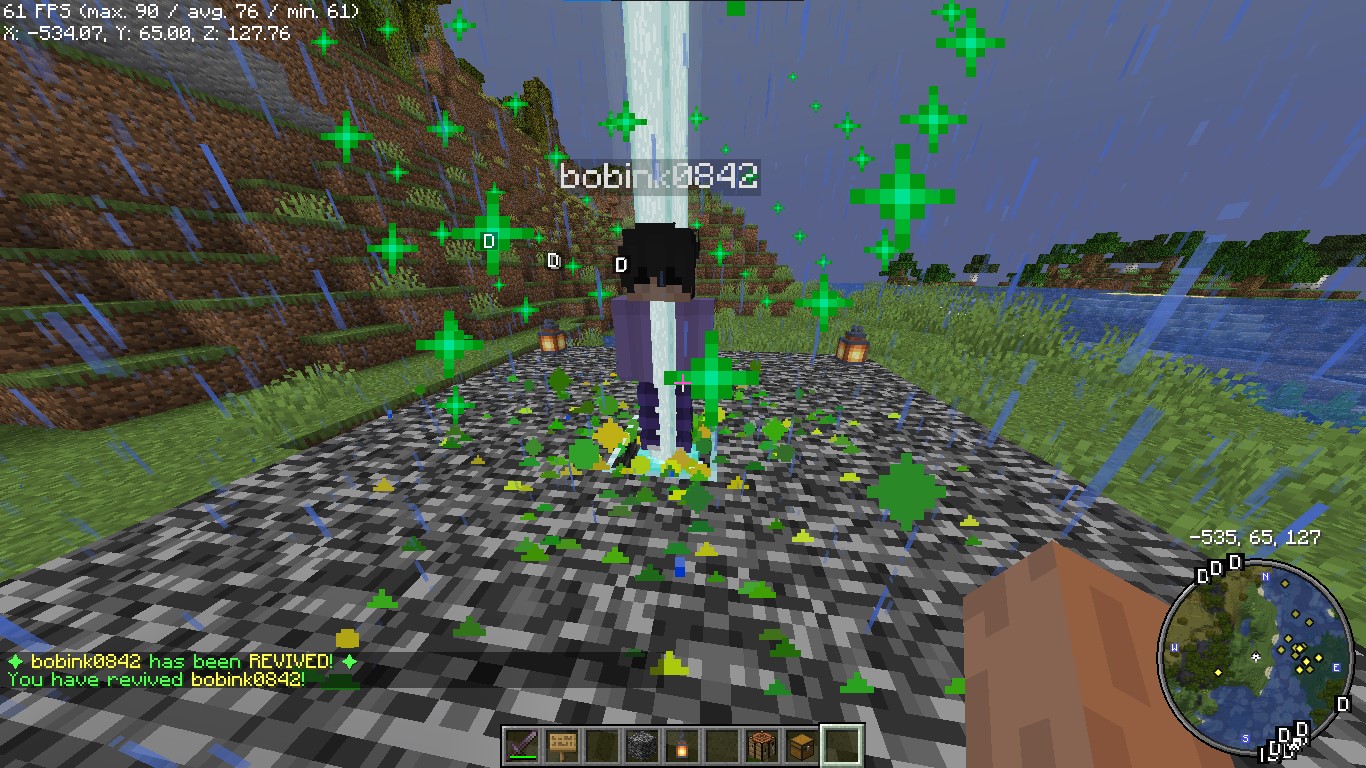
*Players see a dramatic animation when they are eliminated.*
### **Revive Book**

*The Revive Book can be crafted and used to revive eliminated players.*
### *Note: This recipe can be changed from config.yml.*
### **Remaining Lives message after killed by a player**

### **+5 Hearts on every death by a player**
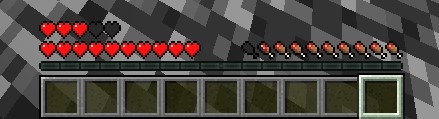
*+5 Hearts when a player is killed by other player*
### **Elimination Message**
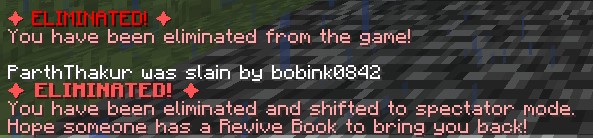
### **ReviveGUI**
## **4. Donations**
### Liked my Content? Want to support me?
– **Support me by sending money on this UPI QR Code**.

## **5. Reporting Issues**
**Need Help? Contact Us!**
Encountered a problem or have suggestions? We’re here to assist you!
### 📧 **Discord Support**: Contact me on Discord at **@iitian_69**.
#### **Step 1: Check the Logs**
1. Look for error messages in the server console or `logs/latest.log`.
2. Copy the relevant error message.
#### **Step 2: Provide Details**
When reporting an issue, include the following information:
– **Minecraft Version**: The version of Minecraft your server is running.
– **Server Software**: The server software you’re using (e.g., Spigot, Paper).
– **Plugin Version**: The version of the **ZLives** plugin you’re using.
– **Steps to Reproduce**: A detailed description of how to reproduce the issue.
– **Error Logs**: The error message or log snippet.
#### **Step 3: Submit the Issue**
**Contact me at discord username is : @iitian_69**
#### **Example Issue Report**
“`
**Minecraft Version**: 1.21.4
**Server Software**: Paper
**Plugin Version**: 1.0.0
**Issue**: Players are not losing hearts when they kill another player.
**Steps to Reproduce**:
1. Set default lives to 3 and hearts to 10 in the config.
2. Have a player with 2 lives kill another player.
3. Check the killer’s hearts after the kill.
**Error Logs**: [No errors in the logs]
“`
### **Final Notes**
The **ZLives** plugin adds a unique and engaging gameplay mechanic to your Minecraft server. If you have any questions, need further assistance, or want to suggest new features, feel free to reach out! 😊
Happy gaming! 🚀