# 🌐 Xpose – Make Your Local Minecraft Server Public With Custom Static Ip
> Transform your local Minecraft server into a public server with a beautiful custom domain! No port forwarding needed.
# TUTORIAL
## ✨ Features
– 🌐 **Public Access**: Make your local Minecraft server accessible to players worldwide
– 🎯 **Custom Domain**: Get your own static subdomain (e.g., `myserver.quizyy.fun` or `myserver.mysmp.fun`)
– 🔒 **Secure Tunneling**: Uses ngrok’s secure tunneling service to bypass firewalls
– 🌍 **Global Performance**: Multiple region support for optimal player experience
– ⚡ **Easy Setup**: Simple configuration, no port forwarding needed
– 🎮 **Player-Friendly**: Share your server address easily with a memorable domain
– 🔄 **Auto-Reconnect**: Automatically maintains your custom domain
## 🚀 Quick Start
1. Download and install the plugin
2. Get your ngrok token from [ngrok.com](https://ngrok.com)
3. Get your Xpose token from [xpose.quizyy.fun](https://xpose.quizyy.fun)
4. Configure your `config.yml`:
“`yaml
# Ngrok configuration
ngrok:
auth_token: “your-ngrok-token”
region: “US” # Choose: US, EU, AP, AU, SA, JP, IN
server_port: 25565 # Your server port
# Xpose configuration
xpose:
auth_token: “your-xpose-auth-token”
subdomain: “myserver” # Your chosen subdomain
domain: “mysmp.fun” # or quizyy.fun
“`
5. Start your server and share your custom domain! 🎉
## 📝 Commands
– `/xpose status` – Check your tunnel status
– `/xpose reload` – Reload configuration
– `/xpose help` – Show help menu (available to all players)
## 🌟 Why Xpose?
– **No Port Forwarding**: Works even behind NAT/firewalls
– **Static Custom Domain**: Give your server a professional, memorable address
– **Global Performance**: Choose from 7 regions worldwide for best player experience
– **Always Online**: Auto-reconnect if connection drops
– **Simple Sharing**: Easy to remember domain names for your players
## 🌍 Supported Regions
| Region | Code | Location |
|——–|——|———-|
| 🇺🇸 United States | US | North America |
| 🇪🇺 Europe | EU | Europe |
| 🇦🇺 Australia | AU | Oceania |
| 🇯🇵 Japan | JP | East Asia |
| 🇮🇳 India | IN | South Asia |
| 🇸🇬 Singapore | AP | Asia Pacific |
| 🇧🇷 Brazil | SA | South America |
## 🛠️ Requirements
– Java 8 or higher
– Minecraft server 1.16+
– ngrok authentication token
– Xpose authentication token
1. **Setup your domain**:
“`yaml
xpose:
subdomain: “myserver”
domain: “mysmp.fun”
“`
Your server will be accessible at: `myserver.mysmp.fun`
2. **Change region for better performance**:
“`yaml
ngrok:
region: “JP” # For better performance in Asia
“`
## 📜 Permissions
– `xpose.admin` – Access to status and reload commands
– Help command is available to everyone!
## 🚨 Common Issues
– **Domain Already Taken**: Choose a different subdomain name
– **Connection Failed**: Check your ngrok token
– **API Error**: Verify your Xpose token
## 🎯 Coming Soon
– 🌈 Multiple tunnel support
– 🔔 Discord notifications
– 📊 Server status page
– 🎨 Custom domain themes
## 💖 Support the Project
Love Xpose? Show your support:
– ⭐ Star us on Modrinth
– 🤝 Join our [Discord](https://discord.gg/UUaNzfZyc6)
– 🐛 Report bugs and suggest features
—
Made with ❤️ by Quizy solutions
XPlayerKits
It’s a plugin that allows you to create kits for your players.
This plugin was created due to the lack of an optimized solution for this feature.
It uses very little RAM and is highly customizable.
| | | |
| — | — | — |
**Unlike other plugins that load the data of every single player registered on your server (wasting precious resources), XPlayerKits takes a smarter approach.**
It only loads player data when they actually join, and keeps just the essential information cached. This means **significantly lower RAM usage** without sacrificing performance.
On top of that, XPlayerKits comes with **built-in SQLite support right out of the box**, giving you a reliable and lightweight database solution. No more dealing with the limitations and issues of storing player data in messy YML files.
### Features
– **Migration:** Migrate data and kits from another plugin to save resources and avoid inventory exploits.
– **Kit placeholder requirements:** Use a system to check placeholder conditions.
– **Fully editable inventory:** Customize the kit inventory with an item name system for icons.
– **Claim/Deny actions:** Set actions when claiming or denying a kit, such as commands or sounds.
– **In-game GUI:** Edit kits directly in-game, including properties, icons, and content.
– **One-Time Kits:** Create kits that can only be claimed once, stored in player data.
– **First Join Kit:** Deliver a kit to players the first time they join your server.
– **Database support:** MongoDB, MySQL, and SQLite are supported (Recommended: MongoDB).
### Commands
– `/xkits editor` – Opens the editor for quick kit creation.
– `/xkits kits` – Opens the kit selection menu.
– `/xkits open [rotation/category]` – Opens the kit selection with category or rotation kits.
– `/xkits preview [player]` – Opens preview menu.
– `/xkits give ` – Give kits directly to players without checks.
– `/xkits claim ` – Give kits to players with checks.
– `/xkits reset ` – Reset a player’s data for a specific kit.
– `/xkits resetall ` – Reset all data for a player.
– `/xkits delete ` – Delete a kit.
– `/xkits migrate playerkits2_yml/playerkits2_mysql` – Migrate data from other plugins.
– `/xkits migratekits playerkits2` – Migrate kits from other plugins.
### Permissions
– `xkits.admin` – Allows players to use the `/xkits editor` and `/xkits slots` commands.
– `xkits.preview` – Allows players to use `/xkits preview`.
– `xkits.countdown.bypass` – Allows players to bypass kit countdowns.
– `xkits.onetime.bypass` – Allows players to bypass one-time restrictions.
### Placeholders
– `%xplayerkits_cooldown_%` – Show the time to next claim.
– `%xplayerkits_claimed_onetime_%` – Return yes or no if the kit of player is claimed.
– `%xplayerkits_claimed_cooldown_%` – Return yes or no if the kit of player is in cooldown.
### Actions
| Action | Description | Example |
|————————-|———————————————–|———————————————————–|
| console | Executes a command from the console. | `console:say test` |
| command | Executes a command as the player. | `command:dm open main` |
| sound | Plays a sound to the player. | `sound:ENTITY_ENDERMAN_TELEPORT;1.0f;1.0f` |
| playsound_resource_pack | Plays a sound from a resource pack. | `playsound_resource_pack:ENTITY_ENDERMAN_TELEPORT;1.0f;1.0f` |
| message | Sends a chat message to the player. | `message:You can’t claim this kit.` |
| center_message | Sends a centered message to the player. | `center_message:You can’t claim this kit.` |
| mini_message | Sends a MiniMessage formatted message. | `mini_message:You can’t claim this kit.` |
| broadcast | Sends a message to all players. | `broadcast:You can’t claim this kit.` |
| titles | Sends a title and subtitle to the player. | `titles:
Kit Claimed!;<subtitle>Enjoy your rewards!`|<br />
| wait_ticks | Waits before executing the next action. | `wait_ticks:40` |</p>
<p align="center">
<img decoding="async" src="https://i.imgur.com/OosO7SC.jpeg" alt="links">
</p>
<p>| <a href="https://discord.gg/4R9teKVcbM" target="_blank"><img decoding="async" src="https://i.imgur.com/5mATCrI.jpeg" alt="Discord" /></a> | <a href="https://www.patreon.com/c/insideranh" target="_blank"><img decoding="async" src="https://i.imgur.com/G31oZIG.jpeg" alt="Patreon" /></a> | <a href="https://www.insideranh.dev/docs/xplayerkits" target="_blank"><img decoding="async" src="https://i.imgur.com/zdRGBIY.jpeg" alt="Wiki" /></a> |<br />
| — | — | — |</p>
</article>
<article>
<h1>xPickup</h1>
<p># 💎 xPickup – The Ultimate Auto-Pickup Solution</p>
<p> </p>
<p>**Stop picking up items manually.** xPickup automatically places mined blocks and mob drops directly into your inventory with zero lag. Designed for modern servers, RPGs, and prisons.</p>
<p></p>
<p>—</p>
<p>> ### ✨ Key Features</p>
<p>* 🚀 **Instant Collection:** Items go straight to the inventory. No more items on the ground causing lag.<br />
* 🧩 **Advanced Compatibility:** **New!** Fully compatible with **CataMines**, MMOItems, and other custom item plugins. It detects custom drops instantly.<br />
* 💰 **Vault Integration:** Optional economy support. Charge money for auto-pickup or handle full inventories smartly.<br />
* ✨ **Visual & Sound Effects:** Customizable particles and sounds when picking up items.<br />
* 🌎 **World Management:** Enable or disable the plugin in specific worlds (Whitelist/Blacklist modes).<br />
* 🎒 **Full Inventory Logic:** Handles full inventories gracefully with customizable messages and titles.</p>
<p>—</p>
<p>> ### 🔧 Commands & Permissions</p>
<p>| Command | Permission | Description |<br />
| :— | :— | :— |<br />
| **Auto Pickup** | `xpickup.use` | Allows the player to auto-pickup items (Custom). |<br />
| `/xpickup reload` | `xpickup.admin` | Reloads the configuration file. |<br />
| **Update Check** | `xpickup.admin` | See update notifications on join. |</p>
<p>—</p>
<p>> ### ⚙️ Configuration (Preview)</p>
<p>Everything is configurable in `config.yml`:</p>
<p>“`yaml<br />
#<br />
# ▐▄• ▄ ▄▄▄·▪ ▄▄· ▄ •▄ ▄• ▄▌ ▄▄▄·<br />
# █▌█▌▪▐█ ▄███ ▐█ ▌▪█▌▄▌▪█▪██▌▐█ ▄█<br />
# ·██· ██▀·▐█·██ ▄▄▐▀▀▄·█▌▐█▌ ██▀·<br />
# ▪▐█·█▌▐█▪·•▐█▌▐███▌▐█.█▌▐█▄█▌▐█<br />
# •▀▀ ▀▀.▀ ▀▀▀·▀▀▀ ·▀ ▀ ▀▀▀ .▀<br />
# If you liked the plugin, leave us a heart on Modrinth : )</p>
<p># Compatible with HEX, & and Legacy colors.<br />
# Wiki: https://xplugins.es/plugins/xpickup</p>
<p>update: true</p>
<p># World control.<br />
worlds-control:<br />
enabled: true</p>
<p> # Operation mode (only works if ‘enabled’ is true):<br />
# “WHITELIST”: The plugin will only work in the worlds listed in ‘list’.<br />
# “BLACKLIST”: The plugin will work in all worlds EXCEPT those in the ‘list’.<br />
mode: “WHITELIST”</p>
<p> # List of world names (case sensitive).<br />
list:<br />
– “world”<br />
– “world_nether”<br />
– “world_the_end”</p>
<p># Should players have auto-pickup enabled by default when joining?<br />
auto-pickup-on-by-default: true</p>
<p># Sound settings when picking up an item.<br />
# Sound list: https://hub.spigotmc.org/javadocs/spigot/org/bukkit/Sound.html<br />
pickup-sound:<br />
enabled: true<br />
sound: “ENTITY_ITEM_PICKUP”<br />
volume: 1.0<br />
pitch: 1.5</p>
<p># Particle settings when picking up an item.<br />
# Particle list: https://hub.spigotmc.org/javadocs/spigot/org/bukkit/Particle.html<br />
pickup-particles:<br />
enabled: true<br />
particle: “CRIT”<br />
count: 8</p>
<p># Message settings when inventory is full.<br />
inventory-full-message:<br />
chat: true<br />
actionbar: true<br />
title:<br />
enabled: true<br />
# You can use color codes like &c, &l, and also &#RRGGBB for HEX.<br />
title: “&#FF5555&l¡Inventory Full!”<br />
subtitle: “&#AAAAAASome items dropped on the ground.”<br />
# Times in ticks (20 ticks = 1 second)<br />
fade-in: 10<br />
stay: 40<br />
fade-out: 10</p>
<p># Vault integration to charge per picked-up item<br />
vault:<br />
# Set to ‘true’ to enable charging per item.<br />
enabled: false<br />
# Cost per individual item picked up.<br />
# If set to 0.0, it will be free but Vault will still be required.<br />
cost-per-item: 0.01</p>
<p># NO CHANGE<br />
version: 1.0.6</p>
<p>“`</p>
<p>## 🐞 Support & feedback</p>
<p>> Found a bug? Have a suggestion? Please leave a review or report issues on our tracker. We are constantly updating xPickup to be the most reliable solution on the market.</p>
<div align="center">
<p>Developed with ❤️ by <strong>xPlugins</strong></p>
</p></div>
</article>
<article>
<h1>xPickaxes</h1>
<p># ⛏️ xPickaxes</p>
<p>**xPickaxes** is a professional Spigot/Paper plugin that adds fully customizable pickaxes with area mining, an intuitive GUI, permission-based access, and special effects — all configurable without touching a single line of Java.</p>
<p>> Compatible with **Minecraft 1.19 – 1.21+** (Paper & Spigot)</p>
<p>—</p>
<p>## ✨ Features</p>
<p>– **Area Mining** — Mine 3×3, 5×5, 7×7, or 9×9 areas with a single block break<br />
– **In-game GUI** — Right-click any custom pickaxe to open a clean configuration menu<br />
– **Special Effects**<br />
– 🔥 **Auto-Smelting** — Ores are smelted directly into ingots<br />
– ✨ **Fortune Boost** — Increased drops on all mined blocks<br />
– ⛏ **Vein Miner** — Mines entire connected ore veins at once (up to 64 blocks)<br />
– 🔍 **Ore Highlight** — Visual glow effect on nearby ores *(framework ready)*<br />
– **Per-player Settings** — Each player can toggle area mining and effects individually<br />
– **Permission System** — Fine-grained control over which players access which pickaxes and effects<br />
– **Custom Area Sizes** — Players can choose their preferred area size from the GUI<br />
– **Blacklist Support** — Prevent area mining on specific blocks (bedrock, command blocks, etc.)<br />
– **WorldGuard Compatible** — Respects protected regions<br />
– **Sound & Particle Effects** — Satisfying feedback on area mines (toggleable)<br />
– **Fully Config-Driven** — Add or edit pickaxe types entirely from `config.yml`</p>
<p>—</p>
<p>## 📦 Pickaxe Tiers</p>
<p>| Tier | Area | Material | Effects | Permission |<br />
|——|——|———-|———|————|<br />
| **Novice** | 3×3 | Iron Pickaxe | — | `xpickaxes.pickaxe.novice` |<br />
| **Adept** | 5×5 | Golden Pickaxe | Fortune Boost | `xpickaxes.pickaxe.adept` |<br />
| **Master** | 7×7 | Diamond Pickaxe | Fortune + Auto-Smelting | `xpickaxes.pickaxe.master` |<br />
| **Titan** | 9×9 | Netherite Pickaxe | Fortune + Auto-Smelting + Vein Miner | `xpickaxes.pickaxe.titan` |</p>
<p>All tiers are fully editable or removable in `config.yml`. You can also add your own!</p>
<p>—</p>
<p>## 🎮 Commands</p>
<p>| Command | Description | Permission |<br />
|———|————-|————|<br />
| `/xpickaxe give <type> [player]` | Give a custom pickaxe | `xpickaxes.give` |<br />
| `/xpickaxe list` | List all available pickaxe types | `xpickaxes.use` |<br />
| `/xpickaxe menu` | Open the GUI for your held pickaxe | `xpickaxes.use` |<br />
| `/xpickaxe reload` | Reload the plugin config | `xpickaxes.reload` |<br />
| `/xpickaxe help` | Show help | — |</p>
<p>**Aliases:** `/xpick`, `/xp`</p>
<p>—</p>
<p>## 🔑 Permissions</p>
<p>| Permission | Default | Description |<br />
|————|———|————-|<br />
| `xpickaxes.use` | Everyone | Use custom pickaxes |<br />
| `xpickaxes.give` | OP | Give custom pickaxes |<br />
| `xpickaxes.reload` | OP | Reload the plugin |<br />
| `xpickaxes.admin` | OP | Full admin access (includes give + reload) |<br />
| `xpickaxes.pickaxe.novice` | Everyone | Access to Novice pickaxe |<br />
| `xpickaxes.pickaxe.adept` | OP | Access to Adept pickaxe |<br />
| `xpickaxes.pickaxe.master` | OP | Access to Master pickaxe |<br />
| `xpickaxes.pickaxe.titan` | OP | Access to Titan pickaxe |<br />
| `xpickaxes.effect.autosmelting` | OP | Use Auto-Smelting effect |<br />
| `xpickaxes.effect.veinminer` | OP | Use Vein Miner effect |<br />
| `xpickaxes.effect.fortune` | OP | Use Fortune Boost effect |<br />
| `xpickaxes.effect.xray` | OP | Use Ore Highlight effect |</p>
<p>—</p>
<p>## 🖥️ GUI Overview</p>
<p>**Right-click** any xPickaxes custom pickaxe (or run `/xpickaxe menu`) to open the configuration panel:</p>
<p>“`<br />
┌─────────────────────────────────────────────────────┐<br />
│ [Pickaxe] [Pickaxe Configuration] │<br />
│ │<br />
│ [Toggle Area] [Compass] [3×3][5×5][7×7][9×9][✗]│<br />
│ │<br />
│ [★] [Effect1] [Effect2] [Effect3] [Effect4] │<br />
│ │<br />
│ [ℹ Info] │<br />
│ [✖ Close] │<br />
└─────────────────────────────────────────────────────┘<br />
“`</p>
<p>– **Toggle Area Mining** — Enable/disable area mining for this session<br />
– **Area Size** — Select 3×3, 5×5, 7×7, or 9×9 (or reset to pickaxe default)<br />
– **Effects** — Toggle each special effect independently (respects permissions)</p>
<p>—</p>
<p>## ⚙️ Configuration</p>
<p>All pickaxe types, effects, messages, and behavior is defined in `config.yml`. Here’s an example of adding a custom pickaxe:</p>
<p>“`yaml<br />
pickaxes:<br />
my_custom_pick:<br />
enabled: true<br />
display-name: “&5✦ Void Pickaxe”<br />
lore:<br />
– “&7Area Mining: &e11x11”<br />
– “”<br />
– “&8▸ Right-click to configure”<br />
material: NETHERITE_PICKAXE<br />
area-size: 11<br />
durability-multiplier: 4.0<br />
enchantments:<br />
EFFICIENCY: 5<br />
UNBREAKING: 3<br />
FORTUNE: 3<br />
effects:<br />
– FORTUNE<br />
– AUTOSMELTING<br />
– VEINMINER<br />
permission: myplugin.voidpickaxe<br />
give-command-enabled: true<br />
custom-model-data: 0<br />
“`</p>
<p>### Auto-Smelt Mappings</p>
<p>Add custom smelting recipes in `config.yml`:</p>
<p>“`yaml<br />
smelt-map:<br />
IRON_ORE: IRON_INGOT<br />
GOLD_ORE: GOLD_INGOT<br />
SAND: GLASS<br />
# Add your own!<br />
“`</p>
<p>—</p>
<p>## 🔧 Installation</p>
<p>1. Download `xPickaxes-1.0.0.jar`<br />
2. Drop it into your `plugins/` folder<br />
3. Restart or reload your server<br />
4. Edit `plugins/xPickaxes/config.yml` to customize<br />
5. Run `/xpickaxe reload` to apply changes live</p>
<p>**Requirements:**<br />
– Java 17+<br />
– Paper or Spigot 1.19+</p>
</article>
<article>
<h1>XPHearts</h1>
<p># **About**</p>
<p>[](https://modrinth.com/plugin/xphearts) [](https://www.curseforge.com/minecraft/bukkit-plugins/xphearts)<br />
[](https://ko-fi.com/J3J71G0IUZ)</p>
<p>XPHearts is a plugin that automatically adjust maximum hearts/health depending on your experience level. You can configure the amount of experience level needed in the configuration file.</p>
<p>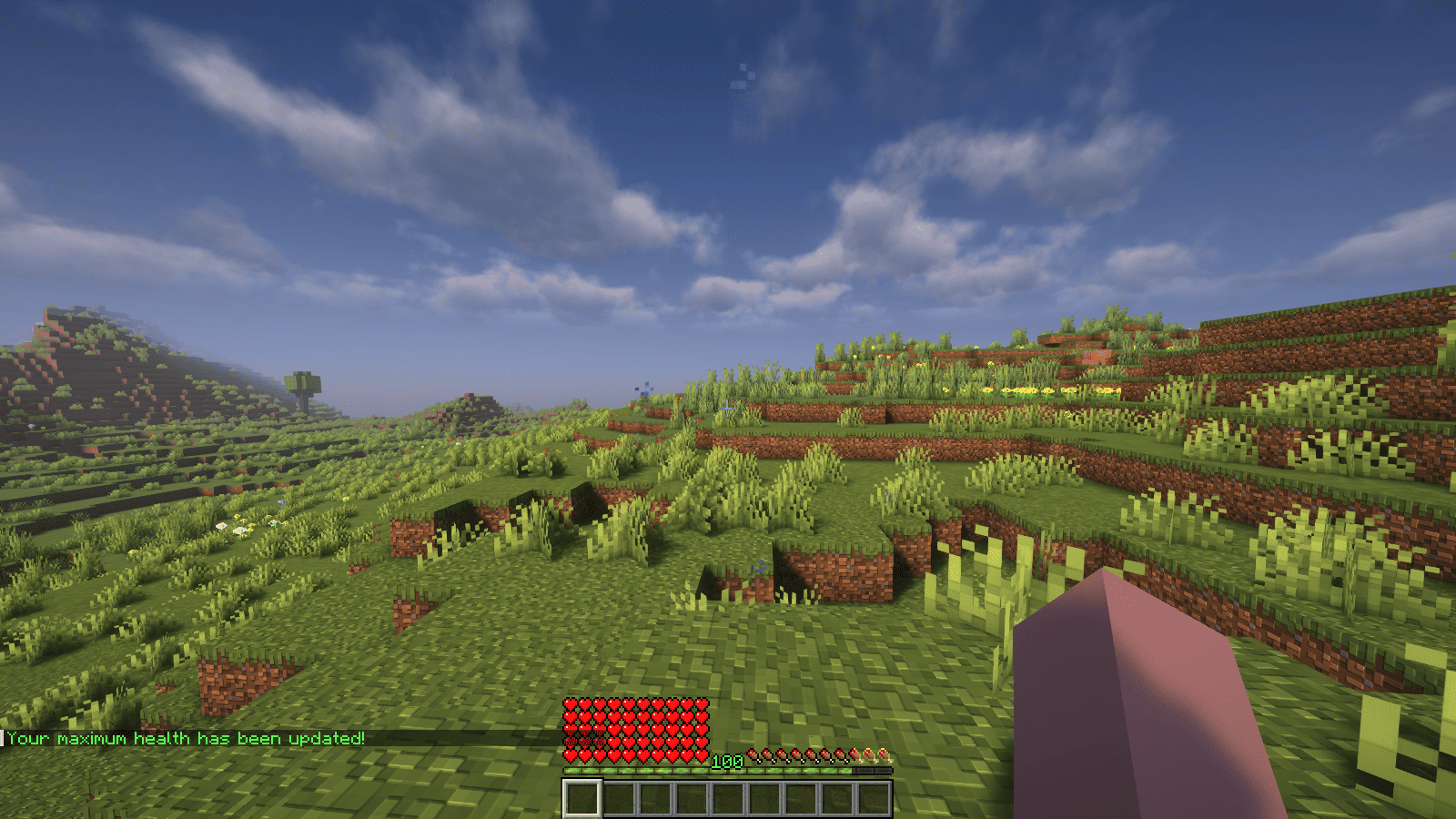<br />
</p>
<p>### Features</p>
<p>– Automatically adjust the player’s maximum hearts/health when they reach the experience level specified in the configuration.<br />
– Easy to understand config.<br />
– Lightweight.</p>
<p></p>
<p>### Commands<br />
| Command | Description | Permission |<br />
|—————-|————————————-|—————–|<br />
| `/xh` | Get the information about the plugin. | `xh.use` |<br />
| `/xh reload` | Reloads the config file. | `xh.admin` |<br />
| Command aliases| **xh, xpheart, xphearts** |</p>
<p></p>
<p>### Issues and Suggestions<br />
Suggest and report issues on [Github](https://github.com/seyviyer2/XPHearts/issues).</p>
</article>
<article>
<h1>XPDispenser</h1>
<p># XPDispenser</p>
<p>A Minecraft Bukkit plugin to throw your XP at yourself (e.g. to repair your mending tools).</p>
<p></p>
<p>[](https://github.com/Programie/XPDispenser/actions/workflows/build.yml)<br />
[](https://github.com/Programie/XPDispenser/releases/latest)<br />
[](https://modrinth.com/plugin/xpdispenser)<br />
[](https://www.curseforge.com/minecraft/bukkit-plugins/xpdispenser)</p>
<p>## What is it?</p>
<p>XPDispenser allows you to throw XP orbs at yourself by using your currently collected XP points.</p>
<p>The collected XP points can be used to repair tools and armor enchanted with the mending enchantment. In that way, you are able to reuse your already collected XP points to repair your tools and armor.</p>
<p>## Permissions</p>
<p>Currently, there is only one permission available which controls whether a player is allowed to use this plugin: `xpdispenser` (Default: everyone)</p>
<p>## How to use it?</p>
<p>Simply place a sign at any location with the text `[XPDispenser]` at the first line.</p>
<p>Optionally, the second line contains the amount of XP points to be thrown in a single time (defaults to 10, if not given on the sign).</p>
<p>So, if you want to get 50 XP points, you can place a sign with the following content:</p>
<p>* First line: `[XPDispenser]`<br />
* Second line: `50`</p>
<p>After correctly placing the sign, the color of the first line will change to blue.</p>
<p>To use the sign, simply interact with it (i.e. right click on it) while having the tool and/or armor to repair equipped.</p>
<p>### Why use a sign instead of a command?</p>
<p>It’s simple: I just don’t like to execute commands as a normal player, but I like to interact with the environment just like you would do in real life.</p>
<p>In case of this plugin, you could see the sign as some type of machine which will dispense some XP orbs.</p>
<p>## Build</p>
<p>You can build the project in the following 2 steps:</p>
<p> * Check out the repository<br />
* Build the jar file using maven: *mvn clean package*</p>
<p>**Note:** JDK 1.8 and Maven is required to build the project!</p>
<p>## My other plugins</p>
<p>You can find them on [my website](https://selfcoders.com/projects/minecraft-plugins).</p>
</article>
<article>
<h1>XPBottles</h1>
<p>A lightweight, PaperMC plugin that lets players convert their experience into **XP Bottles** by sneaking on an anvil!</p>
<p>Perfect for survival servers, SMPs, or RPG servers that want:</p>
<p>* XP storage<br />
* XP trading<br />
* XP economy systems<br />
* Safer death mechanics (no lost XP!)</p>
<p>XPBottles is designed for simplicity, speed, and intuitive gameplay.</p>
</article>
<article>
<h1>XpBottle</h1>
<p></p>
<p><br />
<br />
[](https://discord.com/invite/ydn5S7FC7q)<br />
—<br />
– 🧪 **XP Bottle Creation**: Convert XP into bottles using the `/xpbottle` command.<br />
– 💰 **Tax System**: Configurable tax on XP conversion to prevent abuse.<br />
– ⏳ **Cooldown System**: Prevent command spamming with configurable cooldowns.<br />
– 🔐 **Protected Bottles**: Bottles can be protected from dropping on death.<br />
– 🎨 **Customizable Bottles**: Customize bottle appearance, including material, name, lore, and glow effect.<br />
– 🔒 **Permission-Based Limits**: Different XP limits based on permissions.<br />
– 🔊 **Sound Effects**: Play sounds on bottle creation and redemption.<br />
– 🔧 **ItemsAdder Integration**: Support for custom items via ItemsAdder.<br />
– 👑 **Admin Commands**: Admins can give bottles to players and reload config.<br />
– 🌍 **Multi-Language Support**: Configurable messages.<br />
—<br />
</p>
<p>| Command | Description | Permission |<br />
| —————————————————- | ——————————————————– | ———- |<br />
| `/xpbottle <amount> <xp>` | Create bottles with a specified amount and XP per bottle | None |<br />
| `/xpbottle help` | Display the help message | None |<br />
| `/xpbottle admin reload` | Reload the configuration and messages | `xp.admin` |<br />
| `/xpbottle admin give <player> <amount> <xp|level>` | Give a bottle to a player | `xp.admin` |<br />
| `/xpbottle admin help` | Display the admin help message | `xp.admin` |</p>
<p>Aliases: `/xp`</p>
<p>—<br />
</p>
<p>| Permission | Description | Default |<br />
| ————- | —————————— | ——- |<br />
| `xp.default` | Allows basic use of XP bottles | true |<br />
| `xp.resident` | Allows higher XP limits | op |<br />
| `xp.admin` | Allows admin commands | op |</p>
<p>—<br />
</p>
<p>In bottle lore and messages:</p>
<p>| Placeholder | Description |<br />
| ———– | —————————————– |<br />
| `%exp%` | Amount of XP in the bottle |<br />
| `%signer%` | Name of the player who created the bottle |<br />
| `%xp%` | Player’s current XP |<br />
| `%cost%` | Cost in XP for the action |<br />
| `%amount%` | Number of bottles |<br />
| `%time%` | Remaining cooldown time |<br />
| `%player%` | Target player name |</p>
<p>—<br />
</p>
<p>The plugin uses `config.yml` for configuration:<br />
## Preview<br />
“`yaml<br />
max-bottle-amount: 1000000 # Maximum bottles per command<br />
min-bottle-amount: 50 # Minimum XP per bottle<br />
conversion-tax: 0.05 # Tax percentage (5%)<br />
cooldown-seconds: 10 # Cooldown in seconds<br />
bottle:<br />
use-itemsadder: false # Use ItemsAdder for custom items<br />
itemsadder-id: “exp_bottle”<br />
material: EXPERIENCE_BOTTLE<br />
name: “#F2EC27&lʙᴏᴛᴛʟᴇ ᴅ’ᴇxᴘᴇʀɪᴇɴᴄᴇ”<br />
lore:<br />
– “”<br />
– “&7xᴘ : &f%exp%”<br />
– “&7ᴘʀᴏᴘʀɪᴇᴛᴀɪʀᴇ : &f%signer%”<br />
– “”<br />
– “#F2EC27ᴄʟɪᴄᴋ ᴅʀᴏɪᴛ &7| &7utiliser la bouteille”<br />
glow: false<br />
reject-crafting: true<br />
reject-villager-trading: true<br />
withdraw-sound:<br />
sound: “ENTITY_COW_DEATH”<br />
enabled: false<br />
redeem-sound:<br />
sound: “ENTITY_PLAYER_LEVELUP”<br />
enabled: true<br />
drop-bottle:<br />
enabled: false<br />
protected-bottles: true<br />
use-perm-based-exp: false<br />
permission:<br />
default:<br />
max-bottle-amount: 1000<br />
min-bottle-amount: 50<br />
resident:<br />
max-bottle-amount: 5000<br />
min-bottle-amount: 50<br />
“`<br />
</p>
<p>– **ItemsAdder**: Enable custom bottle items using ItemsAdder.<br />
– **Permissions Plugins**: Supports permission-based XP limits.</p>
</article>
<article>
<h1>XpAnvils</h1>
<p> XPAnvils is a lightweight plugin that allows server admins to set the max XP cost for anvil usage.</p>
<p>Minecraft typically limits anvil combinations to a 40-level cost. With XPAnvils, you can take this restriction away — make it 80, 100, or more!</p>
<p> Features<br />
Set the max anvil XP price via command:<br />
/xpanvil set <level><br />
Example: /xpanvil set 80</p>
<p>Prevents expensive enchantment combinations from being broken due to the vanilla cap.</p>
<p>Convenient to use, no config file needed.</p>
<p>Ships on Minecraft 1.21.5 and Paper servers.</p>
<p>Use Case<br />
Want to allow combining high-level enchanted items without being interrupted by XP level limits? This plugin is ideal for survival, semi-vanilla, and RPG servers where progression and equipment enchantments matter.</p>
</article>
<article>
<h1>XP Stacker</h1>
<p>🎉 **XPStacker: Let Your Server Breathe!** 🎉<br />
Is your server slowing down because of all the scattered XP orbs? 🐢 XPStacker offers a sleek and effective solution to this problem. This lightweight plugin automatically merges nearby XP orbs into a single one, significantly reducing server load while providing a smoother experience for players.</p>
<p>✨ **Key Features:**</p>
<p>– **Lag Reduction:** 💨 Drastically reduces server lag by merging hundreds of scattered XP orbs into a single orb.</p>
<p>– **Automatic Merging:** 🤝 New XP orbs automatically merge with nearby ones. No player action is required.</p>
<p>– **Configurable Radius:** ⚙️ Easily adjust the merge radius of XP orbs in the config.yml file.</p>
<p>– **Lightweight and Stable:** 🔋 Operates with minimal resource usage and does not affect your server’s other features.</p>
<p>Add XPStacker to your server now and let your players collect XP without any lag! 💎</p>
<p>✨ **Check Out Our Other Plugins!** ✨<br />
If you enjoy the **XPStacker** plugin, don’t forget to check out our other high-quality plugins for your server!</p>
<p>– **BuildByBit**: https://builtbybit.com/creators/fisfiskoray.600970<br />
– **PolyMart:** https://polymart.org/user/57522/fisfiskoray<br />
– **Modrinth:** https://modrinth.com/user/FisFisKoray</p>
</article>
</main>
<script type="speculationrules">
{"prefetch":[{"source":"document","where":{"and":[{"href_matches":"/*"},{"not":{"href_matches":["/wp-*.php","/wp-admin/*","/wp-content/uploads/*","/wp-content/*","/wp-content/plugins/*","/wp-content/themes/minecraft/*","/*\\?(.+)"]}},{"not":{"selector_matches":"a[rel~=\"nofollow\"]"}},{"not":{"selector_matches":".no-prefetch, .no-prefetch a"}}]},"eagerness":"conservative"}]}
</script>
<div class="gtranslate_wrapper" id="gt-wrapper-21809092"></div><script id="gt_widget_script_21809092-js-before">
window.gtranslateSettings = /* document.write */ window.gtranslateSettings || {};window.gtranslateSettings['21809092'] = {"default_language":"en","languages":["ar","az","bn","bg","hr","cs","da","nl","en","fi","fr","de","el","hu","id","it","ja","kk","ko","fa","pl","pt","ro","ru","sl","es","sv","th","uk","uz","vi"],"url_structure":"sub_directory","flag_style":"2d","wrapper_selector":"#gt-wrapper-21809092","alt_flags":[],"custom_domains":{"ru":"minecraft.vpesports.games"},"float_switcher_open_direction":"top","switcher_horizontal_position":"left","switcher_vertical_position":"bottom","flags_location":"\/wp-content\/plugins\/gtranslate\/flags\/"};
//# sourceURL=gt_widget_script_21809092-js-before
</script><script src="https://minecraft.vpesports.com/wp-content/plugins/gtranslate/js/float.js?ver=3.1.1" data-no-optimize="1" data-no-minify="1" data-gt-orig-url="/loader/spigot/page/17/" data-gt-orig-domain="minecraft.vpesports.com" data-gt-widget-id="21809092" defer></script><script id="wp-emoji-settings" type="application/json">
{"baseUrl":"https://s.w.org/images/core/emoji/17.0.2/72x72/","ext":".png","svgUrl":"https://s.w.org/images/core/emoji/17.0.2/svg/","svgExt":".svg","source":{"concatemoji":"https://minecraft.vpesports.com/wp-includes/js/wp-emoji-release.min.js?ver=7.0"}}
</script>
<script type="module">
/*! This file is auto-generated */
const a=JSON.parse(document.getElementById("wp-emoji-settings").textContent),o=(window._wpemojiSettings=a,"wpEmojiSettingsSupports"),s=["flag","emoji"];function i(e){try{var t={supportTests:e,timestamp:(new Date).valueOf()};sessionStorage.setItem(o,JSON.stringify(t))}catch(e){}}function c(e,t,n){e.clearRect(0,0,e.canvas.width,e.canvas.height),e.fillText(t,0,0);t=new Uint32Array(e.getImageData(0,0,e.canvas.width,e.canvas.height).data);e.clearRect(0,0,e.canvas.width,e.canvas.height),e.fillText(n,0,0);const a=new Uint32Array(e.getImageData(0,0,e.canvas.width,e.canvas.height).data);return t.every((e,t)=>e===a[t])}function p(e,t){e.clearRect(0,0,e.canvas.width,e.canvas.height),e.fillText(t,0,0);var n=e.getImageData(16,16,1,1);for(let e=0;e<n.data.length;e++)if(0!==n.data[e])return!1;return!0}function u(e,t,n,a){switch(t){case"flag":return n(e,"\ud83c\udff3\ufe0f\u200d\u26a7\ufe0f","\ud83c\udff3\ufe0f\u200b\u26a7\ufe0f")?!1:!n(e,"\ud83c\udde8\ud83c\uddf6","\ud83c\udde8\u200b\ud83c\uddf6")&&!n(e,"\ud83c\udff4\udb40\udc67\udb40\udc62\udb40\udc65\udb40\udc6e\udb40\udc67\udb40\udc7f","\ud83c\udff4\u200b\udb40\udc67\u200b\udb40\udc62\u200b\udb40\udc65\u200b\udb40\udc6e\u200b\udb40\udc67\u200b\udb40\udc7f");case"emoji":return!a(e,"\ud83e\u1fac8")}return!1}function f(e,t,n,a){let r;const o=(r="undefined"!=typeof WorkerGlobalScope&&self instanceof WorkerGlobalScope?new OffscreenCanvas(300,150):document.createElement("canvas")).getContext("2d",{willReadFrequently:!0}),s=(o.textBaseline="top",o.font="600 32px Arial",{});return e.forEach(e=>{s[e]=t(o,e,n,a)}),s}function r(e){var t=document.createElement("script");t.src=e,t.defer=!0,document.head.appendChild(t)}a.supports={everything:!0,everythingExceptFlag:!0},new Promise(t=>{let n=function(){try{var e=JSON.parse(sessionStorage.getItem(o));if("object"==typeof e&&"number"==typeof e.timestamp&&(new Date).valueOf()<e.timestamp+604800&&"object"==typeof e.supportTests)return e.supportTests}catch(e){}return null}();if(!n){if("undefined"!=typeof Worker&&"undefined"!=typeof OffscreenCanvas&&"undefined"!=typeof URL&&URL.createObjectURL&&"undefined"!=typeof Blob)try{var e="postMessage("+f.toString()+"("+[JSON.stringify(s),u.toString(),c.toString(),p.toString()].join(",")+"));",a=new Blob([e],{type:"text/javascript"});const r=new Worker(URL.createObjectURL(a),{name:"wpTestEmojiSupports"});return void(r.onmessage=e=>{i(n=e.data),r.terminate(),t(n)})}catch(e){}i(n=f(s,u,c,p))}t(n)}).then(e=>{for(const n in e)a.supports[n]=e[n],a.supports.everything=a.supports.everything&&a.supports[n],"flag"!==n&&(a.supports.everythingExceptFlag=a.supports.everythingExceptFlag&&a.supports[n]);var t;a.supports.everythingExceptFlag=a.supports.everythingExceptFlag&&!a.supports.flag,a.supports.everything||((t=a.source||{}).concatemoji?r(t.concatemoji):t.wpemoji&&t.twemoji&&(r(t.twemoji),r(t.wpemoji)))});
//# sourceURL=https://minecraft.vpesports.com/wp-includes/js/wp-emoji-loader.min.js
</script>
</body>
</html>


