Damage Vignette
This mod adds a vignette (similiar to world border) when on low health.
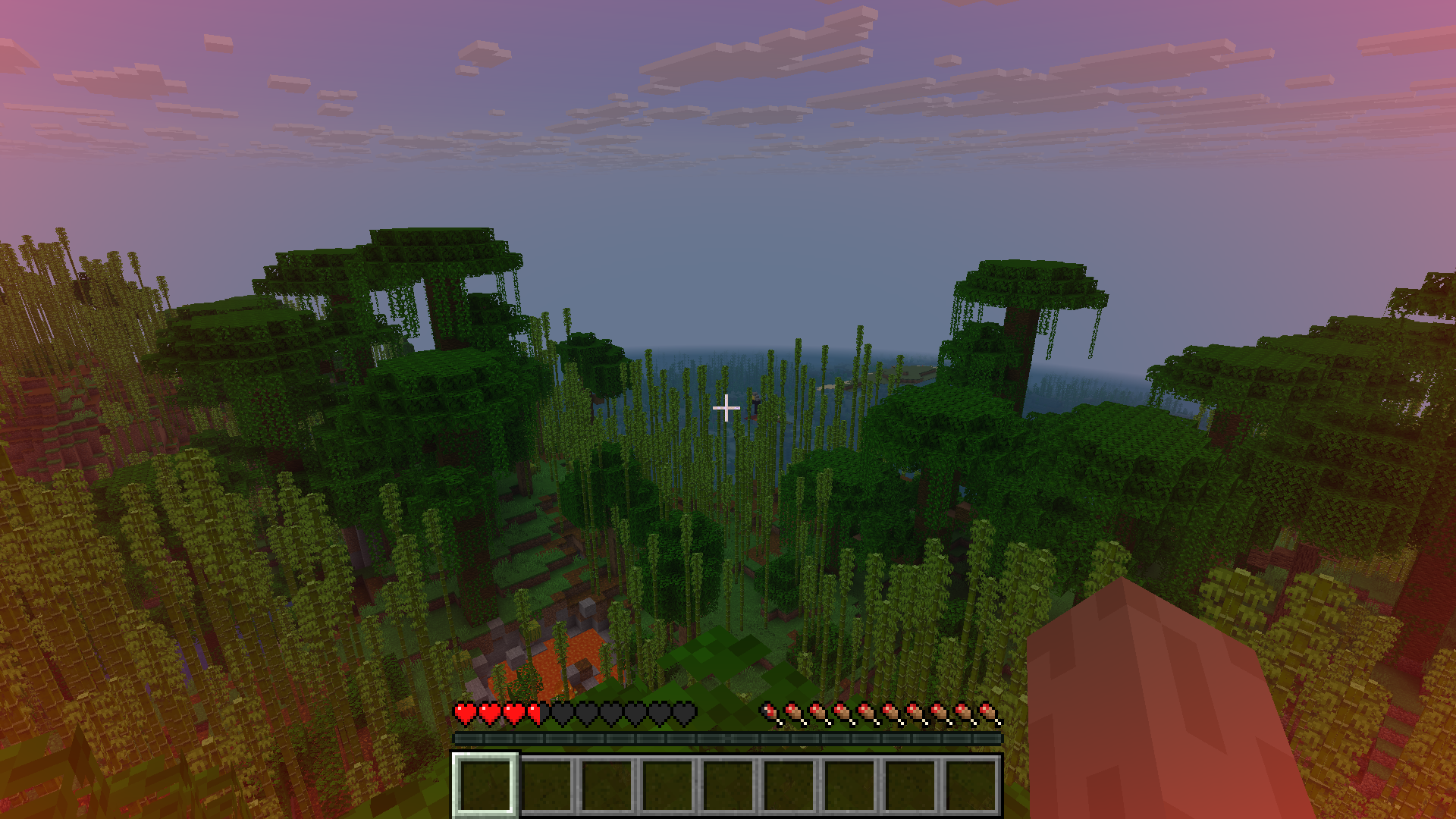
The vignette scales with health.
## Future plans
– add an api to control player vignette using server side
– smooth vignette (no instant change in vignette alpha)
– Add vignette based on danger (like air,health)
– Add pulsating effect on really low health
– Configurable texture
– Add directional pulse (like in zombie games)
Feel free to request / give ideas on discord or codeberg.
I am very likely to implement them (if I can).
## Credits
– The mod is based on [damage vignette](https://modrinth.com/mod/damagevignette) mod.
## Backports
– Similiar mods are available for previous versions, so you can go and use those.
– I have ported the above mentioned mod to 1.21.1 (for fabric), you can get it at https://github.com/offbeat-stuff/DamageVignette
Zen’s Agricultural Automations
Agricultural Automation [1.20 – 1.21]
This is an updated version of the [Original Data Pack by Chewbarcus](https://www.planetminecraft.com/data-pack/datapack-agricultural-automation-1-14/)
Inspired by the [Bonsai Tree Mod](https://legacy.curseforge.com/minecraft/mc-mods/bonsai-trees), this Datapack aims to bring the mod to Vanilla in a similar fashion using commands to automate tree/flower/shrub/cactus/bamboo farming.
Simply place a hopper with an item frame on the side, a pot on the top of the hopper and then whatever you fancy farming into the pot.
Next up, either place a Diamond Axe, Hoe or Sword (See pictures for help) into the item frame to being the process.
Every 30 seconds you’ll be rewarded with one of the drops from custom loot tables, you can even hook the hoppers up to a redstone circuit to turn this off as the Automation will only work on hoppers that are unpowered.
[Tools & Drops]
Diamond Axe:
– Oak Sapling Logs, Sapling, Leaves, Apples
– Dark Oak Sapling Logs, Sapling, Leaves, Apples
– Pale Oak Sapling Logs, Sapling, Leaves, Pale Moss
– Acacia Sapling Logs, Sapling, Leaves
– Birch Sapling Logs, Sapling, Leaves
– Spruce Sapling Logs, Sapling, Leaves
– Cherry Sapling Logs, Sapling, Leaves
– Jungle Sapling Logs, Sapling, Leaves, Vines, Cocoa Beans
– Mangrove Propagule Logs, Propagule, Leaves, Roots
– Azalea Bush Oak Logs, Azalea Bush, Leaves, Moss
– Flowering Azalea Bush Oak Logs, Flowering Azalea Bush, Leaves, Flowering Leaves, Moss
– Crimson Fungus Logs, Fungus, Wart Blocks, Shroomlight, Vines
– Warped Fungus Logs, Fungus, Wart Blocks, Shroomlight, Vines
– Red Mushroom Red Mushroom
– Brown Mushroom Brown Mushroom
– Cactus Cactus, Green Dye
Diamond Hoe:
– Allium Flower
– Azure Bluet Flower
– Blue Orchid Flower
– Cornflower Flower
– Dandelion Flower
– Lily of the Valley Flower
– Orange Tulip Flower
– Oxeye Daisy Flower
– Pink Tulip Flower
– Poppy Flower
– Red Tulip Flower
– Torchflower Flower, Seeds
– White Tulip Flower
– Wither Rose Flower
– Open Eyeblossom Flower
– Closed Eyeblossom Flower
– Fern Fern, Wheat Seeds, Melon Seeds, Pumpkin Seeds, Beetroot Seeds
– Crimson Roots Crimson Roots
– Warped Roots Warped Roots
Diamond Sword:
– Bamboo Bamboo
– Dead Bush Dead Bush, Sticks
Simply pop this into your saves/[world]/datapacks folder and play!
Available On:
– Planet Minecraft https://www.planetminecraft.com/data-pack/zen-s-agricultural-automation/
– Modrinth https://modrinth.com/datapack/zens-agricultural-automations
– Github https://github.com/ZensiertG/Agricultural-Automation
Zena’s MC 1.19.2
Overhaul your Minecraft experience whether it’s Singleplayer or a Multiplayer world with friends.
Whatever your playstyle is, you would still have fun. Explorer, Miner, Farmer, Melee or Ranged, This mod pack got it covered.
This modpack includes (Note: Please add your own shaderpack)
• Changes to Progression
• Difficulty Changes
• New mobs
• Expansion to Vanilla Hostile mobs
• Changes to Combat and new additions
• Changes and additions to farming and foraging
• New Building and decoration blocks
• New structures and improved Vanilla structures
• Terrain generation for
Overworld, Nether and the End
• Quality of Life mods
• Visual changes and additions
• Included optimizations
Problems are to be expected as there are a lot of mods in this pack.
I have no ownership of mods included in this modpack, as this is simply a modpack I managed to pile up.
Zelda Door Mechanics
## Features of the door
– No resource pack required
– Has sounds
– Has collision when closed
– Get open when getting close
– Will be placed facing north/south by default, you can rotate to 90°
– Possibility to lock door and to get a key
– Peebles animation on the ground when the door is closing
– Model for locked door
– Once a locked door is unlocked, the key from the player inventory get deleted
– Animation inspired from Zelda: Twilight Princess when a locked door is unlocked
**If you don’t want to read all this, just do /function door:help in-game and read the step-by-step documentation in-game!**
### How to place & remove a door
**To place a door (you need OP), follow those 2 easy steps carefully:**
– Go where you wanna place the door, and check for your position (X,Y,Z). Then, go in spectator mode and do /teleport [your coordinates, but **add** .5 after each number] (example: if your coordinates are x 12, y 64 and z -100, run /teleport 12.5 64.5 -99.5
– Run /function door:_/create
– **It’s done!**
– To remove a door, stand on it and run /function door:remove_current_door
### How to lock & unlock a door
**To lock a door:**
– Go where you wanna place the door, and check for your position (X,Y,Z). Then, go in spectator mode and do /teleport [your coordinates, but **add** .5 after each number] (example: if your coordinates are x 12, y 64 and z -100, run /teleport 12.5 64.5 -99.5 do the teleport
– Run /function door:lock_door whilst standing on the door
– To unlock it, get a key with /function door:give_key
### How to rotate a door
**To rotate a door:**
– Stand at the door position and check for the coordinates, then run /gamemode spectator and /teleport x.5 y.5 z.5 as for the other steps
– If you want to rotate a locked door, lock it before the next step (see above)
– Run /function door:rotate_door_90
**For in-game help and additional commands, run /function door:help**
**This datapack has a known issue:**
– Collisions don’t work for rotated locked door (currently, it’s better to only locks doors facing north/south, but you can create non-locked doors facing east/west if you want)
Zech’s Essentials
🚧 Description is Work-in-Progress for version 5.0.0 🚧
# About
“This modpack is aimed to make vanilla experience better, it doesn’t change any game mechanics – aimed for singleplayer and survival servers (if the server allows included mods)”
# Shaders
– I recommend using [Complementary shaders](https://www.complementary.dev/), either the Reimagined or Version 4, the option is yours
# Mod List (64)
Table of all mods used from Modrinth
| Mod name | Description (by mod author) |
| ——– | ————————— |
| [3D Skin Layers](https://modrinth.com/mod/zV5r3pPn) | Render the player skin layer in 3d! |
| [AdvancementInfo](https://modrinth.com/mod/G1epq3jN) | Show more information about advancement requirements |
| [Animatica](https://modrinth.com/mod/PRN43VSY) | A mod implementing the OptiFine/MCPatcher animated texture format |
| [Quilted Fabric API (QFAPI) / Quilt Standard Libraries (QSL)](https://modrinth.com/mod/qvIfYCYJ) | The standard libraries of the Quilt ecosystem. Essential for your modding experience on Quilt! |
| [AppleSkin](https://modrinth.com/mod/EsAfCjCV) | Food/hunger-related HUD improvements |
| [Architectury API](https://modrinth.com/mod/lhGA9TYQ) | An intermediary api aimed to ease developing multiplatform mods. |
| [Auth Me](https://modrinth.com/mod/yjgIrBjZ) | Authenticate yourself and re-validate your session |
| [bad packets](https://modrinth.com/mod/ftdbN0KK) | Bad Packets allows packet messaging between different modding platforms. |
| [Balm](https://modrinth.com/mod/MBAkmtvl) | Abstraction Layer (but not really)™ for Blay’s multiplatform mods |
| [Cloth Config API](https://modrinth.com/mod/9s6osm5g) | Configuration Library for Minecraft Mods |
| [Beenfo](https://modrinth.com/mod/Bta0Pt47) | Show number of bees and honey level in hives and nests |
| [Better Mount HUD](https://modrinth.com/mod/kqJFAPU9) | Improves the ingame HUD while riding a mount |
| [Better Taskbar](https://modrinth.com/mod/gPEcet33) | Show state on taskbar |
| [Borderless Mining](https://modrinth.com/mod/kYq5qkSL) | Changes Fullscreen to use a borderless window. |
| [Custom Entity Models](https://modrinth.com/mod/YOQCucah) | Custom Entity Models suport on Fabric |
| [ClickThrough](https://modrinth.com/mod/Z5b0cAlD) | Click through signs and item frames to chests |
| [Client Tweaks](https://modrinth.com/mod/vPNqo58Q) | There, I fixed Minecraft for you. Various optional tweaks to improve Minecraft Quality of Life. |
| [Crafting Tweaks](https://modrinth.com/mod/DMu0oBKf) | Allows you to rotate, balance or clear the crafting matrix by the press of a button, in any (supported) crafting window. |
| [DashLoader](https://modrinth.com/mod/ZfQ3kTvR) | Launch at the speed of light. |
| [oωo (owo-lib)](https://modrinth.com/mod/ccKDOlHs) | A general utility, GUI and config library for modding on Fabric and Quilt |
| [DeathLog](https://modrinth.com/mod/TPAYeAOc) | Keeps track of the many embarrassing times you died |
| [YetAnotherConfigLib](https://modrinth.com/mod/1eAoo2KR) | A builder-based configuration library for Minecraft. |
| [Debugify](https://modrinth.com/mod/QwxR6Gcd) | Fixes Minecraft bugs found on the bug tracker |
| [Detail Armor Bar](https://modrinth.com/mod/hAt6ty93) | More detail about armor in Armor bar! |
| [Durability Viewer](https://modrinth.com/mod/LTM1f0yY) | Armor and Tool durability HUD |
| [Dynamic FPS](https://modrinth.com/mod/LQ3K71Q1) | Improve performance when Minecraft is in the background. |
| [EasierVillagerTrading](https://modrinth.com/mod/ChscgScW) | Fewer clicks to trade with villagers |
| [Entity Texture Features](https://modrinth.com/mod/BVzZfTc1) | Emissive, Random & Custom texture support for entities in resourcepacks just like Optifine but for Fabric |
| [FabricSkyboxes](https://modrinth.com/mod/YBz7DOs8) | Allows resource packs to define custom skyboxes. |
| [Falling Leaves](https://modrinth.com/mod/WhbRG4iK) | Adds a neat little particle effect to leaf blocks |
| [FerriteCore](https://modrinth.com/mod/uXXizFIs) | Memory usage optimizations |
| [Horse Stats Vanilla](https://modrinth.com/mod/l4qoXLzx) | This client-side mod displays the statistics (health, speed, jump height) of horses in their inventory. |
| [Sodium](https://modrinth.com/mod/AANobbMI) | Modern rendering engine and client-side optimization mod for Minecraft |
| [Indium](https://modrinth.com/mod/Orvt0mRa) | Sodium addon providing support for the Fabric Rendering API, based on Indigo |
| [Iris Shaders](https://modrinth.com/mod/YL57xq9U) | A modern shaders mod for Minecraft intended to be compatible with existing OptiFine shader packs |
| [JourneyMap](https://modrinth.com/mod/lfHFW1mp) | Real-time mapping in game or in a web browser as you explore. |
| [LambdaBetterGrass](https://modrinth.com/mod/2Uev7LdA) | A Minecraft mod which adds better grass and snow to the game. |
| [LambDynamicLights](https://modrinth.com/mod/yBW8D80W) | A dynamic lights mod for Fabric. |
| [Language Reload](https://modrinth.com/mod/uLbm7CG6) | Reduces load times and adds fallbacks for languages |
| [LazyDFU](https://modrinth.com/mod/hvFnDODi) | Makes the game boot faster by deferring non-essential initialization |
| [Light Overlay](https://modrinth.com/mod/YfOlc91N) | A simple mod to provide users with NEI-like light level overlay. |
| [Lithium](https://modrinth.com/mod/gvQqBUqZ) | No-compromises game logic/server optimization mod |
| [MidnightControls](https://modrinth.com/mod/bXX9h73M) | Adds controller support and enhanced controls overall. |
| [Mod Menu](https://modrinth.com/mod/mOgUt4GM) | Adds a mod menu to view the list of mods you have installed. |
| [Mouse Wheelie](https://modrinth.com/mod/u5Ic2U1u) | A “small” clientside mod featuring item scrolling, inventory sorting, item refilling and more! |
| [Not Enough Animations](https://modrinth.com/mod/MPCX6s5C) | Bringing first-person animations to the third-person |
| [Ok Zoomer](https://modrinth.com/mod/aXf2OSFU) | Adds a highly-configurable zoom key for Quilt. The zoom is yours! |
| [MixinTrace](https://modrinth.com/mod/sGmHWmeL) | Adds a list of mixins in the stack trace to crash reports |
| [Reese’s Sodium Options](https://modrinth.com/mod/Bh37bMuy) | Alternative Options Menu for Sodium |
| [Roughly Enough Items (REI)](https://modrinth.com/mod/nfn13YXA) | Clean and Customizable. Alternative to Just Enough Items/JEI. |
| [Screenshot to Clipboard](https://modrinth.com/mod/1KiJRrTg) | Screenshots taken are copied to the clipboard. |
| [Smooth Boot (Fabric)](https://modrinth.com/mod/FWumhS4T) | Improve Minecraft CPU scheduling |
| [Sodium Extra](https://modrinth.com/mod/PtjYWJkn) | Features that shouldn’t be in Sodium. |
| [Starlight (Fabric)](https://modrinth.com/mod/H8CaAYZC) | Rewrites the light engine to fix lighting performance and lighting errors |
| [Visuality](https://modrinth.com/mod/rI0hvYcd) | Little visual improvements by adding a bunch of new particles. |
| [Your Options Shall Be Respected (YOSBR)](https://modrinth.com/mod/WwbubTsV) | Your options shall be respected. |
| [CraftPresence](https://modrinth.com/mod/DFqQfIBR) | Completely Customize the way others see you play in Discord! |
| [Prism](https://modrinth.com/mod/1OE8wbN0) | A library all about color! Provides lots of color-related functionality for dependent mods. |
| [Iceberg](https://modrinth.com/mod/5faXoLqX) | A modding library that contains new events, helpers, and utilities to make modder’s lives easier. |
| [Item Borders](https://modrinth.com/mod/b1fMg6sH) | Add colored borders to inventory slots to make your rare items stand out! |
| [Item Highlighter](https://modrinth.com/mod/cVNW5lr6) | Highlights newly picked-up items. Simple and convenient. |
| [Equipment Compare](https://modrinth.com/mod/CYSUVOdj) | Makes it easier to compare equipment by showing a tooltip for what you’re already wearing. |
| [Amecs](https://modrinth.com/mod/rcLriA4v) | Improves your keys & controls setup by providing modifier keys and making multi-functional keys a thing. |
| [Forge Config API Port](https://modrinth.com/mod/ohNO6lps) | Yes, you’re reading that correctly. This is the whole Forge Config API ported to Fabric. |
—
*last updated on Feb 23, 2023*
Zauber
# Zauber
[](https://modrinth.com/mod/D4OgkVp4)
[](https://modrinth.com/mod/midnightlib)
[](https://modrinth.com/mod/polymer)
### Spells
#### This Mod adds 11 new Spells to the Game!
– Arrow Spell
– Shoots a barrage of Arrows in front of you.
– Dash Spell
– Dodge attacks and escape fights.
– Pull Spell
– Pulls Players to you.
– Push Spell
– Pushes Players away from you.
– Fire Spell
– Ignite your opponents.
– Ice Spell
– Frezze your opponents.
– Rewind Spell
– Teleports back in to your Past.
– Suicide Spell
– Trapped in a Prison? Your free way out!
– Sprout Spell
– Lets Plants grow.
– Teleport Spell
– Teleports you to a Player in your surrounding.
– Supernova Spell***¹**
– BIG BOOM
– Juggernaut Spell***¹**
– Become the Juggernaut, for 2 Minutes.
Most of these Spells are available through the Spell Table, a new Block. 
This Block can be charged through the power of lightning. But only natural Lightning don’t even try to use channeling.
Or you can learn them directly with `/learn @s all`
# Mana
You can brew Mana Potions using a Brewing stand (who would have thought that).
You can use Chorus Flowers, to brew your Mana Potions.
You can have up to **20** Mana.
# Vanilla compatibility
Through [Polymer](https://modrinth.com/mod/polymer) Vanilla players are able to play on a Server using this Mod.
They will not be able to use the Features of this Mod when playing with Vanilla.
# Tranlsation
😺 Lol-Cat ✅
🇩🇪 German ✅
🇺🇸 English ✅
🇪🇸 Spanish ⏳ (wip)
# Modpack?
This Mod is developed for the the [ChainSMP](https://discord.gg/fQUHbP6EmM).
You can still use it for yourself, if you include it in a Modpack credit would be nice.
### *¹This Spell is not obtainable in Survival.
Zapped
**zapped has been achived because I am not happy with its current quality.
zapped will get a full rework when the time is right**

Zapped is a Data-pack that turns lightning rods from a useless block to a way to transport zaps so you can power machines and productivity armour.
1.2 update released
-music disc (creator disc combined with a zap)
-config (/function zapped:config/config)
-armour texture (enable in config)
**Requires a Resource-pack to see tools (copper tools appear gold) or to see the armour texture**
**( armour texture disabled by default in config)**
Copper Lines
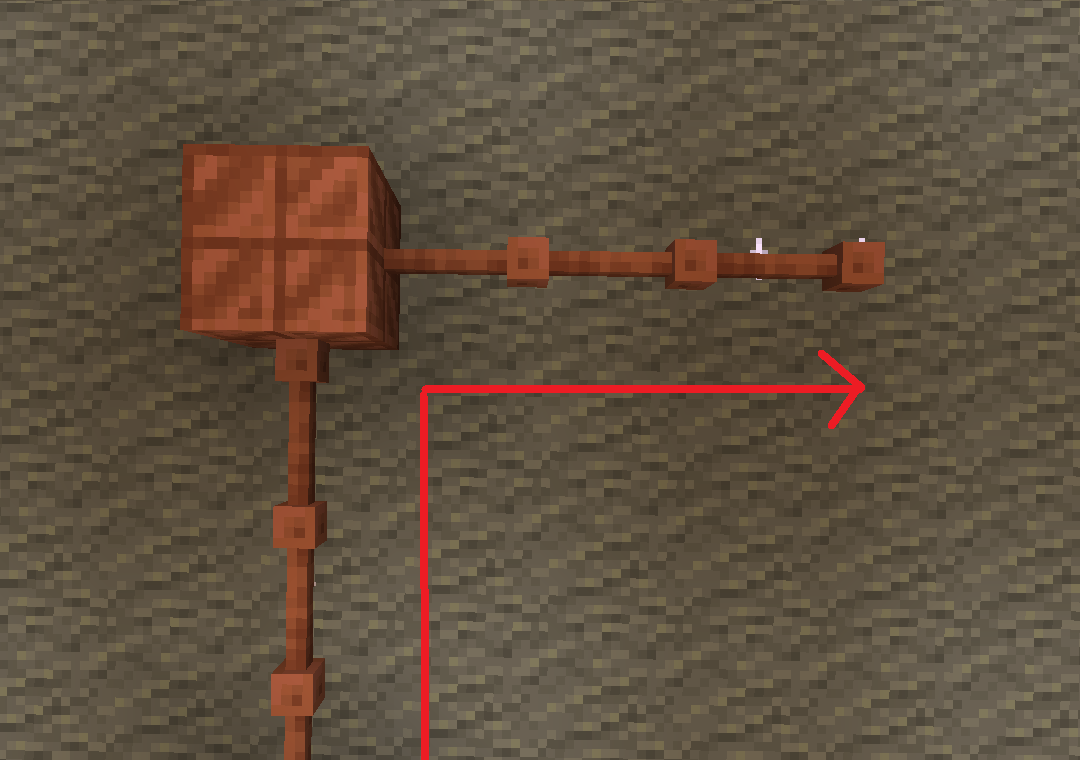
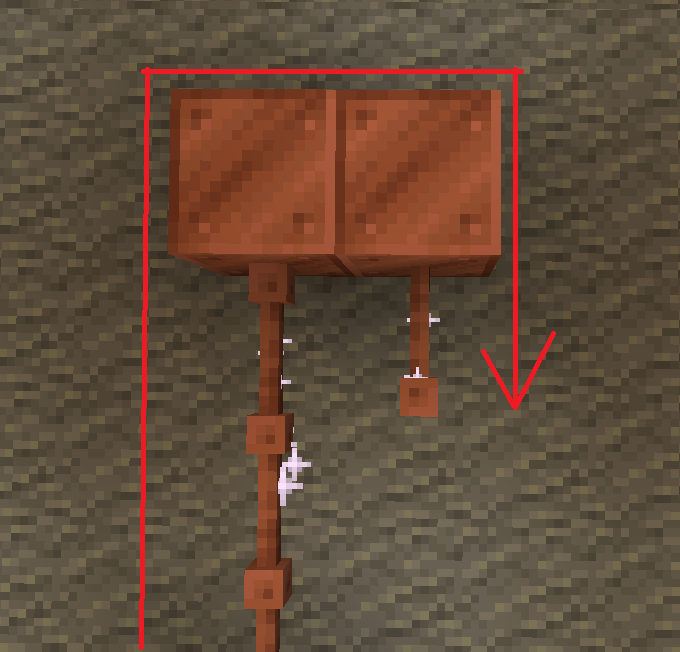
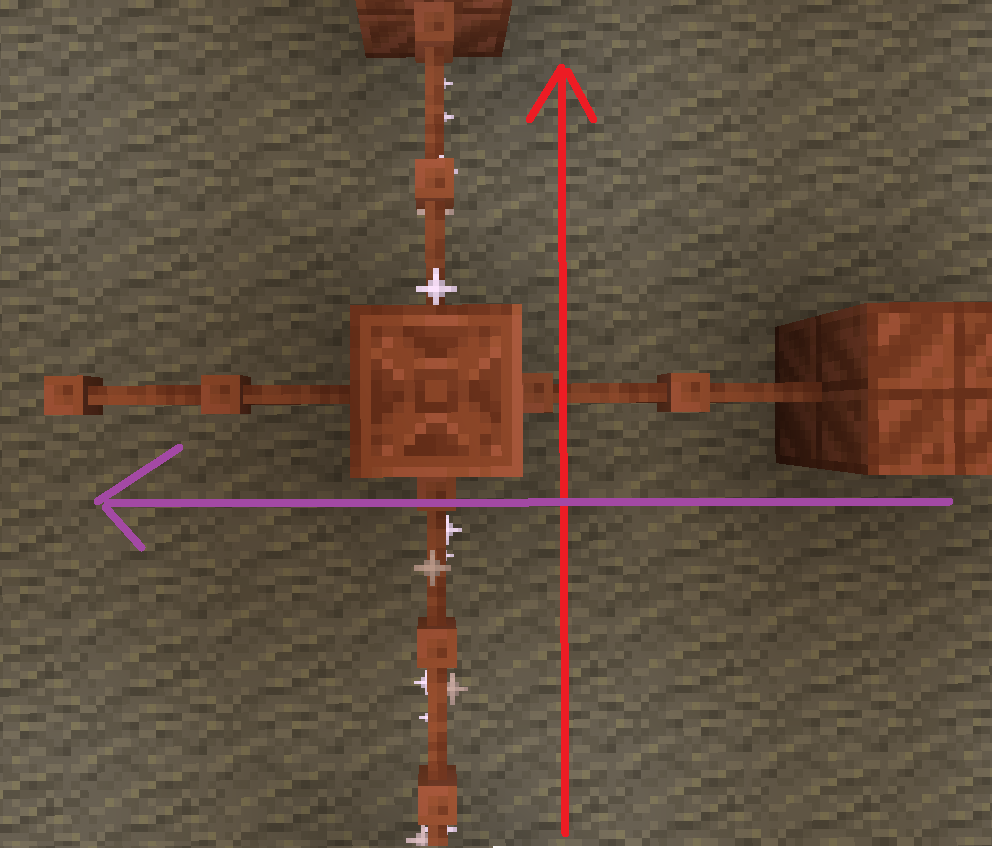
batteries store up to 32. though rusted batteries turn 32 into 16

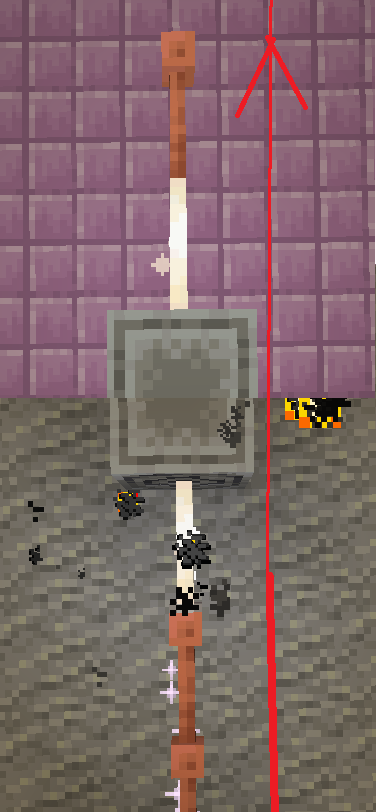
Don’t use copper blocks like that. Also, there is a chance it stays within the blocks and expires.

The most common thing to power is the productivity armour/tools or copper armour/tools.
The armour and tools are weak and easily destroyed. The armour gives less protection than iron and tools are slightly better than stone.
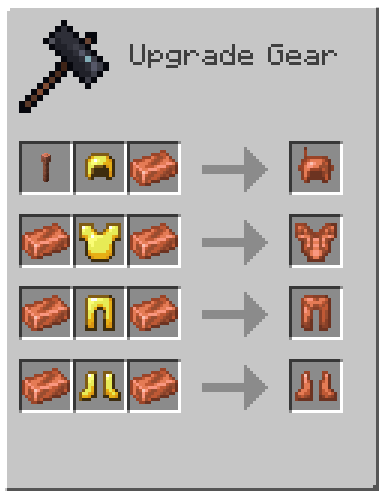
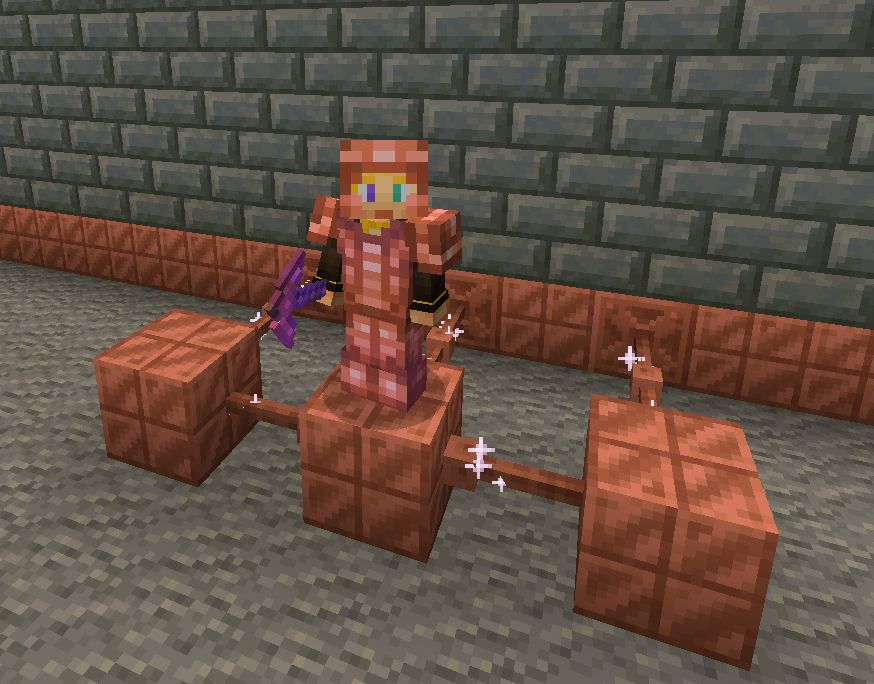
armor recipe
Because of copper’s malleability, it requires a structure.
The copper armour must be conductive, making golden armour a perfect cadet because it is also conductive.
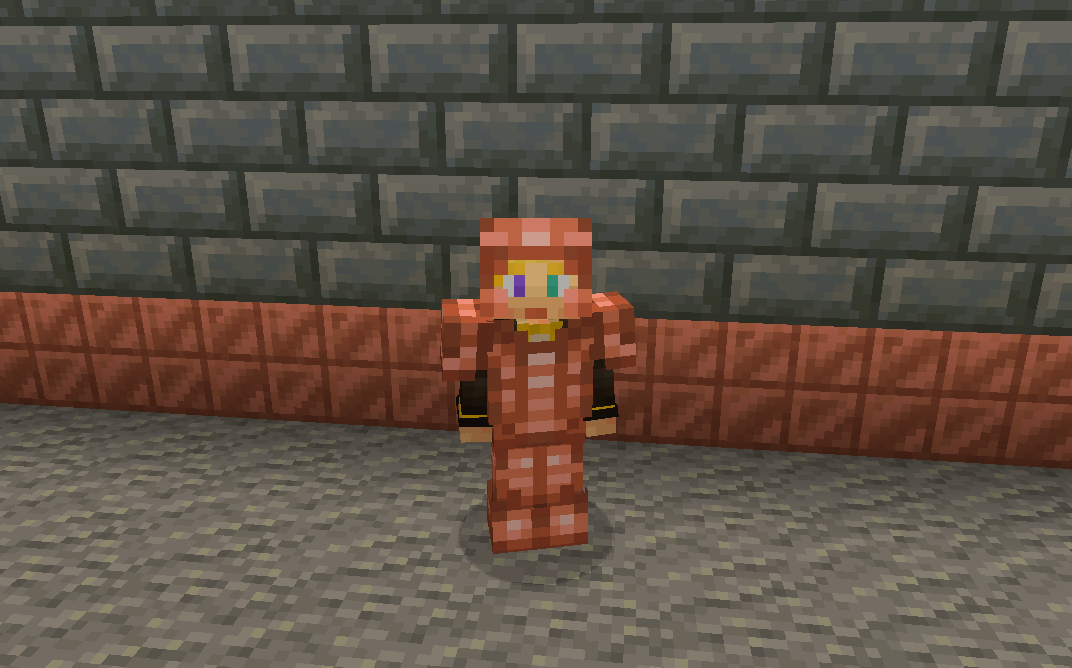
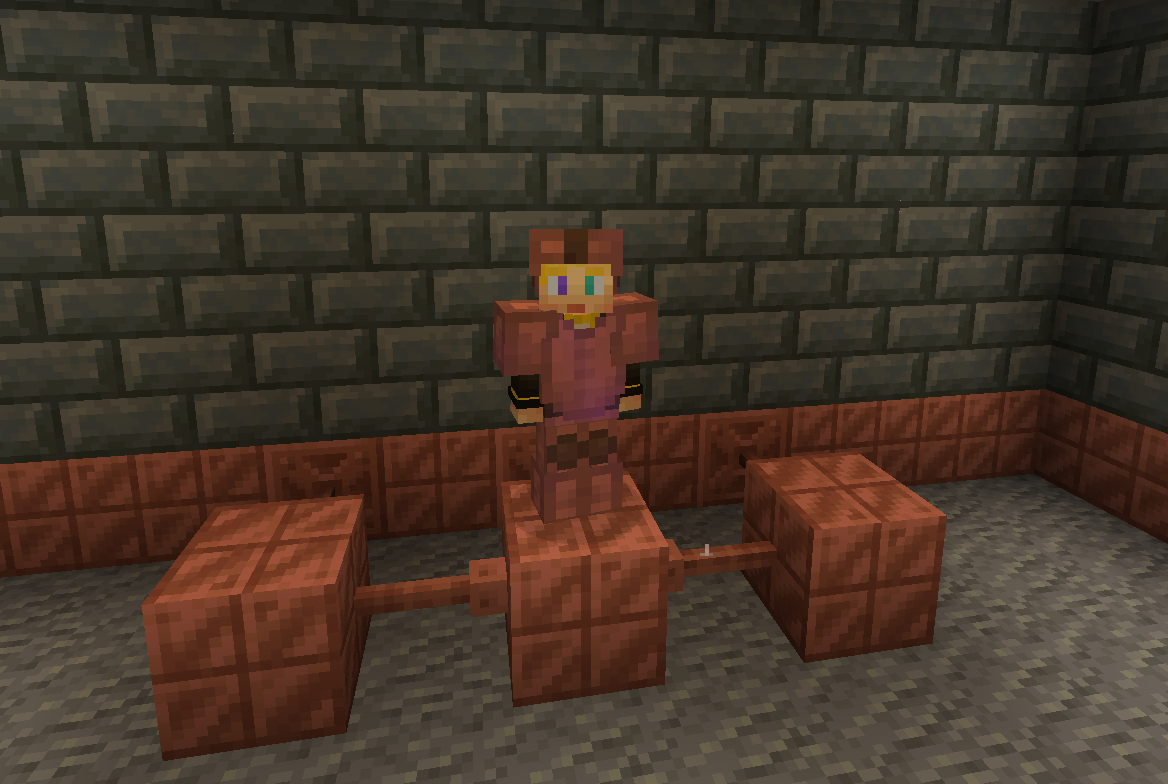
without resoursepack
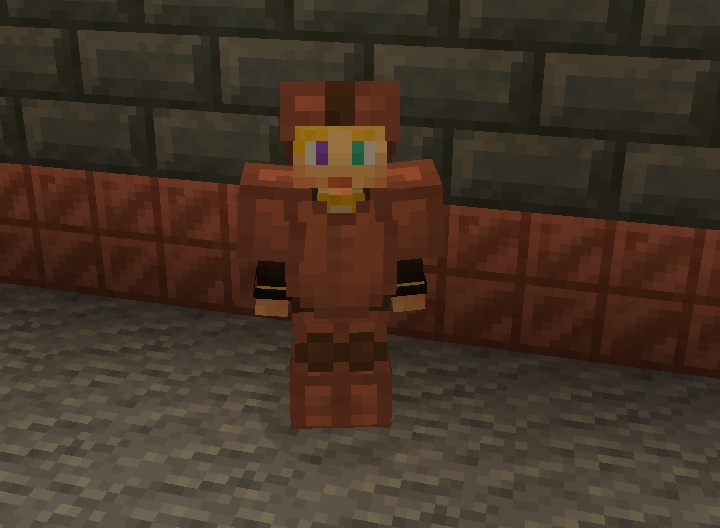
But don’t let the tools fool you these are powerful assets.
With the power of zaps, you can charge the armour to be better than they once were.
Armour at max charge now gives as much protection as a diamond. They also give you a faster and extended grip (R.I.P-Crab). The boots also decrease fall damage.
without resoursepack
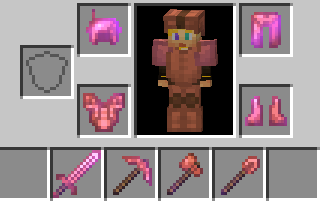
The charged tools rivel netherite making them faster and sharper.
The sword is slower to swing but has a better sweeping edge and damage.
The axe is fast
The pickaxe is fast
The shovel.. is also fast.
And the hoe doesn’t exist 🙁 …
Spoiler
YET
You can also charge copper bulbs to have a better range.
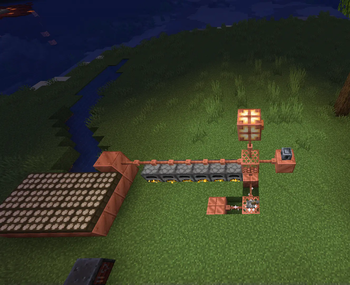
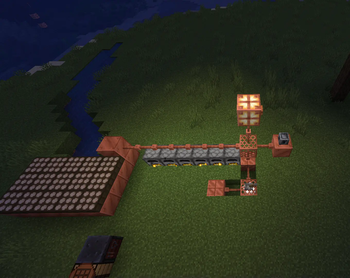
Tired of charging your armour?
With the use of the heavy core, you can change your armour wirelessly!
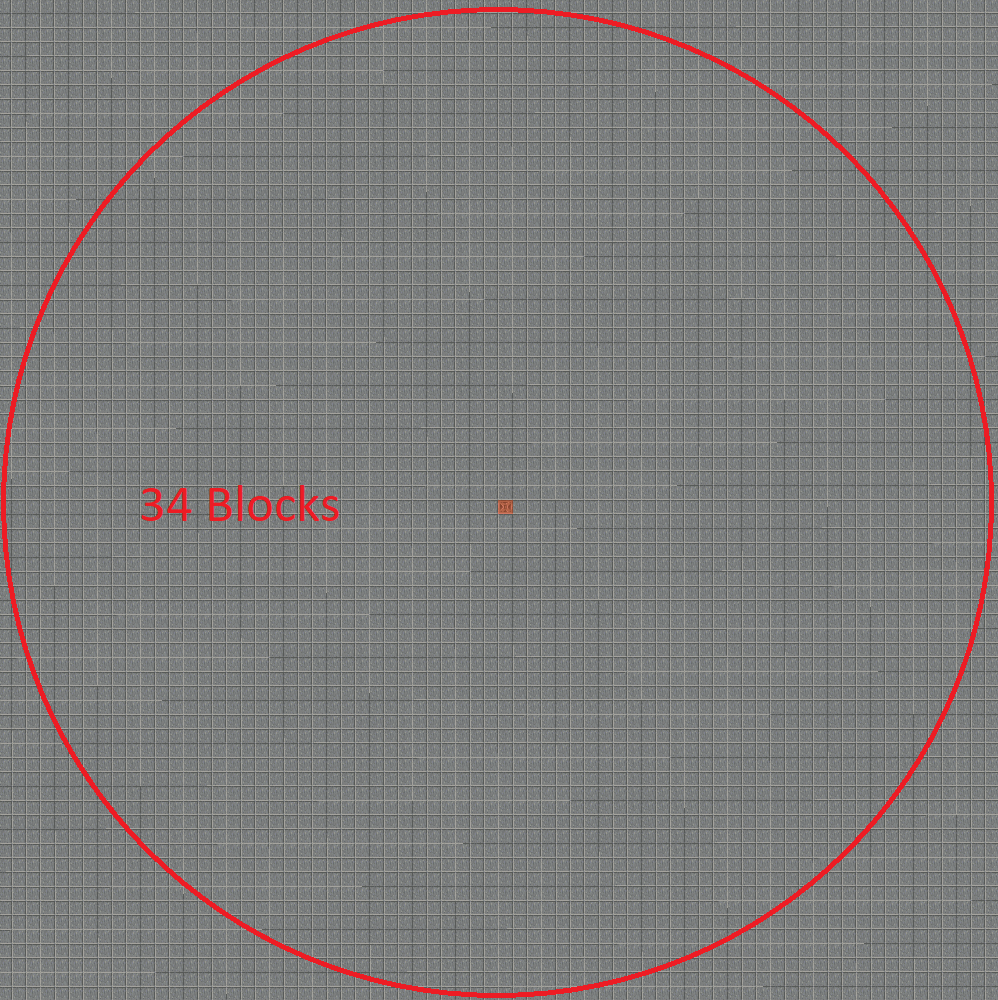
However due to the zaps exposure to the air it requires 40 zaps for one charge.
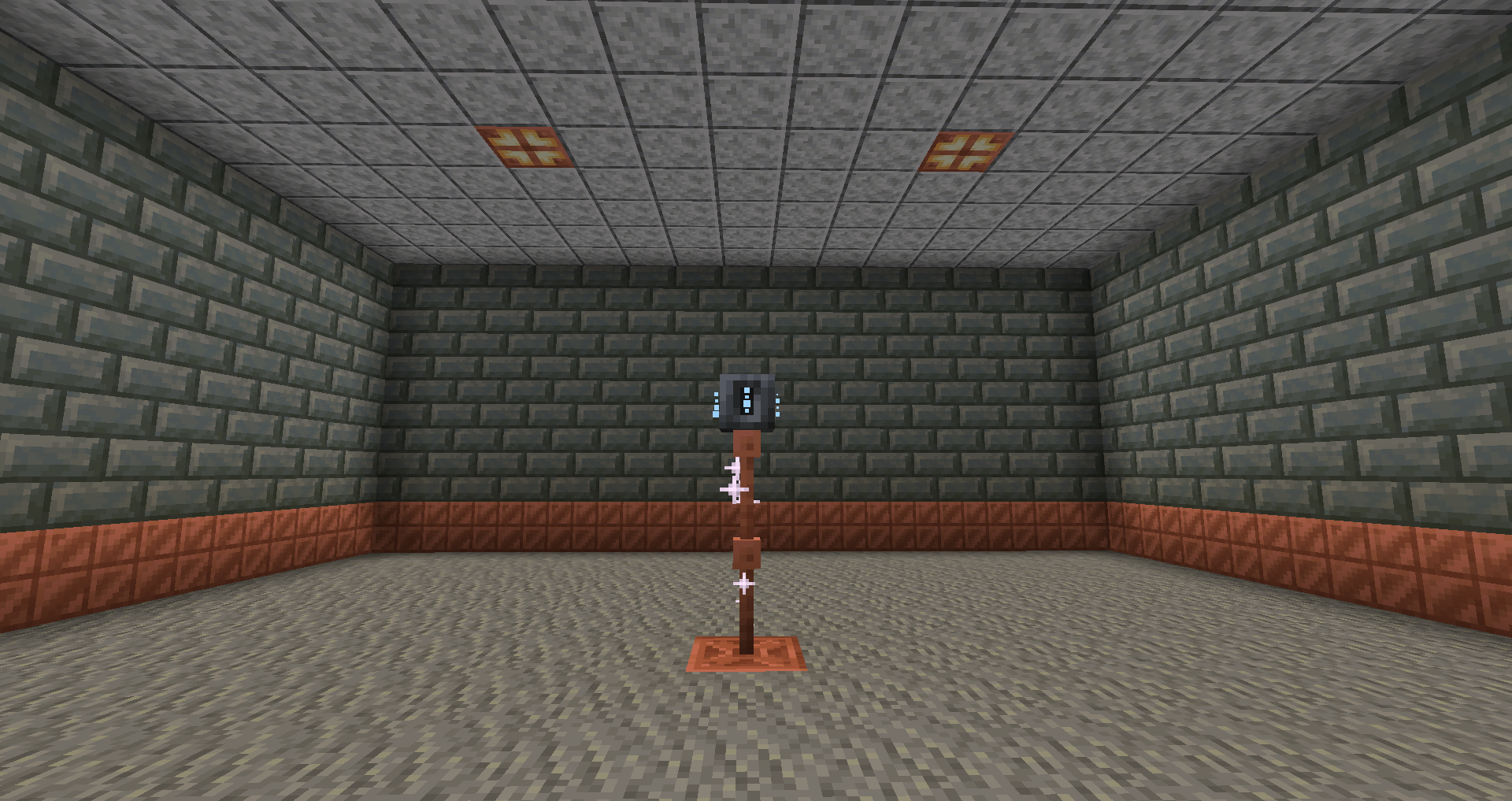
Heavy core distance
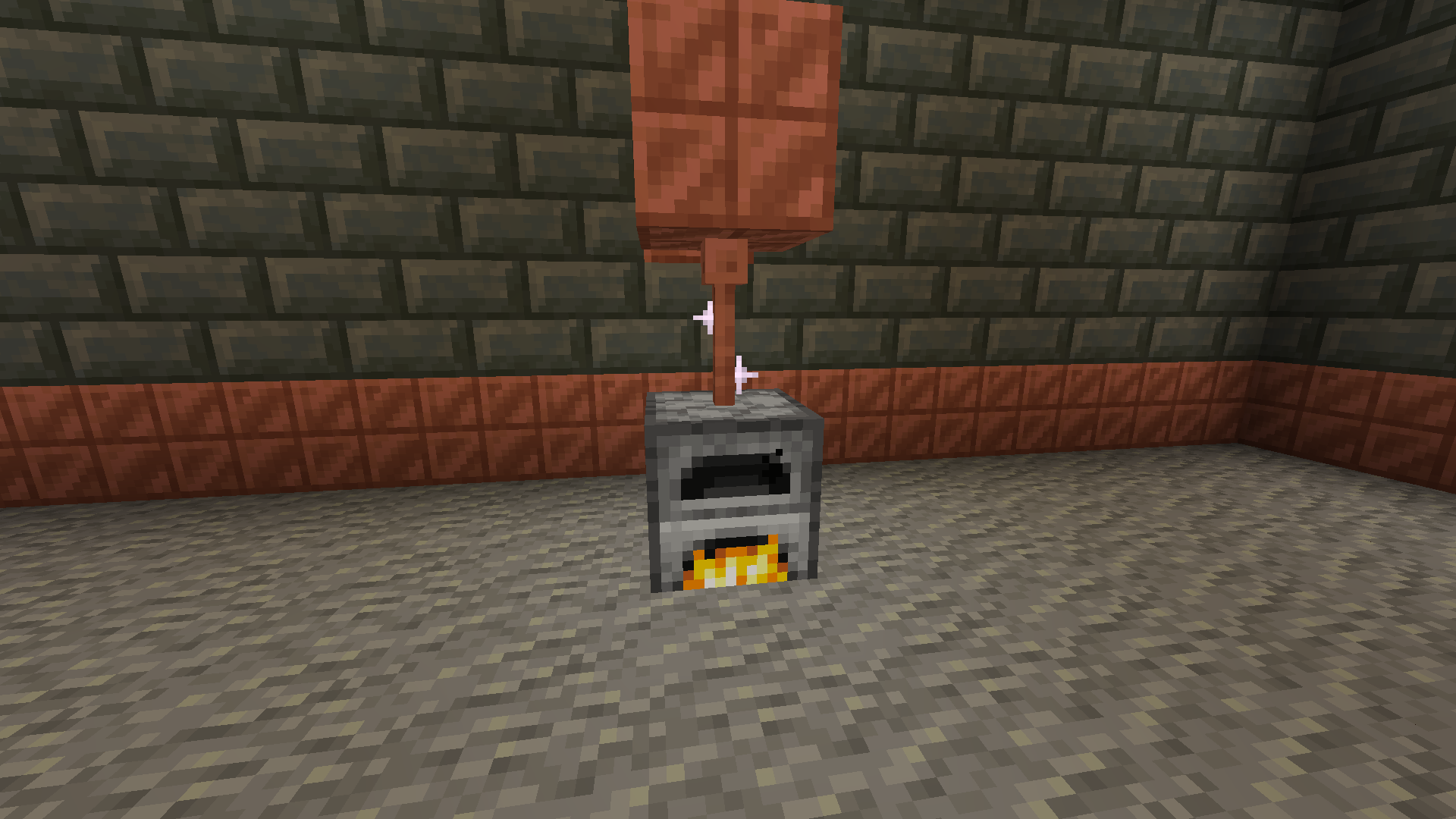
Now for the good part, how do you generate zaps?
There are a few ways to do it with the easiest being furnaces.
The furnaces must be constantly lit.
Then there are daylight sensors that generate power over time slowly but surely.
If combined with copper blocks to minimise space.
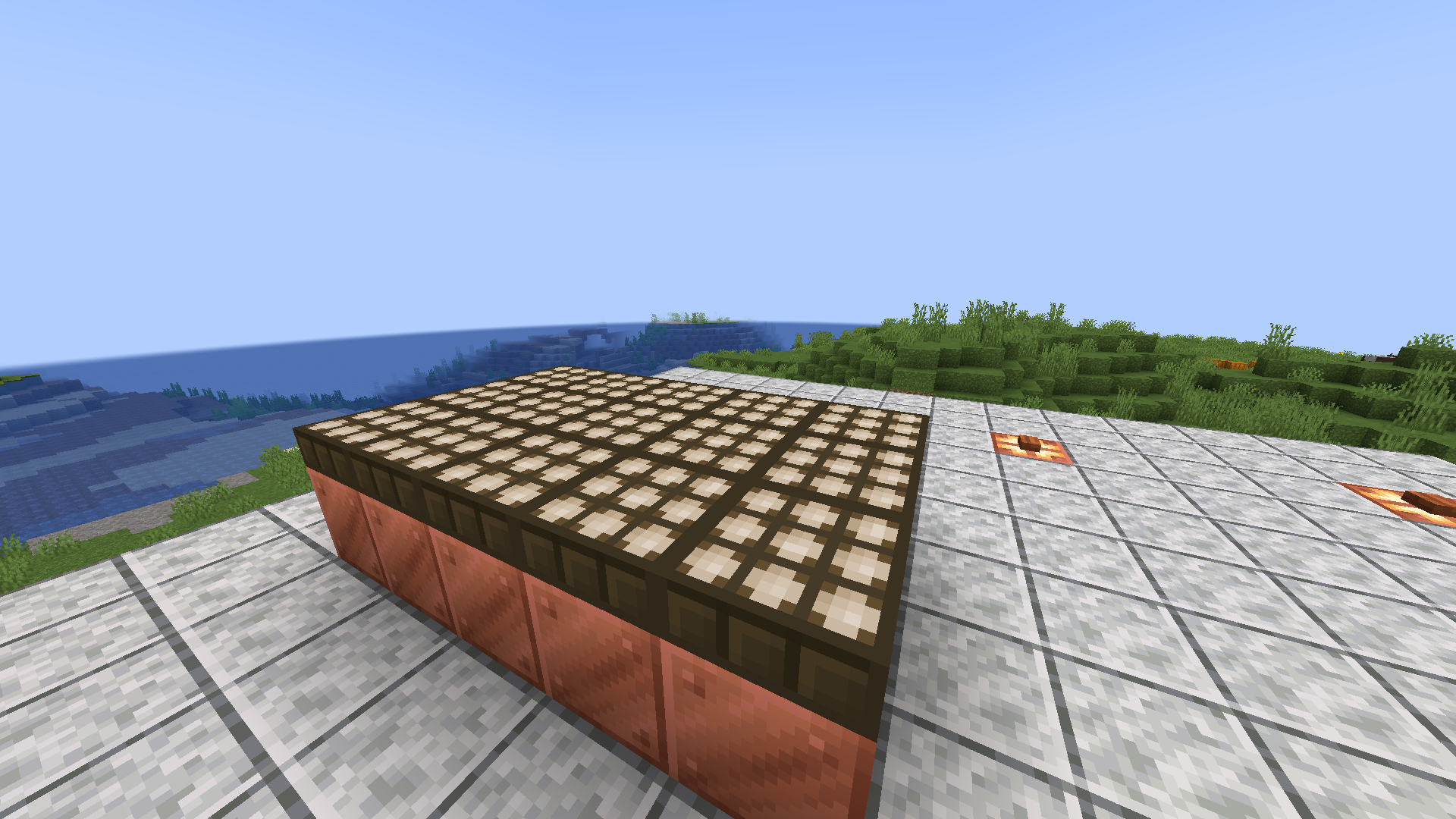
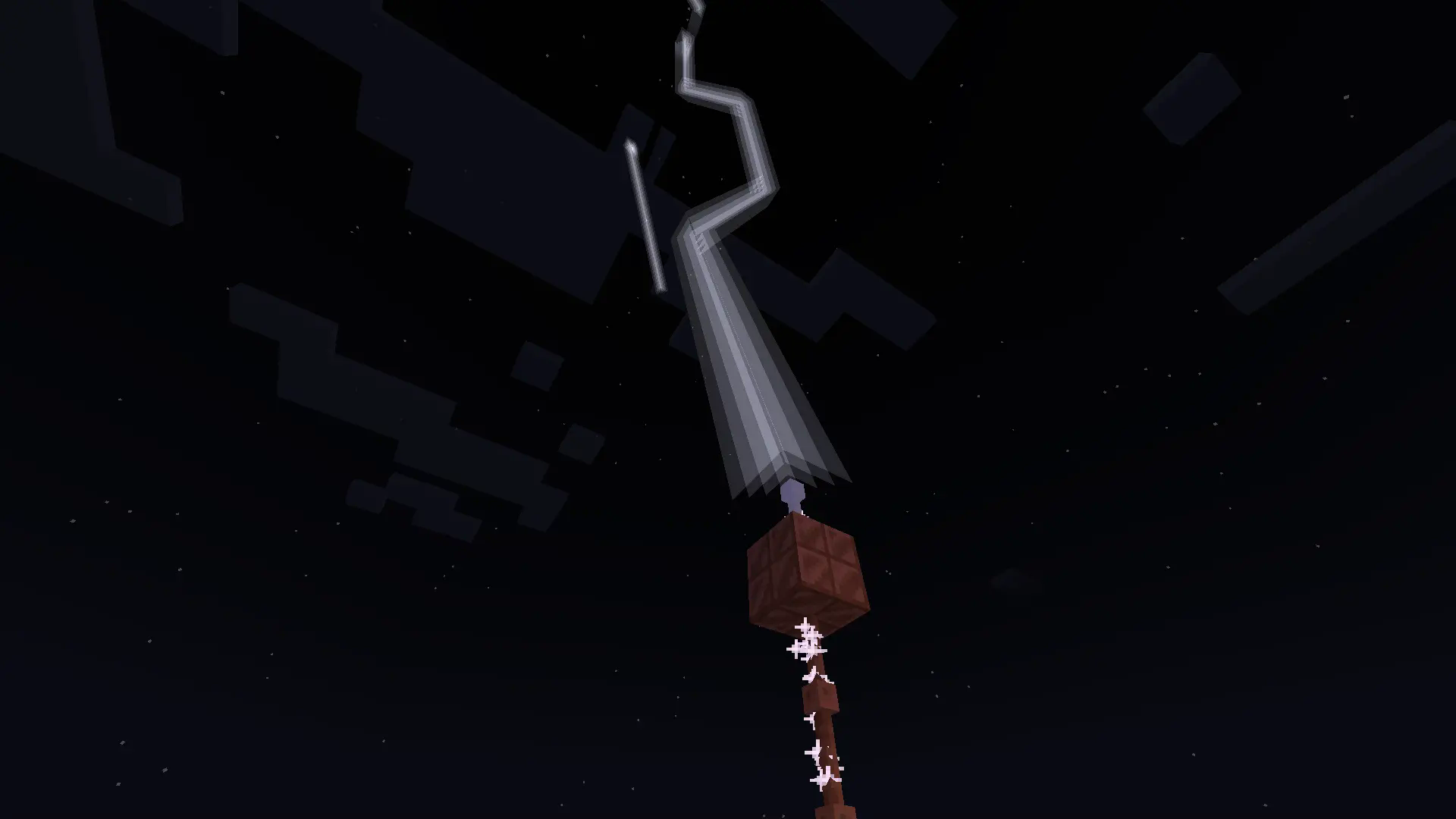
Or you can go the old-fashioned way and use lightning rods for their intended purpose.
Produces high power when struck necessary for all buildings.
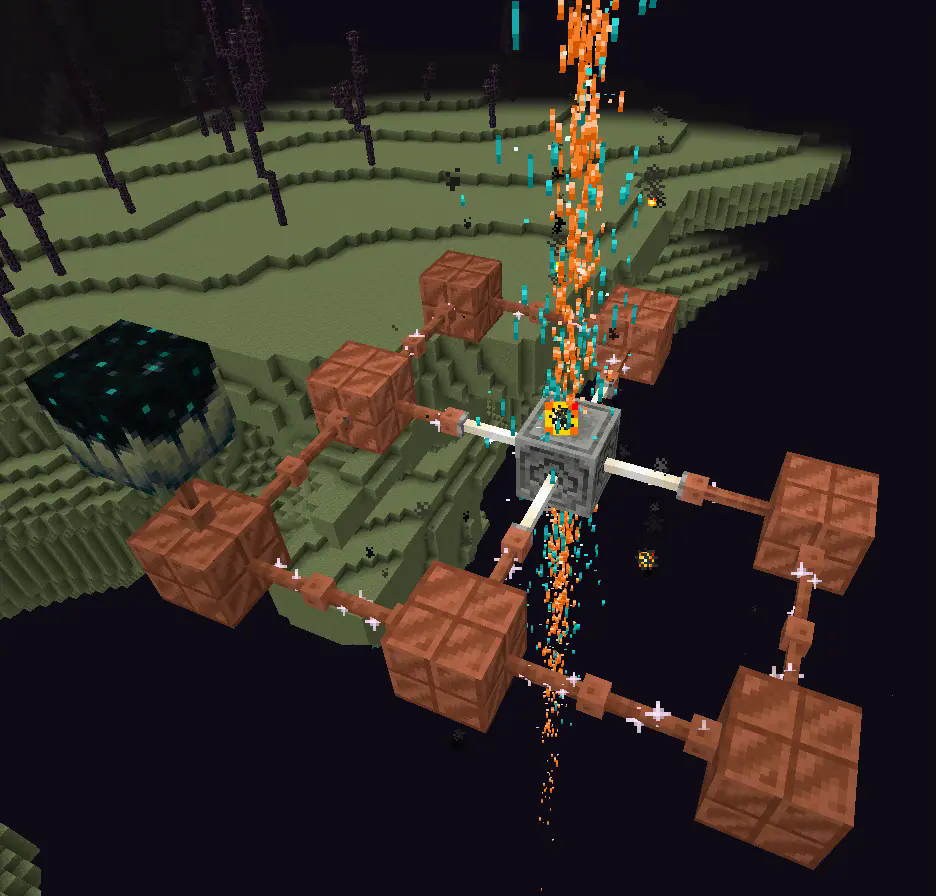
With more infrastructure, you can turn a mob farm into an energy source.
Which is made possible with the catalyst
Recipe
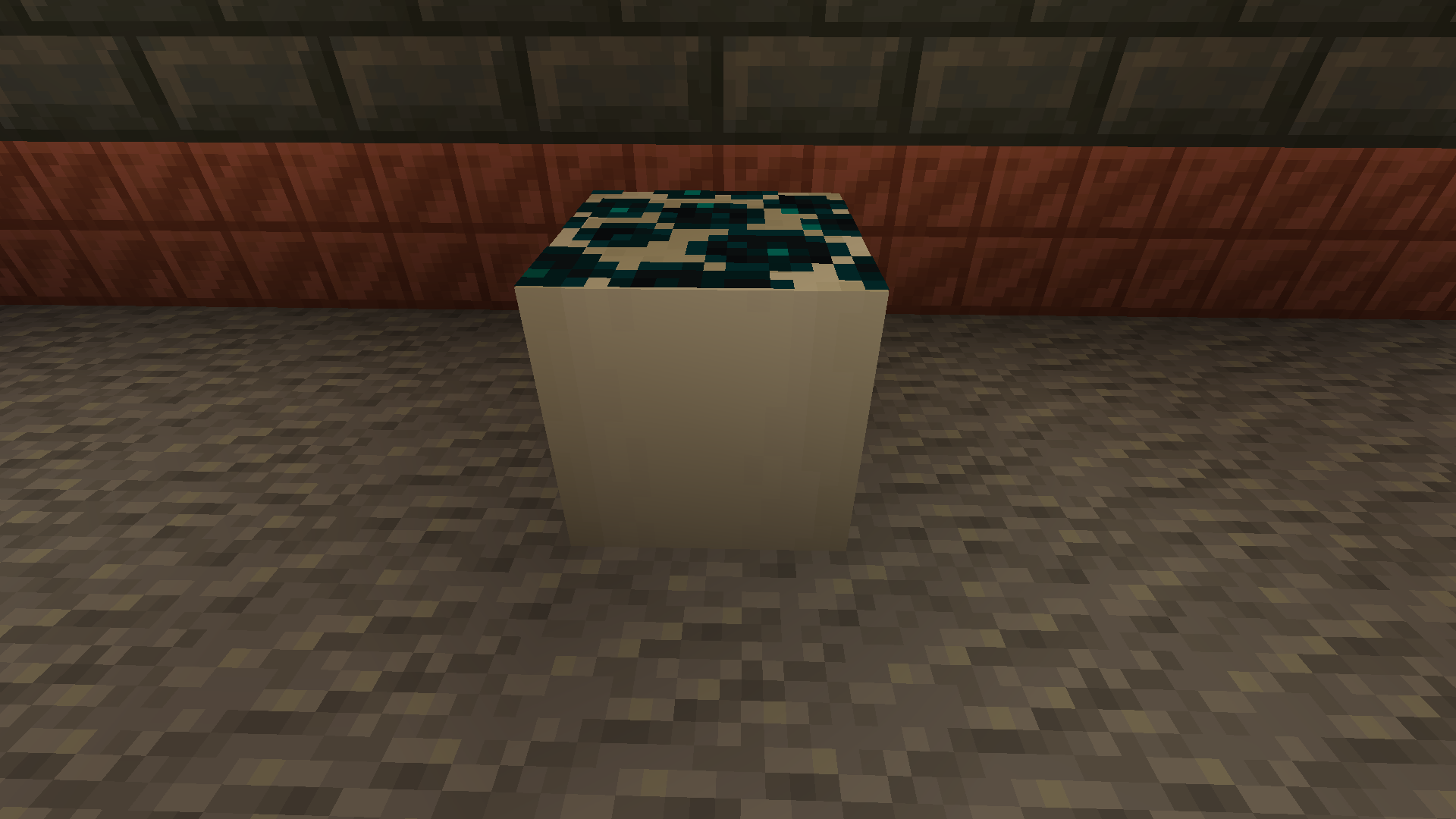
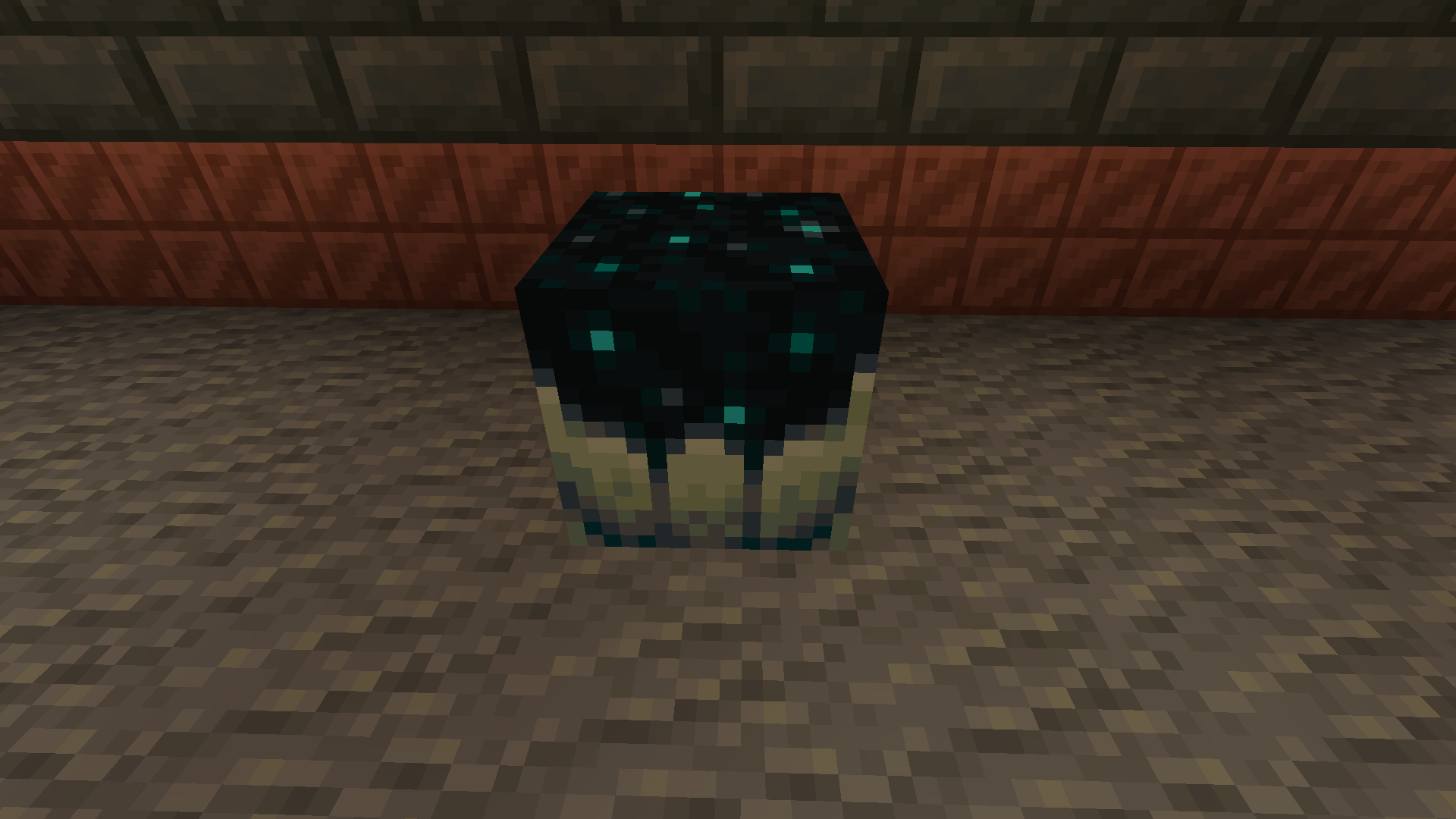
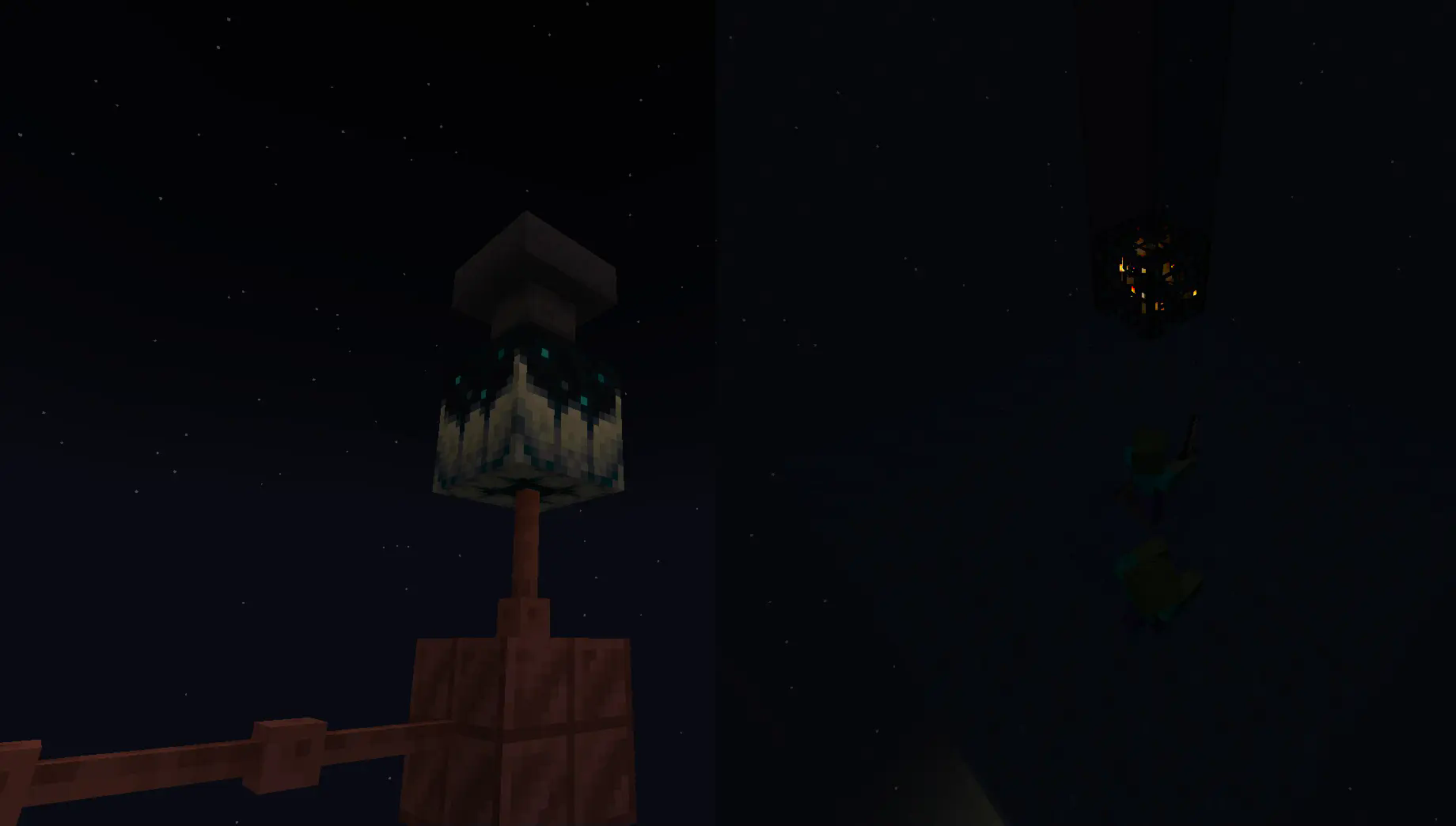
Going into the late game there is the gateway.
To make a gateway you need to align 2 lodestones together at the same cords in both the end and overworld. It also doubles up as a chunk loader.
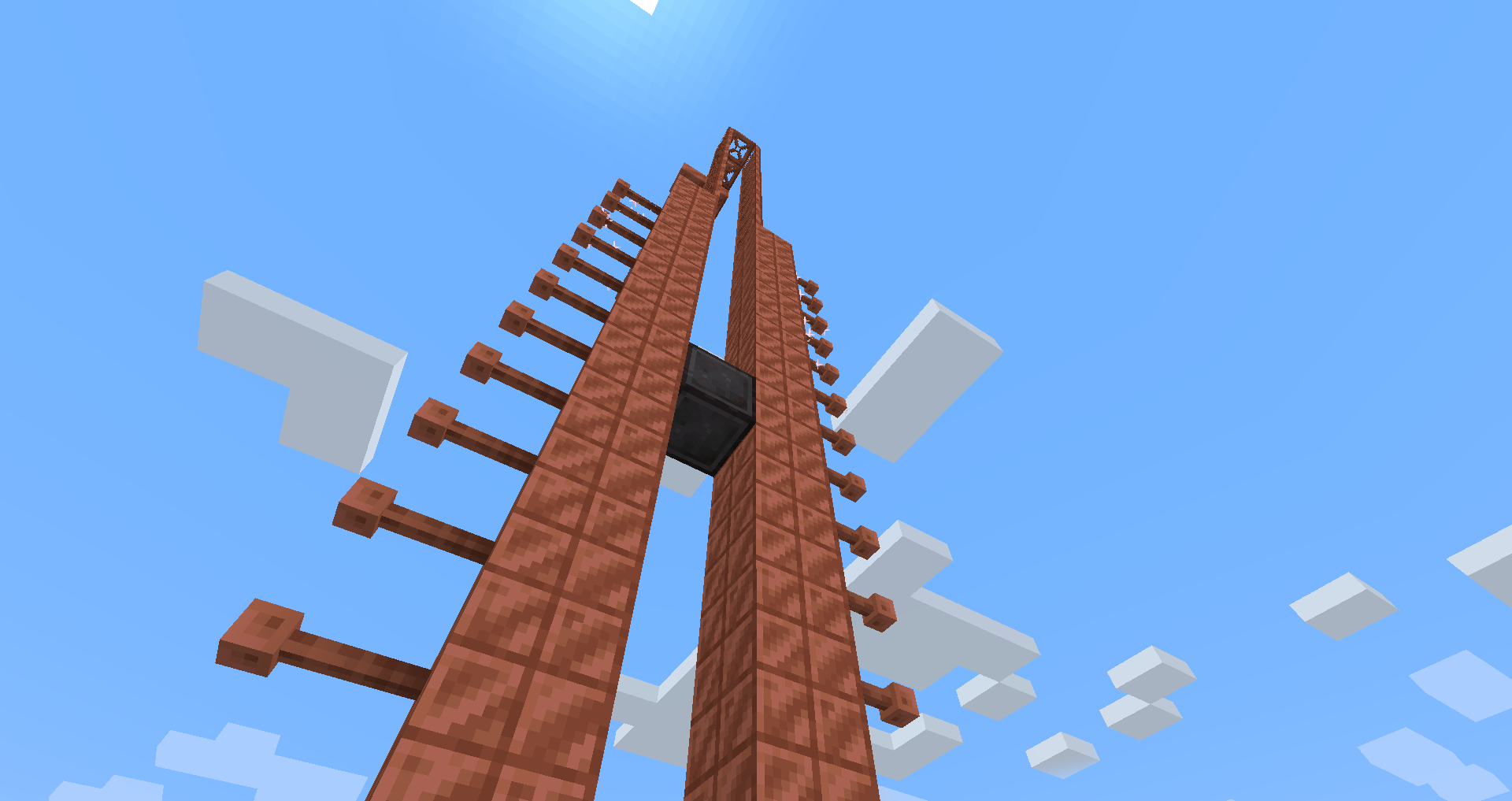
If you want to avoid touching grass for a few days, you can make a netherite block and magnetize it.
credit goes to T_en_M for the Stolen music disc
(disc available 1.2+)
T_en_M’s discord:[https://discord.com/invite/pZAtE8a2q3](https://discord.com/invite/pZAtE8a2q3)
Inspired by SimplySarcs Copper video
And
AuraAcorns Copper Wiring
[https://modrinth.com/datapack/copper-wiring](https://modrinth.com/datapack/copper-wiring)
Future Updates?
**Soon:**
-better redstone support(maybe)
-more machines
**Later:**
-I would love to add the Copper Golem
-A use for the conduit (I think it will allow the productivity armour to go underwater)
-~~amethest?~~ (different project)
-some sort of transport, maybe with the beacon
-lightning weapon, a sister weapon to the mace perhaps
-better visuals
Whats not to come
1.20.6 and lower (probably)
The meaning of life
Known bugs
-on 1.21-1.21.3 versions leather armour texture can apair white
PLS LOVE YOURSELF AND MAKE BACKUPS.
I will not be held accountable for my bad code.
And that’s it.
If you want to submit an issue or want to request a feature or just want to roast the data pack, the link is here:
[https://github.com/Wangle17/Zapped-Datapack/issues](https://github.com/Wangle17/Zapped-Datapack/issues)
Armor Hider
# Armor Hider
[](https://github.com/zannagh/armor-hider/releases)
[Release&logo=github)](https://github.com/zannagh/armor-hider/releases)
[](https://modrinth.com/mod/zannaghs-armor-hider)
[](https://www.curseforge.com/minecraft/mc-mods/armor-hider)
[](https://discord.gg/AMwbYqdmQb)
A mod to alter the transparency or fully hide armor and equipment with multiplayer support, without any dependencies – supporting a wide range of game versions and available for Fabric, Quilt and NeoForge.

### Features
– **Per-slot opacity sliders** for helmet, chestplate, leggings, boots and offhand
– **Enchantment glint control** to selectively hide the glint on any slot
– **Combat detection** let you automatically show armor when in combat
– **Full multiplayer sync** so other players see your settings when the server has the mod
– **Works client-side only** too without server mod required
– **Live in-game preview** of your changes
– **Keybindings** to quickly toggle Armor Hider or open the settings screen
– **Admin controls** for server operators (force armor visible, server-wide combat detection)

[](https://github.com/zannagh/armor-hider/issues)
[](https://github.com/zannagh/armor-hider/issues)
[](https://github.com/zannagh/armor-hider/issues)
I track issues (including feature requests) via GitHub and do my best to close out any bugs timely (plus, I get way too excited about new features myself..). If you don’t have an account, feel free to join the Discord server and let me know there.
—
## Customizability
Find Armor Hider’s settings integrated into the game via “Skin Customization” in the game settings (or via ‘Zannagh’s Armor Hider’ on older game versions). When in-game, the mod settings feature a live preview of your changes.

### Armor Opacity
The mod allows you to define an opacity between 0% (hidden, cancelling the rendering) and 100% (the mod doesn’t do anything) for each armor item slot. In addition, it’s possible to specify whether skull items (skeleton/wither/… skull) should be affected by the helmet setting and if Elytras should be affected by the chestslot setting.
Furthermore, you can selectively hide the enchantment glint on any of the slots.
If you’d like to have armors visible in combat, you can choose whether combat will temporarily show your armor or not, see [Combat Detection](#combat-detection) below.
### Offhand Opacity
Armor Hider additionally offers to hide the offhand slot if you don’t want your fancy skin obstructed by a shield or other items.
## Synchronization
If the mod is installed on the server you’re joining, all of your local preferences will get sent to the server on change or join. The server-side mod then takes care of relaying your preferences to all other clients. That way, if the mod is present on the server, everyone will see your avatar exactly as you’ve configured it (including combat detection, glint and other features).
Combat events are synchronized and not only client-side, so when the server runs the mod, you’ll see another player’s armor once they enter combat (granted they have the related setting enabled).
If a host is not yet running the mod, there’s a setting available which lets you define whether the then ‘unknown’ players should have their armor rendering unaffected or carry over your own settings.
## Advanced Settings

* **Apply your settings to unknown players**: Whether to use your own opacity settings or the default settings (armor
shown normally, as without the mod) when a player’s settings cannot be determined — for example when using the mod
only client-side on an unmodded server (see [Server communication matrix](#server-communication-matrix) below)
* **Disable Armor Hider features**: Globally disable Armor Hider on your client. If the server is forcing Armor Hider
off, this setting is overridden
* **Disable Armor Hider for other players**: Disable Armor Hider rendering for other players’ armors only. If the server is forcing Armor Hider off or the global disable is set, this setting is ignored
### Administrative Settings
For hosts, these settings require moderator/operator permissions (for compatibility reasons, the mod only checks for permission level >= 3) and are applied server-wide, overriding individual player preferences.
* **Armor in combat (server)**: Forces combat detection server-wide — when enabled, armor is always shown for any player in combat, overriding each player’s individual combat detection setting – useful for PvP servers
* **Force Armor Hider off for all players**: Forces Armor Hider to be disabled for all players on the server (especially useful when you’re running a PvP server and don’t want people to hide other players’ armors)
### Combat Detection
Combat Detection
With combat detection enabled, your armor automatically becomes visible when you take or deal damage.
**Enabled Combat Detection**

**Disabled Combat Detection**

## Server Communication Matrix
Your locally set preferences get sent to the server on change or join. Players joining a server will retrieve the
preference library from the server in order to apply other players’ preferences on their client.
The following matrix shows how preferences are resolved depending on where the mod is installed:
| Mod on Server | Mod on Client | Behavior |
|:—:|:—:|—|
| Yes | Yes | Full functionality. Your preferences are synced to the server and relayed to other players. You see other players’ actual configured armor opacity. Combat events are relayed by the server for synchronized combat detection. |
| Yes | No | No effect. The server stores preferences but the vanilla client cannot render transparency changes. |
| No | Yes | Client-side only. Other players’ preferences cannot be determined. Depending on the **”Apply your settings to unknown players”** setting: **ON** — your own opacity settings are applied to all players; **OFF** — default settings are used (armor rendered normally, as without the mod). Combat events will not be passed around in the server. |
| No | No | No effect. The mod is not present. |
## Community
Join the [Discord server](https://discord.gg/AMwbYqdmQb) for support, discussion, and feature requests.
## Issues and Feature Requests
As mentioned before, feel free to create an issue on the GitHub repository or reach out on Discord to make me aware of problems or ideas that could make this mod better.
## Supported Game Versions and Loaders









Zaffre’s Mineshafts
Overhauls the existing underground and Badlands mineshafts into a more interesting experience for gameplay, visuals, and rewards while maintaining a vanilla feel.
Loot is neither underwhelming or overpowered and is largely the same save for Fortune and Efficiency enchantment books, TNT ingredients, and haste potions.
As a consequence of using jigsaws and not being hardcoded, these new mineshafts will no longer spawn beneath river or ocean biomes.
**Now includes:**
– TNT and TNT cart mechanics.
– Archaeology! Be sure to bring a brush for a few extra goodies.
– More minecart types! This includes the largely forgotten about spawner minecarts.
– Variety and distinction between individual and especially the kinds of mineshafts themselves.
– Cave spiders replace normal spider spawns in mineshafts.
Z-Life Season 2
# zLife Season Two!
## Welcome to Z-Life!
At the start of the season, you will begin with 1 heart and a randomized timer set to 16, 24, 32, 40, or 48 hours.
Depending on what time you are have, you will have a different life stage!
> 0-7 Hours – Red Stage
>
> 8-15 Hours – Yellow Stage
>
> 16-23 Hours – Lime Stage
>
> 24+ Hours – Dark Green Stage
>
When you are on a lower stage then someone you are allowed to kill them for rewards. When you kill someone that is on a higher stage then you, you will gain 30 minutes and lose one permanent heart.
Everytime you die, you gain 1 heart but lose 1 hour of time.
Once per session, one player is randomly chosen as the Boogeyman.
The Boogeyman’s Role.
If you are the Boogeyman, your goal is to get one kill before the end of the session!
Once you get your kill as the Boogeyman, you will gain 1 hour, and lose one heart. but if you fail you get your kill before the end of the session, you will go down to the next color stage. The person that dies to the boogeyman will lose 2 hour.
If you die on 10 hearts or run out of time, you will be elimanated, and set into spectator mode!
Sugest some ideas on my [strawpage](https://shelleykey.straw.page/)!