WorldGameRules
# WorldGameRules
A fabric mod to change all gamerules to be separate per world
## Commands
The vanilla gamerule command has been replaced with a custom command that requires a dimension.
The gamerule command requires `world-gamerules.commands.gamerule` or operator level 2.
– `/gamerule [dimension selector]` – Query the gamerule `` in all specified dimensions
– `/gamerule [dimension selector]` – Set the gamerule `` to `` in all specified dimensions
### Dimension selectors
Dimension selectors allow you to specify what dimensions should be queried / set
– `@all` – Selects all dimensions
– `@namespace ` – Selects dimensions with the specified namespace (eg. namespace `minecraft` selects `minecraft:overworld`, `minecraft:the_nether` and `minecraft:the_end`, but not `custom:dimension`)
– `@regex ` – Selects all dimensions, where the dimension id matches the [regex](https://regex101.com/)
– `` – To select a specific dimension
WorldEdit Items

Does it bother you that WorldEdit uses native objects in Minecraft and ruins the gaming experience? This mod is just for you! This mod adds three new items for use with WorldEdit so that you do not have to use vanilla items.
**Requires [WorldEdit](https://www.curseforge.com/minecraft/mc-mods/worldedit)**
Available for **Fabric** (requires [Fabric API](https://modrinth.com/mod/fabric-api)), **Quilt** (Use the Fabric Version) (requires [Quilt Standard Libraries](https://modrinth.com/mod/qsl)) and **Forge**
## Configuration
1. Check if you have WorldEdit installed (if not the mod is useless)
1. Put the .jar file in your mods folder
1. In game, hold the Wand/NavWand/SuperPickaxe item, and type `/tool selwand` `/tool selwand` (for now, the SuperPickaxe option is not available I think, I will update you soon)
1. After that, try to use the Wand Axe or Nav Wand and see the results
**NOTE**: if Commands i gived are not working, please report this to [WorldEdit Devs](https://github.com/enginehub/worldedit/issues)
Worldbound Items

## Worldbound
**Worldbound** is a Minecraft datapack that lets you make any enchantable item completely invulnerable while on the ground.
To do this, combine the item with a **Netherite Scrap** and a **Netherite Upgrade Smithing Template** in a **Smithing Table**.
Once upgraded, the item gains the following properties while on the ground:
– **Indestructible** – Immune to all forms of destruction
– **Glowing** – It glows if you are close enough to it, even through walls
– **Persistent** – Never despawns
– **Void Recovery** – Automatically teleports to the top of the world if it falls into the void
This datapack is inspired by [Tinkers’ Construct](https://modrinth.com/mod/tinkers-construct) Worldbound Modifier.
You can add more items that can be crafted into Worldbound by following the `README.md` within the Datapack ZIP.
**Note:** *If the item is in a Shulker Box and drops into the Void, or is exposed to an explosion which was triggered by someone who is in Creative Mod, the Item can be destroyed.*
Multi World Borders
# This feature was added to vanilla in 1.21.9. No longer updated
**Fabric Server-Side mod.**
Makes world borders work per dimension
World Start Commands
# Overview #
**This Mod/Datapack can execute any command on starting a world**
The default way of the world counting as “started” is, when a player picks up any wooden log.
Once all players have done so, the commands get executed and you’re ready to play!
# Usage
This pack is intended to use for modpacks or other projects where a special setup has to be done before being able to properly play.
All commands which you want to have executed have to be written in the “setup.mcfunction” under data/world_start/functions. (Copy the file onto desktop, edit it, replace old one)
## Why two versions ##
I’ve decided to make two seperate versions of this pack. One, which is very simple and easy to use and another, fancier version. The fancy version keeps track of who has already “started” and once all players did, it will count down and then “start” the world. The two function identically, it’s just for personal preferrence if you like it simple or fancy.
## How to customize ##
You will have to edit the pack/mod to write the commands into it. Here is a detailed step by step guide for this:
**Mod version:**
1. Rename the mod file from .jar to .zip.
2. Follow instructions for datapack version.
3. Once you’re done, rename it back to .jar
**Datapack version:**
1. Open the .zip file and find the “setup.mcfunction” under data/world_start/functions .
2. Copy the file onto your desktop (out of the .zip archive).
3. Open the file with any text editor.
4. You should find the command “say setup complete”. This is the default example command.
5. For the fancy version, it has two more commands, which just clear a few displays. (Do not remove)
6. Delete the default command and add the commands you need to the file. Don’t include the slash. Command execution order is the top command first and bottom one last. All happen at the same time though.
7. Once all commands are written down, save it and place it back in the .zip folder. It will ask to if you wish to replace the old file which you do.
8. The pack is done! Now you just have to load it into Minecraft and you’re ready to go!
9. If the world is already running, you will have to do /reload to apply the changes to the game.
### Setting a different start
The way of detecting if a player has started to play is by an invisible advancement. It detects if the player has obtained any wooden log and gives a function if they have. This is of course also customizable. I recommend [reading the wiki page](https://minecraft.wiki/w/Advancement_definition) about advancement triggers if you want to change the way the world starts. Just replace the “world_start” advancement in the pack.
### Other
Of course you can use this in your modpack. Feel free to edit this to your liking and include it. I just dont want you to publish this exact version with one tiny change and claim it as your own.
The datapack is marked as incompatible for some versions, but it should still work fine.
World Preview
# World Preview
*World Preview* is a mod for visualizing Minecraft world seeds before they are generated.
## Installation
Just download the latest *World Preview* JAR file for your ***exact*** Minecraft version.
Additionally, ***always*** ensure that you are using the correct version for your modloader (Fabric/Forge).
Then save the downloaded jar to the `mods` folder of your Minecraft instance.
Finally, if you are on Fabric you also need to download the
[Fabric API](https://modrinth.com/mod/fabric-api).
## Usage
*World Preview* adds a new `Preview` tab to the Singleplayer menu.
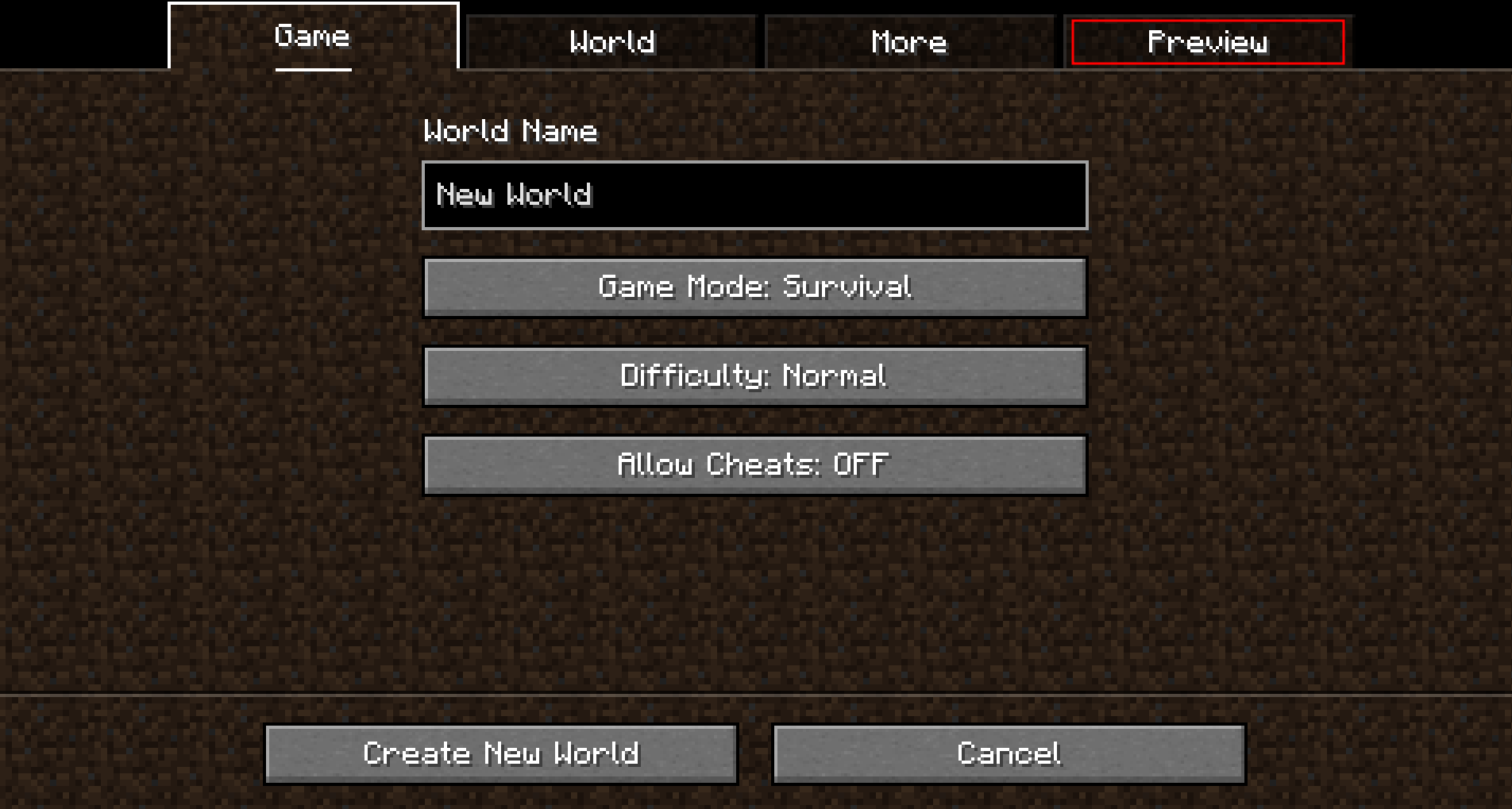
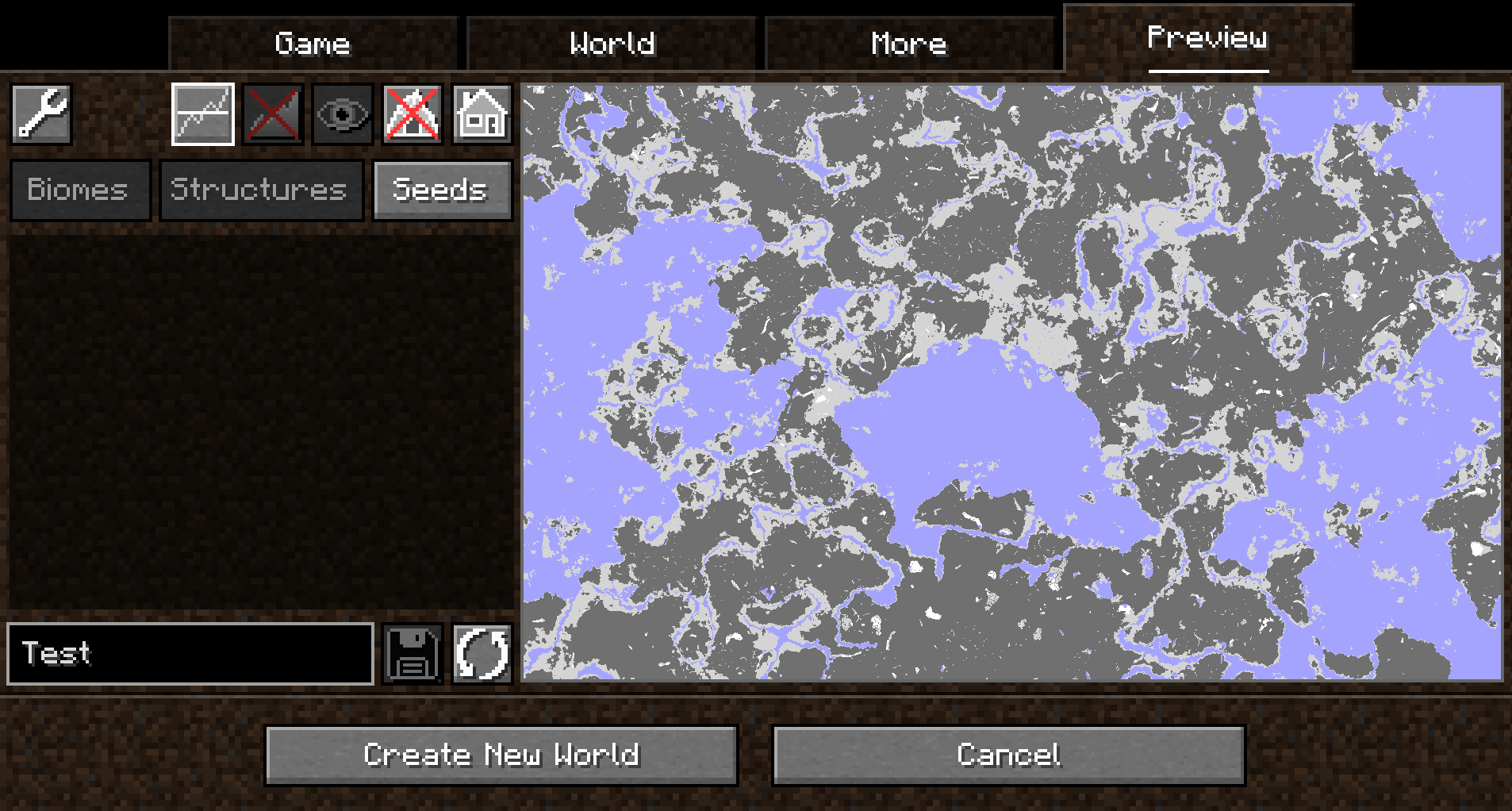
Upon opening that tab, a random seed is selected and a map of biomes is generated:
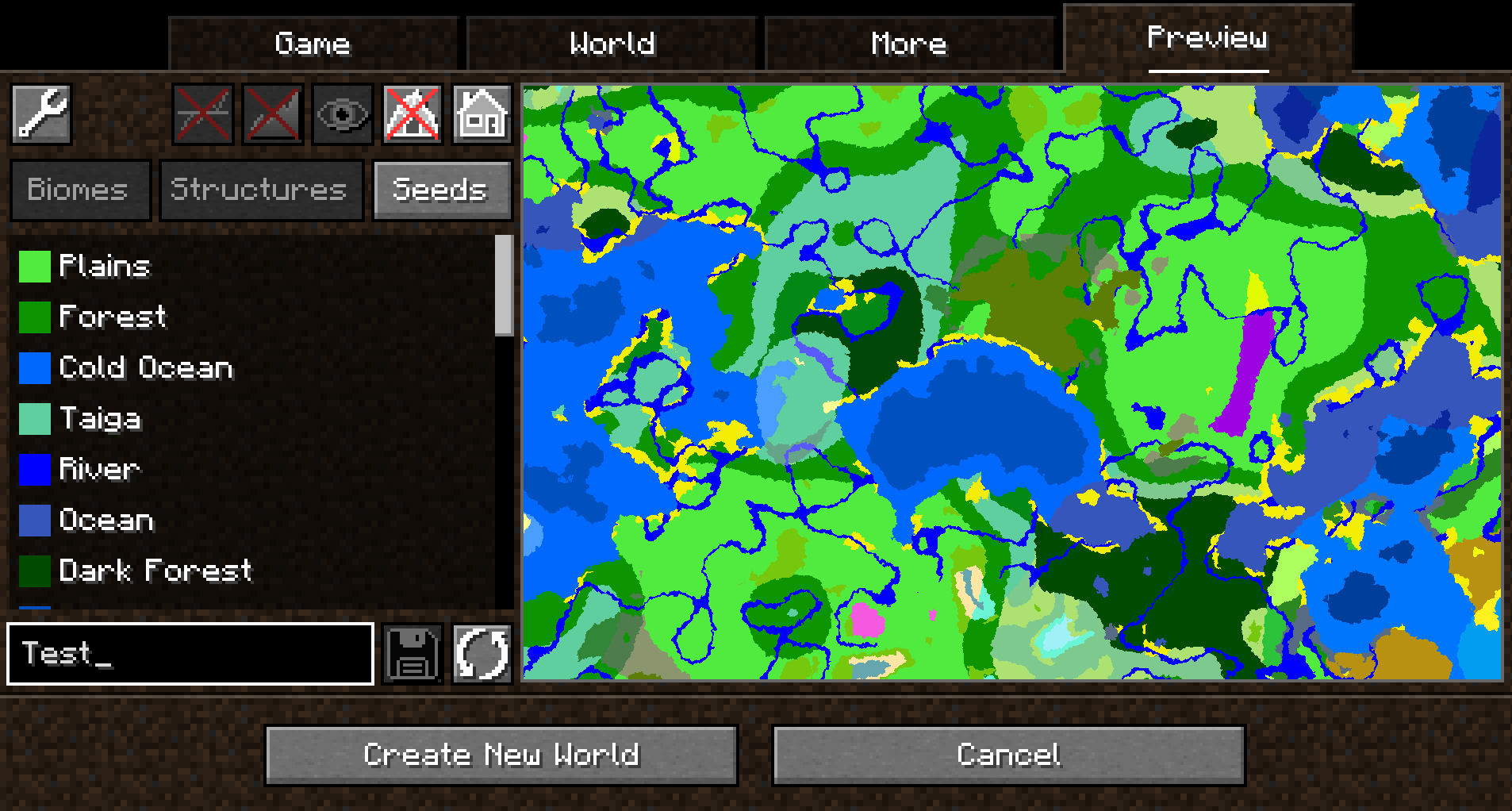
By default, the overworld dimension will be generated, structures will not be shown and no heightmap will be generated.
This can be changed in the Settings (top-left button in the `Preview` tab).
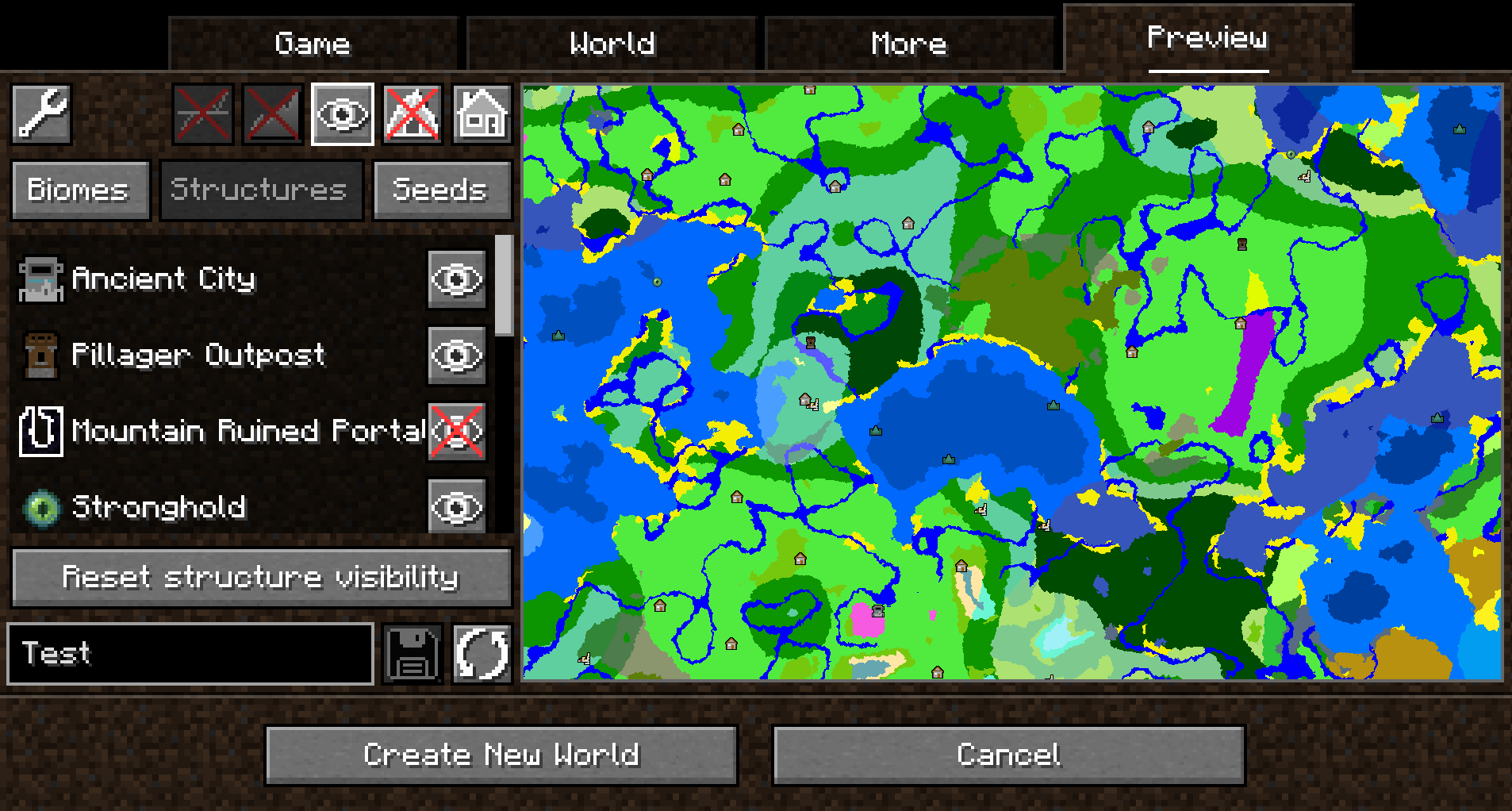
When structure sampling is enabled, the visibility of individual types of structures on the preview can be toggled:
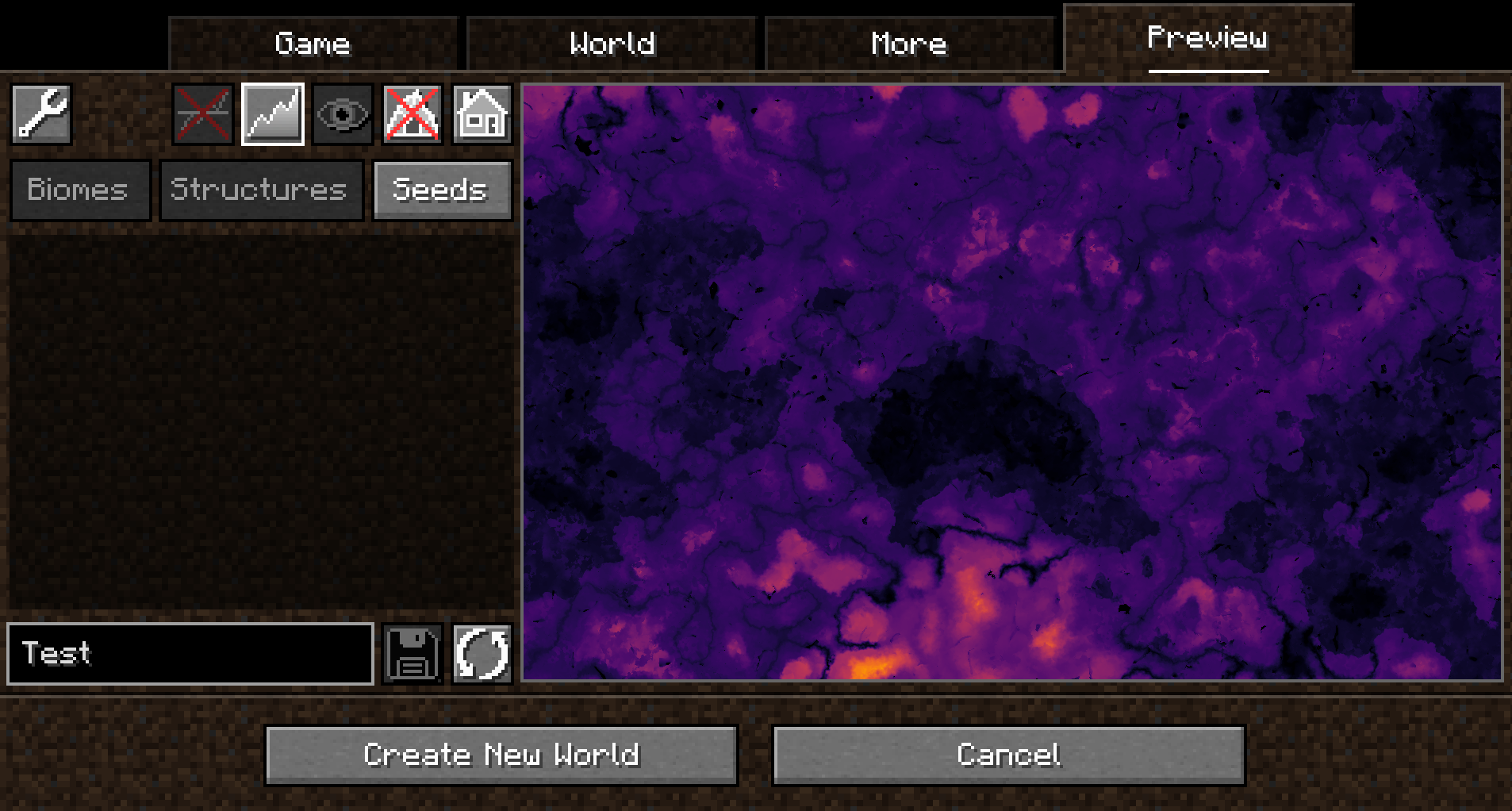
When height sampling is enabled, the preview can be toggled between the biome map and a colorized heightmap:
When y-layer intersection sampling is enabled, the preview can also show the blocks on the current y-layer.
Additionally, the y-layer one step below is also shown in a lighter color:
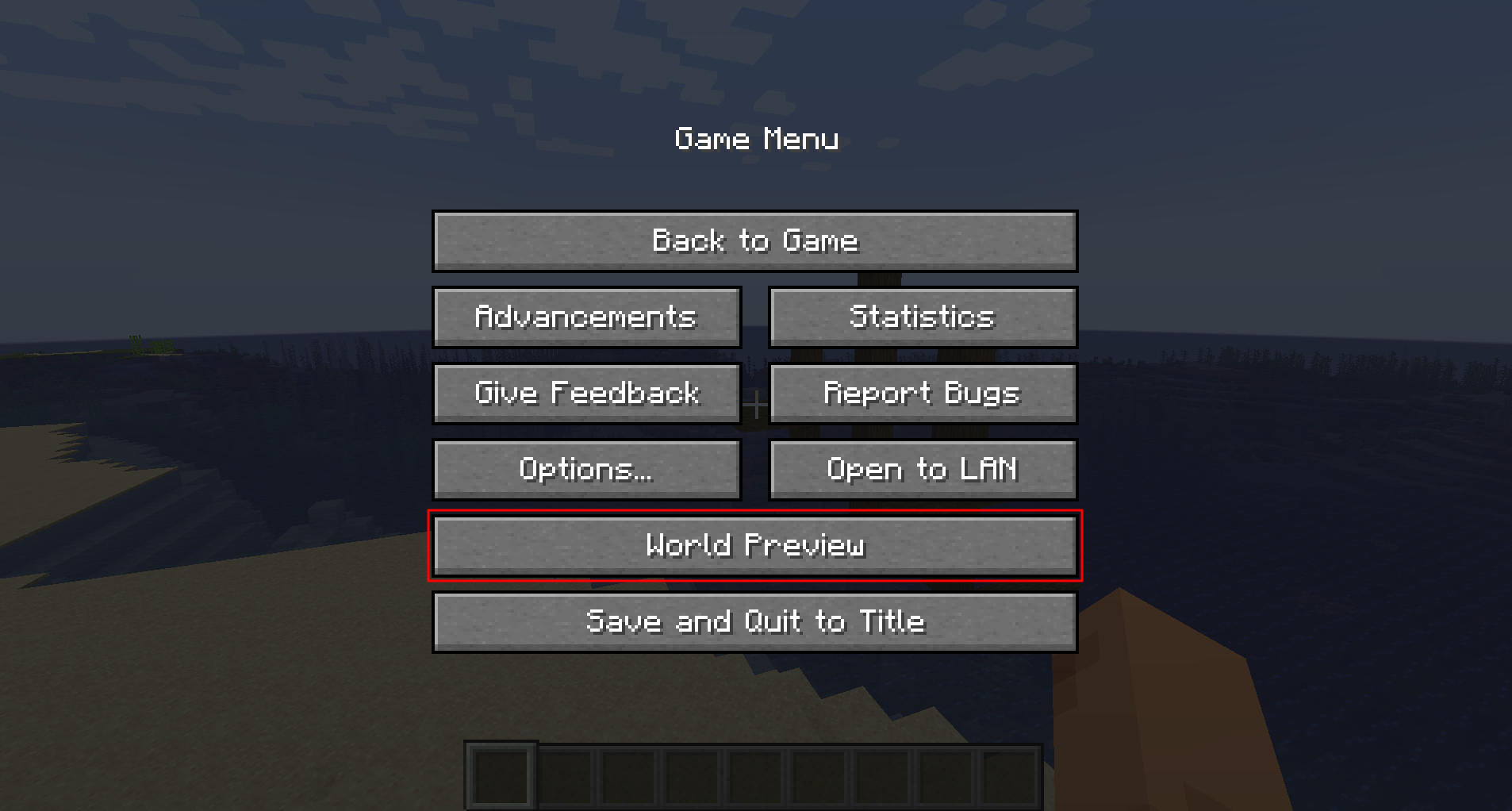
Since version 1.1.0, there is also experimental support for opening the preview in-game for a single-player worlds:
##### Moving on the preview
Clicking and dragging on the map-part of the preview tab will move along the x and z axis.
This will cause the following load sequence:
– Any biomes that are not yet sampled on the current y-level
– Structures (if enabled)
– Height map (if enabled)
– Adjacent y-layers (if enabled)
Scrolling does **not** zoom into the map (there is a separate setting in the configuration menu for controlling the zoom level), but instead travels along the y-axis.
This allows cave biomes to be seen as well. Please note that non-cave biomes span the entire world height beyond that.
##### Other features
– Works with mods! Tested with:
– Terralith
– Biomes O’ Plenty
– Persistent seed storage
– Highlighting specific biomes
– Highly configurable and extendable
## Supported version
This table shows the current support status for the Minecraft version.
| Minecraft Version | Status |
|——————-|———–|
| `1.20.x` | Supported |
## FAQ
**Q:** *Will Minecraft versions before 1.20 be supported?*
**A:** No.
—
**Q:** *Will Multiplayer be supported?*
**A:** No.
—
**Q:** *Scrolling does not zoom the preview!*
**A:** Scrolling moves the y-level up and down. To change the zoom level, go to `Settings (top left wrench) -> Resolution` and change the visual size of a chunk.
—
**Q:** *The preview is completely white / black for the y-intersections view.*
**A:** This is likely because the starting y-layer for the preview is the build limit. Try scrolling down to a lower y-layer and something should show up.
—
**Q:** *My CPU is at 100%!*
**A:** You can limit the number of used cores in `Settings (top left wrench) -> General`. By default, *World Preview* tries to compute the biome preview / structures / heightmap as quickly as possible. These calculations require a lot of CPU power.
## Mod incompatibilities
This mod should be compatible with most mods (including those adding new biomes and dimensions).
### TerraFirmaCraft (TFC)
World Preview **is** compatible with TFC, however, there is a known issue:
The Y intersections view will always be a white screen for all Y levels with TFC, because the `TFCChunkGenerator` has a dummy implementation for the [`getBaseColumn`](https://github.com/TerraFirmaCraft/TerraFirmaCraft/blob/v3.1.2-beta/src/main/java/net/dries007/tfc/world/TFCChunkGenerator.java#L643-L646) method.
To clarify: This doesn’t mean that TFC is broken / does something wrong (it clearly works on its own and does its job).
It just means that TFC does not provide the specific information World Preview needs in this case.
## Adding support for new biomes and structures
New biomes, structures, and more can be registered via the Minecraft datapack mechanism. See [the World Preview dataformat docs](https://github.com/caeruleusDraconis/world-preview/blob/1.20/DataFormats.md) for more information.
World Pregen
# 🗺️ World Pregen
**World Pregen** is a datapack that allows you to automatically pre-generates a map and prevents lag caused by generation while you are playing.
### Commands to know
– ▶️ `/function wp:[dimension]/[size]` > Start pre-generation
– Dimension name: overworld, the_end, the_nether
– Size options: 2k, 4k, 6k, 8k, 10k, 20k (2k → 1000/-1000)
– ⏸️ `/function wp:pause` > Pause pre-generatino
World of Lush Caves
IMPORTANT: Click the world-type button until you see “generator.wolc”,
otherwise it WILL NOT WORK.
This is a Minecraft Datapack that replaces the normal Minecraft worldgen with a lush cave-only worldgen.
Sometimes you will spawn on Bedrock if there’s no air beneath you to teleport you to.
It was partially made with my (see github credits) custom world generator:
https://github.com/c3l3rN0/MC-Biome-Selector
World Foundry

—
Adds a new world type to the create world screen, the Amplified-Mixed Type.
This world type rolls Regular Worlds, Large Biomes, and Amplified Terrain into one (slow) world type. There is also some configs to determine the size/frequency of certain biomes like deserts to forests.
– ~~In Large Biome Worlds, the biomes are 8 times larger, in Amplified-Mixed, its only 4.~~ Biome sizes are now configurable, to get the old way, set the Temperature and Humidity config values to 4
– In Amplified worlds, all terrain (above the sea level) is doubled in height, (as well as some other things that create the overhangs and whatnot), in Amplified-Mixed, it only occurs in around about half the world.
World Flags




Disclaimer: The Banners are selected on how good they are able to be re-created ingame. The Selection of Flags holds no political meaning. The eventual Goal is to add every flag to this Datapack to have a collection available for everyone.
This Datapack adds more than 50 handy Recipes to quickly craft Flags of different Countries.
## 📃 List of All Recipes
Europe
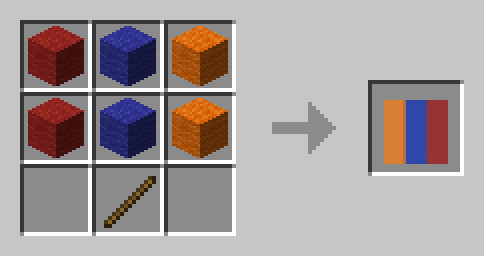
### Armenia 🇦🇲
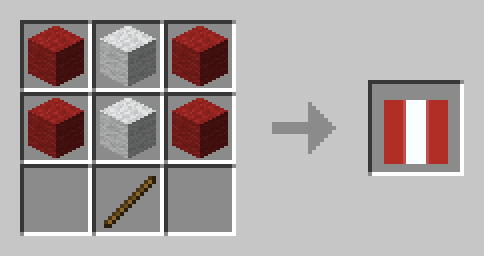
### Austria 🇦🇹
### Bulgaria 🇧🇬
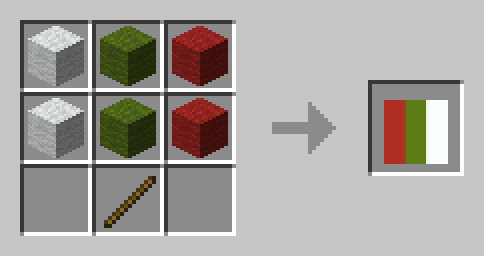
### Belarus 🇧🇾
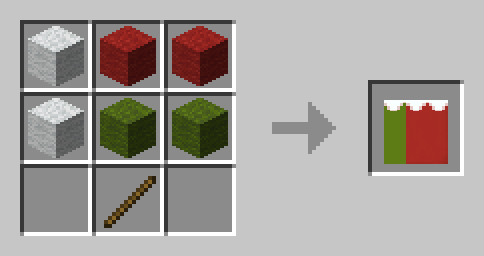
### Belgium 🇧🇪
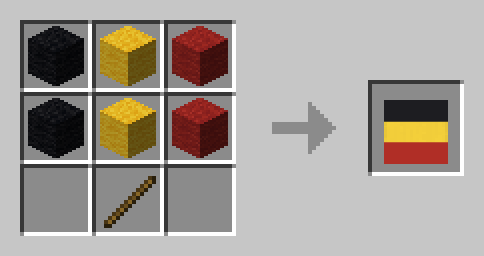
### Czechia 🇨🇿
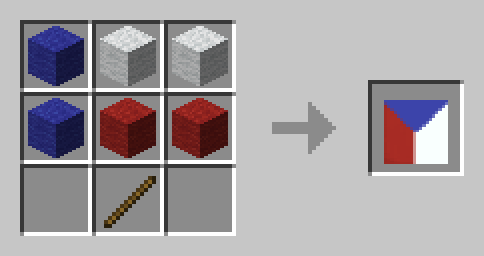
### Denmark 🇩🇰
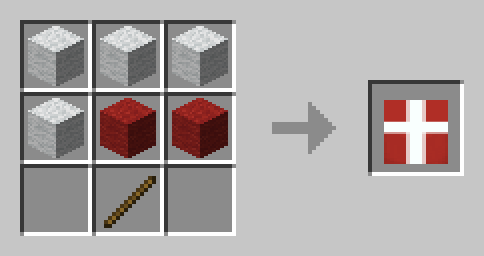
### England 🏴
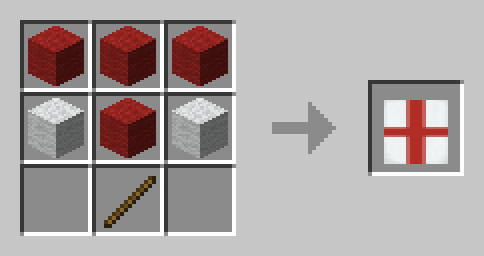
### Estonia 🇪🇪
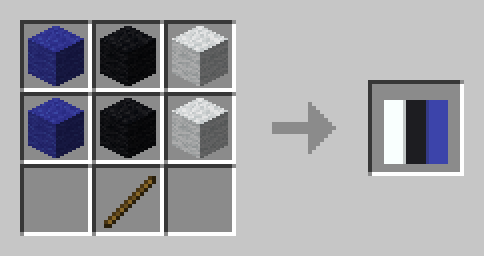
### Finland 🇫🇮
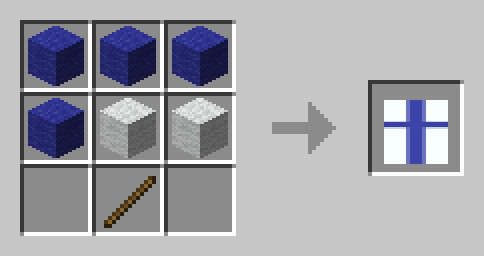
### France 🇫🇷
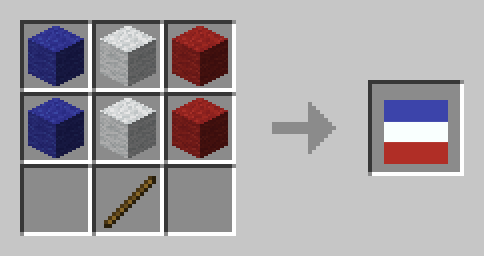
### Germany 🇩🇪
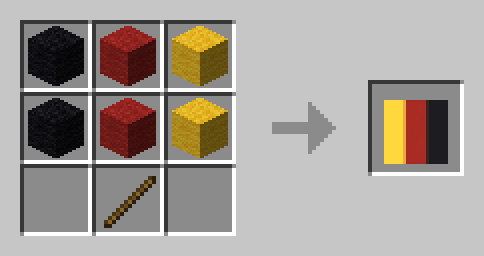
### Greece 🇬🇷
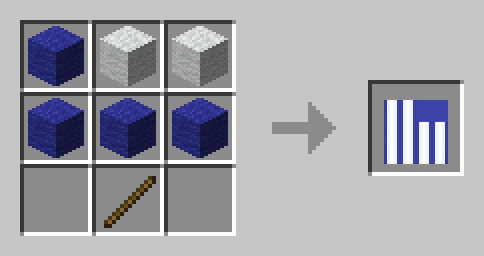
### Ireland 🇮🇪
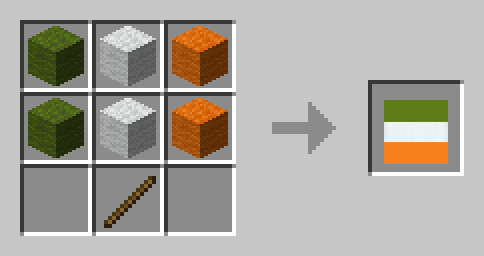
### Italy 🇮🇹
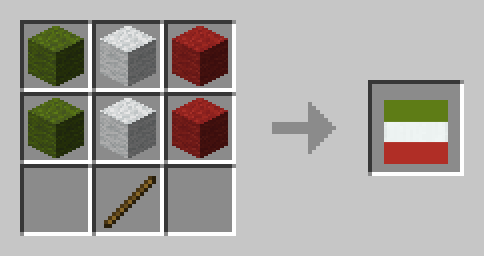
### Liechtenstein 🇱🇮
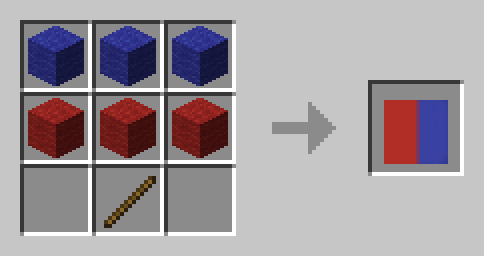
### Luxembourg 🇱🇺
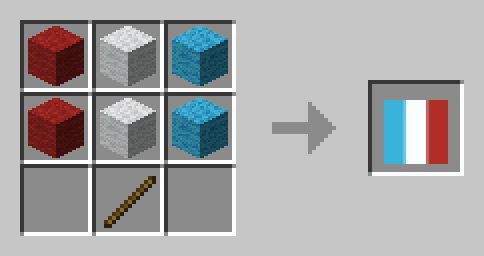
### North Macedonia 🇲🇰
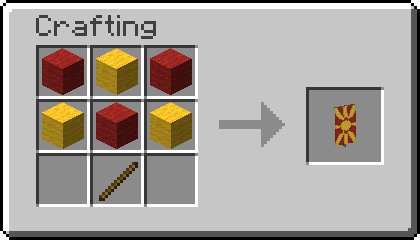
### Poland 🇵🇱
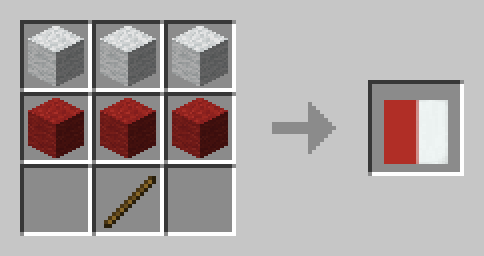
### Romania 🇷🇴
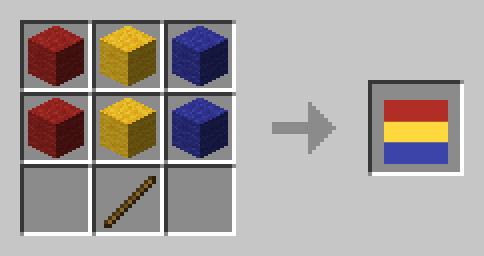
### Russia 🇷🇺
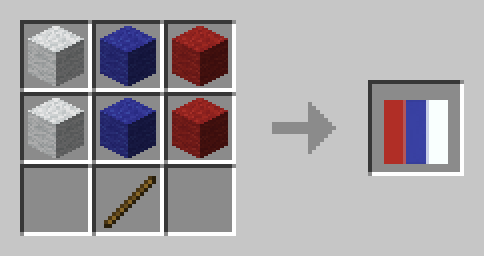
### Scotland 🏴
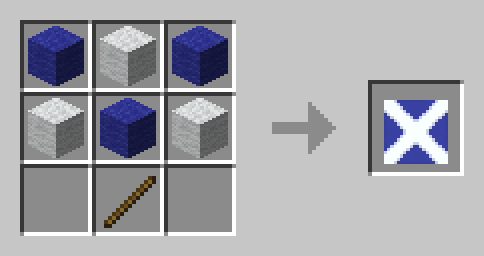
### Spain 🇪🇸
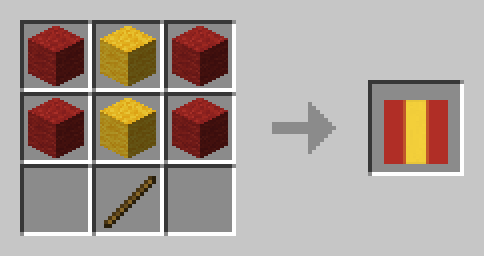
### Sweden 🇸🇪
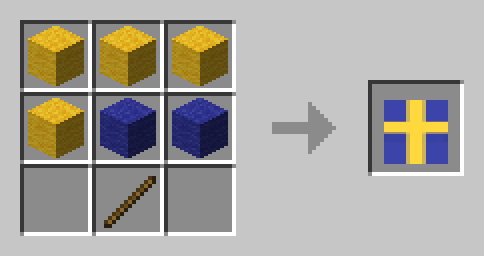
### Switzerland 🇨🇭
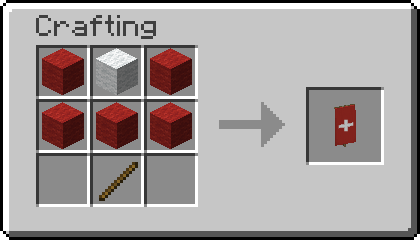
### United Kingdom 🇬🇧
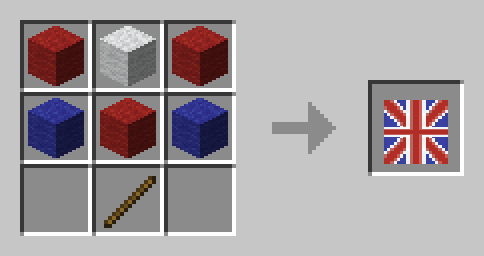
### Ukraine 🇺🇦
North America
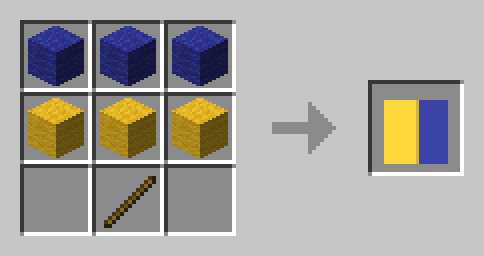
### Bahamas 🇧🇸
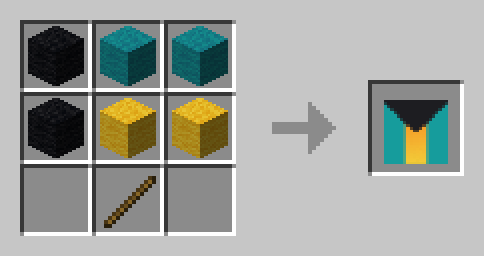
### Canada 🇨🇦
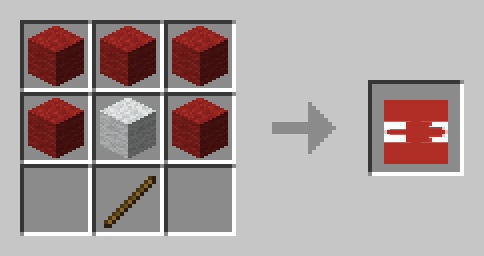
### Cuba 🇨🇺
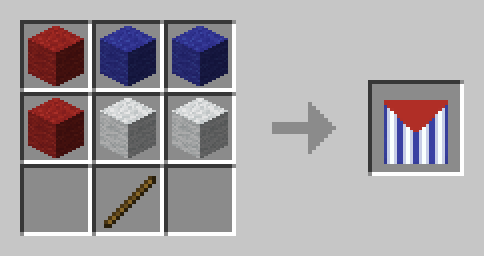
### Jamaica 🇯🇲
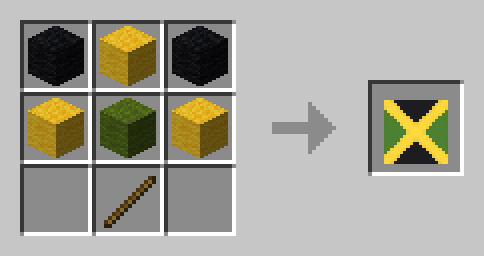
### Puerto Rico 🇵🇷
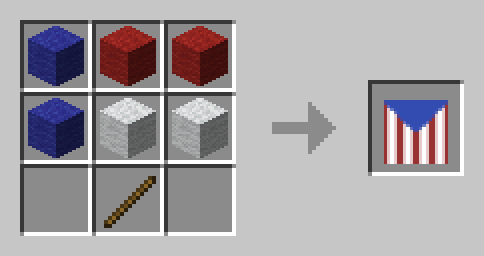
### United States 🇺🇸
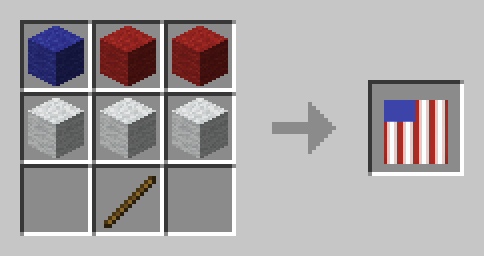
South America
### Argentina 🇦🇷
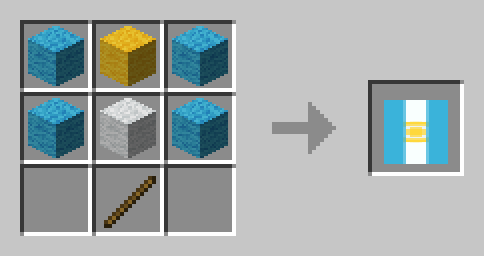
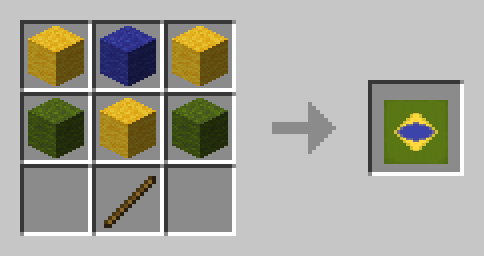
### Brazil 🇧🇷
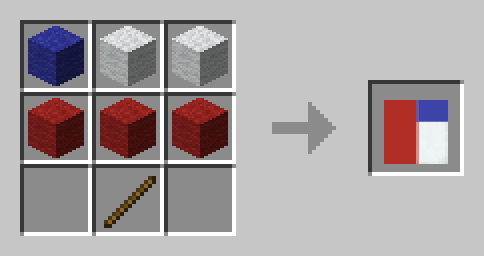
### Chile 🇨🇱
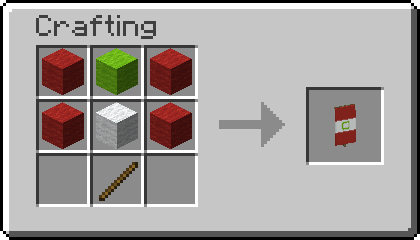
### Peru
Asia
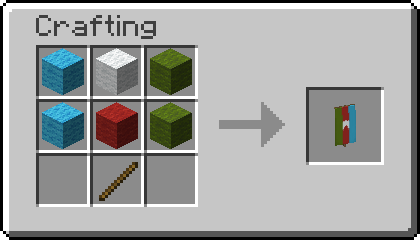
### Azerbaijan 🇦🇿
### Bangladesh 🇧🇩
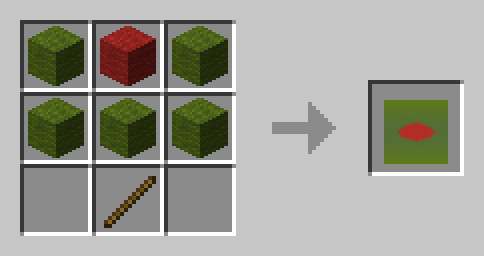
### Bahrain 🇧🇭
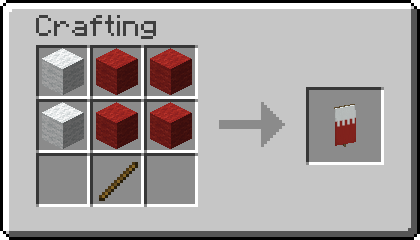
### Bhutan 🇧🇹
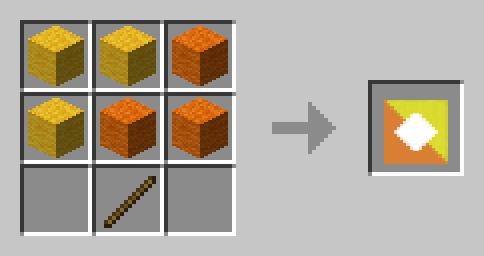
### India 🇮🇳
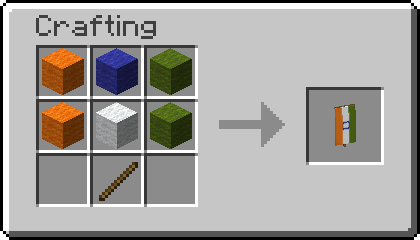
### Indonesia 🇮🇩
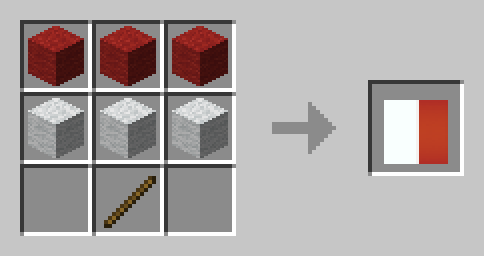
### Iran 🇮🇷
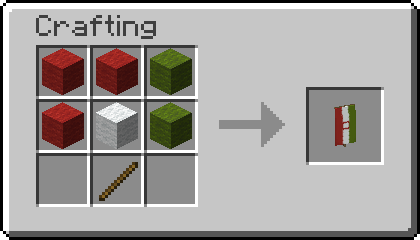
### Iraq 🇮🇶
It is currently mirrored even though not protocol, might be changed eventually.
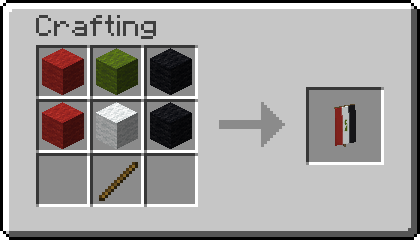
### Japan 🇯🇵
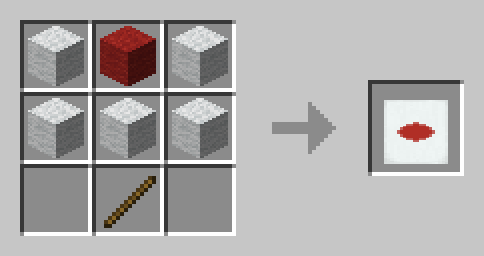
### Pakistan 🇵🇰
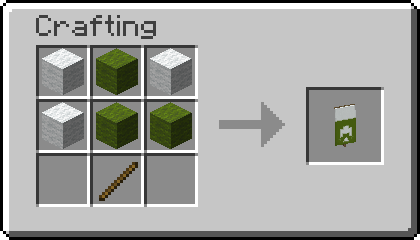
### Philippines 🇵🇭
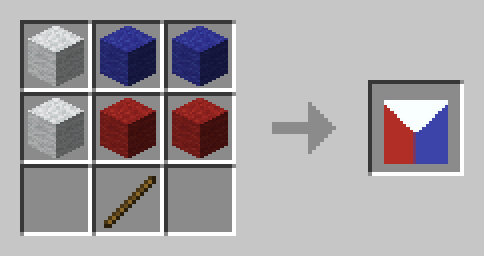
### Russia 🇷🇺

### Syria 🇸🇾
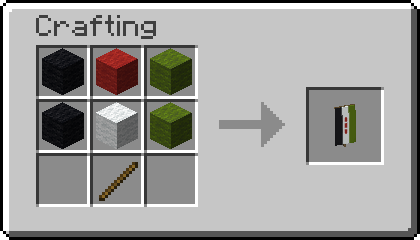
### Yemen 🇾🇪
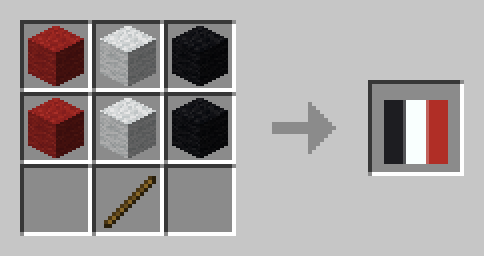
Africa
### Algeria 🇩🇿
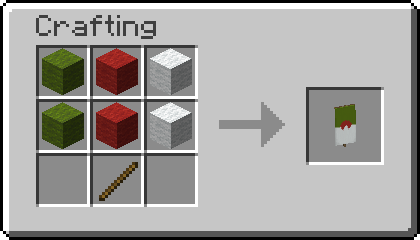
### Benin 🇧🇯
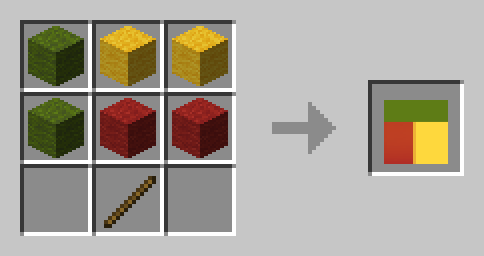
### Burundi 🇧🇮
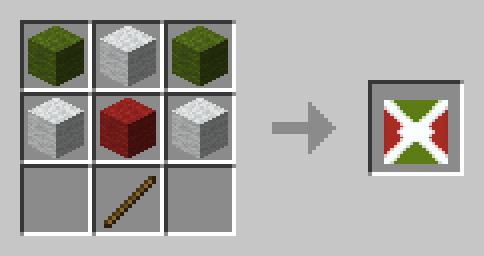
### Djibouti 🇩🇯
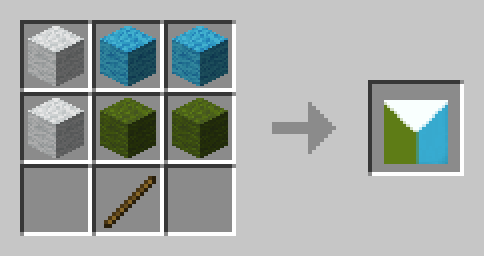
### Egypt 🇪🇬
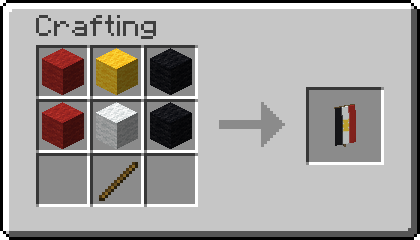
### Gabon 🇬🇦
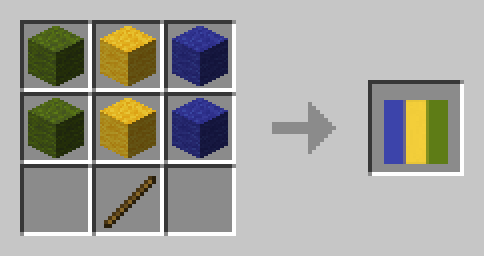
### Guinea-Bissau 🇬🇼
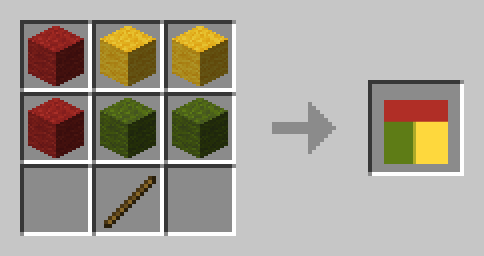
### Madagascar 🇲🇬
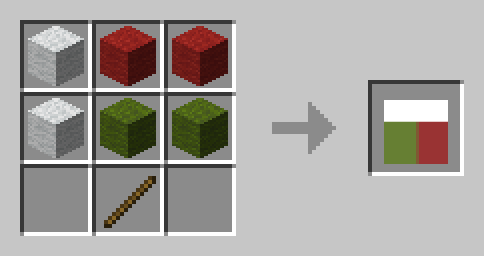
### Niger 🇳🇪
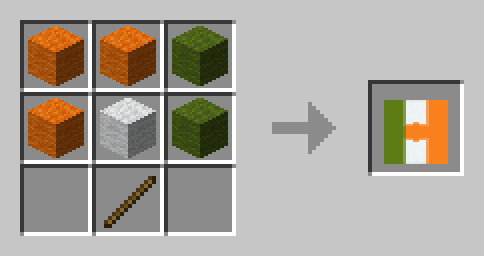
### Nigeria 🇳🇬
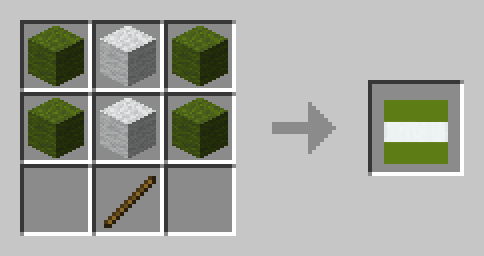
### Sierra Leone 🇸🇱
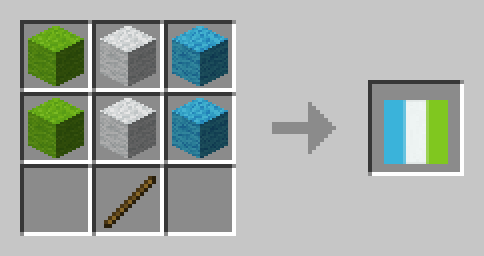
Oceania
### Palau 🇵🇼
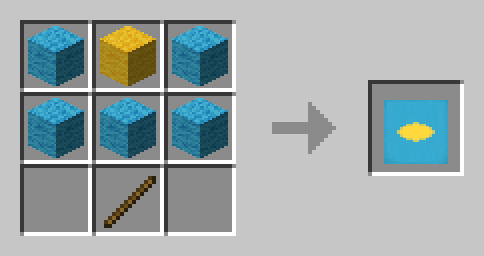
## 📗 How to add all Recipes to the Recipe Book?
### Without Commands
Craft the **World Flags Knowledge Book**. Right click it to consume it and gain all the recipes without a command.
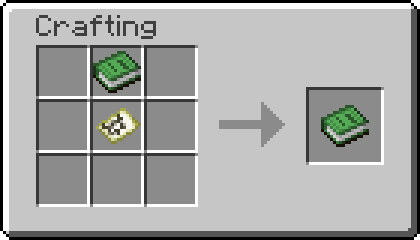
To craft Knowledge Books, you will need “[Craftable Knowledge Book](https://modrinth.com/datapack/craftable-knowledge-book)”.
### With Commands
You can add all recipes to the Recipe Book by using the command `/function world_flags:unlock_all_recipes`. If you want to give all players all Recipes, use `/execute as @a run function world_flags:unlock_all_recipes` instead.
## 🤝 Special Thanks & Attributions
Thanks to all the Members of Planet Minecraft who inspired many of the more complex Banner Designs!
## 🛠️ Installation
### Datapack Installation Guide
Copy the .zip archive into the “.minecraft/saves/__yourworldname__/datapacks” folder, where __yourworldname__ is the name of your world.
### Mod installation Guide
Copy the .jar archive into the folder your Mod Loader of choice provides.
## ❗Issues and Suggestions
Please report issues on [My Discord](https://discord.gg/R2G6EMW42H).
## 🔁 Optional Dependencies
– [Craftable Knowledge Book](https://modrinth.com/datapack/craftable-knowledge-book) (recommended)