ZNPCsPlus
# ZNPCsPlus
ZNPCsPlus is a powerful and intuitive Spigot plugin that allows you to create and manage fake entities in Minecraft. These entities can perform actions such as executing commands or switching servers, providing seamless integration and interactivity for players.
This plugin is a modern, performance-focused remake of the original ZNPCs plugin, developed to ensure continued support and enhanced features after the original was discontinued.
—
## Features
– **100% Packet-Based**: All operations are offloaded from the main thread, ensuring excellent performance.
– **Performance & Stability Oriented**: Designed to minimize server impact while remaining reliable.
– **Wide Version Support**: Compatible with Minecraft versions 1.8 through 1.20.4.
– **Flexible Storage Options**: Choose from multiple storage solutions to best suit your setup.
– **Intuitive Commands**: User-friendly command system for effortless NPC management.
—
## Requirements
### Software
– **Java**: Version 8 or higher
– **Minecraft Versions**: 1.8 – 1.21
### Supported Server Platforms
– [Spigot](https://www.spigotmc.org/)
– [Paper](https://papermc.io/software/paper) ([GitHub](https://github.com/PaperMC/Paper))
– [Folia](https://papermc.io/software/folia) ([GitHub](https://github.com/PaperMC/Folia))
– ArcLight ([GitHub](https://github.com/IzzelAliz/Arclight))
### Optional Dependencies/Extensions
– [PlaceholderAPI](https://github.com/PlaceholderAPI/PlaceholderAPI): Enables the use of placeholders for dynamic content.
—
## Why Choose ZNPCsPlus?
– **Performance**: Optimized for high performance, with no tasks running on the main thread.
– **Compatibility**: Works across a broad range of Minecraft versions and server types.
– **Flexibility**: Supports custom storage backends and integrates seamlessly with popular plugins.
—
## Found a Bug or Need Help?
– **Report Issues**: Open an issue in our [GitHub issue tracker](https://github.com/Pyrbu/ZNPCsPlus/issues).
– **Get Support**: Join our [support Discord](https://discord.gg/MAZz6XpPcg).
—
## Installation
1. Download the latest release of ZNPCsPlus from [Spigot](https://www.spigotmc.org/resources/znpcsplus.109380/) or [Modrinth]. (Dev Builds are available at out [Jenkins](https://ci.pyr.lol/job/ZNPCsPlus/)).
2. Place the downloaded JAR file in your server’s `plugins` folder.
3. Restart your server.
—
## Credits
ZNPCsPlus wouldn’t be possible without the following libraries and resources:
– **[PacketEvents 2.0](https://github.com/retrooper/packetevents)**: Packet handling library.
– **[Minecraft Protocol Wiki (formally wiki.vg)](https://minecraft.wiki/w/Minecraft_Wiki:Projects/wiki.vg_merge/Main_Page)**: Minecraft protocol documentation.
– **[gson](https://github.com/google/gson)**: JSON parsing library by Google.
– **[Mineskin.org](https://mineskin.org/)**: Website for raw skin file uploads
– **[Adventure](https://docs.advntr.dev/)**: Minecraft text API.
– **[DazzleConf](https://github.com/A248/DazzleConf)**: Configuration library.
– **[Director](https://github.com/Pyrbu/Director)**: Command library.
– **[PlaceholderAPI](https://github.com/PlaceholderAPI/PlaceholderAPI)**: Universal placeholder system.
—
## Metrics
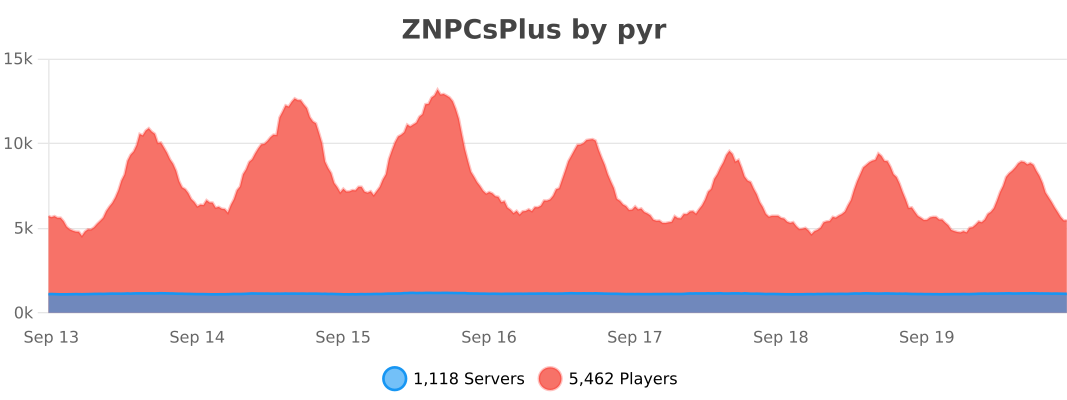
ZNPCsPlus utilizes [bStats](https://bstats.org/) for anonymous data collection. Metrics help us improve the plugin by providing insight into usage and performance. You can disable this in the `bStats` configuration.
[](https://bstats.org/plugin/bukkit/ZNPCsPlus/18244/)
—
## Support the Project
Love ZNPCsPlus? Help us grow by:
– Starring the [GitHub repository](https://github.com/Pyrbu/ZNPCsPlus).
– Leaving a positive review on [Spigot](https://www.spigotmc.org/resources/znpcsplus.109380/).
—
znodes
# znodes

Map painting – but in block game. Fork of the original minecraft-nodes project by phonon
I created this fork due to the the last commit on phonon’s repo being from two years ago. I have no intention of supporting older versions, if you are on an outdated version, update.
Other plugin modules such as the dynmap and ports plugin will be moved to seperate repos.
## What is nodes?
Nodes takes inspiration from Towny, Hearts of Iron 4, and the famous Minecraft factions experience from 2014.
* Map segmented into pre-created territories which are groups of contiguous minecraft chunks.
* Territories have different resource nodes which provide different resource yields from mining and different rates for farming, animal breeding, etc…
* Players form a town which controls territories. Initial territory claims must be connected.
* War is capturing territories from another town.
* Towns choose 1 territory to be their capital which cannot be taken until all other territories are captured.
* A captured territory is occupied and provides resource benefits to the occupier. The occupier has the option to annex a territory and add it to their town.
## Notable Changes Over Upstream
* Folia Support
* Modern version support
original author: phonon
znodes fork maintainer: tlm920
zmsg
What are the capabilities of this plugin? :
This plugin is designed to differentiate itself from other chat plugins that don’t require a dependency generator; this plugin allows you to…
1. /chattoggel
2. /msgtoggel
3. /w
4. /msg
5. admincommands
6. /zmsg reload
7. /msgalerts
**What does Chattogel do?**
You are able to deactivate the chat; for example, a player writes something in the chat, but you can’t see it. However, if you have ChatTogel enabled, you can still send messages.
**What does /msgtoggel do?**
/msgtoggel lets you toggle whether you want to receive private messages from players. I also have /msgblock in mind, but that will come later.
**What does msg or w do?**
/msg or /w is simply like the original Minecraft message. Msg is like typing in chat, but only to one person.
**What does /zmsg reload do?**
It simply reloads the configuration without having to stop the server.
**What does /msgalerts do?**
It allows you to see what players write in the message.
Has the Plugins Permission ?
Yes, of couse the permission is:
– zmsg.chat.color
– zmsg.chat.toggle
– zmsg.cooldown.bypass
– zmsg.msg.bypass
– zmsg.msg.toggle
– zmsg.msgalerts
– zmsg.reload
– zmsg.repeat.bypass
_**If you have any questions about the plugin, you can reach me at disord my username:**_
mrzitrroneog
zMItemsBuilder
# ⚔️ zMItemsBuilder | Advanced Item & Kit System
Take your Minecraft server to the next level with **zMItemsBuilder**, a powerful and flexible plugin designed to create fully customizable items, armor sets, tools, and scalable kits with ease.
—
## ✨ Features
* 🛡️ **Armor Sets**
* Automatically generate full armor sets (helmet, chestplate, leggings, boots)
* 🛠️ **Tool Sets**
* Create complete tool kits (axe, hoe, shovel)
* ⚔️ **Custom Weapons & Items**
* Fully customizable swords, pickaxes, keys, coins, and more
* 📈 **Scalable Enchant System**
* Dynamic enchantments based on levels
* Supports:
* Linear scaling
* Interval scaling
* Static values
* Perfect for progression-based servers
* 🎨 **Advanced Formatting System**
* Gradient text support
* Custom placeholders:
* `{level}`, `{rarity}`, `{enchants}`, `{item_type}`, etc.
* Automatic color generation (primary + secondary)
* 🧩 **Reusable Items**
* Define items once and reuse them across multiple kits
* 🔒 **Behavior Flags (Restrictions)**
* Disable actions like:
* Dropping items
* Crafting
* Placing blocks
* Using anvils, furnaces, enchant tables, etc.
* 🔑 **Custom Item Identity**
* NBT-based IDs (`id_item`)
* Resource pack support (`custom-model-data`)
* 🌐 **Multi-language Support**
* English & Spanish included
—
## 📦 What You Can Create
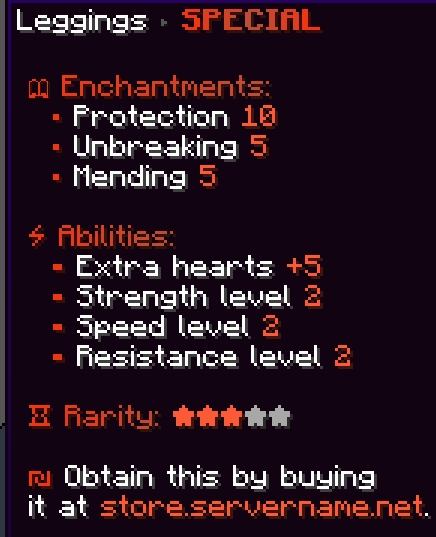
* Full armor kits with abilities (effects, stats, etc.)
* PvP/PvE progression systems with levels
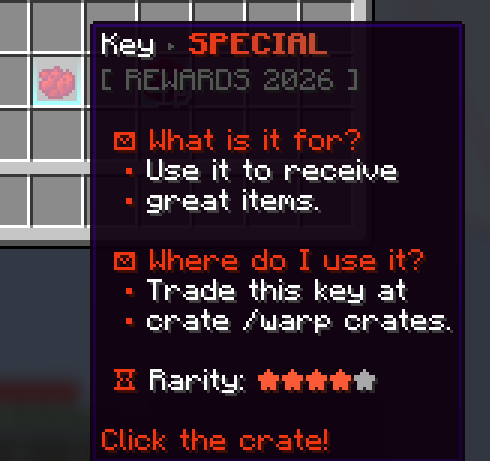
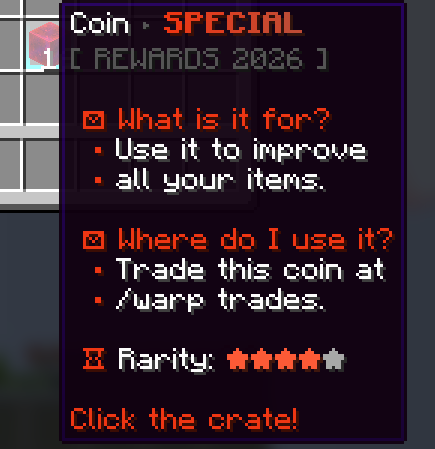
* Crate rewards (keys, coins, special items)
* Store-exclusive items
* Restricted items (non-droppable, non-craftable, etc.)
* Fully customized server economies
—
## ⚙️ Kit System
* Group multiple items into kits
* Assign rarities for visual formatting
* Apply levels to scale item power dynamically
* Reuse items across different kits
—
## 🎮 Commands
* `/zmitems create `
* Crea un nuevo ítem base dentro del sistema.
* `` → ID interno del ítem (sin espacios)
* `` → Color en formato RGB para el prefijo visual
* `/zmitems reload` -> Reloaded items
## 🔐 Permissions
– `zmitemsbuilder.use`
– `zmitemsbuilder.create`
– `zmitemsbuilder.reload`
## Preview Examples Items:
> Create items faster and more efficiently, with just one command:
“`
/zmitems create objects &#F13713&lS&#E13E1F&lP&#D1452A&lE&#C14C36&lC&#D1452A&lI&#E13E1F&lA&#F13713&lL
“`
—
## 🔥 Example Use Cases
* OP Prison / OP PvP servers
* KitPvP with progression
* Factions with custom gear
* RPG servers with leveling systems
* Crates & rewards systems
—
## 💡 Why zMItemsBuilder?
Unlike basic item plugins, **zMItemsBuilder** gives you full control over:
* Item behavior
* Visual design
* Progression systems
* Reusability & scalability
All in a clean, optimized, and developer-friendly configuration.
Player Manager
# PlayerManager
**A powerful SMP player data management plugin by Open-Source Group**
[](https://modrinth.com/plugin/playermanager)
[](https://www.minecraft.net)
[](https://mit-license.org/)
—
## Overview
PlayerManager is the ultimate solution for SMP servers that need flexible player data management. Allow players to **start fresh** without creating new accounts, and give admins **complete control** over player progression, inventories, advancements, and more!
## 📥 Installation
1. Download the latest version from [Modrinth](https://modrinth.com/project/playermanager)
2. Place `PlayerManager.jar` in your server’s `plugins` folder
3. Restart your server
4. Configure permissions in your permission plugin (LuckPerms, PermissionsEx, etc.)
5. Enjoy
—
## Main Feature in Detail
### Complete Player Reset
When you use `/pm reset `:
1. Clears inventory and ender chest
2. Resets health, food, and XP to default
3. Removes all advancements
4. Resets all statistics
5. Sets gamemode to survival
6. Teleports player to world spawn
7. Kicks player with a message
8. Player can rejoin and start completely fresh
—
## 🛠️ Requirements
– **Minecraft Version**: 1.21+
– **Server Software**: Spigot, Paper, Purpur, or any Spigot-based server
– **Java Version**: 17+
—
## 🐛 Bug Reports & Feature Requests
Found a bug or have a feature idea?
– **GitHub Issues**: [Report Here](https://github.com/mrzmiless/playermanager/issues)
—
## 📜 License
This project is licensed under the MIT License – see the [LICENSE](https://mit-license.org/) file for details.
—
## 💖 Credits
**Made with ❤️ by [zmiless](https://github.com/mrzmiless) – Open-Source Group**
—
## Links
– **GitHub**: [Source Code](https://github.com/mrzmiless/playermanager)
## Show Your Support
If you like this plugin, please:
– Star the repository on GitHub
– Download it on Modrinth
– Share it with your friends!
zMenu
[](https://minestrator.com/a/GROUPEZ)

**Documentation**: [docs.zmenu.dev](http://docs.zmenu.dev)
**Documentation en français**: [docs.zmenu.dev/v/fr/](https://docs.zmenu.dev/v/fr/)
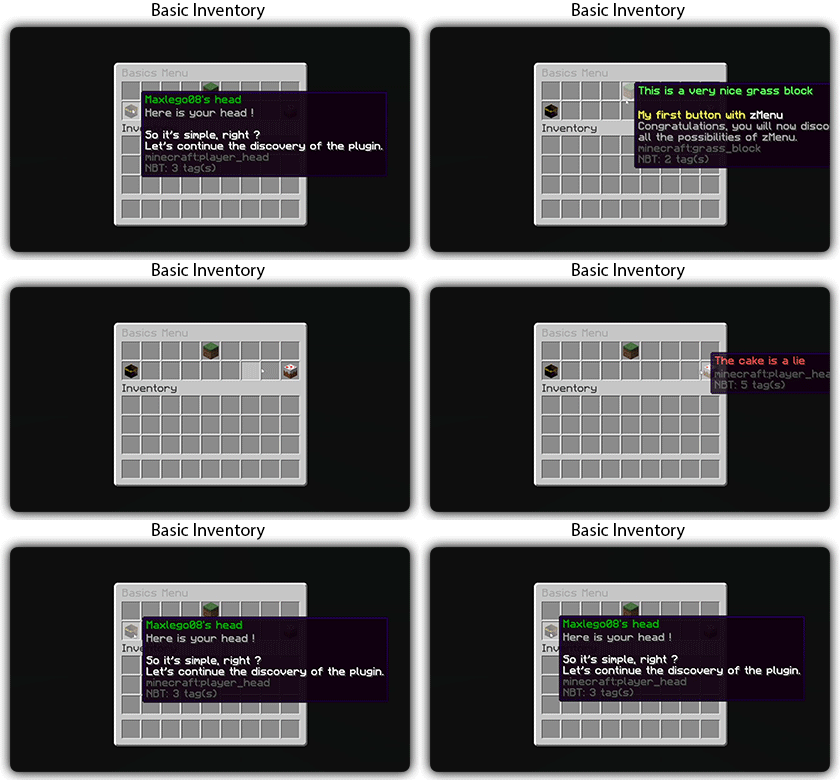
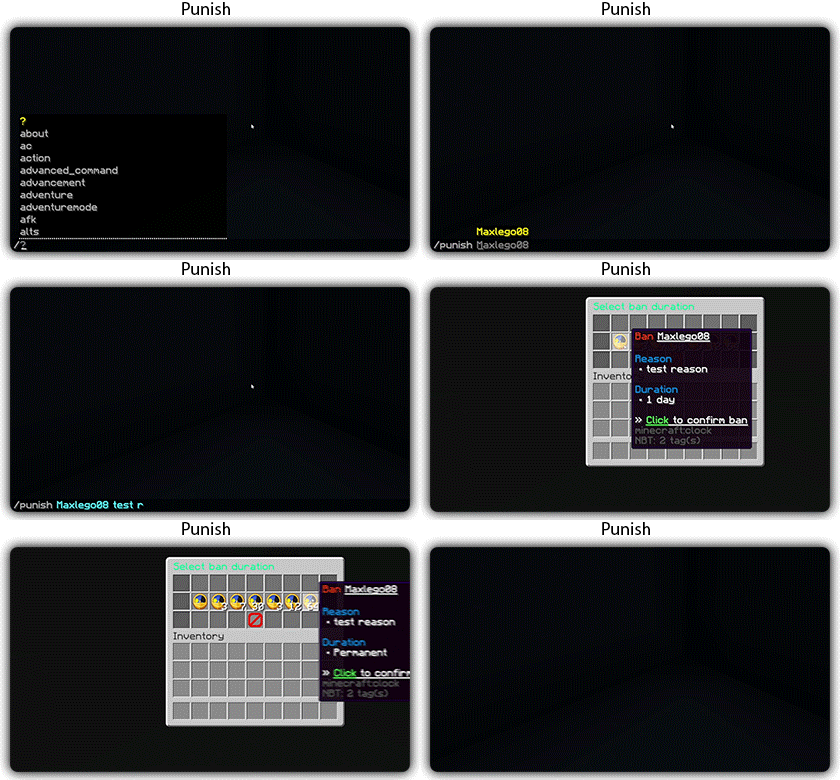
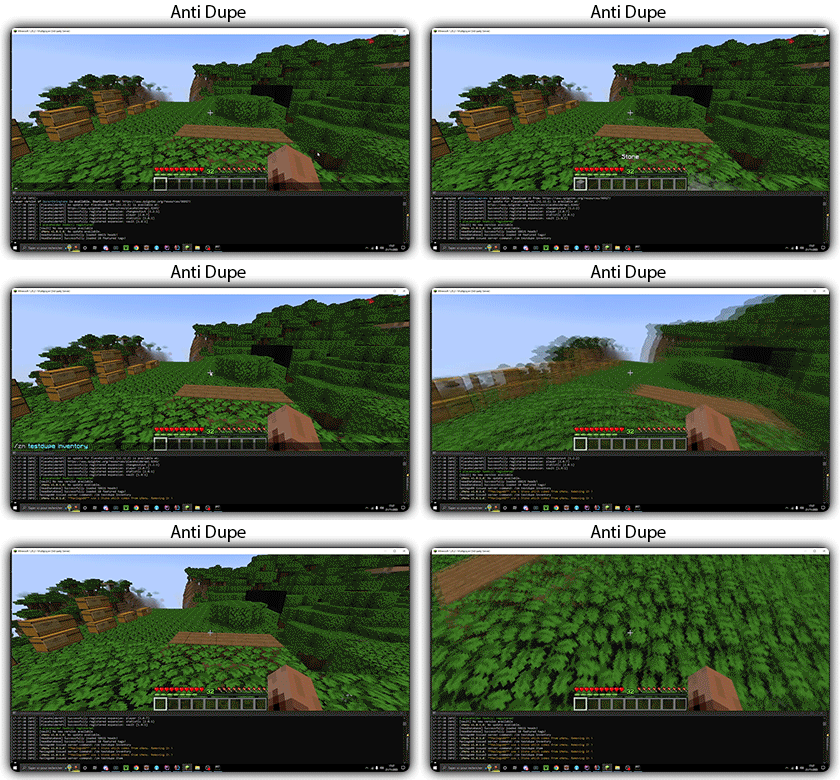
[](https://docs.zmenu.dev/plugins-files#example_shop.yml)

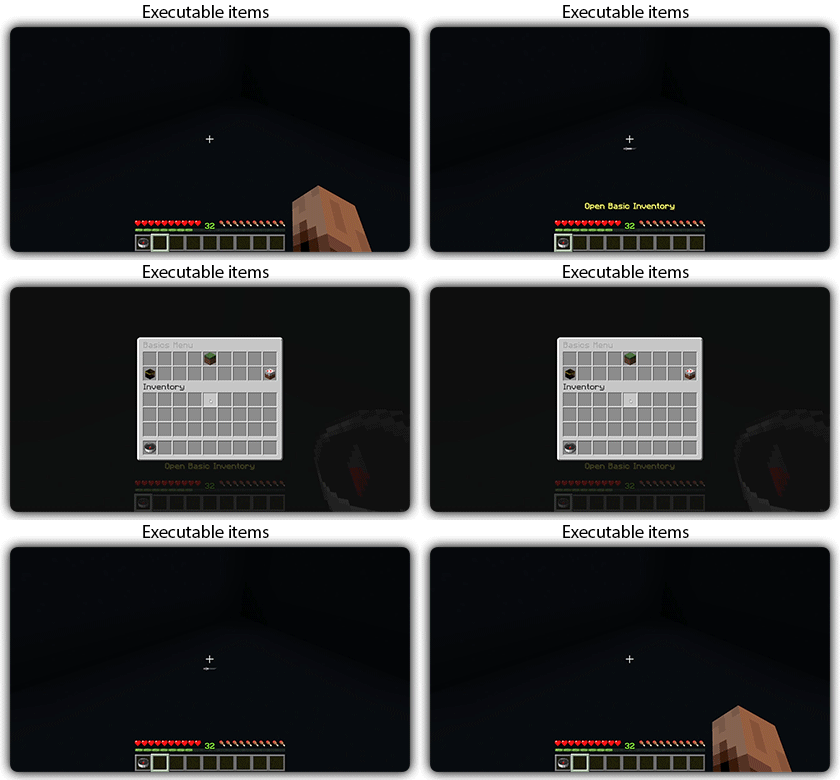
## With [zMenu+](https://www.spigotmc.org/resources/zmenu-premium-zmenu-addon.115533/) addon:
[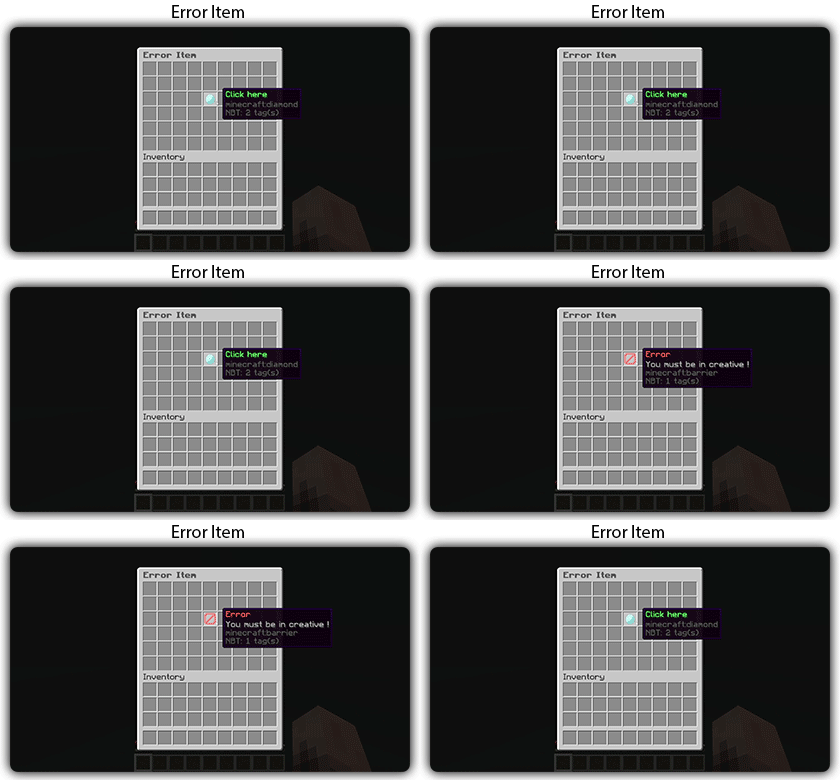](https://docs.zmenu.dev/configurations/buttons#error-item-zmenu)
[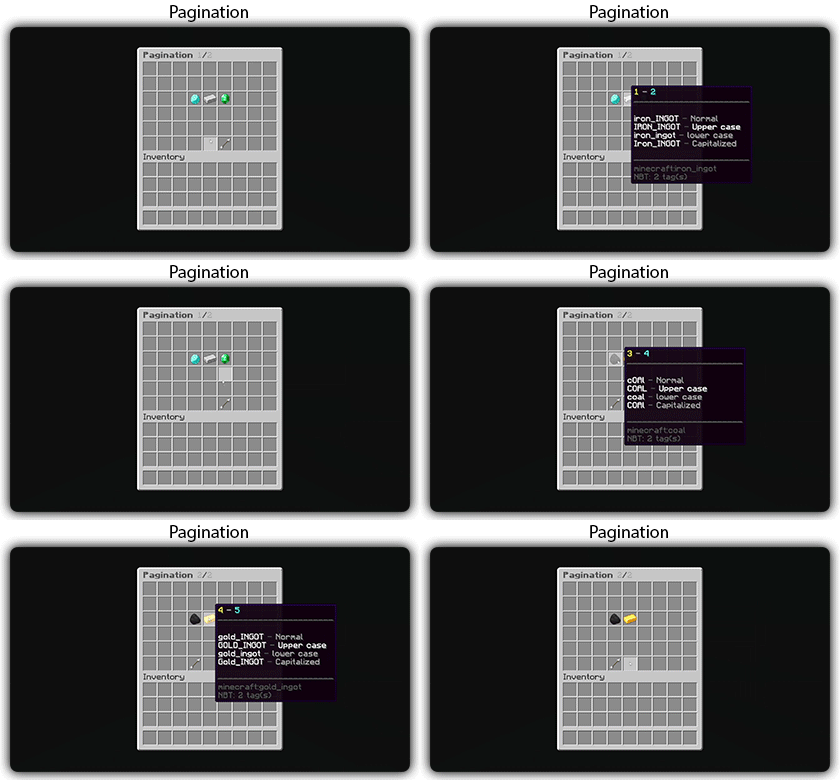](https://docs.zmenu.dev/configurations/buttons#pagination-zmenu)
[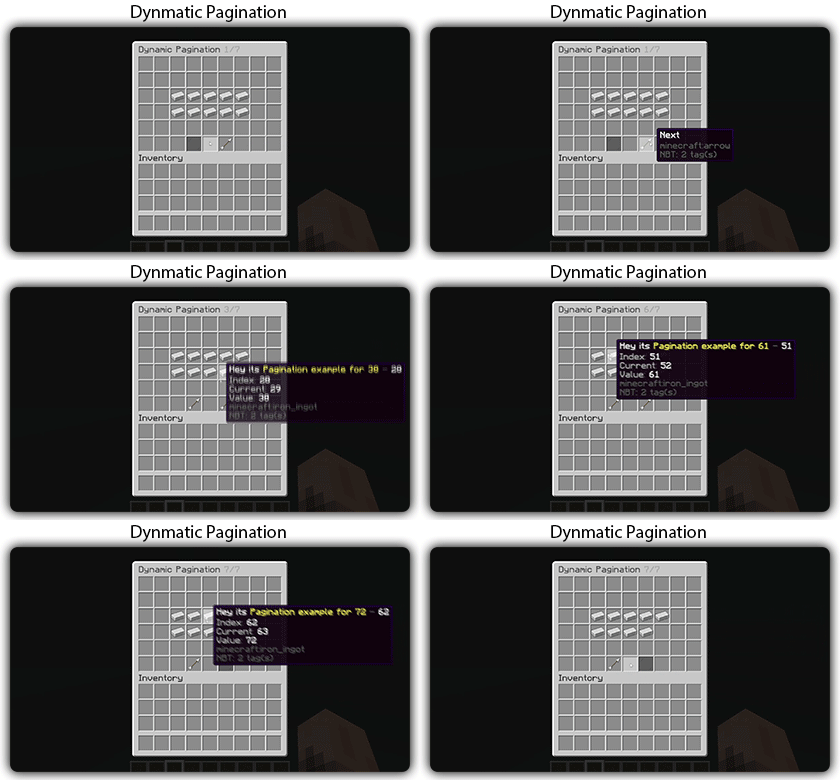](https://docs.zmenu.dev/configurations/buttons#dynamic-pagination-zmenu)
# **Features:**
✅ Ability to create an **infinite number of GUI** menus and **commands**.
✅ Possibility to create several pages in the same inventory.
✅ Arguments, actions, and auto-completion for your commands.
✅ A marketplace to download configurations.
✅ An [online inventory editor](https://minecraft-inventory-builder.com/).
✅ Open Source: [GitHub](https://github.com/Maxlego08/zMenu).
✅ Advanced API.
✅ Ability to create an infinite number of buttons for each of your actions.
✅ Highly customizable.
✅ PlaceholderAPI support.
✅ Kyori Adventure [Mini Message Format](https://docs.adventure.kyori.net/minimessage/format.html) support.
✅ [Folia](https://papermc.io/software/folia) support.
✅ Convert from other plugins: [zMenuConvert](https://www.spigotmc.org/resources/zmenuconvert.110403/).
✅ Patterns, no more need to copy and paste the same configuration several times!
✅ [zHead](https://www.spigotmc.org/resources/zhead-database.115717/) and HeadDatabase support.
✅ Documentation translated into several languages:
1. English: [docs.zmenu.dev](https://docs.zmenu.dev/)
2. Français: [docs.zmenu.dev/v/fr/](https://docs.zmenu.dev/v/fr/)
✅ **Anti-duplication** system. Duplication will be completely impossible with the plugin.
✅ Turn your items into a configuration with **/zm save**.
✅ Executable items for open inventories.
✅ Possibility to **translate your items** into several languages. The plugin displays the correct translation to the player!
✅ Use mathematical expressions in your inventories!
**Plugin’s files**: [https://docs.zmenu.dev/plugins-files](https://docs.zmenu.dev/plugins-files)
[](https://discord.groupez.dev/)
## Video:
[](https://youtube.com/watch?v=spxnyY7lY0Q)
[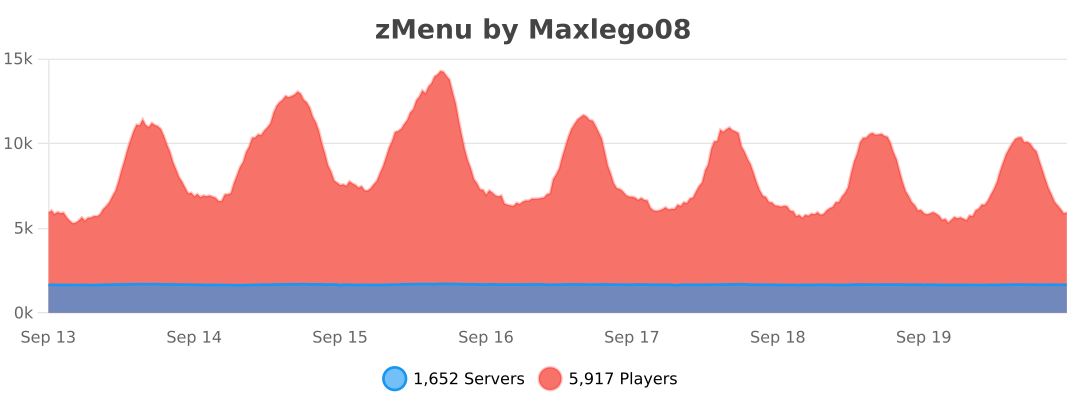](https://bstats.org/plugin/bukkit/zMenu/14951)
zMBlockLimiter
🔷 ZMBlockLimiter
🚀 ZMBlockLimiter is an ultra-lightweight and highly optimized plugin designed to limit specific blocks per chunk, helping to reduce lag, control automatic farms, and keep your server stable and fast on Paper, Spigot, Pufferfish, and Purpur.
💡 Built with real servers in mind, including existing worlds and advanced economies. Forget heavy scans and TPS spikes: smart control without impacting performance.
✨ Main Features
– 🌍 Per-chunk limits, not per player → prevents exploits and overload.
– 🏗️ Fully compatible with existing worlds, no unnecessary resets.
– ⚡ Optimized for Paper / Spigot / Pufferfish / Purpur.
– 🔒 No bypass: rules apply to all players equally.
– 🕹️ Lazy and controlled scanning system with low TPS impact.
– 📝 Clear, simple, and well-documented configuration.
– ⚙️ Ideal for intense survival gameplay and large automatic farms.
⚙️ How It Works
– Blocks are counted per chunk (16×16).
– ❌ No constant full-world scans.
– ✔️ Smart and gradual counting:
– When chunks load
– When blocks are placed or broken
– ➕ Add new blocks to the configuration and use /zmblocklimiter rescan to safely recalculate counters without freezing the server.

🧾 Commands
– /zmblocklimiter reload 🔄
Reloads the configuration (no scans)
– /zmblocklimiter rescan 🧹
Re-scans chunks to safely recalculate counters
🔐 Permissions
– zmblocklimiter.admin → Full command access
– zmblocklimiter.reload → Allows /zmblocklimiter reload
– zmblocklimiter.rescan → Allows /zmblocklimiter rescan
📌 Recommended Use Cases
– 🚜 Limiting hoppers, dispensers, and technical blocks
– 🌾 Controlling automatic farms
– ⚡ Reducing lag in overloaded chunks
– 🏰 Survival servers with many players
– 🛡️ Admins who want control without heavy plugins
🧠 Plugin Philosophy
ZMBlockLimiter does not try to patch lag —
it aims to prevent it at the root with a simple, clear, and efficient approach.
📦 Compatibility
– Minecraft 1.21+
– Paper
– Spigot
– Pufferfish / Purpur
🌐 Support / Spanish available
👤 Developed by zMarkitos_
ZLives

# Please read the concept of this plugin
## Concept :
– **1. Player A and Player B gets default 3 lives and 10 Hearts**
– **2. Player A killed Player B, then Player B will lose 1 live (remaining = 2) and in exchange of the live, player B will get +5 Hearts (total = 15).**
– **3. If Player A again killed Player B, then Player B will lose 1 live (remaining = 1) and in exchange of the live player B will get +5 Hearts (total = 20)**
– **4. After this if Player B killed Player A, then Player B will gain 1 live and -5 Hearts.**
– ### *NOTE : The maximum hearts obtainable are 25 and maximum lives are 3, so no one can go beyond it (untill changed from config.yml)*
## 1. Plugin Description
**ZLives** is a unique Minecraft plugin that introduces a **lives and heart system** to your server. Players start with a limited number of lives and hearts, and their actions (such as killing other players or being killed) affect their lives and hearts. Key features include:
– **Lives System**:
Players start with a default number of **3 lives**. When a player loses all their lives, they are eliminated and put into spectator mode.
– **Heart System**:
Players have a limited number of hearts, **default is 10** (20 Heart points). Hearts determine the player’s max health.
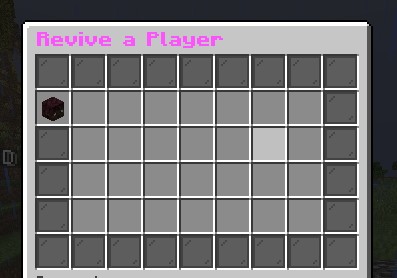
– **Revival System**: Eliminated players can be revived using a special **Revive Book** or by an admin using the `/revive` command.
– **Elimination Animation**: When a player is eliminated, a dramatic animation and sound effect play to signify their elimination.
– **Customizable Config**: The plugin allows server admins to configure default lives, hearts, and other settings via the `config.yml` file.
– **Commands**:
– `/lives`: Check your remaining lives and hearts.
– `/revive `: Revive an eliminated player (admin-only).
– `/elimination-animation`: Play the elimination animation on a player or at specific coordinates (admin-only).
## 2. Installation Guide
Follow these steps to install and set up the **ZLives** plugin on your Minecraft server:
#### **Step 1: Download the Plugin**
1. Download the `ZLives.jar` file from the provided source (e.g., SpigotMC, GitHub, or your custom build).
2. Place the `ZLives.jar` file in your server’s `plugins` folder.
#### **Step 2: Start the Server**
1. Start or restart your Minecraft server.
2. The plugin will generate a default `config.yml` file in the `plugins/ZLives` folder.
#### **Step 3: Configure the Plugin**
1. Open the `config.yml` file located in the `plugins/ZLives` folder.
2. Customize the settings as needed.
#### **Step 4: Test the Plugin**
1. Join your server and test the plugin’s features.
2. Use the `/lives` command to check your lives and hearts.
3. Test the elimination and revival mechanics.
—
## **3. Screenshots**
### **Elimination Animation**
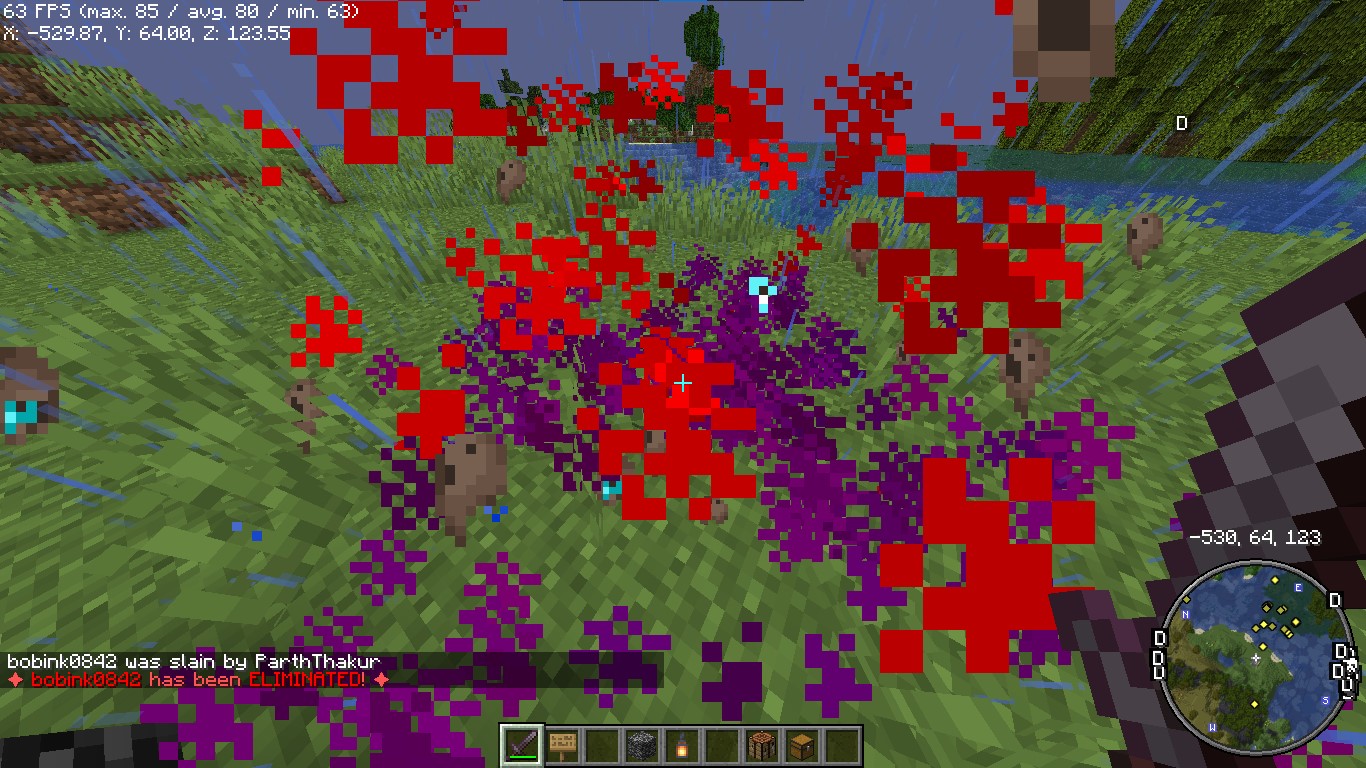
*Players see a dramatic animation when they are eliminated.*
### **Revival Animation**
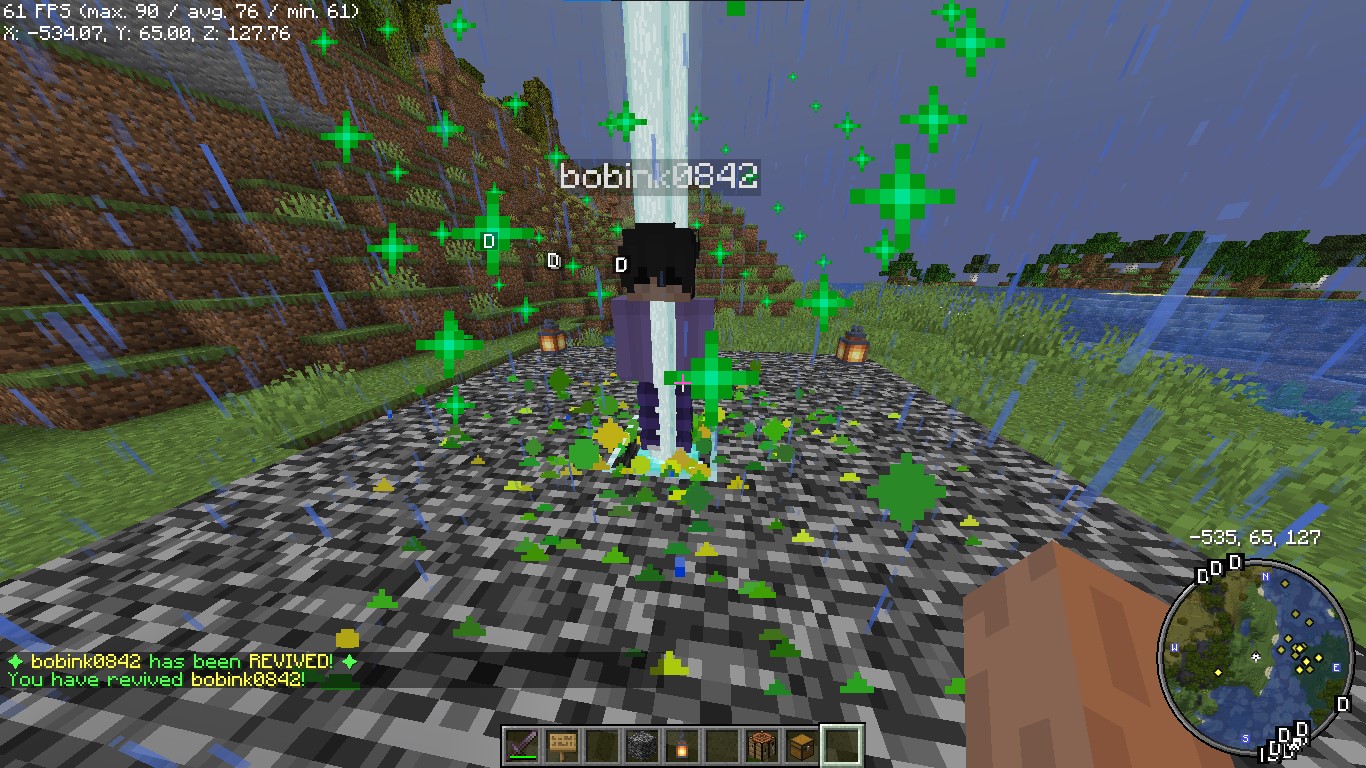
*Players see a dramatic animation when they are eliminated.*
### **Revive Book**

*The Revive Book can be crafted and used to revive eliminated players.*
### *Note: This recipe can be changed from config.yml.*
### **Remaining Lives message after killed by a player**

### **+5 Hearts on every death by a player**
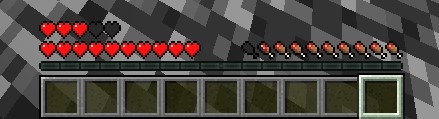
*+5 Hearts when a player is killed by other player*
### **Elimination Message**
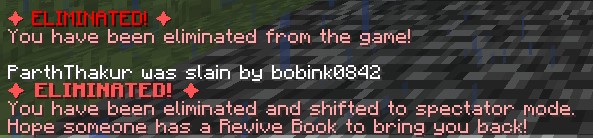
### **ReviveGUI**
## **4. Donations**
### Liked my Content? Want to support me?
– **Support me by sending money on this UPI QR Code**.

## **5. Reporting Issues**
**Need Help? Contact Us!**
Encountered a problem or have suggestions? We’re here to assist you!
### 📧 **Discord Support**: Contact me on Discord at **@iitian_69**.
#### **Step 1: Check the Logs**
1. Look for error messages in the server console or `logs/latest.log`.
2. Copy the relevant error message.
#### **Step 2: Provide Details**
When reporting an issue, include the following information:
– **Minecraft Version**: The version of Minecraft your server is running.
– **Server Software**: The server software you’re using (e.g., Spigot, Paper).
– **Plugin Version**: The version of the **ZLives** plugin you’re using.
– **Steps to Reproduce**: A detailed description of how to reproduce the issue.
– **Error Logs**: The error message or log snippet.
#### **Step 3: Submit the Issue**
**Contact me at discord username is : @iitian_69**
#### **Example Issue Report**
“`
**Minecraft Version**: 1.21.4
**Server Software**: Paper
**Plugin Version**: 1.0.0
**Issue**: Players are not losing hearts when they kill another player.
**Steps to Reproduce**:
1. Set default lives to 3 and hearts to 10 in the config.
2. Have a player with 2 lives kill another player.
3. Check the killer’s hearts after the kill.
**Error Logs**: [No errors in the logs]
“`
### **Final Notes**
The **ZLives** plugin adds a unique and engaging gameplay mechanic to your Minecraft server. If you have any questions, need further assistance, or want to suggest new features, feel free to reach out! 😊
Happy gaming! 🚀
zLink
zLink is your custom link plugin. It works by connecting to a database and giving the user a code, that code the user can input into your project to link their account. Right now you can fetch the users uuid, luckperms rank, display name, world, game mode and when they first joined.
**Please Note: This plugin is still in beta, there will be bugs and it will not be perfect.**
If you would like to get releases before it comes here please visit: [Our Official Website](https://link.zavrobot.tech/)
ZLDiscord
**ZLDiscord is a universal plugin for Minecraft servers that provides advanced features, including a voting system, integration with placeholders for voice chats, and the creation of custom messages. This plugin is designed to simplify and automate server management.**
**Version:** 1.16.5 – 1.20.x
**Minimum** Java: 17
**Mandatory dependencies:**
[PlaceholderAPI](https://www.spigotmc.org/resources/placeholderapi.6245/)
**Development:** [here](https://plugin.zoliryzik.ru/en)
# **Commands in the game:**
“`
• /zevent “title” “command” “time” “channel_id” — Creates a new poll. (Administrator rights required).
• /zembed “Unique Name” “Title” “Description” “Channel ID” “Image URL” “Thumbnail URL” “Footer Text”” “Footer Icon URL” — creates a new embed. (administrator rights required).
(Administrator rights required).
• /zembedmanage “action” “unique_name” “new_value” — Manage created embed messages. (Administrator rights required).
• /zlink — Link your account to Discord.
• /zunlink — Unlink your account from Discord.
“`
# **Commands in Discord:**
“`
• /zevent — Creates a new poll. (Administrator rights required).
• !embed — Creates an Embed message in Discord. (Requires administrator rights ).
• /link < code > — Link your account to Discord. (In the bot’s private messages)
• /unlink — Unlink your account from Discord.
“`
# **Permisheny:**
“`
zoliryzik.use
zoliryzik.zlink
zoliryzik.zunlink
zoliryzik.zembed
zoliryzik.zembed_manage
“`
# **Placeholders (PlaceholderAPI)**
ZLDiscord integrates with PlaceholderAPI to display voice chat status. Make sure you have PlaceholderAPI installed.
**Available placeholders:**
“`
• %zoliryzik_in_vc% — Returns “In voice chat”, “Not in voice chat” and “Not bound”.
“`
# **Examples of use**
**Create a poll for an event:**
To create a poll for an event, simply type the following into the chat:
“`• /zevent “Siege of the ship” “boat run” “20m” “0000000000000000000”“`
Players will be able to vote in the Discord channel you specified.
**Create an embed message in Discord:**
To create an embed message in Discord, simply type the following into the chat:
“`• /zembed “Siege of the ship” “Siege of the ship” “The Siege of the Ship event is underwaynCords X: 0 Y: 0” “0000000000000000000”“`
Players will be able to see this message in the Discord channel you specified.