Miniature Shader
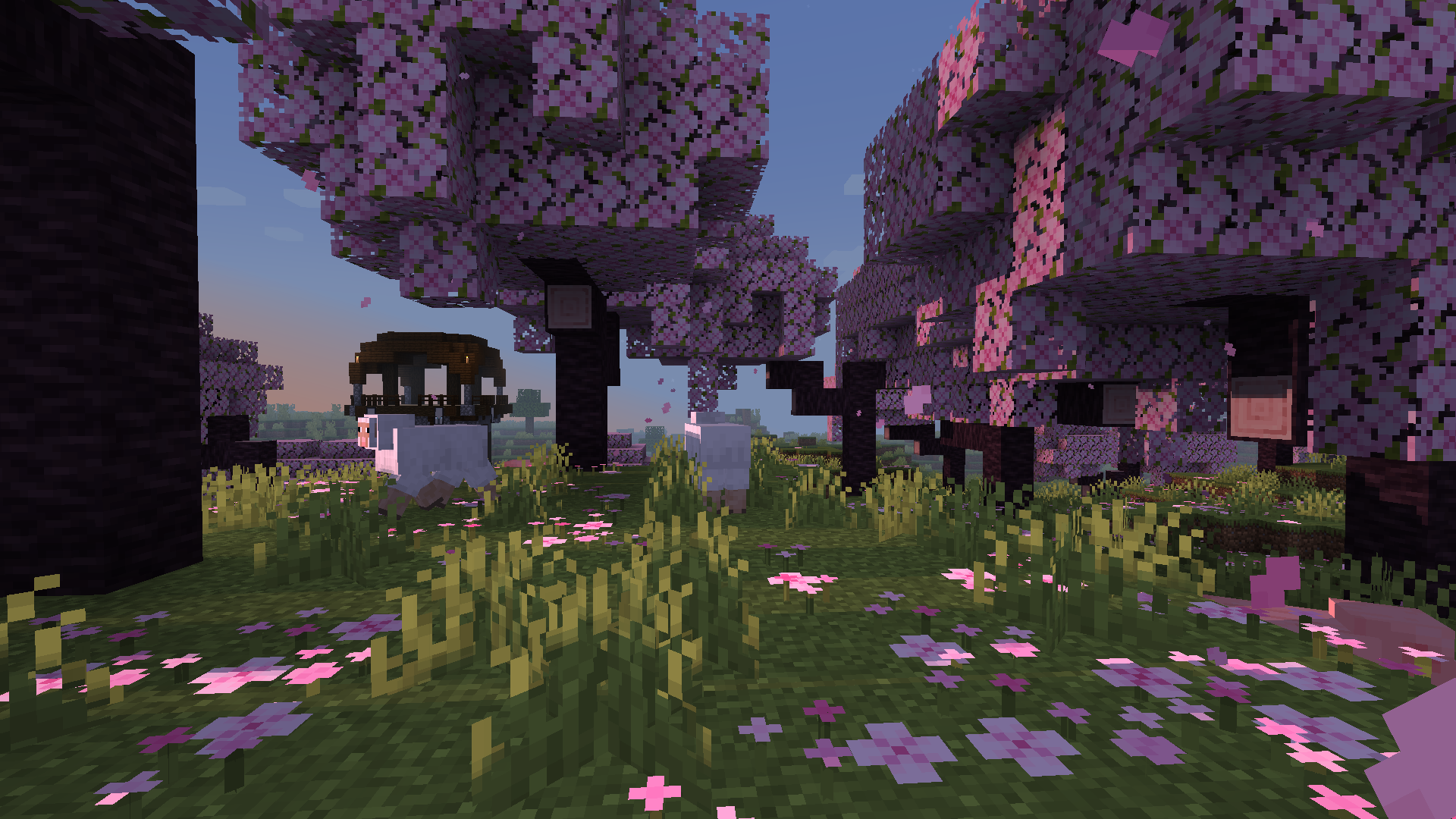
Miniature is a natural take on Minecraft shaders. It offers blocky shadows and reflections in water, ice and
other commonly reflective blocks, and a slight overhaul of emissive lighting; all in a very lightweight way. Its goal, above all else, is to keep with Minecraft’s model-like appearance without compromising performance.
Miasma


EN 🌐
# ABOUT:
**Miasma** – Cel-shading shader, familiar to many from the game **Borderlands**. In this interpretation, the shader transforms the world of Minecraft into a toxic, acidic planet that is uninhabitable but mesmerizing to look at!
– Miasma: the world breathes poison.
– Light bends through venomous air.
– Soil hums with decay.
– Step carefully—the planet remembers.
##### _Perfect for: Players looking for a unique, stylized experience, horror maps, or creating content with a bold, artistic look._
### SCREENSHOT:

## DEMO VIDEO
## LINKS:
– [Discord](https://discord.gg/Cz2sCWz5Wh) (Discuss, Bug Reports, Etc.)
– [YouTube](https://www.youtube.com/@lolip_p)
– [Telegram](https://t.me/LoLip_p_Community)
## INSTALL THE SHADERS
– Download Client Which Supports Installing Shaders Such As Optifine And Iris
– Download The Shaders
– Copy Shaders to /.minecraft/shaderpacks
– Launch Minecraft, Go To Options –> Video Settings –> Shaders
– Choose **Miasma**
RU 🐻
# О:
**Miasma** — шейдер с эффектом «цел-шейдинг», знакомый многим по игре **Borderlands**. В этой интерпретации шейдер превращает мир Minecraft в токсичную, кислую планету, непригодную для жизни, но завораживающую взгляд!
– Миазмы: мир дышит ядом.
– Свет преломляется в ядовитом воздухе.
– Почва гудит от гниения.
– Шагайте осторожно — планета помнит.
##### _Идеально подходит для: игроков, которые ищут уникальный стилизованный опыт, карты в жанре хоррор или создают контент с ярким художественным оформлением._
### СКРИНШОТ:

## ДЕМО ВИДЕО
## ССЫЛКИ:
– [Discord](https://discord.gg/Cz2sCWz5Wh) (Discuss, Bug Reports, Etc.)
– [YouTube](https://www.youtube.com/@lolip_p)
– [Telegram](https://t.me/LoLip_p_Community)
## УСТАНОВИТЕ ШЕЙДЕРЫ
– Загрузите клиент, поддерживающий установку шейдеров, таких как Optifine и Iris
– Загрузите шейдеры
– Скопируйте шейдеры в /.minecraft/shaderpacks
– Запустите Minecraft, перейдите в «Настройки» –> «Настройки видео» –> «Шейдеры»
– Выберите **Miasma**
DE 🍺
# ÜBER:
**Miasma** – Cel-Shading-Shader, vielen bekannt aus dem Spiel **Borderlands**. In dieser Interpretation verwandelt der Shader die Welt von Minecraft in einen giftigen, sauren Planeten, der unbewohnbar ist, aber faszinierend anzusehen!
– Miasma: Die Welt atmet Gift.
– Das Licht wird durch die giftige Luft gebrochen.
– Der Boden summt vor Verfall.
– Gehen Sie vorsichtig – der Planet erinnert sich.
##### _Perfekt für: Spieler, die ein einzigartiges, stilisiertes Erlebnis suchen, Horror-Karten oder die Erstellung von Inhalten mit einem kühnen, künstlerischen Look.
### SCREENSHOT:

## DEMO-VIDEO
## LINKS:
– [Discord](https://discord.gg/Cz2sCWz5Wh) (Diskussionen, Fehlerberichte usw.)
– [YouTube](https://www.youtube.com/@lolip_p)
– [Telegram](https://t.me/LoLip_p_Community)
## INSTALLIEREN DER SHADER
– Client herunterladen, der die Installation von Shadern wie Optifine und Iris unterstützt.
– Shader herunterladen.
– Shader in den Ordner „/.minecraft/shaderpacks” kopieren.
– Minecraft starten, zu „Optionen” –> „Videoeinstellungen” –> „Shader” gehen.
– **Miasma** auswählen.
CH 🐉
# 关于:
**瘴气**——一种细胞着色器,许多玩家通过游戏《无主之地》对其有所了解。在此版本中,该着色器将《我的世界》的世界转化为一片有毒的酸性星球,虽然无法居住,却令人着迷!
– 瘴气弥漫:世界呼吸着毒液。
– 光线在毒气中折射变形。
– 土壤因腐朽而低鸣。
– 步履需慎——这颗星球铭记着一切。
##### _适用场景:追求独特风格化体验的玩家、恐怖主题地图,或打造大胆艺术风格内容的创作者。_
### 截图展示:

## 演示视频
## 相关链接:
– [Discord](https://discord.gg/Cz2sCWz5Wh) (讨论区、错误报告等)
– [YouTube](https://www.youtube.com/@lolip_p)
– [Telegram](https://t.me/LoLip_p_Community)
## 安装着色器
– 下载支持安装着色器的客户端(如Optifine或Iris)
– 下载着色器文件
– 将着色器复制至 /.minecraft/shaderpacks 目录
– 启动Minecraft,进入选项 –> 视频设置 –> 着色器
– 选择 **Miasma**
Chippa256 shader
Very basic but effective shader that applies dithering and other vintage screen effects to make the iconic low-res look and feel of Minecraft seem even more low-res!
There isn’t much to say about this shader for now.
Mellow
### Features
– Broad mod compatiblity: Distant Horizons, Voxy, Colorwheel etc.
– Several preset color schemes
– Extensive & customizable fog system
– Multiple styles of clouds
– Lightmap or shadowmap based shadows
– Extensive olor grading (saturation, exposure, color balancing tool etc.)
– Easily adjustable colors
### Compatibility
– At the moment only versions 1.17 and up are being tested. Earlier versions may or may not work.
– Modern Nvidia, AMD and Intel gpus are supported on both Windows and Linux. Macs may or may not work.
– Please use the latest Iris version (any version that supports custom uniforms should work). Optifine has some small bugs, but it should also mostly work.
minecraft CRT
# mCRT
mCRT is a simple highly customizable analog horror shader primarily designed to emulate CRT monitors.
—
### Features
– Customizable pixel size
– Various colorful overlays
– Fully adjustable fog
– Customizable scan flicker
– Variable screen static
– Chromatic aberration

—

—

This shader is an adaptation (and expansion) of Xor’s wonderful CRT shader for GameMaker, which can be found [here](https://mini.gmshaders.com/p/gm-shaders-mini-crt).
MC VHS
## ⨠ Notes
Despite what the versions may say, all MC VHS versions 2 and above will work on _most_ versions of Iris (and probably Optifine, though I haven’t tested). It would be a hassle to constantly update what versions it supports, so I’m just saying it here. Thanks for using my shader!
# ⨠ What is MC VHS?
MC VHS is a Minecraft shader, duh. Jokes aside, this shader aims to apply a somewhat realistic VHS filter to the game itself, as opposed to a filter applied in post. Compared to other shaders which incorporate VHS effects, this shader aims to be a bit more realistic than just “slap on some chromatic aberration and scanlines”, which I will expand upon in “What does MC VHS do?”. Whether you use it for an ARG, nostalgia bait or what have you, so long as my work is used for something creative, I’m happy.
## ⨠ What does MC VHS do?
Here I’ll talk a bit more in-depth about the features and how it works.
First off, as stated previously, MC VHS is a slightly more realistic VHS effect for minecraft. Whereas most other effects will use some combination of chromatic aberration, scanlines and distortions, my shader tries to emulate how videos are compressed, the main features being compression in the YIQ colour space, colour & luminance noise, post-sharpening and interlacing.
## ⨠ What next?
Sorry it took so long for this, I really was in college, but I have also had Version 2 on my hard drive for quite a while now so there isn’t much of an excuse… I won’t promise I’ll update this to the extent I was doing, I may add some features in the future, or mess around with it a bit, but not as much.
Outline Shader


English
Outline Shader
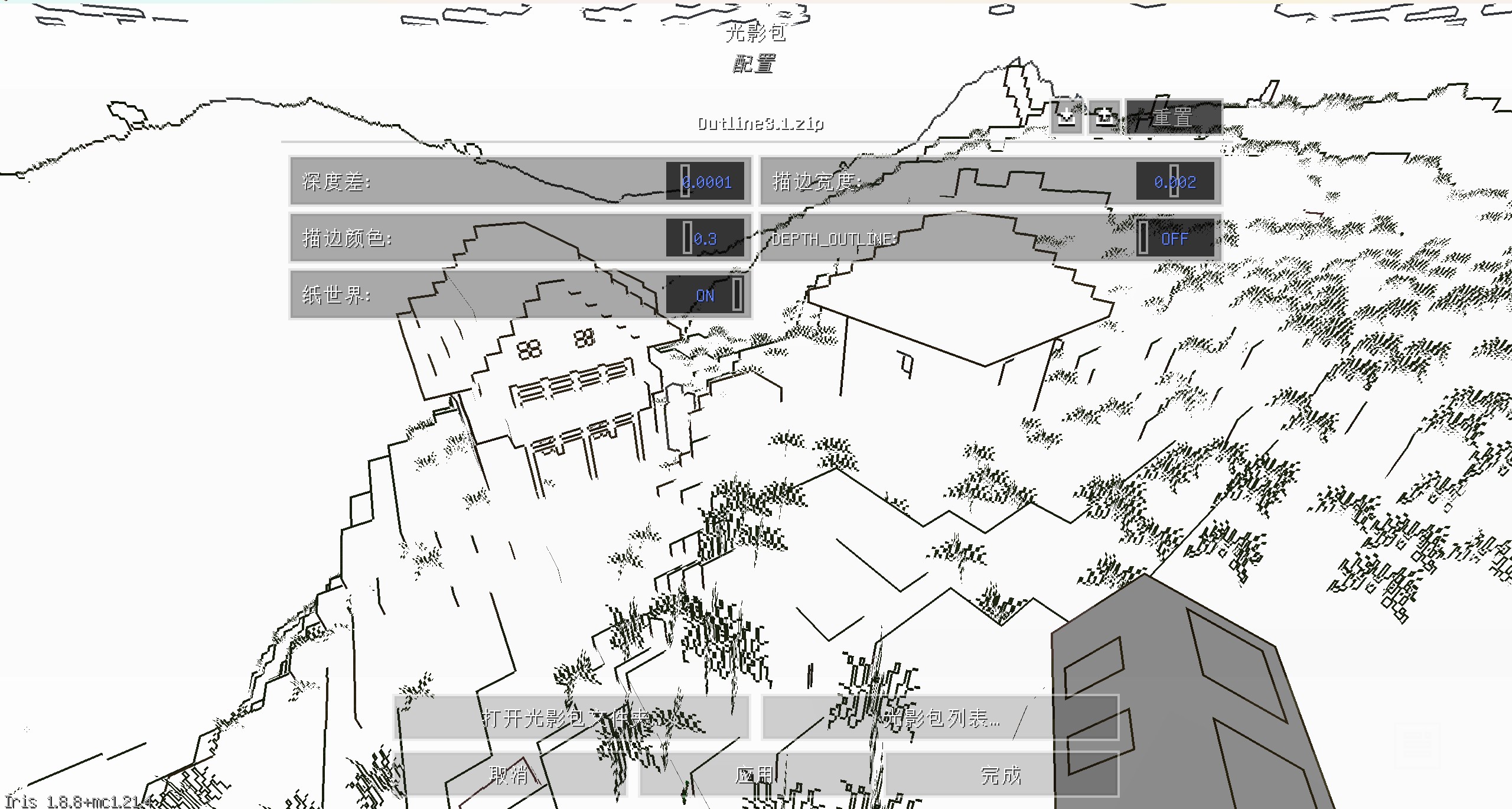
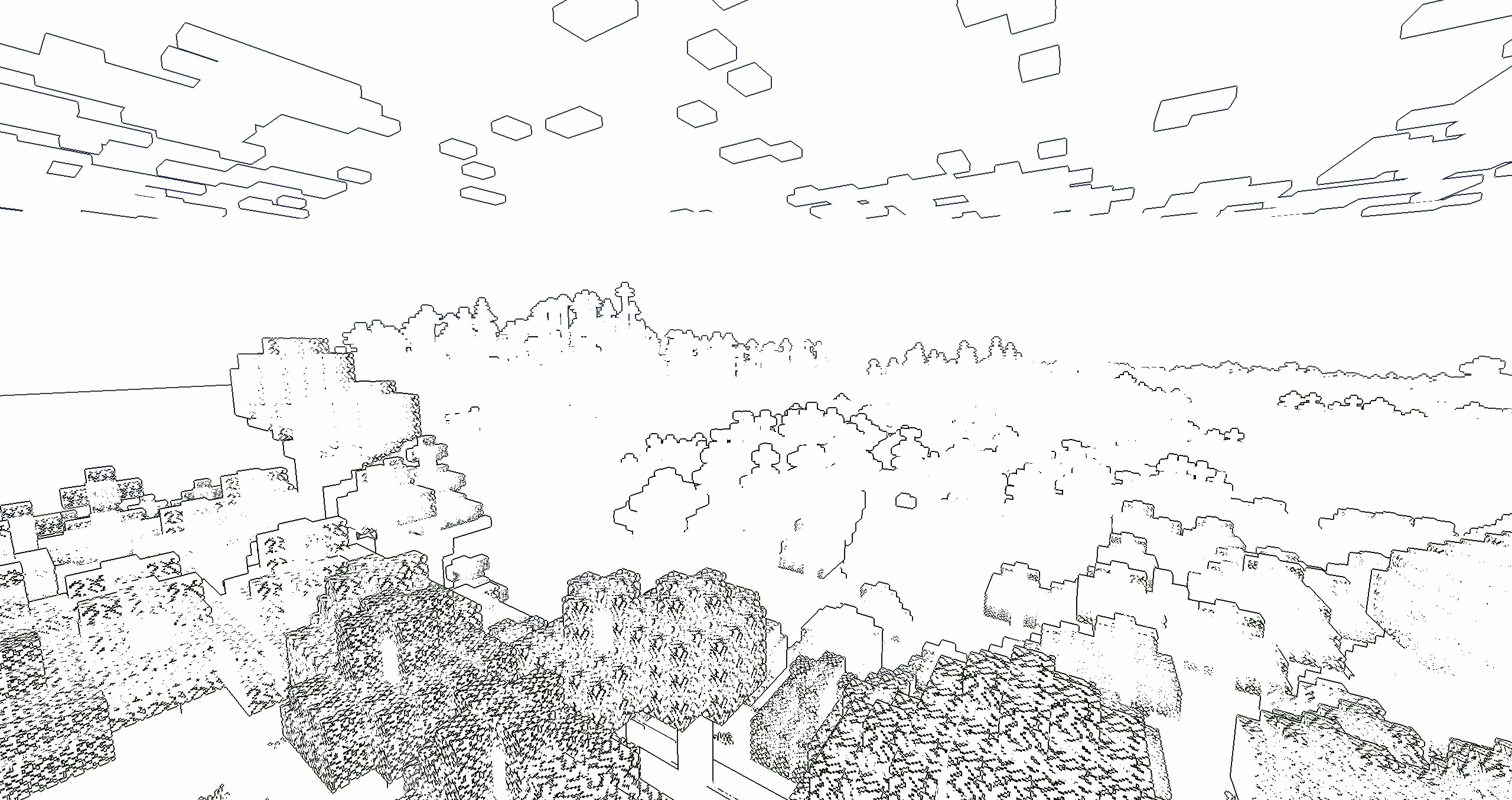
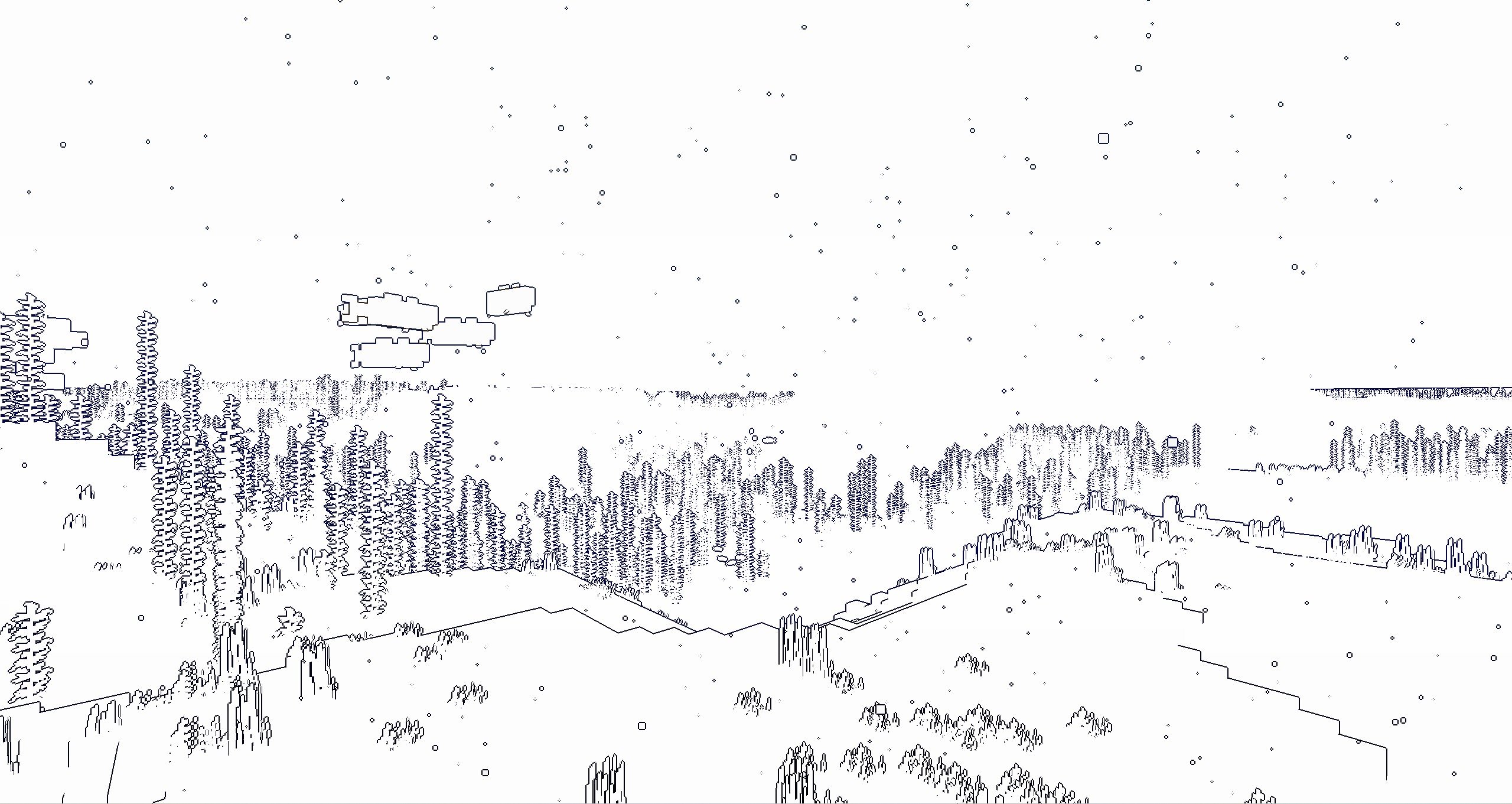
It’s a NPR shader,which based on the original style, which can add outline for game object and make the graphics more cartoonish
You can set outline width and outline color at shader pack settings page
if you turn on the “paper world” option,the world will only have outline

If you like this shader,please buy me a coffee,THANKS!

Outline
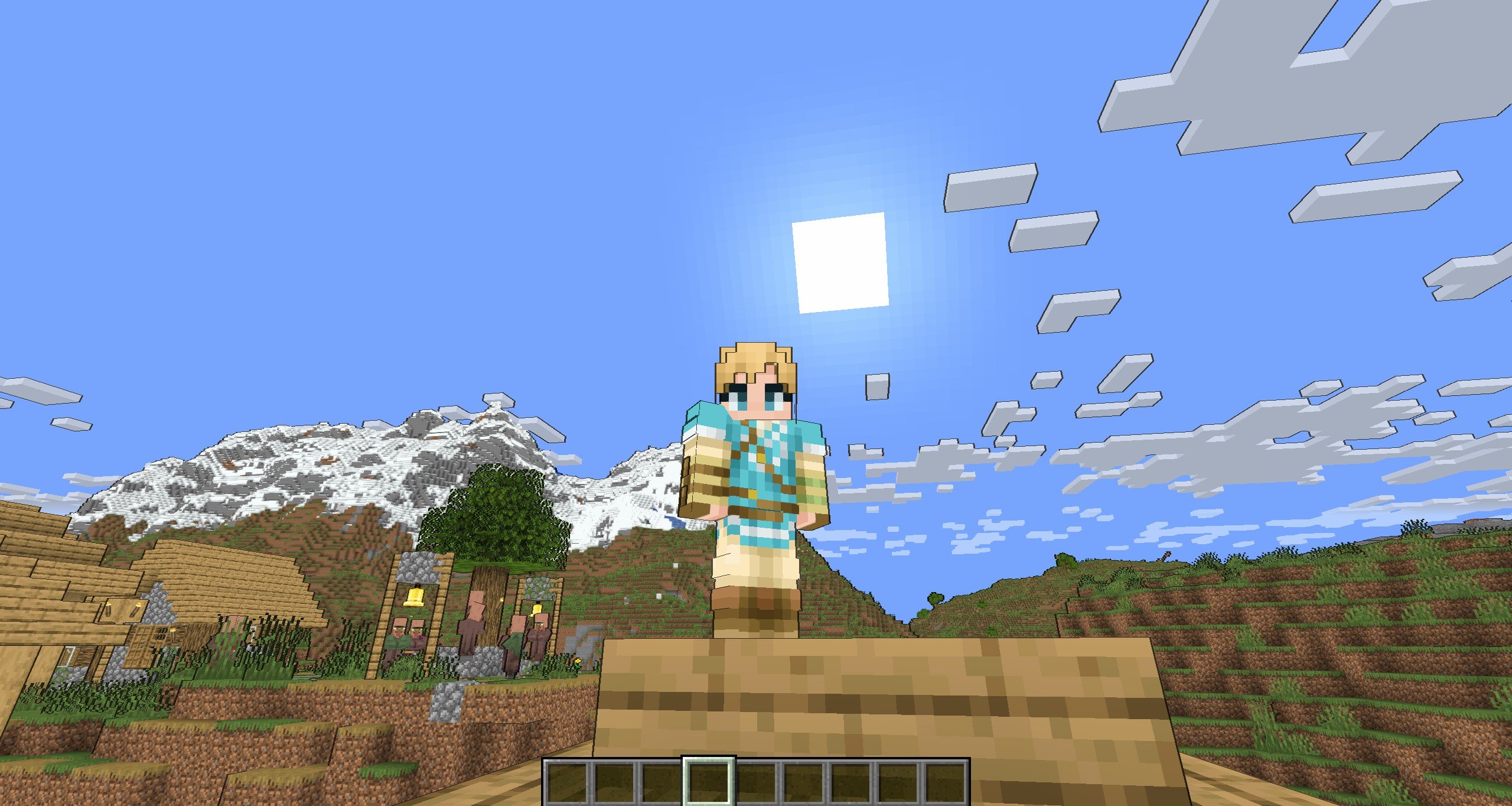
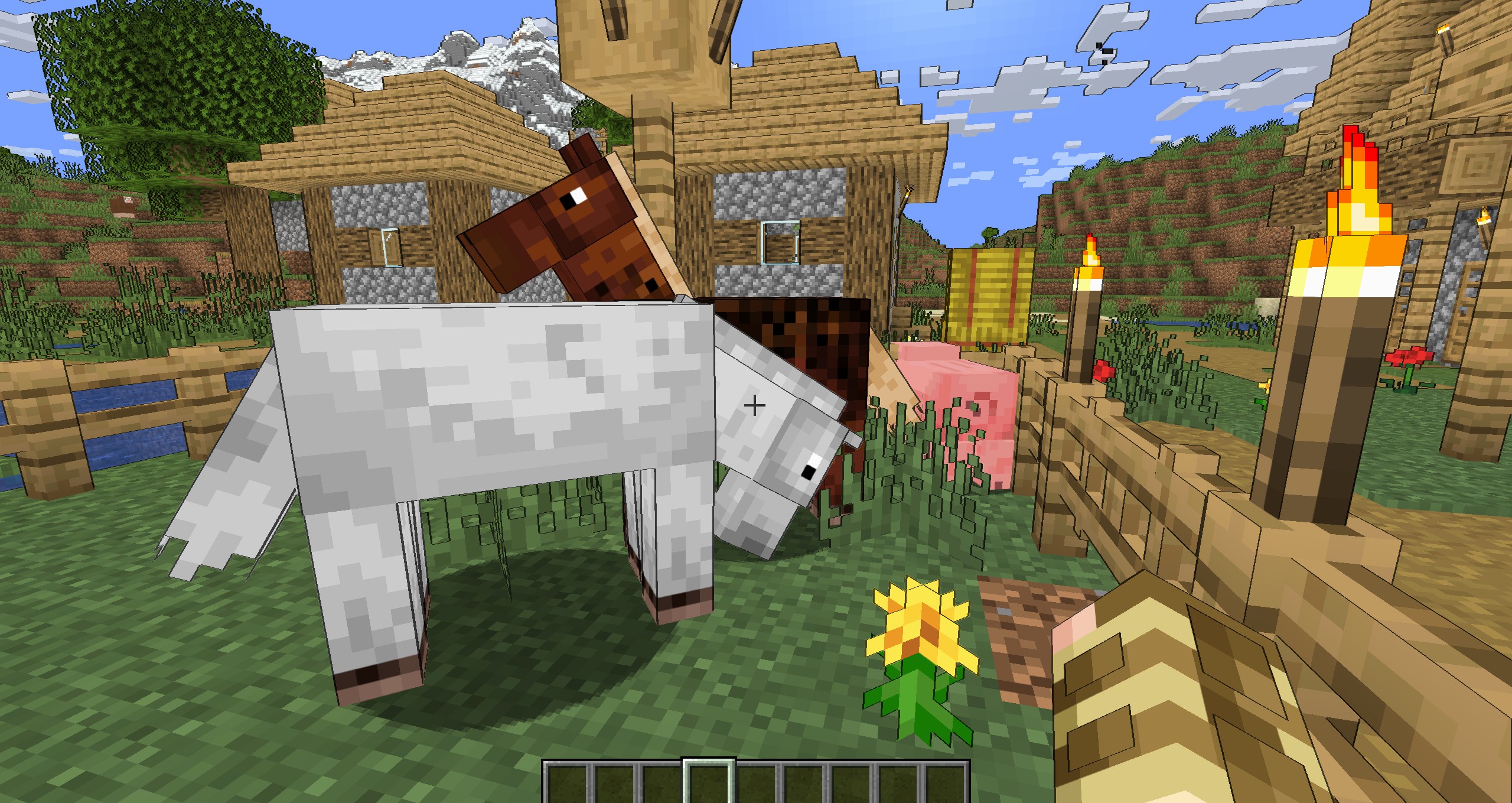
Enable “Shadow”


Enable “Shadow” and “Texture Outline”

Enable “Cel Shading” and “Texture Outline”

Paper World
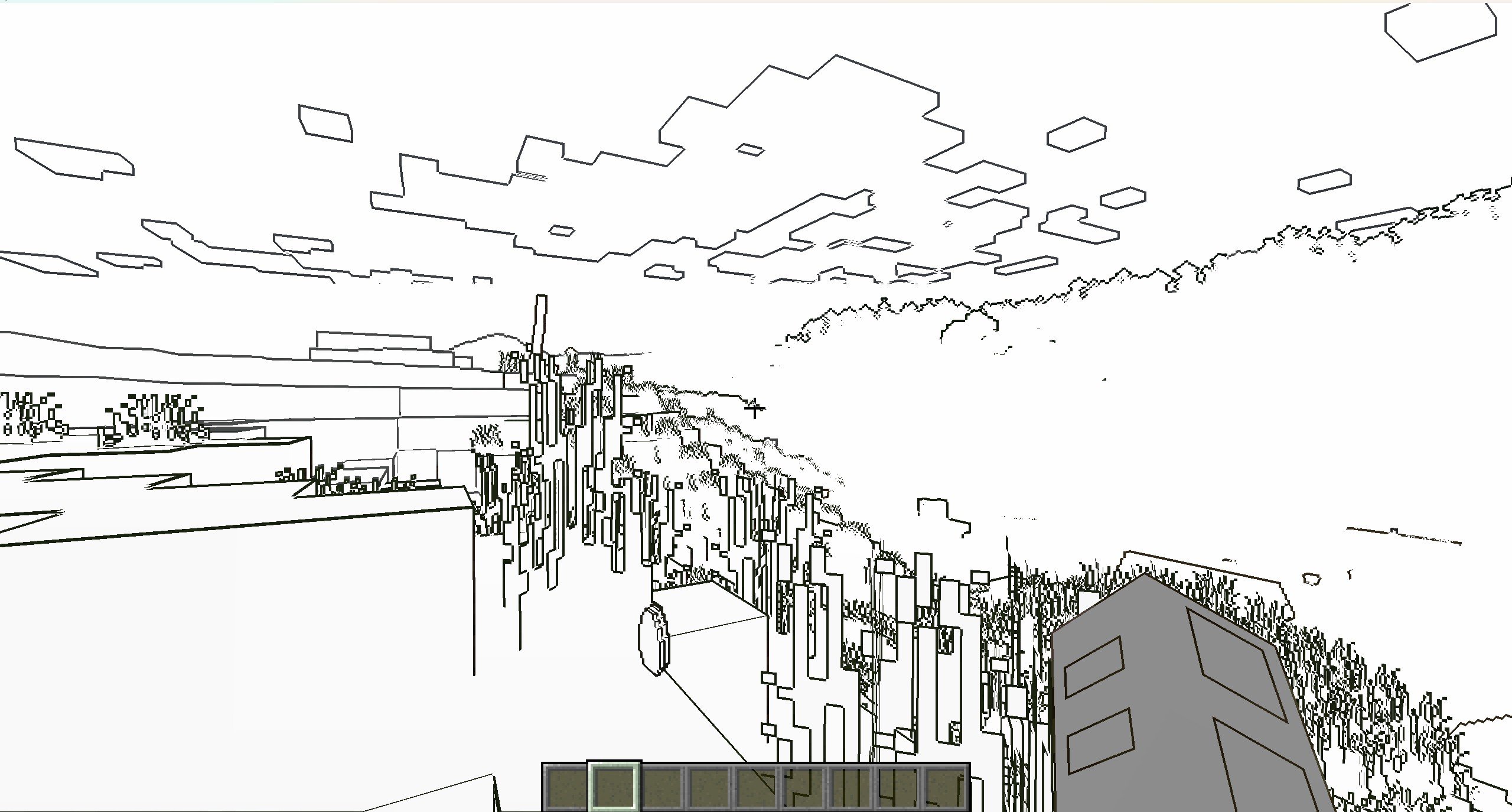
Enable “Texture Outline”


中文
风格化描边光影
这是一个风格化的光影,可以让MC物体都有描边的光影,使得游戏画面更加卡通
您可以在光影包设置中,设置描边宽度和颜色
如果开启“纸世界”选项,世界将会只有描边

如果你喜欢这个光影的话,能不能请我喝杯咖啡?感激不尽!
描边
开启“阴影”后
开启“纹理描边”和“阴影”后
开启“卡通渲染”和“纹理描边”后
纸世界
开启“纹理描边”后

Mathematically Unplayable
# Warning!
> **_!! INCLUDES FLASHING COLORS !!_**
# About
“Mathematically Unplayable” is an experimental shaderpack for Minecraft: Java Edition designed for OptiFine. It dramatically alters the game’s visual presentation by applying a series of mathematical transformations to world geometry, textures, and screen output. This pack is intended for users interested in exploring extreme visual effects, understanding shader capabilities, and experiencing Minecraft in a uniquely distorted and chaotic way. Visual examples showcasing the shader’s transformative style can be found in the “Gallery” section.
# Showcase
2.0.0:
1.0.0:
# Core Features & Visual Effects
This shaderpack is built around two main stages of visual manipulation, controlled by a global “Mess Intensity” slider:
1. **GBuffer Stage – World Deformation (Static):**
* **Terrain Geometry Warping:** Vertex shaders significantly displace terrain vertices using trigonometric functions based on their original positions and the “Mess Intensity” setting. This results in a permanently fractured, warped, and unpredictable landscape.
* **Texture Coordinate Distortion:** Texture coordinates for terrain blocks are manipulated, causing textures to swim, stretch, and misalign on block surfaces.
* **Depth Buffer Alteration:** The fragment shader for terrain intentionally writes chaotic depth values, leading to extreme Z-fighting, objects rendering through each other, and a general breakdown of spatial coherence.
2. **Composite Stage – Post-Processing Effects (Animated):**
* **Screen-Space Coordinate Distortion:** The entire rendered frame is subject to animated distortions, including swirling patterns around the screen center and undulating waves that warp the view.
* **Psychedelic Color Transformation:** Color channels (RGB) are dynamically modulated using time-based (`ftime`) trigonometric functions, resulting in constantly shifting, vibrant, and unpredictable color palettes across the screen.
* **Glitch & Scanline Overlays:** Includes effects like periodic color channel swapping (e.g., RGB to GBR) and animated horizontal scanlines to further enhance the “broken” aesthetic.
# Key Technical Highlights & Customization
* **Slider:** A single, easily accessible slider (0-100) allows users to fine-tune the overall magnitude of all visual distortions and color effects, from subtle to extreme.
* **Button Switches:**
There are 3 buttons, used to turn gbuffers_terrain, gbuffers_skybasic and composite ON/OFF
* **Educational Focus:** All GLSL shader files (`.vsh`, `.fsh`, `settings.glsl`) are extensively commented (with AI assistance) to explain the code logic and the techniques used. This is intended to serve as a learning resource for those interested in shader development and modification.
# Feedback & Support:
Found an issue or have a suggestion? Please report it here: [Issue Tracker](https://github.com/JamesCoalchiPortfolio/MathematicallyUnplayable/issues)
# Installation
* Modrinth launcher:
1. Open the mathematically unplayable shader page.
2. Click install.
3. Choose instance.
4. Start the game.
* Official launcher:
1. Open the mathematically unplayable shader page.
2. Download the “Mathematically Unplayable” shaderpack ZIP file.
3. Place the ZIP file into your Minecraft `shaderpacks` folder:
4. Start the game
MakeUp – Ultra Fast
# MakeUp Ultra Fast
**MakeUp** aims to provide the best quality / performance ratio, building a shader that can be adapted to anyone’s resources. Build the shader you want! All the effects are optional!, and you will only consume the resources that you need.
**¡Compatible with Optifine and Iris!**
## Optional features:
* Shadows
* Optional volumetric clouds
* Antialiasing (TAA)
* Depth of field
* Enhanced ambient occlusion
* Water reflection and refraction
* Motion blur
* Optional bloom
* Optional chromatic aberration
* Auto-exposure
* Shader for all native dimensions
* FAST!
* And more…
## Tested on
* Minecraft 1.12.+ – 1.21.x
* Nvidia, Intel, AMD (It’s not guaranteed to work on each and every existing model)
* Windows and Linux
## You can
* You can use the shader without restrictions.
* You can fork the shader from: [https://github.com/javiergcim/MakeUpUltraFast](https://github.com/javiergcim/MakeUpUltraFast)
* You can modify this shader for any purpose.
* If you modify or use the shader PLEASE add a credit.
## Color schemes
It can be boring that everything looks the same all the time. Choose a color scheme according to your tastes and change it whenever you want.
## Recommendations
Leave Optifine’s native shader options at their default values, otherwise you may see shader quality reduced. Customize using only the options of the shader itself.
Shadows and depth of field are resource-intensive effects. You can remove them if you need more performance, and it will still look great.
## Donation
If you think this work deserves a small stipend, please donate! I will be eternally grateful to you:
[Donation via PayPal](https://www.paypal.com/donate/?hosted_button_id=4N9Q5RMZL2CVN)
Lymbo Shader
### ABOUT
A simple Minecraft shaderpack that adds grayscale, bloom and noise effects. Explore a Minecraft world transformed by a scary shader of the unnatural. When you go into this gray world, you might feel curious. The landscapes you know from Minecraft look different now, covered in a ghostly covering of shades.
### ADDITIONAL INFORMATION
who sitting on V1.0 please update to the new version of the shader, as it does not work with Iris.
### INSTALLATION
– Download and install Optifine
– Download the shaderpack
– Put the shaderpack inside `.minecraftshaderpacks`
– Launch Minecraft
– Enjoy!
thank you for accepting my idea and using it for different scenarios and scenes