Zębatkowo
# PL
# 🔩 Zębatkowo — Modpack Serwera
> **Modpack przeznaczony wyłącznie dla zamkniętej grupy z serwera Discord Zębatkowo.**
> Jeśli tu trafiłeś bez zaproszenia — nic tu po tobie! ⚙️
## O modpacku
Zębatkowo to modpack survivalowy zbudowany wokół moda **Create** i jego dodatków.
Skupiamy się na mechanicznym budownictwie, automatyzacji i eksploracji w klimacie steampunkowego rzemiosła.
Paczka jest aktywnie utrzymywana i aktualizowana pod potrzeby naszej społeczności.
## Wymagania
– **Minecraft**: 1.21.1
– **Modloader**: Neoforge
– **RAM**: minimum 4 GB przydzielone do gry
## Kontakt i wsparcie
Wszystkie pytania, błędy i sugestie zgłaszaj wyłącznie przez **kanały na Discordzie**.
Nie udzielamy wsparcia poza serwerem.
—
*Modpack jest własnością społeczności Zębatkowo i nie jest przeznaczony do publicznej dystrybucji.*
# EN
# 🔩 Zębatkowo — Server Modpack
> **This modpack is intended exclusively for the closed group on the Zębatkowo Discord server.**
> If you’ve ended up here without an invitation — you’re in the wrong place! ⚙️
## About the modpack
Zębatkowo is a survival modpack built around the **Create** mod and its add-ons.
We focus on mechanical construction, automation and exploration in a steampunk crafting atmosphere.
The pack is actively maintained and updated to meet the needs of our community.
## Requirements
– **Minecraft**: 1.21.1
– **Modloader**: Neoforge
– **RAM**: minimum 4 GB allocated to the game
## Contact and support
Please report all queries, bugs and suggestions exclusively via **Discord channels**.
We do not provide support outside the server.
—
*The modpack is the property of the Zębatkowo community and is not intended for public distribution.*
Zapped
**zapped has been achived because I am not happy with its current quality.
zapped will get a full rework when the time is right**
Zapped is a Data-pack that turns lightning rods from a useless block to a way to transport zaps so you can power machines and productivity armour.
1.2 update released
-music disc (creator disc combined with a zap)
-config (/function zapped:config/config)
-armour texture (enable in config)
**Requires a Resource-pack to see tools (copper tools appear gold) or to see the armour texture**
**( armour texture disabled by default in config)**
Copper Lines
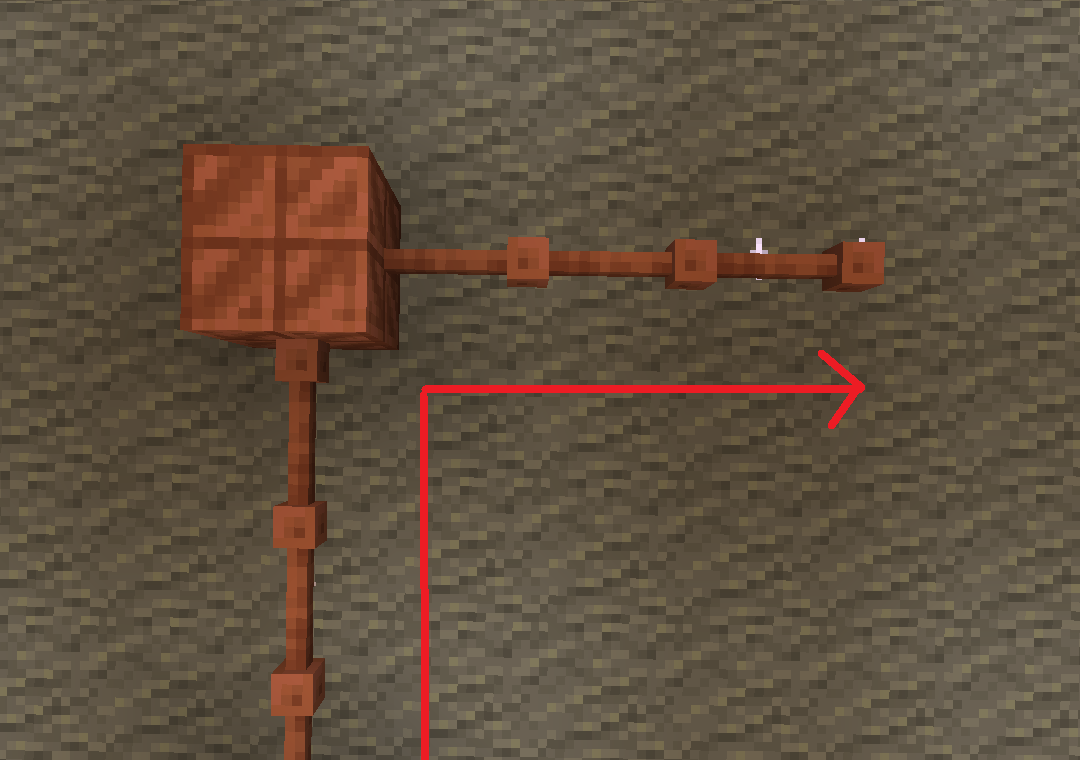
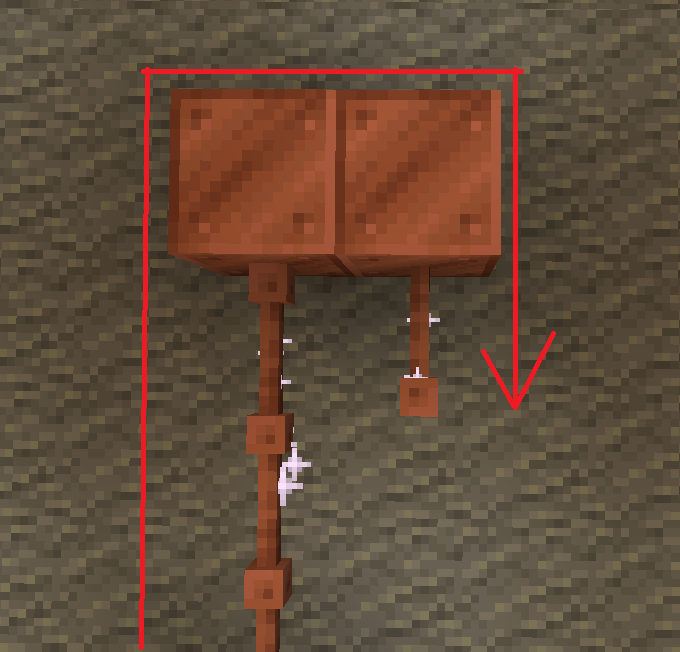
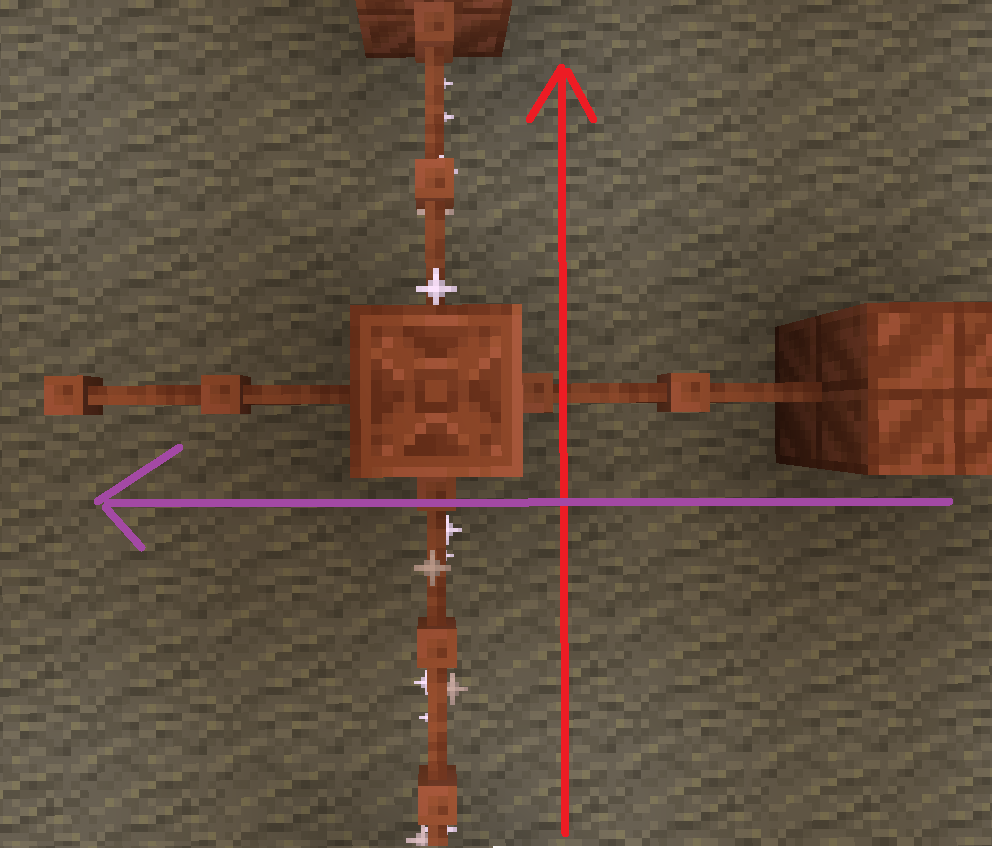
batteries store up to 32. though rusted batteries turn 32 into 16

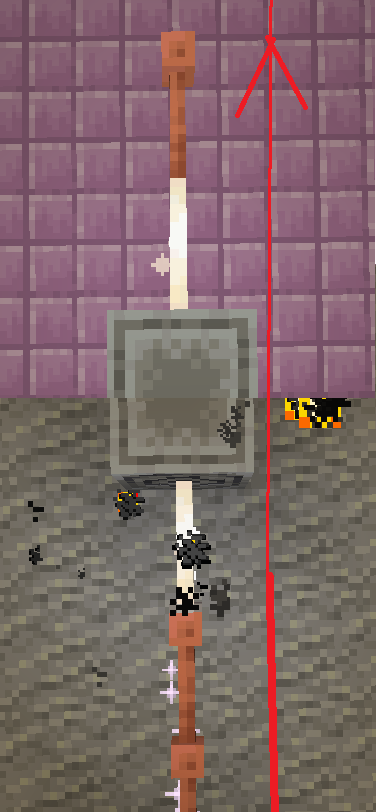
Don’t use copper blocks like that. Also, there is a chance it stays within the blocks and expires.

The most common thing to power is the productivity armour/tools or copper armour/tools.
The armour and tools are weak and easily destroyed. The armour gives less protection than iron and tools are slightly better than stone.
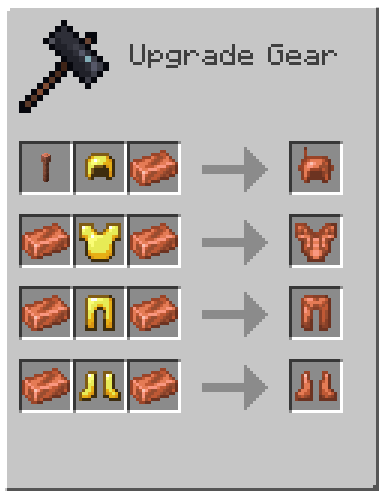
armor recipe
Because of copper’s malleability, it requires a structure.
The copper armour must be conductive, making golden armour a perfect cadet because it is also conductive.
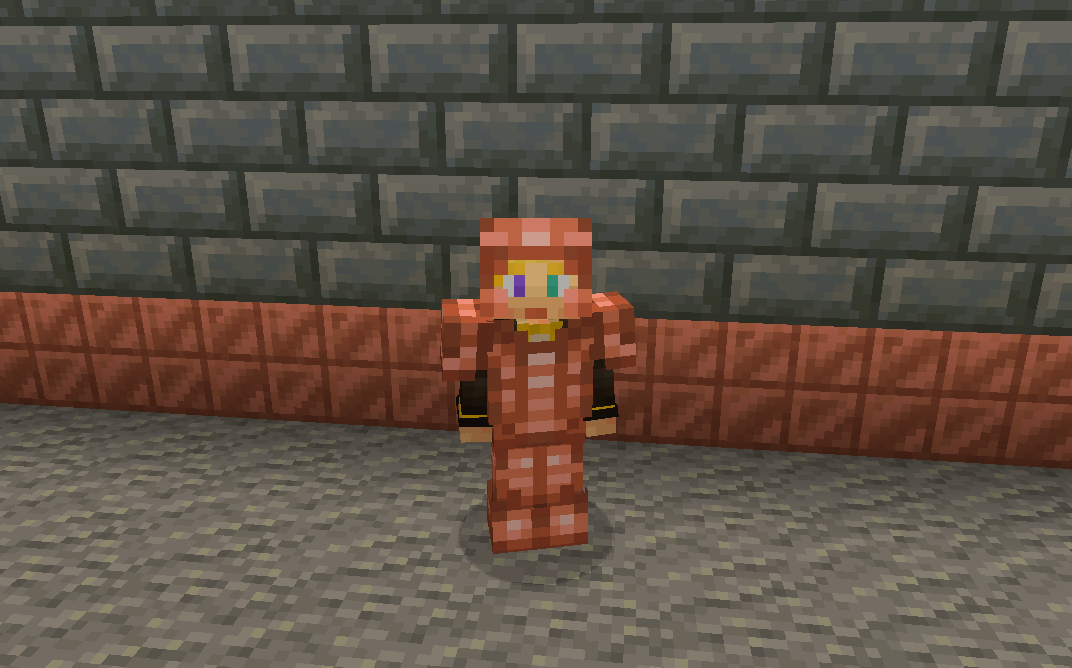
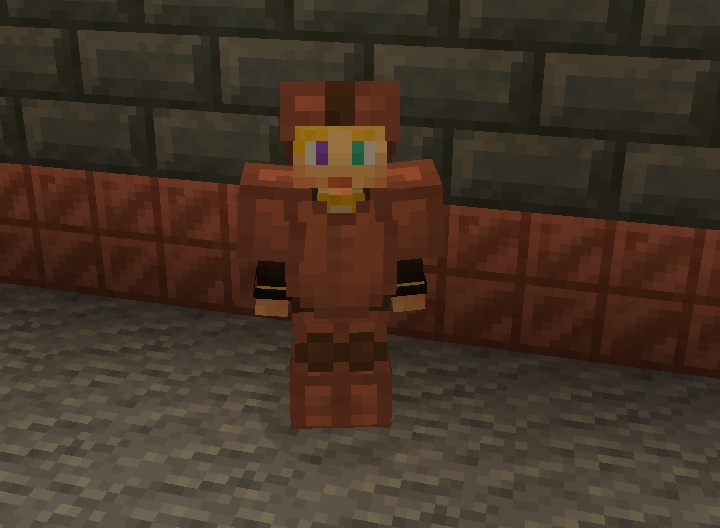
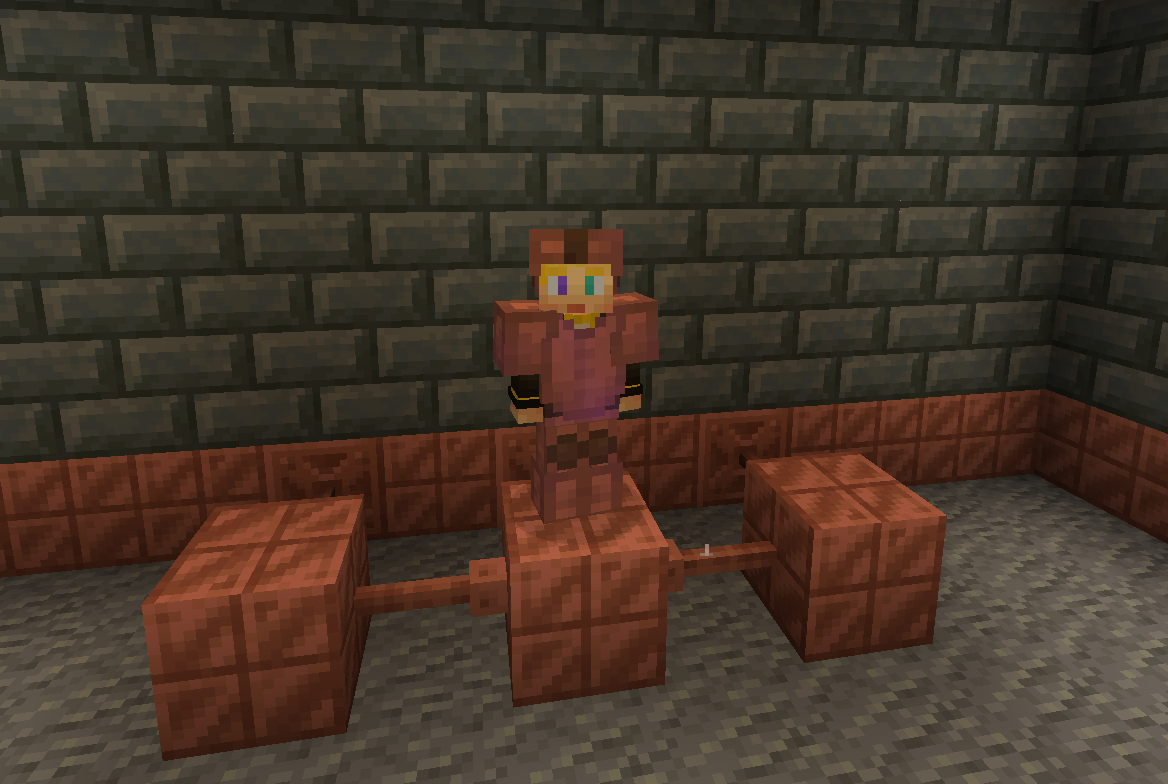
without resoursepack
But don’t let the tools fool you these are powerful assets.
With the power of zaps, you can charge the armour to be better than they once were.
Armour at max charge now gives as much protection as a diamond. They also give you a faster and extended grip (R.I.P-Crab). The boots also decrease fall damage.
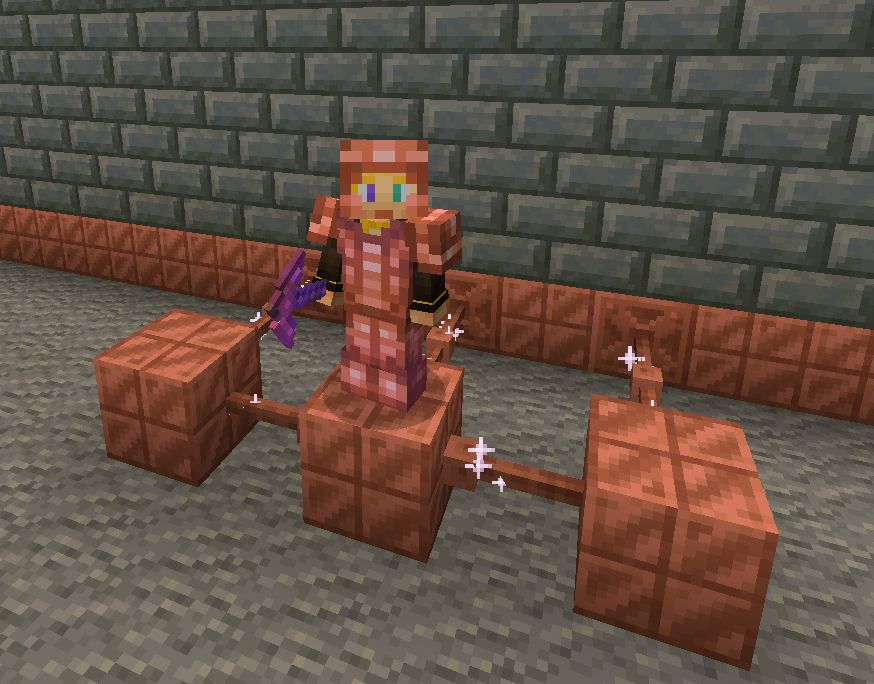
without resoursepack
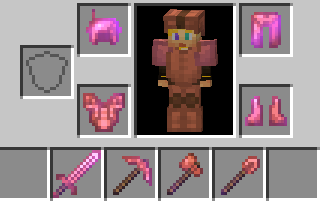
The charged tools rivel netherite making them faster and sharper.
The sword is slower to swing but has a better sweeping edge and damage.
The axe is fast
The pickaxe is fast
The shovel.. is also fast.
And the hoe doesn’t exist 🙁 …
Spoiler
YET
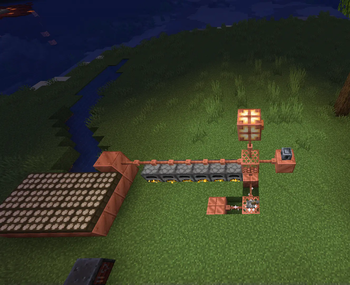
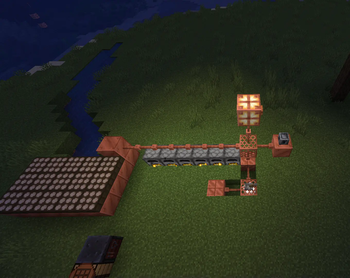
You can also charge copper bulbs to have a better range.
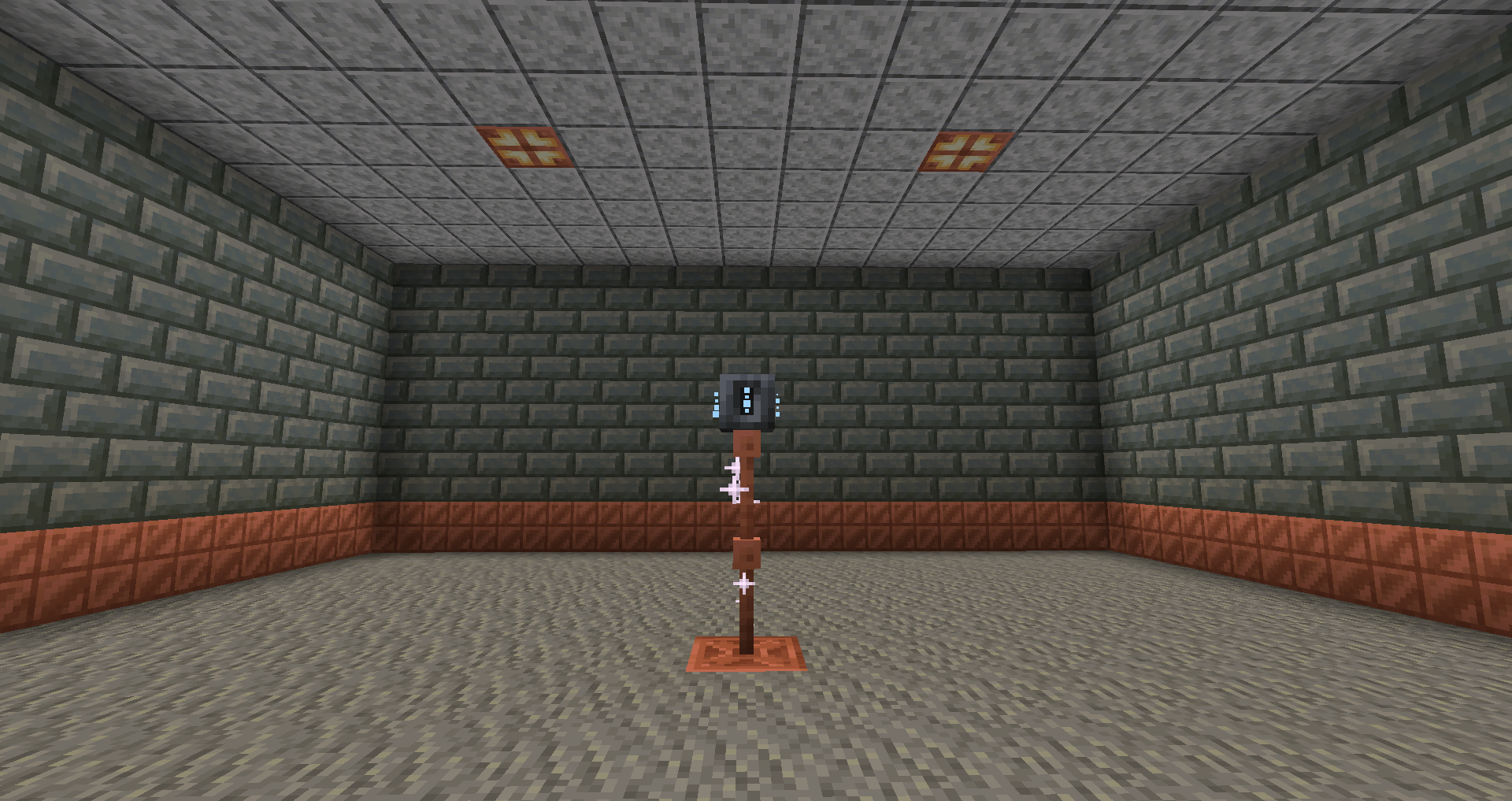
Tired of charging your armour?
With the use of the heavy core, you can change your armour wirelessly!
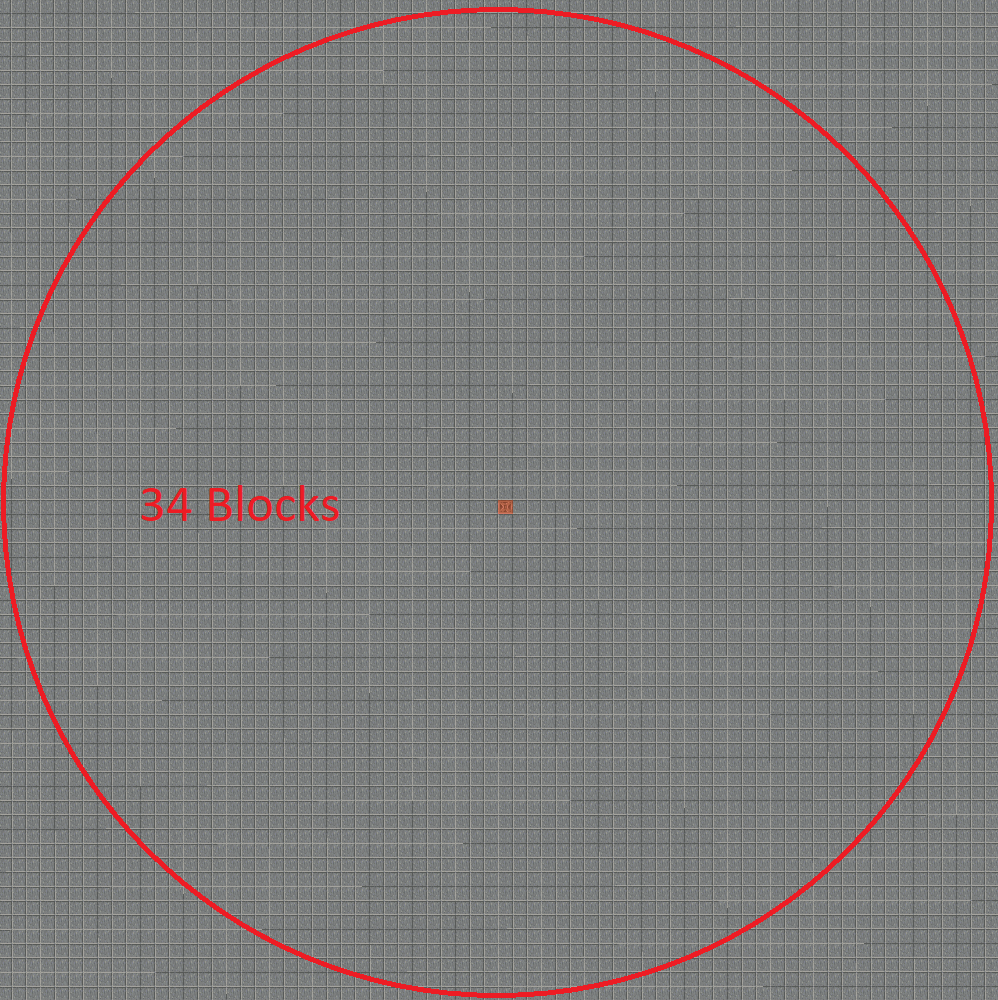
However due to the zaps exposure to the air it requires 40 zaps for one charge.
Heavy core distance
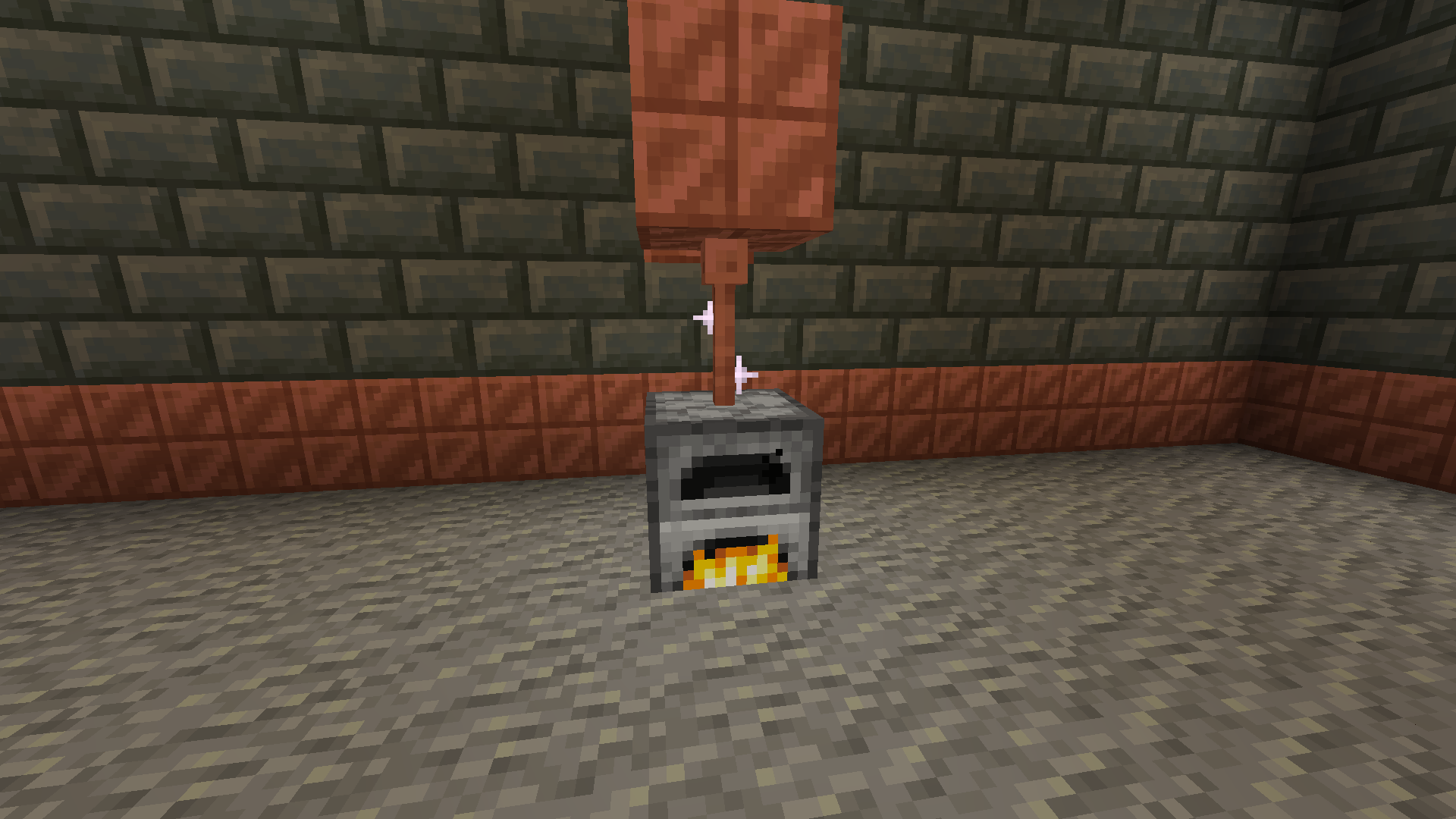
Now for the good part, how do you generate zaps?
There are a few ways to do it with the easiest being furnaces.
The furnaces must be constantly lit.
Then there are daylight sensors that generate power over time slowly but surely.
If combined with copper blocks to minimise space.
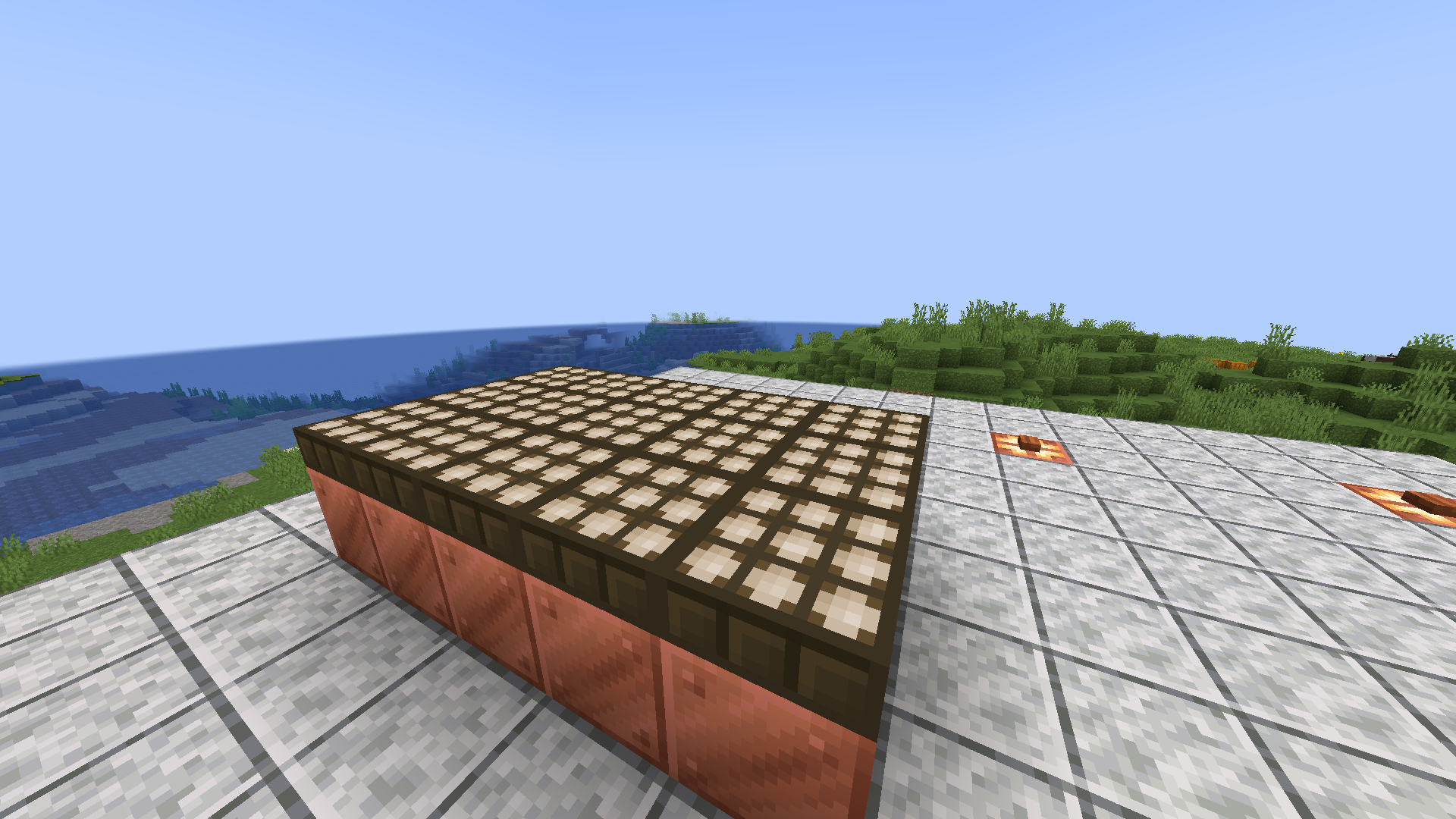
Or you can go the old-fashioned way and use lightning rods for their intended purpose.
Produces high power when struck necessary for all buildings.
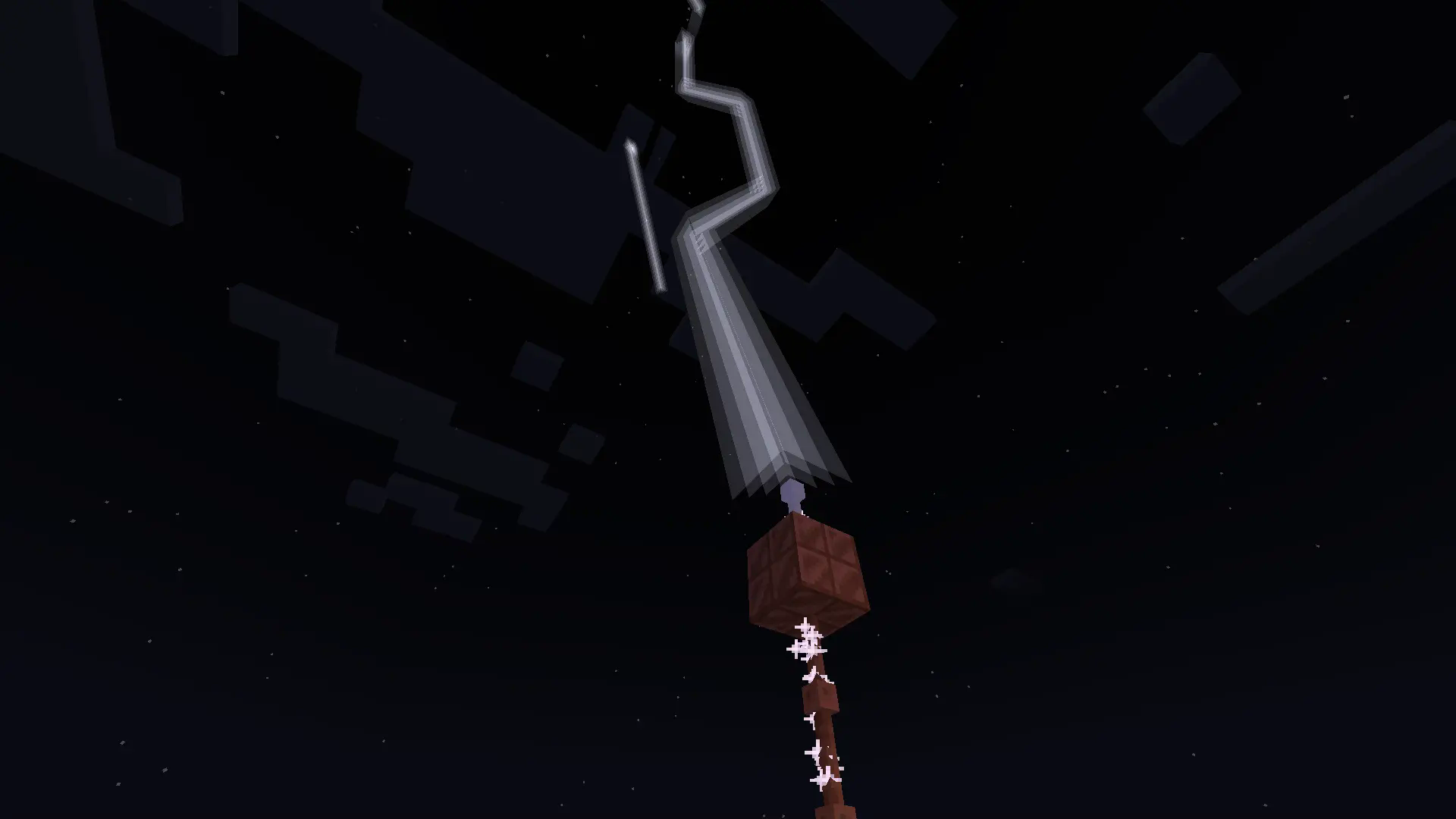
With more infrastructure, you can turn a mob farm into an energy source.
Which is made possible with the catalyst
Recipe
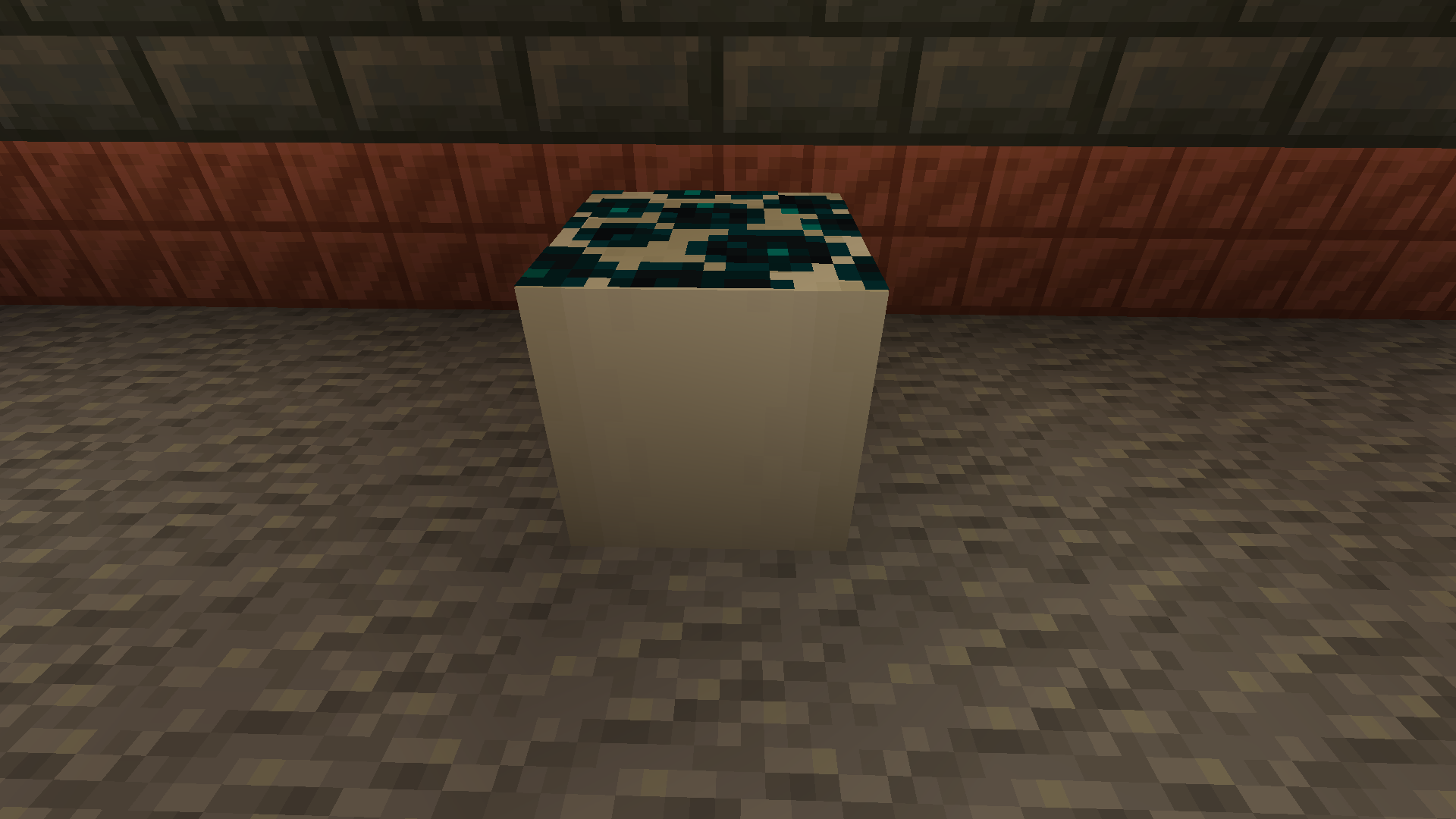
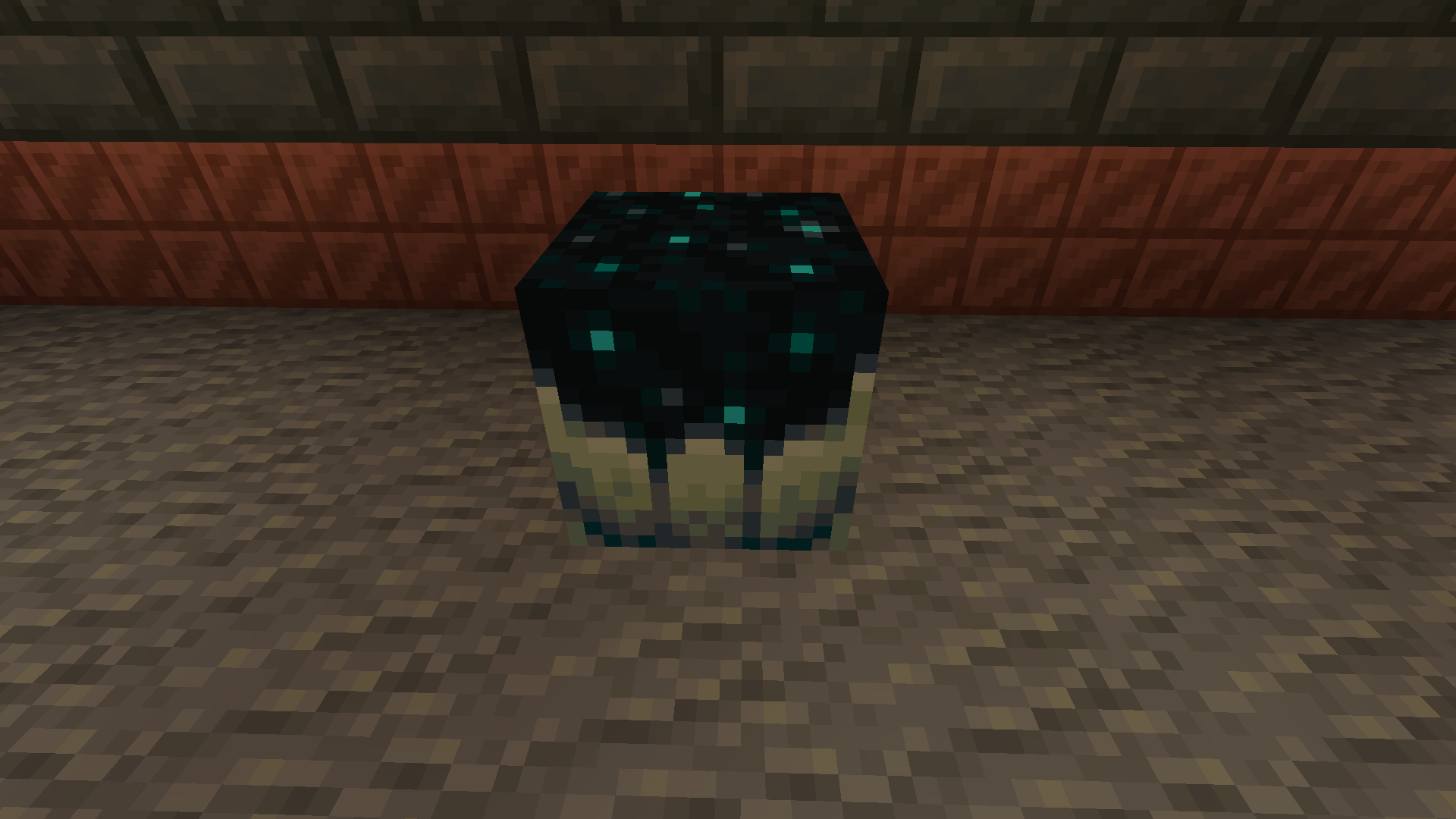
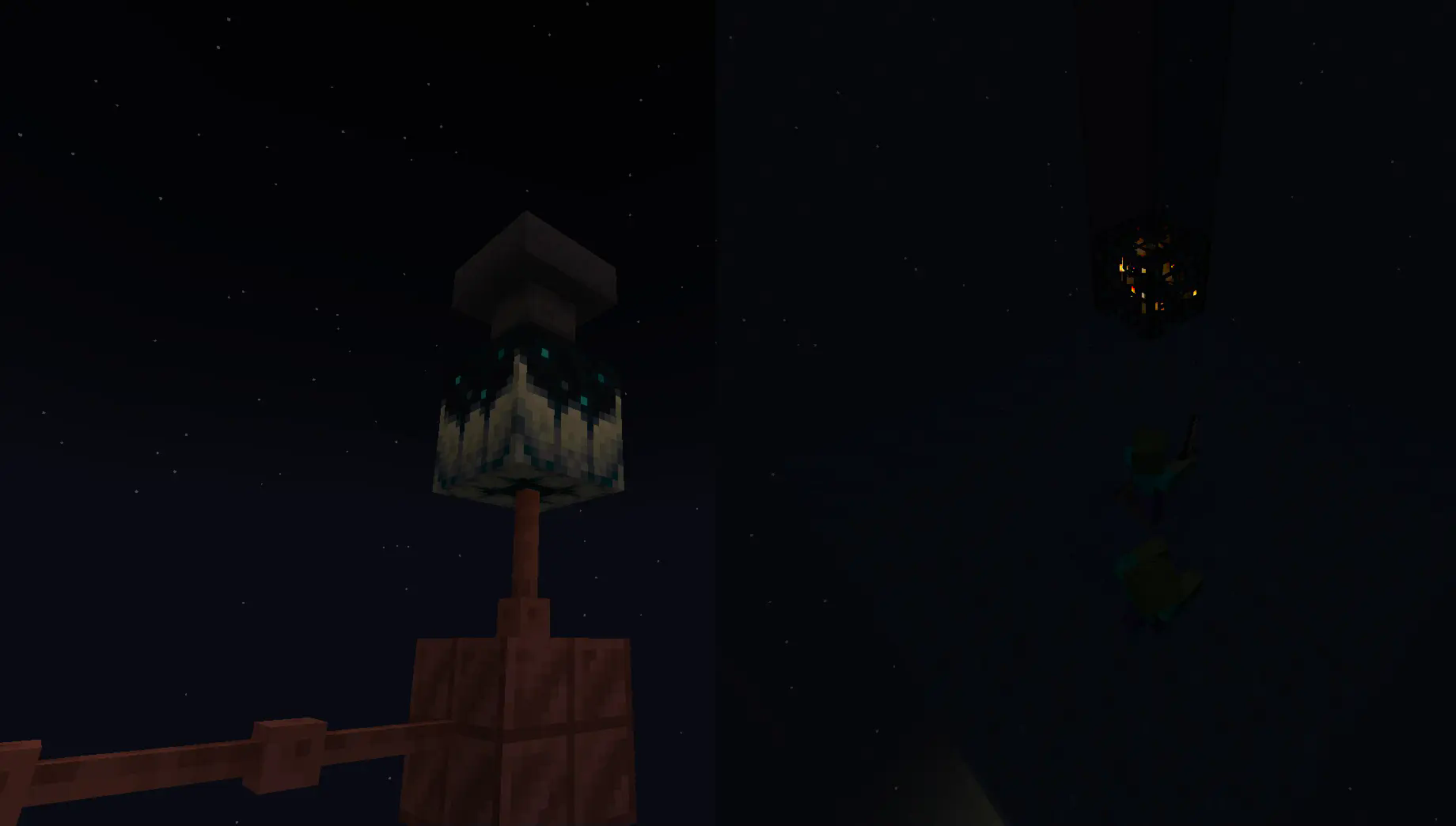
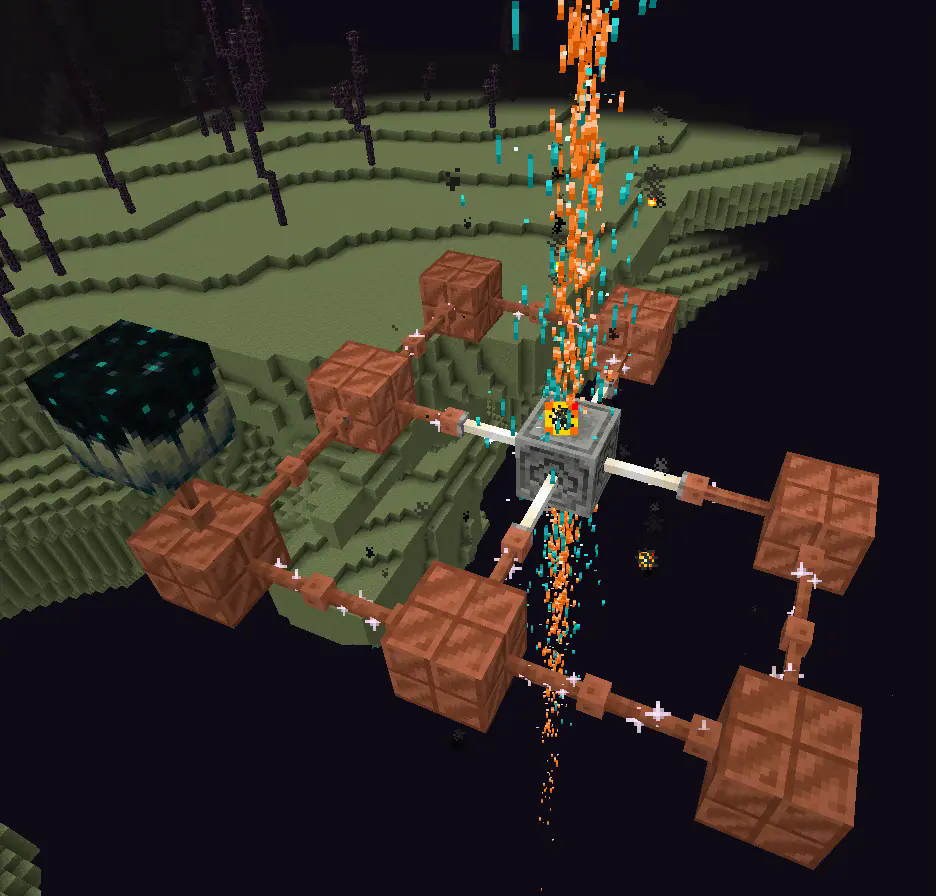
Going into the late game there is the gateway.
To make a gateway you need to align 2 lodestones together at the same cords in both the end and overworld. It also doubles up as a chunk loader.
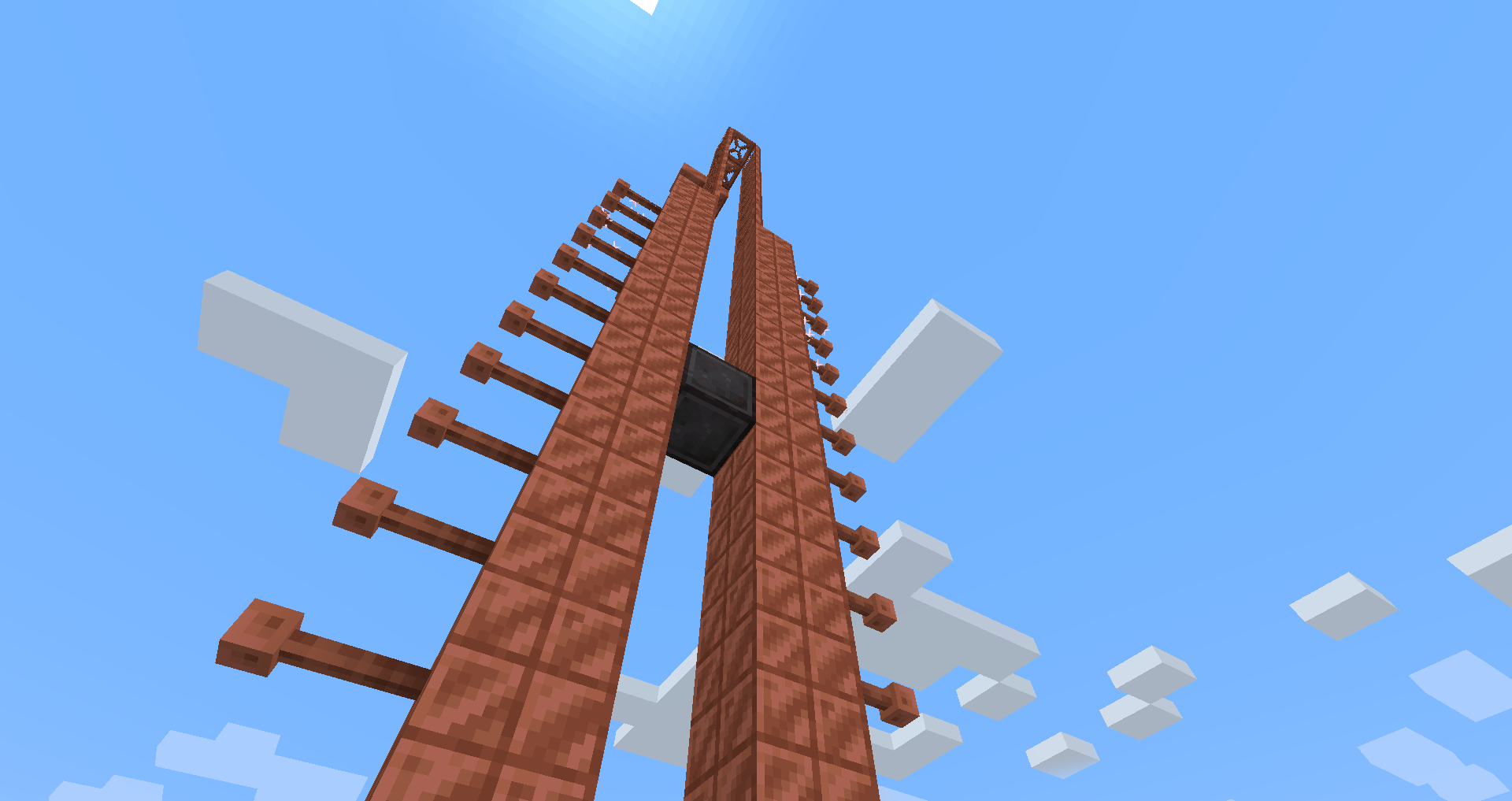
If you want to avoid touching grass for a few days, you can make a netherite block and magnetize it.
credit goes to T_en_M for the Stolen music disc
(disc available 1.2+)
T_en_M’s discord:[https://discord.com/invite/pZAtE8a2q3](https://discord.com/invite/pZAtE8a2q3)
Inspired by SimplySarcs Copper video
And
AuraAcorns Copper Wiring
[https://modrinth.com/datapack/copper-wiring](https://modrinth.com/datapack/copper-wiring)
Future Updates?
**Soon:**
-better redstone support(maybe)
-more machines
**Later:**
-I would love to add the Copper Golem
-A use for the conduit (I think it will allow the productivity armour to go underwater)
-~~amethest?~~ (different project)
-some sort of transport, maybe with the beacon
-lightning weapon, a sister weapon to the mace perhaps
-better visuals
Whats not to come
1.20.6 and lower (probably)
The meaning of life
Known bugs
-on 1.21-1.21.3 versions leather armour texture can apair white
PLS LOVE YOURSELF AND MAKE BACKUPS.
I will not be held accountable for my bad code.
And that’s it.
If you want to submit an issue or want to request a feature or just want to roast the data pack, the link is here:
[https://github.com/Wangle17/Zapped-Datapack/issues](https://github.com/Wangle17/Zapped-Datapack/issues)
Armor Hider
# Armor Hider
[](https://github.com/zannagh/armor-hider/releases)
[Release&logo=github)](https://github.com/zannagh/armor-hider/releases)
[](https://modrinth.com/mod/zannaghs-armor-hider)
[](https://www.curseforge.com/minecraft/mc-mods/armor-hider)
[](https://discord.gg/AMwbYqdmQb)
A mod to alter the transparency or fully hide armor and equipment with multiplayer support, without any dependencies – supporting a wide range of game versions and available for Fabric, Quilt and NeoForge.

### Features
– **Per-slot opacity sliders** for helmet, chestplate, leggings, boots and offhand
– **Enchantment glint control** to selectively hide the glint on any slot
– **Combat detection** let you automatically show armor when in combat
– **Full multiplayer sync** so other players see your settings when the server has the mod
– **Works client-side only** too without server mod required
– **Live in-game preview** of your changes
– **Keybindings** to quickly toggle Armor Hider or open the settings screen
– **Admin controls** for server operators (force armor visible, server-wide combat detection)

[](https://github.com/zannagh/armor-hider/issues)
[](https://github.com/zannagh/armor-hider/issues)
[](https://github.com/zannagh/armor-hider/issues)
I track issues (including feature requests) via GitHub and do my best to close out any bugs timely (plus, I get way too excited about new features myself..). If you don’t have an account, feel free to join the Discord server and let me know there.
—
## Customizability
Find Armor Hider’s settings integrated into the game via “Skin Customization” in the game settings (or via ‘Zannagh’s Armor Hider’ on older game versions). When in-game, the mod settings feature a live preview of your changes.

### Armor Opacity
The mod allows you to define an opacity between 0% (hidden, cancelling the rendering) and 100% (the mod doesn’t do anything) for each armor item slot. In addition, it’s possible to specify whether skull items (skeleton/wither/… skull) should be affected by the helmet setting and if Elytras should be affected by the chestslot setting.
Furthermore, you can selectively hide the enchantment glint on any of the slots.
If you’d like to have armors visible in combat, you can choose whether combat will temporarily show your armor or not, see [Combat Detection](#combat-detection) below.
### Offhand Opacity
Armor Hider additionally offers to hide the offhand slot if you don’t want your fancy skin obstructed by a shield or other items.
## Synchronization
If the mod is installed on the server you’re joining, all of your local preferences will get sent to the server on change or join. The server-side mod then takes care of relaying your preferences to all other clients. That way, if the mod is present on the server, everyone will see your avatar exactly as you’ve configured it (including combat detection, glint and other features).
Combat events are synchronized and not only client-side, so when the server runs the mod, you’ll see another player’s armor once they enter combat (granted they have the related setting enabled).
If a host is not yet running the mod, there’s a setting available which lets you define whether the then ‘unknown’ players should have their armor rendering unaffected or carry over your own settings.
## Advanced Settings

* **Apply your settings to unknown players**: Whether to use your own opacity settings or the default settings (armor
shown normally, as without the mod) when a player’s settings cannot be determined — for example when using the mod
only client-side on an unmodded server (see [Server communication matrix](#server-communication-matrix) below)
* **Disable Armor Hider features**: Globally disable Armor Hider on your client. If the server is forcing Armor Hider
off, this setting is overridden
* **Disable Armor Hider for other players**: Disable Armor Hider rendering for other players’ armors only. If the server is forcing Armor Hider off or the global disable is set, this setting is ignored
### Administrative Settings
For hosts, these settings require moderator/operator permissions (for compatibility reasons, the mod only checks for permission level >= 3) and are applied server-wide, overriding individual player preferences.
* **Armor in combat (server)**: Forces combat detection server-wide — when enabled, armor is always shown for any player in combat, overriding each player’s individual combat detection setting – useful for PvP servers
* **Force Armor Hider off for all players**: Forces Armor Hider to be disabled for all players on the server (especially useful when you’re running a PvP server and don’t want people to hide other players’ armors)
### Combat Detection
Combat Detection
With combat detection enabled, your armor automatically becomes visible when you take or deal damage.
**Enabled Combat Detection**

**Disabled Combat Detection**

## Server Communication Matrix
Your locally set preferences get sent to the server on change or join. Players joining a server will retrieve the
preference library from the server in order to apply other players’ preferences on their client.
The following matrix shows how preferences are resolved depending on where the mod is installed:
| Mod on Server | Mod on Client | Behavior |
|:—:|:—:|—|
| Yes | Yes | Full functionality. Your preferences are synced to the server and relayed to other players. You see other players’ actual configured armor opacity. Combat events are relayed by the server for synchronized combat detection. |
| Yes | No | No effect. The server stores preferences but the vanilla client cannot render transparency changes. |
| No | Yes | Client-side only. Other players’ preferences cannot be determined. Depending on the **”Apply your settings to unknown players”** setting: **ON** — your own opacity settings are applied to all players; **OFF** — default settings are used (armor rendered normally, as without the mod). Combat events will not be passed around in the server. |
| No | No | No effect. The mod is not present. |
## Community
Join the [Discord server](https://discord.gg/AMwbYqdmQb) for support, discussion, and feature requests.
## Issues and Feature Requests
As mentioned before, feel free to create an issue on the GitHub repository or reach out on Discord to make me aware of problems or ideas that could make this mod better.
## Supported Game Versions and Loaders









Zaffre’s Mineshafts
Overhauls the existing underground and Badlands mineshafts into a more interesting experience for gameplay, visuals, and rewards while maintaining a vanilla feel.
Loot is neither underwhelming or overpowered and is largely the same save for Fortune and Efficiency enchantment books, TNT ingredients, and haste potions.
As a consequence of using jigsaws and not being hardcoded, these new mineshafts will no longer spawn beneath river or ocean biomes.
**Now includes:**
– TNT and TNT cart mechanics.
– Archaeology! Be sure to bring a brush for a few extra goodies.
– More minecart types! This includes the largely forgotten about spawner minecarts.
– Variety and distinction between individual and especially the kinds of mineshafts themselves.
– Cave spiders replace normal spider spawns in mineshafts.
Z-Life Season 2
# zLife Season Two!
## Welcome to Z-Life!
At the start of the season, you will begin with 1 heart and a randomized timer set to 16, 24, 32, 40, or 48 hours.
Depending on what time you are have, you will have a different life stage!
> 0-7 Hours – Red Stage
>
> 8-15 Hours – Yellow Stage
>
> 16-23 Hours – Lime Stage
>
> 24+ Hours – Dark Green Stage
>
When you are on a lower stage then someone you are allowed to kill them for rewards. When you kill someone that is on a higher stage then you, you will gain 30 minutes and lose one permanent heart.
Everytime you die, you gain 1 heart but lose 1 hour of time.
Once per session, one player is randomly chosen as the Boogeyman.
The Boogeyman’s Role.
If you are the Boogeyman, your goal is to get one kill before the end of the session!
Once you get your kill as the Boogeyman, you will gain 1 hour, and lose one heart. but if you fail you get your kill before the end of the session, you will go down to the next color stage. The person that dies to the boogeyman will lose 2 hour.
If you die on 10 hearts or run out of time, you will be elimanated, and set into spectator mode!
Sugest some ideas on my [strawpage](https://shelleykey.straw.page/)!
Z-Core
Z‑Core
Lightweight system for managing block variants. Groups related blocks into families and adds a selection menu with mouse wheel cycling for fast switching while building.
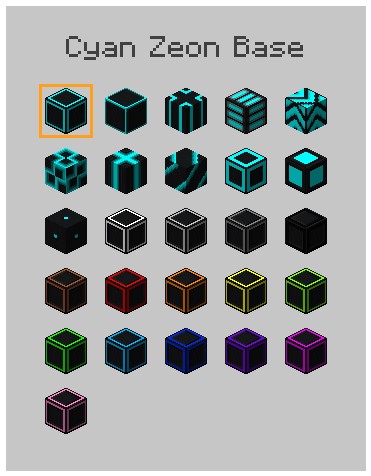
Keybind Controls:
While holding a supported block:
G – Open selection screen
Alt + Mouse Wheel Scroll – Cycle block variant
Keybinds can be changed in settings.
Planned features:
– Large block render preview
– Reset Variant control
– Inventory cycling
Current support:
BetterBlockZ 26.1 only.
yyz’s backpack
# Inventory Expansion – yyz’s Backpack Mod
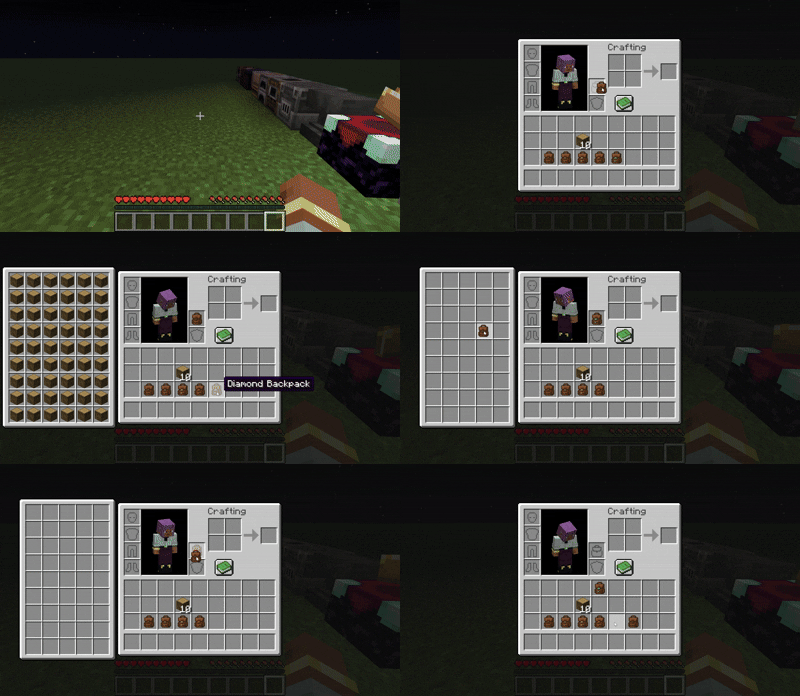
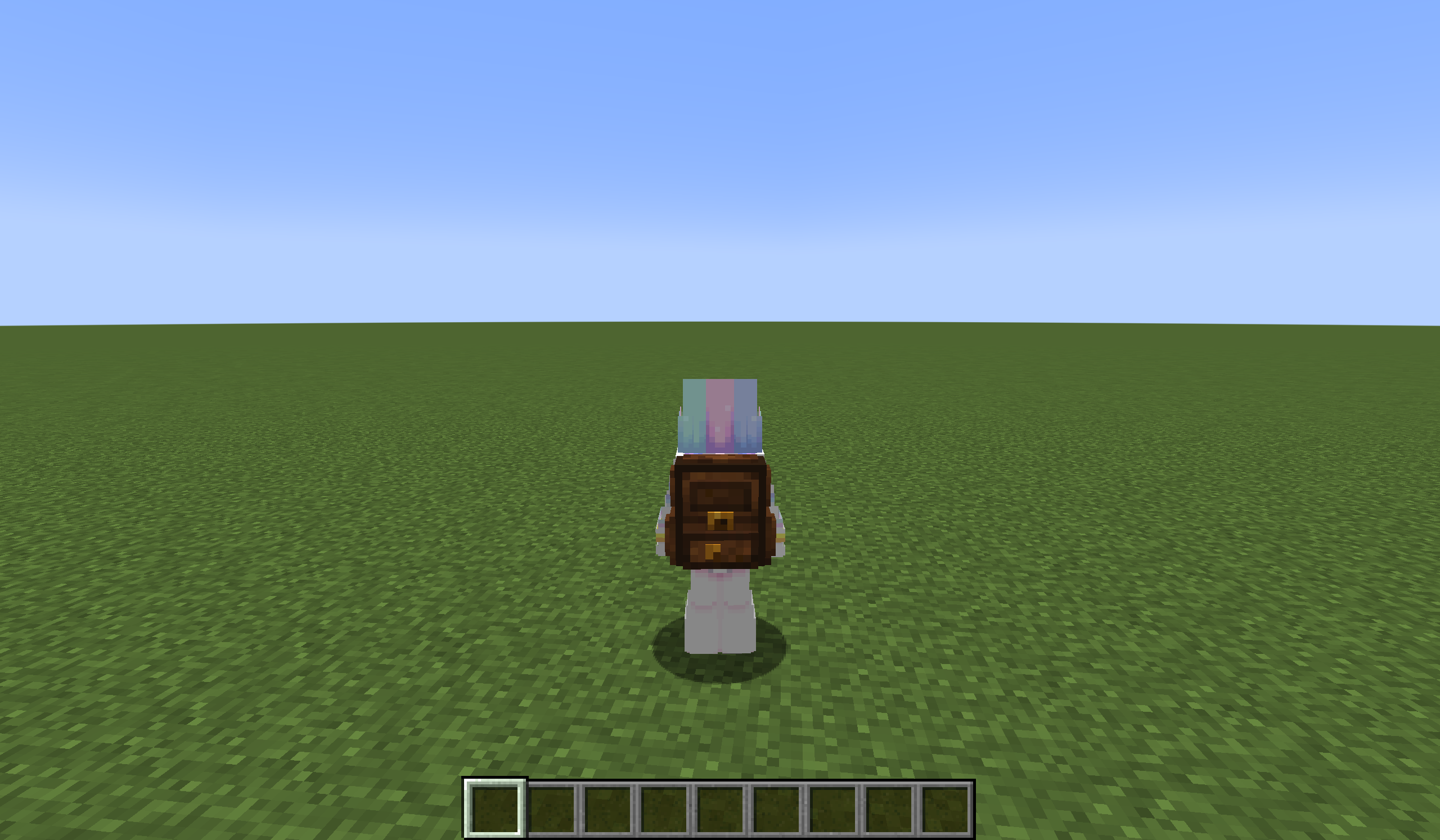
**Directly Integrated Backpacks**
## 🌟 Mod Highlights
### ⚡ Seamless GUI Integration
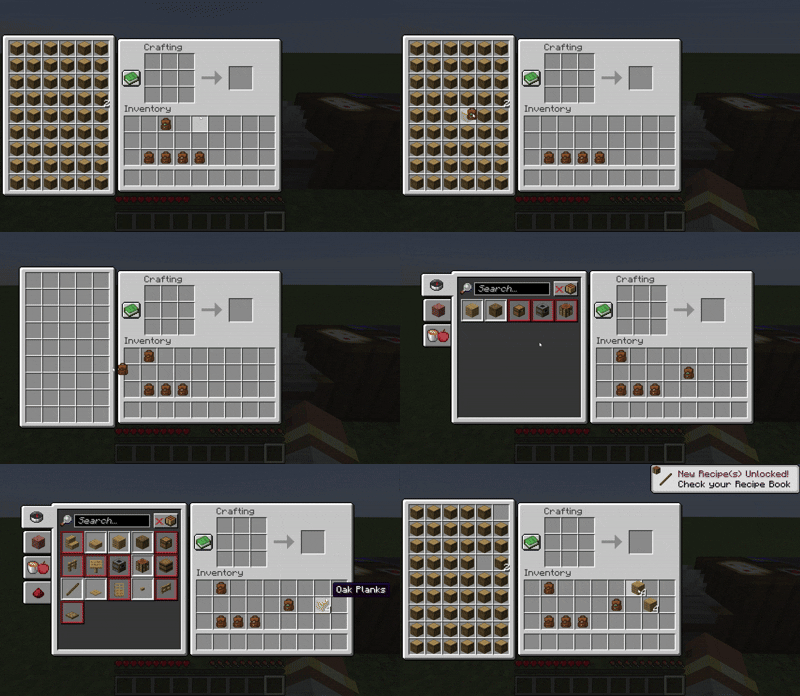
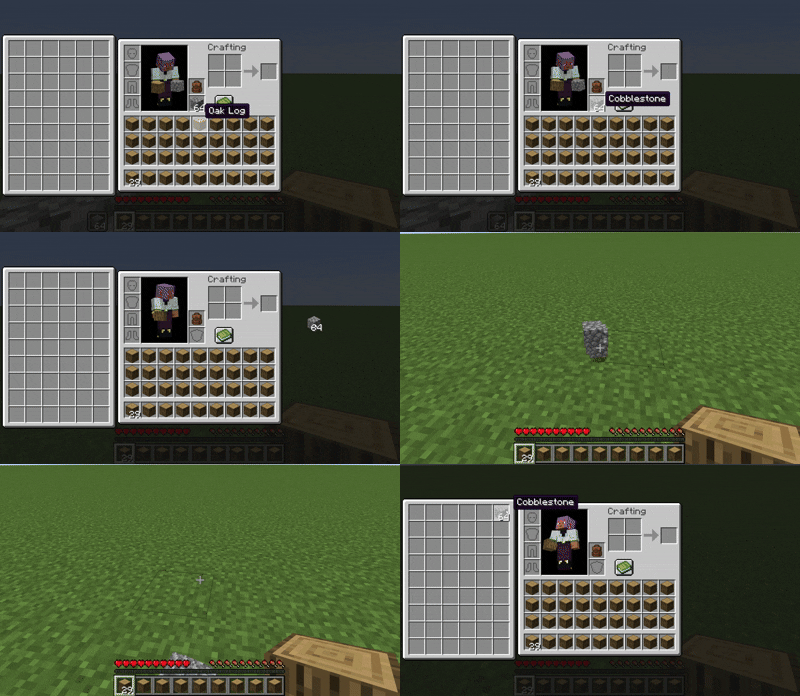
Backpack slots appear directly in **work GUIs** (inventory/crafting table/chest etc.) without opening extra interfaces.
### 🛠️ Enhanced Features
– 🖱️ **Item Transfer**
`Shift+Left Click` → Transfer to main inventory
`Shift+Right Click` → Transfer to backpack
`Double Click` → Auto sort items
– 📦 **Item Collection**
Automatically stores items in backpack when inventory is full
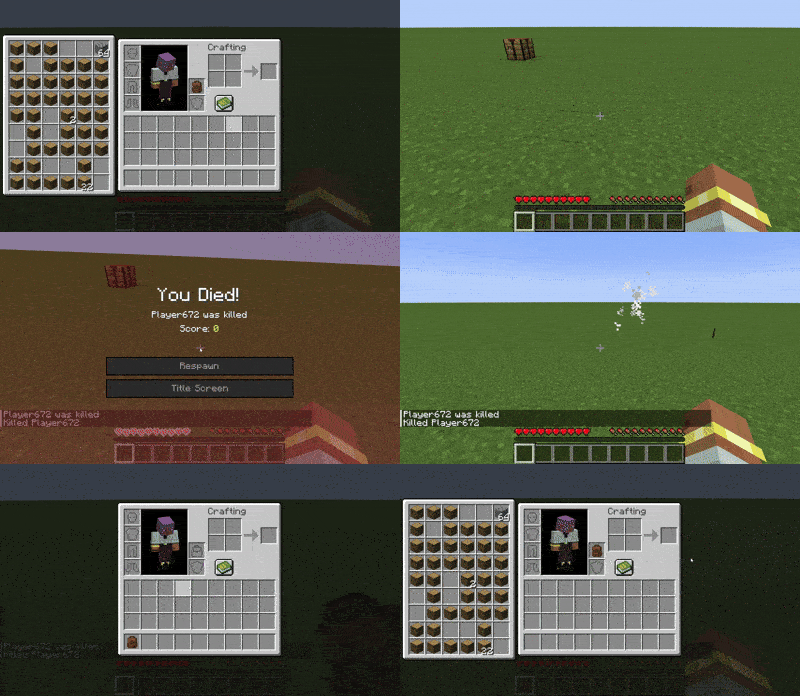
Backpack drops as single item upon death (contents preserved)
– 🔥 **JEI/REI/EMI Integration**
Supports using backpack items **directly in JEI/REI/EMI crafting**
Real-time backpack content display in recipe interface
– 💍 **Accessory Support**
Backpacks can be placed in **Curios/Trinkets slots**
## 🎒 Backpack Tiers
| Backpack Type | Extra Slots | Special Ability |
|—————-|————-|———————-|
| Iron | +18 | Basic capacity |
| Gold | +36 | Basic capacity |
| Diamond | +54 | Basic capacity |
| **Netherite** | **+54** | **Fire Immunity** |
## ⚙️ Compatibility
### Status Key
– ✅ **Fully Compatible**
– ⚠️ **Partial Support**
– ⌛ **Planned**
– ❌ **Unsupported**
### Feature Support Status
| Feature | 1.21.6 | 1.21.5 | 1.21.4 | 1.21.2-1.21.3 | 1.21.1 | 1.20.5-1.20.6 | 1.20.2-1.20.4 | 1.20.1 | 1.19.4 | 1.19.3 | 1.19-1.19.2 | 1.18-1.18.2 |
|————————-|——–|——–|——–|—————|——–|—————|—————|——–|——–|——–|————-|————-|
| JEI | | ✅ | ✅ | | ✅ | ✅ | ✅ | ✅ | ⌛ | ⌛ | ⌛ | ⌛ |
| Curios | | ✅ | ✅ | | ✅ | ✅ | ✅ | ✅ | ⌛ | ⌛ | ⌛ | ⌛ |
| Trinkets | | | | | ✅ | ✅ | ✅ |✅ | ⌛ | ⌛ | ⌛ | ⌛ |
| Quark | | | | | | | | ⚠️ | | | ⚠️ | ⚠️ |
| Accessories | | | ⚠️ | ⚠️ | ⚠️ | | | ⚠️ | | | | |
| REI | | ⌛ | ✅ | ✅ | ✅ | ✅ | ✅ | ✅ | ⌛ | ⌛ | ⌛ | ⌛ |
| EMI | | | | | ✅ | ✅ | ✅ | ✅ | ⌛ | ⌛ | ⌛ | ⌛ |
| Inventorio | | | | | | | ⚠️ | ⚠️ | ⌛ | ⌛ | ⌛ | ⌛ |
| IPN | ⚠️ | ⚠️ | ⚠️ | ❌ | ⚠️ | ❌ | ❌ | ⚠️ | ❌ | ❌ | ❌ | ❌ |
| Inventory Sorting | ⌛ | ⌛ | ⌛ | ⌛ | ⌛ | ⌛ | ⌛ | ⌛ | ⌛ | ⌛ | ⌛ | ⌛ |
| 3D Models | ⌛ | ⌛ | ⌛ | ⌛ | ⌛ | ⌛ | ⌛ | ⌛ | ⌛ | ⌛ | ⌛ | ⌛ |
| Doggy Talents Next | ⌛ | ⌛ | ⌛ | ⌛ | ⌛ | ⌛ | ⌛ | ⌛ | ⌛ | ⌛ | ⌛ | ⌛ |
| AE2 | ⌛ | ⌛ | ⌛ | ⌛ | ✅ | ⌛ | ⌛ | ✅ | ⌛ | ⌛ | ⌛ | ⌛ |
## ❓ Why This Backpack?
Traditional backpack mods = mobile chests requiring separate GUIs. Our solution:
1. **Seamless experience** – Access backpack items directly in **work GUIs**
2. **Native interaction** – Full support for recipe book/JEI/REI/EMI
3. **Backpack swapping** – Swap when placing backpack in backpack slot/inside
4. **Continuous expansion** – Growing mod compatibility support
## ⚠️ Current Status
### The mod is currently in a very early stage. If you find any bugs, you can report them via GitHub or Discord
❗ Found an issue or have suggestions? Report now!
– [GitHub](https://github.com/yyz729/yyzsbackpack/issues)
– [Discord](https://discord.com/invite/3NPKBgXxVU)
🔧 **In development**:
– More GUI support
– Backpack 3D models
– Expanded mod compatibility
> ✨ **Design Philosophy**: Make backpacks a natural extension of the main inventory
Yuushya Townscape

**Yuushya Townscape NEEDS [Architectury API](https://modrinth.com/mod/architectury-api) to work**
**If installed Sodium, It NEEDS [Indium](https://modrinth.com/mod/indium) to work**
Yuushya Townscape Project was established around April 2020, and went through a number of obstacles and crossroads. Our wish is to shape a townscape within this Minecraft world. To archieve this goal, we draw references from the real world and illustrations. Lifelike towns, cozy houses, they’re all best inspirations to refer to for us.
**Currently, the mod holds 2600+ delicate building materials and decorations with well-designed textures. We also have features including Connected Model, Yuushya Regist API, etc.**
The artwork of Yuushya comes in the style of “Realistic”, yet it doesn’t mean your townscape would look unwelcome when you build a cartoon one. Spark your imagination! With all the building material compatiable for every style in your hand.
Also see our additional mod [Yuushya Modeling](https://modrinth.com/mod/yuushya-modelling).
**You must install with our Resource pack [Yuushya](https://www.curseforge.com/minecraft/texture-packs/yuushya-16x) and a CTM-support mod (like Optifine, CTM or Continuity)** to let everything works correctly.
Yuushya Modelling
**Yuushya Modelling NEEDS [Architectury API](https://modrinth.com/mod/architectury-api) to work**
**If installed Sodium, It NEEDS [Indium](https://modrinth.com/mod/indium) to work**
**Official Tutorial: [https://www.youtube.com/watch?v=RaoqSZgYpik](https://www.youtube.com/watch?v=RaoqSZgYpik)**
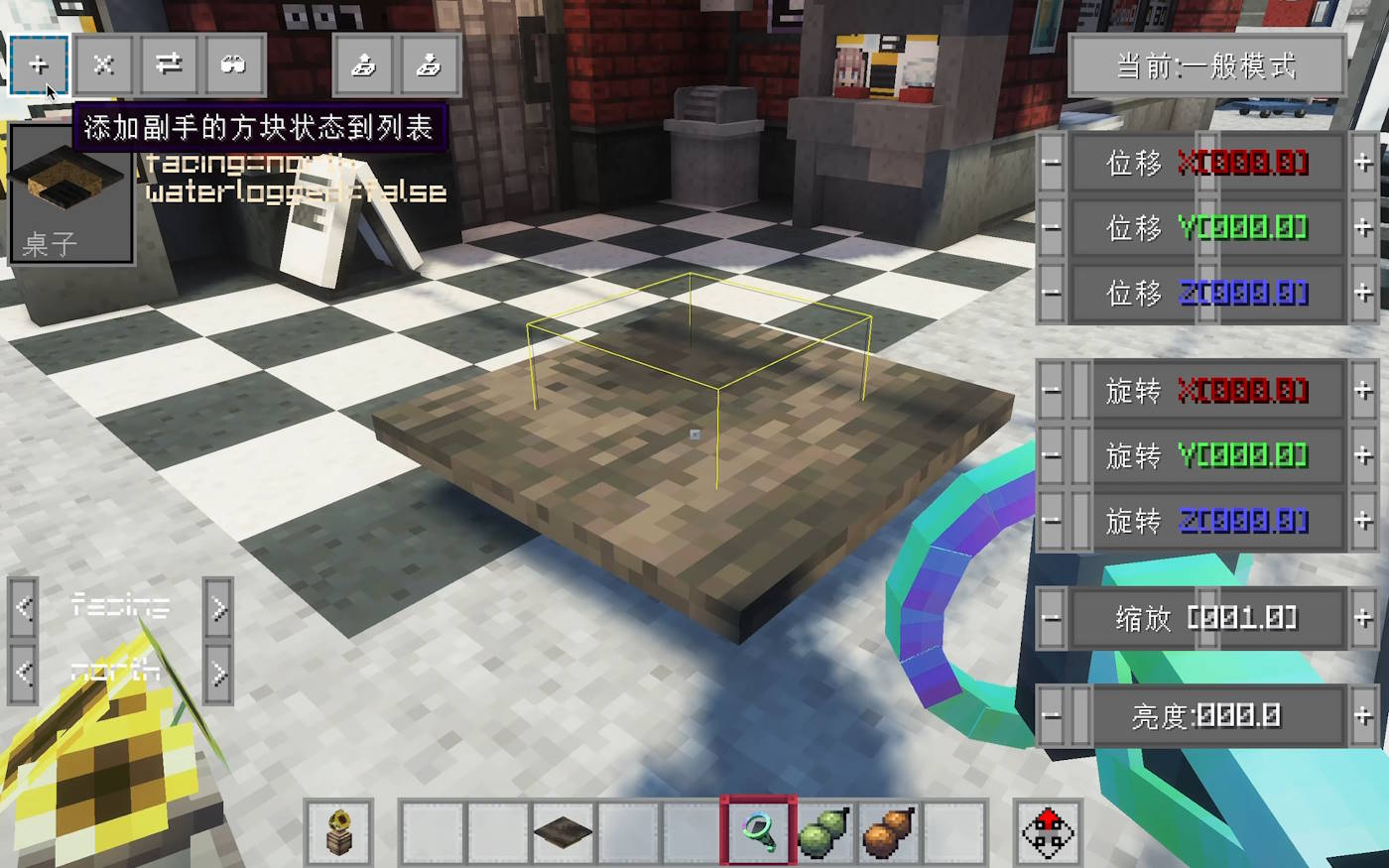
Yuushya Modeling mod makes some awesome refreshes to the concept of building in Minecraft by adding a series of tools **executing move, rotate, resize or even merge FREELY** to blocks, just like what we always do in 3D modeling software. These adjustments can apply to every normal block(decoration, furniture, etc.) in vanilla and other mods.
Check the tooltips of the items to know how to use. And our online guidebook is under final construction.
YUNG’s Menu Tweaks





A lightweight client-side mod that makes navigating Minecraft’s menus just a little bit easier.
This mod allows you to:
- Right click cycle buttons to go back to the previous option
- Use the mouse scroll wheel to change slider options
- Change the background of almost every options screen to any texture. No more dirt background!
Note that the custom background option may result in invisible buttons when using certain modded menu layouts, so it is disabled by default.
If you have ideas for other features we could add to this mod, feel free to let me know in the Discord!

YUNG’s Menu Tweaks should be compatible with any menu-changing mod, including ModMenu. Some important notes:
- FancyMenu – Sometimes custom main menu screens made with FancyMenu will not work with the custom background option
- Sodium – The custom Video Settings menu that Sodium adds may not support the new menu navigation features this mod adds
If you have any other compatibility issues, please let me know in the Discord!


