Windowlogging Neo
A port of “Windowlogging” by Grimmauld to 1.20.1 and Neoforge 1.21.1
This mod adds the option to add glass panes to slabs and stairs. The blocks that are allowed to have pane placed into can be changed in a block tag.
A port of “Windowlogging” by Grimmauld to 1.20.1 and Neoforge 1.21.1
This mod adds the option to add glass panes to slabs and stairs. The blocks that are allowed to have pane placed into can be changed in a block tag.
The modpack for the WindmillSMP.
WindmillMC is a modpack that contains Create, Nostalgic tweaks, Computercraft and Farmer’s delight… oh, and Simple Voice Chat!!!
You can use this modpack on your own, but it is highly recommended to join our discord server and our minecraft server to better understand what it’s different, what is the purpose of the modpack and talk to the amazing people playing the modpack!!
You can join our discord here: https://discord.gg/Jcbm5SErTC
Allows one to enchant the harness with Wind Boost (I – IV).
### How to Install/Use:
– Server:
> Download the Datapack or the Mod. Depending on the server software you use, if it’s Paper or Spigot, use the Datapack and put the .zip in the Datapacks folder. If it’s Fabric or NeoForge, use the Mod and put it in the Mods folder.
– Singleplayer
> Download the Datapack or the Mod, depending on what you want! If you choose the Datapack, you will need to select the Datapack manually when creating a new world, or place it inside the Datapacks folder of an existing world. If you choose the Mod, you can simply put it inside your client’s Mod folder, and the Datapack should be active in every single-player world you join.
In both situations (singleplayer/server), it’s important to restart the world/server after adding the datapack/mod! Data-driven enchantments are an experimental feature and **cannot** simply be reloaded by `/reload`.
To check if the Datapack/Mod is installed correctly, either craft a new harness or recolor an old one. After that, the item should have “Enchantable” inside its lore. If it does, you can simply put the harness inside an enchanting table and enchant it with Wind Boost I-IV! If it doesnt you did something wrong ¯_(ツ)_/¯
—
#### Feedback, Suggestions and Bug Reports:

This datapack changes sky color & lighting according to Zelda: The Wind Waker.
– The nights are brighter and have a bluer sky, with brighter stars
– The sunsets have red lighting
– The days have a slightly bluer sky
– You can do /time set minecraft:sunset
**Compatible with worldgen datapacks/mods**
# Intent of the addon

This mod adds equipment for measuring wind speeds in ProtoManly’s weather (https://modrinth.com/mod/protomanlys-weather). The mod currently adds:
– A Young propeller type anemometer

– A Young propeller type heavy duty anemometer (almost indestructible)

– A Davis cup type anemometer

– A Richards cup type anemometer (almost indestructible)

– A tornado probe (anchor type), with probe reading handheld monitor

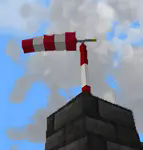
– A wind sock
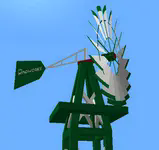
– A garden decoration small replica wind pump
– A wind turbine

– A metal wind vane
– A wind chime that emitts sounds
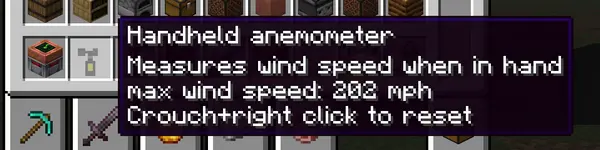
– A handheld anemometer
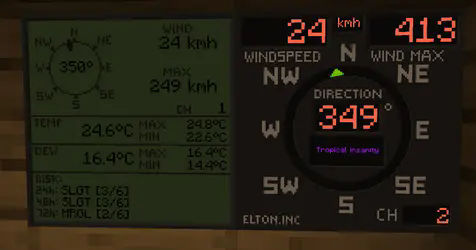
– Displays for reading wind values

The mod will not work without PM weather.
# Setting up the channels
**Pre 0.0.29**
To setup a channel on anemometers, shift+right click the anemometer. **No item should be held by either left or right hand at the time. That includes shields**
**0.0.29 and up**
To setup a channel on anemometers, press wind meter interaction key+right click the anemometer. Default interaction key is set so Shift, you can edit this key in the game’s key binds. **Setting up any other key than shift will allow you to enter anemometer channel setup even when holding items or shields in hand.**

**IMPORTANT** when you click confirm, it will say that the channel is occupied, this is because you **just** set the anemometer to that channel and it is now occupied by the anemometer you just set on it. If it says occupied before you even click confirm, that means an anemometer is already on the channel.
**After 0.0.30** When you click confirm, it will say “request sent” if the confirm was successful.
To setup a channel on display, right click the display. Anemometer and display must have same channel to communicate.
Channel 0 is non transmitting and is used for debugging. If anemometer channel could not be set, try setting it to 0 and then back to desired channel.
There are currently 100 available channels.
Right clicking anemometer will display it’s channels that server and client see. This number must always be equal. The feature now remains in the mod for debugging.
Anemometer GUI will display “Channel could not be set because placement is invalid” This is the case:
– if anemometer is placed under a block,
– if anemometer is in any other dimension than overworld,
– for about 1 sec after it’s being placed down, so immediately placing it and setting channel won’t work, just wait a sec and then enter channel setup.
## Redstone output
For setting up the redstone output, it is quite same as setting the channels. You put in the wind speed at which the display should output the redstone signal. It is not possible to set less that 4 mph due to histeresis (to prevent spam). Because the system is based on mph, other units might not be able to be set at increments of 1. This mostly applies to kmh.
Redstone output is only on wind displays.
# Useful commands
Use /windmeter commands to find out which channels are occupied, which are free or get anemometer location by channel number. Sometimes, the channels might bug out, use command clear channel [channel number] to clean up the broken channel. This will not remove the channel from anemometer itself. The anemometer locating and channel clearing command require operator permissions.
## Resetting the wind max and temperature max on display
**Pre 0.0.29**
To reset max values on display, shift+right click the display when not holding any items.
**0.0.29 and up**
To reset max values on display, wind meter interaction key+right click the display when not holding any items.
## Some gameplay info
### Block strengths
Wind strengths for anemometers are about:
– 219 mph for Young,
– 194 mph for Davis,
– 229 mph for tornado probes
– NaN mph for heavy duty Young.
– NaN mph for Richards cup anemometer
– heavy duty anemometer and Richards anemometer can be destroyed by shift-left clicking on it with any vanilla pickaxe
These will be readjusted when/if wind engine block picking gets an update
### Wind sock
Wind sock requires it’s dedicated pole to be placed on.
– wind sock tears off somewhere in between 130 – 170 mph and must be re-placed to fix it.
– the pole has a wind strength of 206 mph.
– the pole can be stacked to any height.
### Garden windmill
Garden windmill requires it’s dedicated tower to be placed on.
– windmill has furling tail brake mechanism (just for fun)
– windmill will be damaged by winds above 110 mph and must be re-placed to fix it.
– the upper tower part will permanently bend under strong winds in same direction as the winds.
– the tower pick up strength is 206 mph.
– windmill pick up strength is 164 mph.
– the tower can be stacked to any height.
### Small wind turbine
– turbine has furling tail brake mechanism and will reduce output power at extreme wind speeds
– turbine will be damaged by winds above 110 mph and must be re-placed to fix it.
– turbine pick up strength is 164 mph.
– carbon fibre turbine pick up strength is 180 mph.
– wooden wind turbine puck up strength is 154 mph.
– the power output is from below, so connect the cables there.
– Carbon fibre turbine is most efficient and has no brakes so it will output more power.
### Handheld anemometer
Handheld anemometer measures the windspeeds while in main hand. It will record and save maximum wind speeds per-item. If you have heavy tick lag, current wind speeds will vary from maximum due to maximum speeds being read from server side. The maximum speed is always the correct one and also the one that does the block destruction, so more relevant. To avoid delay and lag, the current speed is read on client side.
### Measurement units
Pre update 0.0.19t: Wind and weather display obey the PM weather config and will switch between metric or imperial based on that.
After update 0.0.19t: Wind meter uses it’s separate config to select desired wind speed and temperature units separately, allowing mixed imperial/metric.
The display will currently not record speed if not chunk loaded. Tornado passing over should make it record because the tornadoes load chunks. However, the tornado must pass over the chunk that display is in. Example: Your base has a display in the shelter and anemometer on roof. If tornado passes over your base it should record the event.
Weather display shows more data but refreshes slower and caps at 999 kmh. Due to calling the readings for risks it is not recommended to place down too many of them.
### Tornado probes
Tornado probes record atmospheric data for 5 minutes (configurable) after being placed down. They currently record max wind, max temp, min temp, max dew point and min dew point. After 5 minutes, they stop recording and reward can be dropped upon shift+right-clicking the probe if measured winds were high enough (only after it’s done recording). Breaking the probe won’t drop any items. Rewards are: iron ingots, gold ingots, diamonds, emeralds, netherite scraps and a netherite ingot. Probes drop experience based on wind speeds they measured and exposure time. Current data is shown by right-clicking the probe, maximum data is shown by interaction key+right clicking the probe.
### Probe monitor
A probe monitor can be used to right click and connect to the probe while it’s recording. It ticks in inventory, saves max wind and allows for remote wind reading. **After 0.0.30** The probe monitor can also read other anemometer channels. When in hand, right click anywhere and you will enter channel setup. If you right click on a tornado probe it will read data from that instead. If the anemometer or probe was broken or if probe stopped recording it will say no signal.

Position of data display can be changed in the config.
### Crafting
All items and blocks are craftable in survival mode. I suggest using JEI or other recipe viewers to see the recipes.
### QOL options
Versions after 0.0.19t have some configurable options.
Wind display text and numbers can be set to any color, but it has to be input as a base 10 number. Use online calculator converter to change the hexadecimal color number to base 10 number and paste that in the config. Example color 0xff6347 (16) -> 16737095 (10). You only convert the ff6347 part (without 0x or #).
Wind displays can also use dynamic colors that will change based on wind speed from blue to purple. Configuration is only available for wind display and not weather display.
The wind sock tearing off in high winds and garden windmill bending can now be turned off in config. This is server sided. The blockstrength for tornado picking up is not affected by this.
### Natural spawning
No mods currently add natural spawning.
## Some issues that might occur
– Redstone output on wind displays might get stuck
– Anemometers might disconnect (have their channel set to 0), might happen if a waypoint is placed on anemometer
– The channel list not syncing between SERVER and CLIENT
– Desynced issue can be mostly solved by quitting and rejoining the game. If the problem persists, the command for clearing up the channel must be used and anemometer reconnected. If all else fails, delete the “anemometers.dat” file in your saved world folder directory.
Do not redistribute a modified jar file.
Mod is allowed to be used in NON pay-walled modpacks.

Overly Realistic is a datapack & mod that adds a variety of features to minecraft, its goal is to make the game.. well.. overly-realistic! This takes inspiration from Civilization’s Beginnings and Joyful’s video on the problem with simulating civilizations in minecraft
The project is also inspired by real human evolutionary history and how it ultimately unfolded; a core idea for this project is to make lone survival extremely hard, meaning, players need to be grouping into tribes in order to more easily progress and survive..
Note that this makes the progression system in the game intentionally slower and more difficult!
If you’re unsure on how to progress, please check out the **advancements tab** in-game!
[ ! ] Also note that if you are using the datapack version of Overly-Realistic, you will need to use the resourcepack found here
Overly Realistic has pretty frequent updates (updated every 1-2 weeks currently!) – Make sure you check up on this page from time to time!!
While the versions uploaded for this project are marked as releases, such versions should be considered as beta updates! There is still a lot I haven’t done/changed/added!
#

*  **New advancement system as a progression tree**
* Minecraft’s vanilla advancements have been removed and replaced with Overly-Realistic’s advancements, which act as a progression tree to help players know what they should be doing to progress
* All advancements fully explain and describe the next progression milestones, so players are able to play without tabbing into a wiki all the time or remaining hopeless
*  **Progression overhaul**
* Progression is now much more realistic, making it both harder but also more complex, although, in a way that is easy to understand and follow
*  **Various new player stats**
* Players must now care for their temperature, thirst, sanity, stamina, hygiene, vitality, and many other stats
* Players will now gain semi-randomized genetics when spawning in, which affects various stats, such as player size, attack damage, movement speed, etc
* Players are now generally much weaker and slower when spawning in, although, they can train their stats to improve them through time
*  **Harsher health**
* Health is now much harder to manage: players are able to bleed, gain physical traumas, create medicinal items, get illnesses, etc
* Players are able to receive different debuffs depending on what body part they were hit on
* Natural regeneration is now slower and dependent on various factors
*  **Hunger complexity**
* Players must eat different types of foods so they are able to manage their nutrients: fats, proteins, and fats
* Players’ hunger now decreases through time, and, the lower the player’s hunger, the weaker they get
*  **New wisdom and intelligence systems**
* Certain actions can add up onto skill experience, which allows players to be able to become better in that skill through time. Wisdom skills include combat, blacksmithing, cookery, archery, healthcare, etc
*  **Animal overhaul**
* Animals are now divided into 2 types, predators and prey; predator animals are aggressive towards players, while prey animals are not, and would rather flee when near a player
* Animal behaviour is now more complex: aggressive animals may choose to flee depending on factors like its current health and the amount of players hunting it, animals may spawn in with special traits that change their mannerisms, and animals will try to flee through good terrain
* Animals now spawn in with semi-randomized genetics, this affects their size, health, speed, damage, and knockback resistance. Animals’ sizes affect their other stats: larger animals will have better health and damage but will be slower, while smaller animals will have lower health and damage genetics, but will also be faster
* Animals now have stamina, which is used up when fleeing, allowing players to exhaust animals through time, which makes them slower and more vulnerable
* Various animals now create corpses when being hunted down, allowing players to harvest hides, meats, and bones from them
*  **Farming improvements**
* Crops now require specific biomes for them to be able to be successfully harvested
* Crops now need to be harvested with hoes
* Planting seeds and applying fertilizer items (such as bone meal) now takes time
* Crops can now be watered with water buckets to make them grow faster
*  **And much more!**
* Overly-Realistic provides a lot of content and heavily incentivizes the use of cooperation between 2 or more players!
* An official Overly-Realistic wiki is in the works, and will soon become publicized!
#

#
– Youtube: [[YT LINK]](https://www.youtube.com/@wilozyx)
– Planet Minecraft: [[PMC LINK]](https://www.planetminecraft.com/member/wilozyx/)
– Curseforge: [[CF LINK]](https://www.curseforge.com/members/wilozyx/projects)
– Smithed: [[SMTH LINK]](https://smithed.net/Wilozyx)
– Discord: wilozyxx
#

#
## [Addons for Overly Realistic]
– Normal respawning
– Makes respawning more vanilla-esque: re-enables the death screen, disables players being downed, allows for setting respawn points, disables ghosts, re-enables respawning
– Supports v1.3.1 and above
– Disable aggressive animals
– Disables the spawning of predator/aggressive animals in the world
– Supports v1.3.1 and above
– Base textures
– Adds textures for the items added by Overly-Realistic
– Supports v1.3.5 and above
– Want me to feature your own addon? Contact me on discord! 🙂
## [Projects that work well with Overly Realistic]
– William Wythers’ Overhauled Overworld)
– Overhauls the overworld world generation as to make it more picturesque
– J6’s Mob Variants
– Adds some great animal variants to the game
– Halfstorm’s Visual Health
– Changes entities’ textures dynamically depending on their health, creates great injury-based immersion
– D3v_c’s Realistic Tree Behaviour
– Makes trees fall down when broken, includes realistic animations and sounds
– Youly’s Dynamic Crafting
– Makes crafting table recipes more in-world!
## [Additional Credits]
– Achim2393 -> For their various textures
– Cownmoonist -> For their hog texture and inspiration
– SilicatYT -> For their work on ScoreFixer, which this project uses
#
# WELCOME TO THE NEXT BIG MODPACK!
## version10 & ALL FUTURE VERSIONS!
This modpack created by a great friend of mine, (can you guess their name?), aims to make your next Vanilla+ world stylized by adding new Biomes to inhabit, new Dungeons to conquer, and new building blocks that beautify your builds!
Thanks to the 1.21 updated Dungeons and Taverns, new Dungeons and some returning ones now include Vaults & other mechanics from Trial Chambers! Find yourself a multi-leveled **Shrine** to conquer, or stumble into a huge **Lone Citadel** that dominates the _snowy_ plains!
Yet again Farmer’s Delight joins the modlist, returning with adding _multiple food items and crops_ that are key ingriedients in new foodstuffs to take on your next adventure! Certain meals made with the new _Cooking Pot_ can give you **2 new buffs** that make travelling and fighting your way through your world just a bit easier than before!
Macaw’s Furniture & other Macaw Mods also are present in this pack, giving you lots of new furniture pieces to adorn your homes and creations with! The possibilities are truly endless with the amount of items and placeables you now have at your disposal.
Another mod that is in the pack as you may have noticed is the beautiful Biomes O’ Plenty! Biomes O’ Plenty adds new biomes present in the Overworld, Nether, and even The End. Some biomes are more colorful and rarer than others, so if you have trouble finding the new ones, maybe try using a Nature’s Compass to find your way to your desired biome!
These are only a bit of the mods you’ll find in this pack, consider downloading and finding out what else is in store!
**This modpack also includes lots of optimization mods that will make your game run smoothly, so expect your PC to not EXPLODE when running this pack. This is thanks to the other famous modpack Simply Optimized of course, so all thanks goes to that modpack creator.
# Welcome to a New World…
New World is a modpack that seeks to break free from the “what-does-that-even-mean” that is “Vanilla Plus”. It rethinks Minecraft’s progression, focusing on the Sandbox in Minecraft’s Survival-Sandbox genre, while also not trivializing the proccess of becoming powerful.
New World overhauls and changes a _lot_ of what you would find in Vanilla Minecraft, so the rest of this description will serve to walk you through some of the more influential changes, sequentially from top-to-bottom for how much they affect the game!
## Goodbye Villages! Goodbye Outposts!
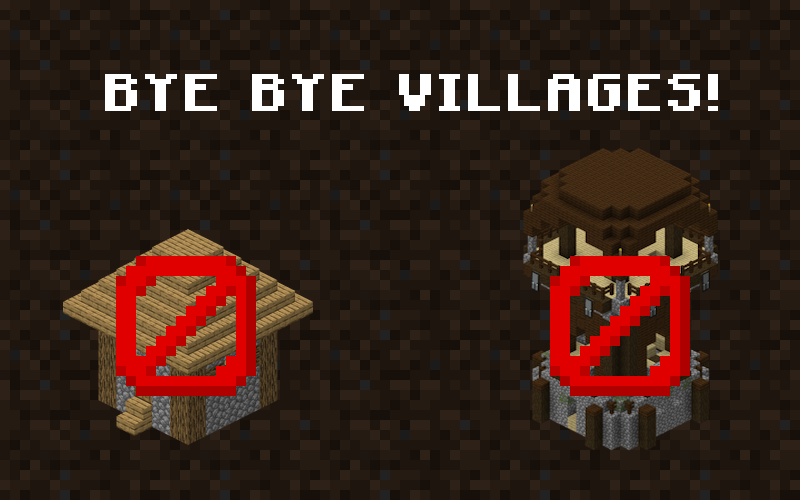
Ever making a new Minecraft world, settling along a lovely river, but wait, what’s that on the mountain there? An Ugly village with Cubes of dirt everywhere!
You find a beautiful and flat plains… 5 Villages are already there claiming all the good real estate for themselves.
Removing Villages isn’t about removing villagers… You can still cure one of them from a zombie! Villages in vanilla Minecraft contribute to a specific problem… ***The world already feels inhabited!***
Pillager outposts have the same issues. With the amount of structures in vanilla, Minecraft feels like a world that is already inhabited, already claimed. For RPG games and modpacks, this is amazing. Massive structures, plentiful villagers to give you quests galore– but for a sandbox game? It’s like trying to set up a beautiful farming village of your *own* and having to tear down *another village* because it’s already in the perfect spot in the center of the area.
With them gone, open areas are open again, and Minecraft as a canvas is open and blank for the hands of the player to shape.
## Goodbye Durability! Enchanting Rebalance!
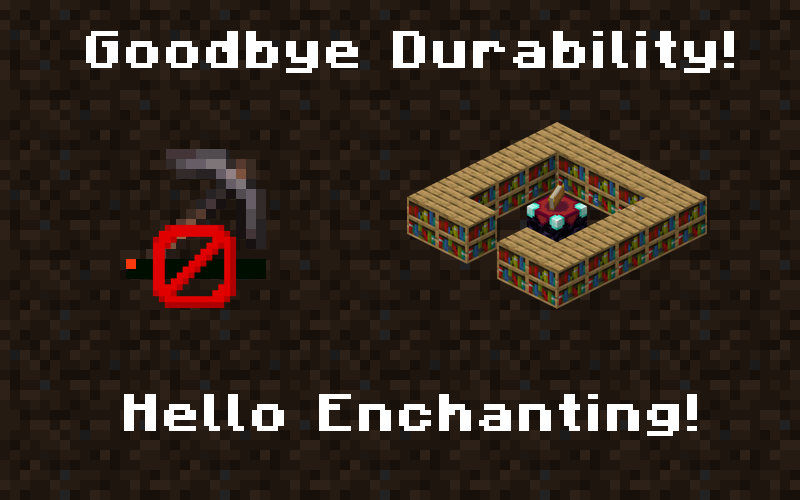
Those darn iron tools stopping you from making your starter bases because they break too easily? You don’t want to enchant them, not even with a tier 1 enchantment, for the same reason? Worry no longer! Without durability, the game’s progression no longer has any real *rush* to it. You can make wonders and marvels with iron tools, with no worry of them breaking on you! Diamond tools can be used as soon as you get said diamonds, without needing to consider if you can get mending before they’ve snapped in two. Durability is an annoying and outdated mechanic, and managing it in vanilla is mundane and one-note. Removing it all together is a bit of a “landlord plaster special” fix, but it opens the game up to a more sandbox-friendly nature.
Enchanting as well was a similar system. Getting the highest level of everything is a major pain, especially with sharpness five and protection four. All those hours spent getting protection three and sharpness three in enchanting tables is now… the highest level!
**Every enchantment** ***(except for Efficiency & Piercing)*** **has a new max level of 3.** This is more of a power-scale related balance, as high level “stat increase” enchantments like protection and sharpness aren’t really even neccesary when you have full netherite armor. Decreasing the max level of them makes it easier to enchant your gear to said maximum, makes things like PvP at said maximum more interesting, and most importantly *leaves room for Artifacts to make up the difference!*
Artifacts are *fun*, and they take the place of the much-less-fun option of maxed out gear with crazy modded enchantments.
Wild west structures adds new structures to biomes like the badlands all inspired by the wild west and american frontier. Some of the structures you may come across include wagons which may contain lost supplies, tnt carts, campsites, and more!

**All structures as of v2.0**
– wagon
– tnt cart
– campsite
– wild west chruch
– badlands village
– bandit camp
– desert camp
– Swamp shack
– Badlands bandit camp
– Cow skull
– Church
**Notes**
– Neoforge port coming soon
– Anything above 1.21.8 is mostly untested, 1.21.11 crashes
– feel free to use in modpacks
– More structures to come!


# Wildex Bestiary

Wildex adds an **in-game bestiary** that documents creatures in your world as you encounter them.
Mobs are discovered naturally through gameplay by fighting them or observing them with a Spyglass. Once discovered, their information becomes available inside a dedicated book-style UI. No external wiki lookups, no spoilers, no background world scanning.
Wildex **works with vanilla and modded mobs** alike and is built to fit cleanly into large modpacks.

—
## Features
**Discovery by:**
– Killing mobs
– Observing mobs with a Spyglass
– Take a photo of a mob (if Exposure Mod is installed)
– Receiving a Bestiary entry from another player (Multiplayer)
– Analyzing items in the analyzer block
_Discovery tracking per player, per world_
_Technical / non-relevant entities excluded automatically_
**Bestiary UI includes:**
– Searchable mob list
– 3D Model Preview
– Stats and attributes
– Loot/XP ranges based on real drops
– Spawn biomes/structures and dimensions
– Additional mob information (weakness, breeding, taming)
**Completion reward:**
– Discover all trackable mobs to unlock **Spyglass Pulse**
– Temporarily highlights nearby mobs through walls
**Multiplayer / server behavior:**
– Progress stored server-side
– Multiplayer-safe, player-specific progression
– Request-based syncing with minimal network overhead
_Extensive configuration options via config files_
**Compatibility:**
– Works with modded mobs and dimensions
– Safely reads modded loot tables
– Does not modify entity behavior or spawning
**Blocks:**
Pedestal – Can hold a Wildex and displays a hologram of all detected mobs. Decorative and multiplayer safe. A redstone signal disables the hologram.
Analyzer – Can analyze an item when activated by a redstone signal. If the item is a loot drop from an undiscovered mob, the entry in Wildex will be unlocked.

—
## Integrations (1.21.1)
Wildex supports optional integration with:
– **KubeJS**
– **FTB Quests**
– **Exposure**
– **Cobblemon**
– **Accessorify**
Setup details and examples are available in the GitHub README.
—
## Credits
– Thanks to `NeuroPalooza` for the kubejs/ftbQuests integration feature suggestion.
– Thanks to `HockeyZman2000` for the sharing feature suggestion.
– Thanks to `vinylwitch` for the Exposure integration suggestion.
– Thanks to `amon` for the new Wildex textures/artwork. (`amon_m` on discord)
– Thanks to `VaporeonScripts` for the report and testing feedback.
The core idea for this mod was inspired by Araxer’s Bestiary Mod. I built my own version because I needed a bestiary for NeoForge 1.21.1