# Pad your boots with wool, prevent Sculk and Warden Detection. Fully compatible with the official 1.19+ Warden!
Think these boots make the Deep Dark too easy? Download Warden Walkers for something more balanced: https://www.curseforge.com/minecraft/mc-mods/warden-walkers
## These Boots Silence the Vibrations of:
– Stepping
– Falling and hitting the ground
– Throwing a projectile (A projectile hitting something will still be detected, but it will be traced to the projectile rather than you)
## Tiers:
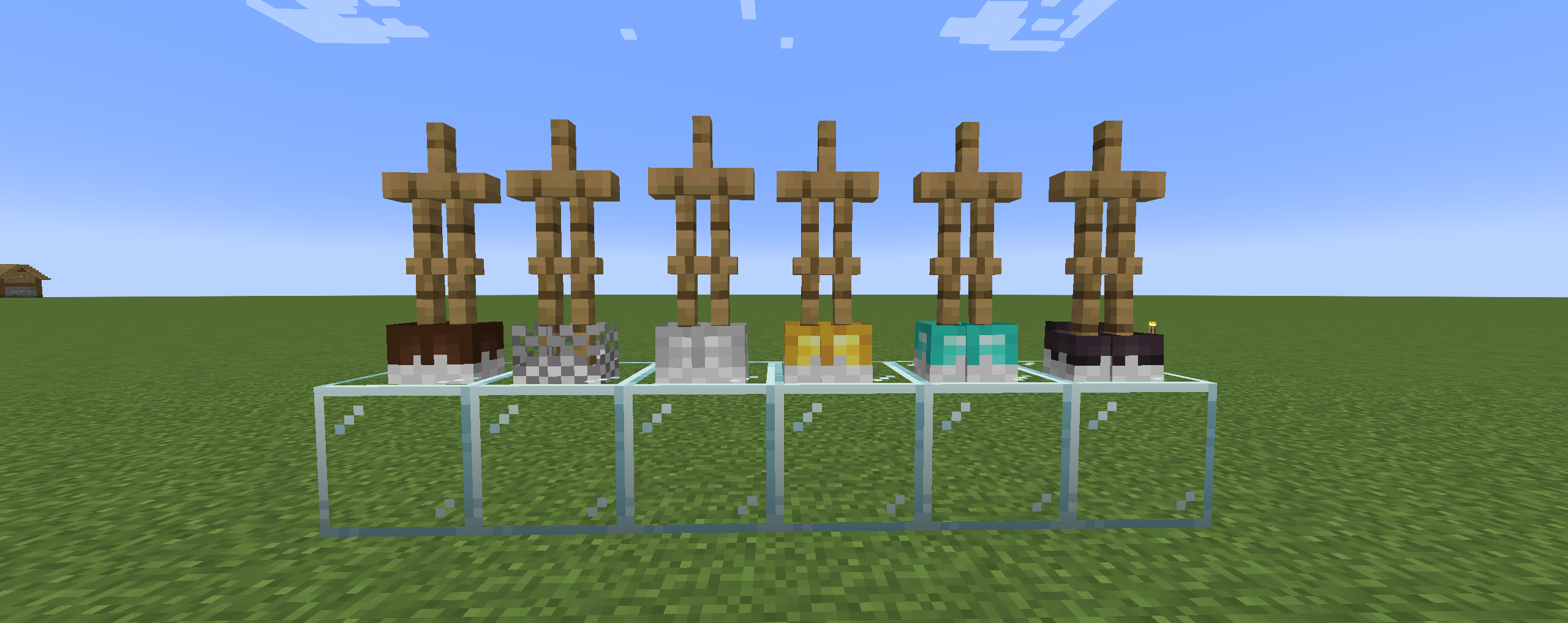
Leather | Chainmail | Iron | Golden | Diamond | Netherite
## Wooled Boots in Action
Video 1: https://youtu.be/RF9UrxMB-UQ?si=AngQynWrY_Md3t5u&t=89
Video 2: https://www.youtube.com/watch?v=uOxwtL4bgzc
Play this mod with your friends! Use code “jackbusters” for 25% off Minecraft Server Hosting.
## Warden Mod Support
Some mods, which add the Warden, are compatible with Wooled Boots. These mods include:
– The Wild Mod by lukebattle04 (and the FrozenBlock Modding Team)
This mod is part of The Vanilla Experience modpack and Serilum’s Quality of Life Bundle mod. Wool Tweaks makes various changes to the dyeing of wool, beds and carpets. Any colour can be dyed in the crafting grid, not just the white variant. It’s also possible to right-click the placed blocks with a dye in hand and it will change the colour. A recipe to convert any colour wool to 4 string is included.
Convert any wool block in the world by right-clicking it with a dye in hand:
Show Spoiler
Convert any bed block in the world by right-clicking it with a dye in hand:
Show Spoiler
Convert any carpet block in the world by right-clicking it with a dye in hand:
Show Spoiler
Craft any wool block to 4 string:
Dye any wool block colour:
Dye any bed colour:
Dye any carpets:
——————
You may freely use this mod in any modpack, as long as the download remains hosted within the Modrinth ecosystem.
Serilum.com contains an overview and more information on all mods available.
Comments are disabled as I’m unable to keep track of all the separate pages on each mod. For issues, ideas, suggestions or anything else there is the Github repo. Thanks!
Wool to Dye
# **INFORMATION**
## **What is Wool to Dye?**
Wool to Dye is a minecraft datapack that allows you to smelt wool in a furnace and out comes the wools dye type for example you smelt lime wool. It would turn into lime dye!
## **Why is Wool to Dye a thing?**
Wool to Dye is a thing because, do you ever have a wool block around? From a sheep farm for example? This would be a great way to grind dyes! Especially white dye! Of course you would need the dye to make the sheep that color but this datapack is still great!
Inspiration comes from [Serilum’s Wool Tweaks](https://www.curseforge.com/minecraft/mc-mods/wool-tweaks “Wool Tweaks”)
This datapack adds various dyeing recipes for wool and its products, so you can dye the dyed products again.
Recipes for making wool into thread have also been added.
> Thank you **Hexakon#6724** for authorizing the use of
> 
The Wool Collection
# The Wool Collection
Adds wool variants for various blocks, like fences, stairs, gates, buttons and more!
## New Wool Variants
added new wool variants
16 new wool fences
16 new wool fences gates
16 new wool stairs
16 new wool slabs
16 new wool walls
16 new wool buttons
16 new wool pressure plates
right clicking with shears will drop them instantly
right clicking with a dye will change the color of the block
## Recipes
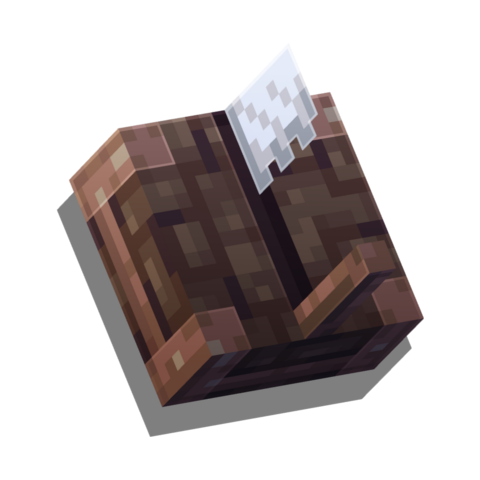
all newly added blocks are crafted within the weaving station
### Weaving Station
any type of wool and wood_planks can be used
Normal Recipes
Dyed Recipes
placing any color of wool in the top slot lets you craft the corresponding colored blocks
placing any color of wool in the top slot, and a dye in the bottom slot, lets you craft the
corresponding colored blocks
### Recoloring Recipes
all blocks added by this mod can be simply recolored by placing any color of dye in the crafting grid with the block
example gif: any colored fence can be recolored to orange with orange dye
if you have any questions about the mod, or you want a few insights about upcoming features:
Wool buttons! They’re like normal buttons but made of wool and come in all 16 vanilla colors. When placed, pressed, unpressed, or broken they do not trigger sculk sensors. They also do not make a sound when un-/pressed. Both of these features can be toggled in the server config.

### Recipe
The recipe is the same as for other buttons, just one wool block. Any color wool works.

If you like Wool Buttons, why not check out [Wool Pressure Plates](https://modrinth.com/mod/wool-pressure-plates)?
### 📖 About:
Adds the Sawmill – a block like the stonecutter, but for wood variants. Also introduces wood-type variations of Ladders, Beehives, Chests, Trapped Chests, Bookshelves, and Chiseled Bookshelves, as well as Boards and Leaf Piles! Unlike most of our mods, this mod is fully configurable, meaning all its features can be enabled or disabled in the configuration file!
Makes woodworking easier by allowing you to craft wood using a stonecutter!
Allows you to craft planks, stairs, slabs, stripped logs, solid wood blocks and their stripped variants.
Also allows for recombining of wood slabs into blocks!
*Woodwalkers* is a mod lore-wise based on the book [Woodwalkers](https://www.katja-brandis.de/2016/05/11/woodwalkers/), and technically-based on [Identity](https://www.curseforge.com/minecraft/mc-mods/identity).
This mod allows you to choose a second shape, you can transform into at any time you want by just pressing a key!
Walk over lava as a strider, discovery the caves as a bat or let your foes base explode as a ghast!
**Nearly every mob has some nice abilities!**
Even your hearts and your size will be changed to the one of the mob and your nametag will stop rendering, so no one could tell which one is the mob and which one is the player! Trick your friends!
Search for your favourite mob in your world/on your server. Once you found it, press the UNLOCK_KEY (by default ‘U’), while looking directly at it. While doing, you should notice the message “You feel it tingle” or something. In case you don’t see it, reinstall the modpack your check your config. After pressing the key for 100 ticks (5 seconds), you will transform into a mob of the same type. Your Unlock progress is complete! ;D
In case you want to change it again, change the config “unlockOveridesCurrentShape” to true, so you’ll be able to override it at any time.
You can switch your shape by pressing the TRANSFORM_KEY (by default ‘G’). Choose carefully! This choice is forever! Once chosen, you can’t change it again! (But still, there’s an OP-command and a config-option to reset your second shape after death…)
### German Tutorial
—
If you’d like to support me and the development of my mods, I recommend trying out BisectHosting. Use the code “woodwalkers” to get 25% off your first month of a gaming server for new customers. They offer 24/7 support and lightning-fast response times, ensuring you’re in great hands and providing exceptional assistance for all your gaming needs.
**Woodlands: The Core (~~Vanilla~~)** changes some aspects of a worldgen, like trees, flowers, ground cover etc, using only vanilla blocks and vanilla biome distribution.
This project ia also a part of **[Woodlands:Extra](https://modrinth.com/mod/woodlandsextra)**, if you’re interested in custom biomes (that use only vanilla blocks as well!) you can check it up! Don’t install both!
## **Dependencies:**
– **[Oh The Trees You’ll Grow](https://modrinth.com/mod/oh-the-trees-youll-grow)** by Corgi_Taco
– Optional: any “Treecapitator”-like mod to chop down trees with non-decying leaves. Suggested: **TreeChop**, **Tree Harvester**, **Pandas Falling Trees**. Will require some changes to the configs to chop down persistent(non-decaying) leaves and make tree searching radius a bit bigger.
Compatible with **_Fabric_**! Just install **[Fabric Api](https://modrinth.com/mod/fabric-api)**
Compatible with **_NeoForge_**! (>= v.1.21.1)
## **Compatible biome mods (mods on TerraBlender):**
– William Wyther’s Overhauled Overworld (works, but biomes may look unpredictable)
– William Wyther’s Expanded Exosphere (works, but biomes may look unpredictable)
– Dynamic Trees (only vanilla trees will change)
P.S. Note that many of these could be made partially compatible if you’ll make many changes to both Woodlands and them, but there will be no oficial compatibility ever.