Zelda TOTK Ambient Music
This resource pack works only with [Dynamic Music](https://modrinth.com/mod/dynamic-music-updated) mod installed !
And one of these config files to place into your config folder :
[dynmus1](https://drive.google.com/file/d/1_RJhv3Eg_PyA0FL6RM6GqecHmznMacBl/view?usp=sharing) This config file will play Zelda TOTK music as it is in the original game.
When it’s raining you’ll get rainy music from the game.
When it’s night or day, even in cold biomes and hot biomes.
It’s like having TOTK ambient music in Minecraft !
[dynmus2](https://drive.google.com/file/d/1gmf8wyW8qEyl3Egy7mvdeqMS4JvJCZGb/view?usp=sharing) This config file allows rainy and night music to play when it’s still day and clear weather.
Because always hearing the same day music can be a bit boring (if you always stay in the same biome and always skip night as example)
Zelda Music
# Zelda Music
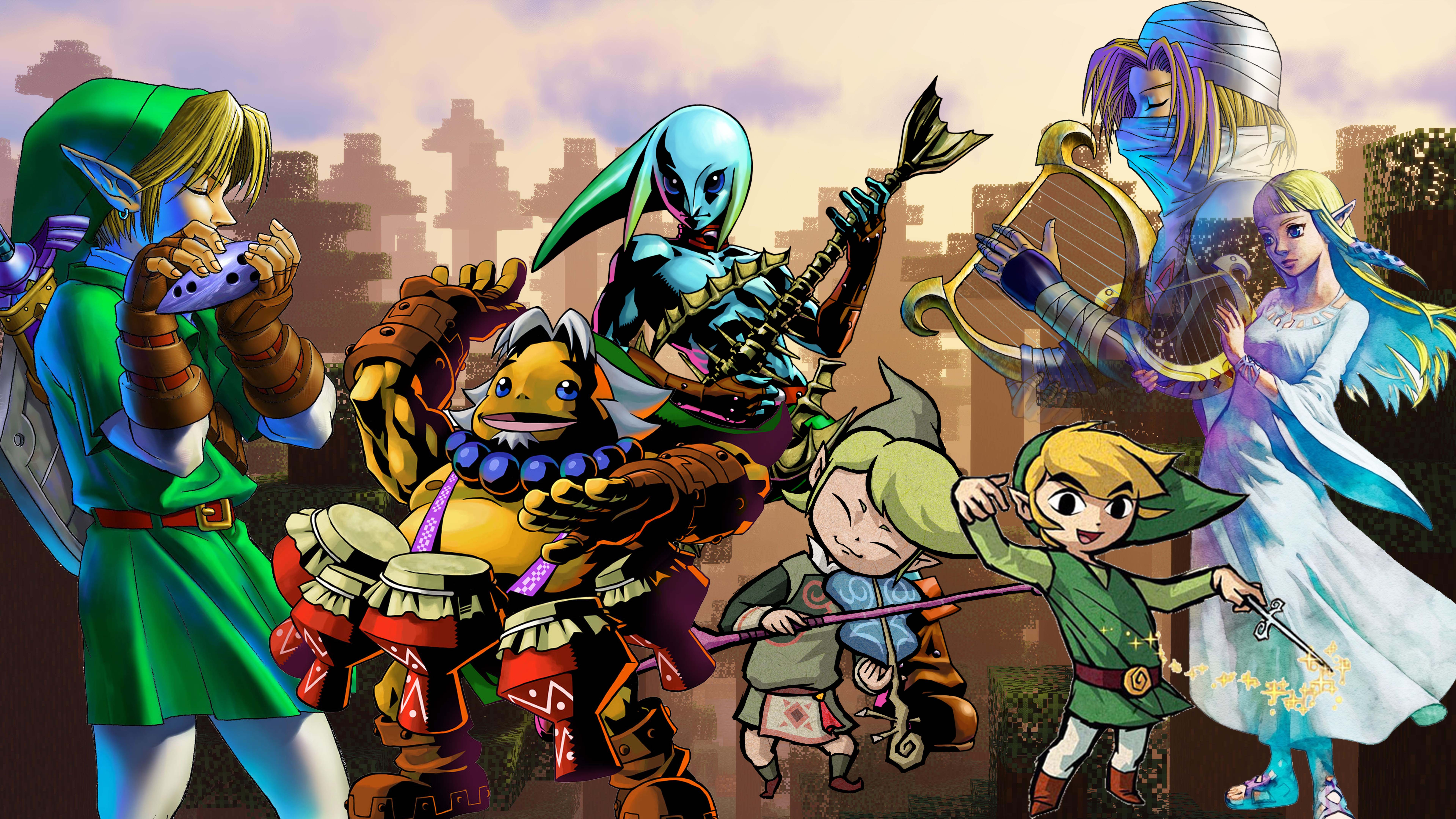
A Minecraft Resource pack that changes in-game music and sound effects to Zelda music and sound effects.
# Support the pack!
[Support me on Ko-Fi](https://ko-fi.com/wildfyr16) if you love this pack! I do all this on my own time and any support is super appreciated.
# About
I created this pack for all the Zelda lovers out there who find themselve turning the base Minecraft music down everytime they start a world.
The music of Minecrat is nice to listen to, but it can get repetitive and don’t even get me started on the cave sounds. Now, that has all been replaced. With the wonderful work of Koji Kondo and music from the whole Zelda francise.
This pack changes sound effects, game music, and the music discs all for your listening pleasure. On top of this I am always adding and updating fresh sounds and songs, feel free to [suggest your additions too](https://github.com/WildFyr16/zelda-music/issues/new?assignees=WildFyr16&labels=suggestion&projects=&template=feature_request.md&title=)
# Auto Updates
Do you want the pack to automatically update? No more looking online for updates? Install the [DynamicPack Mod](https://modrinth.com/mod/dynamicpack) this resource pack supports automatic updates!
The Legend of Zelda: Builders of the Realm
## Legend of Zelda – Minecraft
The pack is full of items from the greatest game of all time Legend of Zelda: Breath of the Wild
Optifine is require if played on Forge
[Cit Resewn](https://modrinth.com/mod/cit-resewn) is required if played on Fabric
Zekren’s MusicPack
Experience Minecraft like never before with Zekren’s MusicPack! Designed to immerse you in a brand new auditory adventure, this pack replaces the entire main music soundtrack with 63 new tracks!
**_Features:_**
**Complete Overhaul:** Every piece of the main soundtrack has been replaced, including three music discs (5, 11, 13), ensuring a cohesive and fresh auditory experience.
**Ambient Vibes**: Inspired by the original OST, each track brings a blend of ambient and atmospheric electronic music, enhancing immersion and creating new memories.
**Modern Soundscape:** Perfect for those who have grown accustomed to or muted the decade-old music, this pack aims to reinvigorate your Minecraft sessions with contemporary sounds.
**Future-Proof:** Now compatible with Minecraft 1.7.2+! I went all the way back to the 2013 music update. **For 1.21+, please join my [Patreon](https://www.patreon.com/Zekren/)
Rediscover the joy of Minecraft with Zekren’s MusicPack and elevate your gameplay to a whole new level. Dive into your world with a refreshed sense of wonder and make every adventure unforgettable. Experience the Nether with a more hellish and spooky ambiance, feel the cosmic expanse of the End, and enjoy enhanced soundscapes that elevate every biome to new heights. Everything is designed to enhance your experience, not change it entirely, ensuring a familiar yet vastly improved Minecraft journey.
Blue – Colored Ancient Debris
Make the ancient debris **blue** color over
“`
dirt
“`
color (:
Zediaph 3D Texture Pack

Get **25% off** your first month when purchasing a Minecraft server with BisectHosting! Use promo code **zediaph** at checkout.
[https://bisecthosting.com/zediaph](https://bisecthosting.com/zediaph)
The resource pack for the YouTuber Zediaph!
# **📖 What’s this texture pack?**
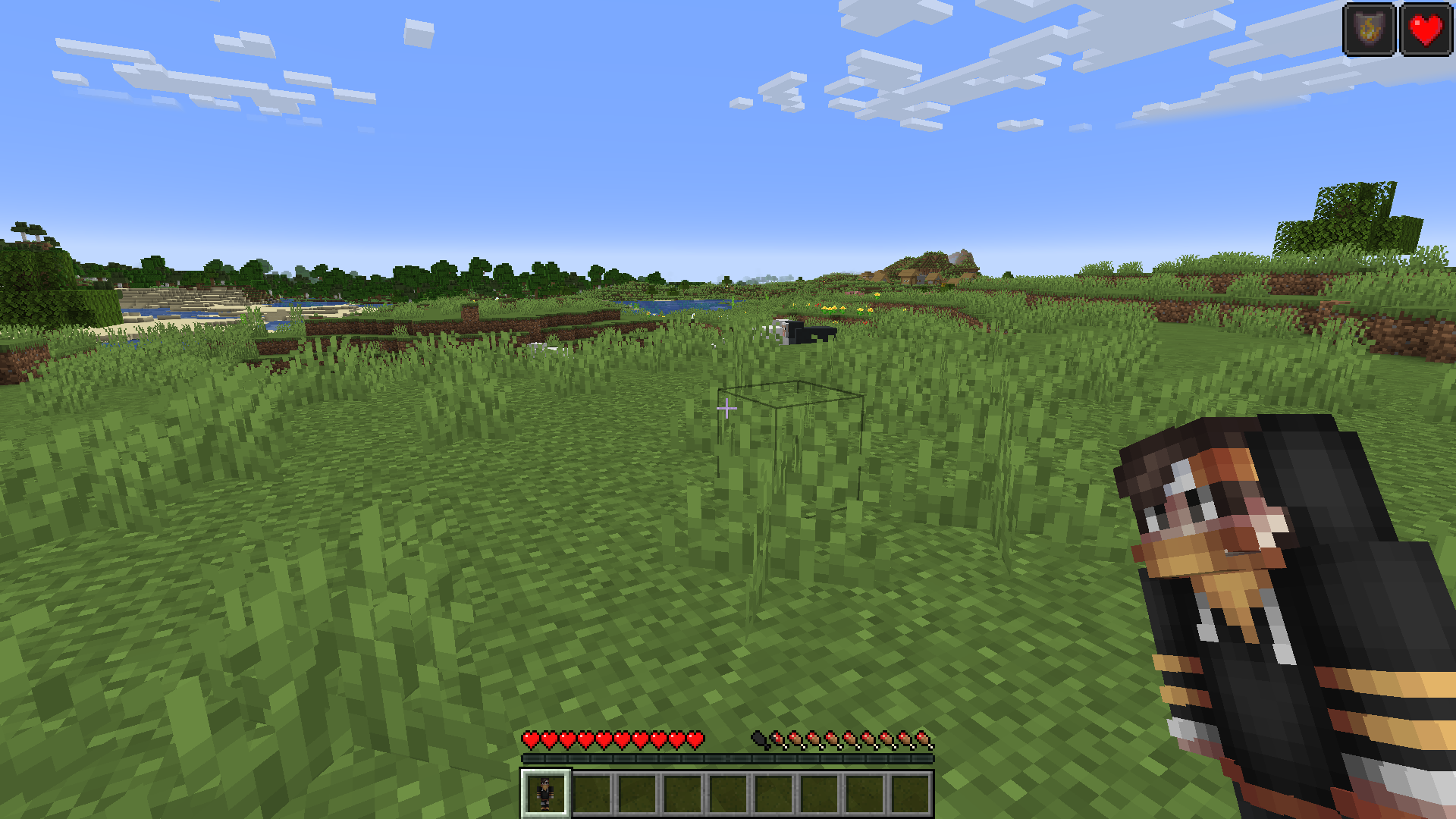
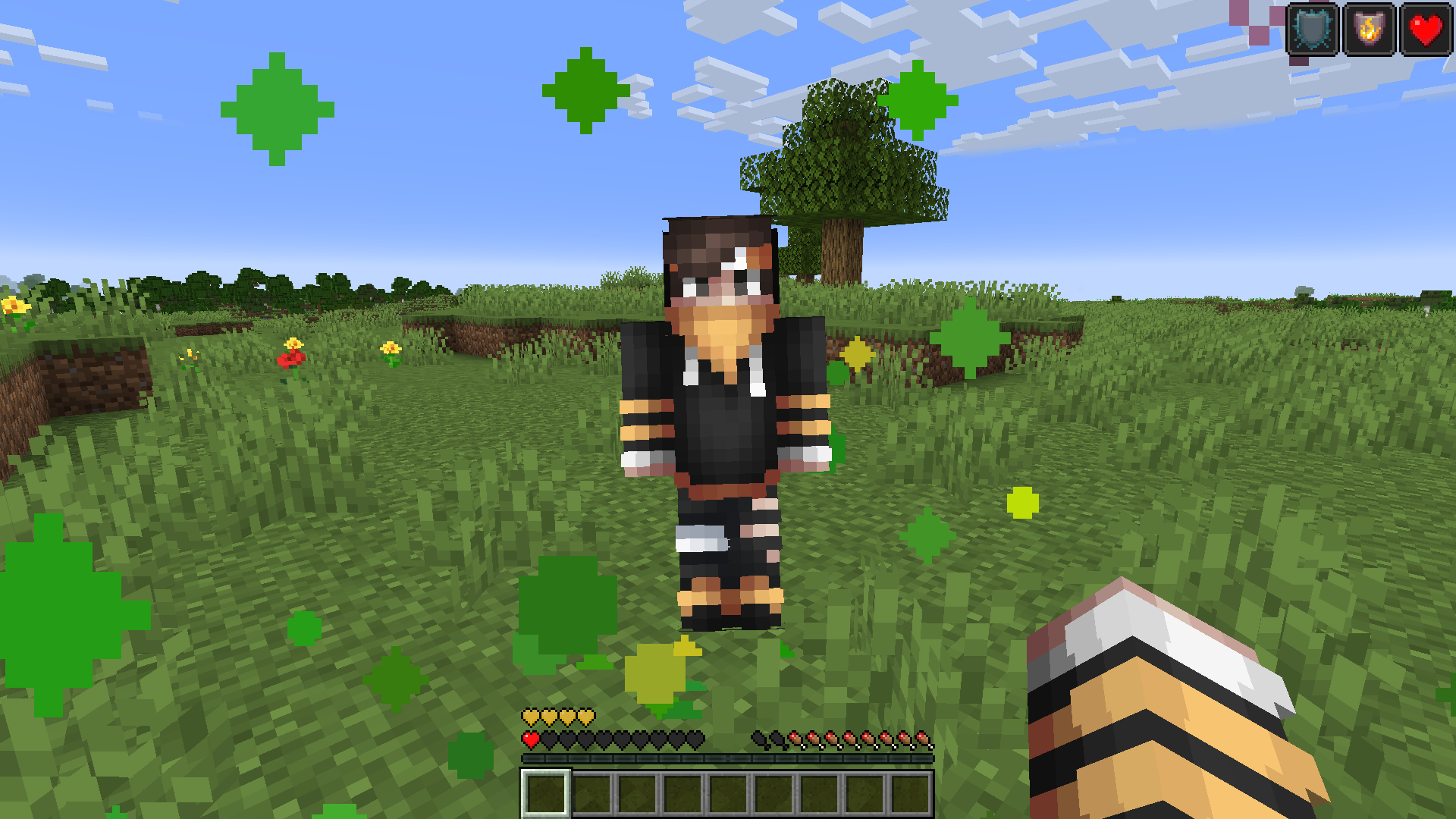
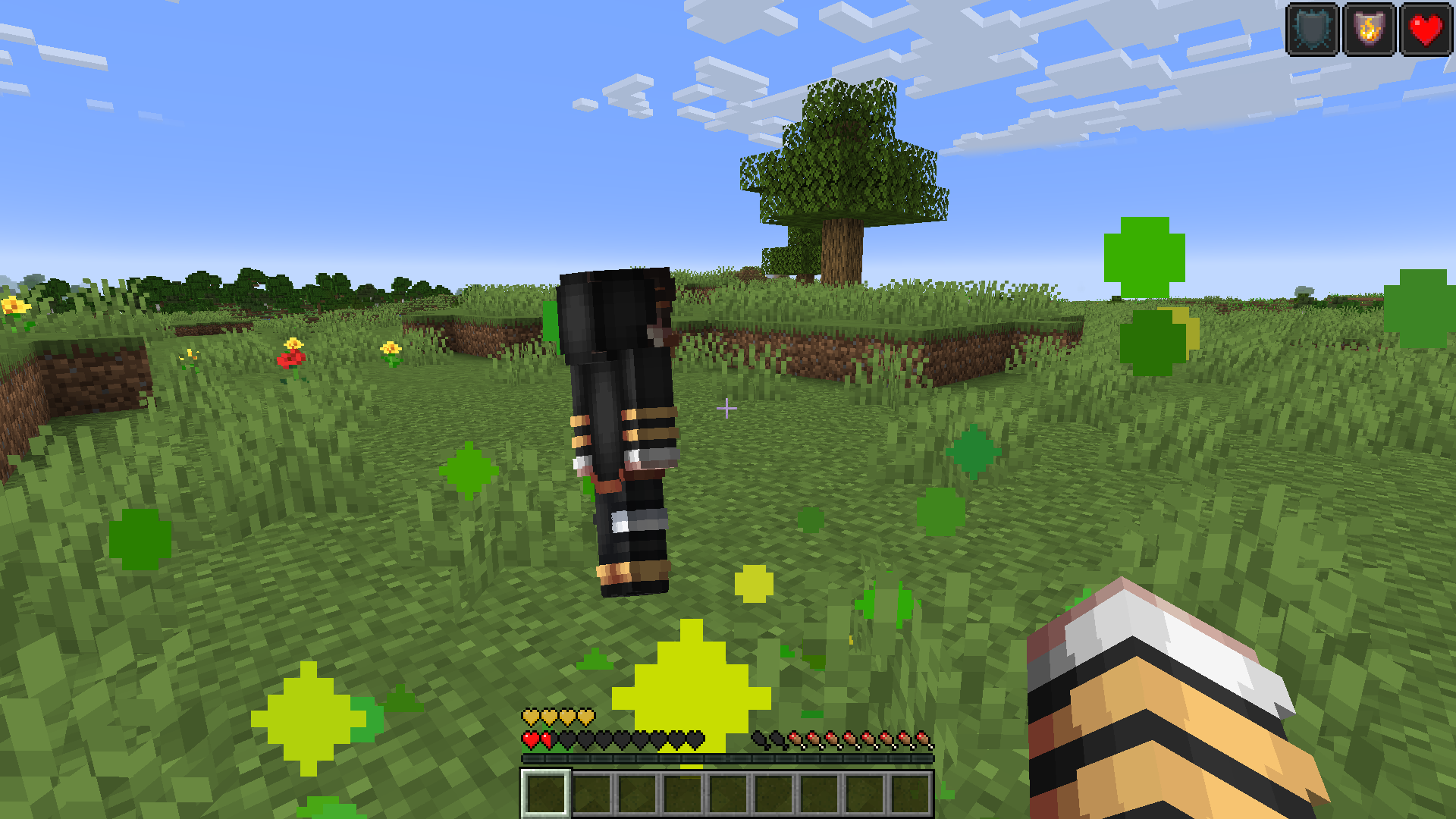
A totem of undying is an uncommon combat item that can save holders from death. It is dropped by evokers, which spawn in woodland mansions and raids. And this texture pack uses Zediaph’s 3D Minecraft skin and completely changes Minecraft’s totem of undying item.
# 📥 Installation Guide
1. Download Zediaph’s 3D Texture Pack
– Click on the “Download Texture Pack” button to download the `.zip` file.
2. **Locate Your Minecraft Resource Pack Folder**
– Open Minecraft and go to `Options` > `Resource Packs` > `Open Resource Pack Folder`.
– Alternatively, you can manually navigate to the folder:
– **Windows**: `C:Users[Your Username]AppDataRoaming.minecraftresourcepacks`
– **Mac**: `~/Library/Application Support/minecraft/resourcepacks`
– **Linux**: `~/.minecraft/resourcepacks`
3. **Move the Downloaded File**
– Move the downloaded `.zip` file into the `resourcepacks` folder.
4. **Activate the Texture Pack**
– Go back to Minecraft.
– In the `Resource Packs` menu, you should see the Zediaph Totem Pack 3D listed under “Available Resource Packs”.
– Click the arrow to move it to the “Selected Resource Packs” section.
– Click `Done` to apply the texture pack.
5. **Enjoy Your New Texture Pack**
– Start or join a game to see the new textures in action!
If you encounter any issues or need further assistance, feel free to ask! Enjoy your new Zediaph’s 3D totem textures!
# Screenshots


Need help? Come check out on [Discord Server](https://discord.gg/zediaph)
New icons by Matik
A resource pack that changes the appearance of hearts, experience bars, hunger bar and underwater breathing bar.
For now, the resource pack will change: Hearts and all their effects like wither, poison, freeze, golden hearts and all their alternatives in hardcore mode. Underwater breathing scale. Experience scale. Display network status. Armor display scale
the resource pack has been tested on versions 1.20.1 to 1.19, but the resource pack should work on all versions.
You can buy me a coffee here:
https://ko-fi.com/matikk
zazu sun & moon
Inspired by [sun cot (and moon)](https://www.modrinth.com/resourcepack/scam) texture pack.
Cat: [zazu](https://www.instagram.com/zazubabyman/)
ZAWA: Evolved GUI – Dark mode
A GUI pack redesigned in [ZAWA: Evolved](https://modrinth.com/mod/zawa-evolved)’s paintings style.
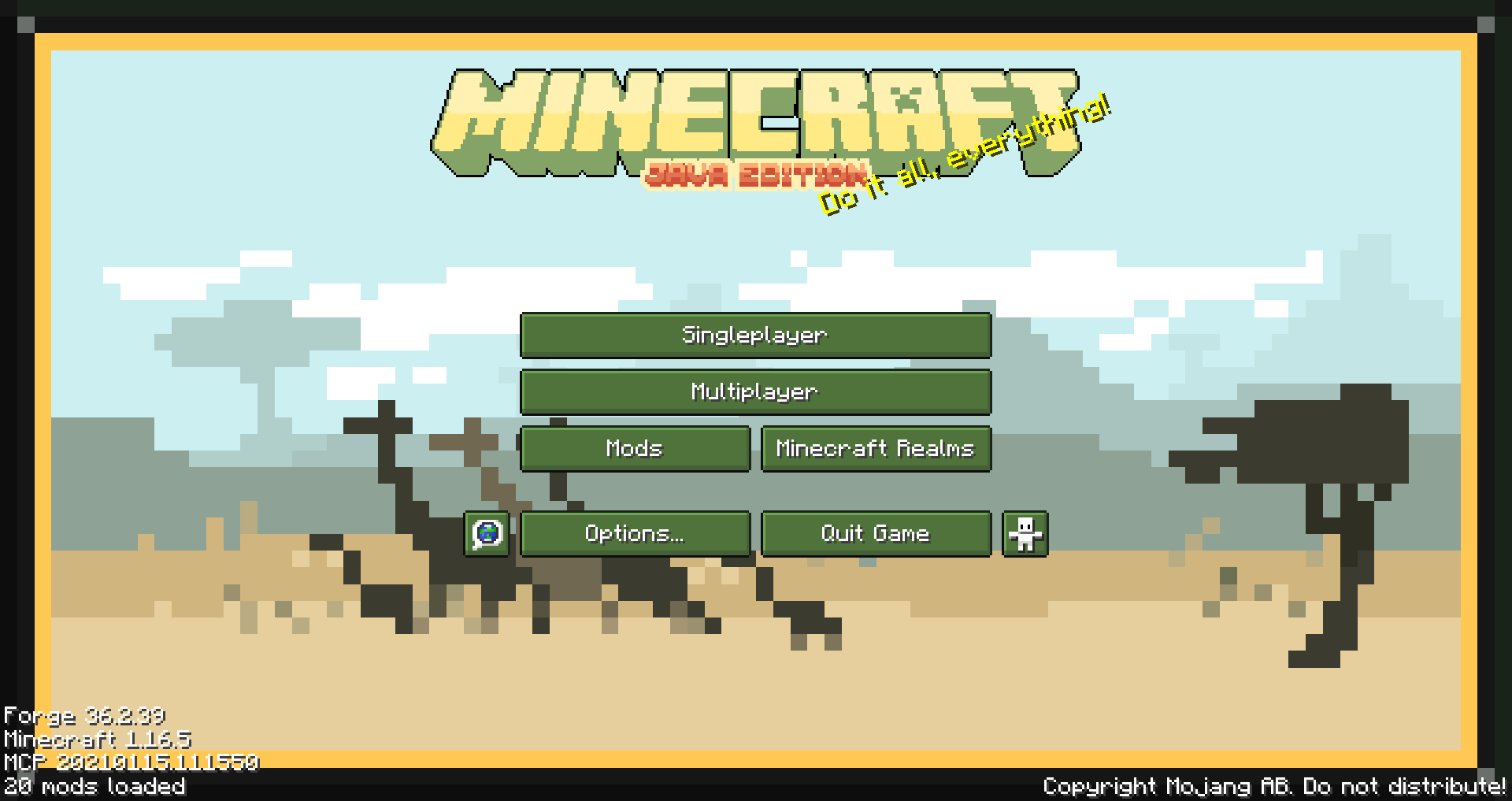
Created with only 1.16.5 in mind, feel free to request other versions as needed.
Supported mods list
– Appleskin
– Cosmetic armor reworked
– Curios
– Environmental
– Glasscutter
– Realistic Horse Genetics
– Iron chest
– JEI (just enough items)
– JER (just enough resources)
– JEP (just enough professions)
– Quark
– Sophisticated Backpacks
– Tinker’s Construct
– Xaero’s minimap
– ZAWA: Evolved
Zarba Respack
**Attention: This resourcepack will stop updating from April 2025 due to the encryption of the RainbowPixel**
# **Zarba Respack**
**A resoucepack based on RainbowPixel**
| Resourcepack | Latest Ver. | Minecraft Ver. | Optifine |
| :-: | :-: | :-: | :-: |
| Zarba Base | 1.2 | 1.21.3 | Required |
| Zarba GUI | 2.0 | 1.21.x | Not required |
| Zarba 3D | 1.0 | 1.21.x | Not required |
| Minecraft Ver. | Zarba Base | Zarba GUI | Zarba 3D |
| :-: | :-: | :-: | :-: |
| 1.21.x | Available | Available | Available |



**Dedicated to players who enjoy using the Rainbowpixel Resourcepack**
#
**How to import Zarba Resourcepack**
1. Open your Minecraft
2. Click `Option`
3. Click `Resource Packs`
4. Drag the Zarba Resourcepack into the window or click `Open Pack Folder` and copy the Zarba Resourcepack to that folder.
**Notes**
1. They are avalible at [Zecoar Modpack](https://modrinth.com/modpack/zecoar-modpack) [(EX)](https://modrinth.com/modpack/zecoar-modpack-ex)
2. Zarba Base require Optifine, if you are using Fabric, please install Optifabric or any mods that can instead of Optifabric.
————————————————————————————————————————————————————

**注意:该材质包从2025年4月起停止更新,原因是彩虹像素被加密**
# **Zarba 材质包**
**一款基于 彩虹像素 的材质包**
| 材质包 | 最新版本 | 我的世界版本 | Optifine |
| :-: | :-: | :-: | :-: |
| Zarba Base | 1.2 | 1.21.3 | 需要 |
| Zarba GUI | 2.0 | 1.21.x | 不需要 |
| Zarba 3D | 1.0 | 1.21.x | 不需要 |
| Minecraft Ver. | Zarba Base | Zarba GUI | Zarba 3D |
| :-: | :-: | :-: | :-: |
| 1.21.x | 可用 | 可用 | 可用 |



#
**怎么导入 Zarba 材质包**
1. 打开您的我的世界
2. 单击`选项`
3. 单击`资源包`
4. 将 Zarba 材质包拖入窗口或者单击`打开包文件夹`并将 Zarba 材质包复制到该文件夹
**备注**
1. 他们已在 [Zecoar Modpack](https://modrinth.com/modpack/zecoar-modpack) [(EX)](https://modrinth.com/modpack/zecoar-modpack-ex) 中可用
2. Zarba Base需要Optifine, 如果您正在使用Fabric请安装Optifabric或者其他可以替代Optifabric的模组