SearchWorldEnhance
# Mod Synopsis
This is a lightweight mod run on client-side, which brings a “Search World” box to world selection screens(prior MC 1.13) and enhance the searching behaviour by using key-value pair arguments.
# How to Use This Mod
This mod adds a “Search World” box to the world select screen(prior MC 1.13), and the searching behaviour is now like this:
`worlddirname-=foo` – Search for worlds whose directory names contain `foo`, case-sensitive
`worldname/=”^New World$”` – Search for worlds whose names exactly are `New World`, case-insensitive
`gamemode=S,commands=true` – Search for worlds whose default game modes are Survival and commands are enabled
# Format of Arguments
Each two key-value pairs are separated by `,`(which means `&&`(`and`), and trailing `,` is allowed once). In contrast, a key-value pair is like this: ``.
For regex keys, available relationship symbols are:
* `=` – left contains right, case-insensitive
* `!=` – left does not contain right, case-insensitive
* `-=` – left contains right, case-sensitive
* `!-=` – left does not contain right, case-sensitive
* `/=` – left matches right, case-insensitive
* `!/=` – left does not match right, case-insensitive
* `/-=` – left matches right, case-sensitive
* `!/-=` – left does not match right, case-sensitive
Values are strings like this:
* `foo` – resolved as `foo`
* `”Foo Bar”` – resolved as `Foo Bar`
* `”One says “\s are useful””` – resolved as `One says “s are useful”`
For long keys, available relationship symbols are:
* `=` and `==` – left equals right
* `<` - left is less than right
* `<=` - left is less than or equal to right
* `>` – left is greater than right
* `>=` – left is greater than or equal to right
* `!=` – left does not equal right
Values are long integers like this:
* `0`
* `1234567`
* `-98765432109999`
For enum keys, available relationship symbols are:
* `=` – left is right
* `!=` – left is not right
Values are all enums defined by the enum class and `null`.
For boolean keys, there is only one available relationship symbol `=`(means left is right).
Values are like this:
* `true`, `t`, `yes`, `y`, `1` – for true
* `false`, `f`, `no`, `n`, `0` – for false
If the format of arguments is valid, expected search result will be shown. Note that results of original search behaviour will be shown together, e.g. if there is a world named `gamemode=C` whose default gamemode is Survival, when you type `gamemode=C` in the box, this world will still be shown as a part of the result. If you want to avoid this, you can type `worldname!=”gamemode=C”,gamemode=C` in the box.
# All Key-value Pair Parameters Added by This Mod
`worldname`(Regex) – Match world names
`worlddirname`(Regex) – Match world directory names
`lastplayed`(Long) – Match last played time
`gamemode`(Enum made up by `S`, `C`, `A`, `SP`) – Match default game modes
`commands`(Boolean) – Match commands enabling statuses
`hardcore`(Boolean) – Match whether the worlds are hardcore
# I Want to Add My Key-value Pair Parameters!
There is a class `rege.rege.minecraftmod.searchworldenhance.util.SearchKeyRegistry` in this mod, you should register yours using this class’s static methods. All valid keys are non-empty strings without `-`, ` `, `=`, `!`, `>`, `<`, `,`, `/`, `"`, ``. An example is in the `static` block of `rege.rege.minecraftmod.searchworldenhance.SearchWorldEnhanceMain`'s source code.
sCobbleBoosters
**CobbleBoosters** is a plugin for Fabric Servers that adds the ability to add boosters on Cobblemon servers, boosters are of several types such as Global or per Player.
## 📜**Features**
– Supports several types of boosters
– Supports the possibility of being own or global boosters.
– Supports WebHooks for discord servers.
– Multi WebHooks for each type of booster.
And more soon..
## 🔒**Permissions**
Spoiler
– `scobbleboosters.admin`
– `scobbleboosters.shiny.info`
– `scobbleboosters.shiny.reset`
– `scobbleboosters.shiny.activate`
## ⚙️**Commands**
Spoiler
– `/sb reload`
– `/sb shiny reset `
– `/sb shiny info`
– `/sb shiny values`
– `/sb shiny <1h 1m 1s> `
– `/sb shiny <1h 1m 1s>`
**Config**
“`json
{
“commands”: {
“aliases”: [
“sb”
]
},
“shiny”: {
“enabled”: true,
“minAllowedRate”: 1.0,
“showQueueOnBossbar”: true
},
“webhook”: {
“enabled”: false,
“url”: “”,
“mentionRoleId”: “”,
“embedTitle”: “:sparkles: Booster Activated!”,
“embedColor”: 3066993,
“imageUrl”: “”,
“thumbnailUrl”: “”,
“footer”: “sCobbleBoosters Mod”,
“messageTemplate”: “Global Booster activated: %.1fx for %dh %dm %ds”
},
“webhooks”: {
“shiny”: {
“enabled”: true,
“url”: “”,
“mentionRoleId”: “”,
“embedTitle”: “:sparkles: Booster Activated!”,
“embedColor”: 3066993,
“imageUrl”: “”,
“thumbnailUrl”: “”,
“footer”: “sCobbleBoosters”,
“messageTemplate”: “Shiny Booster activated: %.1fx for %dh %dm %ds”
}
},
“sounds”: {
“boosterActivated”: {
“enabled”: true,
“id”: “minecraft:entity.player.levelup”,
“volume”: 1.0,
“pitch”: 1.0
}
}
}
“`
Refamished [BTW ADDON]
**_ADDON FOR BTW CE 3.0_**
**_Addon Currently on W.I.P_**
***

***
***
WELCOME TO REFAMISHED!!!!
totally didn’t copy and paste from the git hub
***
**What the hell is Refamished?**
***
Refamished is a BETTER THAN WOOOOLVEEEEES COMMUNITY EDITION 3.0.
A mod Originated from SUPER BETTER THAN WOLVES (YOU SHOULD TRY IT!).
This project isn’t that serious, but meh….
All started with the desire to have diamond shears on SBTW.
***
**So… what the addon does?**
To not spoil a lot of shit, I will just tell some of the most important changes :
* Changes and overhaul of progression, extending it and fitting more between ages
* Tools have an upgrade at the cost of more preparation and time consuming
* Materials, Alloys, such as Copper, Gilded Iron and Rose Gold
* Adds a new forging, smithing and plannification system!
* Adds uses to more items such as Sugar!
* Chipping, Knapping, Sharpening…
* Changes on world generation
* Edible sugar, Pies, Berries…
* A Tinkering system
* Changes on mobs
* More shit
hehe, made stairs with the list
**B-But… I want more difficulty, this mod is too easy! >_<**
This mod is too easy, heh buddy, Minecraft Is Too Easy.. 😏 (this is a call for help)
This mod can also be an --> –> –> OPTIONAL <-- <-- difficulty mod.
Just change the world difficulty to CRUEL MODE
and there you have it!
A --> BIT <-- exagerated difficulty where time and mistakes will consume you alive
Mobs behavior changes
Also blocks behavior does
Good luck with the skeletons, at this point if I give them an ak-47 their fire rate will slice in half...
huh...
**hi**
Perspective Nametag
# Perspective Nametag
[](https://github.com/KKW557/perspectivenametag?tab=MIT-1-ov-file#readme)
[](https://github.com/KKW557/perspectivenametag/actions/workflows/build.yml)
[](https://github.com/KKW557/perspectivenametag/releases/latest)
[](https://modrinth.com/mod/perspectivenametag)
[](https://www.curseforge.com/minecraft/mc-mods/perspectivenametag)
A mod to show the player’s nametag in second/third person perspective.
## FAQ
### Forge/NeoForge?
For the **Forge**/**NeoForge** versions, this mod updates lazily.
### How to toggle nametag (since `1.2.0`)
Some servers may provide their own server-side implementation,
which can cause rendering conflicts with this mod.
To mitigate this,
you can add server addresses to a blacklist by listing them line-by-line in `config/perspectivenametag.server-blacklist.txt`.
“`txt
mc.example.com
localhost:12345
127.0.0.1
…
“`
For developers, `perspectivenametag-core` exposes an API that allows you to control when nametags are rendered.
See `icu.suc.kkw557.perspectivenametag.PerspectiveNametag` for details.
## License
This project is licensed under the [MIT License](LICENSE) © 2025 557.
Omnilook
# Omnilook
_A simple freelook/perspective mod for Minecraft._
Omnilook implements a small utility function for your player camera, which lets you rotate which way the third-person camera faces independent of your player’s head movement. This lets you take fancy cinematic shots or aim your cursor in a specific direction while not having to be locked to looking in that direction too!
## Version Support
Omnilook will support pretty much any and every mod loader and version of Minecraft you can think of. The table for this is kind of big, so please see [the GitHub readme](https://github.com/rhysdh540/Omnilook#version-support) for the full thing.
## Why Omnilook?
Omnilook is not the first mod to do this. Here’s why you should try it out:
– **It’s lightweight.** Unlike other mods, Omnilook is small and lightweight in about every way possible. It depends on other mods minimally, doesn’t interrupt your game in the slightest, and the mod jar weighs in at far under 100 kilobytes.
– **It’s compatible.** Omnilook will *just work* anywhere you put it. It uses as few injections as possible to get the job done, and often uses mod loaders’ events and APIs to make sure it functions well with other mods.
– …that’s about it for now.
## Configuration
Omnilook at its core is a pretty simple mod, so there aren’t too many configuration options right now. Besides the activation key binding (by default bound to the grave key, `), the one other option to configure is if pressing it toggles the effect, or if holding it keeps it activated.
## Issues?
See me on [GitHub](https://github.com/rhysdh540/Omnilook/issues). I’d love to help!
NoRecipeBook
## 📗 About
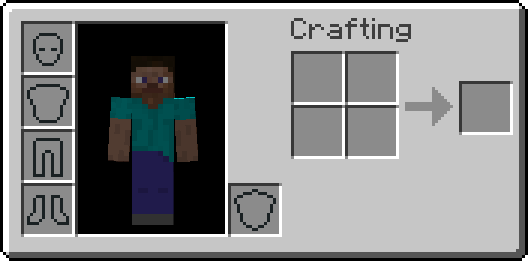
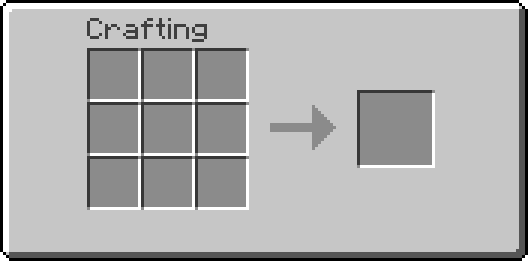
A Fabric/Quilt mod that removes the recipe book from the players inventory.
Available for all Minecraft versions!
## 🖼️ Showcase
Vanilla Minecraft | With this Mod
—————– | ————–
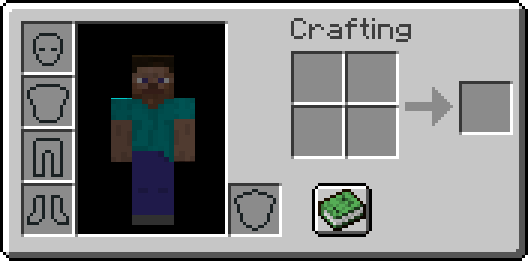 | 
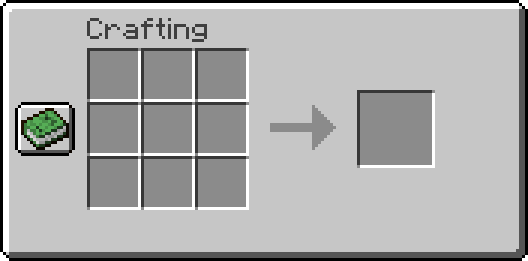 | 
## 🐸 Compatibility
**Quilt:**
This mod is primarily developed for the Fabric loader. Since it only uses Mixins, there should be no issues using it with Quilt loader.
**NeoForge:**
For Forge and NeoForge, there are already existing mods that offer similar functionality.
## 🐞 Bugs and Issues
Please report any bugs or issues you find on [GitHub](https://github.com/Grayray75/NoRecipeBook/issues).
NNBSP Fix
## NNBSP Fix
Fixes the NNBSP character in DateFormat outputs in Java 20+ as caused by the CLDR Unicode v42 update. This was fixed in 23w17a (1.20-alpha.23.17.a) though a font rendering revamp and was introduced in 11w49a (1.1-alpha.11.49.a), which, fun fact, was the same version that put the Save and Quit to Title button into title case.
Another way of fixing this would be to set the java property `-Djava.locale.providers=FALLBACK`, which is what I do for my speedrunning instances (`JRE` or `COMPAT` also work, but they are set to be removed in the future).
Supports Fabric 1.14-1.19.4, Legacy Fabric 1.3.1-1.13.2, and Ornithe 1.1-1.14.4.
i tested 11w49a and 23w16a (the extreme snapshots) and they work, so I have no reason to believe that any other snapshot won’t work (maybe really early Fabric ones if the intermediary wasn’t matched but other than that).
the code for this is maybe a little cursed
New NameTag Recipe
# New NameTag Recipe
## About mod
This mod is a backport for NameTag recipe of 26.1+ version of Minecraft. Player now can craft NameTag in the older version.
Like 26.1, with this mod, you just need **1 Iron/Copper/Gold Nugget** + **1 Paper** (**Crafting Shapeless**)
## About Update
This mod will have **”Deeper” Backport** soon to some **old** version, even some unpopular loader like **Ornithe, Legacy Fabric, …**. (Just plan, no version availabe for this)
## Bugs and issues
Report bugs/issues here: [Issues Report](https://github.com/break08/New-NameTag-Recipe/issues)
Mod Remapping API
# Mod Remapping API
Remaps non-Fabric mods made for a different environment (by default obfuscated) to the current runtime mappings.
Provides hooks to expand the remapping process from other mods.
This mod doesn’t depend on a specific Minecraft version and should work on any version that Fabric Loader can launch.
### Mods depending on this API:
– [Fabricated Legacy Forge](https://modrinth.com/mod/fabricated-forge)
– [Apron](https://modrinth.com/mod/Apron)
– [Fabricated-Rift](https://modrinth.com/mod/fabricated-rift)
## Credits
### Most of the original code of the mod remapper
– paulevsGitch’s mod BetaLoader
Minimap CE
# Minimap CE
A faithful, lightweight minimap mod for Better Than Wolves CE 3.0.0 and above (Minecraft 1.6.4).
Minimap CE provides all the classic minimap functionality you need, themed to feel right at home with old-school Minecraft and BTW. It runs client-side only.
## Features
### Classic Minimap
– **Texture-sampled block colors** — reads Minecraft’s terrain atlas for accurate per-block colors.
– **Topographic shading** — height-based lighting for terrain depth.
– **Circular map** with a premium beveled frame and compass labels (N/E/S/W).
– **Zoom** — scroll to zoom in/out, entities and waypoints track at all zoom levels.
– **Dynamic HUD Proportions** — Minimap text automatically scales based on the size/zoom of your minimap for a perfectly clean look.
– **Chunk grid overlay** (toggleable).
– **Biome tinting** for grass, leaves, and foliage.
### Full-Screen Topography
– **Full-Screen Map** — A scalable, draggable full-screen map interface.
– **Persistent Terrain** — Explored areas save to disk and display on the full-screen map even when far away, with intelligent silent patching if a chunk is loaded with missing data.
– **Cross-Dimension Viewing** — Seamlessly browse map data from the Nether, End, or Overworld via UI tabs, without needing to travel there.
– **Unpaused Journeys** — The settings menu allows you to leave the game unpaused while viewing the fullscreen map, perfect for long journeys or AFKing.
### Waypoint Management
– **Minimalist Map Markers** — Half-size clean square markers designed to reduce visual clutter against any terrain.
– **Hoverable Labels** — To avoid map clutter, waypoint titles on the fullscreen map are hidden by default and appear seamlessly when hovered over!
– **Add/Edit/Delete** classic waypoint markers.
– **Cross-Dimension Waypoint List** — Access, manage, and toggle waypoints for any dimension natively from the waypoint GUI.
– **Rei’s “Add New” button layout** inside the waypoint manager.
– **Death Waypoints** — Automatically saves your coordinates upon death and natively numbers subsequent deaths (e.g., Death, Death 2).
– **In-world beacons** — Translucent beams with waypoint icons visible from any distance.
– **Teleport directly to any waypoint** (lands you safely above ground).
– **Per-world saving** — separates waypoint lists automatically based on the singleplayer world or multiplayer server.
### Entity Radar
– **Mob arrows visible on the minimap** — categorized by color: Red (hostile), Green (passive), Yellow (neutral).
– **Player chevron** in a distinctive gold colour.
### Info HUD
– **Tracks Time** — Day count, HH:MM, Day/Night indicator.
– **Tracks Coordinates** — (x, z, y).
– **Displays current Biome name**.
## Controls
| Key | Action |
| — | — |
| `J` | Open full-screen map |
| `O` | Open minimap settings |
| `B` | Open waypoint manager |
| `F` | Toggle entity radar |
| `]` | Increase minimap size |
| `[` | Decrease minimap size |
| `Scroll` | Zoom in/out |
## Installation
1. Install **Better Than Wolves CE 3.0.x** and the Fabric Loader (0.14.19 or later recommended).
2. Download the `minimap-ce-3.0.2.jar` from the versions tab.
3. Drop the `.jar` into your Minecraft `.minecraft/mods/` folder.
4. Launch the game!