Zoomify [BTW Port]
# Zoomify [BTW Port]
A zoom mod with infinite customizability. A port of [Zoomify](https://github.com/isXander/Zoomify) 2.16.0, for BTW CE 3.1.0.
## Features
Read more about the features of the original mod here:
https://github.com/isXander/Zoomify#features
## Usage
Default zoom key: `C`
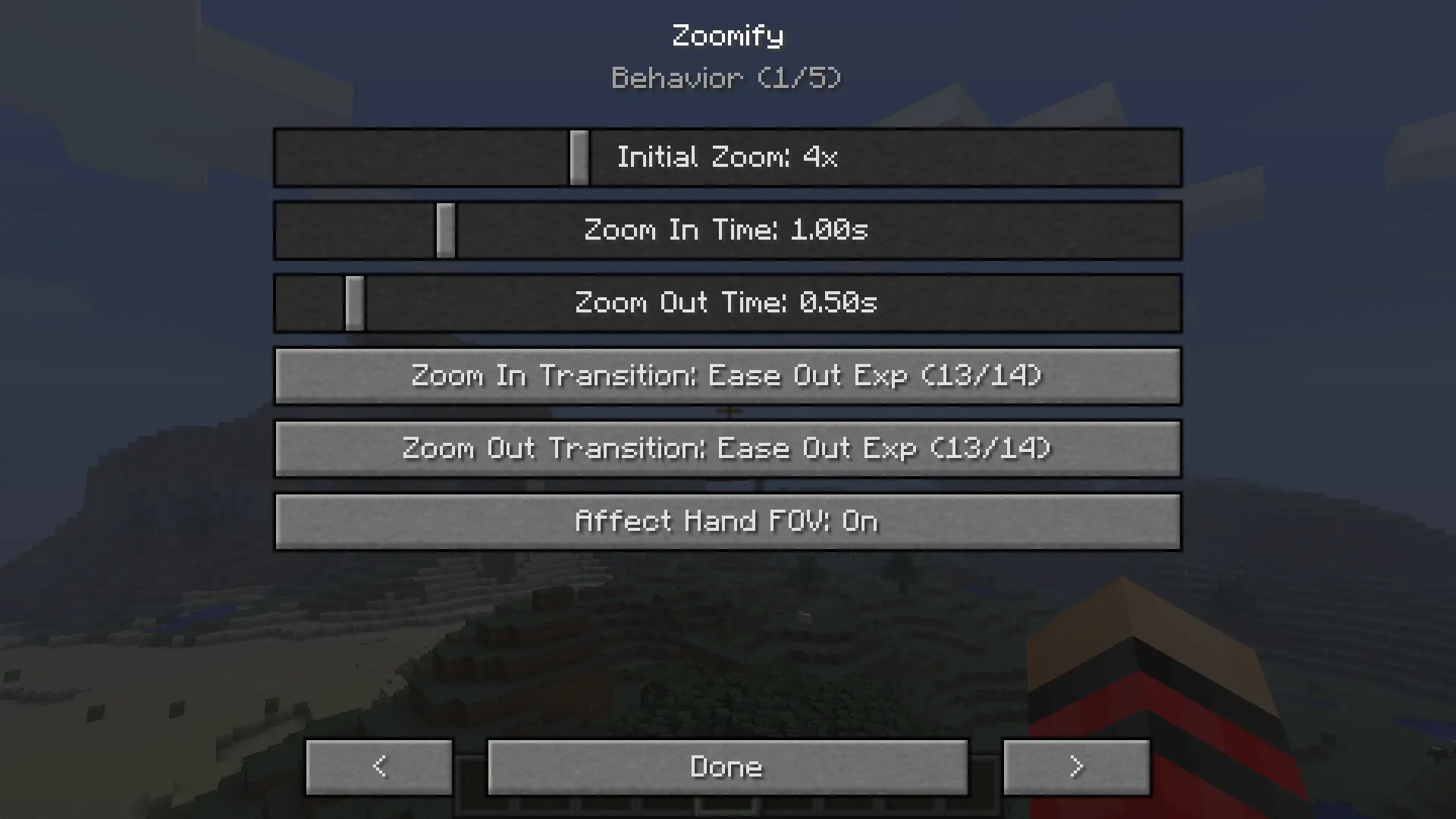
Configuration is available through Mod Menu:
## Dependencies
– BTW CE 3.1.0
– [Mod Menu for BTW](https://github.com/ysesiq/ModMenu-BTW)
Yeth’s TPA
**Yeth’s TPA is a Teletransportation Accept mod for Minecraft designed to be compatible, stable, and sufficient.**
## Commands
– **/tpa ** Sends a TPA request to a user
– **/tpa accept ** Accepts a TPA request from a user
– **/tpa here** Sends a TPA Here request to a user
– **/tpa cancel** Cancels an outgoing TPA request
– **/tpa ignore ** Ignores a player from making TPA requests
– **/tpa help** Sends a list of all commands
– **/tpa disable** Disables TPA requests from being sent to you
– **/tpa enable** Enables TPA requests to be sent to you
– **/tpa setting ** Configures settings in TPA
## Features
– Automatic expiry of TPA requests
– TP delay w/ countdown
– Multiple request handling
– Permissions for server owners
– Anti-TPA-traps
## Support
Yeth’s TPA supports the following mod loaders:
– Fabric
– Neoforge
– Forge
– Quilt
– Legacy Fabric
– Babric
– Ornithe
– BTA
– LiteLoader
For Minecraft versions 1.7.2 – 26.1.2
Xray CE
# Xray CE
A high-performance, optimized Xray utility specifically designed for **Better Than Wolves CE (3.0.0+)**.
## Features
– **🚀 Ultra-Fast Rendering**: Uses O(1) block filtering. Unlike other Xray mods that lag the game, Xray CE has zero impact on your FPS.
– **💎 See Everything**: Automatically disables backface culling for ores. You can see buried ores from any angle, even if they aren’t exposed to air.
– **☀️ Built-in Fullbright**: Forget torches. Light levels are maximized while Xray is active.
– **🌑 Gloom Immunity**: Bypasses the BTW “Gloom” mechanic, preventing insanity effects and visual darkness.
– **⌨️ Easy Toggle**: Press `X` to instantly toggle your vision.
## Installation
1. Ensure you have **Better Than Wolves CE 3.0.0+** installed.
2. Drop the `xray-ce-1.0.0.jar` into your `mods` folder.
3. This mod is **Server-Enforced**. It must be installed on the server to function.
## Technical Details
Xray CE uses **SpongePowered Mixins** to hook directly into the Minecraft rendering engine:
– `RenderBlocks`: Intercepts block drawing calls.
– `Block`: Bypasses occlusion culling.
– `EntityPlayer`: Neutralizes gloom levels.
– `EntityRenderer`: Overrides lightmap calculations.
## Author
– **chronicboy31**
wood plus
a mod that adds new bookshelfs and crafting table versions and ladder and sticks and fletching tables and cartography and composters and framed glass and tinted glass and lecterns for every wood type made from the same type
of wood all been done for now
for fabric and as I am still adding everything I am sticking to snapshots for 1.20.5 until I am done then there will be a main version and a snapshot one
i use a texture artist so the textures are placeholders from each type of block
you now can craft wood sticks made form that wood ladder crafting soon
the original versions are now have oak in the name
can use any stick type in some crafts working on that if it does not work use oak sticks the original
sorry the textures are taking so long i recommend you use or make a resource pack if you can since i have no idea how long this is going to take
the unknown wood type is for mods to map there own woods with the minecraft:unknown_planks for everything but composters and minecraft:unknown_slabs for composters item tags based on the april fools potato wood
use sticks for framed glass crafts
Vanilla Durability Tooltip [BTW Addon]
# Vanilla Durability Tooltip (Better Than Wolves addon)
– Restores the vanilla Minecraft durability tooltip when hovering over items, with no need for F3+H.

## Source:
https://github.com/maromalo/vanilla-durability-tooltip-btw
TNT Drop All
give explosions (tnt, creeper, etc.) a 100% block drop rate, replacing the 25% drop rate of pre-19w11a, making many farms more efficient and stopping the loss of blocks by creeper explosions
it stands apart as the only mod of it’s kind for legacy fabric
the first mod i made by myself, not very complicated heh
TASmod
# TASmod
This mod is still in development major issues may arise! Planned to support 1.8.9-1.16+ eventually, but for now it only works for 1.12.2 (Mojang changed how gui screens, like the inventory are handled, the current mod would break in 1.14+)
# Info
You might have seen videos, where a robot plays Super Mario Bros by sending controller signals to the console. These videos are called Tool-Assisted Speedruns and are trying to achieve the fastest time possible in the game without modifying the game files… This mod tries to bring TASing to minecraft…
# Warning
This is not a client mod, joining a server where the mod is not installed will disconnect you from the server after a short amount of time…
# Features
Recording and playing back inputs
Slowing down the game / Slowmotion
Stop the tickrate and advance one tick (Frame advance, but with ticks, so tickadvance?)
Savestates
RNG manipulation
In the bottom left of your screen are several things. Probably the number 0 and the inputs you are pressing.
The white buttons are what the game currently recognises, the green buttons are what you press on the keyboard currently.
On lower tickrates you can see that the green one is updated faster than the white inputs
# Commands
-`/record` To start a recording. This records the inputs to RAM. The number should now increase because it detects the inputs.
-`/clearinputs`: Clears the currently stored inputs. Do this before starting a new recording, since /record only adds inputs and does not clear them.
-`/play`: Plays back the stored inputs. Before that, it teleports you to the location where you started recording.
WARNING Unfortunately the vanilla teleporting takes some time, so the player won’t be able to move in the first few ticks, which oftentimes desyncs the TAS immediately. So record like 7 ticks at the start where you not move to account for that. Will be fixed sometime in the future…
`/save `: Stores the current inputs under the given filename in .minecraft/saves/tasfiles.
`/load `: Replaces the current inputs with the inputs from the file with the given filename.
`/folder savestate|tasfiles` Opens the savestate or tasfile folder on your disk
`/savestate ` Saves, loads or deletes the savestate under the specified index. You can find more infos ingame by using `/savestates`.
# Hotkeys
– F8 Toggles between tickrate 0 and other tickrates. Pauses the game on both client and server side.
– F9 You can advance one tick at a time while you are in tickrate 0.
– J Makes a savestate under .minecraft/saves/savestates. If you are recording, a savestate of the recording will be made under .minecraft/saves/tasfiles/savestates
– K Loads the savestate. It will also work during recording or playback.
– F6 Customize the HUD. Leftclick and drag to change the position, Rightclick to add a background
– F10 Aborts a playback
# Bugs
You can post them on the issue tracker linked in problems… Need help? Join our Discord
Show My Hunger
Shows the players hunger bar when in a boat or minecart. (1.6 – 1.10.2)
Use with Legacy Fabric.
ShadowTM’s
ShadowTM’s is a plugin for Fabric Servers that adds the ability to add TM’s / TR’s in Cobblemon mod.
## 📜**Features**
Spoiler
– Easy to use and support for custom model data on the disc items.
– Possibility to set whether you can use any ability on any type of pokemon or not.
And more soon..
– This mod comes with Texture Pack access as an example.
## 🔒**Permission**
Spoiler
– `shadowtms.reload`
– `shadowtms.give.blank`
– `shadowtms.give`
## ⚙️**Commands**
Spoiler
– `/stm give [amount]`
– `/stm give blank [amount]`
– `/stm reload`
Seasons [BTW Addon]
# Seasons Addon
Features include:
– Experience the full season cycle of a year – and not just 4 seasons, all 12 Months!
– Seasons are not global. Seen a jungle in the winter before? Nope, seasons are specific to the biomes 👀
– Some have more seasons, others have less. Varying climate distributions throughout the year 〰️
– Biomes are still intended to keep their identities – everything a season changes still relies on the biome’s vanilla values
– E. g. Taiga will not get too hot, and there will be no snow or rain in the desert!
– Each month looks different, foliage will change color throughout the year
– Expect the plains to be lush in spring – knowing well that the heat of summer is just around the corner!
– Autumn-y forests obviously included – if it happens to be fall!
– If a biome gets too hot/dry in a season – no more rain possible. Keep an eye on your crop layout, just as in deserts!
– If it gets too cold though – water will freeze and it might begin to snow. Might need to go ice-fishing after all!
– More in-depth crop system! Certain crops like it more warm, others might prefer a more humid atmosphere 🍈
– Taiga too cold in the spring? Plains too hot in the summer? Be sure to exploit different biomes for best yield!