RITEG-VHS
This shaderpack is a post-processing port of a VHS filter pipeline I initially developed for my shader sandbox software [RITEG](https://untodesu.github.io/riteg); this shaderpack specifically includes the following effects:
– Attempt to force the image into lower dynamic range with non-linear color curves
– YIQ bleeding (not really made by me, see attribution)
– Luminance and chrominance noise
Attribution:
– The shaderpack itself is based on [Base-Shader by Bestsoft101](https://github.com/Bestsoft101/Base-Shader)
– The original pipeline and this port loosely base its VHS mangling on [VHS compression shader](https://www.shadertoy.com/view/tsfXWj)
Reverie
Reverie is a minecraft shader with a semi-realistic, dreamy style. It features a physically based atmosphere and advanced indirect lighting techniques.
Support for both **Distant Horizons** and **Voxy** is available, with more mods coming in the future.
### Dynamic weather system
Weather elements such as cloud cover, fog, and wind direction adapt dynamically based on biome, season, and altitude. Still, having every location always look the same would feel repetitive. To keep things fresh, these parameters are slightly randomized every time the shader loads, so each day looks unique, much like in the real world!
### Powerful & Customizable
Reverie has a streamlined customization system. Most light colors are customizable (with more to come). If you’re performance constrained, then rest assured. Set the profile to ‘Toaster’ and enjoy good performance (60fps on my laptop’s integrated graphics) with minimal visual compromises.
### Beautiful screenshots
The built-in screenshot mode freezes the weather, so you can get your shots lined up just right! Enable cinematic effects like depth of field, lens flare or chromatic aberration, to get the vibe you want exactly. Reverie also has advanced color balancing options, as well as several tonemappers to choose from.
### Requirements
– Iris 1.8 or higher.
– Minecraft 1.21+ (older versions might work)
### Hardware compatibility
– Nvidia: works
– AMD (windows): works
– Intel (windows): unkown
– Mesa: works
– Mac: broken, and cannot be fixed
### Issue reporting
If you’re running into problems, head over to [GitHub](https://github.com/thecmk/reverie-shader) and report them.
Retrowave Shader
**English version:**
Retrowave Shader — Transform Minecraft into a Synthwave World 🌆
Turn your Minecraft into a stunning retrowave aesthetic. Purple-pink gradient sky, neon-shifted terrain colors, CRT scanlines, chromatic aberration and a vignette — like playing inside an 80s synthwave music video.
**Features:**
– Purple-pink gradient sky with stars
– Neon color shift — blues become electric, greens become cyan
– CRT scanlines for that retro monitor feel
– Chromatic aberration — neon color bleed
– Boosted saturation for vivid neon visuals
– Dark purple ambient tint on terrain
– Subtle vignette
– No performance cost
Compatible with Minecraft 1.17–1.21.x via OptiFine or Iris.
Subscribe so you don’t miss any updates! If you have questions or need support, join our Discord.
—
**Русская версия:**
Retrowave Shader — Превратите Minecraft в мир Synthwave 🌆
Превращает твой Minecraft в потрясающую ретровейв эстетику. Фиолетово-розовый градиент неба, неоновые цвета, CRT сканлайны, хроматическая аберрация и виньетка — как будто играешь внутри клипа synthwave 80-х.
**Возможности:**
– Фиолетово-розовый градиент неба со звёздами
– Неоновый сдвиг цветов — синий становится электрическим, зелёный — циановым
– CRT сканлайны для ретро монитора
– Хроматическая аберрация — неоновое свечение по краям
– Усиленная насыщенность для ярких неоновых цветов
– Тёмный фиолетовый амбиент тинт на terrain
– Лёгкая виньетка
– Никаких потерь производительности
Совместимо с Minecraft 1.17–1.21.x через OptiFine или Iris.
Подписывайтесь, чтобы не пропустить обновления! Если есть вопросы — заходите в Discord за поддержкой.
RetroVision
# RetroVision Shader
The **RetroVision Shader** is a unique Minecraft shader that transforms the game’s visuals into a retro-inspired, VHS-like aesthetic. It applies a variety of visual effects to create a Dreamcore aesthetic while maintaining the core Minecraft experience. This shader evokes a sense of nostalgia, allowing players to relive the charm of classic gaming while exploring the blocky landscapes of Minecraft.
## Key Features:
– **VHS Aesthetic:** RetroVision mimics the characteristics of old-school VHS tapes, featuring soft, grainy textures and a slightly muted color palette that captures the essence of retro media.
– **Dreamcore Vibes:** By incorporating dreamlike visuals, RetroVision introduces an ethereal quality to your Minecraft world. The blend of surreal colors and hazy effects creates an immersive atmosphere, perfect for exploration or building.
– **Smooth Compatibility:** Fully compatible with both Iris and Optifine, ensuring seamless integration into your Minecraft setup. Enjoy the enhanced visuals without sacrificing performance.
## Optional Features:
– **Motion Blur:** Enhance your gameplay with motion blur, adding a cinematic touch to your adventures as you navigate through the world.
– **Gamma Adjusted:** This feature allows you to tweak brightness levels, making it easier to explore darker areas while maintaining the retro aesthetic.
– **Black and White Option:** Embrace the vintage feel even further by switching to a monochrome palette, reminiscent of early gaming experiences.
## Usage Permissions:
**You Can…**
– Use this shader pack for stunning screenshots and captivating videos, perfect for sharing your creative endeavors.
– Modify it for personal use, tailoring the experience to fit your own vision and gameplay style.
– Publish your heavily modified version, as long as you give credit to the original creator.*
– Share it in modpacks or on servers, allowing other players to enjoy the nostalgic vibes of RetroVision.
**You Cannot…**
– Share the shader pack in its original form without my permission. Please respect the effort and creativity behind this work.
If you want to contact
Contact to: [email protected]
Explore the world of Minecraft through a nostalgic lens with RetroVision, where every pixel tells a story of creativity and memory. Dive into a unique gaming experience that combines the familiar with the fantastical, and transform your Minecraft adventures today!
—
retroview
# retroview
[](https://modrinth.com/shader/retroview)
[](https://curseforge.com/minecraft/shaders/retroview)
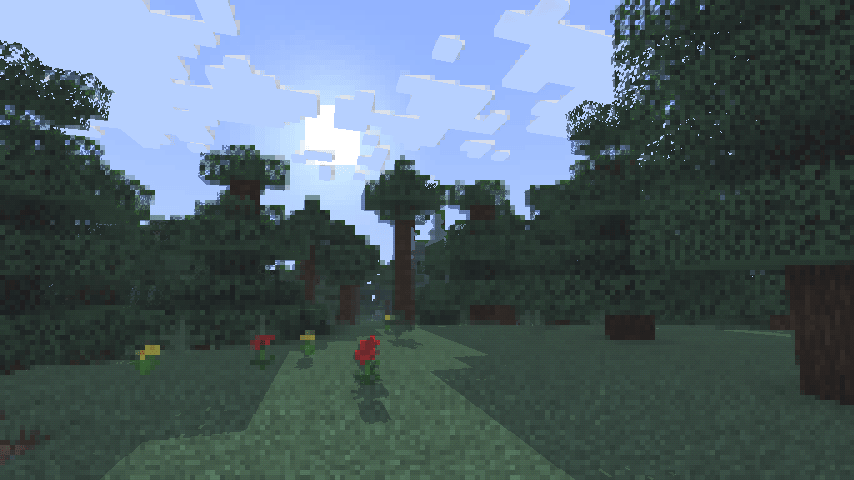
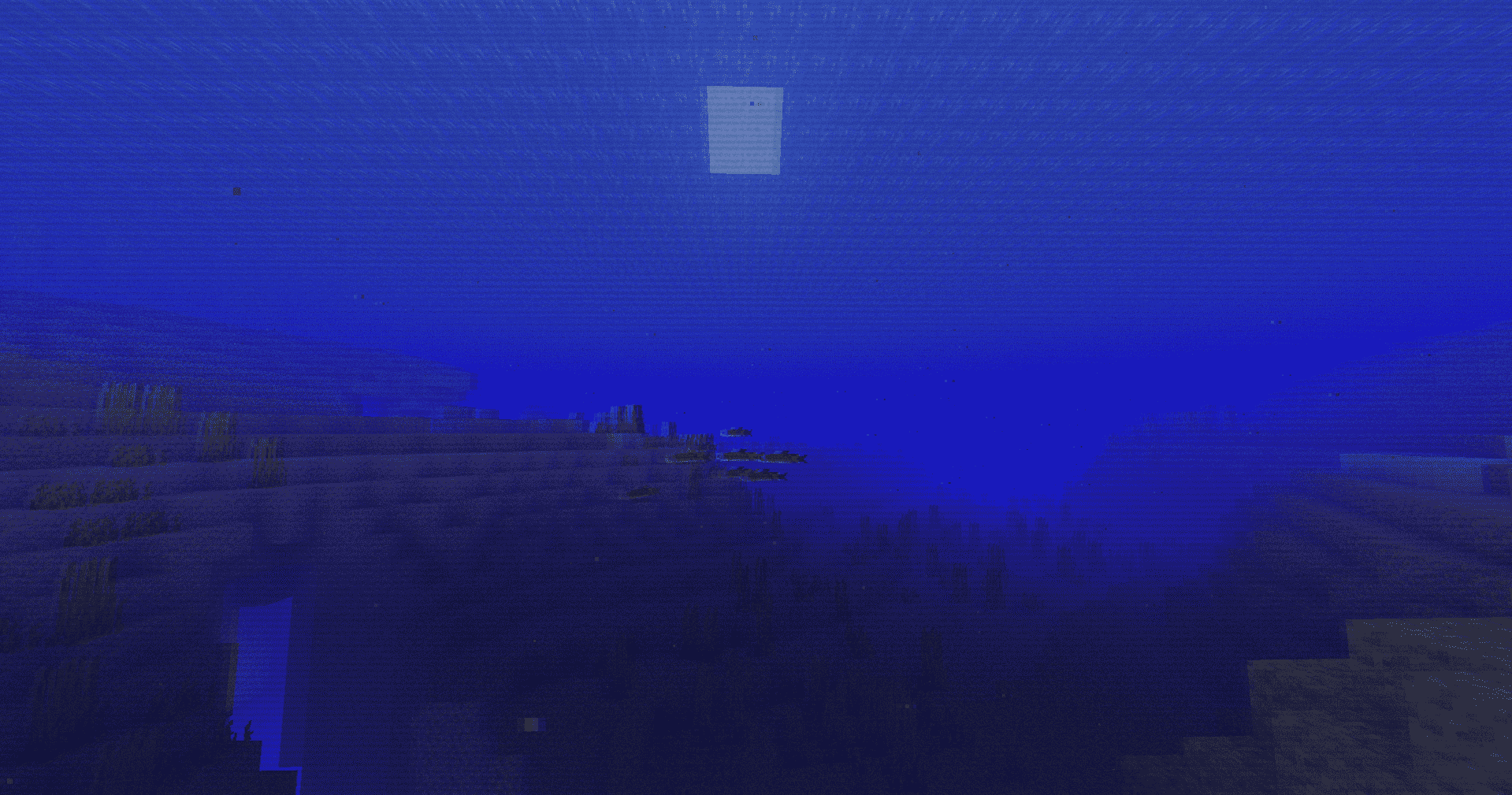
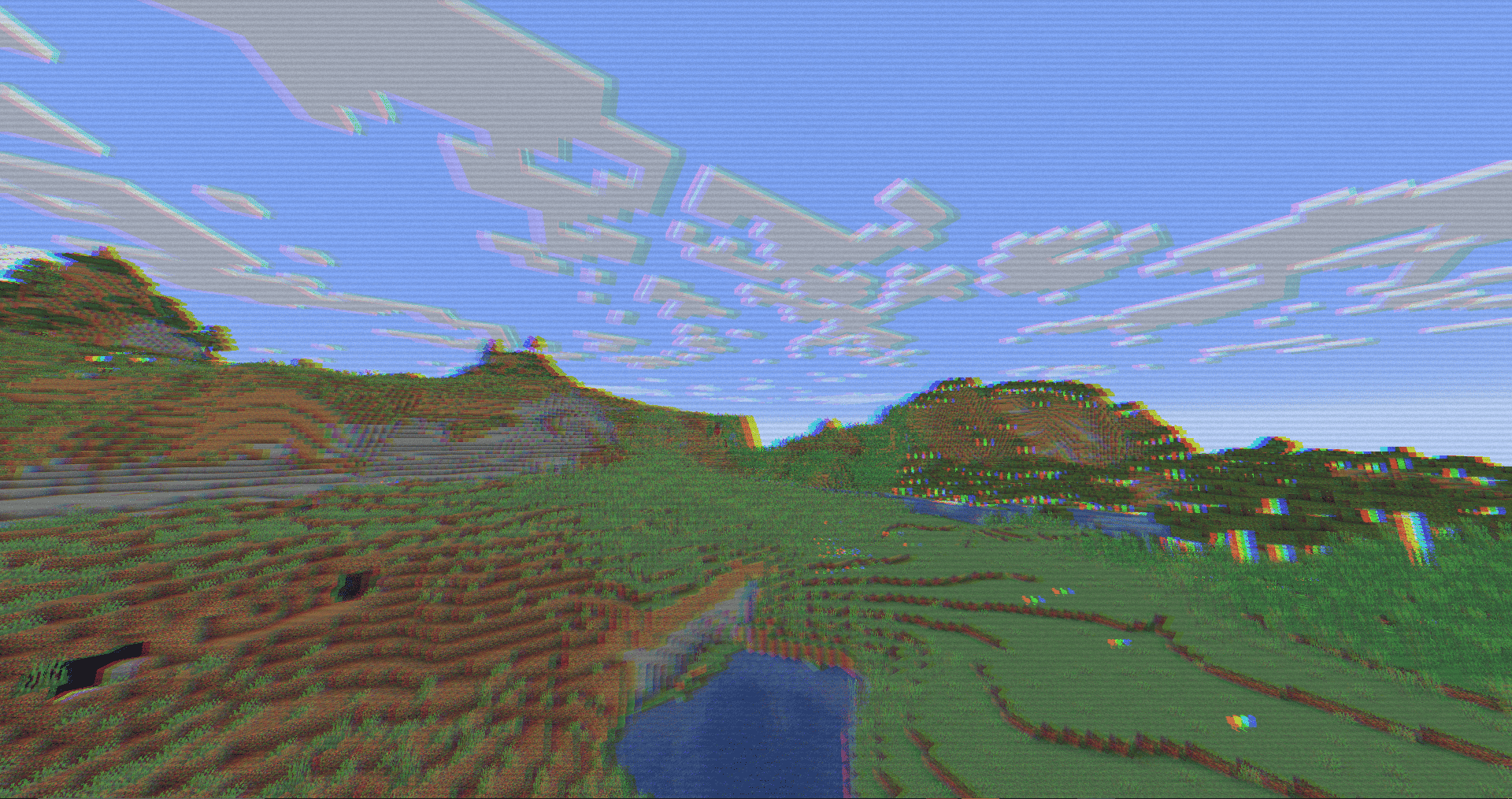
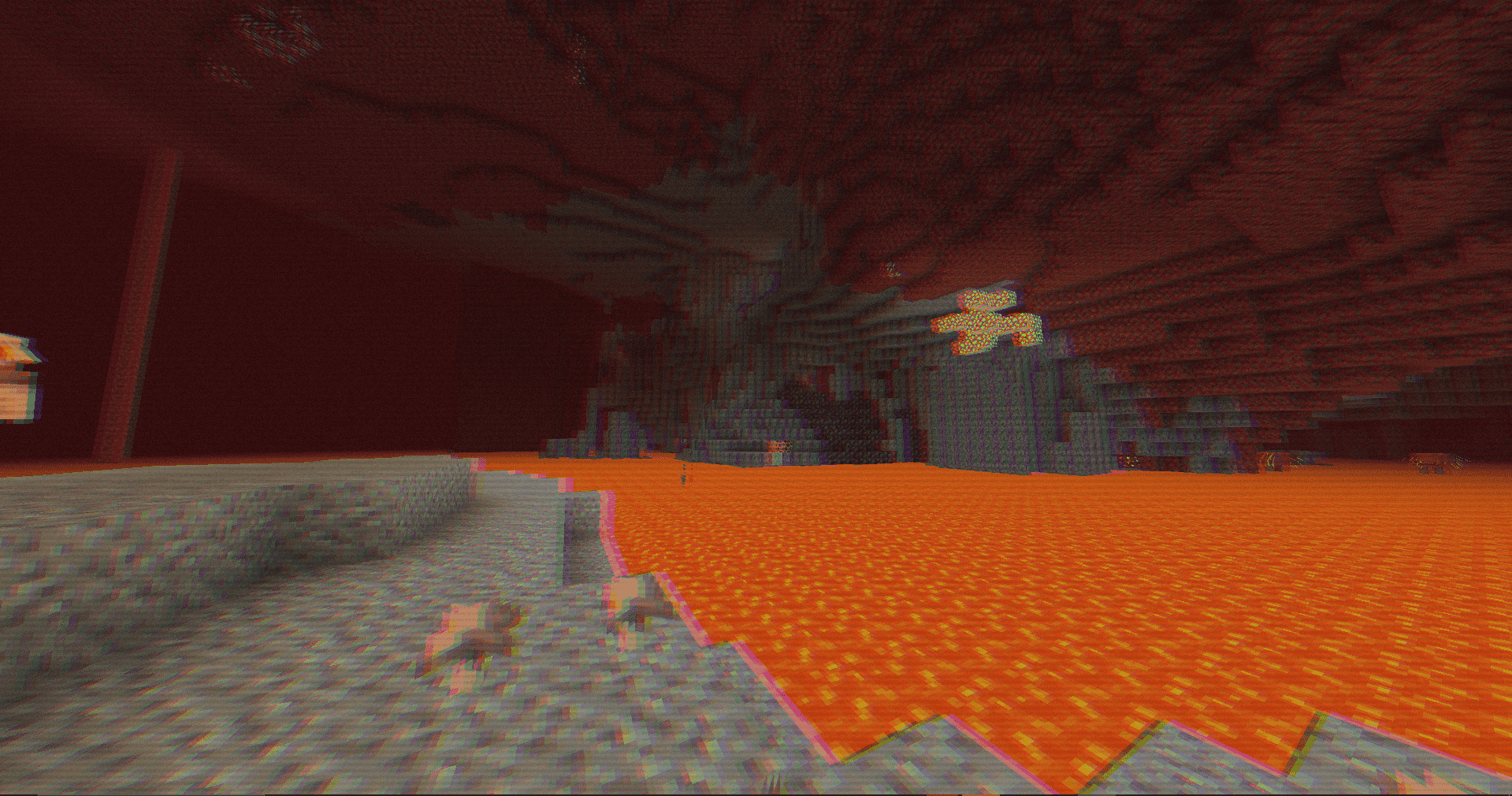
A simple, lightweight, retro-style shader pack for Minecraft!
## What does it add?
retroview instantly transforms your Minecraft world with a classic retro screen look, giving everything that retro, pixelated, console feel. It’s pure visual nostalgia layered right on top of vanilla (or your favorite resource packs). No new blocks, no new mechanics. Just a charming retro filter that makes every world feel fresh and different.
## Key Features
* Extremely lightweight: Runs smoothly even on lower-end PCs
* Easy installation through Iris
* Works perfectly with vanilla Minecraft and most resource packs
* Supports all Minecraft versions
## Why would you want this?
If you’re craving a fun, nostalgic twist on Minecraft, retroview is perfect for you.
### Great for:
* Reliving that classic gaming vibe
* Taking cool retro-style screenshots or videos
* Making your survival or creative worlds feel unique and charming
* Just wanting a light, no-fuss visual change that still feels 100% like Minecraft
Created as a simple passion project to bring retro vibes back to modern Minecraft.
## Compatibility
* Requires the Iris shader mod
* Tested on Minecraft 1.16.5 – 26.2.1
## Download
retroview is available to download on [Modrinth](https://modrinth.com/shader/retroview) and [Curseforge](https://curseforge.com/minecraft/shaders/retroview).
Retrofy
Retrofy is a shader i made to capture some of the retro feel. The shader is easy to run, and works for multiple versions. This is one of my first shades i made, so don’t expect to much. This is practice for me to shaders in general, to make a 3d engine using OpenGL and C++. 🙂
Retro Pixel Shader – NES Style

🎮 Retro Pixel Shader – NES Style Minecraft
Turn Minecraft into a retro 8-bit adventure inspired by the Nintendo Entertainment System.
This shaderpack transforms the game into a pixelated retro world while keeping the classic Minecraft colors and atmosphere.
Perfect for players who love retro graphics, pixel art, and nostalgic games.
⚡ Lightweight
🎮 Retro aesthetic
🧩 Fully customizable
✨ Features
🟩 NES-Style Pixel Graphics
Large retro pixels that recreate the look of classic 8-bit games.
🌈 Vanilla Minecraft Colors
The shader keeps the original Minecraft color palette.
⚡ Lightweight Performance
Designed to run smoothly on most computers.
📺 Optional CRT Effects
Scanlines
Dithering
Retro screen look
🔧 Adjustable Shader Settings
You can customize the shader directly in the shader menu:

Pixel Size
Blur Strength
Brightness
Saturation
Contrast
Scanlines
Dithering
🎥 What It Looks Like
Your Minecraft world becomes:
Pixelated landscapes
Retro-style lighting
Classic 8-bit visuals
It feels like playing Minecraft on an NES console.
⚙️ Recommended Settings
For the best retro look:
Pixel Size → 8 – 10
Blur → 0.25 – 0.35
Scanlines → Low
📦 Requirements
Minecraft Java Edition
Iris Shader Loader
Sodium (recommended)
📥 Installation
Install Iris + Sodium
Download the shaderpack
Place it inside:
.minecraft/shaderpacks
Enable it in:
Options → Video Settings → Shaders
🎬 YouTubers & Streamers Welcome
You are free to use this shaderpack in videos or streams. If you do, please consider linking the project page!
⭐ Seen this shader in a video? Download it here and try it yourself!
Rethinking Voxels
# Rethinking Voxels
This shader is an edit of [Complementary Reimagined](https://www.complementary.dev/reimagined) that aims to be decently fast (when compared to path tracing shaders) while having block lights cast sharp shadows.
### Notes
The lighting system is not perfect. Occasional sudden brightness changes are a side-effect of the way it works and cannot be completely removed without hurting performance or removing sharp shadows from light sources. To do the latter, disable `Per-Pixel Lighting` in the `Rethinking Voxels Settings`.
This shader is developed on Iris, using an AMD graphics card on linux, and it is also tested on an NVidia graphics card on linux. While it usually works on other platforms, bugs that appear only there are not caught by my testing and hence they take longer to fix. To use this shader pack, the Iris shader loader is required. Beta 18d and older versions also work on OptiFine.
### Contact
If you need support, please join the [shaderLabs discord server](https://discord.gg/8wT5KxF4TZ), where this shader has a channel (#rethinking-voxels-gri573).
### Partnership
I have entered a partnership with Ember, a Minecraft server hosting provider. This is because Ember hosts the complementary SMP server and has provided a better hosting experience / customer support than the previous hosting service, and because they reached out asking about it. If you need to host a Minecraft server and wish to support Rethinking Voxels’ development at the same time, do check them out! Using the promotional code `RETHINKING` in a first-time purchase will redirect 70% of the first month’s fee to me as well as give you a 10% discount.
[](https://billing.ember.host/aff.php?aff=13)
### Media
Video by youtube user iambeen that showcases rethinking voxels beta 18d (with custom settings), compared to the original reimagined:
Resident Craft
# Resident-Craft
A dark horror-inspired Minecraft shader pack built for a cold, cinematic, Resident Evil-style atmosphere.
## Overview
Resident-Craft is a custom shader project focused on tension, mood, and visibility control. It uses heavy fog, deep shadows, strong color grading, wet surface shading, and a flashlight-style lighting effect to create a tense survival-horror look.
## Features
* Heavy atmospheric fog
* Horror-style blue/teal color grading
* Strong contrast and darkness outside the light beam
* Flashlight-inspired lighting effect
* Fog-aware lighting so distant scenery fades naturally
* Wet and damp surface tinting
* Floating spores / dust-style particles
* Film grain and vignette for a cinematic look
## Best Experience
Resident-Craft is designed for:
* Dark forest environments
* Swamps, ruins, and abandoned structures
* Horror maps and adventure worlds
* Night scenes and low-light gameplay
## Recommended Settings
For the intended look, use:
* Dark or night scenes
* Low to medium render distance
* Fog enabled
* Bloom or extra post-processing kept minimal if possible
* A resource pack with muted colors if you want a stronger horror tone
## Compatibility
Compatible with:
* Iris
## Performance
The shader is designed to stay lightweight enough for lower-end systems while still producing a strong visual effect. Performance may vary depending on:
* Render distance
* Scene complexity
* Particle density
* Shader loader and GPU
## Credits
Made by Akshat Sharma.
—
If you use this shader pack in a video, mod showcase, or project submission, please credit Resident-Craft.
RenderPearl
# Modern, lightweight shaders for Iris
RenderPearl is an incredibly lightweight shader pack using the latest Iris features and optional extensions on various graphics drivers, aiming to deliver pleasant visuals with excellent performance on modern hardware.
If you want to report a bug or give feedback/suggestions, the best way to do so is by opening an issue on the [GitHub issue tracker](https://github.com/Luracasmus/renderpearl/issues). I rely heavily on user feedback in bug fixing and design.
Trivia
This project started as a continuation of “Luracasmus Shaders” (which is why you might have seen it called “LS RenderPearl”), but modern versions share little to no code with the original project. The question remains as to whether the same shader pack remains throughout, when all parts are replaced.
The name “RenderPearl” is inspired by the Bedrock Edition [RenderDragon](https://minecraft.fandom.com/wiki/RenderDragon) engine.
## Features
LabPBR 1.3 compliance & material data
“Yes” indicates support for per-texel data.
| LabPBR 1.3 required component | From resource pack | Configurable nonstandard channels | Included/procedural |
| —————————– | —————————————– | ——————————— | ———————– |
| Albedo | Yes | No | No |
| Smoothness | Yes, or as linear or perceptual roughness | Yes | Yes |
| f0/reflectance | No | | Constant |
| Normal | Yes | No | Yes |
| LabPBR 1.3 optional component | From resource pack | Included/procedural |
| —————————– | —————————— | ————————————– |
| Hardcoded metal | No | No |
| Porosity | No | No |
| Subsurface scattering | No | Constant, only on translucent geometry |
| Emmissiveness | No | Yes |
| Ambient occlusion | Binary, per-block (from model) | Yes |
| Height | No | No |
* Smooth, colored real-time shadows and volumetric light using distorted shadow mapping.
* Colored block light with physically based reflections using a light list combined with vanilla lighting and average texture color.
* Ray traced, per-hand hand light.
* A wide range of highly optimized post-processing effects, including compute shader implementations of [FidelityFX Contrast Adaptive Sharpening](https://gpuopen.com/fidelityfx-cas/), [SMAA](https://www.iryoku.com/smaa/) 1x from [SMAA-MC](https://modrinth.com/shader/smaa-mc), automatic exposure and a variety of tone mapping operators.
* Customizable waves and water opacity.
* Built-in utility features such as light level visualization and a compass overlay.
## Mod & Resource Pack Compatibility
Most built-in PBR information, including light colors, material normals and roughness, are almost entirely procedurally generated and should therefore work perfectly with most resource packs and mods.
Integration with Distant Horizons and Voxy is supported on the latest Minecraft version, but experimental and very basic. Complete support is planned for a future update.
Support for mods that modify the Iris shader pipeline, such as Chunks Fade In, is experimental and may have issues, such as the shader pack failing to compile.
## Requirements
> If you have a decently modern non-macOS device it probably supports everything you need, but you might have to update your Iris and graphics drivers.
* **Iris** with support for features:
* `BLOCK_EMISSION_ATTRIBUTE`
* `COMPUTE_SHADERS`
* `CUSTOM_IMAGES`
* `ENTITY_TRANSLUCENT`
* `PER_BUFFER_BLENDING`
* `SEPARATE_HARDWARE_SAMPLERS`
* `SSBO`
* **Graphics drivers** with support for **GLSL 4.60.8+**.
* **Minecraft** of a version that is listed as supported by the RenderPearl release. The latest supported version is usually the most stable.
Driver Support
| OS | Drivers | Support |
| ——- | —————– | ——— |
| Linux | Mesa RadeonSI | Perfect |
| Linux | Nvidia | Very Good |
| Linux | Mesa Zink/RADV | Good |
| Linux | Mesa Zink/Nvidia | Unstable |
| Windows | AMD Adrenalin | Good |
| Windows | Nvidia Game Ready | Very Good |
Only the latest stable versions are tested. All other drivers are untested. Please report any issues that occur.
## Tuning & The Compatibility Menu
The default configuration and all values selectable with profiles are intended to work on all systems that meet the shader pack’s **Requirements**, though you may be able to achieve higher performance and quality by changing some of these options. Beware that some values may cause the shader pack to not compile, in which case you simply have to reset the option. These are usually marked with a red ⚠.
Implementation-Limited Options
> The usable values and effects of these options depend on your graphics drivers.
* **Light List Capacity** is limited by the amount of Local Data Share memory usable per work group on your GPU. Depending on your GPU and graphics drivers, and the features enabled by the 16/8-Bit Types option, you may be able to set this significantly higher than the maximum value selectable with profiles (though there is no reason to do so if the light list isn’t being filled completely, usually indicated by lights flickering, as it impacts performance negatively).
* **16/8-Bit Types** uses optional OpenGL/GLSL extension-provided half- and/or quarter-sized data types to reduce register, LDS and VRAM usage. Performance impact varies depending on hardware and drivers, as conversion between types has a cost, but operations with smaller types can be significantly faster.
* **Trinary Min/Max** performs trinary minimum and maximum operations in singular function calls using the optional `AMD_shader_trinary_minmax` OpenGL/GLSL extension, which may allow generation of more optimal instruction sequences. It’s recommended to use this whenever possible.
* **32×16-Bit Multiplication** performs multiplication between 32-bit integers and integers in the 16-bit-representable range using special functions provided by the optional `INTEL_shader_integer_functions` OpenGL/GLSL extension, that may be faster than regular 32-bit multiplication operators. It’s recommended to use this whenever possible.
* **Immutable Constants** marks all shader variables that can be immutable as constant, possibly enabling better optimizations. This feature is required by the GLSL specification, but still unsupported on some graphics drivers. It’s recommended to use it whenever possible.
## Design & Modding RenderPearl
RenderPearl’s source code is intended to be modifiable and re-usable. It’s written according to best practice to the best of my ability, but prioritizing performance over readability. If you have any questions about how it works, feel free to contact me on any platform.
Technical information can be found in [the GitHub repository](https://github.com/Luracasmus/renderpearl/blob/main/DEV.md).
—
**These are the only RenderPearl project pages made by me:**
* [Modrinth](https://modrinth.com/shader/renderpearl)
* [CurseForge](https://www.curseforge.com/minecraft/shaders/renderpearl)
* [Planet Minecraft](https://www.planetminecraft.com/mod/luracasmus-s-shaders/)
* [GitHub](https://github.com/Luracasmus/renderpearl)
If you want to distribute RenderPearl, or just spread the word of it, I would greatly appreciate if you would link to at least one of them, Modrinth being the most important one.