Simply Upscaled
A very Vanilla high performance shader with live Texture Upscaling/Filtering and optional shadows.
Plenty of other options to configure lighting and fog how you like while maintaining a subtly enhanced vanilla feel.
Make feature requests on discord!
Alpha versions aren’t verified to work on all hardware yet. Please tell me about errors so i can fix them. Thanks and have fun!
Here is a template for customizing the flashlight: https://modrinth.com/resourcepack/flashlight-template-for-simply-upscaled
SimplyDithered
## About
A simple yet very customizable shader featuring adjustable dithering, CRT effects, and customizable colors.
## Features
* Customizable pixel shape and gap
* Customizable resolution and sampling
* Choose between Bayer (Ordered) and White Noise for dithering
* Customizable dither strength
* Color limiting and effects
* Retro effects like CRT Scanlines and Vignette
* Ignore certain aspects of the game to control what gets pixelated
* Built-in profiles
## Technical
Requires Iris 1.7.0+.
Performance can range heavily from Low Impact to High Impact. If your game is lagging, try turning down the Average Quality, turning up the Pixel Density, or changing the Sampling Mode to “Single Pixel”, all of which are in Resolution and Sampling.
Simplicissimus Shader
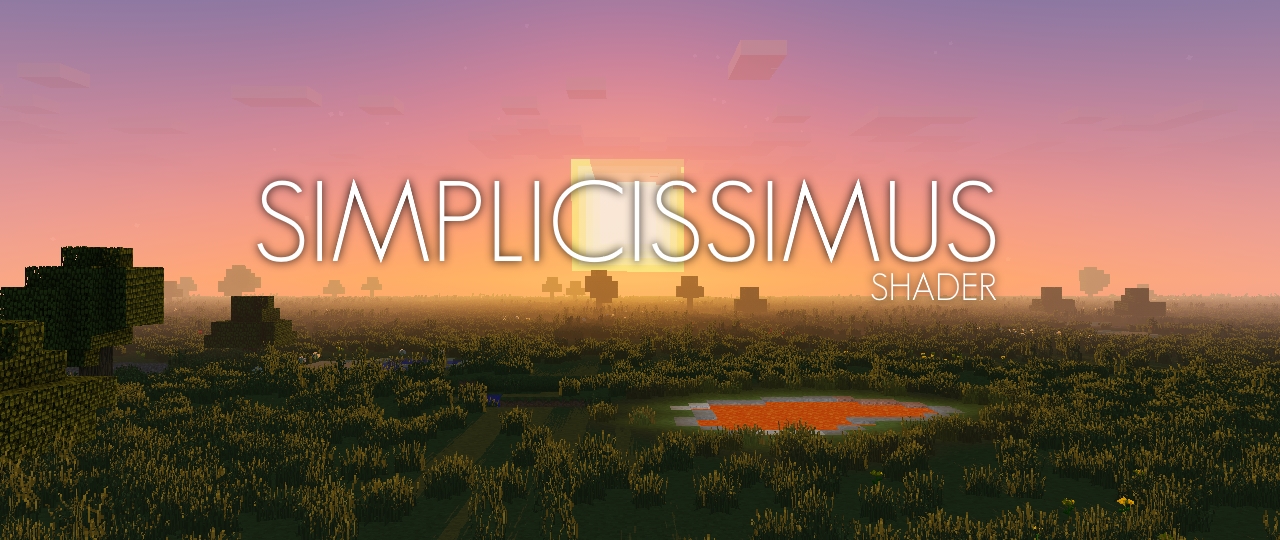
## **What is the Simplicissimus Shader?**
This pack tries to stay really close to what vanilla Minecraft provides in terms of graphics, thus it keeps the original vanilla clouds as well as the vanilla lightmap. However, while sticking to the “minecrafty look”, it also gives it some visual touchups like dynamic shadows, better fog and some slightly improved lighting of the vanilla clouds, making them look more integrated into the world.
## **What features does it offer?**
* Dynamic shadows (and optional soft or pixel shadows)
* Temporal Anti-Aliasing
* Bloom
* Motionblur
* Improved cloud lighting and fog
## **Any Requirements?**
* OptiFine for 1.12 or newer/Iris 1.5.0 or newer
* A graphics card that supports OpenGL 2.1 or newer
* Should work on Windows, Linux and Mac
## **External Links:**
* My Website: [Link](https://rre36.com/simplicissimus-shader)
* My Discord Server: [Link](https://discord.gg/y5xzQ6H)
[](https://www.patreon.com/bePatron?u=19790203)
Simple Animations
**_Note: Simple Animations might not recieve any further updates for latest minecraft versions. Effective until further notice._**

# Future Pack Update Progress

## Loaders
**Simple Animations** is solely based on **_Fabric_**. This modpack **will not** work on other loaders. Modpack tested on **Modrinth Launcher** so far.
## Features
**Player Animations:** Adapts to any skin. **Important: If your skin isn’t showing, maybe your resource packs are out of orders. And if that doesnt help,** Google it.
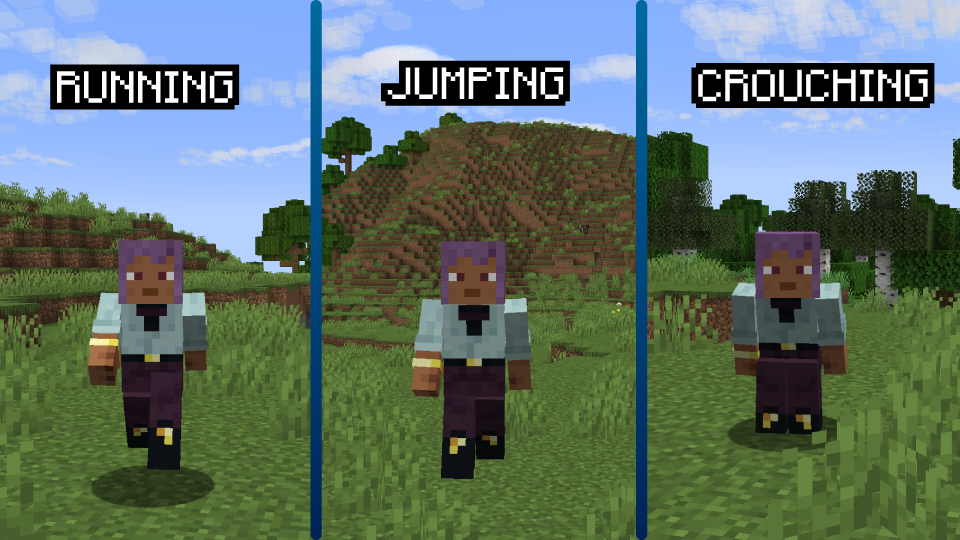
**Block Animations:** Adds particles to many blocks.
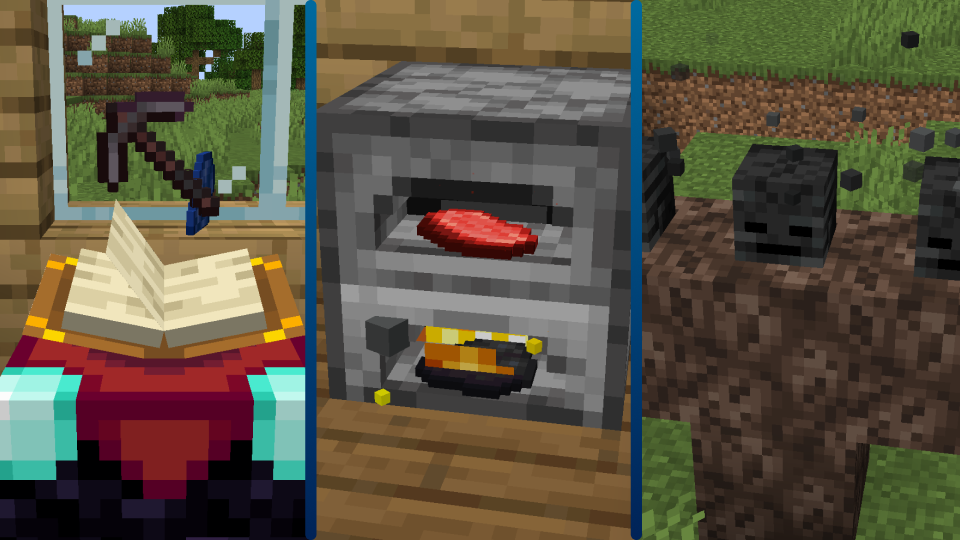
**QoL:** Adds many Quality of life (QoL) mods!
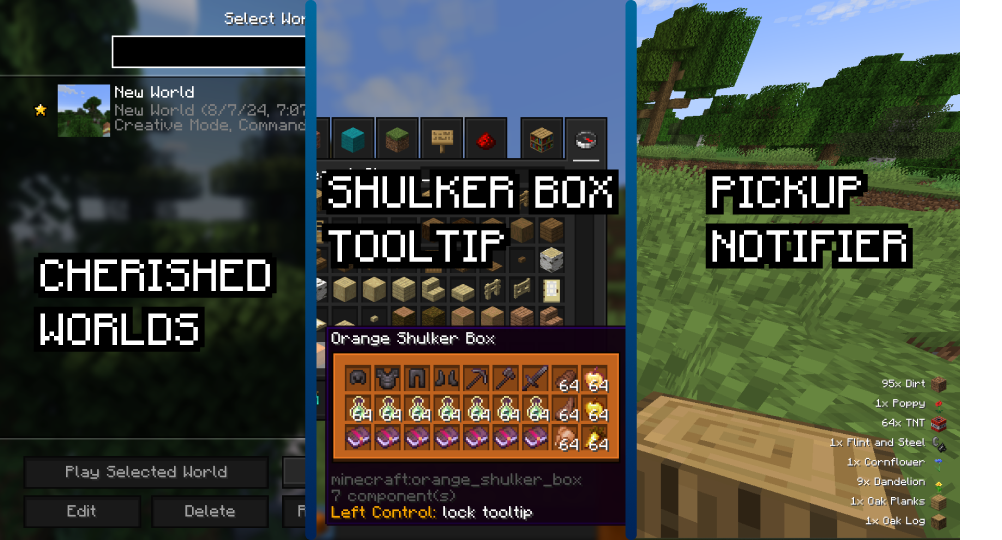
**Optimization:** _Simple Animation_ has built in optimization mods!
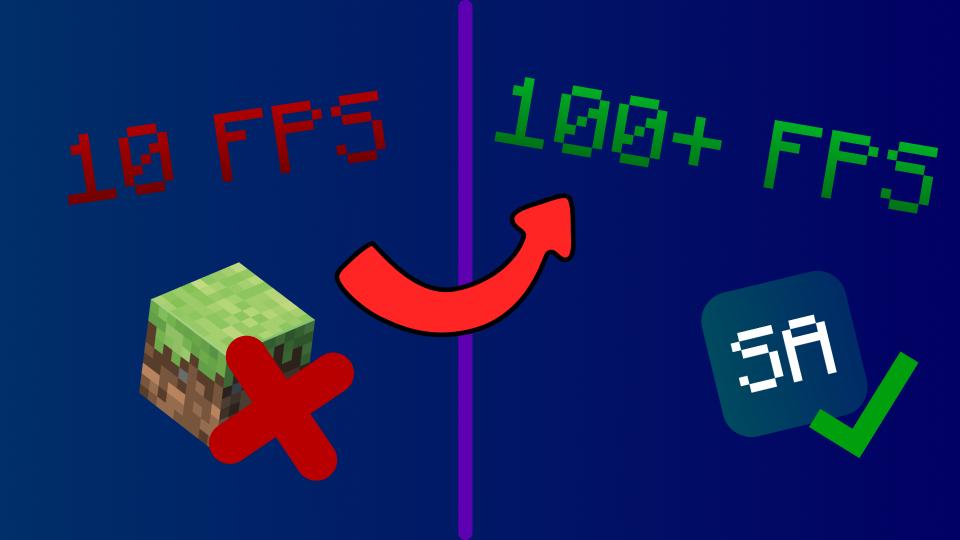
## Installation Guide
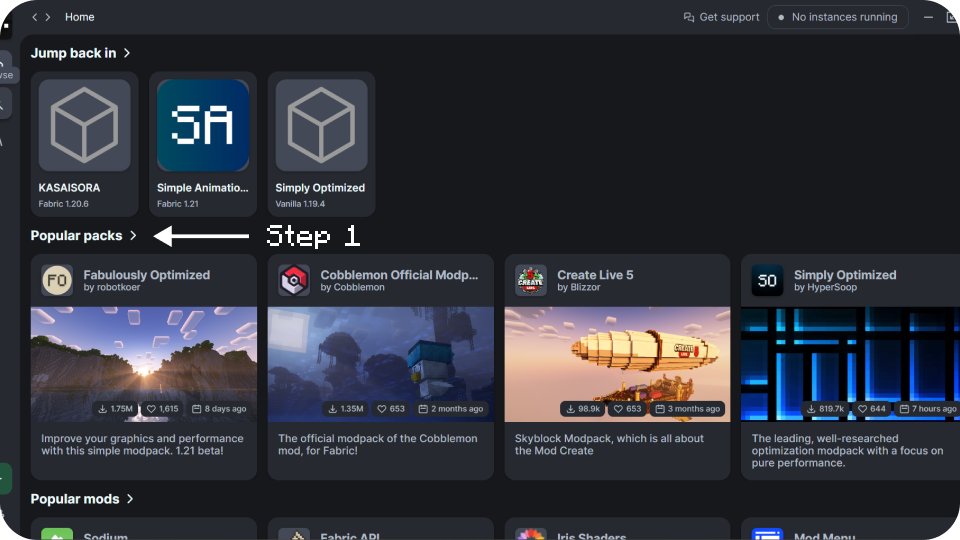
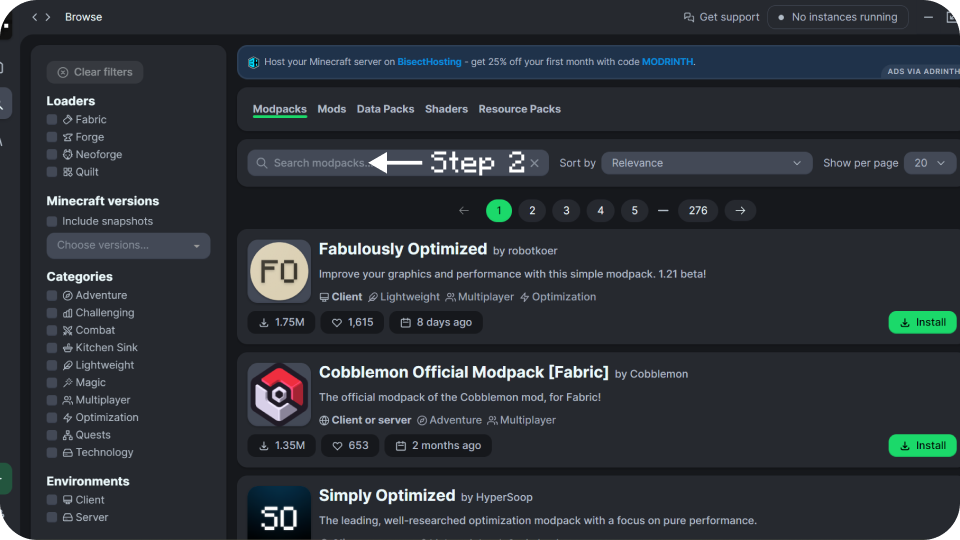
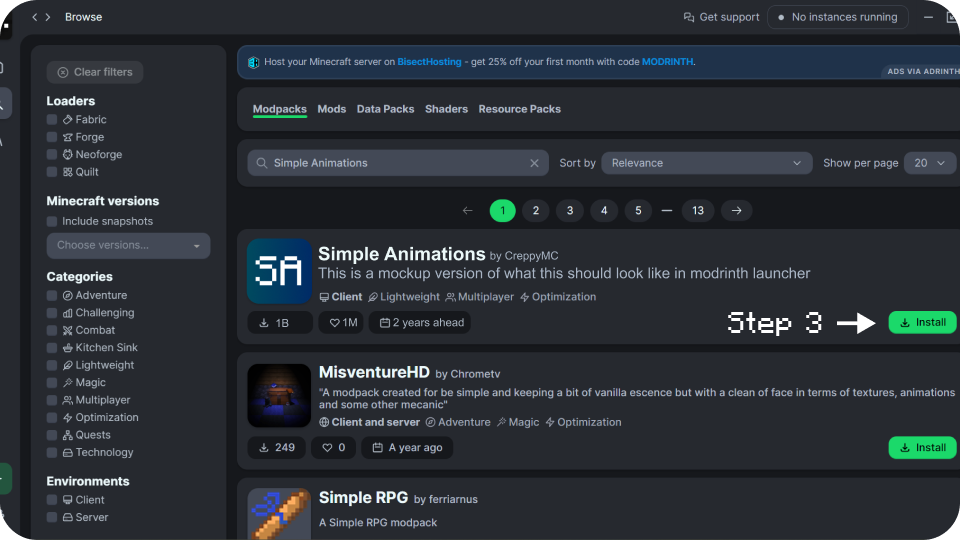
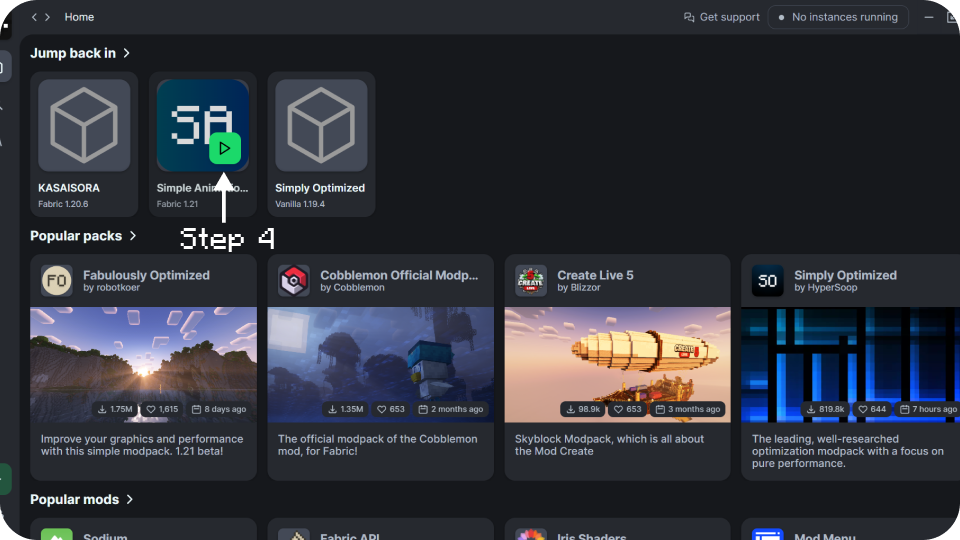
Here’s a quick guide on how to install this modpack on **Modrinth Launcher**, but other launchers should have similar options. **_Note: Go to “Gallery” and see step by step with instructions of this installation guide._**
## Mods
– [Advancement Plaques](https://modrinth.com/mod/advancement-plaques) by Grend: Adds fancy advancement animation.
– [AmbientSounds](https://modrinth.com/mod/ambientsounds) by creativemd: Adds Ambient noises
– [AppleSkin](https://modrinth.com/mod/appleskin) by squeek502: Adds information about saturation & more.
– [Better Clouds](https://modrinth.com/mod/better-clouds) by qendolin: Adds beautiful looking clouds without shaders.
– [Better Ping Display](https://modrinth.com/mod/better-ping-display-fabric) by vladmarica: Shows each player’s ping in a server as actual numbers.
– [Better Statistics Screen](https://modrinth.com/mod/better-stats) by TheCSDev: Improves the default minecraft statistics screen.
– [Blur+](https://modrinth.com/mod/blur-fabric) by Motschen: Adds blur to the background of every UI in game.
– [Bounced](https://modrinth.com/mod/bounced) by KrLite: Makes your Minecraft Title bounce on log-in and when you click.
– [Cave Dust](https://modrinth.com/mod/cave-dust) by LizIsTired: Adds dust particles to caves.
– [Chat Animation](https://modrinth.com/mod/chatanimation) by Ezzenix: Adds a smooth animation when new chat messages appear.
– [Chat Heads](https://modrinth.com/mod/chat-heads) by dzwdz: Adds player heads to chat messages.
– [Cherished Worlds](https://modrinth.com/mod/cherished-worlds) by TheIllusiveC4: Adds the ability to favorite/pin/bookmark certain worlds.
– [Chunks fade in](https://modrinth.com/mod/chunks-fade-in) by kerudion: Adds fade-in animation for chunks
– [Cloth Config API](https://modrinth.com/mod/cloth-config) by shedaniel: Config screen API.
– [CreativeCore](https://modrinth.com/mod/creativecore) by creativemd: Core mod.
– [Easy Anvils ](https://modrinth.com/mod/easy-anvils) by Fuzs: Makes anvil easier to use.
– [Easy Magic](https://modrinth.com/mod/easy-magic) by Fuzs: Makes enchanting easier.
– [Eating Animation](https://modrinth.com/mod/eating-animation) by theoness1: Adds eating animation to the game.
– [Enhanced Block Entities](https://modrinth.com/mod/ebe) by FoundationGames: Turns entities into blocks to enhance fps & reduce lag.
– [Entity Culling](https://modrinth.com/mod/entityculling) by tr7zw: Hides entites that are not the player’s view.
– [Explosive Enhancement](https://modrinth.com/mod/explosive-enhancement) by Superkat32: Enhances tnt & creeper explosions.
– [Entity Model Features](https://modrinth.com/mod/entity-model-features) by Traben: Adds support for OptiFine’s Custom Entity Models.
– [Entity Texture Features](https://modrinth.com/mod/entitytexturefeatures) by Traben: Adds many new Entity Texture Features, including entity and player skin features.
– [Fabric API](https://modrinth.com/mod/fabric-api) by modmuss50: Essential hooks for modding with Fabric.
– [Fabric Language Kotlin](https://modrinth.com/mod/fabric-language-kotlin) by modmuss50: Enables usage of the Kotlin programming language for Fabric mods.
– [Falling Leaves](https://modrinth.com/mod/fallingleaves) by randommcsomethin: Adds falling leaves particle to trees and not just cherry trees.
– [Fancy Block Particles – Renewed](https://modrinth.com/mod/fbp-renewed) by Hantonik: Turns basic 2D particles in vanilla Minecraft into cool 3D animated particles.
– [FerriteCore](https://modrinth.com/mod/ferrite-core) by malte0811: Reduces the memory usage of Minecraft in a few different ways.
– [Forge Config API Port](https://modrinth.com/mod/forge-config-api-port) by Fuzs: Modding library for mod developers that provides both NeoForge’s & Forge’s whole config system to other modding ecosystems.
– [Fresh Animations](https://modrinth.com/resourcepack/fresh-animations) by FreshLX: Resource pack that gives an animation overhaul to the creatures in the default look of Minecraft.
– [Fresh Moves](https://modrinth.com/resourcepack/tras-fresh-player) by TrasTick: A resource pack to animate the players.
– [Iceberg](https://modrinth.com/mod/iceberg) by Grend: Library for other mods, it doesn’t do anything by itself.
– [ImmediatelyFast](https://modrinth.com/mod/immediatelyfast) by RaphiMC: Improves the immediate mode rendering performance of the client.
– [ImmersiveThunder](https://modrinth.com/mod/immersivethunder) by netcatgirl: Makes thunders immersive.
– [Indium](https://modrinth.com/mod/indium) by comp500: An addon for the rendering optimisation mod Sodium.
– [Iris Shaders](https://modrinth.com/mod/iris) by coderbot: Adds shader support to fabric.
– [Lithium](https://modrinth.com/mod/lithium) by jellysquid3: Improves gameplay when playing multiplayer.
– [Mace but 3D](https://modrinth.com/mod/mace-but-3d) by Volery: Makes the mace 3D.
– [Make Bubbles Pop](https://modrinth.com/mod/make_bubbles_pop) by Tschipcraft: Makes bubble particles pop.
– [Mod Menu](https://modrinth.com/mod/modmenu) by Prospector: Lets you view the mods you have installed.
– [More Chat History](https://modrinth.com/mod/morechathistory) by JackFred: Increases the maximum length of the chat history, from the vanilla 100 messages to 16384.
– [Noisium](https://modrinth.com/mod/noisium) by Steveplays: Optimises worldgen performance for a better gameplay experience.
– [Not Enough Animations](https://modrinth.com/mod/not-enough-animations) by tr7zw: Adds animations to certain actions.
– [Not Enough Crashes](https://modrinth.com/mod/notenoughcrashes) by natanfudge: Gives more info when game crashes.
– [Pick Up Notifier](https://modrinth.com/mod/pick-up-notifier) by Fuzs: Adds a pick up log.
– [Presence Footsteps](https://modrinth.com/mod/presence-footsteps) by Sollace: An Overly complicated Sound Mod.
– [Puzzles Lib](https://modrinth.com/mod/puzzles-lib) by Fuzs: A light-weight library.
– [Reese’s Sodium Options](https://modrinth.com/mod/reeses-sodium-options) by FlashyReese: Replaces Sodium’s Options Screen with intention of improving UX.
– [ReplayMod](https://modrinth.com/mod/replaymod) by Johni0702: Allows you to record, replay and share your gaming experience.
– [Screenshot to Clipboard](https://modrinth.com/mod/screenshot-to-clipboard) by comp500: Copies screenshots that you take to your clipboard.
– [Shoulder Surfing Reloaded](https://modrinth.com/mod/shoulder-surfing-reloaded) by Exopandora: Highly configurable third person camera mod for minecraft.
– [Shulker Box Tooltip](https://modrinth.com/mod/shulkerboxtooltip) by MisterPeModder: Allows you to see a preview window of a shulker box contents.
– [Smooth Gui](https://modrinth.com/mod/smooth-gui) by Ezzenix: GUIs fade up when opened.
– [Smooth Scrolling Refurbished](https://modrinth.com/mod/smooth-scrolling-refurbished) by JustAlittleWolf: This mod changes the scrollbar in any screen that uses it to be smooth.
– [Sodium](https://modrinth.com/mod/sodium) by jellysquid3: Powerful rendering engine and optimization mod.
– [Sodium Extra](https://modrinth.com/mod/sodium-extra) by FlashyReese: Adds extra features to sodium.
– [Sound Physics Remastered](https://modrinth.com/mod/sound-physics-remastered) by henkelmax: Provides realistic sound attenuation, reverberation, and absorption through blocks.
– [TCDCommons API](https://modrinth.com/mod/tcdcommons) by TheCSDev: Minecraft modding API library.
– [Text Placeholder API](https://modrinth.com/mod/placeholder-api) by Patbox: Allows creation and parsing placeholders within strings and Minecraft Text Components.
– [Tiny Item Animations](https://modrinth.com/mod/tiny-item-animations) by Trivaxy: This mod adds little animations when you pick up or insert items with your mouse.
– [Unique Dark](https://modrinth.com/resourcepack/unique-dark) by AmongstReality: Adds dark UIs with their own textures.
– [Vanilla Refresh](https://modrinth.com/datapack/vanilla-refresh) by limesplatus: Quality of life expansion.
– [Visual Overhaul](https://modrinth.com/mod/visual-overhaul) by Motschen: Overhauls the visuals of certain vanilla blocks.
– [Visual Workbench](https://modrinth.com/mod/visual-workbench) by Fuzs: Adds visual animations to workbenchs.
– [Visuality](https://modrinth.com/mod/visuality) by PinkGoosik: Simple client-sided cosmetic mod.
– [Wakes](https://modrinth.com/mod/wakes) by Goby56: Adds wakes when you’re in water.
– [YetAnotherConfigLib](https://modrinth.com/mod/yacl) by isxander: This mod was made to fill a hole in this area of Fabric modding.
– [Zoomify](https://modrinth.com/mod/zoomify) by isxander: Adds zoom to Minecraft.
## Socials
Check out my other socials for more contents and pack updates. _I may not be active or post all time_
[ ](https://www.youtube.com/@CreppyMC)
[ ](https://x.com/@_Creppy)
[ ](https://solo.to/creppymc)
[ ](https://linktr.ee/creppymc)
[ ](https://github.com/creppymc)
Simple Shadows
Basic Shadows
The Color options are 0 1 and 2, 0 means acts as block aka no color, 1 means color, 2 means color blocks are not shown.
Modify the settings till it seems right!
Simple Shader One
# Simple Shader One
Is there anyone who wants a simple shadow?
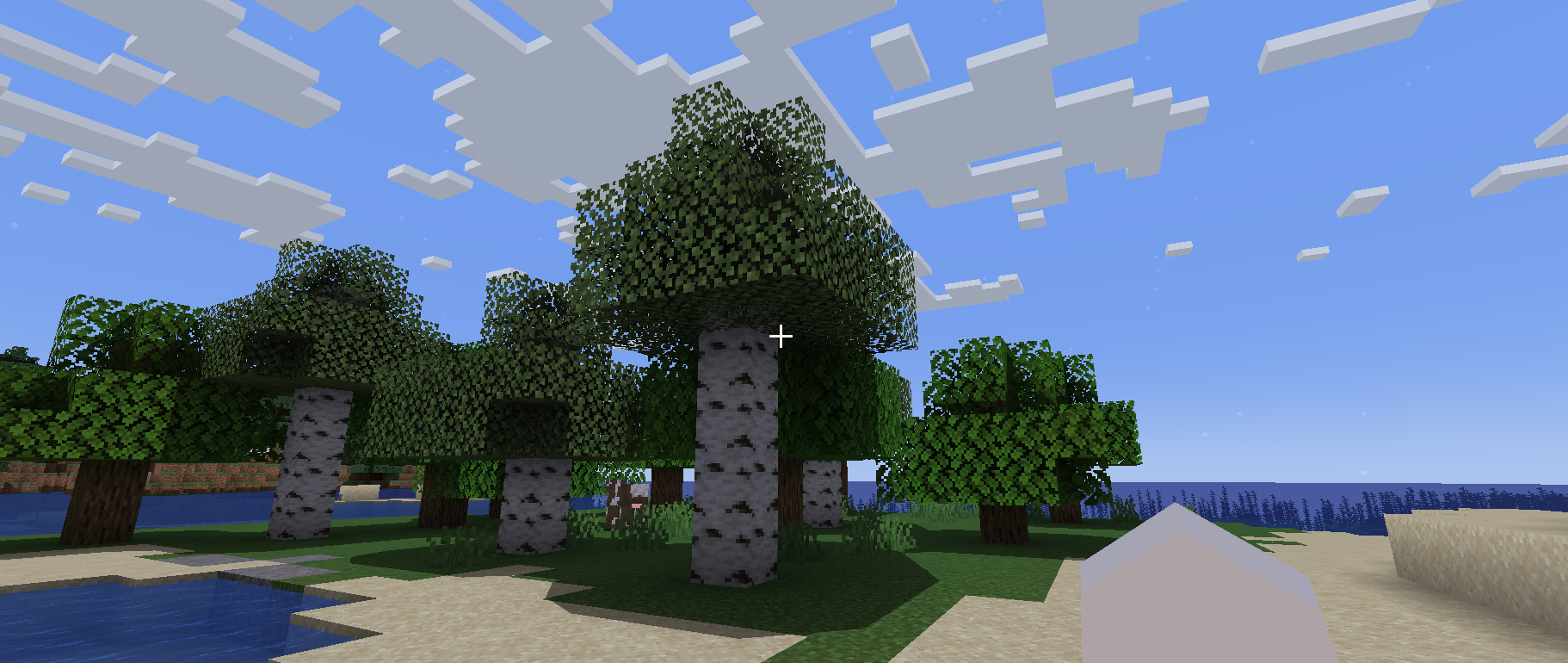
This shader is lightweight because it only puts round shadows.
It’s not perfect, but you can enjoy a different atmosphere from vanilla.
## Required Prerequisite Mods
Capable of loading shaders and compatible.
The author tried [Iris Shaders](https://modrinth.com/mod/iris) and it worked fine.
Simple Saturation Shader
**A very light shader pack for Iris that adds a saturation slider, to allow you to change the saturation of your game**
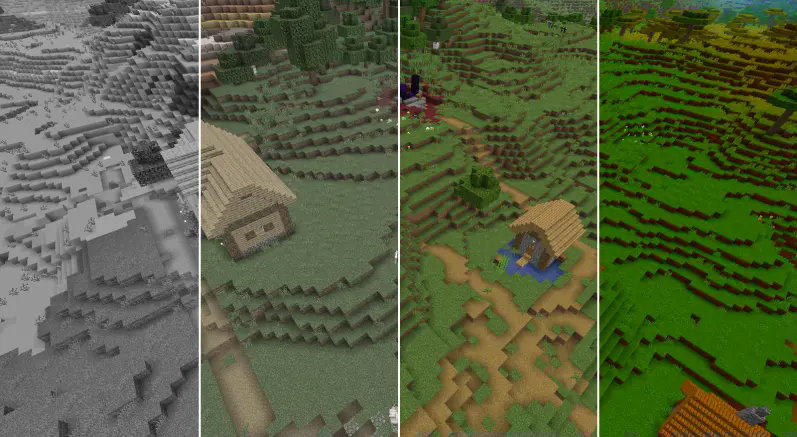
The sliders vary from:
“0.0 0.05 0.10 0.15 0.20 0.25 0.30 0.35 0.40 0.45 0.50 0.55 0.60 0.65 0.70 0.75 0.80 0.85 0.90 0.95 1.0 1.05 1.10 1.15 1.20 1.25 1.30 1.35 1.40 1.45 1.50 1.55 1.60 1.65 1.70 1.75 1.80 1.85 1.90 1.95 2.0 3.0 100”
With 1 being normal saturation, 0 being none and 100 being max.
This shader pack was made by MrBrose, with help from RJ_Infinity
Base code based off of “Base-Shader” by Bestsoft100
https://modrinth.com/shader/base-shader
Simple Saturation
# About Shader
* This lightweight shaderpack allows you to precisely adjust the overall saturation of your Minecraft world through a simple in-game slider.
# Gallery
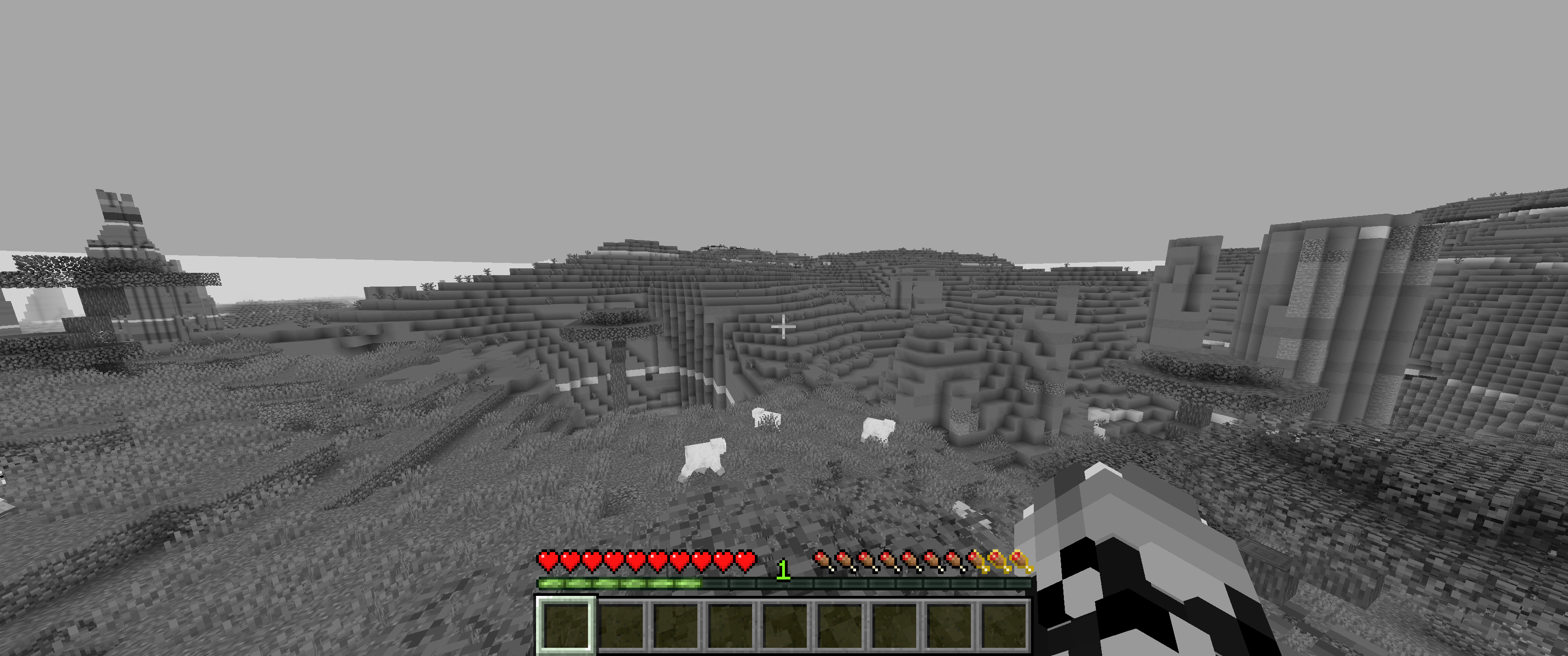
## 0% Saturation
## 50% Saturation (Normal colors)
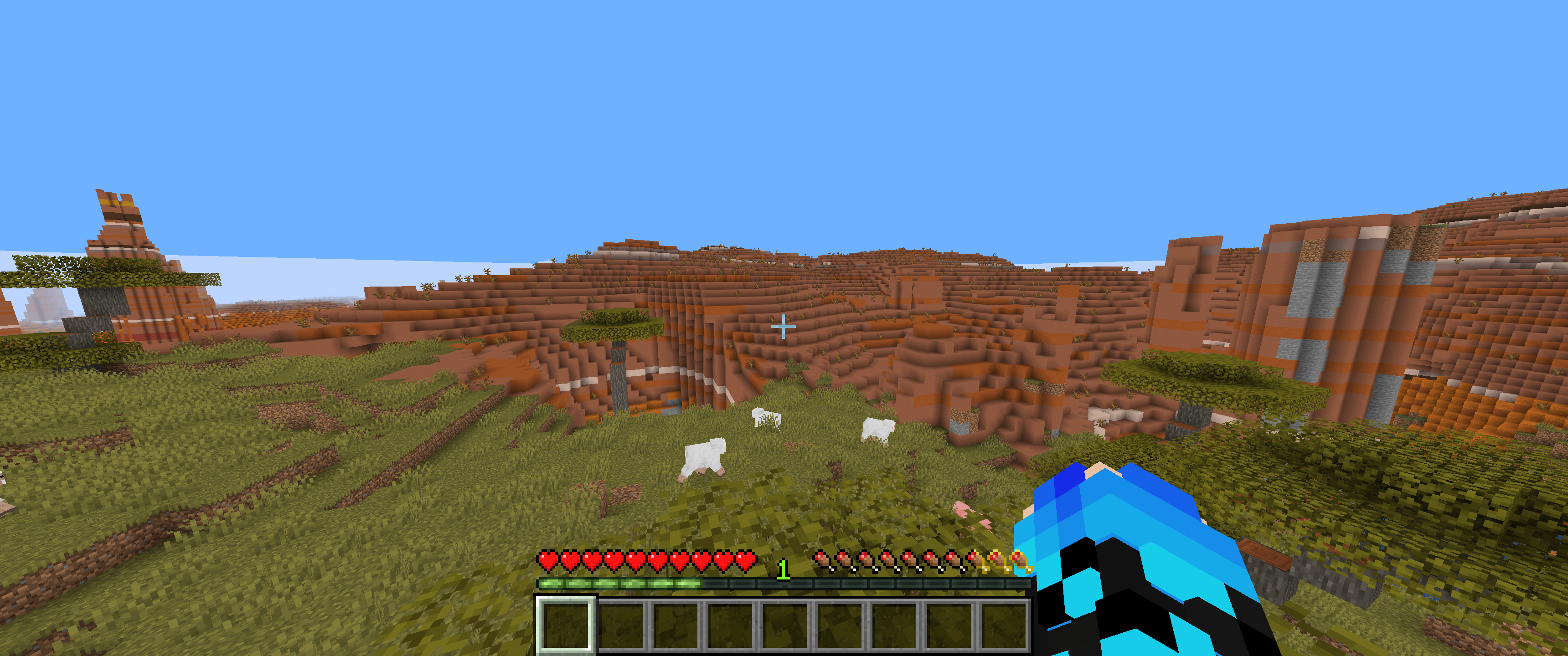
## 100% Saturation
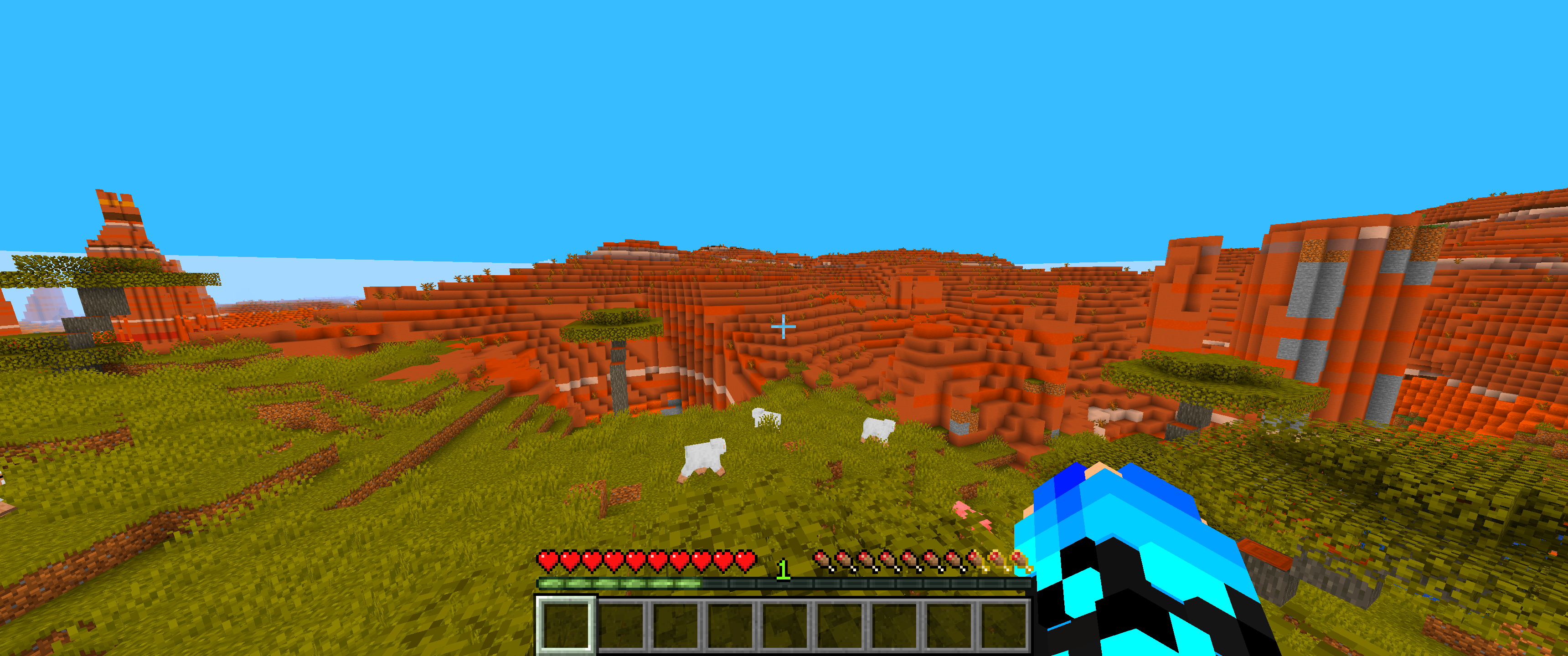
## Slider
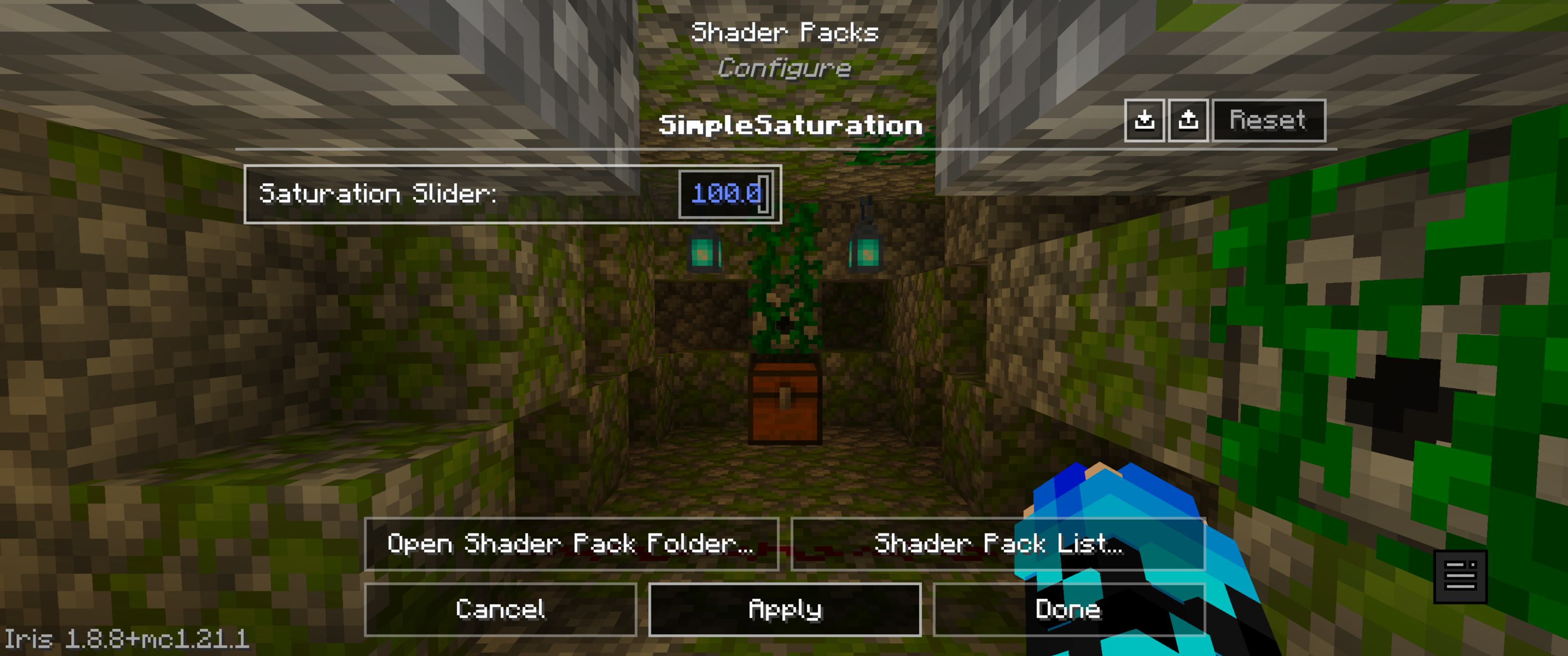
# Feedback & Support:
Found an issue or have a suggestion? Please report it here: [Issue Tracker](https://github.com/JamesCoalchiPortfolio/SimpleSaturationShader/issues)
Simple Grayscale
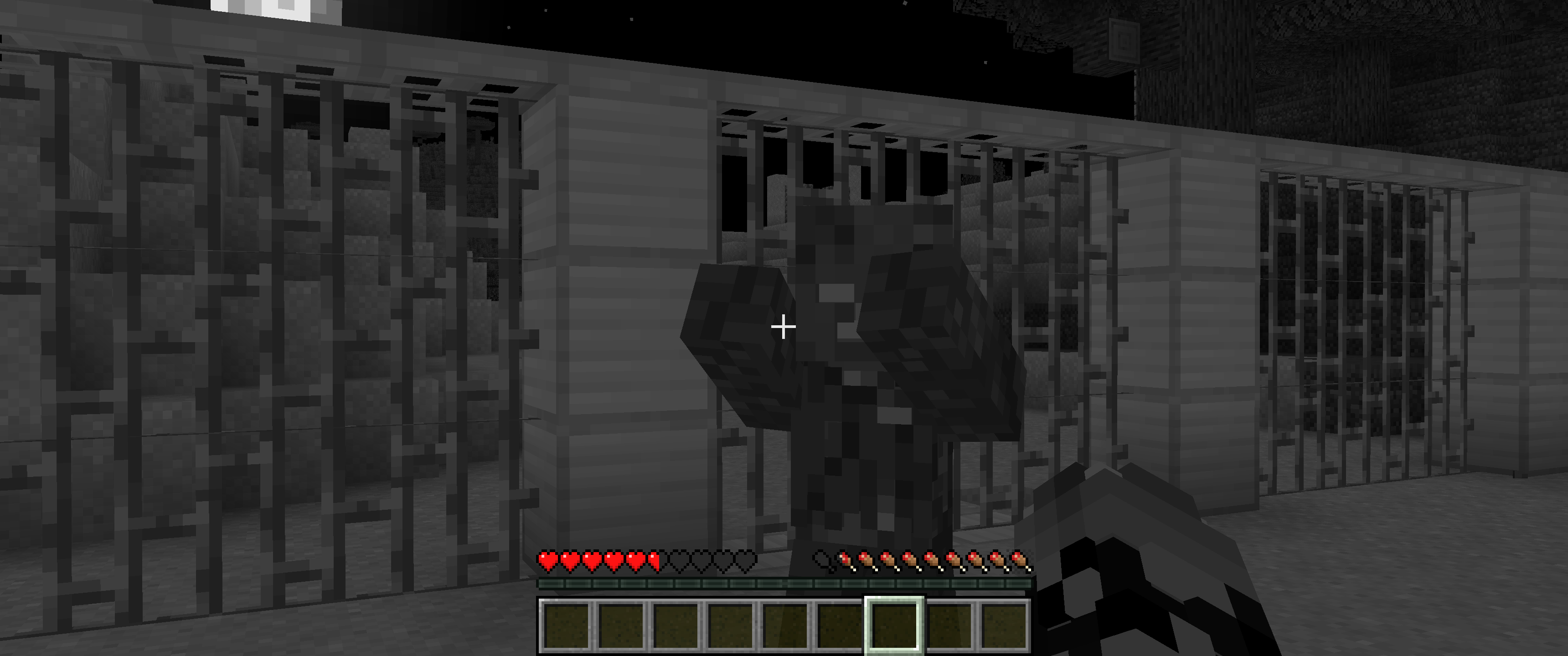
**Simple Grayscale** provides a grayscale visual effect for the game. Use the ON/OFF toggle for easy activation.
This allows users to instantly alter the game’s visuals for stylistic or atmospheric purposes.
## Shader off:
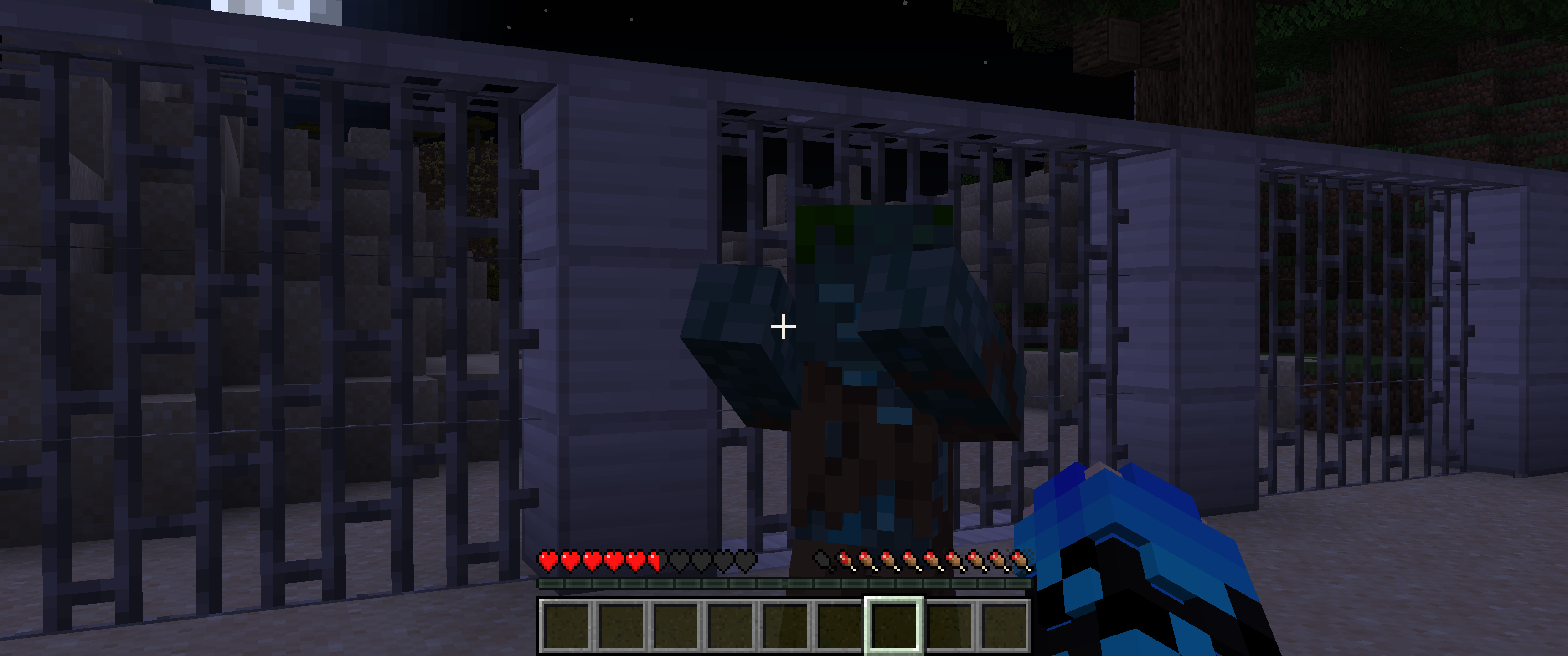
## Shader on:
SillyWankerShader
# About
[Discord](https://discord.gg/QCDXyjzQeU)
Silly Wanker Shader is a minecraft shader which aims to bring the vanilla look of minecraft while still having “shader” features any other shaders have. We also have a big heart for having as much features as possible. If you liked the shader you should also check out [Escheridia](https://modrinth.com/shader/escheridia)
# Download
– [GitHub](https://github.com/bomba-cat/SillyWankerShader)
– [CurseForge](https://www.curseforge.com/minecraft/shaders/sws)
– [Modrinth](https://modrinth.com/shader/sillywankershader)
# Credits
– [QuirkyPlague](https://modrinth.com/shader/escheridia), Developer
– Explo_GR, Developer
– Victor, Playtester, @VIC_TOR_ on YouTube
– Yoon, Logo Creator and Artist, @yoon_gm on Discord
– YSS Community, Special love to them