XaeroPlus
# XaeroPlus
XaeroPlus is a client-side Minecraft mod that depends on and modifies the Xaero’s WorldMap and Minimap mods with extra
features and performance improvements – particularly for use on anarchy servers like 2b2t.
XaeroPlus is not affiliated or endorsed by xaero96. Please report issues to XaeroPlus’s Github or discord server.
Example Map

# Xaero Versions
Each XaeroPlus release is only compatible with a specific version of Xaero’s WorldMap and Minimap.
Xaero’s Minimap can be swapped out for BetterPVP
Download and include these mods **in addition** to XaeroPlus (3 jars total).
You can find download links to Xaero’s mods here:
* Xaero’s World Map
* Xaero’s Minimap
# Modifications
* 1.5-3x your FPS by limiting the framerate the minimap is rendered at!
* Tip: For least visual impact, lock the minimap’s north
* Adjustable minimap scaling that increases how many chunks are visible
* NewChunks Highlighting in MiniMap and WorldMap.
* Baritone integration
* Baritone Goals synced as temporary waypoints
* Point and Click Travel
* Waystones and Fabric Waystones integration
* Syncs Waystones as temporary waypoints
* WorldTools World Downloader integration
* Highlights saved chunks while downloading
* Portals Highlighting in Minimap and WorldMap
* Portal Skip Highlighting in Minimap and WorldMap. Detects chunks where a portal could have been loaded.
* OldChunks Highlighting in Minimap and WorldMap.
* Intended for use on 2b2t. Highlights chunks that were generated in 1.12.2 or lower in the Overworld and Nether based on the natural blocks present in the chunk.
* Transparent minimap background instead of wasted black screen space.
* Fast map region writes. Prevent missed chunks in map while traveling at very high speeds.
* Allow multiple MC instances to read/write to the same map concurrently
* Transparent obsidian roof. Useful for mapping 2b2t spawn.
* Setting to always view and create waypoints in the Overworld when in Nether.
* Render server view distance square around the player.
* Dimension hot-switching on WorldMap and Minimap.
* Recommended: Create keybinds for Minimap dimension switching.
* WorldMap GUI:
* WorldMap zoom unlocked
* GUI on WorldMap to pan the map to user entered coordinates.
* WorldMap Follow mode and GUI button
* F1 on WorldMap hides GUI and overlays
* Waypoints GUI:
* Search
* Display distance to waypoints on Waypoints GUI
* Always sort enabled waypoints before disabled waypoints
* GUI button to enable/disable all waypoints
* Waypoint Beacons
* Minecraft world always renders in background while in a Xaero GUI for client travel mods compatibility
* Minimap entity dot fix. Hides the entity dot when arrow mode is selected.
* WorldMap and Waypoint directories optionally indexed by:
* Multiplayer server list name.
* Base Server Domain Name
* Server IP (Xaero’s default)
* **Changing this setting requires you to manually rename existing folders in `.minecraft/XaeroWaypoints/` and `.minecraft/XaeroWorldMap/`**
* Overworld dimension optionally stored in the “DIM0” directory instead of “null”
* **Changing this setting requires you to manually rename existing folders in `.minecraft/XaeroWorldMap/Multiplayer_/`**
* WorldMap 1.30.0 added cave data saving and rendering. There is a setting on by default in XaeroPlus that changes how the nether is rendered with cave mode off to be as it was previously.
* This removes the need to manually move existing world data files.
Configurations are in the Xaero WorldMap and Minimap settings GUI.
Toggleable settings support keybinds through the standard Minecraft Controls GUI.
# Language Translations
PR’s are welcomed for language translations.
Language files are located in `src/main/resources/assets/xaeroplus/lang/`
# Other Useful Tools
* Convert JourneyMap World Files to Xaero: JMToXaero
* Convert JourneyMap Waypoints to Xaero: JMWaypointsToXaero
* 2b2t Atlas Waypoints to Xaero: JMWaypointsToXaero/atlas
* Convert MC Region Files to Xaero: JMToXaero/Region-Scripts
* 2b2t 256k WDL Xaero Map (20GB): mc-archive
* Xaero World
Merger: JMToXaero/Region-Scripts
* Can be used to merge 256k WDL into an existing world. With optional darkening only on tiles from 256K
XaeroLib
This is a library mod that contains code that is used and required by both Xaero’s Minimap and Xaero’s World Map starting with versions 25.3.2 (minimap) and 1.40.2 (world map).
The map mods themselves along with detailed descriptions of what they do can be found here:
Xaero’s Minimap
Xaero’s World Map
It is only necessary to install this mod on Forge on Minecraft versions 1.16.5 and 1.12.2. **_The map mods will not work without the library._**
The library is already included in the map mods by default on newer Minecraft versions and on Fabric/Quilt, so you do not need to install it separately, which is why you won’t find such files here.
## For Developers:
Please read the “For Developers” section on the map mod pages.
Xaero Zoomout
## XaeroZoomout
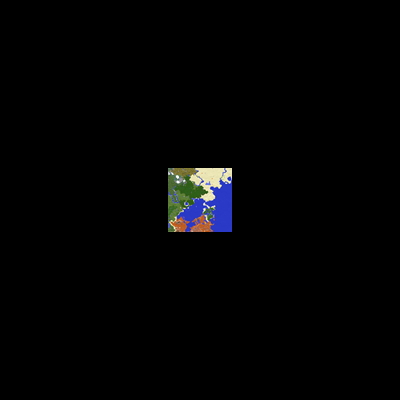
Reduces the minimum zoom of Xaero’s World Map from 0.0625x to 0.0025x.
![Environment]()


### Features
No settings, no setup; just zoom out and watch it work.
As a guide, the Xaero’s World Map display is typically about 30k blocks wide when
fully zoomed out. With this mod, the display width is increased to about 760k.
Note: Rendering the world map is quite CPU-intensive, so you’ll probably experience
some lag when fully zoomed out.
### Contact


X to Xray
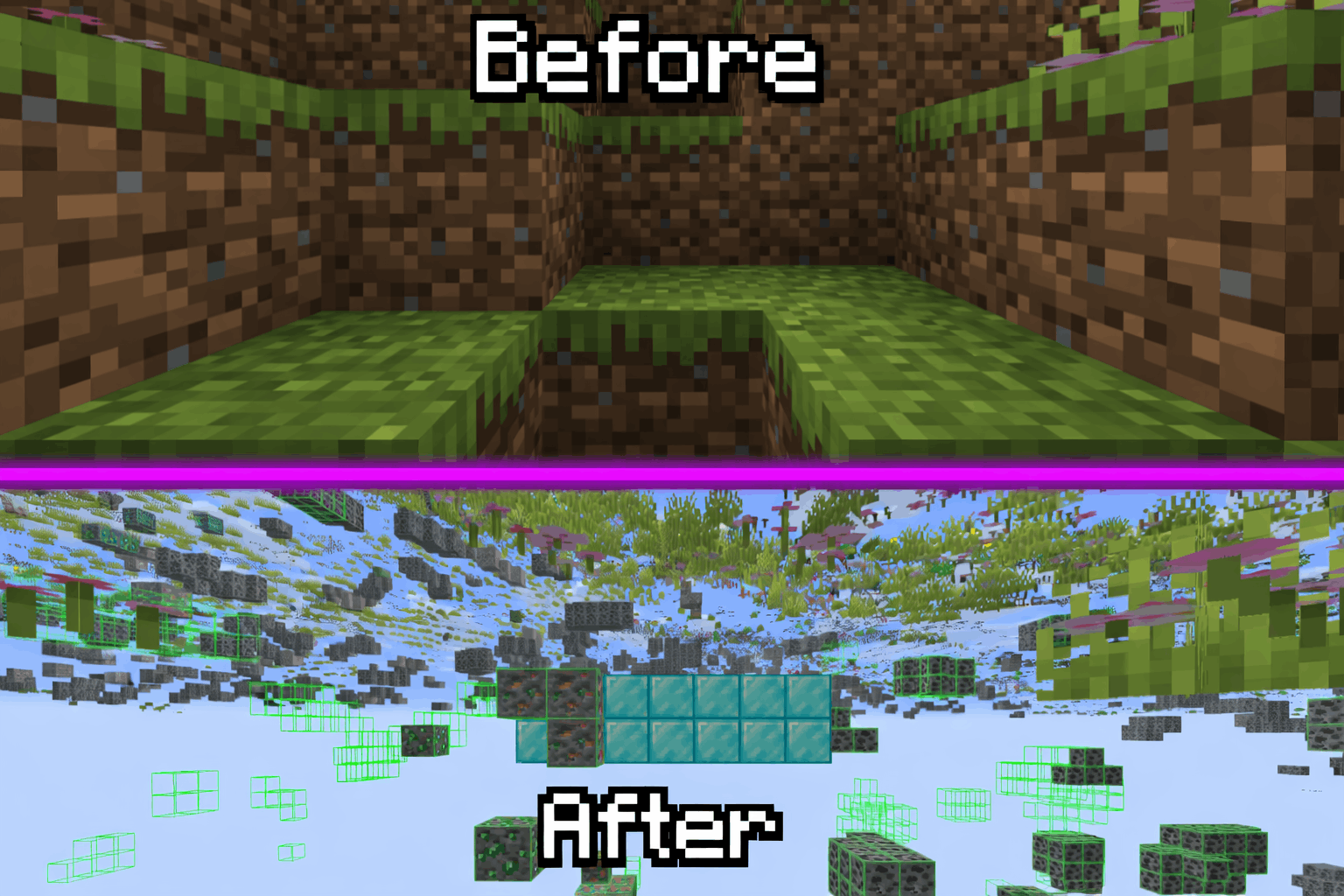
Tired Of Using X-Ray Resourcepacks? Then Try X To Xray!
Why You Should Use X To Xray
1. > Allows You To Have Good Customisation In Ouer Built In Config Menu! Toggling Ores And Other Blocks Has Never Been Easyer!
2. > Use Our Built In VeinMiner To Never Have Spending Much Time Mining!
3. > We Support Many Modloaders: Fabric , Forge And NEO-Forge
## How To Use!
1. > Download The Mod And An Version Of Fabric API
2. > Put Both In Your Mods Folder (If You Use Normal Minecraft Launcher!)
3. > Launch Minecraft And Start X-Raying!
4. > Make Sure To Favorite The Mod!
## Screenshots:
> 
### Supportet Versions:
> **26.1** , **26.1.1** And **26.1.2**
**_We Are Trying To Support Other Versions Too!_**
X-Ray World Generation
# X-Ray World Datapack
Have you ever used an X-Ray Resource Pack? Have you wondered “Man, I wonder what it would be like if the entire world was *actually* like this.”
…What do you mean no?
Well, I made a Datapack that does that anyways. The world looks completely normal except for the fact that most of it is missing… Only ores and the shell of structures are left in the world… You’ll most likely spawn on a coal ore vein at y=0 in the middle of no where, stuck floating above the void. But hey! At least Diamonds are easy to find, right?
## This is not an x-ray mod / How to use:
1. This is NOT an X-Ray Mod / Resource Pack. This is a World Generation datapack. It overrides the default world generation to remove terrain.
2. To use, install the datapack / mod and create a new world.
– If you are having issues with this, it may be because some issue with porting the datapack as a mod. File a bug report either on my discord or the github page. Include info like mods used, mod loader used, error, version used, etc.
3. Custom world options are not supported (superflat, amplified, etc. I may add support in the future).
4. This is incompatible with biome mods, and might be incompatible with some terrain mods.
## Sponsor: Sparked Host

## Check out this pack as well!
Terrainless World Generation!
**Shout out to Apollo for discovering the technique to make this datapack possible!**
X-PlayerInfo
# X-PlayerInfo
I want to know damage/armor/speed/xp/movement…and any info of me.
So, this mod can do it.
You can press [TAB] when you want to show its.
Options:
mockTest: true/false – True is mock attack player, so maybe error in some mods like using waystone or other interrupable action, but the value will be preciser.
File is config/X-PlayerInfo.json
“`
{
“mockTest”: “true”
}
“`
Maybe no content, you can paste it on file to open it.
X-HP
# X-HP
Just show HP and Damage at Mob’s head
I want to know my damage and monster health,and more type to show it
Fabric config – use menu mod
Forge config – press “X”
X-Hearts
# X-Hearts
Start on one heart, gain a heart every time you die. If you die at 10 hearts you are permanently dead.
Use `/scoreboard players set @s deaths 0` to reset back to 1 heart
Inspired by the X-Life series

## FAQ
**Does this work on a server?**
Yes. Go into your servers folders and go to `world -> datapacks` and put the datapack there. This datapack works multiplayer so play with however many people you would like!
**Is there anyway to change the max amount of hearts?**
Here are all the settings you can change:
– `/function xlife:settings/toggle_hardcore` for toggling whether to go into spectator after running out of hearts or not. By default it is on hardcore mode
– `/function xlife:settings/max_hearts/increase` to increase the max amount of hearts. Default is 10
– `/function xlife:settings/max_hearts/decrease` to decrease the max amount of hearts
## Support us!
Join my Minecraft server **Zonerush.minekeep.gg** for a unique PvP gamemode!
—
**Try my other datapacks! Here are some that you might like.**
 
—
**Join the discord to get updates, support me, and report issues**

## Milestones
– 100 downloads – Dec. 8th | 2025
– 300 downloads – Jan. 13th | 2026
– 1,000 downloads – ???
X-Enchantment
# X-Enchantment
Add some enchantments. I’m a noob, so it’s appeared when i want to be “stronger”…Especially in modpack.
Fabric config – mod menu mod
Forge config – press key “Z”
More info you can use info mod like “EnchantmentDesc” or other…
—
Normal[Gold/White/Red]: Like other enchantment
Halo[Gold/White]: Correct part in slot, works on collect a set
Special[Purple]: Mostly only for enchanted books
—
### Figthing:
#### Night Break
#### More Loot
#### Rebirth
#### Magic Immune
…
### Other:
#### Broken Dawn
#### Auto Fishing
#### Climber
#### Blessing
#### Curse Killer
…
### Curse:
#### Regicide
#### Thin
#### Insanity
#### Decayed Blade/Armor
All config on menu when you want to tweak something. If it not exists…maybe you can tell me.
XPlus Autofish (Fabric / Forge / NeoForge)
## About XPlus Autofish
XPlus autofish is a successor mod to the MrTroot’s autofish mod, including bugfixs and new features.
**If you are looking for autofish mod for 1.19.4-, please check out https://www.curseforge.com/minecraft/mc-mods/autofish .**
## Introduction
In short, just cast the fishing rod into the water once, and it will automatically reel in at the correct time and recast after a couple-second wait. You can open the config screen of the mod via hotkey (V by default).

## Config Screen
– **Autofish**: Easily toggle the entire mod on or off.
– **MultiRod**: Automatically switch to the next fishing rod in your hotbar after using one, allowing you to fish for extended periods.
– **Break Protection**: Ignore fishing rods that are almost broken, preserving your enchanted rods.
– **Persistent Mode**: Keep the fishing rod casted out at all times, automatically recasting it every 10 seconds if necessary. It is useful for dealing with server lag or plugin-related hook clearing.
– **Sound-Based Detection**: In multiplayer, use sounds instead of motion to detect catches. Note that proximity and nearby players’ hooks may affect accuracy.
– **Recast Delay**: Adjust the time interval between reeling in and recasting the rod.
– **Clearlag Chat Pattern**: Some servers clear entities, including fish hooks, to reduce lag and send a chat message when doing so. When the specified chat pattern is matched, the mod will recast the hook.
– **Random Delay**: Add random delay between the reeling in and recasting.
– **Open Water Detection**: Automatically detect whether you are fishing in an open area, which allows you to get treasure loot.
## FAQ
**Q: The auto fishing feature does not work with rods added by mods (such as Aquaculture 2, etc.)**
A: Try enabling “Use Sound Detection” and “Force Multiplayer Detection (Mod Compatibility)” in the config screen of XPlus Autfish (Press V to open by default).
## Installation
– For the **Fabric versions 1.19.4-1.21.11**, Fabric API and Cloth Config API are needed.
– For the **Fabric versions 26.1+**, Fabric API and Forge Config API Port are needed.
– For the **Forge or NeoForged versions 1.18.2-1.21.11**, only Cloth Config API is needed.
