Xavier Optimized
**Xavier Optimized** is a **highly optimized Minecraft** modpack designed to deliver **higher FPS gains** than ordinary optimization packs. The modpack’s ultimate goal is to **maximize the vanilla survival experience** without altering the game’s core mechanics. It features **FPS/MSPT optimization**, **enhanced mod compatibility**, and **survival utility tools**.
Downloading and using this modpack means that you have agreed to the Terms of Service and Disclaimer.
简体中文 | Wiki
> Notice: Work in Progress
>
>This introduction is currently incomplete and actively being updated. Check back later for more details.
—
**⭐Hyper Optimization**
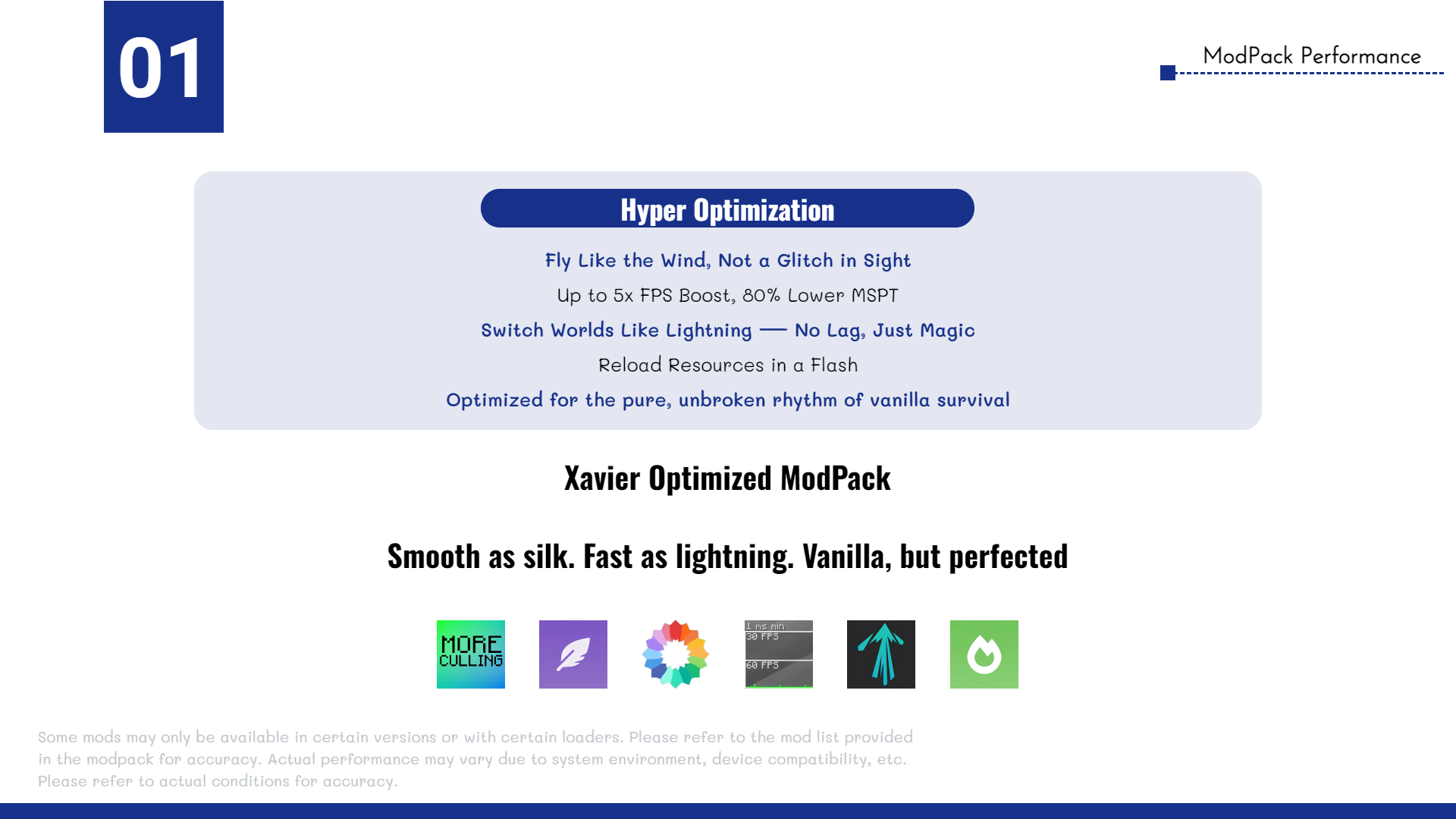
The **Xavier Optimized** modpack includes a wide range of high-performance optimization mods, such as **Sodium**, **Lithium**, **More Culling**, and more, ensuring **maximum efficiency**, **stability**, and **smooth gameplay**. All selected mods are carefully tested to be **safe for both single-player worlds and multiplayer servers**.
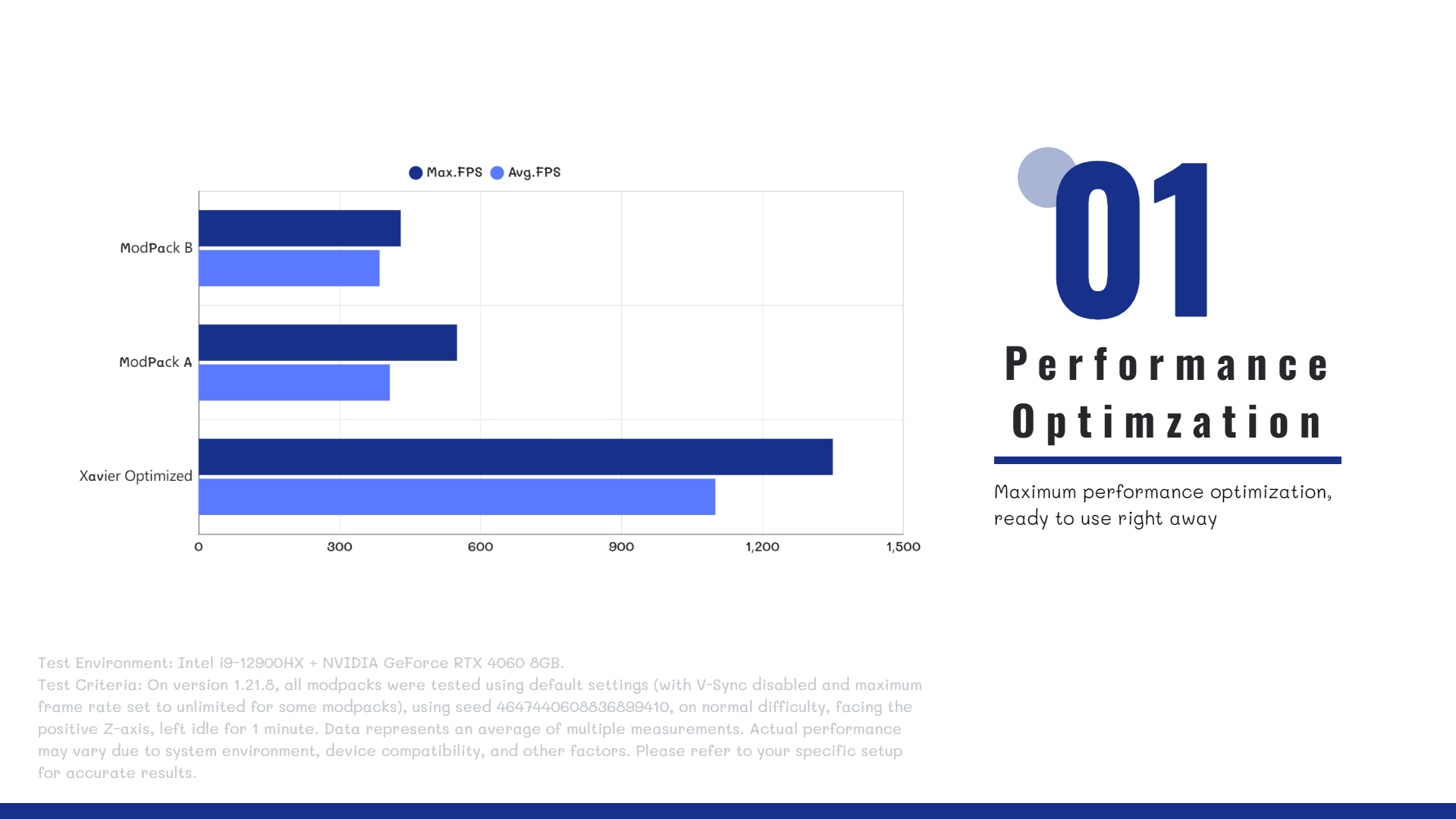
Whether you’re running the game on a modern high-end PC or a previous-generation entry-level device, **Xavier Optimized** delivers **significant performance improvements**.
—
**🤔FAQ**
>**Q**: Does the modpack support multiplayer?
>
>**A**: Yes! Xavier Optimized is compatible with most servers and allows vanilla clients to connect seamlessly.
>**Q**: What mods are included in the pack?
>
>**A**: To see the full list of mods, go to the **Versions** tab, select a version, and scroll down to view the included mods.
>**Q**: Do I need to install the modpack on the server?
>
>**A**: No. The modpack is client-side only and works on any server that accepts vanilla clients.
—
**🔗 Author Link**
Email: [email protected]
Xatrix’s Unfair Nether
In reality, water evaporating in the Nether would mean the temperature of this infernal dimension would be high enough to burn anything inside, so with that small idea I decided to add that into the game, alongside a few other small features.
This was mostly made as a fun experiment and for a video to run on my YouTube channel, so I hope you get at least a little fun out of it as well!
The whole aim of this mod is to add a whole slew of new challenges to Minecraft’s Nether and it’s progression, whilst adding a few new smaller extensions to said progression.
TRAILER
SHOWCASE
**A list of a few features:**
– Nether’s Flames: Players actually need to prepare before venturing into the Nether, lest they be charred by the Nether’s Flames, find Fireshrooms near bedrock level to make Fireshroom stew for restistance against this .
– New Mob: The “Servant” is a semi-uncommonly spawning mob in the Nether Wastes, which can deal immense damage and knockback, meaning the player can’t just run into the Nether without the proper gear.
– Trap plants: Plants such as Mycorrhiza roots and sprouts hide amongst crimson and warped nylium, spiking up and shredding any unknowing players, alongside the Poison Glass Fungus which poisons whoever breaks it, which would be easily avoidable if they didn’t shatter on touch.
– And more to come later!**
This mod requires “Geckolib” and “Kotlin for Forge” to work!
XandeEnchantments
# Xande Enchantments





## English
### Short Description
Expand Minecraft Forge’s enchantment system with a searchable Advanced Enchantment Table and new enchantments focused on combat, mining and utility.
### About
**Xande Enchantments** expands Minecraft Forge’s enchantment system with a new magical progression layer. The mod adds an **Advanced Enchantment Table** with its own GUI, enchantment search, manual level selection and server-side validation, plus a set of new enchantments for combat, mining, exploration and utility.
This first version is designed to keep a vanilla-friendly feeling while giving players more control: choose the enchantment, preview costs, check compatibility and apply upgrades using XP, lapis lazuli and nearby bookshelves.
### Features
– **Advanced Enchantment Table:** a special table with its own GUI to search, select and apply enchantments.
– **Enchantment Search:** find enchantments by name or id without relying only on vanilla randomness.
– **Manual Level Selection:** choose the desired level before applying, while respecting each enchantment’s limits.
– **XP and Lapis Costs:** the table uses experience levels, lapis lazuli and nearby bookshelves as part of its balancing.
– **Server Validation:** item compatibility, conflicts, costs and levels are checked on the server before the enchantment is applied.
– **Informative Tooltips:** view cost, required bookshelves, compatibility and conflicts before enchanting.
– **Magical Visuals:** custom block textures, animated book and particles inspired by the vanilla enchantment table.
### Enchantments
– **Explosive Shot:** arrows cause an area explosion when hitting entities, without destroying blocks.
– **Rage:** increases melee damage based on the player’s missing health.
– **Bleeding:** applies damage over time to hit targets.
– **Excavator:** allows area mining based on the axis of the block hit.
– **Miner’s Luck:** adds a chance to drop extra rare rewards when mining ores.
– **Wisdom:** increases experience gained from killing mobs and mining XP-dropping blocks.
– **Magnetism:** pulls nearby drops toward the player while an enchanted tool is in use.
– **Refining:** converts some ores directly into ingots while mining.
– **Vampirism:** heals the player based on final melee damage dealt.
– **Hunter Mark:** projectiles mark the target, applying glow and increasing damage received.
– **Arcane Echo:** melee attacks release magical area damage around the hit target.
– **Light Step:** reduces fall damage when applied to boots.
– **Conductor Ray:** trident attacks have a chance to summon a visual lightning strike and deal extra magic damage.
### How to Use
1. Craft the **Advanced Enchantment Table** using the mod recipe.
2. Place an enchantable item in the main slot.
3. Place lapis lazuli in the resource slot.
4. Search for or select an enchantment from the list.
5. Adjust the level with the `-` and `+` buttons.
6. Click **Apply** to enchant the item.
### Installation and Required Side
**This mod must be installed on both client and server.**
– **Singleplayer:** install the mod on your client.
– **Multiplayer:** the server and all players must have the mod installed.
– **Dedicated Server:** supported, but players must also install the mod on their client.
Reason: the mod adds a block, GUI, network packet and custom enchantments. Because of that, it is not client-side only.
### Compatibility
– **Minecraft:** 1.21.11
– **Forge:** 61.1.0
– **Java:** 21
– **Mod Loader:** Forge
– **Required Side:** Client + Server
### First Version Notes
This is the first public version of Xande Enchantments. Some mechanics may receive balance adjustments in future updates based on testing and community feedback.
### Support
Found a bug, have a balance suggestion or want to follow updates?

## Português

### Descrição Curta
Expanda o sistema de encantamentos do Minecraft Forge com uma Super Mesa de Encantamentos pesquisável e novos encantamentos focados em combate, mineração e utilidade.
### Sobre
**Xande Enchantments** adiciona uma nova camada de progressão mágica ao Minecraft Forge. O mod inclui uma **Super Mesa de Encantamentos** com interface própria, busca por encantamentos, seleção manual de nível e validações integradas ao servidor, além de uma coleção de encantamentos novos para combate, mineração, exploração e utilidade.
Esta primeira versão foi pensada para manter a sensação vanilla, mas com mais controle para o jogador: você escolhe o encantamento, visualiza custos, confere compatibilidade e aplica melhorias usando XP, lápis-lazúli e a influência das estantes próximas.
### Funcionalidades
– **Super Mesa de Encantamentos:** uma mesa especial com GUI própria para pesquisar, selecionar e aplicar encantamentos.
– **Busca de encantamentos:** encontre encantamentos por nome ou id sem depender apenas da rolagem aleatória vanilla.
– **Seleção manual de nível:** escolha o nível desejado antes de aplicar, respeitando os limites de cada encantamento.
– **Custos com XP e lápis:** a mesa usa níveis de experiência, lápis-lazúli e estantes próximas como parte do balanceamento.
– **Validação no servidor:** compatibilidade de item, conflitos, custos e níveis são checados no servidor antes da aplicação.
– **Tooltips informativos:** veja custo, estantes necessárias, compatibilidade e conflitos antes de encantar.
– **Visual mágico:** bloco com texturas próprias, livro animado e partículas inspiradas na mesa vanilla.
### Encantamentos
– **Flecha Explosiva:** flechas causam uma explosão em área ao atingir entidades, sem destruir blocos.
– **Fúria:** aumenta o dano corpo a corpo conforme a vida perdida pelo jogador.
– **Sangramento:** aplica dano ao longo do tempo em alvos atingidos.
– **Escavador:** permite mineração em área com base no eixo do bloco atingido.
– **Sorte do Mineiro:** adiciona chance de recompensas raras extras ao minerar minérios.
– **Experiência Ampliada:** aumenta a experiência obtida ao derrotar mobs e minerar blocos que dropam XP.
– **Magnetismo:** atrai drops próximos para o jogador enquanto a ferramenta encantada está em uso.
– **Refinamento:** converte alguns minérios em lingotes diretamente ao minerar.
– **Vampirismo:** cura o jogador com base no dano final causado em ataques corpo a corpo.
– **Marca do Caçador:** projéteis marcam o alvo, aplicando brilho e aumentando o dano recebido.
– **Eco Arcano:** ataques corpo a corpo liberam dano mágico em área ao redor do alvo.
– **Passo Leve:** reduz dano de queda quando aplicado em botas.
– **Raio Condutor:** ataques com tridente têm chance de invocar um raio visual e causar dano mágico extra.
### Como Usar
1. Crie a **Super Mesa de Encantamentos** usando a receita do mod.
2. Coloque um item encantável no slot principal.
3. Coloque lápis-lazúli no slot de recurso.
4. Pesquise ou selecione um encantamento na lista.
5. Ajuste o nível com os botões `-` e `+`.
6. Clique em **Aplicar** para encantar o item.
### Instalação e Lado Necessário
**Este mod precisa estar instalado no cliente e no servidor.**
– **Singleplayer:** instale o mod no seu cliente.
– **Multiplayer:** o servidor e todos os jogadores precisam ter o mod instalado.
– **Servidor dedicado:** compatível, mas os jogadores também precisam instalar o mod no cliente.
Motivo: o mod adiciona bloco, GUI, pacote de rede e encantamentos customizados. Por isso, ele não é apenas client-side.
### Compatibilidade
– **Minecraft:** 1.21.11
– **Forge:** 61.1.0
– **Java:** 21
– **Mod Loader:** Forge
– **Lado necessário:** Cliente + Servidor
### Observações da Primeira Versão
Esta é a primeira versão pública do Xande Enchantments. Algumas mecânicas podem receber ajustes de balanceamento nas próximas atualizações com base em testes e feedback da comunidade.
### Suporte
Encontrou bug, tem sugestão de balanceamento ou quer acompanhar atualizações?

Xaero’s World Map: Synchronized


This mod adds world map syncronization between players, designed for SMPs
Requires Xaero’s World Map and currently works only on **dedicated servers**
The map data is saved on the server, in the `.xaerosync` folder
github / discord / ko-fi
Xaero’s World Border
Xaero’s World Border adds world border rendering directly to Xaero’s World Map. It helps players see the real limits of the world.
Works on client only, but can use server data (when installed on server) for better accuracy
Xaero’s Minimap & World Map – Waystones Compatibility



– This mod doesn’t support the Xaero’s Minimap (Fair-Play Edition)
– This mod is a sucesor of Waystones2Waypoints which creates a Waypoint in the Xaero’s World Map and Xaero’s Minimap when the player actives a Waystone
– This is needed in Both Client and Server Side
– This is not a Fork, because the previous mod is discontinued we have created a new one for the Forge 1.19.2, 1.19.3, 1.19.4, 1.20 and 1.20.1 versions
# Modders
– Shoqapik12


Xaero’s Minimap (Fair-Play)
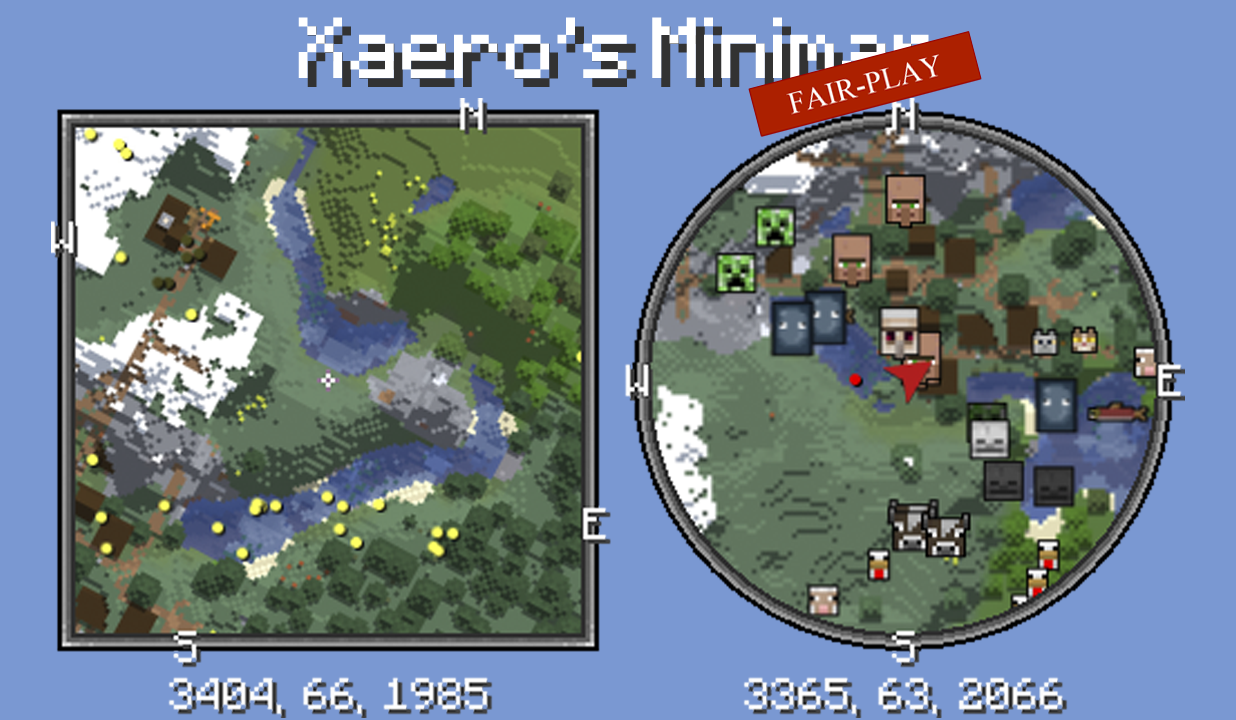
Unlike many other minimap mods, Xaero’s minimap keeps the aesthetic of vanilla Minecraft. This is the FAIR-PLAY version of the mod designed for fair PVP. Features like cave maps and entity radar are disabled in this version of the mod. Read more about the mod here.
Get full mod
Xaero’s Minimap and Waystones Compatibility
# Xaero’s Minimap and Waystones Compatibility
**Xaero’s Minimap and Waystones Compatibility** automatically links **Waystones** with **Xaero’s Minimap**, creating and updating waypoints without any manual setup.
Whenever a Waystone is activated or renamed, a matching waypoint is instantly created or updated on Xaero’s Minimap at the same location.
All waypoints are persistent, and the mod works in both singleplayer and multiplayer servers.

Xaero’s Maps x Waystones
# Xaero’s Maps x Waystones


## ⚠️ Read First
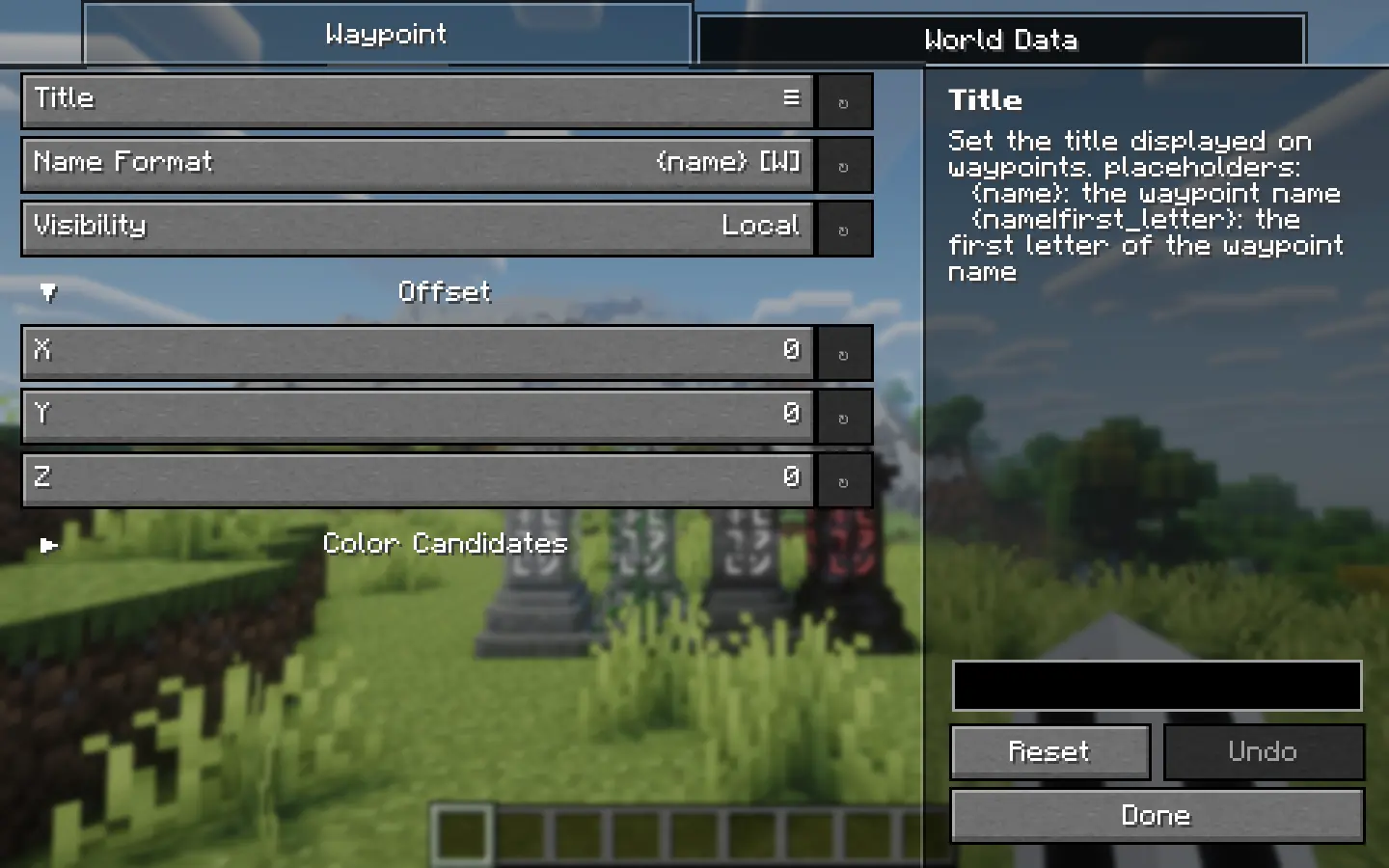
– If waypoints are not visible, enable “Render All Waypoint Sets” in Xaero’s Minimap settings
– If you see “YACL is not installed” despite having it installed, try downgrading YACL
– Please report bugs on GitHub Issues
rather than the CurseForge Comments 🙏
## 🫶 Support
If you enjoy this mod, you can support its development by getting a server through the banner below!

***
## 🗺️ Overview
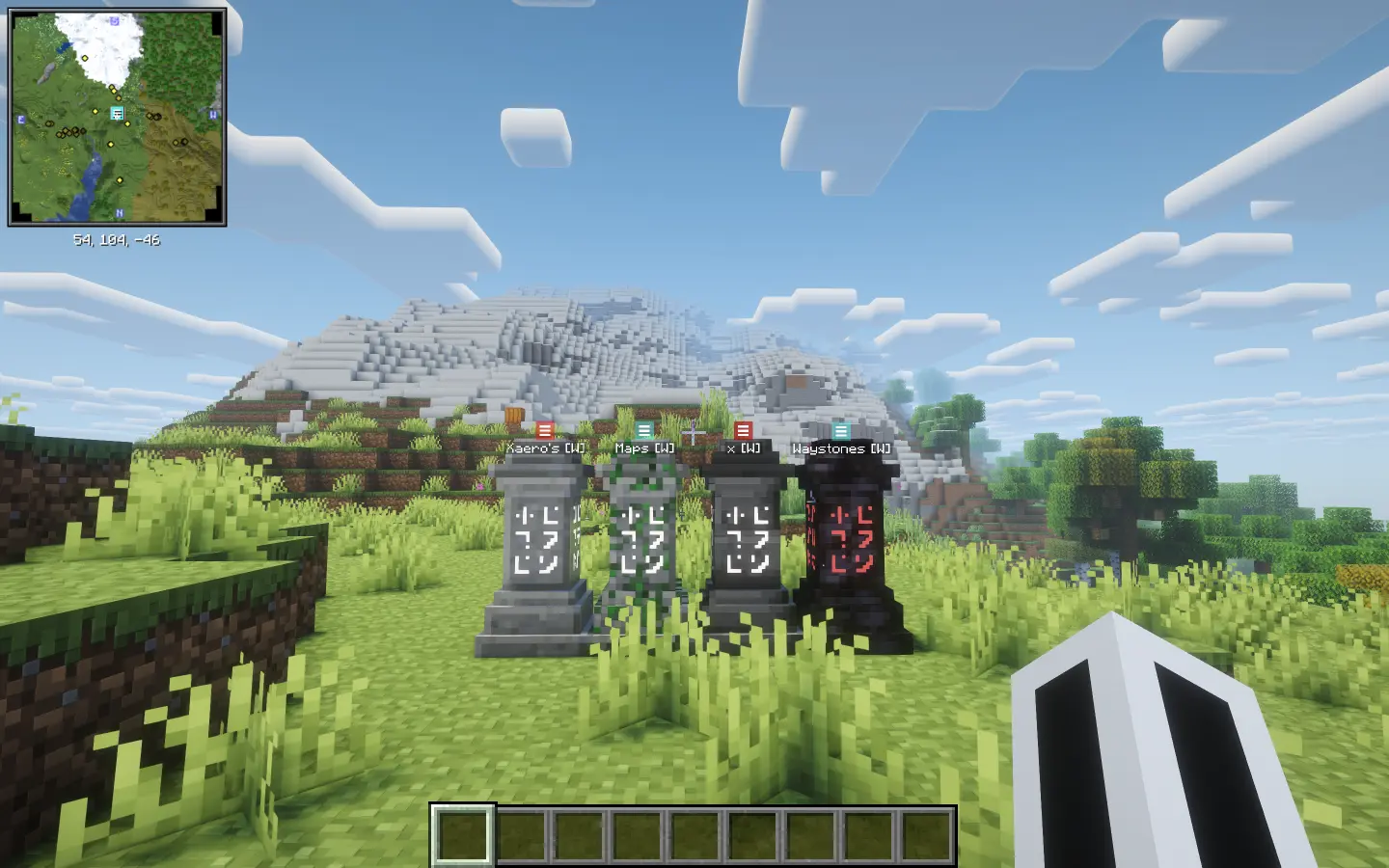
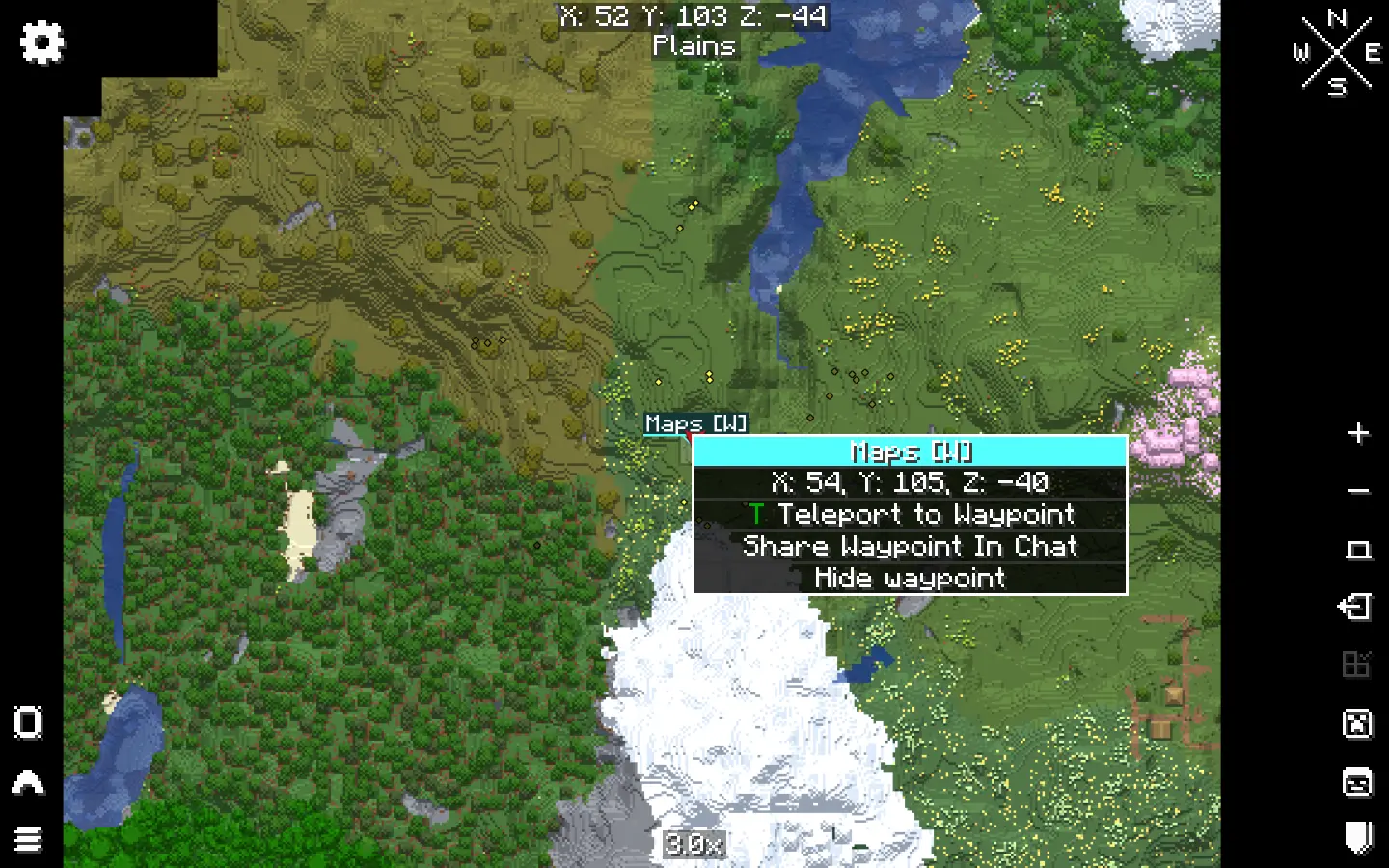
Just place a Waystone, and it’s automatically added as a waypoint in Xaero’s Minimap / World Map.
Placement, removal, and renaming are all synced automatically.
> Currently, only **Waystones** are supported. Other blocks such as Sharedstones are not.
## ⚙️ Customization
Fine-tune the behavior via the in-game settings or the config file.
## 📷 Screenshots
Xaero’s Map Server Utils
## Introduction
This data pack adds some useful commands for server administrators, allowing easy access to make fair modifications needed for gameplay on players’ Xaero’s Map series of mods.
## How it works
See the `How do I prohibit the use of cave mode and/or entity radar on my server?` section of Xaero’s Minimap Mod.
## Usage
– `/function xaero:fairxaero` causes the minimap to disable cave mode (including world map) and entity radar (fair-play mode)
– `/function xaero:nominimap` disables the minimap completely
– `/function xaero:resetxaero` reset all the system message flags
– `/function xaero:xaerowmnetherisfair` causes world map cave mode to work in the nether despite the minimap being fair-play
These commands above will tell the player what the server administrator used, if you don’t want your players to know which command you used, add `silent/` after `xaero:` (Example: `/function xaero:silent/fairxaero`) (But the player will still receive a blank message)
## Autorun
The newly added autorun feature can automatically execute functions when players join the server, modifying the behavior of their minimap.
– `/function xaero:autorun/set/disabled` disable the feature (default)
– `/function xaero:autorun/set/…` select the function to run automatically