Sebastian Solace or Z-13 has a body shaped similarly to that of a sea snake, elongated with light blue scales. He has a long tail that is adorned with several pouches that hold the supplies that he uses for survival, At the end of his body is a large tail fin. He has three arms, one of which is attached to his left side and is wrapped in a bloodied bandage. His hands are humanoid, yet only have four fingers and are claw-like. Sebastian’s face retains a humanoid appearance with fish-like features, such as an anglerfish esca on his forehead, fin-like appendages in place of ears, a fish-like mouth, and a third eye on his right side. He has black, short, wavy hair.
Sebastian Solace is originally from a Roblox game from pressure
Go check it out, Its a great game
Yyz’s backpacks Rebackpacked
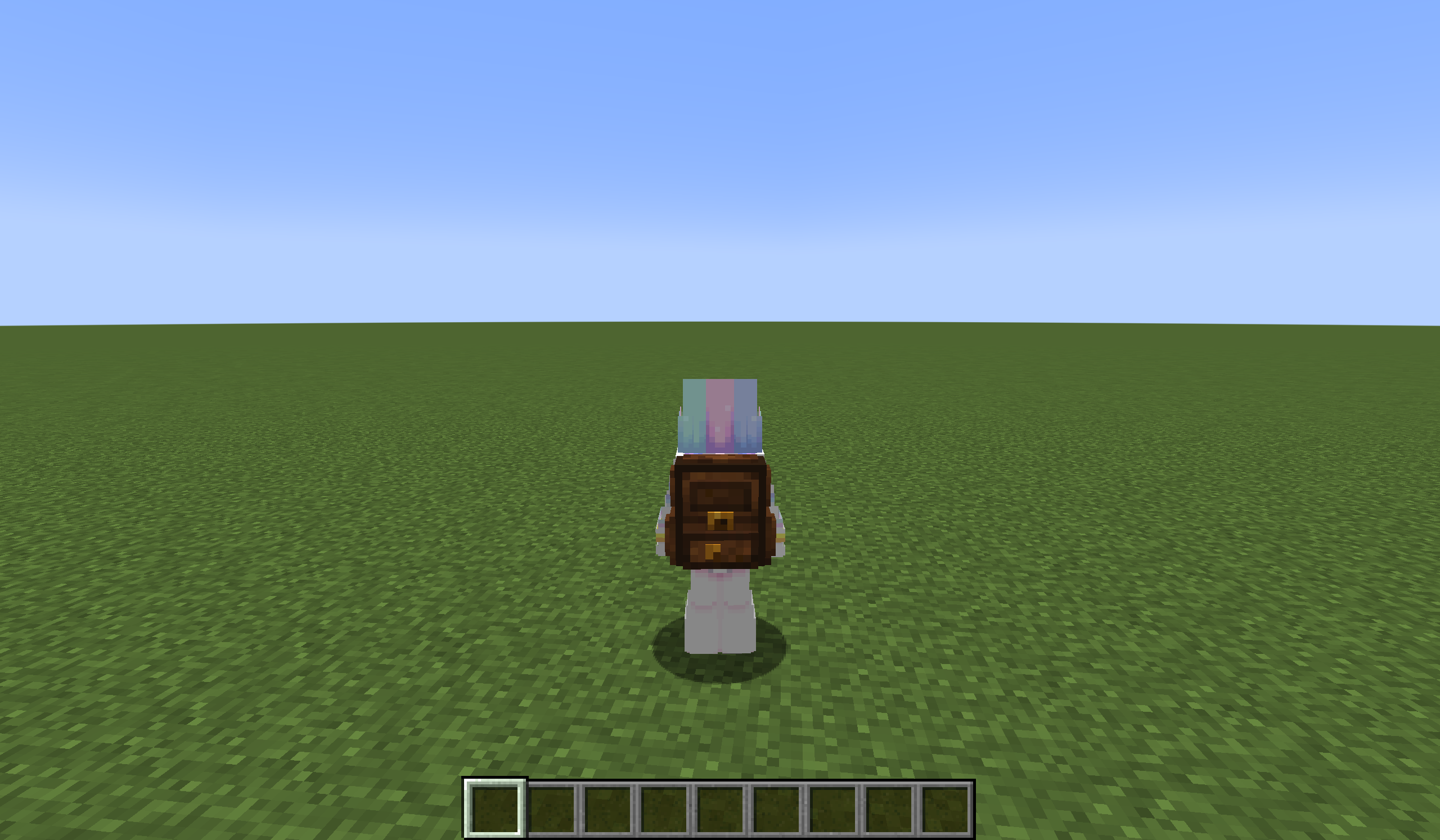
A small leather and iron backpack you can craft, and many more to find while exploring. You can access your backpacks from your normal inventory, and it’s awesome.
This is a fork of https://modrinth.com/mod/yyzs-backpack
List of changes:
-Renamed all backpacks. (iron –> small backpack, gold –> nether backpack, diamond –> end backpack, netherite –> depths backpack)
-Made it so only the iron backpack is craftable, and the other ones have to be found while exploring.
-Nerfed the capacity of all backpacks. 54 slots is… way way too much
yyz’s backpack
# Inventory Expansion – yyz’s Backpack Mod
**Directly Integrated Backpacks**
## 🌟 Mod Highlights
### ⚡ Seamless GUI Integration
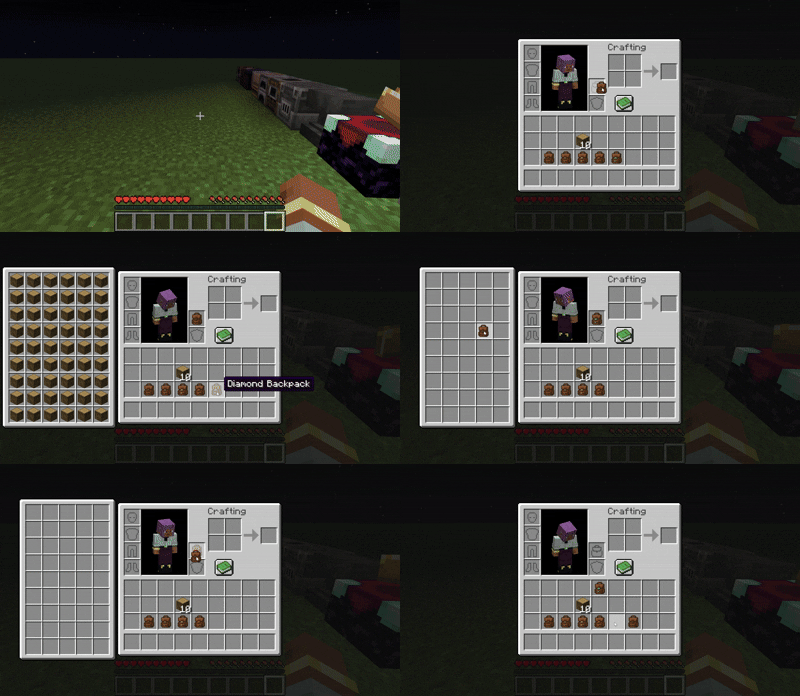
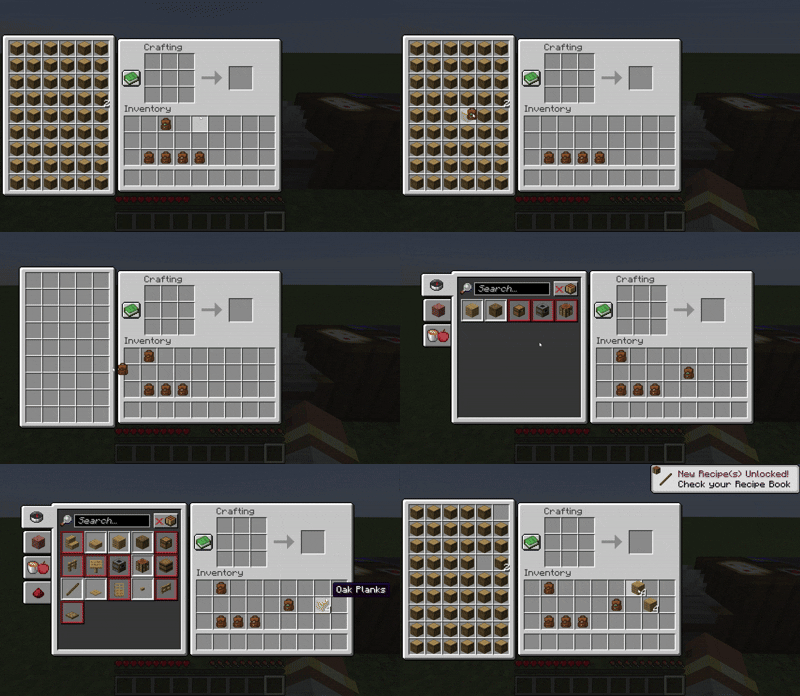
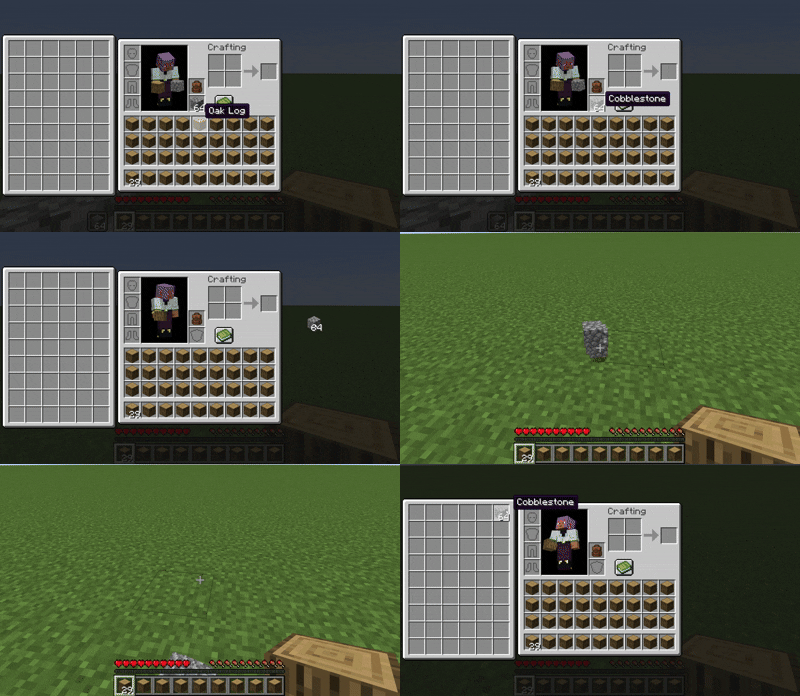
Backpack slots appear directly in **work GUIs** (inventory/crafting table/chest etc.) without opening extra interfaces.
### 🛠️ Enhanced Features
– 🖱️ **Item Transfer**
`Shift+Left Click` → Transfer to main inventory
`Shift+Right Click` → Transfer to backpack
`Double Click` → Auto sort items
– 📦 **Item Collection**
Automatically stores items in backpack when inventory is full
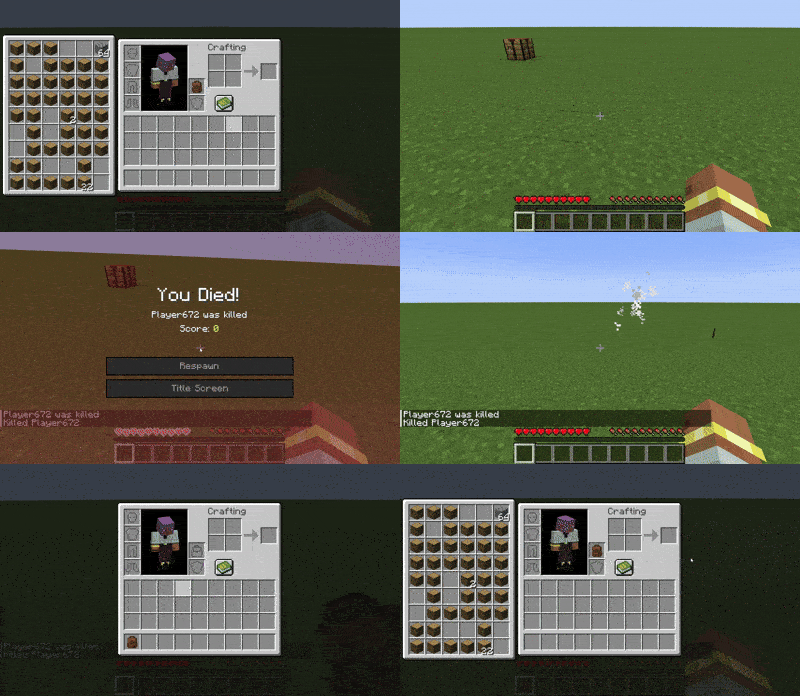
Backpack drops as single item upon death (contents preserved)
– 🔥 **JEI/REI/EMI Integration**
Supports using backpack items **directly in JEI/REI/EMI crafting**
Real-time backpack content display in recipe interface
– 💍 **Accessory Support**
Backpacks can be placed in **Curios/Trinkets slots**
## 🎒 Backpack Tiers
| Backpack Type | Extra Slots | Special Ability |
|—————-|————-|———————-|
| Iron | +18 | Basic capacity |
| Gold | +36 | Basic capacity |
| Diamond | +54 | Basic capacity |
| **Netherite** | **+54** | **Fire Immunity** |
## ⚙️ Compatibility
### Status Key
– ✅ **Fully Compatible**
– ⚠️ **Partial Support**
– ⌛ **Planned**
– ❌ **Unsupported**
## ❓ Why This Backpack?
Traditional backpack mods = mobile chests requiring separate GUIs. Our solution:
1. **Seamless experience** – Access backpack items directly in **work GUIs**
2. **Native interaction** – Full support for recipe book/JEI/REI/EMI
3. **Backpack swapping** – Swap when placing backpack in backpack slot/inside
4. **Continuous expansion** – Growing mod compatibility support
## ⚠️ Current Status
### The mod is currently in a very early stage. If you find any bugs, you can report them via GitHub or Discord
❗ Found an issue or have suggestions? Report now!
– [GitHub](https://github.com/yyz729/yyzsbackpack/issues)
– [Discord](https://discord.com/invite/3NPKBgXxVU)
🔧 **In development**:
– More GUI support
– Backpack 3D models
– Expanded mod compatibility
> ✨ **Design Philosophy**: Make backpacks a natural extension of the main inventory
**Yuushya Townscape NEEDS [Architectury API](https://modrinth.com/mod/architectury-api) to work**
**If installed Sodium, It NEEDS [Indium](https://modrinth.com/mod/indium) to work**
Yuushya Townscape Project was established around April 2020, and went through a number of obstacles and crossroads. Our wish is to shape a townscape within this Minecraft world. To archieve this goal, we draw references from the real world and illustrations. Lifelike towns, cozy houses, they’re all best inspirations to refer to for us.
**Currently, the mod holds 2600+ delicate building materials and decorations with well-designed textures. We also have features including Connected Model, Yuushya Regist API, etc.**
The artwork of Yuushya comes in the style of “Realistic”, yet it doesn’t mean your townscape would look unwelcome when you build a cartoon one. Spark your imagination! With all the building material compatiable for every style in your hand.
Also see our additional mod [Yuushya Modeling](https://modrinth.com/mod/yuushya-modelling).
**You must install with our Resource pack [Yuushya](https://www.curseforge.com/minecraft/texture-packs/yuushya-16x) and a CTM-support mod (like Optifine, CTM or Continuity)** to let everything works correctly.
Yuushya Modeling mod makes some awesome refreshes to the concept of building in Minecraft by adding a series of tools **executing move, rotate, resize or even merge FREELY** to blocks, just like what we always do in 3D modeling software. These adjustments can apply to every normal block(decoration, furniture, etc.) in vanilla and other mods.
Check the tooltips of the items to know how to use. And our online guidebook is under final construction.
Yunzhu Transit Extension
# 云竹交通拓展(YTE)
**Yunzhu Transit Extension (YTE)**
*模组旨在为Minecraft Transit Railway本体提供更多功能扩展,目前添加了电梯批量连接器/移除器、电梯批量楼层设置器、更多电梯部件、更多电梯门及车站装饰。*
*Aims to extend functionalities for Minecraft Transit Railway (MTR). Currently adds elevator batch connectors/removers,elevator batch floor setter, more elevator parts, doors, and station decorations.*
### 注意事项 | Notes
– *模组处于早期开发测试阶段,使用前请备份您的存档。*
*The mod is in early testing phase. Please backup your save files before use.*
– *如果遇到问题请提交 issues。*
*Report issues via GitHub if encountered.*
– *模组对 MTR 的最低版本要求为 4.0.0*
*Requires MTR version 4.0.0 or later*
– *QQ交流群:1041209145*
—
### 主要功能 | Key Features
– `Lift group connector/remover`
*电梯批量连接器/移除器:批量连接同一部电梯的所有按钮、显示屏*
*Elevator Batch Connector/Remover: Batch linking connects all buttons and display screens of the same elevator.*
– `Lift Floor auto setter`
*电梯楼层自动设置器:批量设置同一部电梯的所有楼层*
*Batch Floor Setter: Batch set all floors of the same elevator.*
– *更多电梯部件与门*
*Additional elevator components & doors*
– *更多车站装饰*
*Enhanced station decorations*
YUNG’s Menu Tweaks
A lightweight client-side mod that makes navigating Minecraft’s menus just a little bit easier.
This mod allows you to:
Right click cycle buttons to go back to the previous option
Use the mouse scroll wheel to change slider options
Change the background of almost every options screen to any texture. No more dirt background!
Note that the custom background option may result in invisible buttons when using certain modded menu layouts, so it is disabled by default.
If you have ideas for other features we could add to this mod, feel free to let me know in the Discord!
YUNG’s Menu Tweaks should be compatible with any menu-changing mod, including ModMenu. Some important notes:
FancyMenu – Sometimes custom main menu screens made with FancyMenu will not work with the custom background option
Sodium – The custom Video Settings menu that Sodium adds may not support the new menu navigation features this mod adds
If you have any other compatibility issues, please let me know in the Discord!
YUNG’s Extras
A myriad of structures, features, and vanilla+ content. This mod is a collection of upgrades to vanilla Minecraft that are each individually too small for their own mods, but together create a nice finishing touch for your modpack. It’s the cherry on top for any modpack.
The most recent release is the Swamp Structures for 1.18+, featuring:
Lots of Ruins
Ancient Pillars
A few very rare easter egg structures 😉
The initial release was the Desert Decorations update, which included:
New and improved Desert Wells (including rare Wishing Wells which may have some treasure at the bottom!)
Desert Obelisks
Flame Outposts
And more!
This mod will receive content updates over time improving different parts of the game!
This mod is very lightweight and has minimal performance impact.
YUNG’s Extras is intended to be fully compatible with every worldgen mod, including:
YUNG’s Cave Biomes is a vanilla+ mod that adds two new cave biomes to the game, the Frosted Caves and the Lost Caves! Each biome features the addition of a new mob, new blocks, items, music, and more.
YUNG’s Cave Biomes is intended to be fully compatible with every mod, including other worldgen mods. Any known incompatibility notes will be mentioned here. If you encounter any compatibility issues, please let us know in the Discord!
Sodium
I highly recommend disabling the “Use Fog Occlusion” option in the Performance tab. Keeping this option enabled results in chunks behind the thick yellow fog during sandstorms not rendering, resulting in being able to see the sky behind the fog. This doesn’t affect actual gameplay, but the visuals are not nearly as impressive.
Optifine / Iris
The thick yellow fog won’t render during sandstorms in the Lost Caves. Still looks good, just not as cool of a visual effect.
Enchanted Ice is visible even when embedded in ice. Normally it’s supposed to be hidden. Doesn’t really affect gameplay.
Distant Horizons (Fabric)
You may find that you are unable to see anything at all during sandstorms. If this happens, do the following: go into the Distant Horizons settings in game > Advanced options > Graphics > Fog > set Enable Vanilla Fog to True.
Distant Horizons (Forge)
The thick yellow fog won’t render during sandstorms in the Lost Caves. Still looks good, just not as cool of a visual effect.
YUNG’s Better Ocean Monuments
A complete overhaul of Minecraft’s ocean monuments! YUNG’s Better Ocean Monuments fundamentally redesigns ocean monuments to be much more engaging and rewarding. Better Monuments are much larger than their vanilla counterparts and have completely randomized layouts. You’ll find much better loot for your troubles, including Tridents and a Heart of the Sea!
YUNG’s Better Ocean Monuments is intended to be fully compatible with every worldgen mod, including:
Repurposed Structures. RS also offers a custom data pack you can use in addition to the mod that adds repurposed versions of these overhauled monuments! Check it out here.