Allow players to craft and place invisible item frames. Folia-compatible invisible item frame plugin.
## Features
– Craft invisible item frames
– Customizable crafting recipe. (Can choose ANY ITEM for the recipe)
– Empty invisible frames can have a glowing outline (configurable)
– MiniMessage support for all text formatting
## Compatibility
– Paper 1.20.1 -> 1.21.4
– Folia-compatible
– Java 17+
The default crafting recipe is 8 item_frame (or glow_item_frame) in a circle with one custom item in the middle.
You can change the middle-item with `/ziif item`.
You can also configure how many invisible item frames are crafted from the recipe.
– `/ziif help` – Show help information
– `/ziif item` – Set the recipe item to the item in your hand
– `/ziif reload` – Reload the configuration
– `/ziif give [–glow]` – Give invisible item frames to a player
1. Download the latest version of ZInvisItemFrames from [Modrinth](https://modrinth.com/plugin/zInvisItemFrames/versions).
2. Download the appropriate version of MCKotlin from [Modrinth](https://modrinth.com/plugin/mckotlin)
3. Place the downloaded `.jar` files into your server’s `plugins/` folder.
4. Restart your server.
5. Configure the plugin to your liking by editing the `.yml` files in the `plugins/ZInvisItemFrames/` folder.
## Configuration
“`yaml
recipe:
item: [] # Set with `/ziif item` command
quantity: 8 # How many frames are crafted per recipe
check-permission: # Whether to check permissions for crafting/placing invis frames
craft: false
place: false
empty-frame:
glow: true # Whether empty frames should glow
visible: true # Whether empty invis frames should be visible

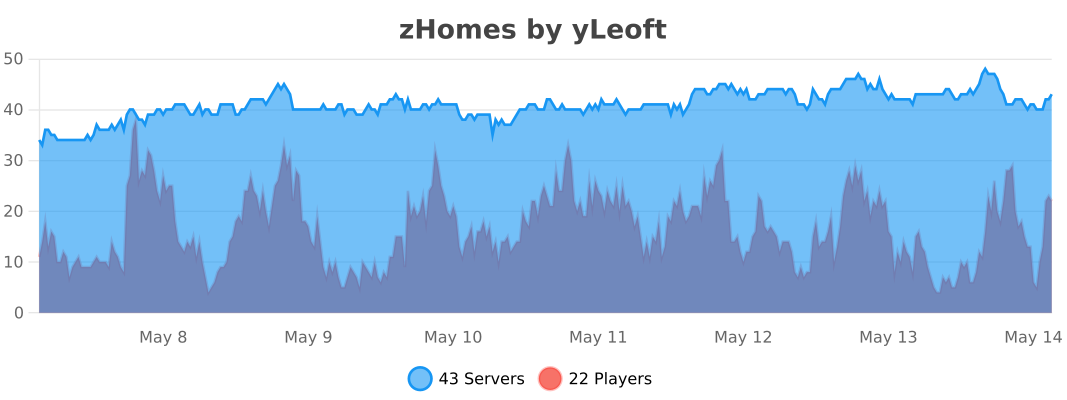
zHomes is a modern, fast and fully-configurable homes plugin for Spigot/Paper/Purpur/PufferFish servers. It focuses on simplicity, speed and customization so server owners can give players a familiar — but powerful — teleportation experience.
Some features:
– Create, delete and list homes
– Admin tools for managing and converting homes
– PlaceholderAPI support for message placeholders
– MiniPlaceholders support for minimessage placeholders
– Vault support for economy/command-costs
– GriefPrevention and WorldGuard integration for region checks
– Teleport warmup and safe-teleport checks
– Configurable commands, messages and permissions
– 100% configurable menus
– Uses SQL (H2/SQLite/MariaDB/MySQL) for storage (no local data/ directory)
Maintained by [yL3oft](https://github.com/yL3oft). This project is free and open-source.
Requirements
– Java 17+ (check release notes for exact JDK requirement)
– Paper, Spigot or a compatible fork
Installation
1. Download the latest JAR from Releases / Modrinth / Hangar / Spigot.
2. Place the JAR in your server’s `plugins/` folder.
3. Start the server once to generate config files (src/main/resources/config.yml defaults).
4. You’re done!
Quick test
– As a player: `/sethome home1` then `/home home1`
– As an admin: `/zhomes reload`
Admin
– `/zhomes info` — Shows plugin info and stats.
– `/zhomes reload` — Reloads plugin configuration and messages.
– `/zhomes version ` — Checks the plugin version and updates if `` is specified.
– `/zhomes nearhomes [radius] <-u -h >` — Check for homes near a location (your location by default). Admins can specify a user and home to check near that home.
– `/zhomes parse ` – Parse a string with Plugin Placeholders & PlaceholderAPI placeholders for a specific player.
– `/zhomes export` — Export all homes to a .json.gz file in the plugin folder.
– `/zhomes import ` — Import homes from a .json.gz file exported by `/zhomes export`.
– `/zhomes converter ` — Inline converter tool to import homes from other plugins (example: `/zhomes converter ultimatehomes`). See detailed converter docs: https://docs.yleoft.me/zhomes/commands-and-permissions/zhomes-converter-less-than-type-greater-than
Player / Home commands
– `/sethome [name]` — Create a home (default name if omitted).
– `/delhome [name]` — Delete a home. Admins can use `/delhome `.
– `/home [name]` — Teleport to a home. Admins can use `/home `.
– `/homes [player]` — List homes. Admins can use `/homes `.
– `/home rename [oldName] [newName]` — Rename a home
Notes
– Command costs and vault integration require Vault to be installed.
– Some commands have admin-only variants (see Permissions below).
Full command list and usage: https://docs.yleoft.me/zhomes/commands-and-permissions
Below are the permission nodes and their default intent as defined in the plugin configuration (zHomes/config.yml). Use your permissions plugin to grant or deny these.
Command permissions
– zhomes.command.main — Main command (True by default)
– zhomes.command.main.help — Help SubCommand (Only OP by default)
– zhomes.command.main.version — Version SubCommand (True by default)
– zhomes.command.main.info — Info SubCommand (Only OP by default)
– zhomes.command.main.reload — Reload SubCommand (Only OP by default)
– zhomes.command.main.nearhomes – Nearhomes SubCommand (Only OP by default)
– zhomes.command.main.parse — Parse SubCommand (Only OP by default)
– zhomes.command.main.converter — Converter SubCommand (Only OP by default)
– zhomes.command.main.importexport — Import & Export SubCommand (Only OP by default)
– zhomes.command.sethome — `/sethome` (True by default)
– zhomes.command.delhome — `/delhome` (True by default)
– zhomes.command.delhome.others — `/delhome ` (Only OP by default)
– zhomes.command.homes — `/homes` (True by default)
– zhomes.command.homes.others — `/homes ` (Only OP by default)
– zhomes.command.home — `/home` (True by default)
– zhomes.command.home.others — `/home ` (Only OP by default)
– zhomes.command.home.rename — `/home rename` (True by default)
Bypass / misc permissions (as defined in config.yml)
– zhomes.bypass.limit — Bypass home limits (Only OP by default)
– zhomes.bypass.dimensionalteleportation — Bypass dimension restriction (Only OP by default)
– zhomes.bypass.safeteleport — Bypass safe-teleport checking (False by default)
– zhomes.bypass.warmup — Bypass teleport warmup (Only OP by default)
– %command_permission%.bypass.command-cost — Bypass command-cost (Only OP by default). Command-specific bypass permission is generated from the command permission string (see config.yml)
– %command_permission%.bypass.command-cooldown — Bypass commands cooldown (Only OP by default). Command-specific bypass permission is generated from the command permission string (see config.yml)
If you want to see the authoritative defaults and change them, open src/main/resources/config.yml in the repo or check the live docs: https://docs.yleoft.me/zhomes/commands-and-permissions
zHomes contains an inline converter to import homes from well-known plugins. The converter runs in-chat (not a GUI). See full converter details here: https://docs.yleoft.me/zhomes/commands-and-permissions/zhomes-converter-less-than-type-greater-than
If you find zHomes helpful or need assistance:
– Discord: https://discord.gg/yCdhVDgn4K
– Issues: https://github.com/yL3oft/zHomes/issues
– Docs: https://docs.yleoft.me/zhomes
Support the project by starring the repo and joining the Discord!
—
zHead
[](https://minestrator.com/a/GROUPEZ)
zHead is a swift and intuitive plugin enabling you to access thousands of custom Minecraft skulls with distinctive designs. This user-friendly skulls plugin opens the door to creative design possibilities, significantly improving your builds’ quality and offering creative liberty to both you and your players.
Should you seek additional methods to make your builds stand out with ease, zHead is the perfect solution!
## Commands:
– **/zhead** (aliases: /head, /zhd) – `zhead.use` – Display commands
– **/zhead reload** – `zhead.reload` – Reload configuration files
– **/zhead info** – `zhead.info` – Get head information
– **/zhead give [] []** – `zhead.give` – Give a head
– **/zhead search ** – `zhead.search` – Search heads
– **/zhead random [] []** – `zhead.random` – Give a random head
– **/playerhead ** – `zhead.player.head` – Give a player’s head
## Placeholders:
– **%zhead_count%** – Displays the total number of heads
– **%zhead_count_format%** – Displays the total number of heads with a format
– **%zhead_category_count_%** – Displays the total number of heads for a category
– **%zhead_category_count_format_%** – Displays the total number of heads for a category with a format
## We would like to extend our heartfelt thanks to [Minecraft-Heads.com](https://minecraft-heads.com/) for providing their API, which has been an invaluable source of all the data used in our project.
zEssentials
[](https://minestrator.com/a/GROUPEZ)
**Attention, this is a free version of zEssentials, you can use it but you must buy the paid version to get help!**
You can also install **Vault**, the plugin is intended to work with.
If you are on Folia, you must be careful to take the right version of the plugins. zMenu automatically supports Folia. For PlaceholderAPI, use [this version](https://github.com/Anon8281/PlaceholderAPI/releases/tag/1.1). For Vault, use [This version](https://github.com/Geolykt/Vault/releases).
Download the latest zMenu DEV version on my Discord: [Discord Link](https://discord.gg/ZaHrgZCfh4)
## **Convert from other plugins:**
– [CMI](https://zessentials.groupez.dev/getting-started/convert#cmi) **/zess convert CMI**
## [**Features:**](https://zessentials.groupez.dev/)
### ✅ **Economies**
### ✅ **Teleportation**
### ✅ **Confirmation Inventories** (for /pay and /tpa)
### ✅ **Join** and **Quit** messages
### ✅ **JSON** and **MYSQL** storage
### ✅ **Open Source**
### ✅ Support for multiple languages: **French**, **English**, and **Italian**
### ✅ All messages are configurable
### ✅ **Folia** Support
### ✅ **MiniMessage** Support
### ✅ **Module** system
### ✅ **Warp** (with GUI)
### ✅ **Spawn**
### ✅ Ability to **disable each command**
### ✅ **Random Tp**
### ✅ **Home** (4 display types)
### ✅ **Sanction** (ban, mute, kick, kickall)
### ✅ More than **130 commands**
### ✅ **Redis**
### ✅ **Chat Format**
### ✅ **Chat Histories**
### ✅ **Kits**
### ✅ **Holograms**
### ✅ **Scoreboard**
### ✅ **Mailbox** for items
### ✅ **Rules**
### ✅ More than **35 placeholders**
### ✅ **Alignment placeholder** (like MCC Island)
### ✅ **Replace placeholder** (replaces the result of a placeholder with another thanks to various conditions)
### ✅ Ultra complete **documentation** and **default configuration**, everything is explained correctly!
### ✅ **Baltop**
### ✅ **Developer API**
### ✅ **Offline EnderSee and InvSee**
### ✅ Create **custom items**
### ✅ **Multiple message types**: ACTION, CHAT, TITLE, CENTER, NONE, CHAT_AND_ACTION, WITHOUT_PREFIX
## [**Chat Module**](https://zessentials.groupez.dev/modules/chat)
### ✅ Different rules of chat protection (alphanumeric, links, ItemsAdder font, same message, etc.)
### ✅ Dynamic cooldown: The faster the player writes, the longer the cooldown
### ✅ Clear and Toggle chat commands
### ✅ Chat format by permission
### ✅ Permission for mini message or color in chat
### ✅ Moderator actions on messages
### ✅ Chat placeholders: [pos], [item], [playtime], and custom placeholders!
### ✅ Command placeholders: Replace **./** with a clickable command!
## [**Hologram Module**](https://zessentials.groupez.dev/modules/hologram)
### ✅ **Display Entities**, Text, Item, and Block
### ✅ **Packet-Based**: All holograms are client-side (zEssentials takes care of everything, no other plugins needed)
### ✅ **In-game editor**: +20 commands to modify each element of your holograms
### ✅ [**Event System**](https://zessentials.groupez.dev/modules/hologram#events): Updates your holograms with events, no more lagging tasks
### ✅ PlaceholderAPI Support
### ✅ **Damage Indicator**
## [**Homes Module**](https://zessentials.groupez.dev/modules/home)
### ✅ 4 ways to display homes: inventory, like donutsmp inventory, inline message, multiline message
### ✅ Offline Support
### ✅ Homes Per Rank: Set the number of homes by permission
## [**Kit Module**](https://zessentials.groupez.dev/modules/kits)
### ✅ **Cooldowns**: Set a time between each kit recovery
### ✅ [**Execute actions**](https://docs.zmenu.dev/configurations/buttons/actions): Perform actions when a player gets the kit (commands, message, sound, etc.)
### ✅ **GUI Driven**: Edit, preview, and obtain kits via customizable inventories
### ✅ **Cooldown management**: Use commands to manually add or remove cooldowns (not just for kits)
## [**Mailbox Module**](https://zessentials.groupez.dev/modules/mailbox)
### ✅ Allows to **store items**; the player cannot add items to it, they can only remove them
### ✅ If the player’s inventory is **full**, the items will end up in the mailbox
### ✅ A complete **API** for anyone to add items to the mailbox
## [**Messages**](https://zessentials.groupez.dev/messages)
### ✅ **7 message types**: chat, action, without_prefix, none, center, bossbar, title
### ✅ **Translated into multiple languages**: English, French, Italian, German
### ✅ Send [**multiple messages**](https://zessentials.groupez.dev/messages#multi-messages) at the same time
### ✅ **MiniMessage** support
### ✅ **Custom placeholders**: Define a placeholder list for your messages, such as `` and ``
## [**Rules Module**](https://zessentials.groupez.dev/modules/rules)
### ✅ Displays server rules either by message or in an inventory
## [**Sanction Module**](https://zessentials.groupez.dev/modules/sanction)
### ✅ 3 Punishment Types: Ban, Mute, and Kick
### ✅ **Immune**: A list of players immune to sanctions!
### ✅ **Sanctions history**
### ✅ **Inventories**: An inventory to display the player’s profile with active sanctions, an inventory to display the player’s sanctions history, and an inventory to apply a predefined sanction to the player
## [**Scoreboard Module**](https://zessentials.groupez.dev/modules/scoreboard)
### ✅ **Packet-Based**: All scoreboards are client-side (no other plugins required, zEssentials handles everything)
### ✅ [**Event System**](https://zessentials.groupez.dev/modules/scoreboard#events): Updates your scoreboard with events, no more lagging tasks
### ✅ **Animation**: Create animations for your scoreboard
### ✅ **Unlimited Length**: Use as many characters per line as you want
### ✅ [**MiniMessage Support**](https://docs.advntr.dev/minimessage/index.html): Works perfectly with mini message formats
### ✅ **Scoreboard Commands**: Player command to toggle scoreboard display
### ✅ **Custom board**: Create unlimited scoreboards using [zMenu requirements](https://docs.zmenu.dev/configurations/buttons/requirements#requirements-type) (permission, placeholder, regex, LuckPerms, etc.)
### ✅ PlaceholderAPI Support
## [**Player Vault Module**](https://zessentials.groupez.dev/modules/vault)
### ✅ **Unlimited** player vaults
### ✅ Set the number of **slots** for each player
### ✅ **Rename** and custom **icon**
## [**Vote Module**](https://zessentials.groupez.dev/modules/vote)
### ✅ (I’m too lazy for the vote description now, sorry, but it’s a very good module, I swear!)
## [**Warp Module**](https://zessentials.groupez.dev/modules/warp)
### ✅ Displays warps in an inventory or message
### ✅ **Permission per warps**
**Anti XRay** protects your server from players using X-Ray resource packs or hacked clients to locate ores. Ores are hidden **server-side** and only revealed when a player is close enough or has direct line of sight.
—
## ✨ Features
– **Hides ores server-side** — Diamond, Emerald, Gold, Iron, Redstone, Lapis, Ancient Debris and more
– **No client mod required** — works completely server-side
– **Lightweight** — minimal performance impact on your server
– **Simple & focused** — does exactly one thing, and does it well
—
## ⚙️ How it works
Ore blocks are **replaced with stone** in the chunk data before being sent to the client. They are only revealed when a player is **close enough**, preventing any X-Ray cheater from spotting them at a distance.
> This plugin is focused **solely on hiding ores**. It does not include any additional anti-cheat features beyond X-Ray protection.
ZealousChat
# ZealousChat
*A modern, MiniMessage-powered chat formatter for Paper & Spigot servers*
Technical introduction
ZealousChat replaces Vanilla chat with a fully configurable system built on the Paper’s high performance **AsyncChatEvent** and **MiniMessage** components. It ships with rank/world specific formats, private messaging, inventory placeholders and a granular permission model – all while remaining light-weight and production ready.
—
## Features
– **MiniMessage everywhere** – gradients, hex colours, hover/click events
– **Rank, world & permission based formats** with priority system
– **Private messaging** (`/msg`, `/reply`) with social-spy & cooldowns
– **Cross-server private messaging** (optional, **MySQL required**) for networks running multiple servers
– **Chat / Message toggles** per-player or server-wide (with staff bypass)
– **Inventory placeholders** `[inv]`, `[ender]`, `[armor]`, `[hand]`, `[pos]`, `[health]`
– **URL auto-linking** & **@mentions** (configurable)
– **Advanced swear filter** with regex and fuzzy matching, with a tiered punishment system.
– **Database-backed infraction tracking** with caching for performance
– **PlaceholderAPI bridge** (optional soft-depend)
– **Hot-reloadable** plugin configurations (`/zchat reload`)
– **Customizable Messages** for all messages used within the plugin.
ZealousChat is a high performance, 1.20.4+ chat formatting plugin that uses configurable MiniMessage-based chat formats to format chat messages. ZealousChat includes many extra features other plugins leave out, like the ability to send a read-only view of your inventory/hand/armor/enderchest in chat, formatted /msg and /reply commands, click/hover messages on messages, @mentions and more.
ZealousChat also has special features for server networks, such as cross-server private messaging, and cross server chat channels (for staffchat and similar).
ZealousChat implements all of its features using the Paper API, and is designed to be as efficient as possible.
### Plugin Core
– `/zealouschat` (`/chatplugin`, `/zchat`) — Base command for ZealousChat
– Permission: `zchat.admin`
– This command is not an actual command, but rather the base for all sub-commands.
### Configuration Commands
– `/zealouschat reload` — Reload plugin configurations
– Permission: `zchat.admin.reload`
– `/zealouschat info` — Display current plugin settings and enabled features
– Permission: `zchat.admin.info`
– `/zealouschat test ` — Preview chat formatting
– Permission: `zchat.admin.test`
– Parameters:
– ``: Text to format and display
### Format Management
– `/zealouschat format set default ` — Set default chat format
– Permission: `zchat.admin.format`
– Parameters:
– ``: MiniMessage format string
– `/zealouschat format set group ` — Define group-specific format
– Permission: `zchat.admin.format`
– Parameters:
– ``: Permission group name
– ``: MiniMessage format string
– `/zealouschat format set world ` — Define world-specific format
– Permission: `zchat.admin.format`
– Parameters:
– ``: World name
– ``: MiniMessage format string
– `/zealouschat format list` — List all current chat formats
– Permission: `zchat.admin.format`
### Private Messaging
– `/msg ` — Send a private message (aliases: `/message`, `/tell`, `/whisper`, `/w`)
– Permission: `zchat.message`
– Parameters:
– ``: Recipient player name
– ``: Message text
– `/reply ` — Reply to the last private message sender (aliases: `/r`, `/respond`)
– Permission: `zchat.message`
– Parameters:
– ``: Reply text
#### Cross-server private messages
When you enable cross-server messaging in storage.conf (requires a MySQL or Redis database), ZealousChat can deliver private messages across multiple Paper servers on the same network.
– `/msg` will attempt cross-server delivery when the target is online on another server
– `/reply` also supports cross-server targets
– Recipients that have private messages toggled off will not receive cross-server messages
### Chat & Social Spy Toggles
– `/zealouschat toggle chat` — Toggle your public chat on/off
– Permission: `zchat.toggle.chat`
– `/zealouschat toggle messages` — Toggle your private messages on/off
– Permission: `zchat.toggle.messages`
– `/zealouschat toggle socialspy` — Enable/disable social spy for private messages
– Permission: `zchat.socialspy`
– `/zealouschat alerts` — Toggle alerts on/off
– Permission: `zchat.alerts.toggle`
– `/zealouschat toggle status` — View your current chat & private message status
– Permission: `zchat.status`
### Channel Commands
– `/channel list` — List all available channels
– Permission: `zchat.channel.use.list`
– `/channel join ` — Join a channel
– Permission: `zchat.channel.use.join`
– Parameters:
– ``: Channel name
– `/channel leave ` — Leave a channel
– Permission: `zchat.channel.use.leave`
– Parameters:
– ``: Channel name
– `/channel focus ` — Set a channel as the active channel (where your messages go by default)
– Permission: `zchat.channel.use.focus`
– Parameters:
– ``: Channel name
– `/channel who ` — List members in a channel
– Permission: `zchat.channel.use.who`
– Parameters:
– ``: Channel name
## Swear Filter System
The swear filter provides advanced profanity detection with configurable punishment tiers, database persistence, and bypass permissions for trusted staff.
*This system is currently experimental. There will be (mostly small) issues here. Please report any bugs you find.*
### Filter Types
**Regex Matching**
– Uses regular expressions for precise pattern matching
– Case-insensitive by default (e.g., `(?i)badword`)
– Supports complex patterns and word boundaries
– Automatically caches compiled patterns for performance
**Levenshtein Distance Matching**
– Fuzzy matching based on character distance between words
– Configurable distance threshold (default: 2-3 characters)
– Detects misspellings and variations of filtered words
– Splits messages into individual words for comparison
### Punishment System
– **Infraction Tracking**: Each filter group tracks infractions independently
– **Tiered Punishments**: Map infraction counts to command lists
– **Command Placeholders**: Use `{player}` for the offending player’s name
– **Console Execution**: All punishment commands run as console
– **Database Persistence**: Infraction counts persist across server restarts
### Performance Features
– **Caching**: Online player infractions cached in memory for instant access
– **Async Processing**: Infraction handling runs asynchronously to prevent chat delays
– **Database Optimization**: Efficient queries with proper indexing
– **Regex Caching**: Compiled patterns cached to avoid recompilation
### Administrator Controls
– `/zealouschat admin clear ` — Clear various chat-related data
– Permission: `zchat.admin.clear`
– Parameters:
– ``: One of: `toggles` (resets all chat toggles), `socialspy` (resets all social spy states), `cooldowns` (clears message cooldowns), `blocks` (clears all block lists), `alerts` (clears all alert states), or `all` (clears all data)
– `/zealouschat admin gtoggle ` — Toggle global chat features (aliases: `/gtoggle`, `/chatplugin admin gtoggle`, `/zealouschat admin gtoggle`, `/zchat admin gtoggle`)
– Permission: `zchat.admin.gtoggle`
– Parameters:
– ``: One of: `chat`, `privatemessages`, `both`, `all`
– `/zealouschat admin toggle chat ` — Force toggle public chat for a player
– Permission: `zchat.admin.toggle.chat`
– Parameters:
– ``: Target player name
– ``: Enable or disable chat
– `/zealouschat admin toggle messages ` — Force toggle private messages for a player
– Permission: `zchat.admin.toggle.messages`
– Parameters:
– ``: Target player name
– ``: Enable or disable private messages
– `/zealouschat admin toggle all ` — Force toggle both chat & private messages
– Permission: `zchat.admin.toggle.all`
– Parameters:
– ``: Target player name
– ``: Enable or disable both
– `/zealouschat admin socialspy ` — Force toggle social spy for a player
– Permission: `zchat.admin.socialspy`
– Parameters:
– ``: Target player name
– ``: Enable or disable social spy
– `/zealouschat admin stats` — Display server-wide chat and private message toggle statistics
– Permission: `zchat.admin.stats`
– `/zealouschat admin alerts ` — Force toggle alerts for a player
– Permission: `zchat.admin.alerts`
– Parameters:
– ``: Target player name
– ``: Enable or disable alerts
– `/zealouschat admin block ` — Force a player to block another player
– Permission: `zchat.admin.block`
– Parameters:
– ``: Player who will do the blocking
– ``: Player to be blocked
– `/zealouschat admin unblock ` — Force a player to unblock another player
– Permission: `zchat.admin.block`
– Parameters:
– ``: Player who will do the unblocking
– ``: Player to be unblocked
– `/zealouschat admin clearblocks ` — Clear all blocks for a player
– Permission: `zchat.admin.block`
– Parameters:
– ``: Player whose block list will be cleared
## Quick Start
1. Drop the built jar into `plugins/` and restart.
2. Edit `plugins/ZealousChat/config.conf` – changes can be reloaded with `/zealouschat reload`.
3. (Optional) Configure database settings in `plugins/ZealousChat/database.conf` and messages in `plugins/ZealousChat/messages.conf`.
4. Grant players a format permission such as `zchat.format.vip` or allow colours with `zchat.color`.
5. Send `[inv]`, `[hand]`, `[ender]`, `[health]` and `[pos]` in chat messages to display inventory information.
## Placeholders
All Chat, PM and config strings support MiniMessage plus any PlaceholderAPI tags when the plugin is present.
## Supported Versions / Dependencies
– PaperMC / Spigot **1.20+** (may work on older versions, untested)
– Java 17+
– (Optional) PlaceholderAPI for external placeholders
## Permissions
Click to view permission nodes
| Node | Default | Description |
|————————————-|———|————————————-|
| `zchat.*` | op | Grant everything |
| `zchat.admin` | op | Access root/admin commands |
| `zchat.admin.reload` | op | Reload configuration |
| `zchat.admin.info` | op | View plugin info |
| `zchat.admin.test` | op | Test formatting |
| `zchat.admin.format` | op | Manage chat formats |
| `zchat.admin.toggle` | op | Toggle plugin features |
| `zchat.admin.block` | op | Manage player block lists |
| `zchat.color` | true | Use colour codes in chat |
| `zchat.formatting` | true | Use text formatting codes |
| `zchat.url` | true | Send clickable URLs |
| `zchat.mention` | true | Use @mentions |
| `zchat.bypass.cooldown` | op | Bypass chat/message cooldowns |
| `zchat.bypass.swearfilter` | op | Bypass swear filter restrictions |
| `zchat.format.admin` | op | Use **Admin** chat format |
| `zchat.format.moderator` | false | Use **Moderator** chat format |
| `zchat.format.vip` | false | Use **VIP** chat format |
| `zchat.message` | true | Send & receive private messages |
| `zchat.channel.use.list` | true | Use the `/channel list` command |
| `zchat.channel.use.join` | true | Use the `/channel join` command |
| `zchat.channel.use.leave` | true | Use the `/channel leave` command |
| `zchat.channel.use.focus` | true | Use the `/channel focus` command |
| `zchat.channel.use.who` | true | Use the `/channel who` command |
| `zchat.toggle` | true | Parent of chat/message toggle perms |
| `zchat.toggle.chat` | true | Toggle public chat |
| `zchat.toggle.messages` | true | Toggle private messages |
| `zchat.status` | true | View own chat status |
| `zchat.alerts.toggle` | true | Toggle alerts on/off |
| `zchat.socialspy` | op | Monitor private messages |
| `zchat.commandspy` | op | Monitor player commands |
| `zchat.bypass.chattoggle` | op | Chat even when disabled |
| `zchat.bypass.messagetoggle` | op | PM even when disabled |
| `zchat.bypass.globalchat` | op | Bypass global chat toggle |
| `zchat.bypass.globalmessages` | op | Bypass global message toggle |
| `zchat.viewinventory` | true | View shared inventories |
| `zchat.inventory.placeholders` | true | Use inventory placeholders |
| `zchat.admin.toggle.chat` | op | Force toggle chat for a player |
| `zchat.admin.toggle.messages` | op | Force toggle messages for a player |
| `zchat.admin.toggle.all` | op | Force toggle both chat & messages |
| `zchat.admin.gtoggle` | op | Toggle global chat features |
| `zchat.admin.socialspy` | op | Force toggle social spy for player |
| `zchat.admin.stats` | op | View server-wide statistics |
| `zchat.admin.alerts` | op | Force toggle alerts for a player |
| `zchat.admin.clear` | op | Clear various chat-related data |
—
### Need help?
• Discord: [Join Discord](https://discord.gg/A6NG8DaAb7)
DonutTools
# DonutTools
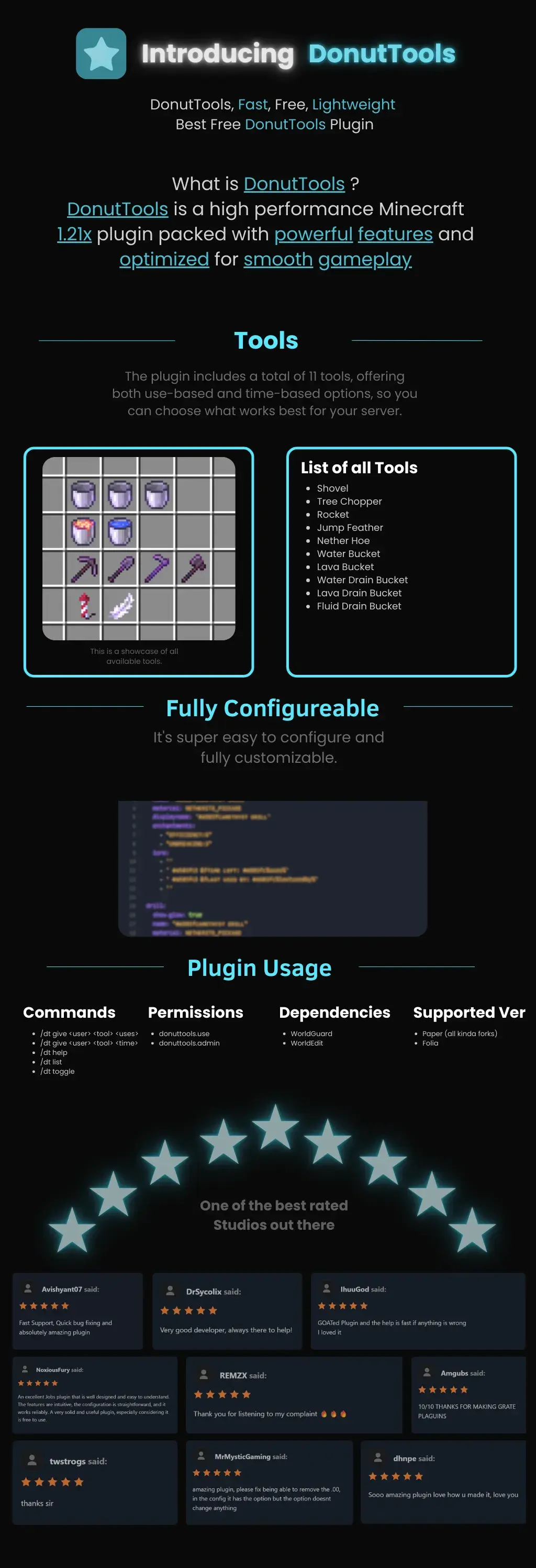
DonutTools is a high-performance, lightweight Minecraft plugin optimized for version 1.21x. It is designed to provide a smooth, lag-free gameplay experience with fully customizable configuration.
## Available Tools
The plugin includes 11 distinct tools, allowing you to choose between use-based or time-based mechanics:
* **Utility:** Shovel, Nether Hoe
* **Specialty:** Tree Chopper, Rocket, Jump Feather
* **Fluid Management:** Water Bucket, Lava Bucket, Water Drain Bucket, Lava Drain Bucket, Fluid Drain Bucket

—
# **DonutBaltop**
### **Fast, Free, and Lightweight**
**The plugin you’ve been waiting for.**
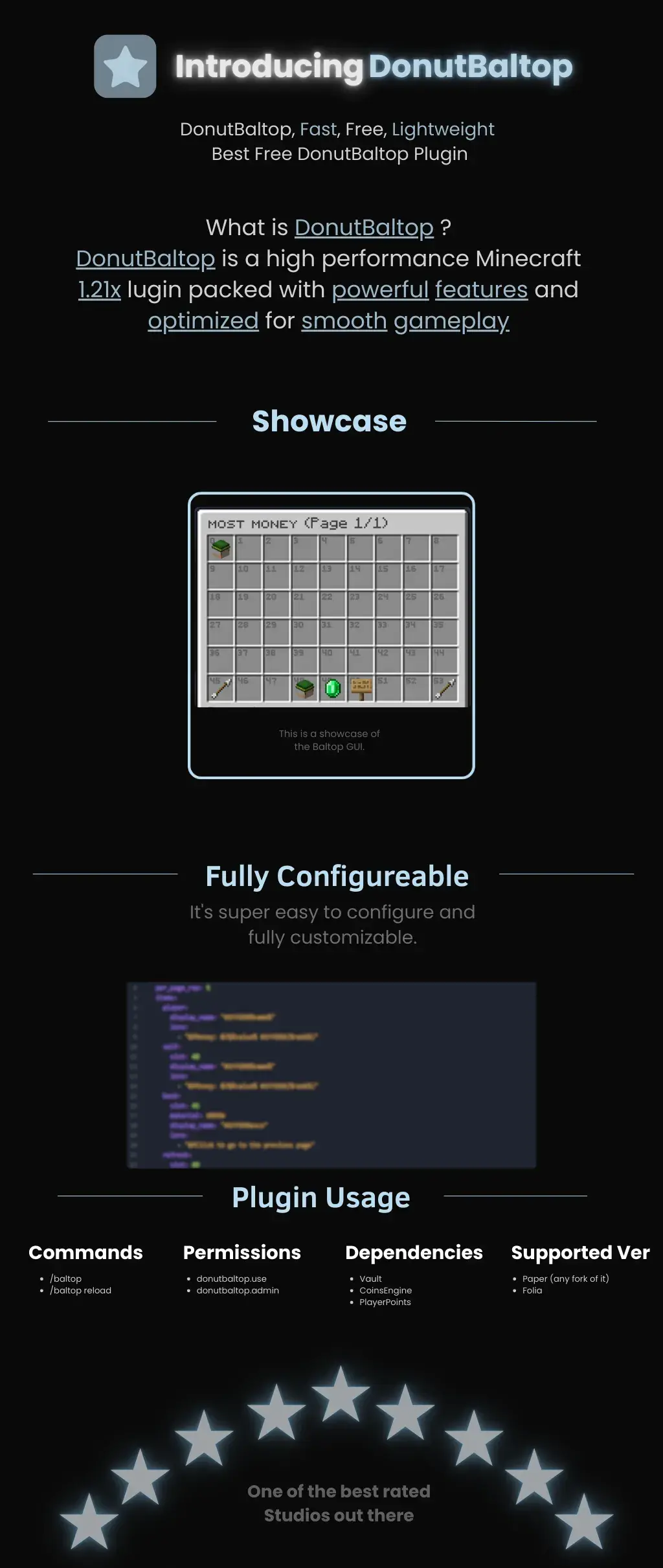
DonutBaltop is a high-performance Minecraft **1.21x** plugin packed with powerful features and optimized for smooth gameplay. It is designed to provide a high-end experience for viewing player balances without bloating your server.
—
## **Showcase**
The plugin features a custom **Baltop GUI** titled “MOST MONEY.”
* **Visual Interface:** Players can see a grid of heads representing the top earners on the server.
* **Navigation:** Includes easy-to-use “Previous” and “Next” page arrows.
* **Information:** Displays specific economy data via interactive icons like emeralds and signs.
## **Fully Configurable**
DonutBaltop is super easy to configure and fully customizable. The configuration file allows you to edit:
* **Item Display Names:** Customize how text appears in the GUI.
* **Lore/Descriptions:** Add custom flavor text or change how currency is displayed.
* **Slot Placement:** Choose exactly where items appear in the menu.
—
## **Plugin Usage**
### **Commands**
* **/baltop** — Opens the balance top GUI.
* **/baltop reload** — Reloads the plugin configuration.
### **Permissions**
* **donutbaltop.use** — Grants access to the /baltop command.
* **donutbaltop.admin** — Access to admin functions and reloading.
### **Dependencies**
To function correctly, this plugin requires:
* **Vault**
* **CoinsEngine**
* **PlayerPoints**
### **Supported Versions**
* **Paper** (and any forks of Paper)
* **Folia**
—
*Spooker Services — One of the best rated services out there.*
– **Permission-Based Cooldowns**: Set different cooldown durations based on player permissions
– **Command Aliases**: Define aliases for commands that share the same cooldown
– **Customizable Messages**: Fully customizable messages with MiniMessage format support
– **Action Bar Support**: Display cooldown messages in the action bar instead of chat
– **Admin Commands**: Reload configuration, clear cooldowns, and more
– **Persistent Cooldowns**: Cooldowns persist across server restarts
– **Folia Compatible**: Works with both Paper and Folia servers
1. Download the latest release from [Modrinth](https://modrinth.com/plugin/zcommandcooldown/versions)
2. Download the appropriate version of MCKotlin from [Modrinth](https://modrinth.com/plugin/mckotlin)
3. Place the JAR file in your server’s `plugins` folder
4. Restart your server
5. Edit the configuration files in the `plugins/ZCommandCooldown/` directory to customize the plugin
## Configuration (`cooldowns.yml`)
“`yaml
cooldowns:
repair: # Command that a cooldown will be applied to.
aliases: # Other aliases for the command. All share the same cooldown.
– fix
– erepair
durations: # Set durations of cooldown according to permission. If player has multiple of these perms, the lowest duration is used.
default: 600 # 600 seconds for players by default
group.group1: 120 # 2 minutes for players with group.group1 permission
group.group2: 60 # 1 minute for players with group.group2 permission
custom.repair.fast: 30 # 30 secods for players with the custom.repair.fast permission
“`