VillagerTradeEdit
VillagerTradeEdit
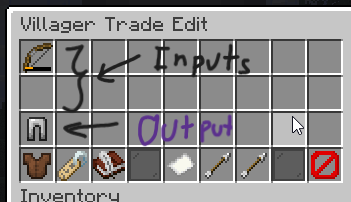
**VillagerTradeEdit** is a Minecraft plugin that empowers players with the necessary permissions to edit the trades of villagers in-game. Through an intuitive in-game UI, users can easily and efficiently customize any villager’s trades to suit their needs.
This plugin provides similar functionality to the **Shopkeepers** plugin but stands out by allowing edits to any villager directly. Plus, it supports **Folia** for those who want enhanced compatibility.
> *”I just couldn’t wait for Shopkeepers to support Folia, so… I made one myself. its quite rough don’t expect much.”*
## Features
– **Easy Villager Trade Editing**: Shift-right-click on a villager to start editing.
– **In-Game UI**: Modify trades directly in-game without any hassle.
– **Unlimited-Trade**: Create as much trade as you want.
#
## Dependencies
[Ysklib](https://github.com/YusakiDev/YskLib/releases/)
## Commands and Permissions
### Commands
– `/vte reload` — Reloads the plugin configuration file.
– `/vte summon` — Summons a static villager.
### Permissions
– `villagertradeedit.command` — Permission to use any command from the plugin.
– `villagertradeedit.open` — Permission to open the villager trade edit menu.
– `villagertradeedit.command.reload` — Permission to reload the plugin configuration file.
– `villagertradeedit.command.summon` — Permission to summon a static villager.
## Setup
1. **Download** the latest version of the **VillagerTradeEdit** plugin.
2. **Place** the downloaded `.jar` file into the `plugins` directory of your server files.
3. **Restart** your server to load the plugin.
Villagers With Names
– **✨ Easy to use**
– **🛠 Configurable !**
– **➕ Over 10000 names !**
– **🛜 Supports Name Parser API !**
– **📦 Supports ProtocolLib !**
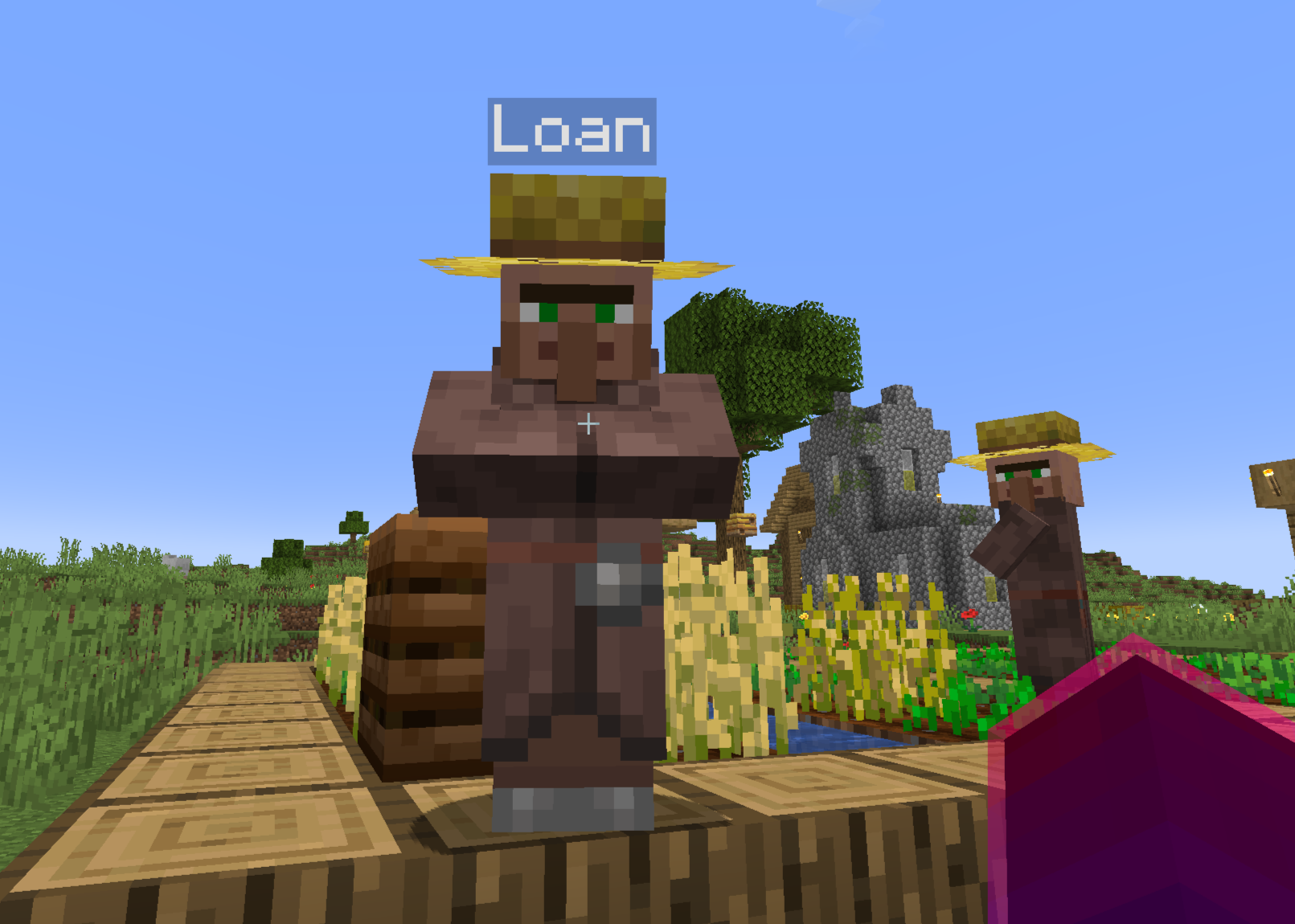
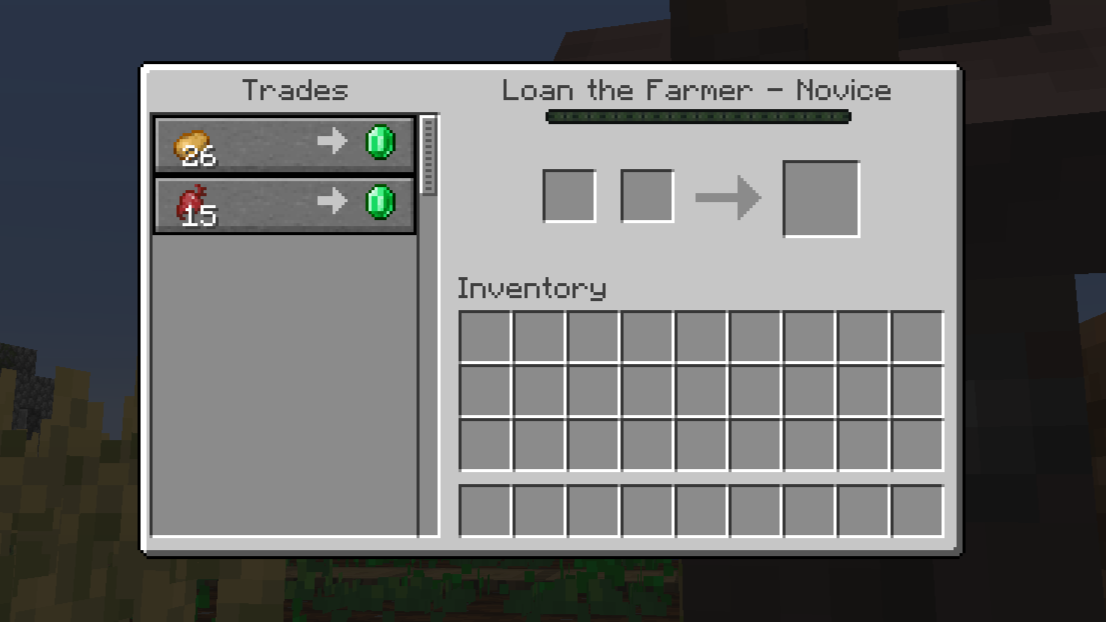
**Villagers With Names** gives all villagers a name. This will name existing ones and news in the world. This plugin contains a list of 10000+ names. The profession of the villager is visible when trading with him. You’re free to edit the name list in the plugin datafolder.
## Configuration
`gender` can be MALE to have only male names, FEMALE for having only female names, or BOTH to have… both
`interface-name` is what’s shown above the villager “experience bar”, %n is for his name and %p for his profession.
`api.type` is when using an external API, like NameParser. You’ll have to put the corresponding name of the supported API, eg: Name Parser become NAMEPARSER
`api.key` is simply for the API key (when required)
`api.country-code` is for, when supported, the specific country to pick names from on the API
`illager-prefix` adds a prefix to the illagers. You can do things like “Evil [NAME]”
`bstats` enable or not anonymous statistics
VillagerOptimizer
## Combat server lag caused by large amounts of villagers
[](https://bstats.org/plugin/bukkit/VillagerOptimizer/19954)
[](https://ko-fi.com/Z8Z3RVMAJ) [](https://discord.gg/3UgsYf3qyc)
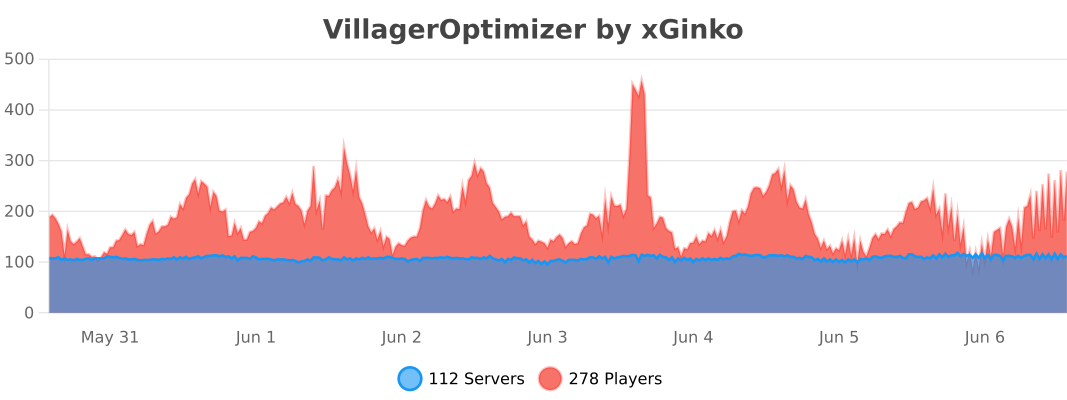
This plugin enables you and your playerbase to optimize villagers in trading halls or other setups so they still remain their function but don’t take up large amounts of resources.
There are 4 methods to do so:
– Using commands to optimize/unoptimize all villagers in a given block radius
– Using nametags with a specific name to optimize/unoptimize a single villager (recommended)
– Using specific blocks and placing/removing them near a villager
– Using the corresponding workstation block and placing/removing them near a villager
It aims to be highly customizable and performant. Offering a multilang system, which displays messages based on the player client’s language setting as well as an optimize- and unoptimize event, so you may extend the plugin with your own custom solutions.
### Commands:
| Command | Aliases | Description |
|:———————————————:|:——————-:|:——————————————:|
| /villageroptimizer [reload, version, disable] | voptimizer, vo | VillagerOptimizer admin commands |
| /optimizevillagers | noai, optvils | Optmize villagers in a radius around you |
| /unoptimizevillagers | noaiundo, unoptvils | Unoptmize villagers in a radius around you |
Other features:
– Prevent trading with unoptimized villagers to encourage players to optimize them
– Smart villager chunk limit with configurable max numbers for optimized and unoptimized villagers and a villager profession based priorisation system (you can configure what kind of villagers should be deleted first, like for example nitwits or jobless villagers.)
– Make villagers spawn as adults so players can optimize them sooner
– Prevent other mobs from targeting optimized villagers
– Prevent damage of specific, configurable causes to optimized villagers
– Comes with prepackaged translations for en_us, de_de, it_it, ru_ru
– All plugin messages support the usage of multiple lines and use MiniMessage formatting. This means you can use hex colors, custom click events and much more without needing to be a programmer!
### Found a bug or got an idea for an enhancement? Open an issue or join the [discord](https://discord.com/invite/3UgsYf3qyc)!
# Supports Spigot/Paper/Purpur/Folia 1.16 – 1.21
VillagerNoAI
When villagers have no player in 32 block range, they will get a vanilla **NoAI:1** flag which completely **turns off ALL behavior**, even gravity! Very lightweight and impactful optimization. Use this plugin if you are ready to sacrifice villager gameplay for server performance. **REQUIRES PAPER 1.21.4+**
Config:
“`
# Maximum distance in blocks for AI to remain active
max-distance: 32.0
# Refresh frequency in ticks (1 second = 20 ticks)
check-interval: 180
# Minimum MSPT to start disabling AI
min-mspt: 30.0
“`
_Note: If you decide to stop using this plugin, NoAI:1 flag may remain in some villagers and you will have to reset it_
VillagerLobotimizer

# VillagerLobotimizer
A Minecraft Paper plugin that improves server performance by turning off villagers’ AI when they’re confined to trading halls.
 
## Features
– Automatically detects when villagers are trapped in trading halls
– Disables AI for trapped villagers to improve server performance
– Maintains villager trading functionality while AI is disabled
– Automatically refreshes villager trades on a configurable schedule with randomization support
– Profession-specific restock sounds and level-up celebrations
– Optimized job site detection for better performance
– Night-time trade refresh functionality
– Allows naming villagers to control their behavior (“nobrain”, “alwaysbrain”)
– Debug mode for troubleshooting
– Command system for checking villager status and managing the plugin
## Commands
– `/lobotomy info` – Shows statistics about lobotomized and active villagers
– `/lobotomy debug` – Shows detailed information about the villager you’re looking at
– `/lobotomy debug ` – Shows detailed information about a specific villager
– `/lobotomy debug toggle` – Toggles debug mode
– `/lobotomy wake` – Manually restores AI to the villager you’re looking at
– `/lobotomy reload` – Reloads the configuration and applies changes to all villagers
[](https://nodecraft.com/r/mja00) **Note: I do not make any money off this link. It’s fully non-monetized.**
## Configuration
“`yaml
#List of names that will always keep villagers active (case-insensitive)
always-active-names:
– “alwaysbrain”
#Interval between trapped checks, in ticks, for active villagers
check-interval: 150
#Interval between trapped checks, in ticks, for inactive villagers
inactive-check-interval: 150
#Interval between villager trade restocks, in milliseconds
restock-interval: 540000
#Range (in milliseconds) before restock-interval to start random restock checks. If set to 0, restocking is not randomized. If equal to or greater than restock-interval, restock will always occur.
restock-random-range: 0
#Whether to only lobotomize villagers with jobs
only-lobotomize-villagers-with-professions: false
#Whether to lobotomize villagers in boats/minecarts. Does not apply to villagers riding on non-vehicle entities like horses.
always-lobotomize-villagers-in-vehicles: false
#The sound to play when a villager restocks. Leave empty (“”) for default sounds.
#A list of sounds can be found at https://jd.papermc.io/paper/1.21.6/io/papermc/paper/registry/keys/SoundEventKeys.html
#Use the name found in the description column, e.g. “entity.villager.celebrate” for the sound played when a villager restocks.
restock-sound: “”
#The sound played when a villager is leveled up. Leave empty (“”) for no sound.
level-up-sound: “entity.villager.celebrate”
#Debug mode. Prints debug messages to the console.
debug: false
#Chunk debug mode. Prints debug messages related to chunks
chunk-debug: false
#To ignore villagers stuck in doors, set this to true.
ignore-villagers-stuck-in-doors: false
#To not lobotomize villagers surrounded by non-solid blocks, set this to true.
ignore-non-solid-blocks: false
#To check if there is a roof above a villager before lobotomizing, set this to true
check-roof: true
#Create teams for debugging purposes. This will create colored teams for inactive and active villagers. We use this to color their glowing effect.
create-debug-teams: false
#Disable the update checker. You can disable this if you don’t want to be notified about updates.
disable-update-checker: false
#Disable chunk forced Villager updating. This’ll disable changes to blocks in a chunk from triggering Villagers in the chunk to be updated.
disable-chunk-villager-updates: false
#Prevent trading with unlobotomized villagers. When enabled, players can only trade with villagers that have been lobotomized.
prevent-trading-with-unlobotomized-villagers: false
“`
## Special Villager Names
– Name a villager with “nobrain” to force it to always be lobotomized
– Name a villager with “alwaysbrain” to prevent it from ever being lobotomized (configurable in `always-active-names`)
## Sound System
The plugin features an enhanced sound system:
– **Default restock sounds**: When `restock-sound` is left empty, villagers will play default sounds when restocking
– **Customizable sounds**: You can override the default sounds by specifying a custom sound in the configuration
– **Sound reference**: A complete list of available sounds can be found in the [Paper API documentation](https://jd.papermc.io/paper/1.21.6/io/papermc/paper/registry/keys/SoundEventKeys.html)
– **Level-up celebrations**: Villagers play celebration sounds when they level up their trades
## Requirements
– Paper (or its forks) 1.21.6+
– Java Development Kit (JDK) 21 for development
## Installation
1. Download the latest release from [Modrinth](https://modrinth.com/plugin/villagerlobotomy) or [Hangar](https://hangar.papermc.io/mja00/VillagerLobotimizer)
2. Place the .jar file in your server’s plugins folder
3. Restart your server or use a plugin manager to load the plugin
4. Configure the plugin settings in `plugins/VillagerLobotimizer/config.yml` if needed
## Development
### Prerequisites
– Java Development Kit (JDK) 21
– Gradle (wrapper included)
### Building
1. Clone the repository
“`bash
git clone https://github.com/mja00/VillagerLobotimizer.git
cd VillagerLobotimizer
“`
2. Build the plugin
“`bash
./gradlew build
“`
The built plugin will be in `build/libs/VillagerLobotimizer-.jar`
### Running a test server
The project uses the run-paper plugin to easily test changes:
“`bash
./gradlew runServer
“`
This will download a Paper server for Minecraft 1.21.5 and start it with the plugin installed.
### Publishing
The project uses Hangar for publishing:
“`bash
./gradlew publishPluginPublicationToHangar
“`
This requires the `HANGAR_API_KEY` environment variable to be set. The plugin will be published as:
– A release version if the current commit is tagged with a version matching the project version
– A snapshot version if there’s no matching tag
## Support
If you encounter any issues, please report them on [GitHub](https://github.com/mja00/VillagerLobotimizer/issues).
## License
This project is licensed under the MIT License – see the [LICENSE](LICENSE) file for details.
Villager Breeder Limiter
A very lightweight minecraft plugin that scans all loaded chunks for villagers every 5 seconds and if a chunk is over the configured limit, prevents any more villagers from spawning in the configured radius of that chunk.
VideoEngine
VideoEngine
VideoEngine is a simple plugin that lets you play videos directly on the HUD using resource packs and the player’s actionbar.
Notes
– This plugin is experimental. There may be an impact on server performance if a large number of players are watching a video at the same time.
– Videos are downscaled and can play at up to 20 FPS
Installation
1. Put VideoEngine.jar in your server’s plugins folder
2. Upload a video on VideoEngine’s converter tool and follow the instructions
Permissions
– “videoengine.play“ – Play a video for yourself
– “videoengine.stop“ – Stop a video for yourself
– “videoengine.play.others“ – Play a video for yourself or other players
– “videoengine.stop.others“ – Stop a video for yourself or other players
Vibrational
Simple Voice Chat addon that allows for Sculk detection of Simple Voice Chat audio on Paper-based servers.
This is an unofficial Paper port of the original mod, [Voice Chat Interaction](https://modrinth.com/mod/voice-chat-interaction/versions).
### Features:
| Name | Default Value | Description |
| —————————— | ————- | ———————————————————— |
| `group_interaction` | `false` | If talking in groups should trigger vibrations |
| `whisper_interaction` | `false` | If whispering should trigger vibrations |
| `sneak_interaction` | `false` | If talking while sneaking should trigger vibrations |
| `voice_sculk_frequency` | `7` | The frequency of the voice vibration |
| `minimum_activation_threshold` | `-50` | The audio level threshold to activate the sculk sensor in dB |
The [previous Paper port](https://modrinth.com/plugin/voice-chat-interaction-paper/) of this stopped updating after 1.20.2. This is a rewritten version that is up to date with the latest Mincraft and unlike the previous port it uses custom fully configurable game event which allows full customization like the original addon does
ViaVersion
# ViaVersion
Allows you to connect to servers that are older than your Java Edition client version. See our [GitHub page](https://github.com/ViaVersion) for more information.
**On Fabric, use either [ViaFabric](https://modrinth.com/mod/viafabric) or [ViaFabricPlus](https://modrinth.com/mod/viafabricplus). To override the included version**
– in **ViaFabric**, put ViaVersion into the `mods` folder
– in **ViaFabricPlus**, put ViaVersion into the `config/viafabricplus/jars` folder
[Bungee](https://hangar.papermc.io/ViaVersion/ViaBungee) and [Sponge](https://modrinth.com/project/viasponge) also have their own platform implementations.
Requires Java 17. See [here](https://docs.papermc.io/misc/java-install) how to update your installed Java version. As a last resort, you can download Java 8 downgraded builds from [our ci](https://ci.viaversion.com/job/ViaVersion-Java8/).
## Get access to Via* with new MC version support early
**Starting with 1.20.5, ViaVersion and ViaBackwards will only be released a day or so *after* a Minecraft update** unless the protocol changes of the update were trivial. **If you want early-access, usually days or even weeks before the final release, you can subscribe to either**:
– [GitHub Sponsors](https://github.com/sponsors/kennytv/sponsorships?sponsor=kennytv&tier_id=385613&preview=false) (*preferred option*. Use the `/verify` command on this Discord after), or alternatively
– [Patreon](https://www.patreon.com/kennytv/membership) (see the highest tier and make sure to link Patreon to your Discord account under Discord Settings->Connections)
## Note on release channels
It is recommended to always use the latest beta release. Alpha builds are used for work on snapshot version compatibility or other cutting-edge changes.
**Always use the same build channel across the ViaVersion, ViaBackwards, and ViaRewind projects.**
Releases/Dev Builds
——–
You can find official releases in the following places:
– **Hangar (for our plugins)**: https://hangar.papermc.io/ViaVersion/ViaVersion
– **Modrinth (for our mods)**: https://modrinth.com/mod/viaversion
– **GitHub**: https://github.com/ViaVersion/ViaVersion/releases
Dev builds for **all** of our projects are on our Jenkins server:
– **Jenkins**: https://ci.viaversion.com
ViaVersion as a Dependency
———-
**JavaDocs:** https://jd.viaversion.com
**Maven:**
“`xml
viaversion-repo
https://repo.viaversion.com
“`
“`xml
com.viaversion
viaversion-api
[4.0.0,5.0.0)
provided
“`
**Gradle:**
“`kotlin
repositories {
maven(“https://repo.viaversion.com”)
}
dependencies {
compileOnly(“com.viaversion:viaversion-api:VERSION”) // Replace the version
}
“`
Resources
——–
– **[Via Mappings Generator](https://github.com/ViaVersion/Mappings)**
– **[Mojang mappings](https://minecraft.wiki/w/Obfuscation_map)** (Thank you, Mojang, very cool)
– **[wiki.vg](https://wiki.vg)** (Used for historic information regarding packet structure, we also contribute back)
– **[Burger](https://github.com/Pokechu22/Burger)** (See [PAaaS](https://github.com/Matsv/Paaas))
Special thanks to all our [Contributors](https://github.com/ViaVersion/ViaVersion/graphs/contributors).
ViaRewind
# ViaRewind
**ViaVersion addon to allow 1.8.x and 1.7.x clients on newer server versions.**
Runs on 1.9-latest servers or 1.8 clients and lower.
**You can override the included version in [ViaFabric](https://modrinth.com/mod/viafabric) or [ViaProxy](https://github.com/ViaVersion/ViaProxy):**
– in **ViaFabric**, put ViaRewind into the `mods` folder
– in **ViaProxy**, put ViaRewind into the `jars` folder
Requires Java 17. See [here](https://docs.papermc.io/misc/java-install) how to update your installed Java version. As a last resort, you can download Java 8 downgraded builds from [our ci](https://ci.viaversion.com/view/ViaRewind/job/ViaRewind-Java8/).
**Requires [ViaVersion](https://hangar.papermc.io/ViaVersion/ViaVersion) and [ViaBackwards](https://hangar.papermc.io/ViaVersion/ViaBackwards) to be installed..**
Releases/Dev Builds
–
You can find releases in the following places:
– **Hangar (for our plugins)**: https://hangar.papermc.io/ViaVersion/ViaRewind
– **Modrinth (for our mods)**: https://modrinth.com/mod/viarewind
– **GitHub**: https://github.com/ViaVersion/ViaRewind/releases
Dev builds for **all** of our projects are on our Jenkins server:
– **Jenkins**: https://ci.viaversion.com/view/ViaRewind/
Other Links
–
**Maven:** https://repo.viaversion.com/
**Issue tracker:** https://github.com/ViaVersion/ViaRewind/issues
**List of contributors:** https://github.com/ViaVersion/ViaRewind/graphs/contributors