Zyvera WelcomeMessage
# ZyveraWelcomeMessage
**Greet your players with stunning gradient messages, fireworks, and sounds—all fully controllable via a single config.**

*↑ Gradient welcome message in chat*
—
## ✨ Features
– 🎨 **Color gradients** — Supports all MiniMessage gradients (``)
– 🌍 **Global message** for all players upon joining
– 👤 **Individual messages** per player (name or UUID)
– 🥇 **First-Join Message** — automatically detects new players
– 🎆 **Fireworks Effects** — type, colors, number, and delay configurable
– 🔊 **Sound Effects** — for the player themselves or everyone online
– ⚡ **Folia-compatible**
– 🔄 `/zwm reload` — no server restart required
—
## 🚀 Installation
1. Copy the JAR file to the `/plugins/` folder
2. Start the server
3. Customize `plugins/ZyveraWelcomeMessage/config.yml`
4. Run `/zwm reload` in-game
—
## ⚙️ Configuration (Example)
“`yaml
global:
join-message:
text: “✦ Welcome, {player}! ✦”
fireworks:
enabled: true
type: BALL_LARGE
colors: [“#a855f7”, “#6366f1”]
sound:
enabled: true
sound: “ENTITY_PLAYER_LEVELUP”
“`
Placeholders: `{player}` · `{displayname}` · `{world}` · `{uuid}`
All colors in hex format (`#rrggbb`). MiniMessage reference: [docs.advntr.dev](https://docs.advntr.dev/minimessage/format.html)
—
## 🔧 Commands & Permissions
| Command | Description |
|——–|————-|
| `/zwm reload` | Reload config |
| `/zwm preview [global|first-join|playername]` | Preview message |
| `/zwm version` | Plugin info |
| Permission | Default |
|———- -|———|
| `zyvera.welcomemessage.admin` | OP |
| `zyvera.welcomemessage.bypass` | false |
—
## 🖥️ Compatibility
| Platform | Status |
|———|——–|
| Paper 1.16+ | ✅ |
| Folia | ✅ |
| Purpur | ✅ |
| Spigot 1.16+ | ⚠️ Limited |
—
*Made by Thomas & Zyvera-Systems · [zyvera-systems.dev](https://zyvera-systems.dev)*
Translated with DeepL.com (free version)
Zyvera TicTacToe
# ⚔ Zyvera-TicTacToe
### Classic TicTacToe as a fully GUI-based Lobby Minigame.





**by Thomas U. & Zyvera-Systems**
—
## Overview
Zyvera-TicTacToe adds a complete TicTacToe minigame to your Minecraft server — fully inventory-based, with automatic matchmaking, direct challenges, persistent ranked stats, and crafting table binding. No dependencies, no setup hassle. Just drop and play.
—
## Features
### 🎮 Game Modes
– **Queue (Ranked)** — Join the matchmaking queue and get paired automatically. Wins, losses, draws, streaks — everything is tracked.
– **Challenge (Unranked)** — Challenge any online player directly. No stats, just fun.
– **Workbench Binding** — Bind TicTacToe to crafting tables in your world. Right-click toggles the queue (1s cooldown).
### 🖥️ GUI System
– **Compact 3×3 Board** — Clean layout in a 36-slot inventory
– **Real Player Heads** — Actual Minecraft skins displayed via SkullMeta
– **Win Highlight** — Winning line turns green at the end
– **Main Menu** — Queue, stats, and leaderboard in one place
– **Stats GUI** — Wins, losses, draws, winrate, total moves, streaks
– **Top 10 Leaderboard** — Gold, silver, bronze for the best players
### ⏱️ Timeout System
– **No moves placed + 120s idle** → Game gets cancelled (no stats affected)
– **Ranked + moves placed + 120s idle** → Inactive player loses automatically
– **Challenge (Unranked)** → Timeout has no effect
### 🔮 Holograms
Bound crafting tables display a floating hologram above them:
> **TicTacToe**
> [Click Me]
—
## Commands
| Command | Description | Permission |
|———|————-|————|
| `/ttt` | Open main menu | `zyvera.ttt.use` |
| `/ttt play` | Join the queue | `zyvera.ttt.use` |
| `/ttt leave` | Leave the queue | `zyvera.ttt.use` |
| `/ttt challenge ` | Challenge a player | `zyvera.ttt.use` |
| `/ttt accept` | Accept a challenge | `zyvera.ttt.use` |
| `/ttt deny` | Deny a challenge | `zyvera.ttt.use` |
| `/ttt stats [name]` | View stats (GUI) | `zyvera.ttt.use` |
| `/ttt top` | Top players (GUI) | `zyvera.ttt.use` |
| `/ttt quit` | Leave active game | `zyvera.ttt.use` |
| `/ttt bind` | Bind a crafting table | `zyvera.ttt.bind` |
| `/ttt unbind` | Unbind a crafting table | `zyvera.ttt.bind` |
| `/ttt reload` | Reload config | `zyvera.ttt.admin` |
**Alias:** `/tictactoe`
—
## Permissions
| Permission | Description | Default |
|———–|————-|———|
| `zyvera.ttt.use` | Basic TicTacToe access | everyone |
| `zyvera.ttt.bind` | Bind/unbind workbenches | OP |
| `zyvera.ttt.stats.others` | View other players’ stats | everyone |
| `zyvera.ttt.admin` | Admin commands (reload) | OP |
—
## Compatibility
| Platform | Supported |
|———-|———–|
| Bukkit | ✅ 1.13+ |
| Spigot | ✅ 1.13+ |
| Paper | ✅ 1.13+ |
| Purpur | ✅ 1.13+ |
| Folia | ✅ Regionized Scheduler |
– **Java:** 8+
– **Dependencies:** None
– Material fallbacks ensure compatibility across all versions (e.g. `RED_CONCRETE` → `STAINED_CLAY` on legacy)
– Folia support is fully reflection-based — no compile-time dependency
—
## Configuration
Everything is customizable — messages, colors, materials, timeouts, and hologram text.
“`yaml
prefix: “&8[&6&lTTT&8] ”
game:
turn-timeout: 120
challenge-timeout: 60
workbench-cooldown: 1000
gui:
symbol-x-material: RED_CONCRETE
symbol-o-material: BLUE_CONCRETE
hologram:
line1: “&6&lTicTacToe”
line2: “&8[&aKlick Mich&8]”
offset-y: 1.5
“`
—
## Installation
1. Drop the JAR into your `plugins/` folder
2. Start or restart the server
3. Config generates automatically
4. Done — `/ttt` and play!
—
**Made with ❤️ by Thomas U. & Zyvera-Systems**
⭐ *Enjoying TicTacToe? Leave a review!*
ZStaffChatPro Bridge (Addon)
# ZStaffChatPro Bridge
Server-side addon for [ZStaffChatPro](https://modrinth.com/plugin/zstaffchatpro) that connects your Spigot/Paper/Folia backends to the proxy.
## What it does
– **Vanish Sync** — Syncs PremiumVanish/SuperVanish status to BungeeCord/Velocity so vanished players are hidden from /stafflist across the network
– **AFK Detection** — Sends player movement data (throttled to 30s per player) to the proxy for accurate AFK tracking
– **Activity Bridging** — Enables proxy-side features like in-game activity log and /staffafk to work with real player data
## Setup
1. Install ZStaffChatPro on your BungeeCord/Velocity proxy
2. Install this Bridge addon on each Spigot/Paper/Folia backend
3. No configuration needed — it connects automatically via plugin messaging
## Requirements
– ZStaffChatPro on the proxy (BungeeCord or Velocity)
– Spigot, Paper, or Folia 1.16+
– Optional: PremiumVanish or SuperVanish for vanish sync
zQuests
[](https://minestrator.com/a/GROUPEZ)
**Attention, this is a free version of zQuests, you can use it but you must buy the paid version to get help!**
—
# **Features**
## ✅ 30 quest types
* **[BLOCK_BREAK](https://zquests.groupez.dev/configurations/quests#block_break)**
* **[BLOCK_PLACE](https://zquests.groupez.dev/configurations/quests#block_place)**
* **[ENTITY_KILL](https://zquests.groupez.dev/configurations/quests#entity_kill)**
* **[FARMING](https://zquests.groupez.dev/configurations/quests#farming)**
* **[FISHING](https://zquests.groupez.dev/configurations/quests#fishing)**
* **[TAME](https://zquests.groupez.dev/configurations/quests#tame)**
* **[ENCHANT](https://zquests.groupez.dev/configurations/quests#enchant)**
* **[BREW](https://zquests.groupez.dev/configurations/quests#brew)**
* **[SMELT](https://zquests.groupez.dev/configurations/quests#smelt)**
* **[CRAFT](https://zquests.groupez.dev/configurations/quests#craft)**
* **[VOTE](https://zquests.groupez.dev/configurations/quests#vote)**
* **[SELL](https://zquests.groupez.dev/configurations/quests#sell)** *(requires [zShop](https://www.spigotmc.org/resources/zshop-advanced-shop-plugin.74073/))*
* **[PURCHASE](https://zquests.groupez.dev/configurations/quests#purchase)** *(requires [zShop](https://www.spigotmc.org/resources/zshop-advanced-shop-plugin.74073/))*
* **[ENTITY_DAMAGE](https://zquests.groupez.dev/configurations/quests#entity_damage)**
* **[EXPERIENCE_GAIN](https://zquests.groupez.dev/configurations/quests#experience_gain)**
* **[HATCHING](https://zquests.groupez.dev/configurations/quests#hatching)**
* **[ITEM_CONSUME](https://zquests.groupez.dev/configurations/quests#item_consume)**
* **[ITEM_BREAK](https://zquests.groupez.dev/configurations/quests#item_break)**
* **[ITEM_MENDING](https://zquests.groupez.dev/configurations/quests#item_mending)**
* **[RESURRECT](https://zquests.groupez.dev/configurations/quests#resurrect)**
* **[JOB_LEVEL](https://zquests.groupez.dev/configurations/quests#job_level)** *(requires [zJobs](https://zjobs.groupez.dev/))*
* **[JOB_PRESTIGE](https://zquests.groupez.dev/configurations/quests#job_prestige)** *(requires [zJobs](https://zjobs.groupez.dev/))*
* **[SMITHING](https://zquests.groupez.dev/configurations/quests#smithing)**
* **[ISLAND](https://zquests.groupez.dev/configurations/quests#island)** *(requires [SuperiorSkyBlock](https://www.spigotmc.org/resources/87411/))*
* **[COMMAND](https://zquests.groupez.dev/configurations/quests#command)**
* **[CUBOID](https://zquests.groupez.dev/configurations/quests#cuboid)**
* **[CUSTOM](https://zquests.groupez.dev/configurations/quests#custom)**
* **[INVENTORY_OPEN](https://zquests.groupez.dev/configurations/quests#inventory_open)**
* **[INVENTORY_CONTENT](https://zquests.groupez.dev/configurations/quests#inventory_content)**
* **[SHEAR](https://zquests.groupez.dev/configurations/quests#shear)**
* **[LOOK_AT_BLOCK](https://zquests.groupez.dev/configurations/quests#look_at_block)**
* **[LOOK_AT_ENTITY](https://zquests.groupez.dev/configurations/quests#look_at_entity)**
—
## ✅ Integrations & extras
* **Holograms support** *(via [zEssentials](https://www.spigotmc.org/resources/zessentials-best-essentials-cmi-sunlight-alternative.118014/))*
* **Scoreboard support** *(via zEssentials)*
* **WayPoints support (1.21.8+)** *(via zEssentials)*
* **Toast messages**
* **Endless customization** – every detail is configurable
* **Optimized inventories** powered by [zMenu](https://www.spigotmc.org/resources/zmenu-ultra-complete-menu-plugin.110402/)
* **Texture-pack–friendly inventories**
* **16+ powerful [placeholders](https://zquests.groupez.dev/configurations/placeholders)**
* **Favorites & display options for players**
* **Fully configurable rewards**
* **100% open source**
* **Try before you buy** via our [Discord](http://discord.groupez.dev/)
* **Complete [documentation](https://zquests.groupez.dev/)**
* **Powerful API** to create custom quests
* **Dozens of admin & player [commands](https://zquests.groupez.dev/configurations/commands-and-permissions)**
—
# **How to install zQuests**
## Requirements
* **Java**: 21+
* **Minecraft**: 1.20.4 → 1.21.8+
* **Server software**: Spigot, Paper, Folia (and Paper forks)
* **Required plugin**: [zMenu](https://www.spigotmc.org/resources/zmenu-ultra-complete-menu-plugin.110402/)
* **Optional**: [PlaceholderAPI](https://www.spigotmc.org/resources/placeholderapi.6245/) (Folia-compatible version available)
> ⚠️ Modded server software is **not supported**.
## Installation steps
1. Download **zQuests** and required plugins
2. Place the `.jar` files in the `plugins/` folder
3. Start or restart the server
4. Configure the plugin
5. Restart again – **zQuests is ready!**
—
# **Example**
This showcase demonstrates a full **zQuests** configuration with a custom texture pack.
* First video: the beginning of the **[FairySky](https://www.fairysky.fr/)** tutorial
* Second video: custom inventories powered by **zQuests + zMenu**
FairySky is a **Skyblock 1.21.8** server, fully developed and configured by myself, featuring most of my plugins.
ZPvPToggle
# ZPvPToggle
A lightweight Minecraft plugin that allows players to toggle their PvP status on and off. Players can only engage in PvP when both parties have PvP enabled.



## Features
– **Toggle PvP**: Players can enable or disable their PvP status
– **Visual Indicators**: Customizable particle rings show which players have PvP enabled
– **Cooldowns:** Configurable cooldown for toggling PvP after a player enters PvP combat.
– **Custom Indicators:** Players can choose their own indicators. Access to indicators is permission-based.
– **Admin Controls**: Staff can toggle PvP for other players
– **Fully Customizable**: All messages and particle effects can be configured
– **Folia Support**: Works with Folia server software
– **Permissions-Based**: Granular permission system for different commands
## Commands
| Command | Description | Permission |
|———|————-|————|
| `/pvp` | Toggle your PvP status | zpvptoggle.user |
| `/pvp toggle` | Toggle your PvP status | zpvptoggle.user |
| `/pvp on` | Enable your PvP status | zpvptoggle.user |
| `/pvp off` | Disable your PvP status | zpvptoggle.user |
| `/pvp hide` | Hide PvP particle indicators | zpvptoggle.user |
| `/pvp show` | Show PvP particle indicators | zpvptoggle.user |
| `/pvp indicator ` | Change your PvP indicator | zpvptoggle.indicator. |
| `/pvp help` | Display the help message | zpvptoggle.user |
| `/pvp reload` | Reload plugin configuration | zpvptoggle.admin |
| `/pvp ` | Toggle PvP for another player | zpvptoggle.admin |
| `/pvp bypass ` | Toggle PvP Bypass status for you or another player | zpvptoggle.admin |
## Permissions
| Permission | Description | Default |
|————|————-|———|
| `zpvptoggle.user` | Allows players to toggle their own PvP status | true |
| `zpvptoggle.indicator.` | Give access to specific indicators. | multiple |
| `zpvptoggle.admin` | Allows staff to toggle PvP status for other players | op |
## Configuration
### config.yml
“`yaml
# Whether to disable PvP when a player dies
disable-pvp-on-death: true
# Whether to show a warning message when a player first toggles PvP
warning-message-enabled: true
# Whether to apply pvp-toggle protections to pets of players too
protect-pets: true
# Duration of the cooldown for players toggling pvp or since their last pvp interaction
pvp-cooldown: 10.0
particle-indicator:
# Interval in ticks to show the ring of particles. 20 ticks = 1 second.
interval-ticks: 60
# Maximum distance (in blocks) at which players can see PvP indicators.
max-view-distance: 32
# The default indicator to use (must match one of the keys in the indicators section)
default-indicator: default
# Define multiple particle ring indicators
indicators:
# Default ring – red circle around feet
default:
type: REDSTONE
points: 32
random-particle-positions: false
radius: 0.8
y-offset: 0.1
interval: 5
random-offset-vertical: 0.0
random-offset-horizontal: 0.0
speed: 0.01
color: RED
dust-size: 1.0
“`
## Compatibility
– Paper 1.21+
– Folia-compatible
– Java 21+
## Dependencies
– [MCKotlin](https://modrinth.com/plugin/mckotlin)
## Installation
1. Download the latest version of ZPvPToggle from [Modrinth](https://modrinth.com/plugin/zpvptoggle/versions).
2. Download MCKotlin from [Modrinth](https://modrinth.com/plugin/mckotlin)
3. Place the downloaded `.jar` files into your server’s `plugins/` folder.
4. Restart your server.
5. Configure the plugin to your liking by editing the `.yml` files in the `plugins/ZPvPtoggle/` folder.
ZombieSMP
**ZombieSMP** brings your server to life by unleashing a genuine zombie apocalypse. Designed for creative server owners and unique SMP adventures, this plugin transforms nighttime into a high-stakes survival challenge with deep community interaction.
**_Features:_**
– Quadruple zombie spawns at night for real danger and chaos.
– Beds explode if players try to sleep, just like in the Nether.
– If a player is attacked by a zombie at night or by an infected player, they become a zombie for 10 minutes with permanent, fully configurable slowness.
– Deep LuckPerms integration: when infected, a player’s current permission group is saved and replaced with a new “zombie” group. After the effect ends (or is cleared by staff), the previous group is restored automatically.
– Track how many times each player has become a zombie with the %zombies% placeholder, usable in scoreboard, tab, or hologram.
– Infected players **cannot attack or be attacked by other zombies or infected players**. Zombie-on-zombie combat is fully blocked to encourage cooperation between the infected.
– Infection and transformation are fully customizable: **choose how many zombie/player hits before a transformation** happens using a config option, perfect for events or balancing SMP difficulty.
– When a player is infected, a **fully customizable “ding” sound and title display** (like BedWars-style “ZOMBIEE”) for unmistakable feedback. Both the text and subtitle can be changed in config.yml.
– **Infected players burn in direct sunlight**, just like real zombies, taking half a heart of damage per second. Wearing any helmet prevents burning.
– **Infection reward system**: when an infected player infects a human, the server can execute a configurable command (e.g., give the infector a diamond). Fully customizable and can be toggled on/off.
– Staff can infect any player manually with /zombies add player, or cure them at any time with /zombies clear player.
– All messages, durations, multipliers, slowness level, infection titles, rewards, and commands are fully configurable in config.yml.
– Optionally, you can choose if the infection timer runs while the player is offline.
– Permanent slowness applied to infected players cannot be removed by drinking milk or other means (except plugin cure).
– Infection counter and state are saved to disk, so data persists through restarts.
**_To set up:_**
1. Dependencies required: LuckPerms for group management (absolutely necessary), PlaceholderAPI if you want to show %zombies% in scoreboard, tab, or holograms, and PaperMC 1.21.x.
2. To create the zombie group, use the following LuckPerms commands in your console:
`/lp creategroup zombie`
3. Optionally, set a prefix so infected players stand out:
`/lp group zombie meta setprefix “&2[Zombie] “`
4. You can also adjust the group’s permissions if you want to give infected players special limitations or abilities.
5. Edit the config.yml file in the ZombieSMP folder to fully customize infection times, multipliers, messages, commands, slowness level, hit requirements, infection titles, sun damage, and reward system.
6. When infected, a player is moved to the zombie group and receives permanent slowness (as configured). After the timer runs out or when cured using /zombies clear, their old group and permissions are restored.
7. Use %zombies% in any PlaceholderAPI-compatible plugin (scoreboard, tab, hologram, chat) to show each player’s infection count.
ZombieSMP is made for servers that want to create real tension and unique zombie infection gameplay, perfect for special events, new SMP challenges, or creative game modes.
znodes
# znodes

Map painting – but in block game. Fork of the original minecraft-nodes project by phonon
I created this fork due to the the last commit on phonon’s repo being from two years ago. I have no intention of supporting older versions, if you are on an outdated version, update.
Other plugin modules such as the dynmap and ports plugin will be moved to seperate repos.
## What is nodes?
Nodes takes inspiration from Towny, Hearts of Iron 4, and the famous Minecraft factions experience from 2014.
* Map segmented into pre-created territories which are groups of contiguous minecraft chunks.
* Territories have different resource nodes which provide different resource yields from mining and different rates for farming, animal breeding, etc…
* Players form a town which controls territories. Initial territory claims must be connected.
* War is capturing territories from another town.
* Towns choose 1 territory to be their capital which cannot be taken until all other territories are captured.
* A captured territory is occupied and provides resource benefits to the occupier. The occupier has the option to annex a territory and add it to their town.
## Notable Changes Over Upstream
* Folia Support
* Modern version support
original author: phonon
znodes fork maintainer: tlm920
zMenu
[](https://minestrator.com/a/GROUPEZ)

**Documentation**: [docs.zmenu.dev](http://docs.zmenu.dev)
**Documentation en français**: [docs.zmenu.dev/v/fr/](https://docs.zmenu.dev/v/fr/)
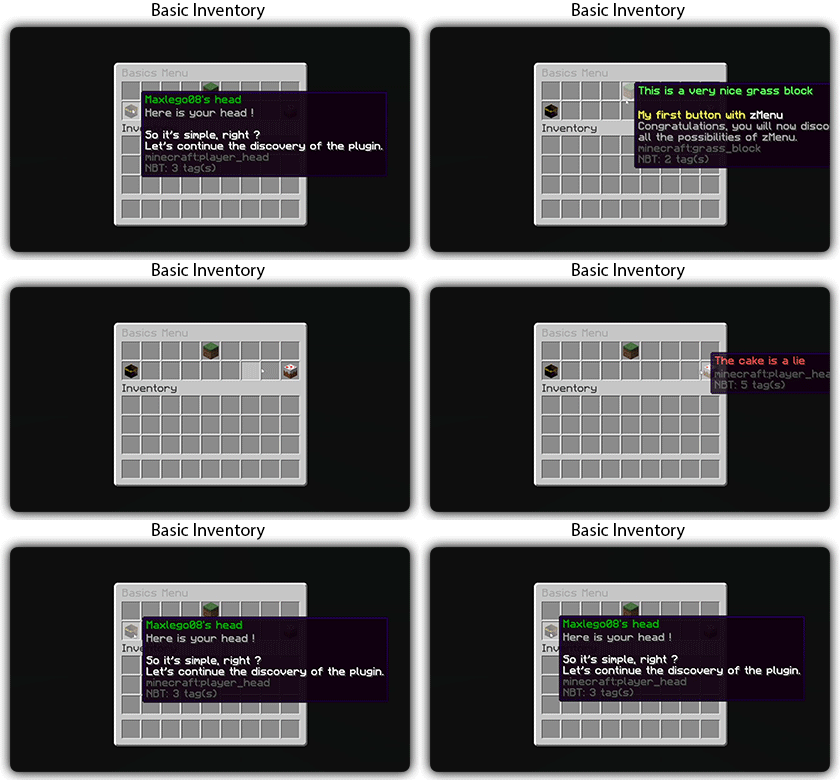
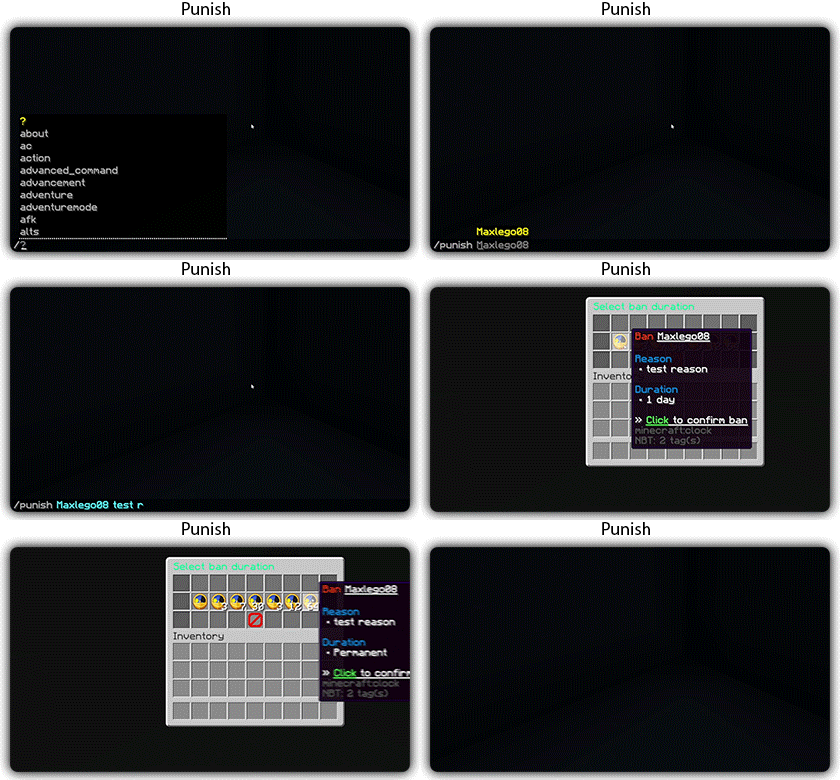
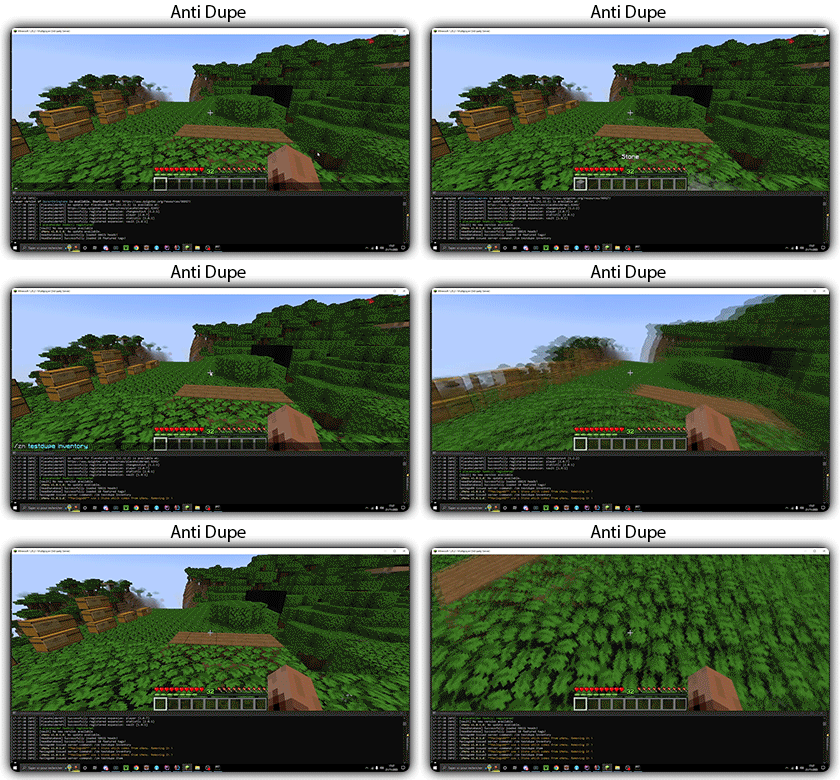
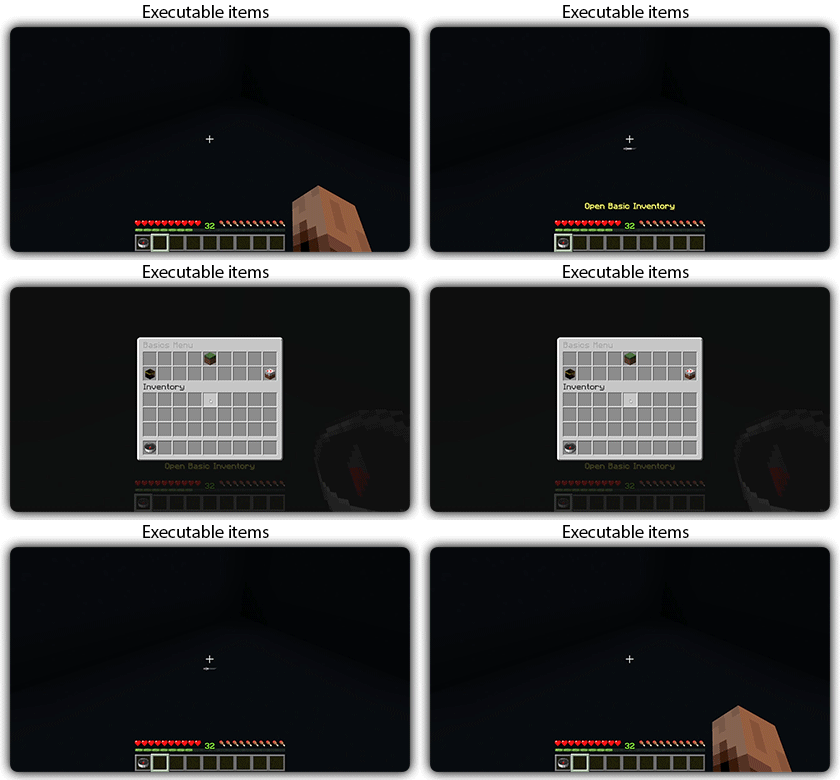
[](https://docs.zmenu.dev/plugins-files#example_shop.yml)

## With [zMenu+](https://www.spigotmc.org/resources/zmenu-premium-zmenu-addon.115533/) addon:
[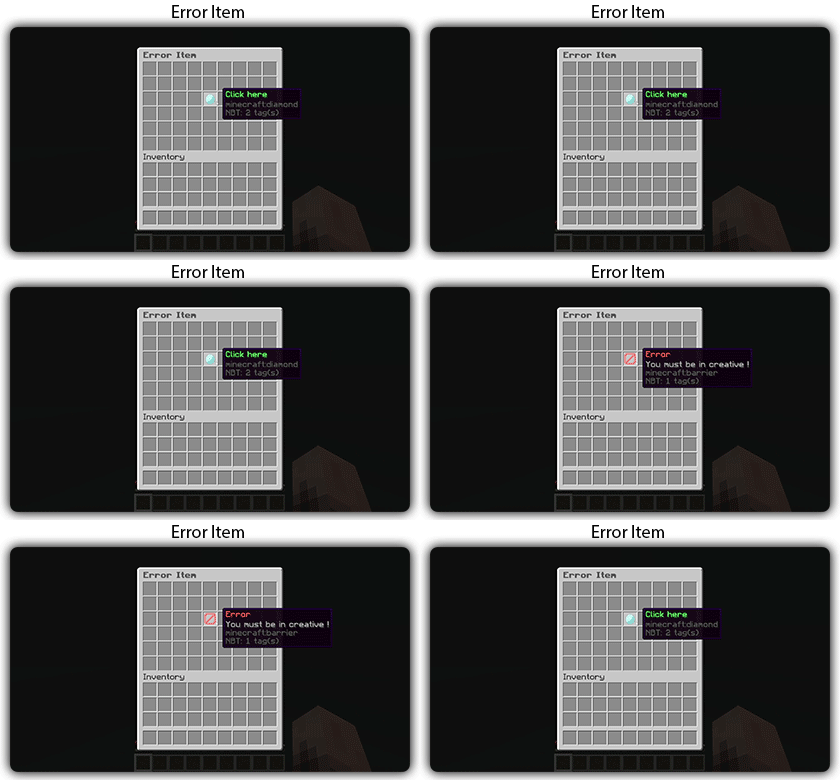](https://docs.zmenu.dev/configurations/buttons#error-item-zmenu)
[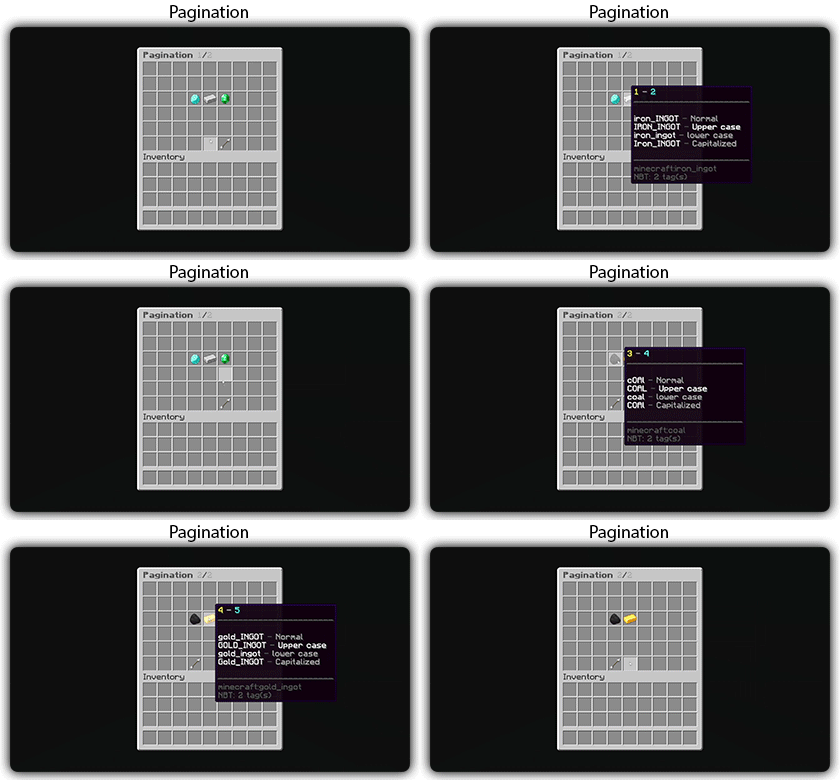](https://docs.zmenu.dev/configurations/buttons#pagination-zmenu)
[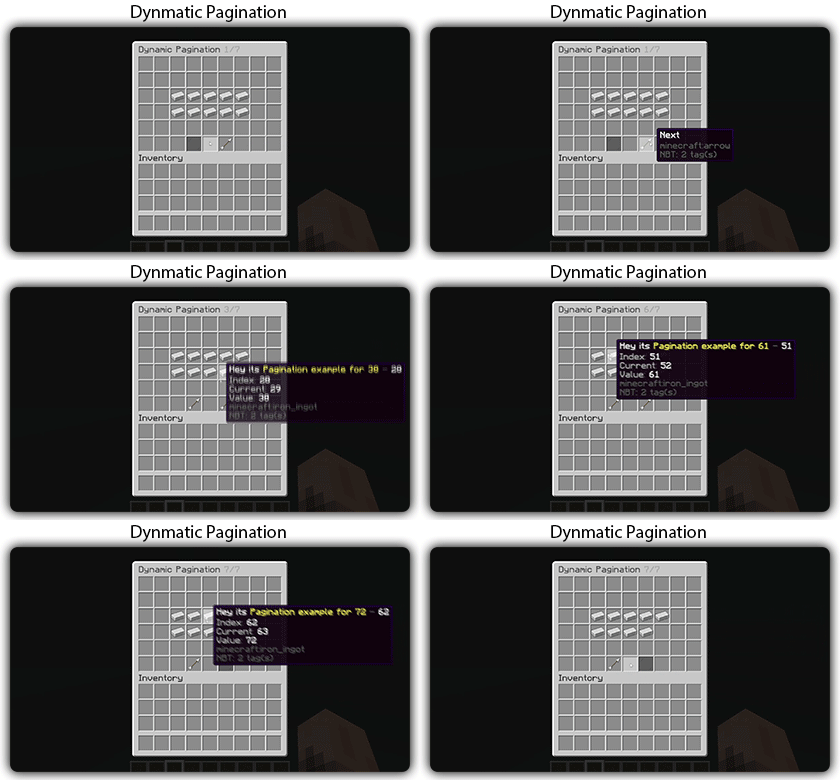](https://docs.zmenu.dev/configurations/buttons#dynamic-pagination-zmenu)
# **Features:**
✅ Ability to create an **infinite number of GUI** menus and **commands**.
✅ Possibility to create several pages in the same inventory.
✅ Arguments, actions, and auto-completion for your commands.
✅ A marketplace to download configurations.
✅ An [online inventory editor](https://minecraft-inventory-builder.com/).
✅ Open Source: [GitHub](https://github.com/Maxlego08/zMenu).
✅ Advanced API.
✅ Ability to create an infinite number of buttons for each of your actions.
✅ Highly customizable.
✅ PlaceholderAPI support.
✅ Kyori Adventure [Mini Message Format](https://docs.adventure.kyori.net/minimessage/format.html) support.
✅ [Folia](https://papermc.io/software/folia) support.
✅ Convert from other plugins: [zMenuConvert](https://www.spigotmc.org/resources/zmenuconvert.110403/).
✅ Patterns, no more need to copy and paste the same configuration several times!
✅ [zHead](https://www.spigotmc.org/resources/zhead-database.115717/) and HeadDatabase support.
✅ Documentation translated into several languages:
1. English: [docs.zmenu.dev](https://docs.zmenu.dev/)
2. Français: [docs.zmenu.dev/v/fr/](https://docs.zmenu.dev/v/fr/)
✅ **Anti-duplication** system. Duplication will be completely impossible with the plugin.
✅ Turn your items into a configuration with **/zm save**.
✅ Executable items for open inventories.
✅ Possibility to **translate your items** into several languages. The plugin displays the correct translation to the player!
✅ Use mathematical expressions in your inventories!
**Plugin’s files**: [https://docs.zmenu.dev/plugins-files](https://docs.zmenu.dev/plugins-files)
[](https://discord.groupez.dev/)
## Video:
[](https://youtube.com/watch?v=spxnyY7lY0Q)
[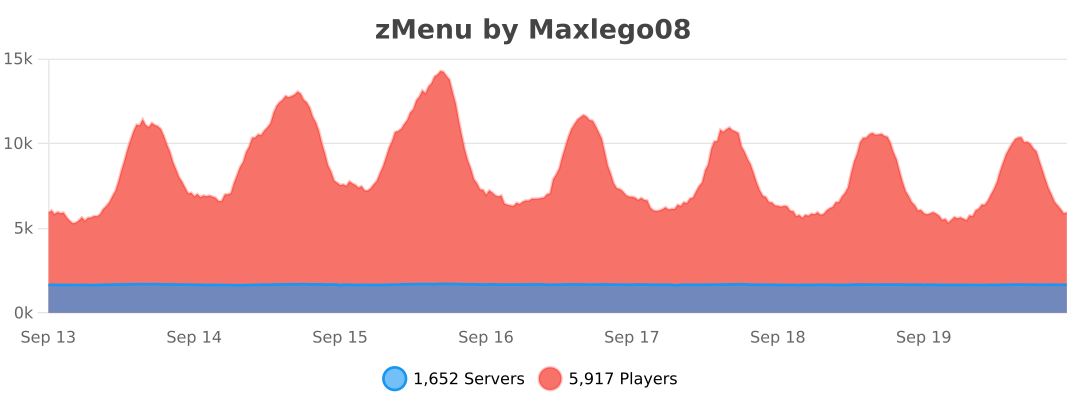](https://bstats.org/plugin/bukkit/zMenu/14951)
ZithiumTags
ZithiumTags is the ultimate tag plugin for your server. Easily create tags for users and allow them to create their own custom tags with our Tag Voucher system.
This plugin is still in BETA extensive testing has gone into the plugin before release, but issues are expected please report any in our discord.
## **Features:**
– Gradient Support
– Tag Vouchers
– Players can be given tag vouchers to make custom tags that only they can use.
– Unlimited Tags
– Custom tag permissions
– Tag Colors
– Players can custom color their tags with the built-in color menu.
– Admins/Owners can also create custom colors to add as presets.
## **Images**
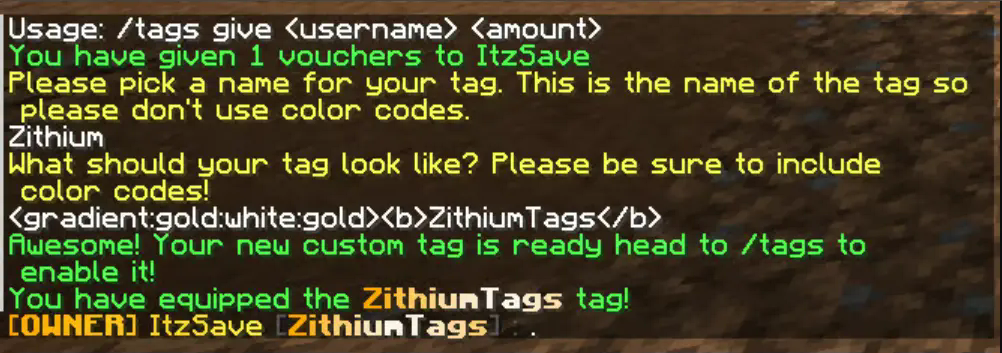
The text prompt when a user redeems a custom tag voucher.
zItemStacker
[](https://minestrator.com/a/GROUPEZ)
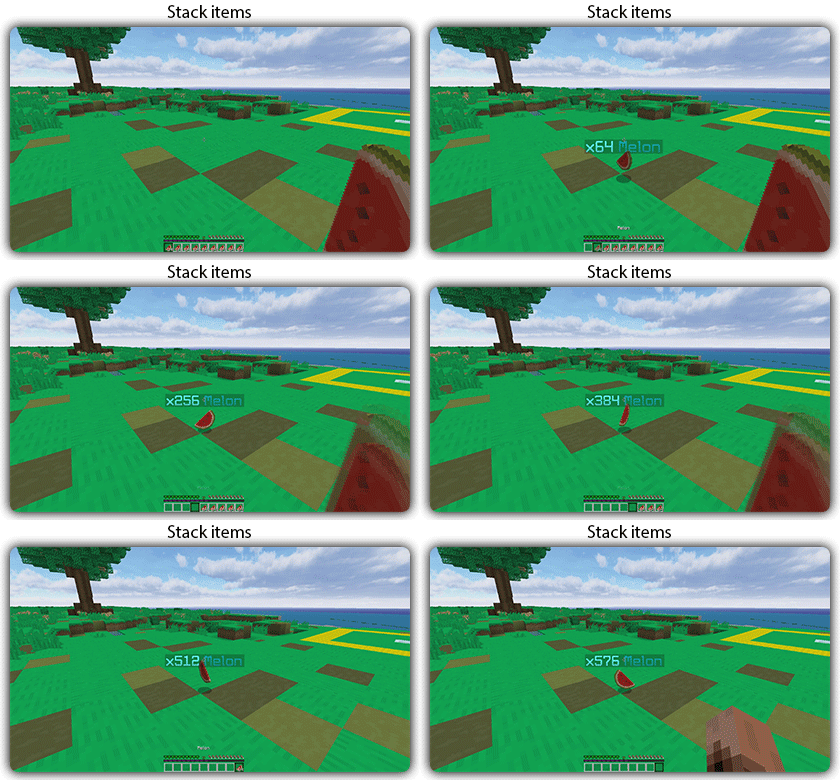
zItemStacker
Allows you to stack your items
## Features:
– You can whitelist items to be taken into account by the plugin.
– You can blacklist the items that should not be taken into account by the plugin.
## Commands:
– /zitemstacker reload – reload lang and config file
– /zitemstacker version – show plugin version
Source code: https://github.com/Maxlego08/zItemStacker
Support: http://discord.groupez.dev/