DS-Ads

## Why Choose DS-Ads?
DS-Ads is not just another advertisement plugin but a complete advertising solution designed for modern Minecraft servers. It offers **zero memory leaks**, **lightning-fast performance**, and **incredible flexibility**. DS-Ads sets the **standard for server advertisements**.
—
## Core Features
### Advertisement Types
– **Broadcast Messages** — Server-wide announcements
– **Title & Subtitle** — Eye-catching screen displays
– **Boss Bar** — Persistent top-screen messages
– **Action Bar** — Quick status updates
### Advanced Formatting
– **HEX Color Support** — Full RGB color palette
– **MiniMessage Format** — Modern text styling
– **PlaceholderAPI** — Dynamic content injection
– **Centered Messages** — Professional alignment
– **Hover & Click Events** — Interactive elements
### Smart Configuration
– **Permission-Based** — Target specific player groups
– **Scheduled Delivery** — Timed advertisements
– **Per-World/Server Settings** — Different ads for different worlds
– **Sound Effects** — Audio notifications
– **YAML Configuration** — Easy to edit and manage
—
## Commands & Permissions
**Commands:**
“`
/ads reload ➜ Reload all configurations
/ads enable ➜ Enable the plugin globally
/ads disable ➜ Disable the plugin globally
/ads send ➜ Force send an ad to player(s)
“`
**Permissions:**
“`
ads.send ➜ Permission to send ads to players
ads.manage ➜ Permission to enable/disable plugin
ads.reload ➜ Permission to reload configuration
“`
—
## Requirements & Compatibility
### Dependencies
– **PlaceholderAPI** — Required for SpigotMC & Forks
### Supported Versions
– **Minecraft** — 1.18.2 – 26.1.2
– **Spigot, Paper, Purpur, Pufferfish** — Full support
– **Bungeecord, Waterfall & Velocity** — Proxy support
### Coming Soon
– **Achievement-style notifications**
– **In-game GUI configuration editor**
– **Custom command triggers**
– **ProxyPAPIBridge integration**
—
## Live Demonstration
—
## Partners Zone
—
© 2026 FruitForge Studios
Disenchantment Totem



# ✨ Disenchantment Totem ✨
Introducing the Disenchantment Totem, a structure that creates a zone of null magic. **Inside its radius, all enchantments are temporarily disabled (De-enchanted)** from your gear, **only to return the moment you step out (Re-enchanted)**.
It’s the ultimate tool for creating fair PvP arenas, neutral trading hubs, or unique challenge zones where skill matters more than gear or even as a fun feature for an SMP!

## 🔮 Core Features
– **Seamless Enchantment Suppression:** Automatically and temporarily removes enchantments from all items in a player’s inventory upon entering the totem’s radius.
– **Automatic Restoration:** Enchantments are instantly returned when a player leaves the totem’s radius.
– **Inventory Safe:** Reliably tracks items even when they are moved in your inventory, dropped, or stored in containers within the zone.
– **Golden Apple Conversion:** As a feature, Enchanted Golden Apples are temporarily converted into regular Golden Apples inside the zone (toggleable in config).
– **Expandable Radius:** Increase the totem’s power and range by placing books on its four lecterns. More books mean a larger area of effect!
– **Stunning & Configurable Effects:** Features beautiful, server-friendly particle effects that visually represent the totem’s power. Every single effect can be turned on or off in the config!
– **Built-in Protection:** Prevents players from using Enchanting Tables and Anvils while inside the totem’s radius.
## ⚙️ How to Build a Totem
Building your first totem is simple. Construct the following multi-layer structure:
– Layer 1 (Bottom): Place 1 Bookshelf in the center, surrounded by 4 Lecterns on each side.
– Layer 2 (Middle): Place 1 Bookshelf on top of the first one, surrounded by 4 End Rods.
– Layer 3 (Top): Place 1 Obsidian block on top of the second bookshelf.
To Activate: Right-click the top of the Obsidian block with an End Crystal! (Crystal has to go in last!)
– (Optional): Add 4 Books on the Lecterns to expand the radius of the Totem

## 🔧 Highly Configurable
You can easily toggle in the Config file:
– All three particle effects individually (floor, book, sucking).
– The ambient idle sound.
– The enter/exit messages shown to players.
– The Enchanted Golden Apple conversion feature.
– The enchanting & anvil prevention feature.
Discord Statusbot
Features:
1. Bot status is synchronized with the server.
2. The bot shows how many players are online and what their names are in its status.

3. Configuration file for localization and other settings.
4. The bot can send DMs or send messages in server channels.

5. From version 20.0 you can make the bot send and update a fully configurable embed. (Spigot has PlaceholderAPI support)
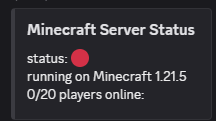
Note that some information and features may differ depending on the mod loader you use. I’m trying to get them all synced, but it’s still going to take some time.
————
For more detailed information and an installation guide, see the wiki.
Questions, feature requests or bugs? Create an issue on Github or join my Discord server!
Discord Status Bot
## **Description**
DSB allows you to showcase your Minecraft server to your Discord server in a highly configurable embed message with PlaceholderAPI support.
## **Features**
– Velocity, Bungee, and Bukkit support.
– 1.8+ Bukkit support. Latest versions of Bungee and Velocity.
– PlaceholderAPI support.
– Highly customizable discord status message.
– Does not spam console or discord.
– Lightweight and optimised.
– Useful error messages and error handling.
– Open source under the GPL license.
– Multi-versioned.
– Multi-languaged.
## **Images**


## **Setup discord bot**
1. Go to https://discord.com/developers/applications.
2. Click new application in the top right.
3. Enter the default name of your discord bot.
4. After pressing create, click the Bot section on the left tab.
5. Press “reset token” and copy it for later.
6. Click the installation section on the left tab.
7. Install link -> Discord Provided Link.
8. Guild Install -> add “bot”.
9. Permissions -> add “Embed links”, “Read Messages/View Channels”, and “Send Messages”.
10. Copy the link and enter it in your web browser.
## **Setup plugin**
1. Stop your Minecraft server.
2. Put the jar file in the plugins folder of your server.
3. Start your server.
4. Open the client.yml file in /plugins/DiscordStatusBot/.
5. Enter your discord bot token and the channel ID you want the message to send to.
6. Save and close then open the message.yml file and edit to your desire.
7. Reload the plugin using /dsb reload.
## **Issues**
For any bug reports or issues please submit them here.
DisBot
# 🤖 **DisBot — Bot Plugin**
**DisBot** is a lightweight plugin that connects your Minecraft server with **Discord**, allowing administrators to interact with the server directly from Discord.
Designed to run on software like **BungeeCord**, **Velocity** and **Paper**.
## **Requirements**
– None!
## **Features**
– Custom commands via YAML files
– Easy configuration with `config.yml`
– Prefix commands (`db! `) and slash commands (`/`)
– Embed messages with custom color per command
– Ephemeral messages (slash commands only)
– Command cooldowns
– Command aliases
– Channel restrictions
– Reload without restart (`/disbot reload`)
– Support for BungeeCord, Velocity and Paper
– Lightweight and modular design
## **Custom Commands**
Administrators can create custom commands simply by adding `.yml` files inside:
“`
plugins/DisBot/commands
“`
This allows you to expand the bot’s functionality **without modifying the plugin code**.
## **Internal Commands**
“`
– disbot reload — Reload the plugin.
“`
## **Support**
Join our Discord server for help and suggestions!
dHolograms
Plain Text Description & Features
**dHolograms**
──────────────────────────────────────────────
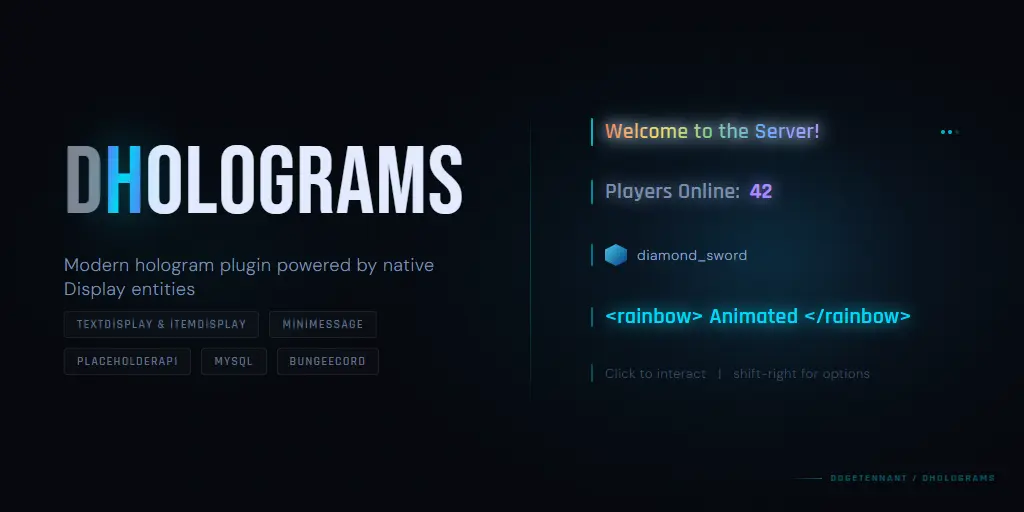
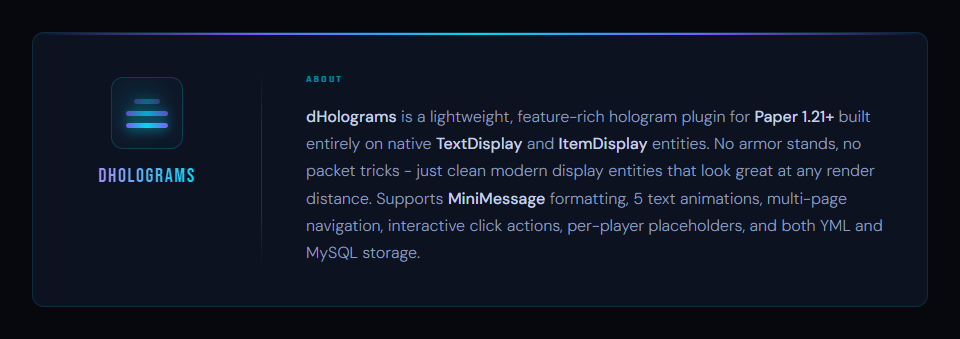
dHolograms is a lightweight, feature-rich hologram plugin for Paper 1.21+
built entirely on native TextDisplay and ItemDisplay entities. No armor stands, no packet tricks – just clean modern display entities that look great at any render distance. Supports MiniMessage formatting, 5 text animations, multi-page navigation, interactive click actions, per-player
placeholders, and both YML and MySQL storage.
**FEATURES**
──────────────────────────────────────────────
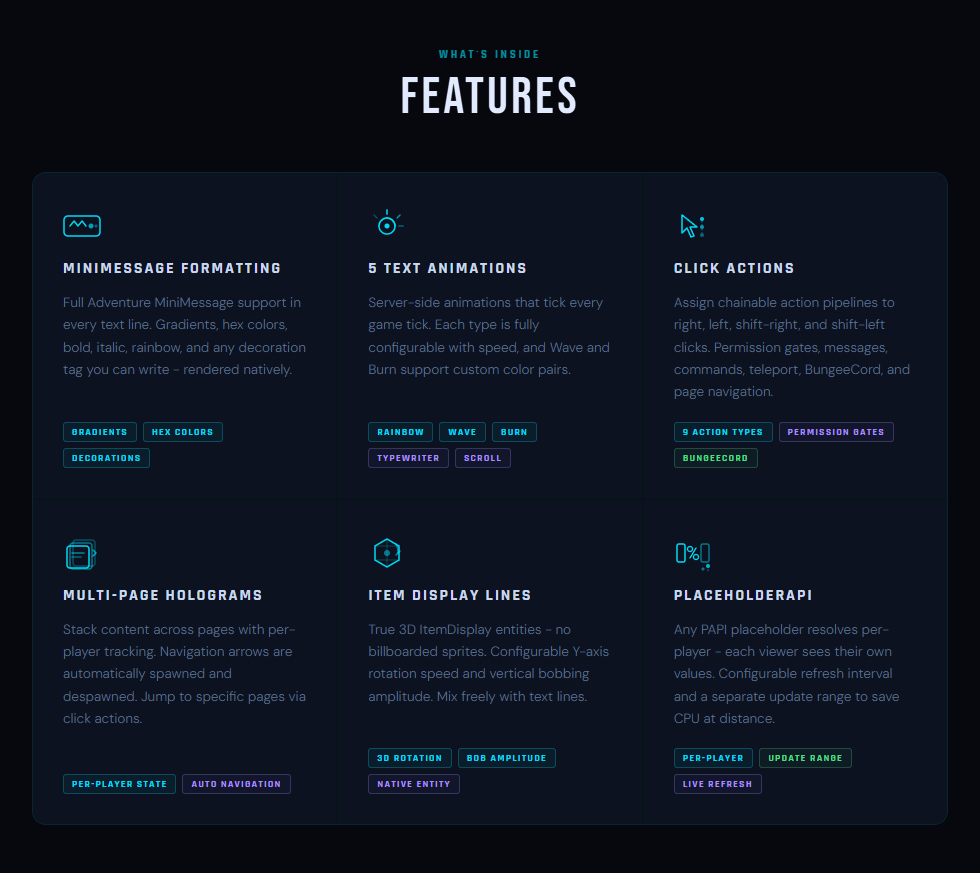
MiniMessage Formatting
Full Adventure MiniMessage support in every text line. Gradients, hex
colors, bold, italic, rainbow, and any decoration tag you can write – rendered natively.
5 Text Animations
Server-side animations that tick every game tick. Each type is fully
configurable with speed, and Wave and Burn support custom color pairs.
Types: Rainbow, Wave, Burn, Typewriter, Scroll.
Click Actions
Assign chainable action pipelines to right, left, shift-right, and
shift-left clicks. Permission gates, messages, commands, teleport,
BungeeCord, and page navigation. 9 action types total.
Multi-Page Holograms
Stack content across pages with per-player tracking. Navigation arrows
are automatically spawned and despawned. Jump to specific pages via
click actions.
Item Display Lines
True 3D ItemDisplay entities – no billboarded sprites. Configurable
Y-axis rotation speed and vertical bobbing amplitude. Mix freely with
text lines.
PlaceholderAPI
Any PAPI placeholder resolves per-player – each viewer sees their own
values. Configurable refresh interval and a separate update range to
save CPU at distance.
DeathHeads
# 💻 Platforms


—
# 💀 DeathHeads
A simple and fun Minecraft plugin where players leave their heads behind when they die and rack up kills!
—
## ⚡ Features
– 💀 Player head drops upon death
– 🧠 Player head collection
– 🏆 Persistent kill system
– 📊 /topkills command
– ⚙️ Simple configuration via config.yml
—
## 🧱 Commands
| Command | Description |
|———-|————-|
| /topkills | Displays the top player rankings |
—
## 💡 How it Works
### 💀 When a player dies:
– Their head is dropped to the ground
– It is saved to their collection
– The killer gains +1 kill
### 🏆 Kill System:
– Kills are saved automatically
– Persistent after server restart
—
## ⚙️ Configuration
“`yml
head-drop:
enabled: true
chance: 100
kills:
enabled: true
“`
## 📦 Installation
1. Download the `.jar` plugin
2. Place it in the `plugins/` folder
3. Restart your server
4. Configure `config.yml` if needed
## 🛠️ Permissions
No permissions required for the current version
## 🚀 Compatibility
– PaperMC ✔
– Spigot ✔
– Minecraft 1.21.11+ ✔
## 📌 Coming Soon
– 💰 Economy (Head Sales)
– 🏆 TopKills GUI
– 💀 Head Collection GUI
– ⚡ Kill Streaks
– 💾 SQLite/MySQL Database
## ❤️ Author
Plugin developed for custom survival/PvP servers.
DeathAnnouncer
—
# Key Features
### Visuals and Player Experience
– Fully customizable death messages that can be tailored to match your server’s unique identity and style.
– Modern text engine with native support for Hex Colors, Gradients, and MiniMessage.
– Interactive messages supporting hover events and click actions, such as running commands or displaying statistics and information.
– Customizable sound effects to make every death more immersive and impactful.
### Network and Integrations
– Global death broadcasts with seamless synchronization across Velocity or BungeeCord networks.
– Discord Webhook integration for sending detailed and elegant death logs with rich embeds, custom username, and avatar.
– Full PlaceholderAPI support, enabling the use of player statistics, levels, clan tags, and custom placeholders in death messages.
### Control and Advanced Systems
– Built-in Death Logs and Auditing system, allowing administrators to review complete death history directly in-game.
– World whitelist system to enable or disable the plugin per world or dimension.
– Advanced item detection that automatically identifies custom item names, enchantments, and attributes of the killer’s weapon.
– Integrated localization with native support for:
– English
– Portuguese (PT-BR)
– Italian
– Spanish
### … and more!
DeathAnnouncer is continuously updated with new features, performance improvements, and expanded customization options to meet the demands of professional Minecraft servers worldwide.
## Available Placeholders
– `{player}` – Player name
– `{uuid}` – Player UUID
– `{killer}` – Killer name
– `{cause}` – Death cause
– `{world}` – World where the player died
– `{biome}` – Biome of the death location
– `{ping}` – Player ping
*(Plus full PlaceholderAPI support)*
## Discord Webhook Integration
Keep your Discord community active with elegant and detailed combat logs. All message content, fields, and appearance can be fully customized directly in the configuration file.

### Configuration Example
“`yaml
discord:
enabled: true
webhook:
url: “YOUR_WEBHOOK_URL”
username: “DeathAnnouncer”
avatar-url: “”
message:
use-embed: true
content: “”
embed:
title: “Combat Log”
color: “#e63946”
description: “{message}”
thumbnail: “https://mc-heads.net/avatar/{player}”
footer:
text: “DeathAnnouncer – Plugin on Modrinth”
icon: “”
fields:
player:
name: “Player”
value: “{player}”
inline: true
cause:
name: “Cause”
value: “{cause}”
inline: true
killer:
name: “Killer”
value: “{killer}”
inline: false
“`
—
## DeathAnnouncer in Action!

—
## Version compatibility
DeathAnnouncer is compatible with Folia, Spigot, Paper (and its forks), as well as Velocity and BungeeCord proxies, supporting all versions from 1.20+.
—
### Support & Community
Need help, found a bug, or want to suggest a feature?


CustomRecipes
Create any recipe to make any item you desire. Anything found in-game can be done using CR! Use your imagination to make hundreds of custom items and recipes!
### ▶ Custom Bag Crafting (HavenBags)
In collaboration with Valorless, CustomRecipes support crafting of HavenBags! You can create custom crafting recipes to allow players to craft bags. You can read more on the WIKI.
### ▶ Separate Recipe Files
All recipes are stored in their own file found in a ‘recipes’ folder. This makes for the best organization and makes it easier when working with tons of recipes.
### ▶ Per World Recipes
You have the ability to disable your recipes in specific worlds while leaving them enabled for others allowing for per-world recipes. You can configure the resulting action within the blacklisted.yml file under the “recipe-disabled-message:” section.
### ▶ Disable Server Recipes
Disable any vanilla recipe completely or override the recipe so you can change how it is traditionally crafted! Toggle a chat/action bar message to the player if the recipe has been disabled! Refer to the blacklisted.yml for help!
Blacklisting a recipe listens for the result while crafting, triggering any response or messages to the player, while overriding a recipe completely removes the recipe key from the server which allows you to “change” how a vanilla recipe is crafted.
### ▶ PlaceholderAPI Support
Ability to use placeholders in the lore of your custom items via placeholderAPI. There are also custom plugin-sided placeholders found below. If you have any suggestions for more please let me know.
**Requires PlaceholderAPI to be installed on your server.
Other placeholders are found here.
Spoiler: Current placeholders:
### ▶ Recipe Permissions
Require a user to have specified permission in order to see or craft the custom recipe. Option to send a customized chat/action bar message along with it.
### ▶ Custom Item Support
Full support of custom items in your recipes. We currently support nexo, oraxen, itemsadder, executable items, mmoitems, and mythic mobs. In addition, you can also create your own custom item in the ‘Items’ folder to be used in a recipe.
### ▶ NBT Support
Ability to detect custom recipe item names, if it was renamed using an anvil, specific lores, specific material types, specific color codes, and if it has a specific custom identifier.
For versions 1.14+ there is added support for CustomModelData used for texture packs and such. Set a specific custom model data to change the look of a vanilla item while using texture packs!
You have the option to ignore meta-data – ‘Ignore-Data’ in the config.
You have the option to add effects to your weapons, such as poison, which will apply the poison affect to your enemy.
You can add item attributes to your recipes. Item attributes let you change specific attributes on items such as attack damage, knockback, etc. Supports legacy < 1.12 as well for this.
You can have spawners for recipe results, colored leather armor, potions, stored enchantments, and a ton of other options by customizing NBT data to tailor your needs.
### ▶ Define Item Flags
Ability to add item flags to your custom items. You can hide attributes and more by utilizing this feature. You can also choose whether or not this recipe can be placed down (Placeable: false). All of the item flags can be found here.
### ▶ Define Ingredient Amount Requirements
Ability to set and require ingredient amounts. I have implemented checks that detect whether or not the amounts of your ingredients match what is set in your recipe. Works for both shift and non-shift clicks.
### ▶ Supports Shapeless & Shaped Recipes
Ability to create shapeless recipes (any order in the crafting table) OR shaped recipes (must have specific materials in specific slots of the crafting table)
### ▶ Supports Furnace, BlastFurnace, Smoker, Anvil, Crafter, & More
Ability to create a ton of other recipe types using the 'Converter' section in the recipe file. We currently support regular crafting, anvil, stonecutter, grindstone, blast furnace, furnace, campfire, smoker, brewing, and smithing recipes.
### ▶ Recipe Cooldowns
Supports crafting cooldowns for players. You can limit how long your players have to wait before they can craft another custom recipe.
### ▶ Recipe Commands
Ability to have commands be performed by the server upon crafting an item. You can have multiple commands. You can also configure whether or not you want the output item to be granted still, or if you only want the command(s) to be performed.
### ▶ Recipe Conditions
Ability to require specific conditions needed for a recipe to be craftable by a player. This includes requiring or denying biomes, time of day, moon phases, worlds, weather, advancements, and more!
### ▶ Leftover Items
Ability to define items that will be leftover in the workbench. These items will be required to craft your recipe, but will not be taken when crafted.
### ▶ Supports Crate Plugins
Implement your custom recipes into crates! Utilize the give recipe command in your crates plugin to use these custom recipes as a reward for landing on it.
### ▶ Player Recipe Booklet (GUI)
Added GUI that shows all active recipes that the player has permission to craft. Once a recipe is clicked on, it will then display how to craft the recipe. This makes it easier for players to remember how to craft your custom items.
### ▶ Vanilla Recipe & Cooking Book
Supports the in-game crafting recipe or cooking recipe book. Configure whether or not the recipe auto-discovers on join.
### ▶ Tab Completion
Integrated tab completion for every aspect of the plugin. This ensures ease of use while typing commands and giving recipes.
### ▶ Reload Command
Integrated reload command, give recipe command, and a fully integrated GUI that is in the works.
### ▶ Version Support
This plugin supports paper spigot and regular spigot from versions ranging from 1.8.x to the latest version. This plugin is updated frequently and actively supported.
### ▶ Extremely Configurable
You have the ability to configure pretty much everything with the plugin. You can configure the messages, the permissions, the recipe name, lore, enchantments, effects, etc!
### ▶ In-game Item Editor
You can edit items in-game using /edititem. This allows you to discover/undiscover recipes, change the lore, name, enchants, etc, of an item for testing recipes in real time.
### ▶ Intuitive Recipe Creating GUI
You can edit, create, or remove recipes directly in-game using /cr gui or the in-game commands. Check out our wiki for more details.
### ▶ Commands & Perms
aliases: crecipes, customrecipe, customrecipes, customr, cr
crecipe.help
/crecipe - Displays the help page
crecipe.gui
/crecipe gui - Opens the GUI
crecipe.create
/crecipe create [optional perm] – Creates a recipe
crecipe.remove
/crecipe remove – Removes a recipe
crecipe.show
/crecipe show – Shows a recipe
crecipe.book
/crecipe book – Opens the recipe booklet
crecipe.reload
/crecipe reload – Reloads the recipes and configs
crecipe.give
/crecipe give – Gives a player a custom recipe.
crecipe.debug
/crecipe debug – Enables/disables debug mode
crecipe.list
/crecipe list – Lists all active custom recipes
crecipe.edititem
/edititem – Help with managing item tags and data in-game
You also are defining your own permissions in the config to craft a custom recipe!
### ▶ Supported Plugins:
Haven Bags
Advanced Enchantments
Eco Enchants
PlaceholderAPI
OtherDrops
ItemsAdder
MMOItems
MythicMobs
ExecutableItems
Oraxen
Nexo
### ▶ How to use:
Create a .yml file in the ‘recipes’ folder
Configure recipes into the file using the template
Arrange ingredients how you desire.
Add custom display names or other metadata
Type ‘/crecipe reload’ or restart your server.
Craft your newly created recipe!
Any issues regarding CustomRecipes should be brought up via the discussion tab or PM. I will promptly respond to your concerns with an answer. I am open to any and all suggestions to further this plugin! Thank you! Please consider leaving a positive review if you are satisfied!
Custom F3 Brand
# Custom F3 Brand
### Edit your server name in debug screen!
#### It’s simple, it’s powerful, it’s fully customizable!
Set your custom message or animation in the debug screen (F3) of your server. You just need to edit the config of the plugin,
it’s easy and intuitive.
#### The plugin seems to work fine on Minecraft 1.21 (_Update Protocollib if you are using spigot_). Make sure to test the plugin in your environment before using it in production. If you fine any error let me know here.
## Features
– Spigot version
– PlaceholderAPI support
– Bungeecord version
– Velocity version
– Velocity version is in alpha stage, please report any issue you find.
## Requirements
– Minecraft 1.16+
– Java 17+.
– ProtocolLib is required for the Spigot version.
## Installation
Download the plugin from here and put it in your plugins folder.
If you are installing this plugin in a Spigot server download also ProtocolLib;
That’s it!
## Commands
– “`/f3r“` to reload the config (spigot)
– “`/bf3r“` to reload the config (bungeecord)
– “`/vf3r“` to reload the config (velocity)
## Permissions
– “`cf3.reload“` to reload the config
## Warnings
– Do not reload the plugin in a velocity server! If you want to reload the config use the command “`/vf3r“`.
– The configuration file is a JSON file with json5 extension. This is done to allow comments in the file but is parsed as a json.
When editing the file make sure to follow the json syntax.
## Known issues
– Some plugins and mods to communicate needs certain brand names and may not work properly with this plugin.
## Contributing
To contribute to this repository just fork this repository make your changes or add your code and make a pull request.
## License
CustomF3Brand is released under “The 3-Clause BSD License”. You can find a copy here