MCKotlin
# MCKotlin
[](https://github.com/MCKotlin/MCKotlin/actions)
[](https://modrinth.com/plugin/mckotlin)
[](https://discord.gg/5NMMzK5mAn)
[](https://modrinth.com/plugin/mckotlin)
[](https://github.com/4drian3d/MCKotlin/releases)
Get the ability to run and develop Kotlin plugins on your Minecraft server or proxy.
This plugin includes the necessary Kotlin libraries to the server to avoid including them independently in several plugins at the same time
[](https://www.bisecthosting.com/4drian3d?r=ModMCKotlin)
## Requirements
– Java 8+
## Compatibility
– Velocity 3+
– Sponge 8
– CraftBukkit/Spigot/Paper/forks 1.8+
– BungeeCord/Waterfall
## How to use
### Server Admin
Simply install the latest version of the plugin on your server or proxy
### Developers
Add MCKotlin as a dependency
#### Spigot
**plugin.yml**
“`yaml
depend: MCKotlin-Paper
“`
#### Paper 1.19.4+
**paper-plugin.yml**
“`yaml
dependencies:
server:
MCKotlin-Paper:
required: true
“`
#### Velocity
“`java
@Plugin(
id = “myplugin”,
dependencies = {
@Dependency(id = “mckotlin-velocity”)
}
)
public class VelocityPlugin {}
“`
## Libraries included
– Kotlin StdLib 1.9.20
– Kotlin Reflect 1.9.20
– KotlinX Coroutines
### How does this plugin differ from other plugins such as [Kotlin](https://modrinth.com/plugin/kotlin)?
Unfortunately there are no plugins available that provide the necessary libraries to make kotlin plugins for environments like Velocity or Bungeecord. That was my motivation to develop this plugin that includes Kotlin-stlib 1.9.0 (created by Jetbrains, Apache 2 license)
MC-Data-Bridge
# MC Data Bridge
MC Data Bridge is a robust, high-performance hybrid plugin for PaperMC (Spigot), **Folia**, BungeeCord, and Velocity. It is designed to seamlessly synchronize player data across multiple Minecraft servers, ensuring that players have a consistent experience by retaining their health, hunger, experience, inventory, **Ender Chests, Advancements, Statistics, and Persistent Data** as they move between linked servers.
## Compatibility
* **Minecraft Version:** `1.21.x` and `26.1.x`
* **Server Platforms:** PaperMC (Purpur), **Folia**, Spigot
* **Proxy Platforms:** BungeeCord, Waterfall, Velocity
* **Java Version:** 25+
This plugin is a hybrid build and the same JAR file works on all supported platforms, automatically activating the correct functionality for each platform.
## Features
* **Hybrid Plugin:** A single JAR file works on your PaperMC/Spigot/Folia servers and your BungeeCord/Velocity proxy.
* **SHA-256 Data Integrity:** Implements cryptographic checksums with server-side salting to detect and prevent manual database tampering or corruption.
* **Industrial Identity Protection:** Tracks `last_known_name` and secure identity hashes to prevent identity hijacking and manage UUID transitions in hybrid (Cracked/Premium) environments.
* **Zero-Tick Identity Verification:** Database locks and identity checks are performed during the `AsyncPlayerPreLoginEvent`, ensuring that player state is verified and ready before they even reach the server’s “Join” state.
* **Regionalized Folia Support:** Built with `SchedulerUtils` to handle regionalized threading, ensuring safe execution on Folia’s multi-threaded clusters.
* **Administrative Inspector GUI (NEW):** A visual interface for administrators to inspect saved player data (inventories, stats, PDC) even when the player is offline.
* **Proxy-Initiated Saves:** The proxy (BungeeCord/Velocity) orchestrates the data saving process, ensuring that a player’s data is saved from their source server *before* they connect to the destination server. This eliminates race conditions.
* **Fully Asynchronous:** All database and serialization operations are performed on a separate thread, ensuring that your server’s main thread is never blocked.
* **Robust Locking Mechanism:** A database-level locking mechanism with an automatic timeout and heartbeats prevents data corruption.
* **Version-Independent Item Serialization:** Player inventories are serialized using native binary methods (Paper/Folia) or NBT-API fallback (Spigot), ensuring 100% integrity across updates.
* **Cross-Server Player Data Sync (Granular Control):**
* Health (Attribute-aware)
* Food Level, Saturation, & **Exhaustion**
* Experience (Total XP, current XP, and Level)
* Inventory & Armor Contents
* Active Potion Effects
* **Ender Chest Contents**
* **Advancements & Recipes**
* **Player Statistics** (Vanilla stats)
* **Persistent Data Container (PDC)** (Custom metadata)
* **Flight & GameMode** status
* **Resilient Connection Pooling:** Uses HikariCP with optimized settings for resilience against network jitter.
* **Flexible Storage:** Support for **MySQL/MariaDB** or local **SQLite** databases.
* **Granular Sync Control**: Enable or disable synchronization for any specific data type via `config.yml`.
* **Server/World Blacklist**: Prevent synchronization on specific servers or worlds.
## Installation
1. **Download the Plugin JAR:**
* Download the latest release JAR (`mc-data-bridge-*.jar`) from this page (Modrinth) or the official GitHub Releases.
2. **Deploy to Servers:**
* Copy the single `mc-data-bridge-*.jar` file into the `plugins/` folder of **each PaperMC/Folia server** you wish to synchronize.
* Copy the **same JAR file** into the `plugins/` folder of your **BungeeCord or Velocity proxy server**.
3. **Optional: Manual Build (For Developers)**
* To build from source, clone the repository and run `mvn clean package`.
## Commands & Permissions
| Command | Description | Permission |
| :— | :— | :— |
| `/databridge inspect ` | Opens a GUI to view offline player data. | `databridge.admin.inspect` |
| `/databridge migrate ` | Securely move data between two identities. | `databridge.admin.migrate` |
| `/databridge unlock ` | Manually release a stuck data lock. | `databridge.admin.unlock` |
| `/databridge reload` | Reloads the configuration and DB pool. | `databridge.admin.reload` |
**Proxy Commands:**
– `/databridge unlock ` (Bungee/Velocity): Releases a lock across the network.
– `/databridge forceunlock ` (Bungee/Velocity): Relays a signal to the backend server to drop the lock immediately.
## Configuration
A `config.yml` file will be generated in the `plugins/mc-data-bridge/` folder after the first run. **Existing configs will be safely auto-updated.**
“`yaml
# Database Configuration
database:
type: mysql # “mysql” or “sqlite”
host: localhost
port: 3306
database: minecraft
username: user
password: password
sqlite-file: “player_data.db”
# A list of JDBC properties to apply.
properties:
useSSL: false
allowPublicKeyRetrieval: true
# HikariCP Connection Pool Settings
pool-settings:
maximum-pool-size: 10
minimum-idle: 10
max-lifetime: 1800000 # 30 minutes
connection-timeout: 5000 # 5 seconds
idle-timeout: 600000 # 10 minutes
# A unique name for this server. This is CRITICAL for data locking.
server-id: “default-server”
# Toggle specific data to sync
sync-data:
health: true
food-level: true
experience: true
inventory: true
armor: true
potion-effects: true
ender-chest: true
advancements: true
statistics: true
pdc: true
flight-gamemode: true
# Security & Identity
security:
verify-data-integrity: true
seed: “change-me-to-a-long-random-string” # SALT FOR CHECKSUMS
identity:
mode: PREMIUM # PREMIUM or HYBRID
auto-migrate-fastlogin: false
auto-migrate-authme: false
“`
### Detailed Configuration Breakdown
* **`database.type`**: Choose between `mysql` (external) or `sqlite` (local file).
* **`server-id` (Required):** You **must** set a unique name for each backend server.
* **`security.seed`**: A secret string used to salt all SHA-256 hashes. Change this immediately!
* **`identity.mode`**: Choose between `PREMIUM` (strictly enforces UUID consistency) or `HYBRID` (allows flexible identity shifts). Note: **`HYBRID` mode is required** to enable auto-migration features like `auto-migrate-fastlogin`.
* **`sync-data`**: Individual toggles for every data type.
* **`sync-blacklist`**: Define servers or worlds where synchronization should be skipped.
## 📊 Technical: Database Schema
| Column | Type | Description |
| :— | :— | :— |
| `uuid` | VARCHAR(36) | The player’s Unique ID (Primary Key). |
| `data` | LONGBLOB | The serialized binary data snapshot. |
| `data_checksum` | VARCHAR(64) | SHA-256 integrity hash of the data packet. |
| `is_locked` | BOOLEAN | Prevents concurrent writes from multiple servers. |
| `locking_server` | VARCHAR(255) | The ID of the server holding the lock. |
| `lock_timestamp` | BIGINT | Heartbeat to detect and recover from crashes. |
| `last_known_name` | VARCHAR(16) | Used for identity tracking and migration. |
| `identity_hash` | VARCHAR(64) | Salted hash of Name+UUID+Seed for verification. |
—
_For more detailed information, please refer to the [official documentation](https://github.com/westkevin12/mc-data-bridge/wiki)._
MatrixColorAPI
mars plugin
Turn your server into a full Mars expedition.
thanks for the 250 downloads
`MarsPlugin` adds a complete Mars dimension for Paper with custom terrain generation, many handcrafted structures, biome-based exploration, hazards, bosses, custom loot, futuristic items, and travel systems that connect the experience together.
## Overview
This plugin is not just one biome or a few custom mobs. It builds a full Mars-themed gameplay loop:
– travel to Mars
– explore custom biomes and terrain profiles
– locate structures and rare points of interest
– collect special resources and loot
– craft and use advanced Mars gear
– fight dangerous enemies and bosses
# MarsPlugin
## Custom Mars World
The plugin generates a dedicated `Mars` world with its own terrain system. From the class data inside the jar, the terrain includes multiple Mars-style biome themes such as:
– `desert`
– `badlands`
– `eroded_badlands`
– `wooded_badlands`
– `savanna`
– `savanna_plateau`
– `stony_peaks`
– `jagged_peaks`
– `windswept_hills`
– `windswept_gravelly_hills`
– `dripstone_caves`
– `meadow`
– `cherry_grove`
– `bamboo_jungle`
– `jungle`
– `sparse_jungle`
– `lush_caves`
– `ice_spikes`
– `frozen_peaks`
– `snowy_slopes`
– `swamp`
– `mangrove_swamp`
– `mushroom_fields`
The generator also points to custom Mars terrain profiles like:
– dunes
– peaks
– canyons
– crystal zones
– frost zones
– warped zones
– toxic zones
## Structures
MarsPlugin includes a large structure set for exploration and progression. Structure names visible inside the jar include:
– `observatory`
– `crystal_nest`
– `crashed_probe`
– `research_outpost`
– `dust_temple`
– `lava_foundry`
– `spire_array`
– `buried_vault`
– `solar_farm`
– `rover_depot`
– `skull_crater`
– `ice_harvester`
– `fungal_pit`
– `signal_tower`
– `collapsed_dome`
– `cargo_pad`
– `bone_yard`
– `meteor_shrine`
– `geyser_field`
– `ancient_reactor`
– `mars_bastion`
## Custom Items And Gear
The plugin jar includes a big set of custom materials, weapons, armor, tools, and utility items. Examples found inside the plugin:
– Titanium gear
– Alien gear
– Quantum gear
– `Titanium Sword`
– `Alien Blade`
– `Plasma Blaster`
– `Nebula Bow`
– `Gravity Hammer`
– `Mars Shield`
– `Mars Medkit`
– `Red Copper Ingot`
– `Titanium Ingot`
– `Quantum Crystal`
– `Alien Gem`
– `Starlite Core`
– `Solar Fragment`
– `Void Lens`
– `Cryo Core`
– `Ancient Circuit`
– `Titan Heart`
## Commands
– `/mars`
– `/marsinfo`
– `/marslang `
– `/marsbase`
– `/launchpad`
– `/rebuildmeteor`
– `/resetmars`
– `/marsitem `
– `/marsboss `
– `/marslocate `
## Why Use It
– Adds a real sci-fi endgame destination
– Gives players new exploration goals
– Includes bosses, loot, and progression
– Makes Mars feel like a full custom dimension instead of a small addon
– Great for survival servers, adventure servers, and themed SMP worlds
## Short Summary
Complete Mars dimension for Paper with custom terrain, biomes, structures, bosses, loot, hazards, and futuristic items.
## Notes
– The inspected jar reports `api-version: 1.21`
– The content above is based on the actual `MarsPlugin V1.1 Paper.jar` you provided
– Best suited for a Modrinth page with a banner, icon, and feature screenshots/gallery
## Bugs
– If there stil are bugs go to my discord channel
– and i go try to fix every bug
– [discord Mars Plugin](https://discord.gg/9JdAmnqD)
MaintenanceMode
[](https://www.ashcraft.cz/)
MaintenanceMode is a lightweight BungeeCord plugin that restricts player access to your network while the server is undergoing updates, testing, or maintenance. Instead of manually stopping the server or kicking players, the plugin automatically disconnects everyone except those with a specific bypass permission.
When enabled, players attempting to join without the required permission will be disconnected with a customizable kick message (default: “The server is currently in maintenance mode. Please try again later.”). Trusted players or staff with the server.maintenance.bypass permission can still join and test the server during this period.
Key features include:
Automatic access restriction during maintenance mode.
Customizable kick message with full color code support.
Permission-based bypass (server.maintenance.bypass) for staff and testers.
Simple and lightweight – no unnecessary overhead.
Plug-and-play setup with easy YAML configuration.
This plugin is perfect for network owners and administrators who need to lock down their server during updates while still allowing staff or testers to join. With MaintenanceMode, you can ensure smooth server upkeep without unexpected interruptions from regular players.
Maintenance Pro
### **About Maintenance Premium**
**Maintenance Premium** is a highly customizable maintenance mode plugin designed for network administrators who need total control over their server downtime.
> [!IMPORTANT]
> > **Fork Notice**: This is a maintained fork of the original Maintenance plugin. As the original owner is no longer active on Modrinth, we have taken over development to ensure compatibility with modern Minecraft versions and to add highly requested features.
—
### **New in this Version: Redis Support**
In addition to the standard MySQL support, this fork introduces **Native Redis Support**. You can now link multiple proxy instances (Velocity/Bungee) through a Redis connection, ensuring that maintenance status and whitelists are synchronized instantly across your entire network without the delay of traditional database polling.
—
### **Features**
* **Custom MOTD & Icons**: Set a specific MOTD and server icon that only appears during maintenance.
* * **MiniMessage Support**: Full support for modern [Adventure MiniMessage](https://docs.adventure.kyori.net/minimessage/format) formatting (RGB, Gradients, etc.).
* * **Advanced Timers**: Start/End timers and Scheduled maintenance window.
* * **Whitelisting**: Allow staff or developers to bypass maintenance.
* * **Join Notifications**: Get alerted when players are blocked.
* * **Proxy-Specific Features**: Per-server maintenance, Waiting/Fallback lobbies, and Redis Sync.
—
### **Configuration & Requirements**
* **Paper Users**: ProtocolLib is **required** for custom icons and playercount messages.
* * **MiniMessage**: Use the [Adventure Web UI](https://webui.adventure.kyori.net/) to preview your designs.
*
Maintenance
## About This Plugin
**This plugin lets you activate a maintenance mode on your Paper, Velocity, Bungee, and Sponge server, which will prevent players without a permission to join the server.**

**This plugin uses MiniMessage as the component text format.**
**LEGACY TEXT FORMATTING (§a/&a) IS NOT SUPPORTED**
* Use [https://webui.adventure.kyori.net/](https://webui.adventure.kyori.net/) to preview parsed components
* You can find full documentation on the format (including normal colors and formatting, rgb, click/hover events, and more) here: [https://docs.adventure.kyori.net/minimessage/format](https://docs.adventure.kyori.net/minimessage/format)
Its features include:
* A **custom motd** as well as **server icon**, that will be shown during maintenance
* **Start- and endtimers**, which will **enable/disable maintenance mode after the time is up**
* **Schedule timers,** which will enable maintenance, then disable it after a given amount of time
* A ‘%TIMER%’ variable usable in the pingmessage, to show the time until a running endtimer finishes *(other variables and tricks are explained in the configuration file’s comments)*
* A **maintenance whitelist**, to grant specific players the ability to join while you’re working on your server
* Notifications when players try to join your server during maintenance
* Nearly all **messages are editable** via the language file, given in a multitude of different languages
**Additional features on Velocity/Bungee:**
* Only want to enable **maintenance on a single server**? You can also do so by using the `/maintenance ` command
* Link **multiple proxy instances with a MySQL database** connection, so you don’t have to enable/disable maintenance on each proxy by hand
* **Waiting servers** during full proxy maintenance, as well as **fallback servers** to go to when a single proxied server is under maintenance
* **Using ServerListPlus**? Maintenance will toggle its status when enabling maintenance and reenable the SLP motd when disabling maintenance
* Want to have PlaceholderAPI placeholders on Paper? See **[here](https://github.com/kennytv/maintenance/wiki/maintenanceaddon)** for more information on the MaintenanceAddon.
*Want to know a secret?*
You can have text **left of the server icon** by just adding a lot of spaces to the playercountmessage, like so:
“`yaml
playercountmessage: “Maintenance AAAA”
“`

IMPORTANT: If using the plugin on a Paper server, the plugin **[ProtocolLib](https://www.spigotmc.org/resources/protocollib.1997/)** is required to use Maintenance to its full extend.
## Issues/Support
Did you find a bug? Use the [**issue tracker**](https://github.com/kennytv/maintenance/issues)
Other questions or problems? [Join the support Discord guild](https://discord.gg/vgcuzhq) ✨
German Plugin Tutorial
@[YouTube](https://youtu.be/xZpAVIeGhjM)
## Commands
*Arguments in < > are necessary, those in [ ] aren’t (can be omitted).*
* **/maintenance [server]** will set the status of the maintenance mode
* **/maintenance reload** reloads the config and maintenance-icon file
* **/maintenance ** allows specific players to join on the server when maintenance is enabled
* **/maintenance whitelist** returns a list of all players on the
* maintenance whitelist
* **/maintenance starttimer [server] ** will enable maintenance mode after the time is up
* **/maintenance endtimer [server] ** will enable maintenance mode for the given time in minutes. After the time is up, it’ll be disabled again
* **/maintenance schedule [server] ** will enable maintenance mode after the given time, then disable it according to the second parameter
* **/maintenance aborttimer** cancels a running start-/endtimer
* **/maintenance setmotd <1/2> ** sets a motd for maintenance mode
* **/maintenance motd** lists the currently set maintenance motds
* **/maintenance update** remotely downloads the newest version of the plugin onto your server
* **/maintenance dump** dumps some server information, used for bug reports
## Permissions
* **maintenance.admin** – super permission, that grants access to all perms below
* **maintenance.bypass** – join the server during maintenance
* **maintenance.command** – use the “/maintenance” command (also required to use the subcommands)
* **maintenance.toggle** – use the “/maintenance ” commands
* **maintenance.reload** – use the “/maintenance reload” command
* **maintenance.update** – use the “/maintenance ” commands
* **maintenance.timer** – use the “/maintenance ” and “/maintenance timer abort” commands
* **maintenance.whitelist.add** – use the “/maintenance add ” command
* **maintenance.whitelist.remove** – use the “/maintenance remove ” command
* **maintenance.whitelist.list** – use the “/maintenance whitelist” command
* **maintenance.setmotd** – use the “/maintenance setmotd <1/2> ” command
* **maintenance.motd** – use the “/maintenance motd” command
* **maintenance.dump** – use the “/maintenance dump” command
* **maintenance.joinnotification** – if enabled: sends a notification to you if a player tries to join the server while maintenance is enabled
Extra permissions for the Velocity/Bungee part:
* **maintenance.singleserver.bypass.******** – join the proxied server during maintenance
* **maintenance.singleserver.toggle** – use the “/maintenance ” commands
* **maintenance.singleserver.timer** – use the “/maintenance ” and “/maintenance timer abort ” commands
* **maintenance.singleserver.status** – use the “/maintenance status” command
IMPORTANT – If you are using the plugin on your proxyserver: You have to have these permissions on the proxy, not on the backend servers! The best way of doing this is using a proper permissions plugin on the proxy (for example LuckPerms).
## Configuration
If you are using *the Paper version of the plugin*, you have to have [**ProtocolLib**](https://www.spigotmc.org/resources/protocollib.1997/) installed to use the custom server-icon and the playercount-messages (that, or you have Paper running on 1.12.2 or higher)! The rest however is also accessible without it.
For the Velocity/Bungee version you don’t need to have any other plugins installed.
*proxied-maintenance-servers*, *fallback* and *mysql* section are only for the Velocity/Bungee version.
“`yaml
# Enables maintenance mode.
maintenance-enabled: false
# Enables maintenance on certain servers managed by your proxy instance(s).
proxied-maintenance-servers:
– PaperServer1
# – AnotherServer
# If maintenance is enabled on a proxied server with players on it, they will be sent to the fallback server instead of being kicked off the network.
# If the fallback server is not reachable/not set, they will just be kicked off the network.
# This can also be set to an array to set multiple fallback servers, in case one server is not always reachable: ‘fallback: [s1, s2, s3, …]’
fallback: lobby
# If maintenance is enabled globally, you can define a “waiting” lobby for players to be sent to instead of being kicked.
# Leave this empty to disable.
waiting-server: “”
# The message shown in the multiplayer server list motd when maintenance is enabled.
# If you put in multiple entries, one of them will be chosen randomly on every ping.
# If running an endtimer, the time left can be displayed by including ‘%TIMER%’ in a pingmessage (also works in playercount(-hover) message).
pingmessages:
– “Currently under maintenance
We will be back soon!”
# – “Other entry”
enable-pingmessages: true
# Any extra commands inside the arrays will be executed when maintenance is enabled/disabled.
# Example: commands-on-maintenance-enable: [“say hello!”, “stop”]
commands-on-maintenance-enable: []
commands-on-maintenance-disable: []
# If set to true and an endtimer is currently running, a pingmessage from this pool will be chosen
# instead of the ones above, so you can have different messages for when an endtimer is running/not running.
enable-timerspecific-messages: true
timerspecific-pingmessages:
– “Currently under maintenance
Come back in: %TIMER%”
# – “Other entry”
# If set to true, the message below will be shown in the top right corner of the server in the serverlist, where the playercount would normally be displayed.
# If set to false, the normal playercount will be shown.
#
# Alternatively you can use ‘%ONLINE%’ and ‘%MAX%’ if you want to include the playercount in a custom message (e.g. “Maintenance %ONLINE%/%MAX%”).
# DOES NOT SUPPORT RGB!
enable-playercountmessage: true
playercountmessage: “Maintenance”
# Is shown when you move your mouse above the text in the top right corner of the server in the serverlist,
# where the playercount would normally be displayed.
# DOES NOT SUPPORT RGB!
playercounthovermessage: “Currently under
maintenance”
# If set to true, the server icon will be changed to the ‘maintenance-icon.png’ file in the plugin’s folder during maintenance.
custom-maintenance-icon: false
# If set to true, players with the ‘maintenance.joinnotification’ permission will receive a message,
# that a player tried to join the server while maintenance is enabled.
send-join-notification: false
# Set this to false if you do not want players to be kicked when you enable maintenance (new connections will still be blocked).
# … I don’t know why you would want that, but you can disable it. :p
kick-online-players: true
# Changes the language of command feedback/messages.
# If you find missing translations or want to contribute a new language file, you are very welcome to message me on the Paper forums or my Discord server! 🙂
# Currently available are: en (English), de (German), fr (French), pt (Portuguese), es (Spanish), ru (Russian), zh (Chinese), it (Italian), pl (Polish)
language: en
# If you have 2 or more proxy instances, the database connection will make sure all proxies
# have the same maintenance status, so you won’t have to enable/disable it on every proxy by hand.
mysql:
use-mysql: false
host: host
port: 3306
database: database
username: username
password: password
# Requests to the database will only be made at least x seconds after the last request,
# so there won’t be a request on every single ping on a server with many players.
#
# Set this to 0 to make a database request on (almost) every single ping.
# (0 is not recommended if having more than a hundred concurrent players, then I’d recommend keeping it from 10-60).
update-interval: 15
# If you for some reason cannot establish SSL connections to your database, you may disable it here (not recommended).
use-ssl: true
# If enabled and the server is restarted while running an endtimer, the timer will be continued after the restart.
# If the timer ends while the server is offline, maintenance will be disabled as soon as the server starts again.
continue-endtimer-after-restart:
enabled: false
# This value is set everytime an endtimer is started, cancelled or ended.
# Do not manually change this value.
end: 0
# If using the timer command: In what intervalls before enabling/disabling maintenance there will be a broadcast.
timer-broadcast-for-seconds: [1200, 900, 600, 300, 120, 60, 30, 20, 10, 5, 4, 3, 2, 1]
# If disabled, you will no longer receive any messages if there is an update.
# Not recommended to disable, as new versions generally tend to run better and with fewer bugs.
# However, you can always check for updates manually using the ‘/maintenance update’ command.
update-checks: true
# Used for autoupdating the config, do not change this value.
config-version: 6
“`
“`yaml
# Messages containing the placeholder “” will have it replaced with the following string
prefix: “[Maintenance] ”
noPermission: “You do not have the permission to execute that command.”
kickmessage: “The server is currently under maintenance!
Try again later!”
maintenanceActivated: “Maintenance mode is now activated.”
maintenanceDeactivated: “Maintenance mode is now deactivated.”
alreadyEnabled: “Maintenance is already enabled!”
alreadyDisabled: “Maintenance is already disabled!”
endtimerBroadcast: “Maintenance mode will be disabled in %TIME%.”
endtimerStarted: “Started timer: Maintenance mode will be deactivated in %TIME%.”
starttimerBroadcast: “Maintenance mode will be enabled in %TIME%.”
starttimerStarted: “Started timer: Maintenance mode will be activated in %TIME%.”
scheduletimerBroadcast: “Maintenance mode will be enabled in %TIME% and will last for %DURATION%.”
timerAlreadyRunning: “There is already a timer scheduled!”
timerNotRunning: “There is currently no running timer.”
timerCancelled: “The current timer has been disabled.”
timerTooLong: “The number has to be less than 40320 (28 days)!”
timerMotdDisabled: “You have to set ‘enable-timerspecific-messages’ in the config to ‘true’, if you want to use/edit timerspecific motds.”
motdTimer: “%HOURS%:%MINUTES%:%SECONDS%”
motdTimerNotRunning: “-”
joinNotification: “%PLAYER% tried to join the server.”
motdList: “List of your maintenance motds:”
motdListEmpty: “You don’t have any maintenance motds set!”
reload: “Reloaded config, whitelistedplayers, language file and the maintenance icon.”
removedMotd: “Removed motd number %INDEX%.”
removeMotdError: “You only have one motd, so you cannot remove any!”
setMotd: “Set line %LINE% of the %INDEX%. maintenance motd to %MOTD%”
setMotdIndexError: “You currently have %MOTDS% motds, so you have to pick a number between 1 and %NEWAMOUNT%.”
setMotdLineError: “The second argument has to be the line number (1 or 2)!”
updateDownloading: “Downloading update…”
updateFailed: “Update failed!”
updateFinished: “The update was successful! To prevent issues with tasks and to complete the update, you have to restart the server!”
whitelistedPlayers: “Whitelisted players for maintenance:”
whitelistedPlayersFormat: “– %NAME% (%UUID%)”
whitelistAdded: “Added %PLAYER% to the maintenance whitelist!”
whitelistAlreadyAdded: “%PLAYER% already is in the maintenance whitelist!”
whitelistRemoved: “Removed %PLAYER% from the maintenance whitelist!”
whitelistNotFound: “This player is not in the maintenance whitelist!”
whitelistEmpty: “The maintenance whitelist is empty! Use /maintenance add to add someone!”
playerNotFound: “No player with this name has played on this server before.”
playerNotFoundUuid: “No player with that uuid could be found.”
playerNotOnline: “There is no player online with that name.”
invalidUuid: “Invalid uuid format!”
# Messages for the Bungee/Velocity part, you can ignore them if you use the plugin on Paper/Sponge
sentToWaitingServer: “You have been sent to a waiting server!”
forceWaitingServer: “You cannot leave the waiting server while maintenance is enabled!”
serverNotFound: “No server with this name is registered on the proxy!”
singleTimerAlreadyRunning: “There is already a timer scheduled for that server!”
singleTimerCancelled: “The current timer for server %SERVER% has been disabled.”
singleTimerNotRunning: “There is currently no running timer for that server.”
singleEndtimerBroadcast: “Maintenance mode on server %SERVER% will be disabled in %TIME%.”
singleStarttimerBroadcast: “Maintenance mode on server %SERVER% will be enabled in %TIME%.”
singleScheduletimerBroadcast: “Maintenance mode on server %SERVER% will be enabled in %TIME% and will last for %DURATION%.”
singleMaintenanceKick: “The server %SERVER% is currently under maintenance! Try again later!”
singleMaintenanceKickComplete: “The server %SERVER% is under maintenance!
You may try to rejoin to go onto another server!”
singleMaintenanceActivated: “Maintenance mode is now activated on server %SERVER%.”
singleMaintenanceDeactivated: “Maintenance mode is now deactivated on server %SERVER%.”
singleServerAlreadyEnabled: “Maintenance is already enabled on server %SERVER%!”
singleServerAlreadyDisabled: “Maintenance is already disabled on server %SERVER%!”
singleServerMaintenanceList: “Proxied servers, that have maintenance enabled:”
singleServerMaintenanceListEmpty: “There are no proxied servers that are under maintenance.”
singleServerMaintenanceListEntry: “– %SERVER%”
second: “second”
seconds: “seconds”
minute: “minute”
minutes: “minutes”
hour: “hour”
hours: “hours”
helpHeader: “========[ %NAME% | %PAGE%/%MAX% ]========”
helpPageNotFound: “There is no page with that number!”
helpNextPage: “Use /maintenance help %PAGE% to get to the next help window.”
helpAbortTimer: “/maintenance aborttimer (If running, the current timer will be aborted)”
helpEndtimer: “/maintenance endtimer (After the given time in minutes, maintenance mode will be disabled)”
helpStarttimer: “/maintenance starttimer (After the given time in minutes, maintenance mode will be enabled)”
helpScheduleTimer: “/maintenance scheduletimer (After the given time in minutes, maintenance mode will be enabled for the given duration in minutes)”
helpDebug: “/maintenance debug (Enables some debug logging)”
helpDump: “/maintenance dump (Dumps some server information, used for bug reports)”
helpHelp: “/maintenance help [page] (Shows this beautiful help window)”
helpMotd: “/maintenance motd [timer] (Lists the currently set maintenance motds. If specifying ‘timer’, the timer motds are shown)”
helpRemoveMotd: “/maintenance removemotd [timer] (Removes a maintenance motd. If using ‘timer’ as an argument, a timerspecific pingmessage will be removed)”
helpSetMotd: “/maintenance setmotd [timer] <1/2> (Sets a motd for maintenance mode. If using ‘timer’ as an argument, a timerspecific pingmessage will be set)”
helpReload: “/maintenance reload (Reloads the config file, whitelist file and the server-icon)”
helpToggle: “/maintenance (Enables/disables maintenance mode)”
helpUpdate: “/maintenance update (Remotely downloads the newest version of the plugin onto your server)”
helpWhitelist: “/maintenance whitelist (Shows all whitelisted players for the maintenance mode)”
helpWhitelistAdd: “/maintenance add (Adds the player to the maintenance whitelist, so they can join the server even though maintenance is enabled)”
helpWhitelistRemove: “/maintenance remove (Removes the player from the maintenance whitelist)”
# Messages for the Bungee/Velocity part, you can ignore them if you use the plugin on Paper/Sponge
helpAbortSingleTimer: “/maintenance aborttimer [server] (If running, the current timer will be aborted)”
helpSingleEndtimer: “/maintenance endtimer [server] (After the given time in minutes, maintenance mode will be disabled)”
helpSingleStarttimer: “/maintenance starttimer [server] (After the given time in minutes, maintenance mode will be enabled)”
helpSingleScheduleTimer: “/maintenance scheduletimer [server] (After the given time in minutes, maintenance mode will be enabled for the given duration in minutes)”
helpSingleToggle: “/maintenance [server] (Enables/disables maintenance mode)”
helpStatus: “/maintenance status (Lists all proxied servers, that are currently under maintenance)”
# Used for autoupdating the language file, do not change this value.
language-version: 1
“`
## ServerListPlus Integration
If you have the ServerListPlus plugin on your server, Maintenance will toggle its status. If you enable maintenance, the ServerListPlus motd will be disabled and then reenabled, when you disable maintenance to prevent any issues with them overriding each other.
## MySQL/Multi-Proxy Support
*Only available in the Bungee/Velocity version!*
By enabling MySQL in the config, you can even connect multiple proxy-servers to a set value in your database, so you won’t have to enable/disable maintenance on each proxy by hand!
I want to give a small thank you to the people translating messages – you’re awesome!
French: Zendrique
Spanish: Vixo_Ulises
Polish: Slasherss and EEEGuba
Portuguese: JoaoPinto
Russian: En_0t_S
Chinese: yeban
MagmaKT
> **MagmaKT is still in development and currently not suitable for productive servers!**
## What is MagmaKT?
MagmaKT is a Minecraft plugin framework to simplify the rapid development of plugins. MagmaKT contains a unified and cross-platform api for config files, commands, gui’s and many more. The API can be connected to other systems through modules without having to change a single line of code in the developed plugins.
## Various ways to use modules
A module can help to quickly add features that almost every plugin needs e.g. chat system, tablist, scoreboard. Modules can also be used to connect other platforms like cloud systems to the MagmaKT api.
## Currently supported platforms
Currently MagmaKT is compatible with Paper Servers and Bungeecord. Velocity and Sponge support will also be added later. Not all features are available for all platforms yet. But it is being worked on
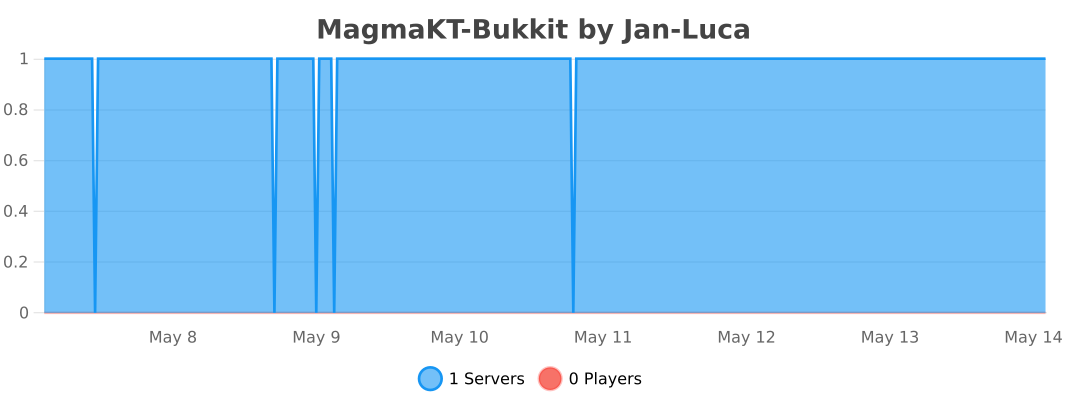
## MagmaKT Statistics
MaceControl
# Mace Control
Mace Control is a Minecraft plugin that allows server owners to customize and manage how maces behave in-game.
### Features
– Adjust mace damage and balance
– Enable or disable specific mace mechanics
– Configure cooldowns and usage behavior
– Server-wide control over mace interactions
– Easy-to-edit configuration file
### Why use Mace Control?
If you want to balance PvP or change how maces function on your server, this plugin gives you full control without modifying the game manually.
### Commands
– `/mace` — Main command for managing mace settings
– `/help` — View available commands in-game
### Setup
1. Drag the plugin `.jar` into your `/plugins` folder
2. Restart the server
3. Edit the config file in `plugins/MaceControl/config.yml`
### Support
Need help? Join the Discord:
https://discord.gg/EjJB9S3Gmd
Apollo
Apollo
Lunar Client’s Official Server-Sided API.
[](https://lunarclient.dev/maven-repository)
[](https://lunarclient.dev/apollo/introduction)
[](https://github.com/LunarClient/Apollo/releases)
[](https://github.com/LunarClient/Apollo/issues)
[](https://github.com/LunarClient/Apollo/?tab=MIT-1-ov-file)
Note: Some features require external integration for utilization.

Apollo is a complete revamp of Lunar Client’s legacy API with tons of new features. Apollo allows server owners to interact and utilize unique features for Lunar Client users. Apollo offers a range of features, modules, and opportunities to enrich the experience of servers way further than what’s possible within vanilla Minecraft. Allowing server owners and developers to explore new possibilities, from simply disabling mods, to providing users quality of life features to capture their creativity. Let’s dive into some of the capabilities and opportunities that can be found within Apollo.


Apollo has most of its features broken down into modules. These modules can be enabled by the server so Lunar Client users can utilize them. Here is a brief breakdown of all the current Apollo modules and their capabilities. If you’re interested in one of the modules click the read more following the description.
Beam
The beam module allows you to create custom beams resembling beacon beams, which can be placed on your server to highlight specific points of interest. [[Read More]](https://lunarclient.dev/apollo/developers/modules/beam)
Beam Showcase

Beams can be at any location and be any color!
Border
The border module not only enhances Minecraft’s current world border system by allowing multiple borders in the world, but also backports all the improvements and vanilla features to Minecraft 1.7.10 players. [[Read More]](https://lunarclient.dev/apollo/developers/modules/border)
Chat
The chat module allows you to interact with and modify users chat feeds. [[Read More]](https://lunarclient.dev/apollo/developers/modules/chat)
Chat Showcase

Example of simulating live chat!
Colored Fire
The colored fire module allows you to modify the color of a flame both on burning entities and normal flame blocks. [[Read More]](https://lunarclient.dev/apollo/developers/modules/coloredfire)
Colored Fire Showcase

Make users burn with any color!
Combat
The combat module allows you to modify certain aspects of combat that are usually handled client-sided. Allows you to remove the 1.8 ‘hit-miss’ or ‘hit-delay’ penalty. [[Read More]](https://lunarclient.dev/apollo/developers/modules/combat)
Cooldown
The cooldown module allows servers to interact with the Cooldown mod found within Lunar Client. [[Read More]](https://lunarclient.dev/apollo/developers/modules/cooldown)
Cooldown Showcase

Display any in-game item, SVGs or textures found within resourcepacks! (1.7+)
Entity
The entity module allows you to interact with entities client-sided. [[Read More]](https://lunarclient.dev/apollo/developers/modules/entity)
Glint
The glint module allows you to control, display, and override a custom glint effect on an item. [[Read More]](https://lunarclient.dev/apollo/developers/modules/glint)
Glint Showcase

Set enchantment glints on any item with any color! (1.7-1.12)
Glow
The glow module allows you to take advantage of the vanilla Minecraft Glow Effect that is usually applied when hit by spectral arrows. [[Read More]](https://lunarclient.dev/apollo/developers/modules/glow)
Glow Showcase

Highlight any user with the glow effect, of any color on all versions!
Hologram
The hologram module enhances vanilla Minecraft’s current system for holograms and backports all the improvements and vanilla features to Minecraft 1.7 players. [[Read More]](https://lunarclient.dev/apollo/developers/modules/hologram)
Limb
The limb module allows you to hide any Armor piece and Body parts of a player. [[Read More]](https://lunarclient.dev/apollo/developers/modules/limb)
Limb Showcase
 
Hide select body parts and armor pieces!
Mod Settings
The mod setting module allows you to interact with Lunar Client users mods or mod settings when joining your server. [[Read More]](https://lunarclient.dev/apollo/developers/modules/modsetting)
Mod Settings Showcase

When mods are disabled on the server, players will receive a notification!
Nametag
The nametag module enhances the vanilla Minecraft nametag. Allows you to have unlimited multi-line nametags for players, instead of a singular line. [[Read More]](https://lunarclient.dev/apollo/developers/modules/nametag)
Nametag Showcase

Display an unlimited amount of lines above a users head.
Nick Hider
The Nick Hider module allows you to pass in a nickname you want to hide for the user. [[Read More]](https://lunarclient.dev/apollo/developers/modules/nickhider)
Notification
The notification module allows you to send Lunar Client notifications to players actively on your server. Lunar Client notifications appear in the upper right of the user’s screen. [[Read More]](https://lunarclient.dev/apollo/developers/modules/notification)
Notification Showcase

Send notifications using Lunar Client, with any icon, title, and description!
Packet Enrichment
The packet enrichment module provides servers with additional information about already existing packets and/or adds additional packets to provide servers with extra information about a player. [[Read More]](https://lunarclient.dev/apollo/developers/modules/packetenrichment)
Rich Presence
The rich presence module allows you to interact with Lunar Client’s rich presence to display your server and game modes directly on Discord. [[Read More]](https://lunarclient.dev/apollo/developers/modules/richpresence)
Rich Presence Showcase

Display information about your server on Discord and Lunar Client’s rich presence!
Saturation
The saturation module allows you to interact with and set custom saturation and hunger values for the Saturation mod on Lunar Client. [[Read More]](https://lunarclient.dev/apollo/developers/modules/saturation)
Saturation Showcase

Set custom saturation and hunger display values for items!
Server Rule
The server rule module contains pre-created settings servers can enable or disable, comparable to Minecraft’s /gamerule command. [[Read More]](https://lunarclient.dev/apollo/developers/modules/serverrule)
Staff Mod
The staff mod module allows you to interact with Lunar Client’s built in staff mods. [[Read More]](https://lunarclient.dev/apollo/developers/modules/staffmod)
Staff Mod Showcase

Allow your staff to use hidden staff only mods, like xray!
Stopwatch
The stopwatch module allows you to control the stopwatch mod inside Lunar Client. [[Read More]](https://lunarclient.dev/apollo/developers/modules/stopwatch)
Stopwatch Showcase

Start, Stop, and Reset the Lunar Client stopwatch mod!
Team
The team module will allow you to interact with the Team View mod in Lunar Client and enable various features for teammates in various other mods. [[Read More]](https://lunarclient.dev/apollo/developers/modules/team)
Team Showcase

Teammates will have markers over their head, appear on Minimap Mod, and appear in the Direction HUD mod!
Title
The title module backports all vanilla title & subtitle features found in 1.8+ to 1.7 Lunar Client players. [[Read More]](https://lunarclient.dev/apollo/developers/modules/title)
TNT Countdown
The TNT Countdown module allows you to interact with and set custom TNT timers for the TNT Countdown mod on Lunar Client. [[Read More]](https://lunarclient.dev/apollo/developers/modules/tntcountdown)
Transfer
The transfer module allows you to transfer players from one server to another, without the need of additional proxy setups, using the transfer packet. We’ve also introduced a ping packet to get a players ping to other servers. [[Read More]](https://lunarclient.dev/apollo/developers/modules/transfer)
Transfer Showcase

Attempt to transfer users from one server to another! (1.20.4 & lower)
Vignette
The vignette module gives the ability to apply a full-screen image overlay with transparency to the player’s view. [[Read More]](https://lunarclient.dev/apollo/developers/modules/vignette)
Waypoint
The waypoint module allows you to interact with the Waypoints mod and place waypoints at various different points of interest in your worlds. [[Read More]](https://lunarclient.dev/apollo/developers/modules/waypoint)
Waypoint Showcase

Waypoints allow players on your server to know where the action is at!

– `/apollo`
– **Description:** The main command inside of Apollo, with no extra args it’ll respond with the current Apollo version running.
– **Permission:** apollo.command
– `/apollo reload`
– **Description:** Reloads the Apollo configuration files, both config.yml and mods.yml
– **Permission:** apollo.command
– `/apollo update`
– **Description:** Forcefully updates Apollo to the latest version.
– **Permission:** apollo.command
– `/lunarclient `
– **Description:** Checks if the provided `` is running Lunar Client.
– **Permission:** apollo.lunarclient

The Apollo configurations are split into two parts;
– General and module specific settings for Apollo are located in the `config.yml`.
– Settings for Lunar Client mod options are located in the `mods.yml`.
The settings for the `config.yml` are generated with examples and comments, which you can modify to your liking.
The `mods.yml` is not generated with its settings or comments, which will require you to refer to each mod’s documentation ([example](https://lunarclient.dev/apollo/developers/mods/2ditems)) for the keys and value(s) you can set. The settings in the `mods.yml` will override the mod options for players on Lunar Client while they are on your server and revert them back after they leave.
`mods.yml` – Configuration Example
Note: The following example is not a complete list of mod settings or guaranteed to be up to date. You should refer to the mod’s documentation ([example](https://lunarclient.dev/apollo/developers/mods/2ditems)) for the latest settings.
“`yaml
mod_setting:
# Set to ‘true’ to enable these mod overrides, otherwise set ‘false’.
enable: true
zoom:
# Set ‘true’ to enable the mod, otherwise set ‘false’.
enabled: true
# Quickly pressing and releasing the key will toggle zoom.
toggle-key-zoom: false
# When zoomed in the camera movement will move smoothly (cinematic camera).
smooth-camera: true
# Add a transition when zooming in and out.
smooth-zoom: true
# Adjust the zoom depth using Mouse Scroll Wheel.
variable-zoom: false
# Change the initial zoom depth.
zoom-divisor: 4
chat:
# Set ‘true’ to enable the mod, otherwise set ‘false’.
enabled: true
# Choose whether or not you want to increase the message history in chat.
unlimited-chat: true
# Choose whether or not you want to stack multiple of the same messages in chat.
stack-messages: false
# Moves the chat up 12 pixels so it doesn’t block health bar.
chat-height: false
# Set the opacity of the chat background.
chat-background-opacity: 1.0
# Show text shadow on chat lines.
chat-shadow: true
# Set whether the chat should be disabled.
disable-chat: false
nametag:
# Set ‘true’ to enable the mod, otherwise set ‘false’.
enabled: true
# Set whether the nametag should have a shadow.
nametag-shadow: false
# An option to see your own nametag in third person.
nametag: true
# An option to toggle LC logos in nametags.
nametag-logo: true
# Determines if we should send the message when nametags are toggled.
toggle-nametags: true
# Set the opacity of the nametag background.
nametag-background-opacity: 1.0
bossbar:
# Set ‘true’ to enable the mod, otherwise set ‘false’.
enabled: true
# Sets the scale of the boss bar.
scale: 1.0
# Sets whether to render the boss bar.
render-bar: true
# Sets whether to use the custom boss bar.
custom-boss-bar: true
# Set the boss bar color.
bar-color: ‘#F249F2’
freelook:
# Set ‘true’ to enable the mod, otherwise set ‘false’.
enabled: false
# Set whether to invert the pitch when using freelook.
invert-pitch: false
# Set whether to invert the yaw when using freelook.
invert-yaw: false
# Quickly pressing and releasing the key will toggle freelook.
toggle-key-freelook: false
# When zoomed in the camera movement will move smoothly (cinematic camera).
smooth-camera: true
lighting:
# Set ‘true’ to enable the mod, otherwise set ‘false’.
enabled: true
# Set whether or not to use full-bright.
full-bright: true
# Set the brightness boost.
brightness-boost: 1.0
damage-tint:
# Set ‘true’ to enable the mod, otherwise set ‘false’.
enabled: false
# Set the color of the tint.
vignette-color: ‘#000000’
# Set the intensity of the tint.
vignette-intensity: 1.0
# Show the tint when you have less than this amount of health as a percentage.
show-vignette-below: 100
# Plays a heartbeat, becoming faster the lower your health.
heartbeat-audio: false
“`

Apollo offers a complete overhaul of the legacy API with numerous innovative features. It empowers server owners and developers to engage with Lunar Client users with unique functionalities, extending beyond the bounds and capabilities of vanilla Minecraft. From incorporating quality of life features to fully in-depth modules, Apollo allows you to fully display your creativity and enrich your gamemodes. Adopting Apollo significantly elevates your servers, projects, or events functionality, creativity, and unique experiences.
If you have any concerns, questions, feature requests, or need support adding Apollo into your server, project, or event, you can contact us on our [Developer Discord](https://discord.com/invite/3T9Atyb6pf).
[](https://lunarclient.dev/apollo/downloads)

We support Maven and Gradle (Groovy & Kotlin) integration compatibilities. You can learn how to use these [here](https://lunarclient.dev/maven-repository#adding-apollo-as-a-dependency).